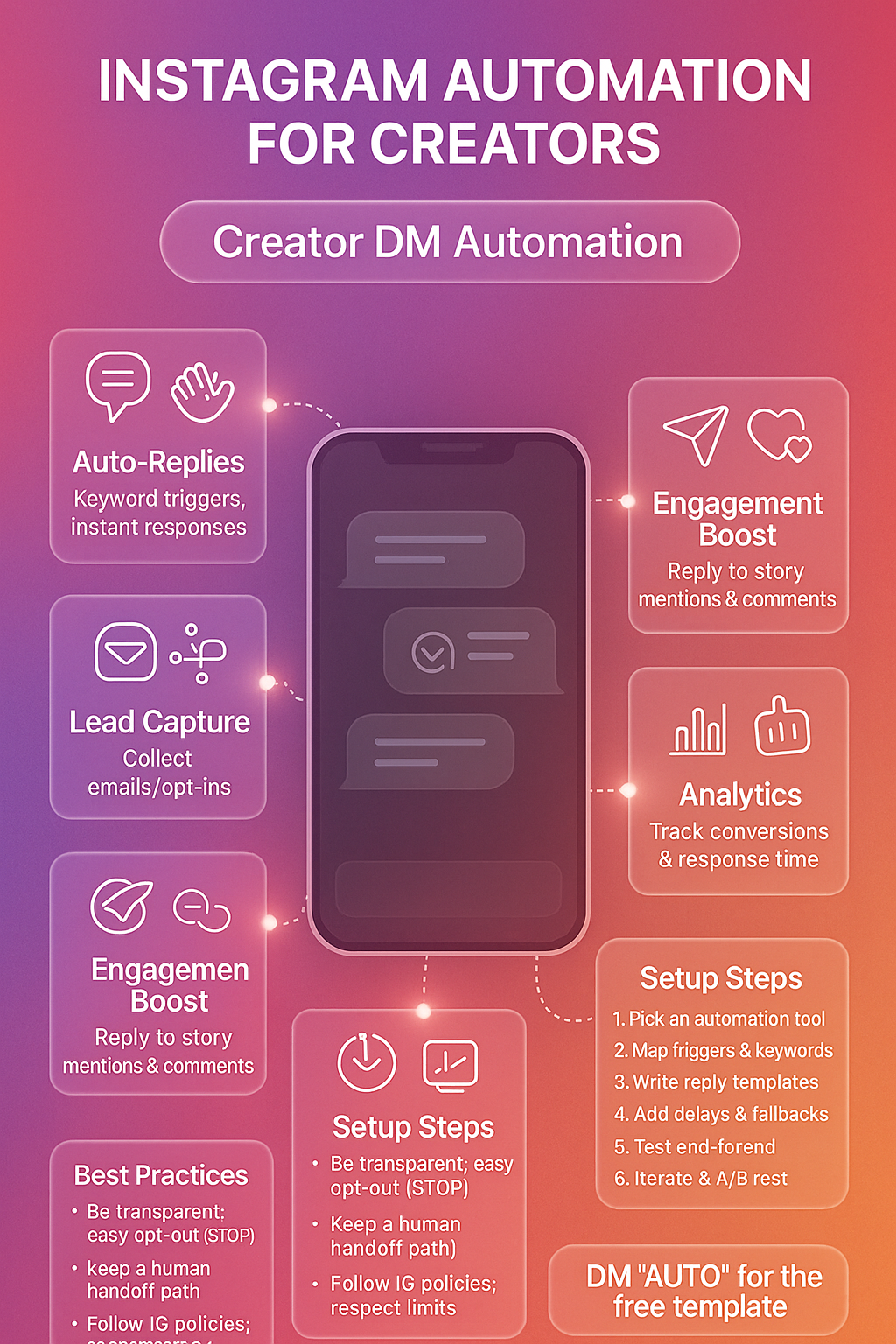
Instagram Automation for Creators
Unlock Instagram automation secrets for creators. Streamline tasks, boost creativity, and maximize engagement today! Dive into our comprehensive guide.
Quick Summary
Tap to view full sizeInstagram Automation for Creators
As an Instagram creator, managing your online presence can be both rewarding and challenging. From creating captivating content to engaging with your audience, it’s a demanding task that necessitates time, effort, and dedication. Fortunately, Instagram automation tools offer a lifeline, enabling creators to streamline their activities and focus more on creativity and engagement. This comprehensive guide will explore the ins and outs of Instagram automation for creators, arming you with insights and strategies to enhance your social media game.
Key Features and Benefits
Instagram automation tools are designed to simplify the management of your Instagram account. They offer a range of features that can enhance productivity and optimize your growth strategy.
Features
- Scheduled Posting: Automate your posting schedule to ensure consistency, even during your downtime.
- Analytics and Insights: Track the performance of your posts and stories to refine your strategy.
- Automated Engagement: Like, comment, and follow users within your target audience to boost visibility.
- Direct Messaging: Send automated replies to new followers or people who message your account.
- Hashtag Generator: Discover trending and relevant hashtags to extend your reach.
Benefits
- Time Efficiency: Save time on repetitive tasks, allowing more focus on content creation.
- Enhanced Engagement: Interact with your audience consistently, even while offline.
- Increased Reach: Use automation to discover new audiences and broaden your reach.
- Data-Driven Decisions: Utilize in-depth analytics to better understand your audience and refine your content strategy.
By leveraging these features, creators can effectively manage their Instagram presence with less manual effort.
How It Works (Step-by-Step)
Understanding how Instagram automation works is crucial for its effective implementation. Here’s a step-by-step guide:
-
Choose the Right Tool: Select a reliable Instagram automation tool that offers the features you need. Consider factors like usability, customer support, and compliance with Instagram’s terms of service.
-
Set Up Your Account: Register with your chosen tool and connect it to your Instagram account. Follow any specific instructions provided by the tool for authentication.
-
Define Your Goals: Clearly outline what you aim to achieve with automation, whether it’s increasing followers, boosting engagement, or enhancing brand visibility.
-
Configure Settings: Customize your automation settings according to your objectives. Decide on the frequency of posts, type of engagement activities, and target audience specifics.
-
Schedule Content: Use the tool to plan and schedule your posts, ensuring you maintain a consistent presence on your feed.
-
Monitor Performance: Regularly review analytics provided by the tool to assess the effectiveness of your strategy and make necessary adjustments.
-
Adjust and Optimize: Continuously refine your approach based on the performance data to maximize your results.
Best Practices and Strategies
To maximize the benefits of Instagram automation, it’s important to follow best practices and tailor strategies to your unique circumstances.
Best Practices
- Be Authentic: Automation should support, not replace, genuine interaction. Maintain your brand’s voice and engage personally whenever possible.
- Stay Compliant: Use automation tools that adhere to Instagram’s policies to avoid penalties.
- Prioritize Quality: Focus on high-quality content that resonates with your audience rather than quantity.
- Monitor for Errors: Regularly check for any automation errors that could affect your engagement negatively.
Strategies
- Strategic Scheduling: Post during peak times when your audience is most active.
- Smart Hashtag Use: Use a mix of popular and niche hashtags to increase discoverability.
- Targeted Engagement: Automate interactions with users who follow similar accounts or engage with related content.
- Content Diversification: Mix various content types like stories, reels, and carousel posts to keep your feed dynamic.
Comparison with Alternatives
While Instagram automation can significantly enhance efficiency, understanding the alternatives helps make an informed decision.
Manual Management
- Pros: Greater control over personal interactions and content curation.
- Cons: Time-consuming and difficult to maintain consistency at scale.
Hiring a Social Media Manager
- Pros: Provides expertise and personalized strategy implementation.
- Cons: Can be costly, especially for creators with limited budgets.
Hybrid Approach
Combining manual management with automation offers a balanced approach, leveraging the strengths of both methods. It enables creators to maintain personal interactions while benefiting from the efficiency that automation tools provide.
Success Stories and Use Cases
Numerous creators have successfully integrated automation into their Instagram strategy, leading to significant growth and engagement improvements.
Success Stories
-
Fashion Influencer: By using automation to schedule posts and engage with fashion-related hashtags, the influencer saw a 30% increase in follower count over six months.
-
Fitness Coach: Automated direct messaging helped this coach onboard new clients efficiently, turning Instagram interactions into business opportunities.
Use Cases
- Platform Launch: A creator launching a new podcast used automation to send welcome messages and introduce the show to new followers.
- Brand Collaboration: Automation facilitated seamless engagement with brand partners through scheduled posts and story updates.
Getting Started Guide
Diving into Instagram automation can be overwhelming, but starting with a structured approach simplifies the process.
Steps to Get Started
- Evaluate Your Needs: Identify what aspects of your Instagram management require the most support.
- Research Tools: Explore various automation tools to find one that aligns with your needs and budget.
- Trial and Error: Use free trials or demo versions to test tool features before committing.
- Plan Your Strategy: Develop a clear strategy outlining your goals, content calendar, and engagement plan.
- Launch and Monitor: Start using the tool and monitor your progress closely, ready to make adjustments as needed.
FAQs and Troubleshooting
Even with the best planning, questions and challenges may arise. Here are some common FAQs and troubleshooting tips:
FAQs
-
Is Instagram automation safe? Instagram automation is safe if you use ethical tools that comply with Instagram’s guidelines. Avoid tools that mimic spammy behavior.
-
Can automation get my account banned? If a tool violates Instagram’s terms of service, it could risk an account ban. Ensure your tool is reputable and compliant.
-
What should I automate? Automate repetitive tasks like posting, initial follower engagement, and basic analytics tracking, but keep personalized interactions manual.
Troubleshooting Tips
- Automation Errors: Check your settings and ensure proper tool integration. Revisit tool instructions if errors persist.
- Decreased Engagement: Evaluate your content quality and audience-targeting strategies.
- Technical Issues: Contact the tool’s support team for assistance if you encounter technical problems.
Instagram automation can be a game-changer for creators looking to scale their presence with minimal effort. By understanding its features, implementing best practices, and continuously optimizing, you can transform your Instagram strategy into a powerful vehicle for growth and engagement. Whether you’re just starting out or looking to enhance your current approach, this guide serves as your roadmap to Instagram automation success.