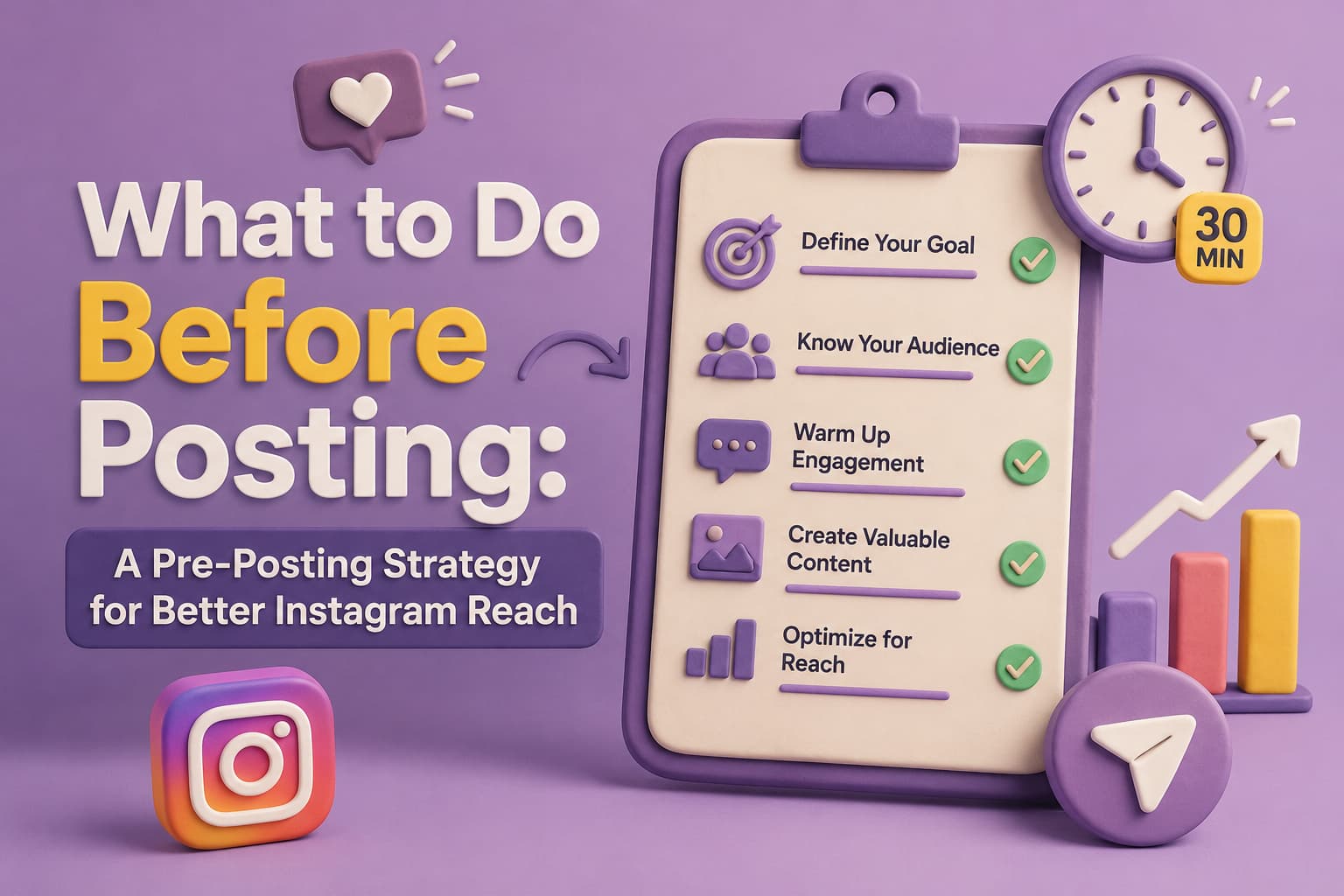
Most creators spend hours perfecting their captions and choosing the right filter — but then post and hope for the best. The real use in Instagram growth lies in what you do before you hit publish. This framework is adapted from Daniela Queiroz (@imdanielaqueiroz), a recognized voice in Instagram marketing and creator education who has built a following of over 100K by consistently sharing tactical, no-fluff content strategy advice.
This guide covers the four things you can do before every single post to meaningfully improve your reach, engagement, and discoverability on the platform.
Content Analysis: This carousel is from @imdanielaqueiroz (Instagram marketing educator with 100K+ followers, known for actionable content strategy carousels). It covers a pre-posting strategy with four concrete tactics — Stories preview, pre-posting engagement, optimal timing, and a review checklist. Additional insights by Sanjay, Founder of InstantDM.
Why a Pre-Posting Strategy Matters for Instagram Reach in 2026
Most Instagram creators focus all their energy on creating content and hit publish without thinking about what happens before that moment. But the work you do in the 30 minutes before posting can determine whether your Instagram reach hits 500 or 5,000.
A pre-posting strategy is the set of actions you take before you publish any Instagram post — from warming up your audience with Stories to engaging with your community to reviewing your content through a quality checklist. In 2026, Instagram's algorithm evaluates your account's activity level at the moment you post. If you have been active and engaging, the algorithm gives your new post a wider initial push. If you have been dormant for hours, your post starts with a smaller audience.
This guide covers the exact pre-posting strategy that top content creators and social media managers use to maximize Instagram reach on every post. These steps take 15 to 20 minutes and work for Reels, carousels, static posts, and Stories.
The Science Behind Pre-Posting Strategy and Instagram Reach
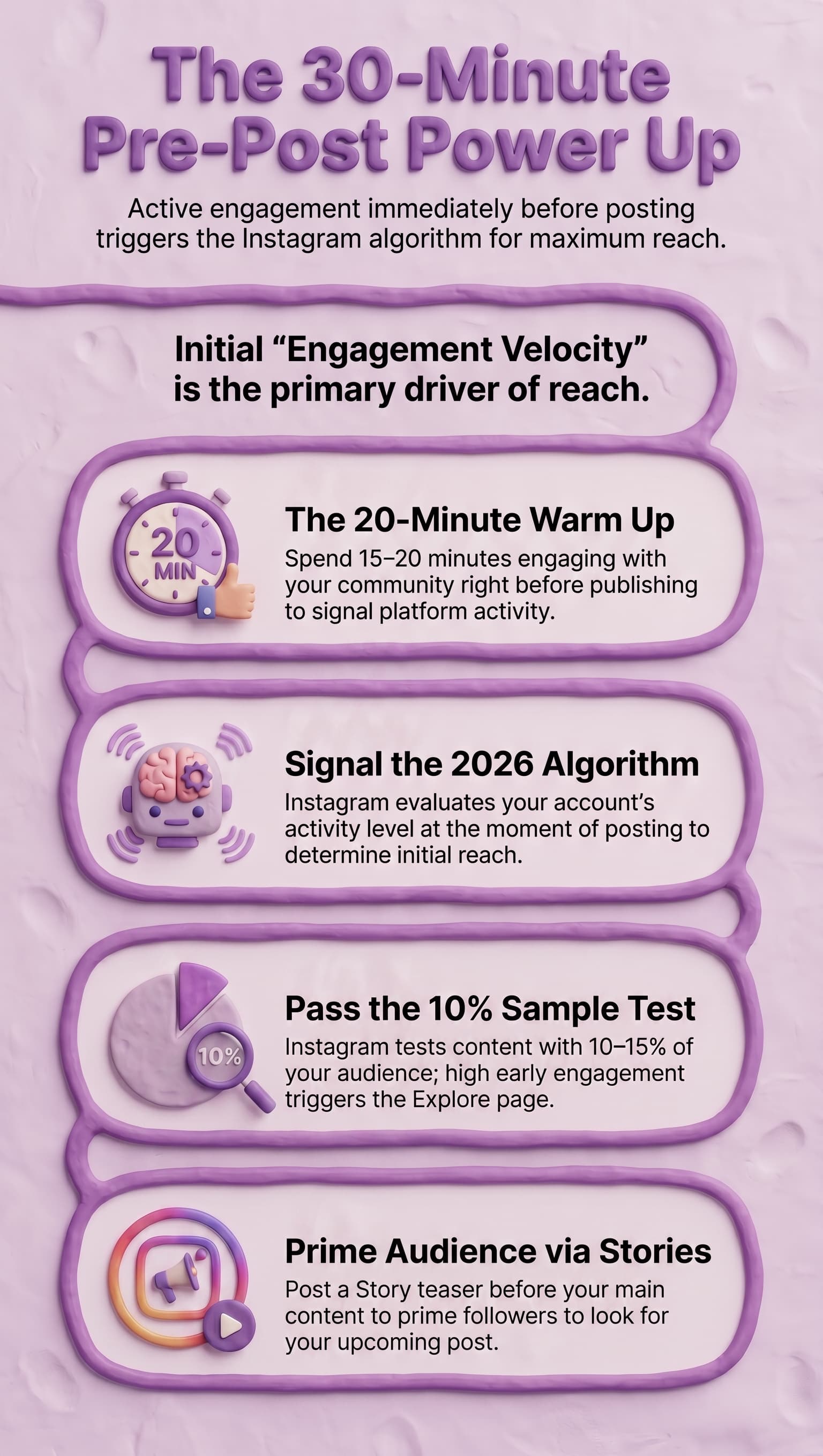
Instagram's algorithm in 2026 does not show your post to all your followers at once. It tests your content with a small sample — typically 10 to 15 percent of your audience — and measures how quickly they engage. If engagement is strong in the first 30 minutes, Instagram expands your reach to more followers and then to the Explore page.
Your pre-posting strategy directly influences this test. When you engage with other accounts before posting, you signal to the algorithm that you are an active participant on the platform. When you post a Story teaser before your main content, you prime your audience to expect and look for your upcoming post. These actions increase the initial engagement velocity, which is the single most important factor for Instagram reach.
The content creators who consistently reach 2 to 3 times more followers than their follower count are not lucky — they follow a deliberate pre-posting strategy every single time.
The Complete Pre-Posting Strategy Checklist
Here are the four steps to follow before every Instagram post. This pre-posting strategy takes 15 to 20 minutes and applies to every content format — Reels, carousels, single images, and Stories.
The order matters. Start with Story teasers, then engage with your community, then verify your posting time, then run your final quality checks. This sequence builds momentum that feeds directly into your post's initial engagement window.
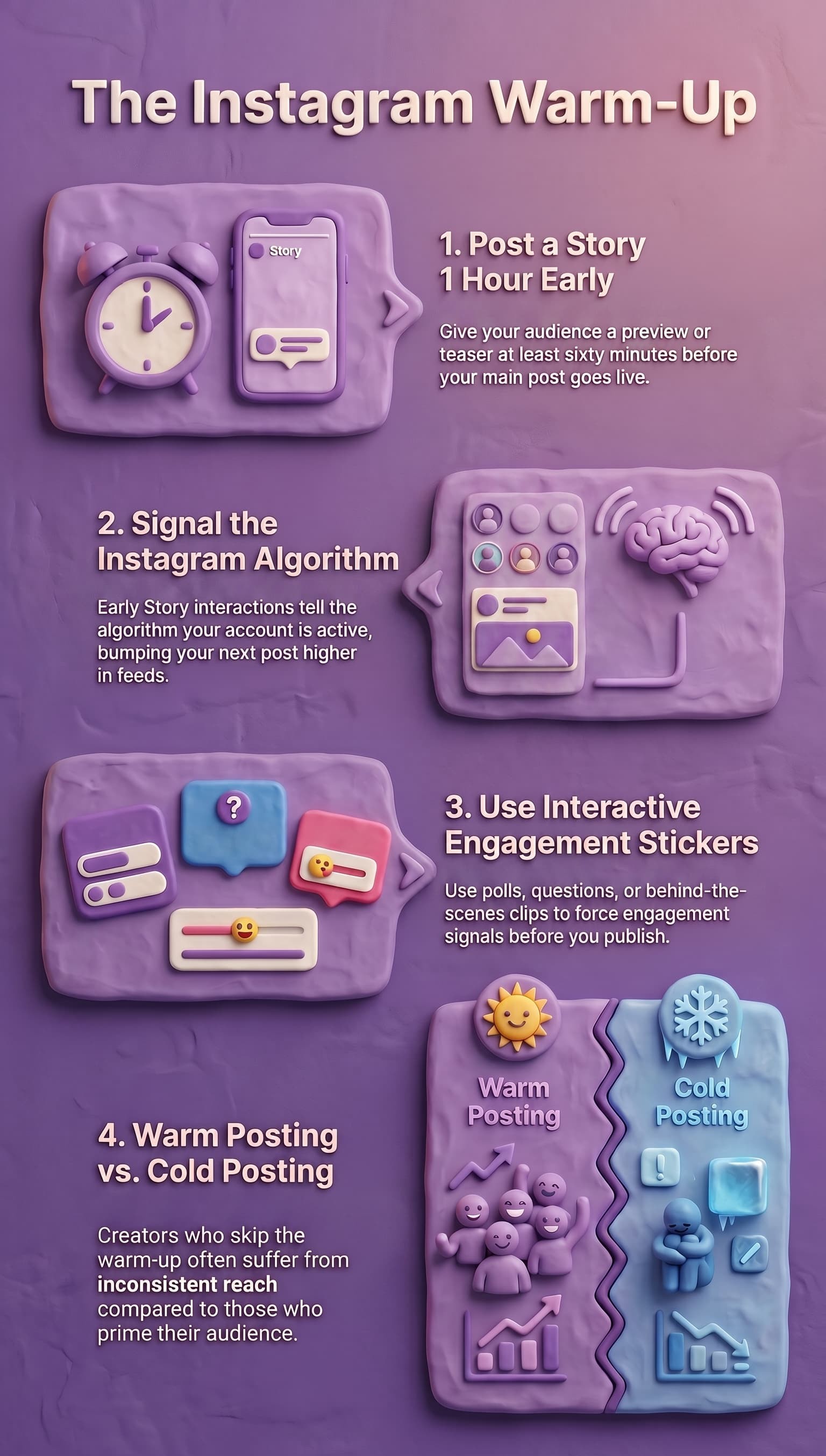
1. Post on Stories Before Your Main Content
Give your audience a preview of your upcoming post at least one hour before publishing. A quick Story teaser — even one that has nothing to do with the actual post content — gets people interacting with your account before your main post even goes live.
Why does this matter? Instagram's algorithm rewards accounts that show consistent engagement activity. When people interact with your Story, your account gets bumped higher in their followers' feeds and in the discovery algorithm. A simple "posting something soon" Story is enough to kickstart that engagement signal before your carousel or reel even appears.
Why Story Teasers Boost Instagram Reach
Story teasers work because they create anticipation and warm up the Instagram algorithm. When your followers view and react to your Story, Instagram registers that interaction as engagement activity on your account. This activity puts your account in an "active" state, which means the algorithm is more likely to push your next post to a wider audience.
The best Story teasers for a pre-posting strategy are simple. Share a behind-the-scenes preview of what you are working on. Ask a question related to your upcoming post topic. Use a poll sticker to let your audience guess what you are about to publish. Each of these actions generates engagement that feeds into your Instagram reach when the main post goes live.
Content creators who skip this step often wonder why their Instagram reach is inconsistent. The answer is usually that they are posting cold — without warming up their audience first.
2. Be Active in Your Community 10 Minutes Before Posting
Networking and community engagement right before posting creates a compounding effect on your reach. Here's what this means in practice:
Networking: Leave meaningful comments on 5–10 posts in your niche or adjacent niches. Genuine, specific comments (not generic "great post!" replies) put your profile in front of new people who may click through to check out your page.
Community engagement: Reply to any DMs, comments, or Story replies you have waiting. Responding to your existing audience before publishing makes them more likely to see and engage with your new post the moment it goes live.
Do both of these roughly 10 minutes before you publish. This isn't about fake engagement or engagement pods — it's about being genuinely present in your niche community at the moment your content drops.
How Community Engagement Before Posting Affects the Algorithm
The 10 minutes of community engagement before posting is not just about being nice — it is a calculated pre-posting strategy move. When you comment on other people's posts, Instagram logs that activity and associates it with your account being actively engaged on the platform.
Here is the specific engagement pattern that works best for maximizing Instagram reach:
- Minutes 1 to 3: Reply to comments on your recent posts. This shows Instagram that your existing content is still generating conversations.
- Minutes 3 to 7: Leave thoughtful comments on 5 to 8 posts from accounts in your niche. Focus on accounts with similar audience sizes — engagement from peers carries more weight than random interactions.
- Minutes 7 to 10: Respond to DMs and Story replies. DM conversations are the strongest engagement signal in the 2026 algorithm.
This 10-minute engagement burst creates what algorithm researchers call an "activity halo" — a window where Instagram is actively monitoring your account for new content to distribute. When you post during this window, your content gets the maximum initial push.
Should You Engage Before Every Single Post?
Yes. Consistency in your pre-posting strategy is what separates accounts with predictable Instagram reach from accounts that see random spikes and drops. The algorithm learns your behavior patterns. If you engage before every post, Instagram starts to expect and reward that pattern.
If you only have 5 minutes instead of 10, prioritize replying to comments on your own posts first, then DM conversations, then engaging on other accounts' posts. Even a shortened version of this pre-posting strategy is better than posting cold.
Why Does This Work?
Two mechanics drive this:
- Commenting on posts in your niche puts your profile in front of new people who hadn't seen your content before — and some of them will check out your page.
Engaging with your community right before posting activates your most loyal followers, making them far more likely to comment, save, and share your post in the critical first hour — which signals to the algorithm that your content is worth surfacing more broadly
3. Check the Best Time to Post for Your Audience
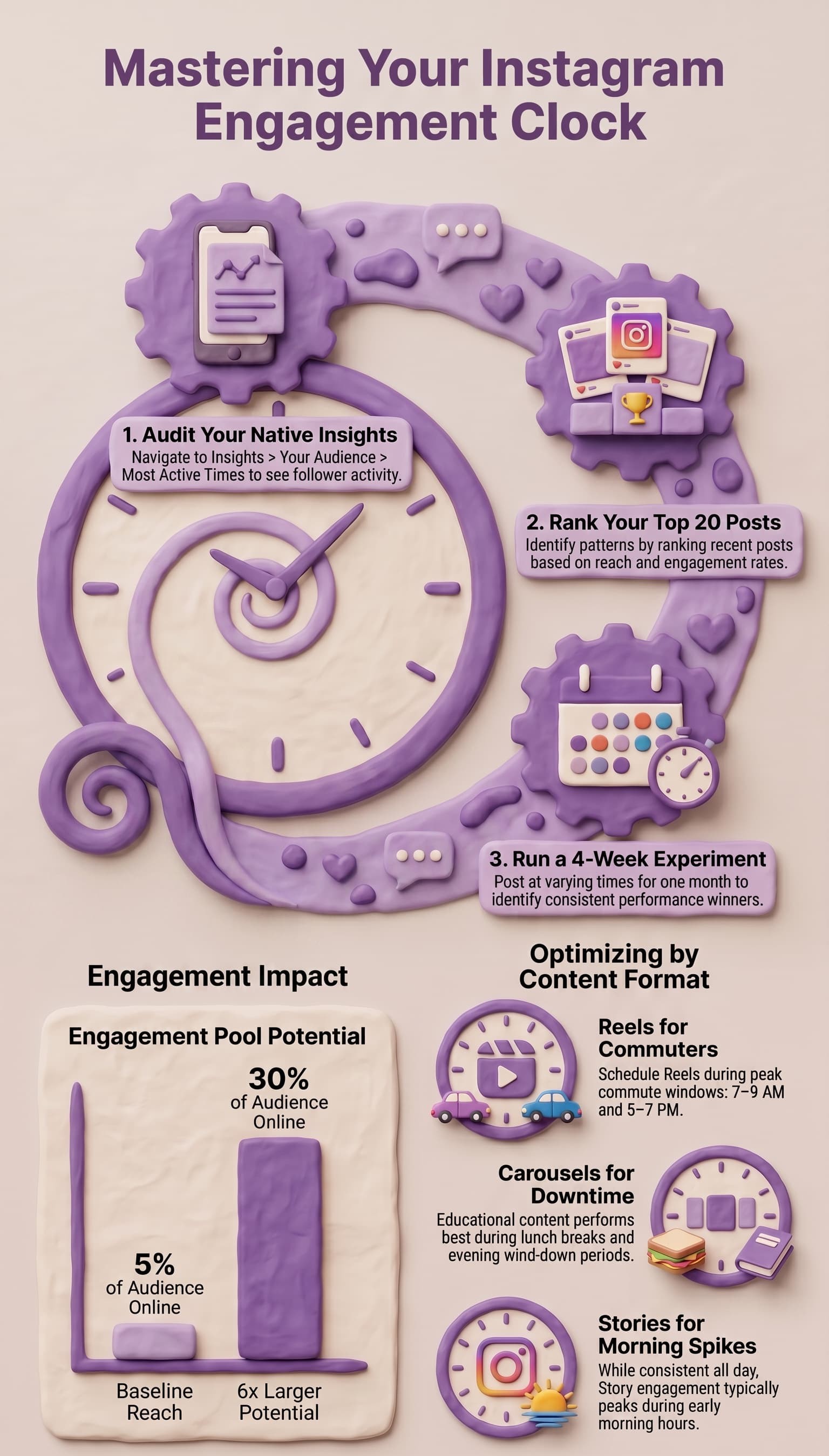
Instagram's built-in Insights shows you your "Most active times" — when your specific audience is most likely to be online. Find it under Settings > Insights > New followers > scroll to the bottom.
But don't treat this as gospel. The "best time" Instagram shows you is based on averages — your actual best posting window depends on your specific audience's habits, your content type, and your niche. Run experiments with different time slots over 2–4 weeks before settling on a schedule. What works for a productivity creator may not work for a fitness coach.
The goal is to find the times when your audience is most responsive — not just when Instagram's aggregate data says they are.
Finding the Best Time to Post for Your Specific Audience
Generic "best time to post" advice is useless. Every audience is different, and your pre-posting strategy should include finding YOUR audience's peak activity windows, not following a generic schedule.
Here is how to find the best time to post for your specific Instagram audience:
Step 1: Check Instagram Insights.
Go to your profile, tap the menu, then Insights, then Your Audience, then scroll to Most Active Times. This shows you the days and hours when your followers are most active on Instagram.
Step 2: Track your top performing posts.
Look at your last 20 posts and note the day and time you published each one. Rank them by reach or engagement rate. You will start to see patterns — certain days and times consistently outperform others.
Step 3: Test and adjust.
Your pre-posting strategy should include posting at different times over a 4 week period and tracking the results. The best time to post changes as your audience grows and shifts.
Step 4: Consider your content format.
Reels often perform best during peak commute hours (7 to 9 AM and 5 to 7 PM). Carousels and educational posts do well during lunch breaks and evening wind-down time. Stories perform consistently throughout the day but spike during morning hours.
How Instagram Reach Changes Based on Posting Time
Posting at the right time does not guarantee viral reach, but posting at the wrong time almost guarantees poor reach. If you publish when only 5 percent of your audience is online, your initial engagement window is limited to that small group. If you publish when 30 percent of your audience is online, your initial engagement pool is 6 times larger.
This is why the best time to post is a core part of any pre-posting strategy. It is not about chasing a magic hour — it is about maximizing the number of engaged followers who see your content in its critical first 30 minutes.
4. Review Your Post With Four Checklists Before You Publish
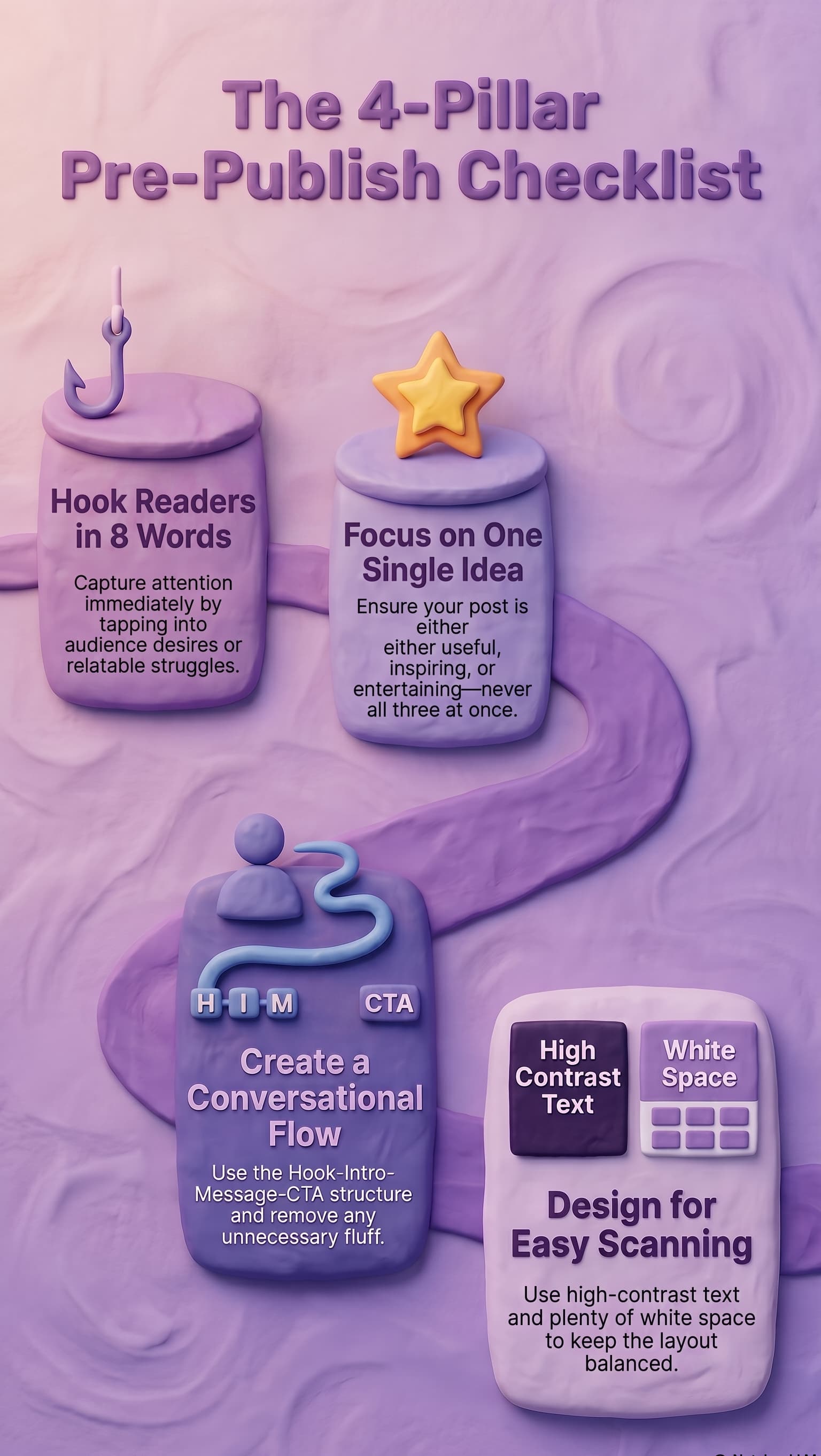
Before every post, run it through four quality checks: Hook, Message, Flow, and Visuals.
![Infographic titled “The 4-Pillar Pre-Publish Checklist” on a soft purple background with clay-style 3D illustrations. A winding path connects four pillars representing key elements to review before publishing social media content.
- Hook Readers in 8 Words Illustrated with a fishing hook above a purple block. The section advises capturing attention immediately by addressing audience desires, problems, or relatable struggles in a concise opening.
- Focus on One Single Idea Illustrated with a gold star on top of a block. The section recommends centering each post on one clear purpose—such as educating, inspiring, or entertaining—rather than trying to accomplish multiple goals at once.
- Create a Conversational Flow Illustrated with a person icon, a winding path, and labels reading “HIM” and “CTA.” The section suggests using a Hook–Intro–Message–Call-to-Action structure and removing unnecessary content to keep the message focused and easy to follow.]
Hook
Your hook is the single most important element — it's what decides whether someone stops scrolling or keeps going.
- Does it Make clear why someone should care? (Tapping into desires, struggles, or relatable situations usually works well)
- Does it speak your audience's language?
- Is it concise? For carousels, aim to keep your hook to 6–8 words maximum.
Message
- Does it focus on one clear idea — not several at once?
- Does it give your audience something genuinely worth their time? (Useful, inspiring, or entertaining — pick one per post)
Flow
- Does it flow naturally from start to finish? The ideal structure: Hook - Intro - Core Message - Call to Action
- Does it sound natural and conversational — or does it read like a robot wrote it?
- Are you using headings or bullet points to keep it organized and scannable?
- Can you remove any words or details without losing the meaning?
- Does it repeat the same point in different ways unnecessarily?
Visuals
- Is there enough white space to keep the design balanced and not overwhelming?
- Is the text easy to read at a glance? (Clear font, good contrast between text and background)
- Are you using visuals — screenshots, before/afters, checklists, photos, highlighted text, illustrations — to keep the reader engaged throughout?
Pre-Posting Strategy for Different Content Formats
Pre-Posting Strategy for Instagram Reels
Reels are the highest reach format on Instagram in 2026, but they also require the most careful pre-posting preparation. Before publishing a Reel, check these additional items:
- Hook in the first 1.5 seconds. Instagram tracks how many people watch past the first 3 seconds. A weak hook kills your Reel's Instagram reach before it starts.
- Text overlay is readable. Most users watch Reels without sound. If your Reel relies on voiceover without text, you are losing a large portion of your audience.
- Audio selection. Trending audio still matters in 2026. Check the Reels tab to see which sounds are trending and consider incorporating them into your content.
- Aspect ratio is 9:16. This sounds obvious, but Reels exported in the wrong aspect ratio get cropped and lose visual quality, which reduces engagement.
Pre-Posting Strategy for Carousels
Carousels have the highest engagement rate of any Instagram content format. Your pre-posting strategy for carousels should include:
- First slide is a standalone hook. The first slide must work as a complete thought — many users see only this slide in their feed and decide whether to swipe based on it alone.
- Each slide builds on the previous one. A carousel should tell a story or build an argument across slides. Random tips on each slide do not hold attention.
- Last slide has a clear call to action. Tell people what to do next — save the post, share it, comment, or visit your profile.
- Slide count is optimized. The ideal carousel length in 2026 is 7 to 10 slides. Fewer than 5 does not give the algorithm enough engagement signals. More than 10 causes drop-off.
Pre-Posting Strategy for Stories
Stories do not need the same pre-posting strategy as feed posts because they do not compete for the same algorithmic distribution. However, posting Stories before your main feed content is itself part of your pre-posting strategy for that feed post. Use Stories to tease, poll, and build anticipation.
Common Pre-Posting Strategy Mistakes That Kill Instagram Reach
Posting Without Warming Up Your Account
The most common pre-posting strategy mistake is going straight from zero activity to publishing a post. If you have not engaged on Instagram for 2 or 3 hours before posting, the algorithm treats your account as inactive and gives your post a smaller initial push. Always spend at least 10 minutes engaging before you publish.
Ignoring Your Post Timing Data
Many content creators pick a posting time based on habit or generic advice instead of their own data. Your pre-posting strategy should include checking Instagram Insights every month to see when your specific audience is most active. Audience behavior shifts over time — your best time to post six months ago might not be your best time to post today.
Skipping the Quality Checklist
Rushing to publish without reviewing your hook, message, flow, and visuals is a wasted opportunity. Every Instagram post is a chance to grow your account. A weak hook or unclear message means the algorithm tests your content, sees poor engagement, and limits your Instagram reach. The 5 minutes it takes to run through the checklist is the highest ROI time you will spend on any post.
Not Having a Pre-Posting Strategy at All
The biggest mistake is having no pre-posting strategy. Most content creators create content, publish it, and hope for the best. The accounts that consistently grow their Instagram reach are the ones that follow a deliberate process before every single post. The strategy is not complicated — it takes 15 to 20 minutes — but the difference in results is dramatic.
Putting It All Together: A 15-Minute Pre-Posting Routine
Here is the complete pre-posting strategy condensed into a routine you can follow before every Instagram post:
Minutes 1 to 5: Story Teaser
Post a Story previewing your upcoming content. Use a poll sticker or question sticker to generate engagement. This warms up the algorithm and primes your audience.
Minutes 5 to 10: Community Engagement
Reply to all comments on your recent posts. Respond to DMs and Story replies. Leave 5 to 8 thoughtful comments on posts from accounts in your niche.
Minutes 10 to 12: Timing Verification
Check that you are posting during your audience's peak activity window. If not, schedule the post for the right time instead of publishing now.
Minutes 12 to 15: Quality Checklist
Run through the four checklists — Hook, Message, Flow, and Visuals. Make final adjustments. Then publish.
This 15 minute pre-posting strategy works for every content format and every niche. The content creators who follow it consistently see their Instagram reach grow month over month. The ones who skip it see unpredictable results and wonder why their content does not perform.
Source: https://www.instagram.com/p/DXRriXFjqCL/
Creator: @imdanielaqueiroz