Instagram may have retired the classic Swipe-Up feature, but link sharing in Stories is now more accessible—and more powerful—than ever.
With the introduction of link stickers, anyone can add clickable links directly to their Stories. No follower threshold. No restrictions.
This shift has fundamentally changed how creators and businesses drive traffic from Instagram.
What Changed: From Swipe-Up to Link Stickers
Instagram officially phased out the Swipe-Up feature in 2021. Initially limited to accounts with 10,000+ followers, it created a barrier for smaller creators.
Link stickers replaced it with a more flexible and inclusive solution:
- Available to all users
- Fully customizable placement
- Visible and intuitive for viewers
- Supports branding and design flexibility
This move effectively leveled the playing field—allowing smaller creators and businesses to compete for attention and clicks.
The Shift from Swipe-Up to Stickers
The transition away from the classic "Swipe-Up" wasn't just a design change—it was a move toward a more interactive and equitable platform. When Instagram officially retired the feature in August 2021, as reported by The Verge, the goal was to provide creators with more creative control over how links appeared.
Initially, this tool was a "walled garden" reserved only for accounts with over 10,000 followers. However, following the successful rollout of stickers, Meta Newsroom confirmed that link-sharing would be expanded to all users, regardless of follower count. This democratization has allowed small businesses and new creators to drive traffic just as effectively as established brands.
How to Add a Link to Your Instagram Story
Follow this standard workflow:
- Create your Instagram Story
- Tap the Sticker icon
- Select Link
- Paste your URL
- Customize the sticker text
- Position it on your Story
Once published, viewers can tap the sticker to visit your link.
Advanced Growth Hack: Custom Branded Link Stickers
Default link stickers are functional—but not always attention-grabbing.
To improve click-through rates, you can design your own branded overlay:
Step-by-step:
- Add a standard link sticker to your Story
- Open a design tool (Canva, Photoshop, Illustrator)
- Create a custom CTA (e.g., “Tap Here”, “Read More”)
- Export as PNG (transparent background)
- Upload it to your Story
- Place it directly over the link sticker
Result:
You maintain full functionality while upgrading visual appeal and brand consistency.
Optimization Tips for Higher Clicks
Low engagement on Story links is usually a design or clarity issue.
Focus on these variables:
- Clear CTA → “Tap here”, “Check this out”
- Visual cues → arrows, GIFs, motion
- Contrast → bright colors against background
- Simplicity → avoid clutter
Also monitor Story Insights regularly. If taps are low, iterate quickly.
Automating Story Engagement with InstantDM
Story links are effective—but they become significantly more powerful when combined with automation.
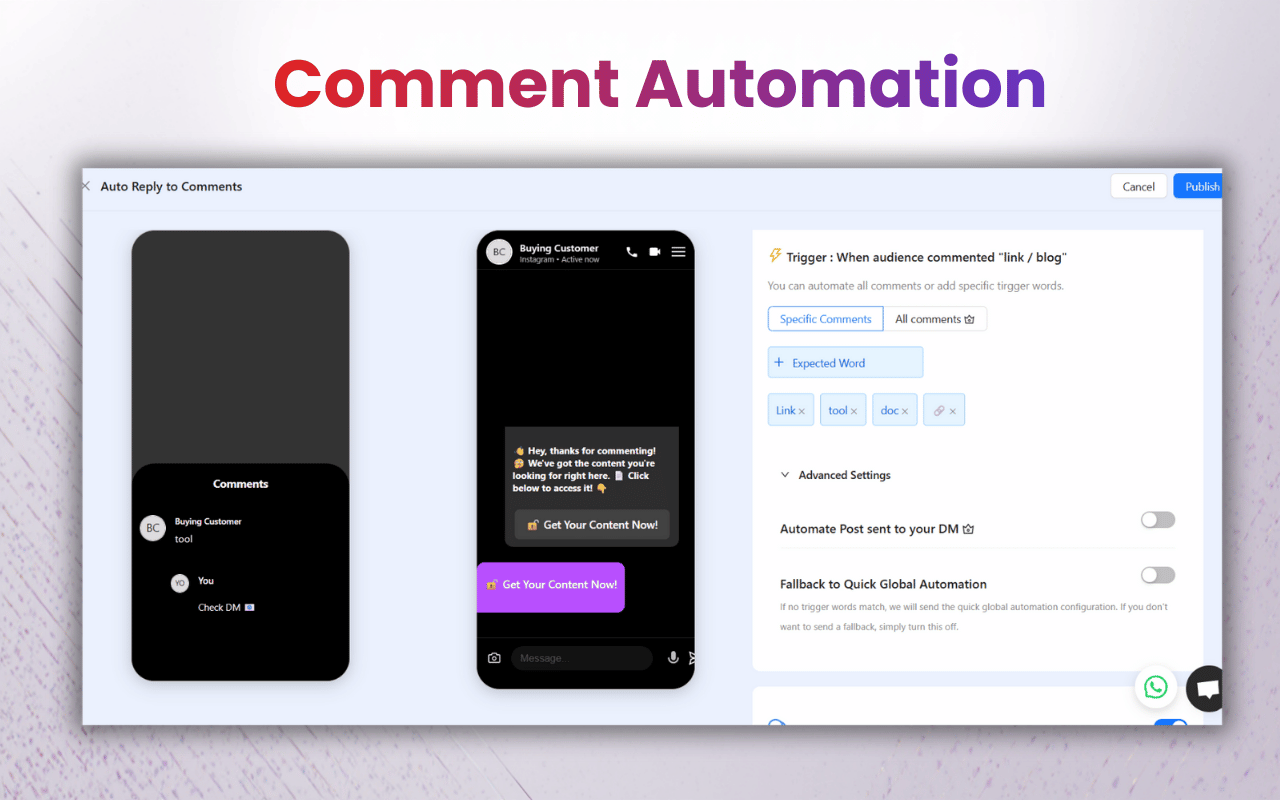
InstantDM enables automatic replies to Story interactions (reactions or messages), allowing you to deliver links instantly without manual effort.
Key capabilities:
- Auto-reply to Story reactions/messages
- Send links, offers, or product details instantly
- Maintain engagement even when offline
Business impact:
- Time efficiency → eliminates repetitive replies
- Faster response cycles → improves user experience
- Higher conversion rates → immediate follow-up
- Scalable communication → handles volume effortlessly
Example use case:
A user reacts ❤️ to your Story →
They instantly receive:
“Thanks! Here’s your exclusive offer 🎁”
Pricing Overview (InstantDM)
- Free Plan → 1,500 automations/month
- Legend Plan → $6/month
- Trendsetter Plan → $20/month
Includes:
- 7-day free trial
- No credit card required
- Discounts on annual billing
Link Stickers vs Swipe-Up: UX Comparison
Feature | Swipe-Up | Link Stickers |
|---|---|---|
Availability | Limited (10K+) | Available to all |
Visibility | Hidden gesture | Clearly visible |
Customization | None | Fully customizable |
Placement | Fixed | Anywhere |
User Experience | Less intuitive | More engaging |
Conclusion: Link stickers are objectively superior in usability and flexibility.
Final Takeaway
Instagram Stories are no longer just a visibility tool—they’re a conversion channel.
By combining:
- Link stickers
- Strong CTAs
- Visual optimization
- Automation tools like InstantDM
You can turn passive viewers into active clicks—and ultimately, customers.
The Complete 2026 Instagram Algorithm Guide: Ranking Factors
The TikTok Algorithm: What Actually Works Right Now
10 AI Instagram Post Generators Tested: Which One Actually S