Quick Summary
- Top Choice: The Instant DM Tool is the lead recommendation for its balance of high safety, 5-minute setup, and affordable $8–$10/month pricing.
- The "Why": It turns your engagement into a 24/7 sales engine by instantly replying to every "Link?" comment or Story mention while you sleep.
- The Method: You simply connect an API-approved tool to your Professional account and set "triggers" for specific keywords like "GUIDE" or "INFO."
- Safety First: By using official Meta-approved tools, you avoid the "shadowban" risks associated with old-school bots that ask for your password.
- The Result: You reclaim hours of manual work every week, ensure no lead is ever missed, and significantly boost your conversion rates.
Introduction
Let’s be honest: manually replying to "How much?" or "Send link!" under your Instagram posts is a soul-crushing waste of time. In 2026, if you aren't using Instagram DM automation, you aren't just working harder - you’re losing sales to competitors who respond in seconds.
But with so many Instagram DM tools popping up, how do you know which one won't get your account flagged or drain your bank account? We’ve tested the heavy hitters - from the complex giants to the "rushed clones" - to help you find the perfect fit.
Before choosing a tool, it helps to understand how Instagram DMs fit into the bigger picture from human-first conversations to automation, lead generation, and sales.
If you want the full framework, start with ourcomplete automation and sales guide to IG DMs for Instagram creators in 2026.
Why DM Automation is a Non-Negotiable
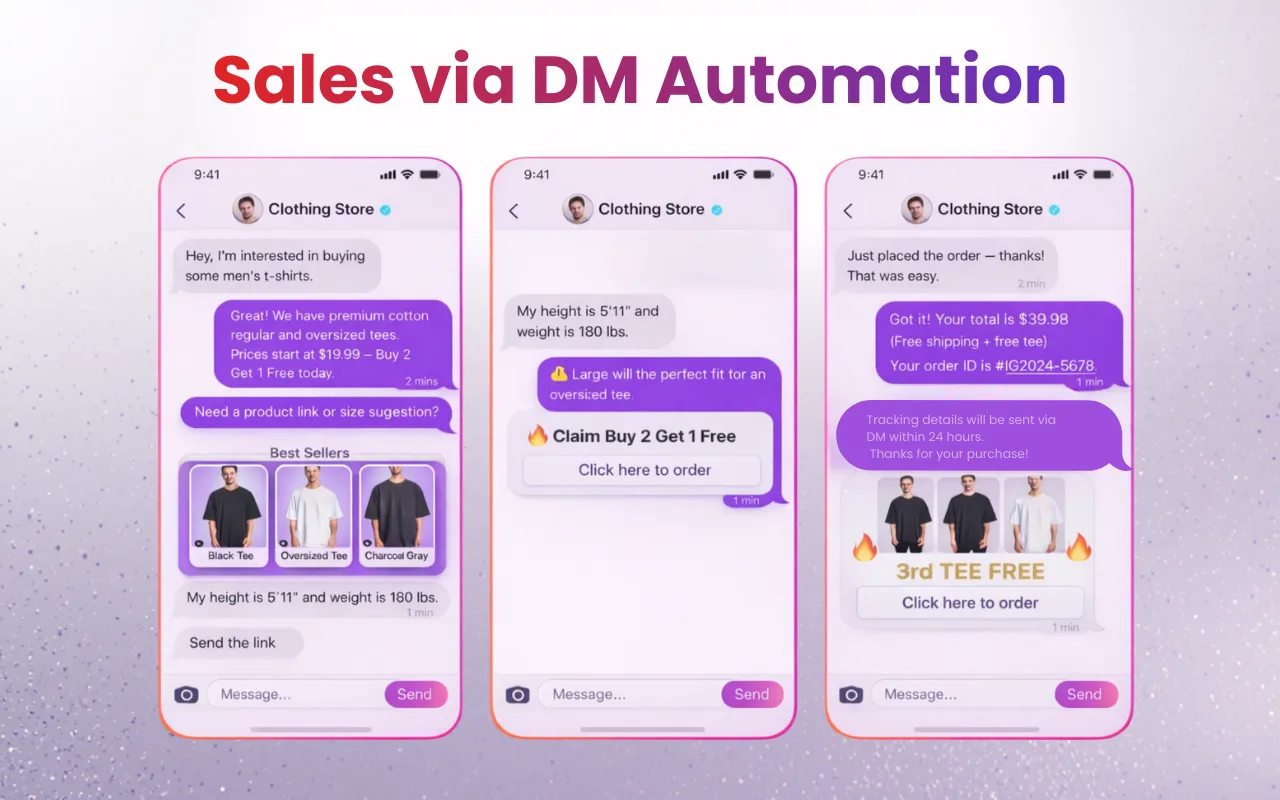
The goal of an Instagram autoresponder isn't to sound like a robot; it's to be helpful when you’re busy. Whether it's a Reel going viral while you sleep or a flood of Story mentions, automation ensures every hand-raiser gets an instant response. Done right, it turns your engagement into a 24/7 lead-generation machine.
How Instagram DM Automation Works (The Safe Way)
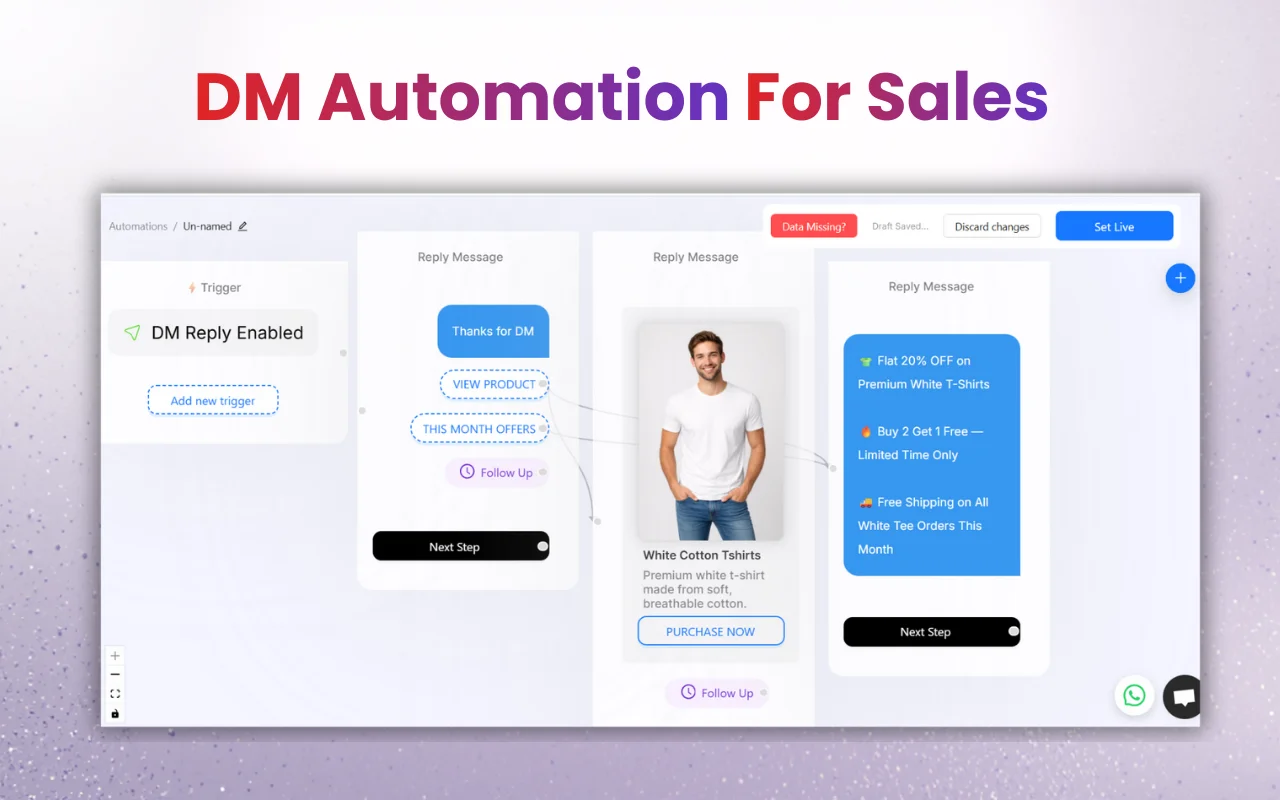
Everything we discuss here uses the official Meta API. If a tool asks for your Instagram password, do not use it. Authentic IG DMs automation works by "listening" for triggers - like a specific keyword in a comment - and sending a pre-written message through official channels. It’s safe, it’s legal, and it’s how the biggest brands on the platform scale without getting banned.
 Top IG DMs Automation Tools: 2026 Reviews
 1. Instant DM Tool (Our Top Pick for ROI & Safety)
InstantDM Tool is the "Goldilocks" of the automation world. It’s not over-engineered, and it’s not a cheap imitation. It’s the safest Instagram DM automation tool specifically because it focuses on what actually works: Comment-to-DM and Story triggers.
- Key Features: Reliable keyword triggers, "Comment = DM" automation, and clean, simple lead collection.
- Pricing: $8/month (Accurate as of January 2026 -Best Value for money in Industry).
- The Pros: It’s incredibly affordable and skips the "tech-head" complexity. It’s built for creators who want to set it up in 5 minutes and forget it.
- The Cons: If you need to build a 20-step AI chatbot for a Fortune 500 company, this might be too simple for you.
- Best For: Small business owners and creators who value their account safety and their time with affordable price.
2. ManyChat
The industry veteran. ManyChat is a powerhouse, but it’s starting to show its age with a "clunky" feel.
- The Reality Check: While it has a massive feature list, the "visual flow builder" can be a total nightmare to navigate if you aren't a tech expert.
- Pricing: Starts at $15/month, but watch out - the price scales based on your contact list. If you have a large following, your bill can skyrocket into the hundreds quickly.
- Best For: High-budget agencies that have a dedicated "bot manager" on staff.
3. LinkDM
A popular choice for basic link sharing, but it has its limitations.
- The Reality Check: LinkDM is fine for sending a single link, but it lacks the "human feel" and deeper funnel logic found in newer tools. Many users find the interface a bit dated, and it doesn't always handle complex Story mention triggers as smoothly as its competitors.
- Pricing: Tiered, often more expensive than Instant DM for similar results.
- Best For: Simple "link in bio" replacements.
4. ReplyRush
One of the newer kids on the block, often seen as a "clone" of older platforms.
- The Reality Check: ReplyRush markets itself on speed, but some users report the interface feels "rushed" (pun intended). There are lingering concerns about how long it takes for their support team to help if a flow breaks during a viral launch.
- Pricing: Around $25/month for their "Boost" plan.
- Best For: People who want a flashy dashboard but don't mind a few "new tool" bugs.
5. Inro
Inro tries to be an all-in-one CRM and automation tool.
- The Reality Check: Because Inro tries to do everything (CRM, emails, DMs), it doesn't do any one thing perfectly. The learning curve is steep, and you’ll likely find yourself paying for a dozen features you never actually touch.
- Pricing: Higher entry point, starting around $14/month.
- Best For: Users who don't already have a CRM and want to manage everything in one messy place.
2026 Comparison Table
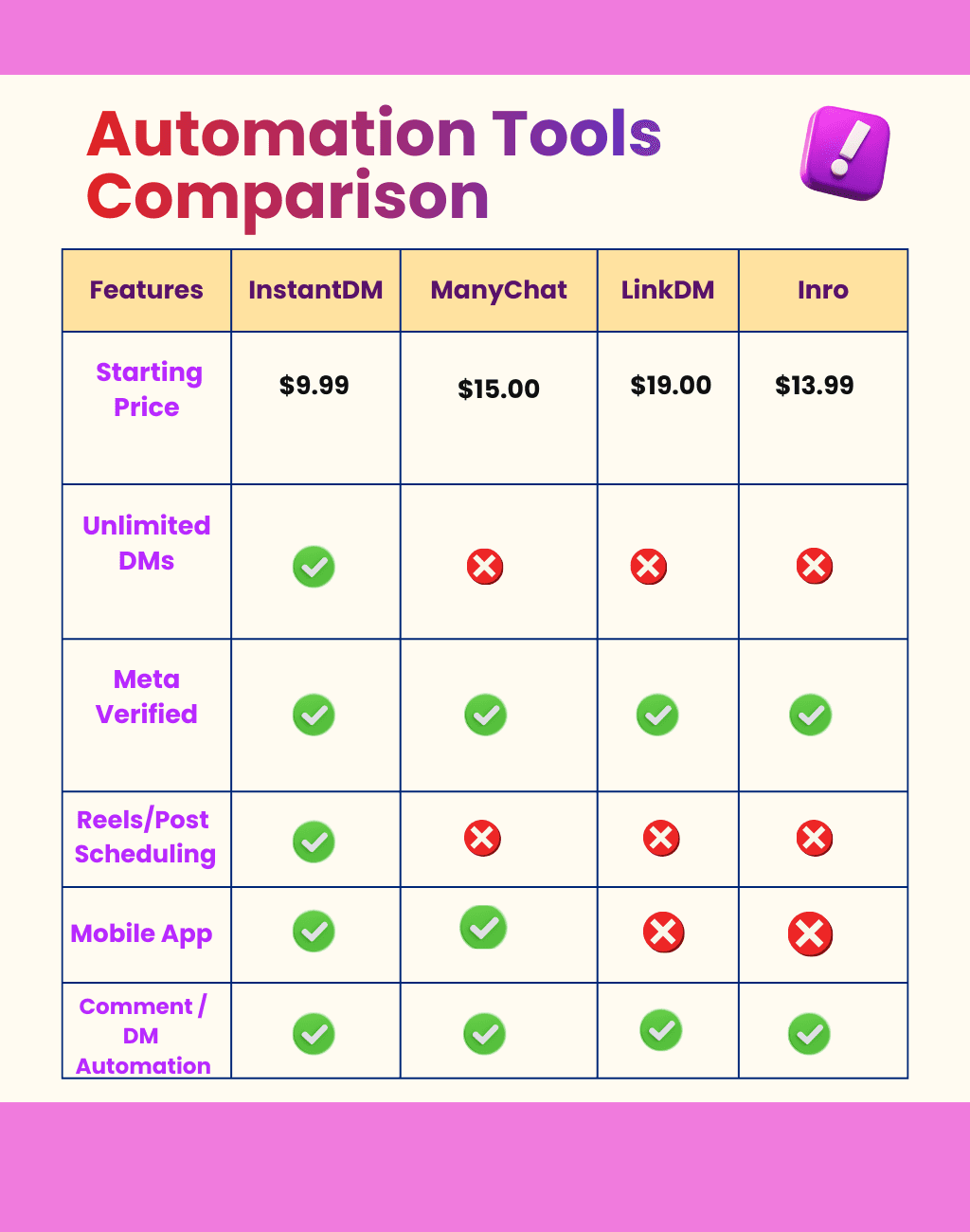
Feature | InstantDM | ManyChat | LinkDM | Inrō | ReplyRush |
Starting Price (Monthly) | $9.99(with free plan) | $15+ (scales quickly with contacts -gets pricey fast) | ~$19 | ~$29+ (or custom quotes - often higher) | $10–$25 (DM volume limits apply) |
Meta Verified / Official API | Yes (fully verified, advanced safety features) | Yes (but bloated with non-IG channels) | Yes | Yes | Yes (decent, but no unlimited options) |
DM & Story Automation | Full (keywords, funnels, works across posts, reels & stories) | Yes (overkill multi-channel setup) | Basic (mostly comment-to-DM) | Basic | Yes (solid triggers, but caps hit quickly) |
Automated Follow-Ups | Yes (multi-step, targets non-responders) | Yes (locked behind higher tiers) | Basic | Yes (good, but pricey add-ons) | Limited (no deep nurturing) |
Comment Automation | Unlimited | Limited | Limited | Limited | Limited |
Post / Reel Scheduling | Unlimited (next-post focus) | Limited | No | No | No |
Mobile App | Yes (complex interface) | No | No | Yes (iOS mainly, limited features) | |
Integrations | Zapier | None | Make.com | None | |
Best For | Budget-friendly, pure Instagram sales power. Ideal for brands & coaches who want safe, unlimited automation without complexity or high cost. | Overloaded multi-platform teams willing to pay extra for features they may not need on Instagram | Very simple starters who quickly outgrow basic features and feel limited | AI-heavy users willing to pay premium and handle a learning curve | Fast lead capture on tight DM limits - users often hit caps early and are forced to upgrade or switch |
Features to Look For (The "Don't Get Scammed" Checklist)
- Meta Business Partner Status: Ensure the tool is officially recognized.
- Unlimited DMs: Don't get stuck with a tool that charges you per message sent that's a 2015 business model.
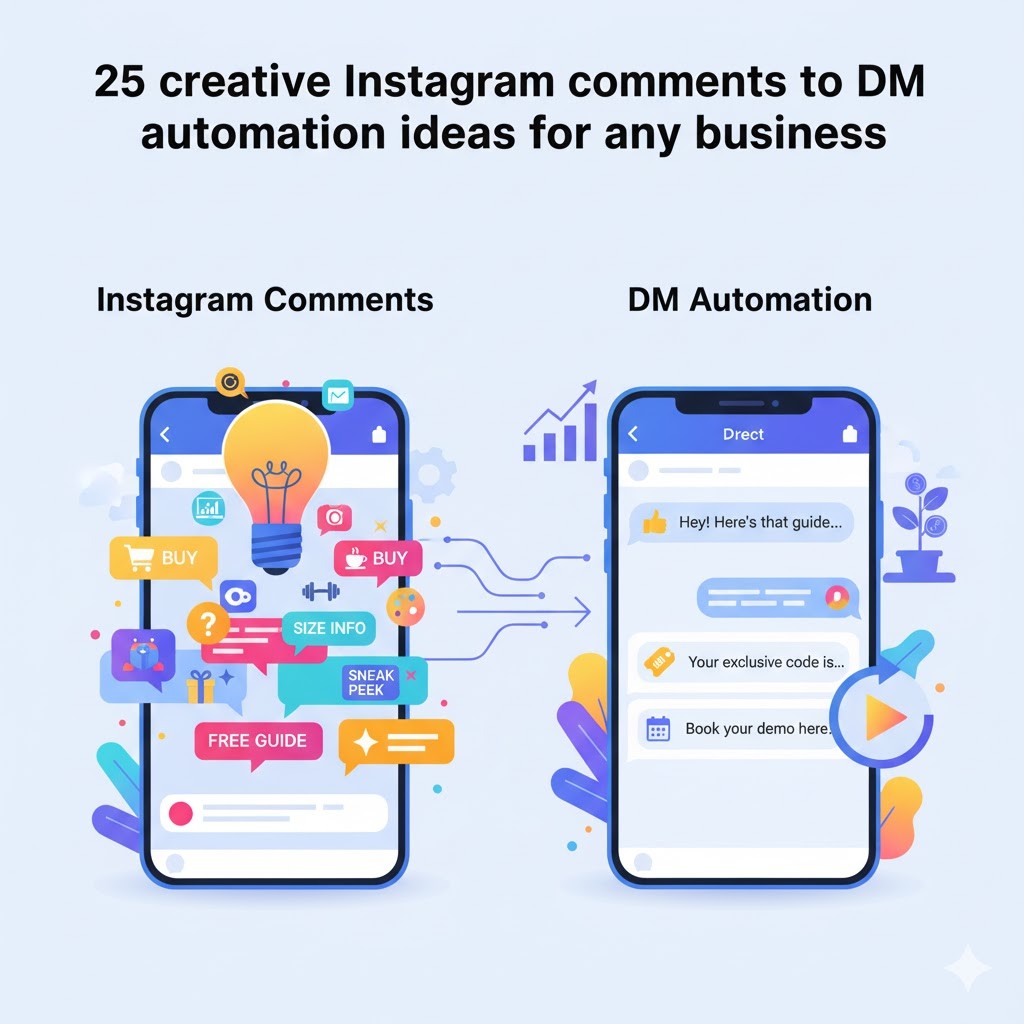
- Comment-to-DM: If people comment on your Reel, the tool should DM them automatically.
Best Practices: Keep it Human
Even with the best Instagram DM tool, if you sound like a robot, people will unfollow you.
- Use Emojis: They break up text and feel natural.
- Add Delays: Don't reply in 0.1 seconds; wait a few seconds so it feels like a person typed it.
- The "Human Handoff": Always let users know how to reach the real you.
Conclusion: Which Tool Should You Pick?
If you have a massive team and a huge budget, ManyChat is the traditional choice. But if you are a creator or business owner who wants a tool that is safe, affordable, and actually works without a 40-hour training course, Instant DM Tool is the clear winner.
People Also Ask:
1. What is the best DM automation tool for Instagram?
The Instant DM Tool is the top choice for 2026. It’s built for safety and speed, specifically focusing on "Comment-to-DM" and "Story-to-DM" automation. Unlike bulky enterprise software, it’s affordable ($9.99/month for unlimited DMs) and incredibly easy for creators to set up in minutes.
2. How to automate your Instagram DMs?
- Switch to Professional: Ensure your account is a Business or Creator profile.
- Connect Your Tool: Link a Meta-approved tool (like Instant DM Tool) to your account via the official API.
- Set Your Trigger: Choose a keyword (e.g., "GUIDE") that will automatically fire off a DM whenever someone comments on your post or mentions you in a Story.
3. What are Instagram automation tools?
These are official software assistants that handle repetitive tasks for you. They focus on two main areas:
- Engagement: Instantly replying to DMs, comments, and Story mentions.
- Efficiency: Scheduling your posts and carousels ahead of time so your page stays active even when you're offline.