Quick Summary
-
Relationship Focus: Instagram DMs have evolved from casual chats into a primary tool for building authentic business relationships and closing sales.
-
Inbox Strategy: Professional success requires mastering the "Inbox Hierarchy," using the Primary and General tabs to keep leads organized and spam-free.
-
Etiquette Matters: Professionalism in the inbox relies on heavy personalization and avoiding "naked hellos" or link-spamming that triggers restrictions.
-
Efficiency at Scale: Managing high volumes effectively involves using professional tools like "Saved Replies," message filtering, and ethical automation.
-
Value-First Approach: The key to growth is leading with value and respecting boundaries, treating every message as a conversation with a real person.
Introduction
Back when Instagram first started, everything revolved around the grid. But today, the real magic happens in the "dark social" corners of the app - specifically, the inbox. Messaging with Instagram has shifted from just a way to send memes into a serious tool for creators and business owners to build actual, human relationships.
Related: Send Audio in Instagram DMs: Ultimate Hack for DJs & Coaches
Instagram direct messages (DMs) are private conversations that allow creators and businesses to communicate one-to-one with followers, prospects, and customers. Whether you're trying to close a deal, reach out to an influencer, or provide customer support, mastering the inbox is a must.
In this guide, we’ll walk through the basics and move into smarter, EEAT-backed ways to handle a professional inbox.
For conceptual clarity, explore how Instagram messaging works and why it matters.
How Instagram Messaging Works (DM Basics Explained)
Before we get into the "how-to," let’s look at how the inbox actually works. At its simplest, Instagram direct messages are private chats, but there’s a specific system to how they are organized to keep you from getting overwhelmed.
Related: How to Organize DMs: Mastering Messaging with Instagram
The Inbox Hierarchy
Instagram tries to help you stay organized by tucking messages into different folders:
-
Primary Tab: This is for your main connections the people you follow and the conversations you care about most.
-
General Tab: Exclusive to professional accounts, this is great for messages you want to track but don't need to address immediately.
-
Message Requests: If someone you don't follow reaches out, they end up here. They stay hidden until you "Accept," which is a lifesaver for avoiding clutter and spam.
Personal vs. Business Messaging
Standard accounts are fine for chatting, but switching to a Professional or Creator account gives you some serious use. You get access to Instagram business messaging perks like saved replies and lead forms, which Make a huge difference when you're trying to scale your brand.
Types of Instagram Messages You Can Send
The cool thing about messaging with Instagram is that you can communicate in whatever way feels most natural for your brand.
Related: How to Manage Multiple Instagram Accounts Like a Pro
Common Message Formats
-
Text Messages: The bread and butter of the inbox.
-
Photos & Videos: Send stuff from your camera roll or use "disappearing" media for one-time views.
-
Voice Messages: Sometimes it’s just easier to talk. It adds a layer of personality that text usually misses.
-
Reels & Post Sharing: This is the primary way users interact today sliding a relevant post into the DMs to start a conversation.
-
Stories Replies: Every time someone reacts to your Story, it opens a door for a real conversation.
-
Quick Replies: These are templates for those repetitive questions every business gets, helping you stay fast without typing the same thing 50 times.
How to DM on Instagram: A Step-by-Step Guide
If you are new to the platform or teaching a team member, here is the straightforward process for how to DM on Instagram.
Your First Direct Message
-
Open Your Inbox: Tap the paper plane or Messenger icon in the top-right corner of your home feed.
-
Start a Conversation: Tap the "Compose" icon (pencil) or use the search bar to find a specific username.
-
Write Your Message: Type your message in the text field. If it's a cold outreach, keep it brief.
-
Add Media or Links: Tap the image icon for photos or the mic for audio. You can also paste URLs, which will generate a rich link preview.
-
Managing the Thread: You can long-press your own message to "Unsend" if you made a mistake or react to others' messages with emojis to keep the vibe light.
Instagram DM Etiquette: How to Sound Professional
In the digital world, your Instagram DM etiquette is your first impression. If you want to send professional Instagram messages, follow these community-tested rules.
Personalization is Key
Nobody likes a robot. Avoid the "copy-paste" trap. If you’re reaching out to a collaborator, mention something specific about their recent work.
-
Bad: "Hey, check out my page and follow back!"
-
Good: "Hi [Name], I caught your Reel on SEO that point about H1 headers was a total lightbulb moment. I'd love to connect!"
What to Avoid
-
The "Naked" Hello: Don't just send "Hi" and wait. State your purpose in the first message.
-
Emoji Overload: A few are fine, but too many can make a business inquiry look messy.
-
Ignoring Boundaries: One polite follow-up is okay. Five is spam.
Using Instagram DMs for Business Growth
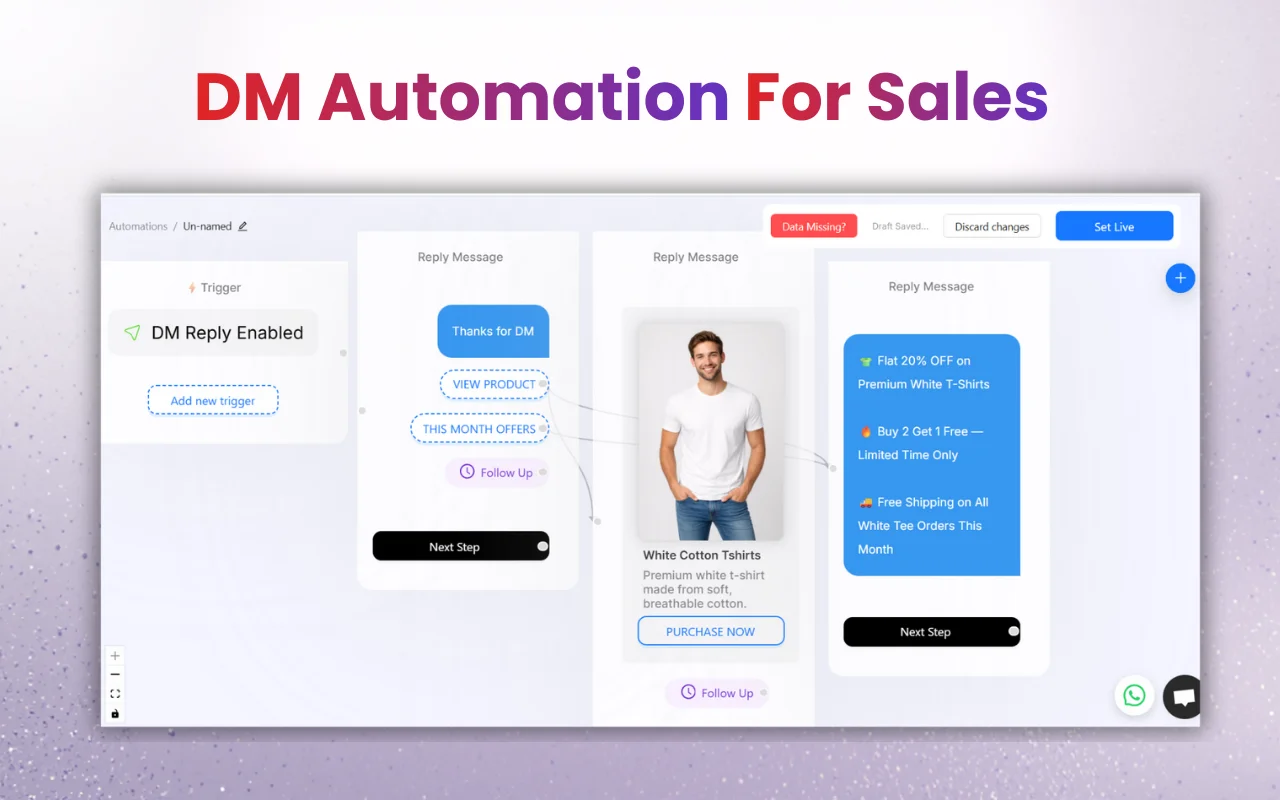
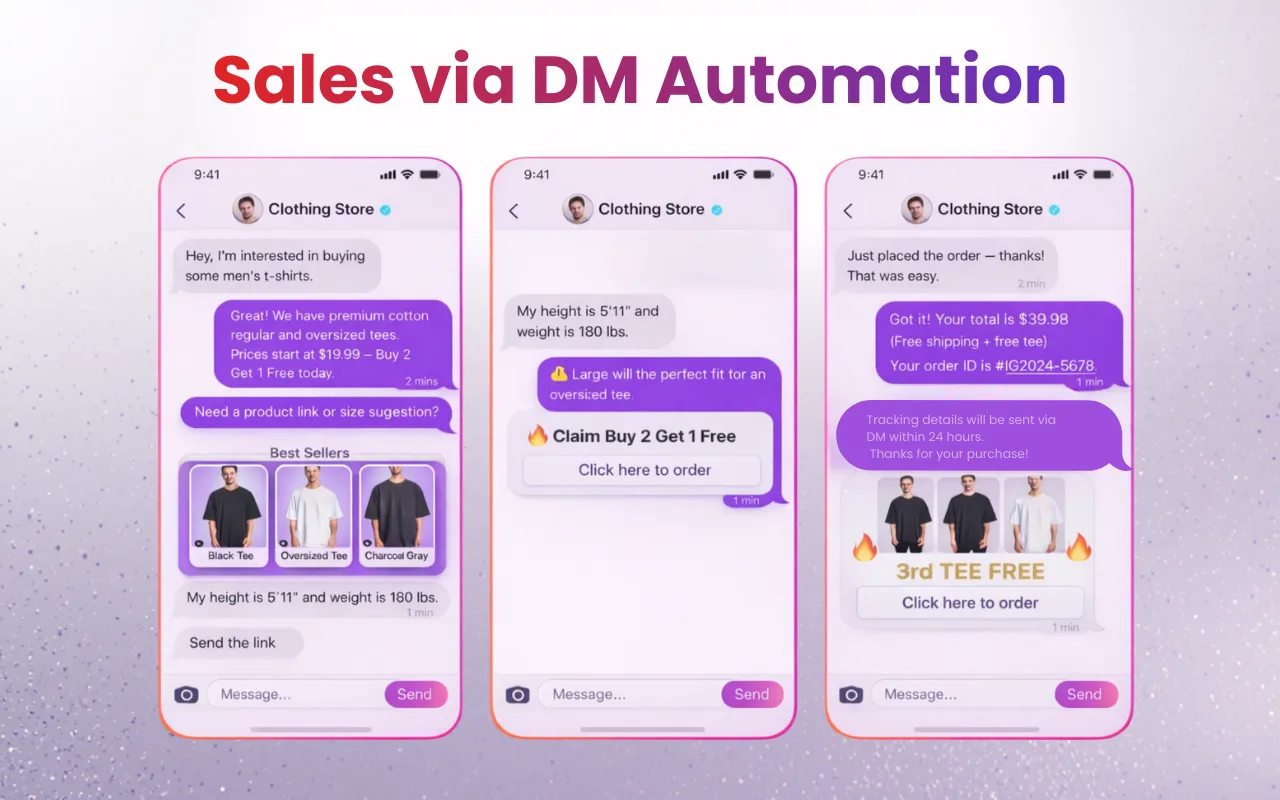
Strategic Instagram business messaging can significantly impact your bottom line.
Key Growth Strategies
-
Lead Generation: The DM is where followers become clients. By asking questions in Stories, you invite people into your inbox for discovery calls.
-
Customer Support: Modern customers expect fast replies. Using DMs as a support channel builds immense trust.
-
Influencer Outreach: Think of the DM as your direct line to a "digital office." A well-crafted pitch often beats a cold email.
If your inbox feels overwhelming, learn how to organize Instagram DMs effectively to avoid missing important messages.
How to Manage Instagram DMs at Scale (Inbox Organization Tips)
As your account grows, effective Instagram inbox management is the only way to stay sane.
Pro Tips for Organization
-
Use the "Flag" Feature: Mark important messages that need a real follow-up so they don't get buried.
-
Create Folders: Keep active leads in "Primary" and move general chit-chat to "General."
-
Saved Replies: If you get asked "What are your prices?" ten times a day, create a template to save hours of typing.
-
Filter by "Unread": At the end of each day, filter your inbox to ensure no one was left hanging.
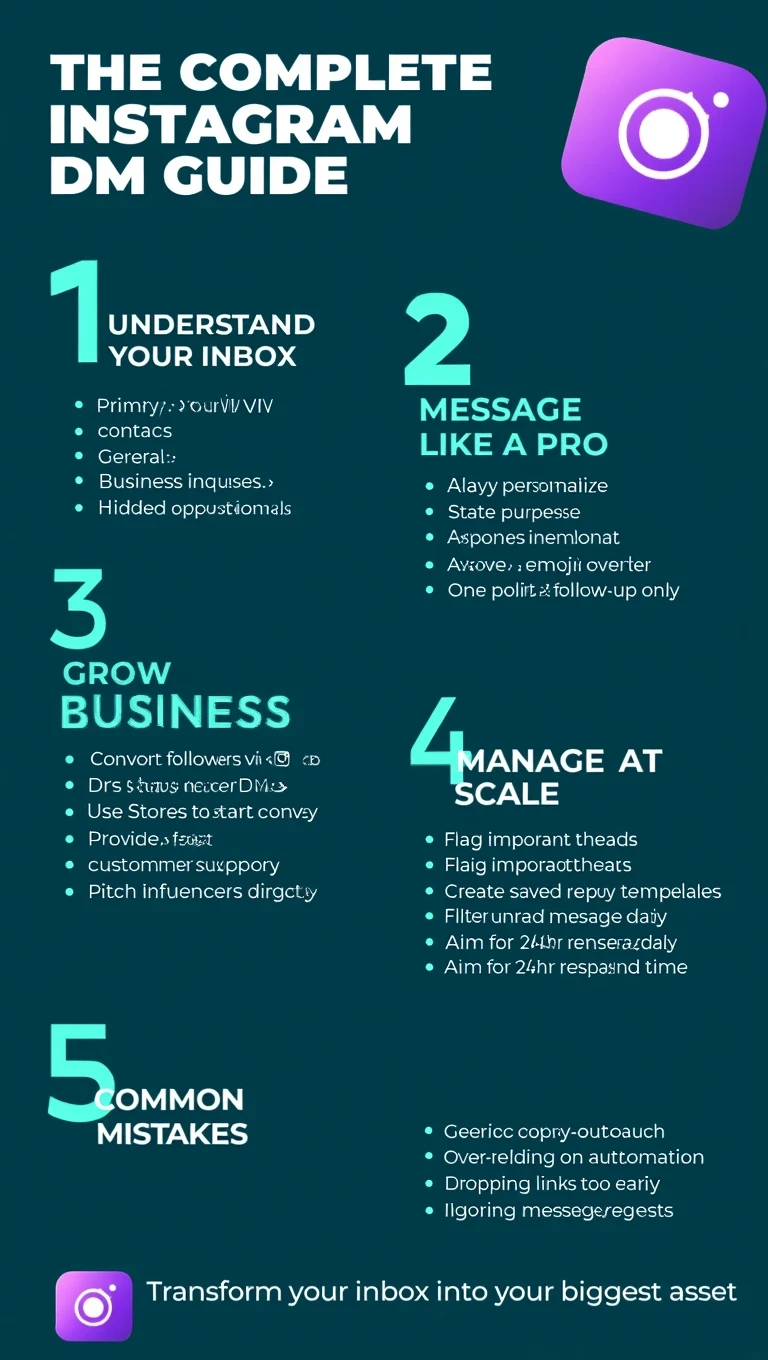
These inbox organization techniques are part of a larger Instagram DM system - for a complete breakdown of messaging strategy, automation, inbox workflows, and monetization, read Instagram Messaging: The Complete Guide to DMs, Strategy.
Instagram DM Automation: When (and When Not) to Use It
As businesses scale, replying to every message manually becomes a physical impossibility. This can be especially useful for small teams managing high DM volume without hiring extra support.
Balancing Efficiency and Human Touch
Automation should never "fake" human interaction. Instead, use it as an efficiency tool. For example, some businesses use tools like InstantDM to help manage high volumes, automate basic FAQ replies, or respond faster after hours - while still keeping the eventual conversation human. The goal is to bridge the gap until a real person can jump in.
Feature | Manual Messaging | InstantDM (Automated) |
Response Time | Minutes to Hours (depends on your schedule) | Instant (24/7) |
Effort Level | High – You must monitor your phone constantly | Low – Set it up once and let it run |
Consistency | Can vary based on your mood or energy | Always matches your pre-set brand voice |
Lead Capture | Easy to miss people in a crowded inbox | Captures interest the second it happens |
Scalability | Hard to maintain as your followers grow | Built to handle viral posts with 1,000+ comments |
Human Touch | 100% Personal | Hybrid (Instant link/FAQ + Human follow-up) |
Instagram DM Rules, Limits, and Best Practices
To keep your account safe, you must stay within Instagram's unofficial "limits."
Staying in Instagram's Good Graces
-
Keep it Concise: People scan messages; don't write a novel.
-
Avoid Spamming: Sending the same link to 50 people who don't follow you will get your account restricted.
-
Response Time: Aim for a 24-hour window to maintain momentum.
-
Privacy First: Never ask for sensitive passwords or credit card info via DM.
Common Instagram DM Mistakes to Avoid
Avoid these pitfalls to ensure your messaging strategy remains effective and professional.
Mistakes to Watch For
-
The Copy-Paste Spam: Users can smell a template from a mile away. It leads to instant blocks.
-
Over-Automation: If a bot handles the whole chat without a human handover, the user will feel frustrated.
-
Sending Links Too Early: Dropping a link in the very first message often triggers spam filters.
-
Ignoring "Requests": Always check that hidden folder; your biggest opportunities might be sitting there.
Conclusion
Mastering messaging with Instagram is one of the most valuable skills a modern creator or entrepreneur can develop. It turns a broadcasting platform into a two-way relationship engine.
By staying organized, leading with value, and remembering that there is a real person on the other side of the screen, you'll transform your inbox from a chore into your biggest asset.