Last updated: 02 October 2026
Quick Summary
- Instagram messaging has replaced “link in bio” as the most effective way to build engagement and trust by 2026.
- DMs signal meaningful interaction to Instagram’s algorithm, helping improve reach, visibility, and loyalty.
- Creators, businesses, and brands use messaging to have real conversations that convert interest into action.
- Automation can support messaging at scale when used ethically, with user consent and Meta-approved tools.
- The future of Instagram growth lies in private, human conversations - not public, one-way promotion.
What does DM mean on Instagram?
DM on Instagram means Direct Message. IG DMs, Instagram Direct, and Instagram messages direct are the same feature: the private inbox inside the app, separate from comments, Stories, and the feed.
A DM is a conversation only the people in the thread can see. You can send text, photos, Reels, voice notes, stickers, and links. Comments are public. DMs are not. That is why customers ask about price, size, and shipping in Direct instead of under a post.
Instagram Direct is the system. A DM is one message inside it. “IG DMs” is just the short form creators and brands search for.
Where is Instagram Direct?
Instagram Direct is the paper-plane icon. It is not a separate app.
On the phone:
- Open Instagram.
- Tap the paper plane at the top right of the home feed. On some layouts you can swipe left from the feed.
- That screen is your inbox. Primary and General sit at the top if you use a professional account. Requests is the tab for people you do not follow.
On a computer:
- Go to instagram.com and log in.
- Click the messenger icon in the left sidebar, or open instagram.com/direct/inbox.
- Click the compose icon to start a new message.
You can also open Direct from a profile Message button, from a Story reply, or from a Reel share. If a message never arrived, it is usually in Requests or Hidden Requests, not missing. The full folder map is in how to check messages on Instagram.
How do I use Instagram Direct?
On mobile: open the inbox, tap the pencil or compose icon, search the username, type, and send. From a profile, tap Message. From a Story, reply in the reply field and it lands in their Direct.
On desktop: open the inbox, click compose, pick the account, send. Voice notes, vanish mode, and some camera tools are mobile-only.
What you can send: text, photos, video, voice notes, GIFs, posts, Reels, and links. Links are clickable in DMs. They are not clickable in comments or Reel captions, which is why Direct is the step after a comment.
How does the Instagram Direct list order work?
Meta does not publish a ranking formula for the inbox the way it does for Feed and Explore. The order you see is mostly recency, with a few overrides.
- Pinned chats stay at the top. You can pin up to three.
- Under the pins, the thread with the newest message moves to the top. Sending or receiving both count.
- An Unread or Flagged filter left on makes the list look wrong. Turn the filter off.
- A chat you moved to General disappears from Primary. It is not deleted.
- Requests is a separate list. People you do not follow land there, with no notification. Hidden Requests sits at the bottom of Requests.
- Professional accounts split the main inbox into Primary and General. Primary notifies. General is quieter, often with notifications off.
- Desktop does not support every mobile control. Pinning and mark-as-unread can differ between phone and computer.
Inbox map
Place | What lands here | Notified? |
|---|---|---|
Primary | People you follow, Story replies, chats you moved here | Yes |
General | Lower-priority chats, many group threads, chats you moved here | Often off |
Requests | Accounts you do not follow | No |
Hidden Requests | Spam, filtered words, flagged messages | No |
Inbox order, share list, and following list are three different lists
People search “how does Instagram Direct list work” and mean one of three screens.
The inbox list is the chats inside Direct. Pinned threads stay on top, up to three. Everything else follows the latest message sent or received. Primary, General, Requests, and an Unread filter change which chats you see, not a secret importance score.
The share list is the row of faces when you tap the paper plane on a Reel or post. Meta does not publish the formula. What holds up in practice is who you have messaged and how recently, plus people you have already shared posts with. Profile views do not move this list. Close Friends does not move it either. Close Friends is a Story audience. If the row suddenly fills with strangers, that is a bad ranking pass from Instagram, not proof those people viewed you.
The following list is the third screen. It is not alphabetical. It leans on mutual interaction, and DMs and Story replies weigh more than a single like. It does not control your inbox order.
If a name is high on the share row and missing from the inbox, those are different lists. Pin the chat if you need it at the top of Direct.
Features people mix up
Unsend removes one message for both people. Delete clears the thread from your side only. Vanish mode makes messages disappear when the chat is closed, and it can notify on a screenshot. Normal DMs do not notify on a screenshot. Seen appears only if read receipts are on. Either person can turn receipts off, so no Seen does not prove the message was unread.
Tools inside Instagram Direct
Professional accounts can save quick replies for repeated questions, and set icebreakers so a new visitor sees tappable questions before the first message. An ig.me link opens Direct with a prefilled note, which is the clean version of “DM me this word.”
Inside a thread you can pin up to three messages, reply to one bubble, react, send a voice note, or start a voice or video call. Group chats hold up to 250 people. View Once media disappears after it is opened and can notify on a screenshot. Normal text does not. You can schedule a message by holding the send button and picking a time. That is native. It is not the same as an automation that replies when someone comments.
Introduction
By 2026, the old "link in bio" strategy has lost much of its spark. Asking someone to stop their scroll, navigate to a profile, and click out to a third-party site creates a layer of friction that most people just aren't willing to deal with anymore.
Related: Instagram DM Strategy Guide 2026: From Setup to Sales
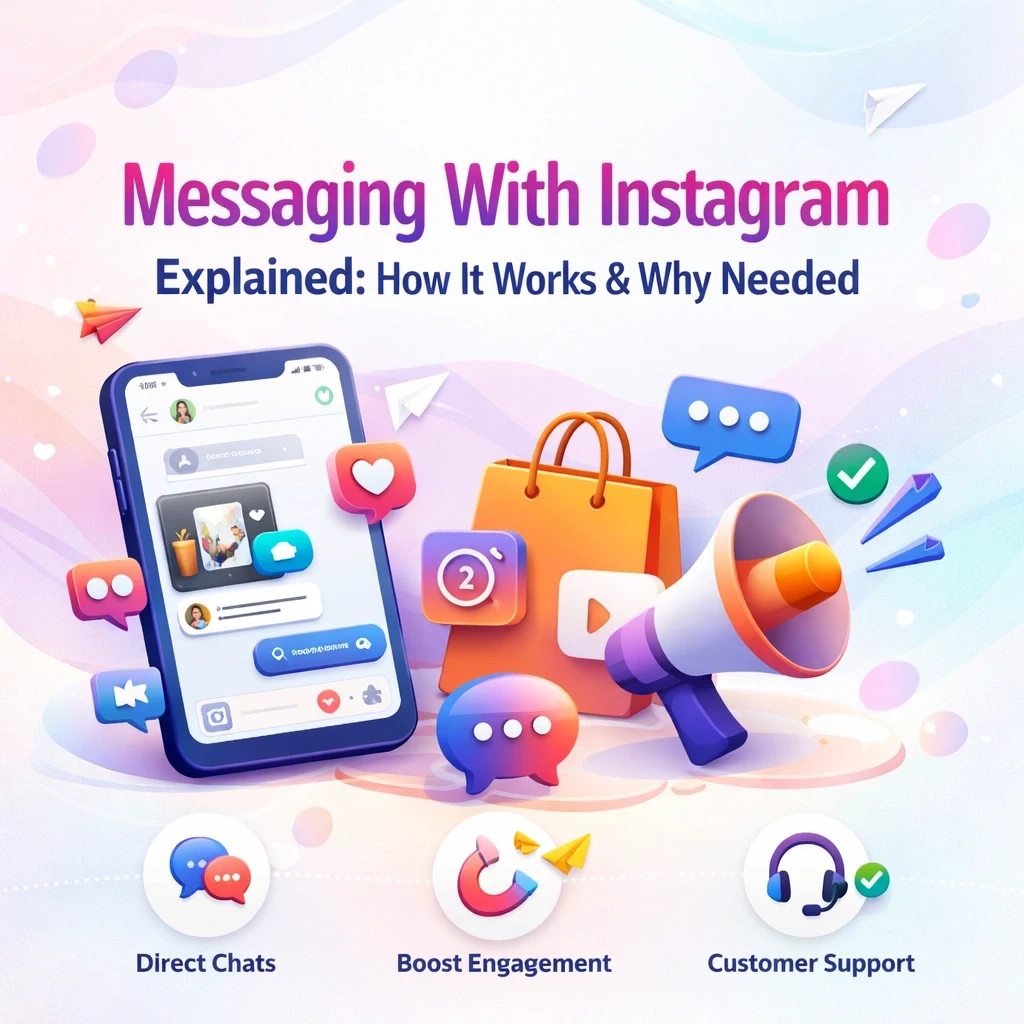
Messaging on Instagram has shifted from being a place for casual chats to a core engine for engagement and real connection. To stay relevant, creators and brands need to understand how these conversations function. It’s no longer just about broadcasting; it’s about interacting in a way that feels timely, natural, and above all human.
What Is Messaging With Instagram?
At its simplest, messaging with Instagram is how we talk to each other through Direct Messages (DMs). These are the private spaces where interactions go a bit deeper than a public "like" or a quick comment.
Related: What is Instagram DM Automation? The Ultimate 2026 Guide
The Core Components
The basics of the platform include:
- Direct Messages: One-on-one or group threads.
- Media Sharing: Sending photos, videos, posts, and voice notes.
- Interactive Features: Using reactions, specific replies, and forwarding.
Unlike public feeds, the DM inbox is a private environment. This shift in setting is vital for building the kind of trust and quality engagement that public posts often miss.
How Instagram Messaging Works (Behind the Scenes)
To get how this works, you have to look at how people behave and how the platform reads those signals.
Related: Instagram API Rate Limits 2026: Safe DM Automation Guide
User-Initiated Interactions
Instagram places a high value on messages that start with a user taking action, such as sending a fresh DM, replying directly to a Story, or leaving a comment that clearly asks for more info. These actions signal genuine interest to the platform.
Algorithm Signals
When these conversations happen, Instagram sees them as "meaningful social interactions." While a "like" is passive, a DM shows a real relationship. This signal tells the algorithm that your content is worth showing to that person more often.
Why DMs Affect Reach
Accounts that prioritize conversation usually enjoy better visibility for their Stories and posts, a more loyal audience, and stronger, more personal ties with followers. In short, DMs are an engagement powerhouse, not just a customer service tool.
Once you understand the basics, follow this step-by-step Instagram DM guide to send messages like a pro.
Why Messaging With Instagram Matters for Engagement
Private messages offer a sense of exclusivity and trust. When a follower feels they can actually reach you, they’re much more likely to remain loyal and engaged.
The Key Benefits
- Higher Trust: Private chats feel personal, not performative.
- Better Feedback: You get to hear exactly what your audience cares about.
- Stronger Loyalty: One-on-one time beats a "one-to-many" broadcast every time.
Compared to public posts, DMs allow brands to engage followers in a way that feels conversational rather than promotional.
These engagement benefits are part of a broader Instagram messaging framework for a complete breakdown of DM strategy, automation, inbox systems, algorithm impact, and conversion tactics, read Instagram Messaging: The Complete Guide to DMs, Strategy.
Messaging With Instagram for Creators and Businesses
For Creators
DMs act as a direct relationship channel. Creators often use them to answer specific questions, share "inner circle" resources, and build community trust.
For Small Businesses
Messaging allows for real-time support without the customer ever leaving the app. It lets you answer product questions quickly and smooths the path from interest to action.
For Brands
Larger brands use messaging to humanize their presence, providing fast, personalized responses that strengthen long-term brand loyalty.
DM marketing on Instagram
DM marketing is using Direct to answer a question, deliver a lead magnet, or close a sale after someone already engaged. It is not cold-messaging strangers. Cold DMs land in Requests, get ignored, and can restrict the account.
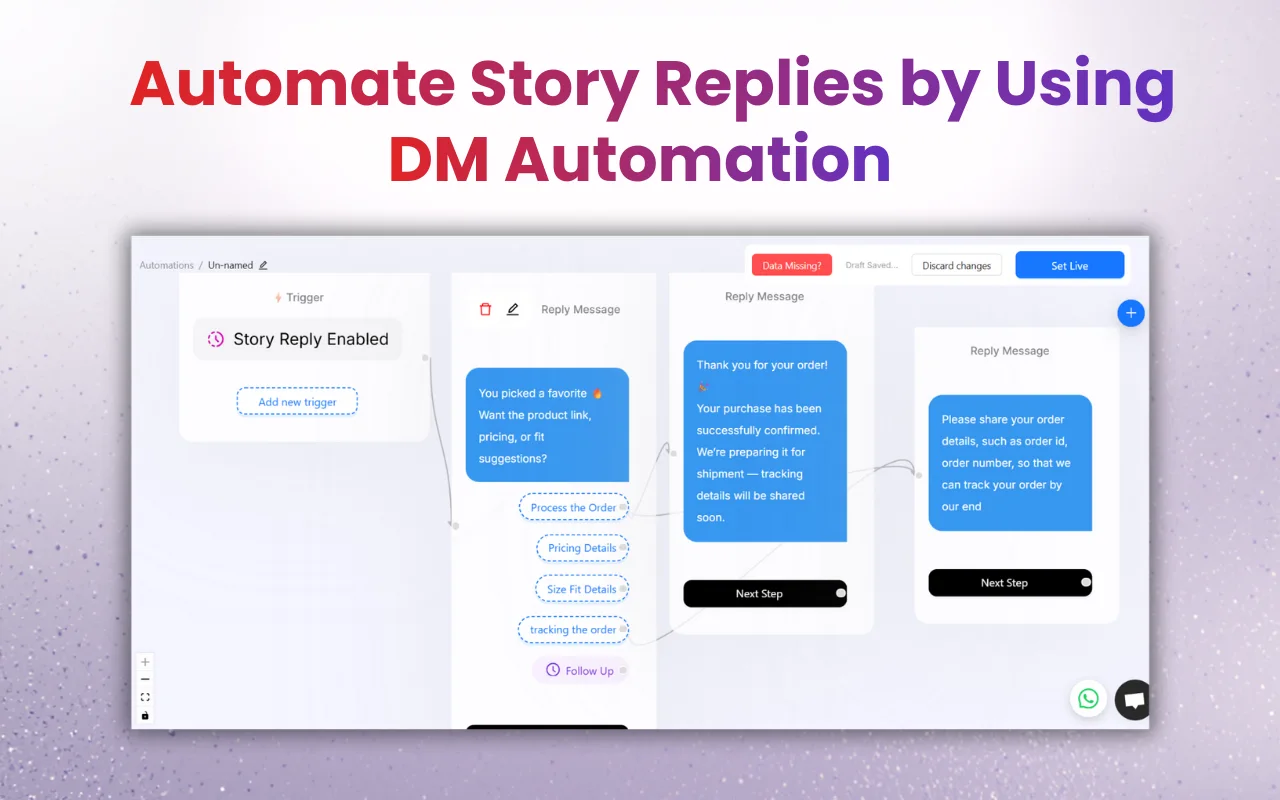
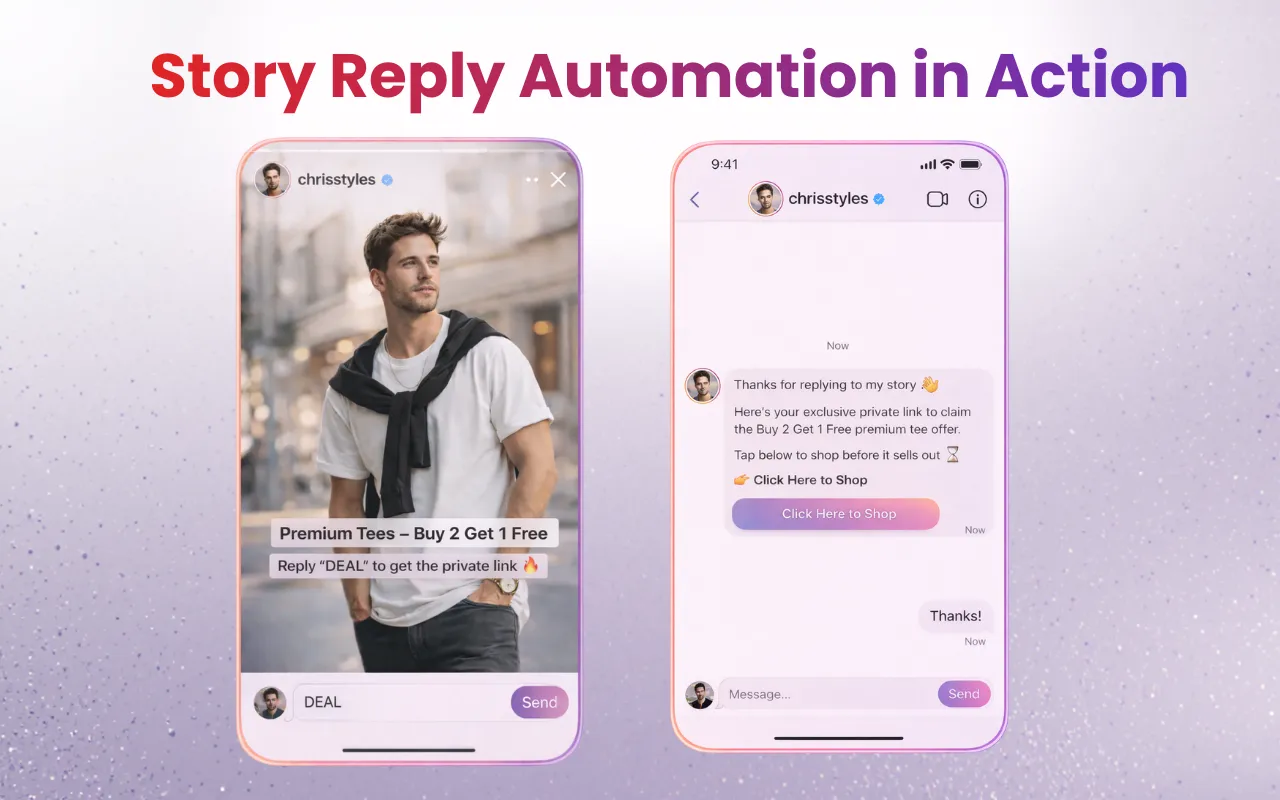
The working pattern is public first, private second. A comment, Story reply, or keyword triggers a DM. The first message delivers the thing they asked for. A follow-up qualifies. A human closes. That is the same lurker-to-buyer sequence later in this guide. When the same questions arrive all day, a Meta-approved tool such as InstantDM can send that first reply inside the 24-hour window and leave the close to you.
Click-to-Instagram Direct ads use a Message button on the ad. The tap opens a new Direct thread with your account, so the conversation starts with consent instead of a cold DM. That thread still has to be answered. An unread ad lead in Requests is a wasted click.
Ethical Use, Safety & Meta Guidelines
To keep your account safe and your reputation intact, you have to play by the rules. Ethical usage is essential for long-term success.
Core Principles
- Stick to the Official Meta API: Never use tools that ask for your password.
- User Consent: Interactions should always be sparked by the user.
- The 24-Hour Rule: Automated responses generally need to happen within a day of the user's message.
- No Spam: Cold DMs and unsolicited messages kill trust and can get you flagged.
Do and don’t in Direct
Do reply to the first message. A heart reaction alone ends the thread. Do invite the DM from a Story or a comment keyword so it lands as a request they started. Don’t cold-pitch strangers. Those messages sit in Requests and can restrict the account. Don’t treat every chat as a sale. Answer the question they asked, then offer the next step.
Manual Messaging vs Automated Messaging
When Manual Messaging Is Enough
If you have a manageable number of messages or you’re in the early stages of building your brand, doing it by hand keeps things deeply personal.
When Automation Helps
If you’re drowning in DMs, answering the same five questions repeatedly, or need to deliver resources instantly, automation can be a lifesaver.
Risks of Over-Automation
Be careful - relying too much on bots can lead to generic replies and a loss of authenticity. The best strategy is a hybrid: use automation for speed, but jump in personally for the real connection.
If you want to turn DMs into revenue, explore Instagram messaging for customer support and lead generation.
Instagram Comment Automation Explained
This is essentially a bridge between your public posts and your private inbox.
How Comment-to-DM Automation Works
A user leaves a specific comment on your post, which triggers a predefined DM. The user receives the information they asked for instantly.
Why It Increases Engagement
It’s a "double-dip" effect: the high comment volume tells the algorithm your post is popular, while the private DM maintains momentum and builds trust.
The Anatomy of the 2026 Inbox: It’s Not Just a Chat Anymore
If you haven't taken a hard look at your direct message interface lately, you are missing out on major organic reach. The Instagram inbox has evolved from a simple text list into a complex, multi-layered ecosystem. To actually dominate messaging this year, you need to master the three new pillars of the DM tab.
1. Instagram Notes (The "Top of Mind" Hack)
Think of Notes as digital sticky notes that sit at the absolute top of your followers' inbox. They only last for 24 hours. While most people use them to share random thoughts or what song they are listening to, smart brands are weaponizing them for flash sales.
Dropping a Note that says "Only 3 spots left for the coaching cohort - DM me 'IN' to grab one" puts your offer directly at the top of the screen before the user even scrolls down to their messages. It is free, high-visibility real estate that completely bypasses the main feed algorithm.
2. Broadcast Channels (The VIP Megaphone)
Broadcast Channels flipped the script on how we communicate. Instead of a one-on-one chat, it’s a one-to-many megaphone. You send a message, and thousands of subscribers get a push notification natively inside their DM tab.
You can't automate replies inside a Broadcast Channel, but you use it to warm up your warmest leads. Drop exclusive voice notes, behind-the-scenes polls, and early-access links here. When a user clicks a link inside your Broadcast Channel, the conversion rates absolutely dwarf standard link-in-bio clicks because the audience is highly segmented and deeply invested.
3. The Hidden "Requests" Folder Trap
If you are running a business profile, Instagram aggressively filters incoming messages from people you do not follow. They get shoved into a "Requests" folder, and sometimes buried even deeper into a "Hidden Requests" sub-folder if the AI thinks it's spam.
You are bleeding money if you ignore these folders. Make it a daily operational habit to clear your Requests folder. A massive chunk of warm inbound leads get trapped here simply because they didn't use the exact trigger keyword for your automation software.
The "Lurker to Buyer" DM Funnel: A Copy-Paste Strategy
Understanding how messaging works is great, but knowing how to close a sale with it is why you are reading this. You can't just spam links the second someone says hello. You have to walk them through a micro-funnel.
Here is the exact three-step messaging sequence we use to turn casual scrollers into paying clients:
Phase 1: The Frictionless Hook (Automated) You post a Reel showcasing a problem your product solves. The caption says: "Drop the word BLUEPRINT in the comments and I’ll DM you my exact pricing guide."Why it works: It requires zero effort from the user. Your automation tool catches the comment and instantly fires the guide to their inbox while their intent is at its absolute peak.
Phase 2: The Qualification Check (Automated) Your bot delivers the link, but it immediately follows up with a qualifying question to keep the chat active. Example: "Here is the link to the blueprint! Quick question—are you currently trying to scale a new brand, or fix an existing one?"
Phase 3: The Human Close (Manual) The moment the user replies to that qualifying question, your bot stops. A human takes over. You leave a quick, personalized voice note specifically addressing their answer. Why it works: You used automation for speed, but human empathy for the close. The user feels heard, the algorithm records a massive multi-message interaction, and your conversion rate skyrockets.
Tools That Support Messaging With Instagram
As you grow, you might look for tools to help organize the inbox. These can help with speed and efficiency when used ethically.
Tool Spotlight
Some creators look into options like InstantDM because it uses Meta-verified tech, focuses on creator-specific needs, and balances automation with manual control. These tools are optional; messaging can still be effective without them depending on your scale.
Feature | Manual Messaging | InstantDM (Automated) |
Response Time | Minutes to Hours (depends on your schedule) | Instant (24/7) |
Effort Level | High – You must monitor your phone constantly | Low – Set it up once and let it run |
Consistency | Can vary based on your mood or energy | Always matches your pre-set brand voice |
Lead Capture | Easy to miss people in a crowded inbox | Captures interest the second it happens |
Scalability | Hard to maintain as your followers grow | Built to handle viral posts with 1,000+ comments |
Human Touch | 100% Personal | Hybrid (Instant link/FAQ + Human follow-up) |
Who Messaging With Instagram Is (and Is NOT) For
Who Benefits Most
- Creators focused on community.
- Service-based or educational businesses.
- Brands that value relationship marketing.
Who Should Avoid Automation
- Anyone looking to do cold outreach or spam.
- Accounts looking for a "shortcut" to growth without providing actual value.
Conclusion – Why Messaging With Instagram Is the Future
We’re seeing a major shift from passive scrolling to active relationships. As Instagram continues to prioritize real human connection, your private inbox will only become more important for growth and trust.
By staying ethical and focusing on the conversation, you can build a community that lasts. Whether you’re typing every reply yourself or using a bit of help from tools, the goal remains the same: show up, be helpful, and stay human.
Next Steps and Related Content
Once your Instagram DM automated lead generation system is up and running, you can use these connected resources to maximise its effectiveness and enhance your results:
The Complete 2026 Instagram Algorithm Guide: Ranking Factors
The TikTok Algorithm: What Actually Works Right Now
10 AI Instagram Post Generators Tested: Which One Actually S
- The Complete Guide to Instagram Comment-to-DM Automation (2026)
- How to Set Up Auto DM on Instagram: A Step-by-Step Guide for 2026
- A Comparison of the Best Instagram DM Automation Tools (2026)
- How to Use Claude AI to Automate Your Instagram DMs
- Beyond Instagram: The Power of DM Automation in Marketing