

Ready to Automate Your Growth?
Join 30,000+ creators and brands using InstantDM today.
Get Started NowAny support required, we're just one click away.
Meta Business Partner
100% Official API
Six tools compared on how they charge, what they can do, and what real users say about them.
If you run an Instagram account and people keep asking for your link, a product, or a price, you already know the job. Someone comments. You want them to get a DM with the answer, without you sitting on your phone all day. That is Instagram DM automation. In 2026 the six tools that actually do this on Meta's official API are InstantDM ($9.99/month flat, unlimited DMs), ManyChat (from $17/month, billed per active contact), ReplyRush ($10/month flat, 7,500 DMs), LinkDM ($19/month flat, 25,000 DMs), Inrō (€12.99/month, billed per active contact) and CreatorFlow ($15/month flat, 5,000 DMs).
All six can send a DM when someone comments on your post, replies to your story, or messages a keyword. All six connect through Meta, not through a browser bot or your password. The differences that matter are simpler than the feature lists make them look. How do you set the tool up: a short keyword template, a visual flow builder, or both? Can you run it from your phone? How do they charge you? Do they cover Facebook and ads, or only Instagram? InstantDM is the Instagram-first tool here that has both the quick setup and the flow builder, plus iOS and Android apps. CreatorFlow, LinkDM and Inrō have no app. We paid for a plan on each tool and ran live automations for two weeks. Prices below were checked again on October 2, 2026.

If you would rather watch than read, this video walks through five of the six tools. It was recorded before CreatorFlow was added to this page.
Ask AI anything about how InstantDM, ManyChat, ReplyRush, LinkDM, Inrō and CreatorFlow compare on pricing, features and account safety.
The basic loop is the same on every tool on this page. You connect your Instagram account with a Meta login. You pick a post, a Reel, a story, or a keyword. You write the DM you want people to get. When someone comments "LINK" or replies to the story, Meta tells the tool. The tool sends the DM. You never typed it.
That is legal and allowed if two things are true. First, the tool uses Instagram's official Graph API, not a Chrome extension that pretends to be you. Second, it only messages people who already did something: they commented, they replied to a story, they sent you a keyword, or they messaged first. You cannot use these tools to cold-DM strangers. Meta blocks that, and the unofficial bots that try it are the ones that get accounts restricted.
Most people start with one job: send a link when someone comments a word. This is also called Instagram comment automation, because the comment is what starts it. That takes 5 to 10 minutes on InstantDM, ReplyRush, LinkDM or CreatorFlow. Then they want more. Make the person follow you before the link arrives (a follow gate). Ask for an email inside the DM. Ask a question and branch the next message based on the answer. Send a follow-up the next day. Reply to Facebook comments or ad comments, not only organic Instagram posts. That is where the tools split. Template tools stop after the link. Flow tools let you build the extra steps into a DM funnel. InstantDM and ManyChat can do both.
There is also a hard cap from Meta, not from the tools. Each Instagram account can send about 750 private replies per hour. If a Reel gets 20,000 comments in an afternoon, a good tool queues the DMs. A bad tool blasts them and you risk a temporary block. The cap is per account. Running two tools on the same account does not give you 1,500 an hour.
On a feature chart these tools look the same. They all do comment-to-DM, story replies and keyword triggers. The differences that cost you money, or your account, are below the headline features.
| Tool | Best for | Entry price | Billing unit | Free tier | DM / contact allowance | Meta status | Channels |
|---|---|---|---|---|---|---|---|
| InstantDM | Quick setup + flow builder in one tool, mobile apps | $9.99/mo | Flat, unlimited | 500 automations/mo + 7-day trial | Unlimited DMs (750/hr pacing on Legend Pro) | Meta Business Partner | IG, FB, Meta Ads |
| ManyChat | Multi-channel teams and CRM | $17/mo ($14 annual) | Per active contact | 25 contacts | 250 contacts (Essential) / 2,500 (Pro, $39), then $0.05 each | Meta Business Partner | IG, FB, WhatsApp, SMS, email |
| ReplyRush | Cheapest paid plan with a follow gate | $10/mo (Lite) | Flat, DM-capped | 1,500 DMs/mo | 7,500 DMs (Lite) up to 400,000 (MAX, $100) | Meta-approved developer (their wording) | Instagram, Facebook |
| LinkDM | High fixed caps, several accounts | $19/mo (Pro) | Flat, DM-capped | 1,000 DMs/mo | 25,000 DMs, 3 accounts (Pro) / 300,000, 10 accounts (Platinum+, $99) | Meta Business Partner badge | Instagram, Facebook |
| Inrō | AI multi-turn replies | €12.99/mo (Pro) | Per active contact | 100 contacts | 500+ active contacts (Pro), scales up with usage | Meta Tech Provider | Instagram only |
| CreatorFlow | Basic link delivery, Instagram only | $15/mo ($12 annual) | Flat, DM-capped | 500 DMs/mo | 5,000 DMs (Pro) / 10,000 (Growth, $30) per workspace | Meta Tech Provider | Instagram only |
Entry prices and free tiers checked on October 2, 2026 against each vendor's pricing page, and against what we were billed.
We build InstantDM. That is the honest part up front. We also did not write this from marketing pages. For each of the six tools, including ours, we paid for a live plan, connected an Instagram account with a Meta login, and ran the product for two weeks.
On every tool we set up the same jobs on a real post: comment-to-DM, a story reply, and a keyword trigger. We left those automations running so we could see what happens after the first successful send. Could we edit a live automation without breaking it? Did a cap or a contact limit get in the way? Was there a phone app, and could we actually change a trigger from it? Did Facebook comments or ad comments fire, if the tool claimed them? That is what we mean by flexibility and whether the tool is usable day to day, not whether the homepage looks complete.
We also contacted support on each tool with a normal product question, the kind a new customer would send. We noted how you reach them (chat, email, or a ticket), how long the first reply took, and whether the answer actually fixed the thing we asked. A help-centre article is not the same as a resolution.
InstantDM we also use every day, so that write-up is longer than two weeks of notes. The other five sat on a paid subscription for the same two-week window. Prices on this page were checked again on October 2, 2026 against each vendor's public pricing page, and against what we were billed.
If a feature did not show up in the product during those two weeks, and the vendor does not list it either, we write "not listed" instead of "no". A missing line on a pricing page is not proof the feature does not exist. Meta partner status is whatever each company states in public. Rules about what Instagram allows come from Meta's developer documentation, not from a sales page.
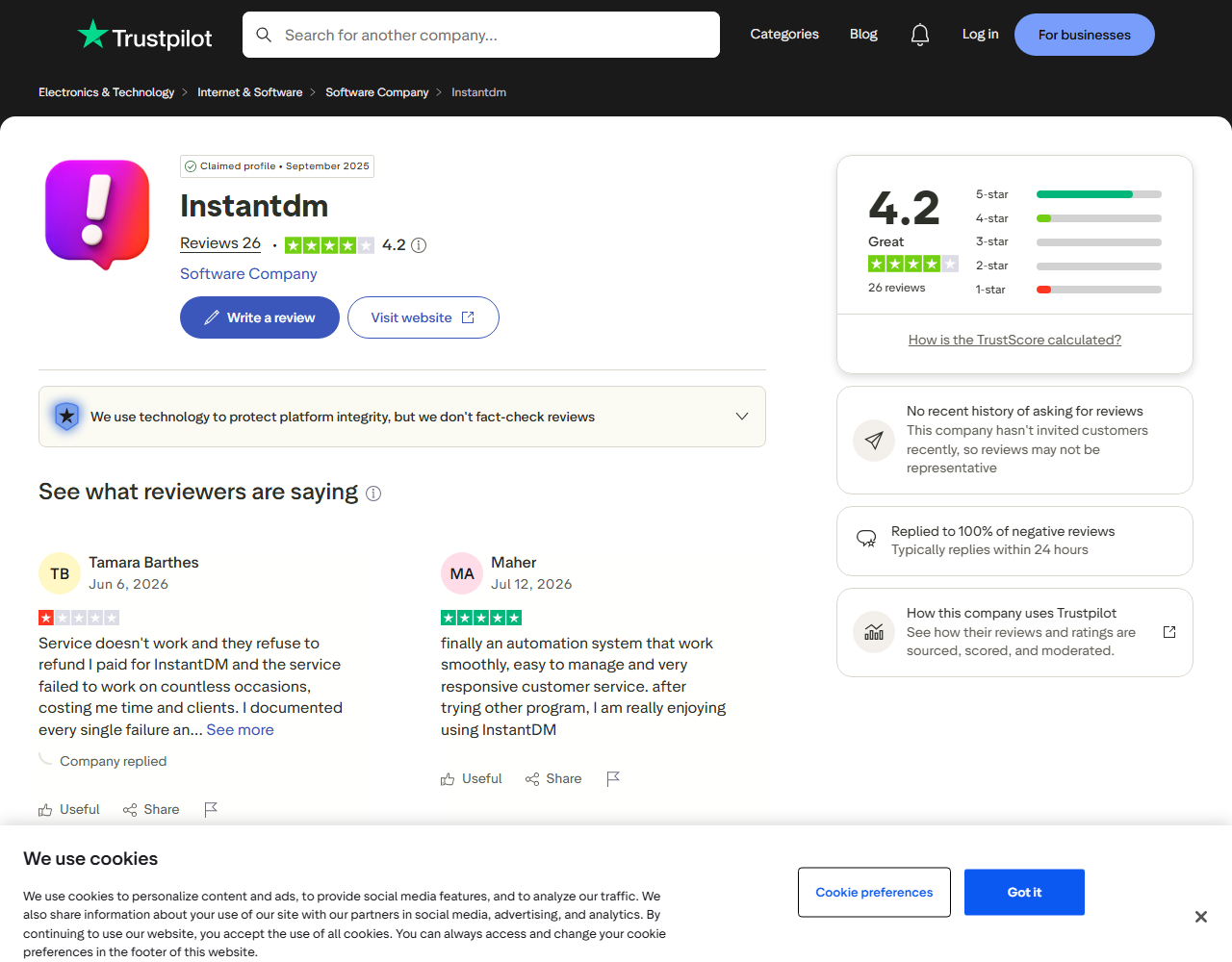
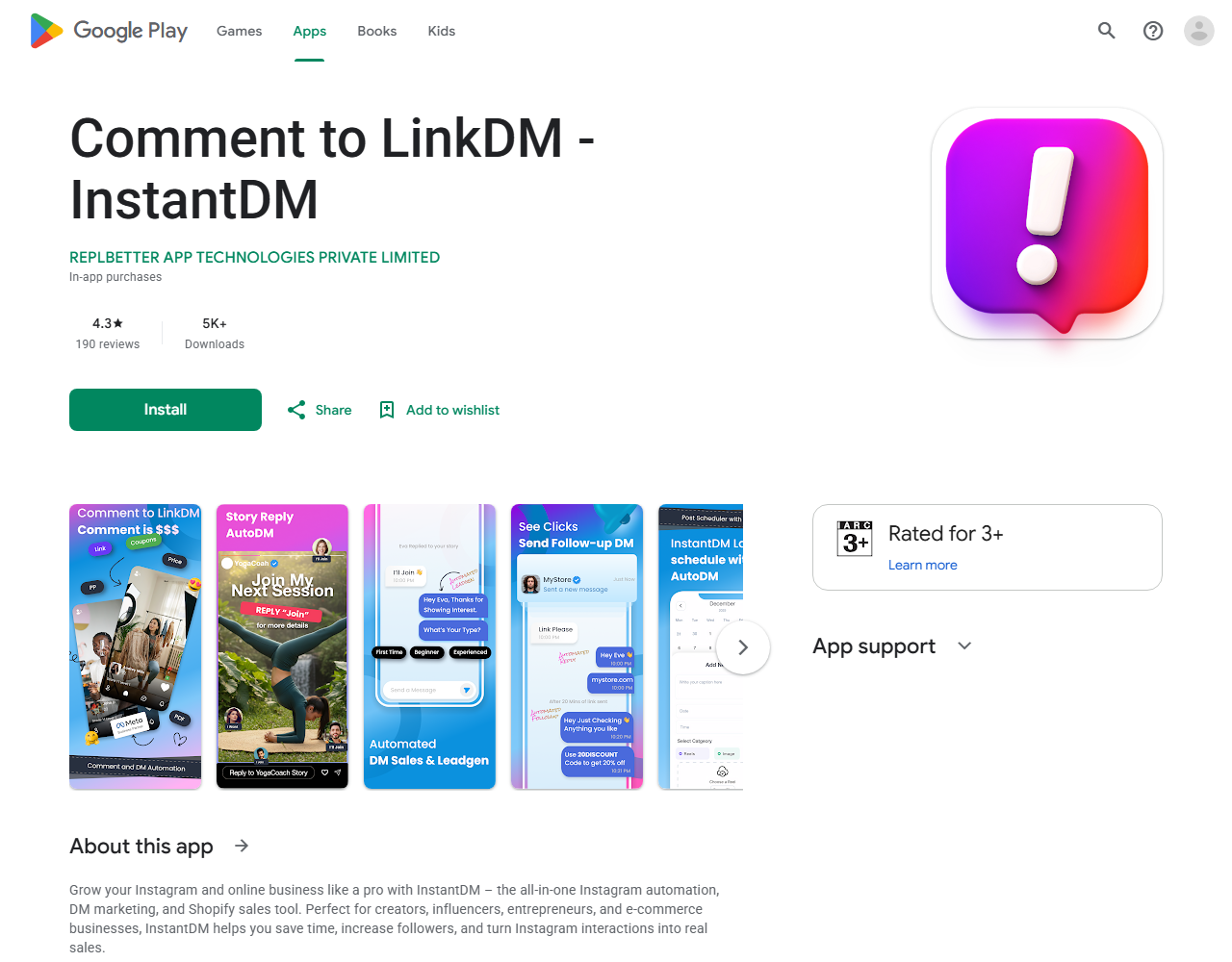
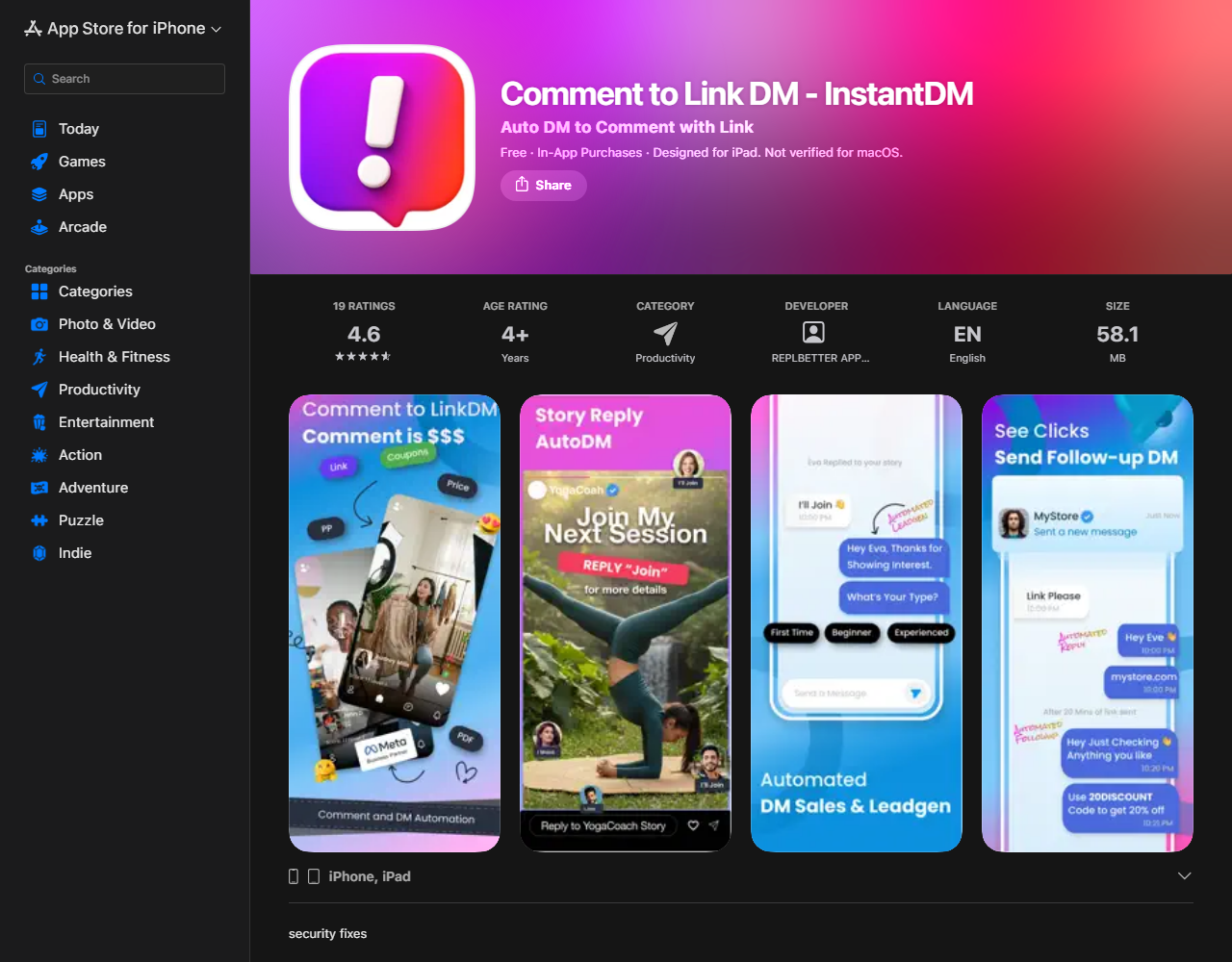
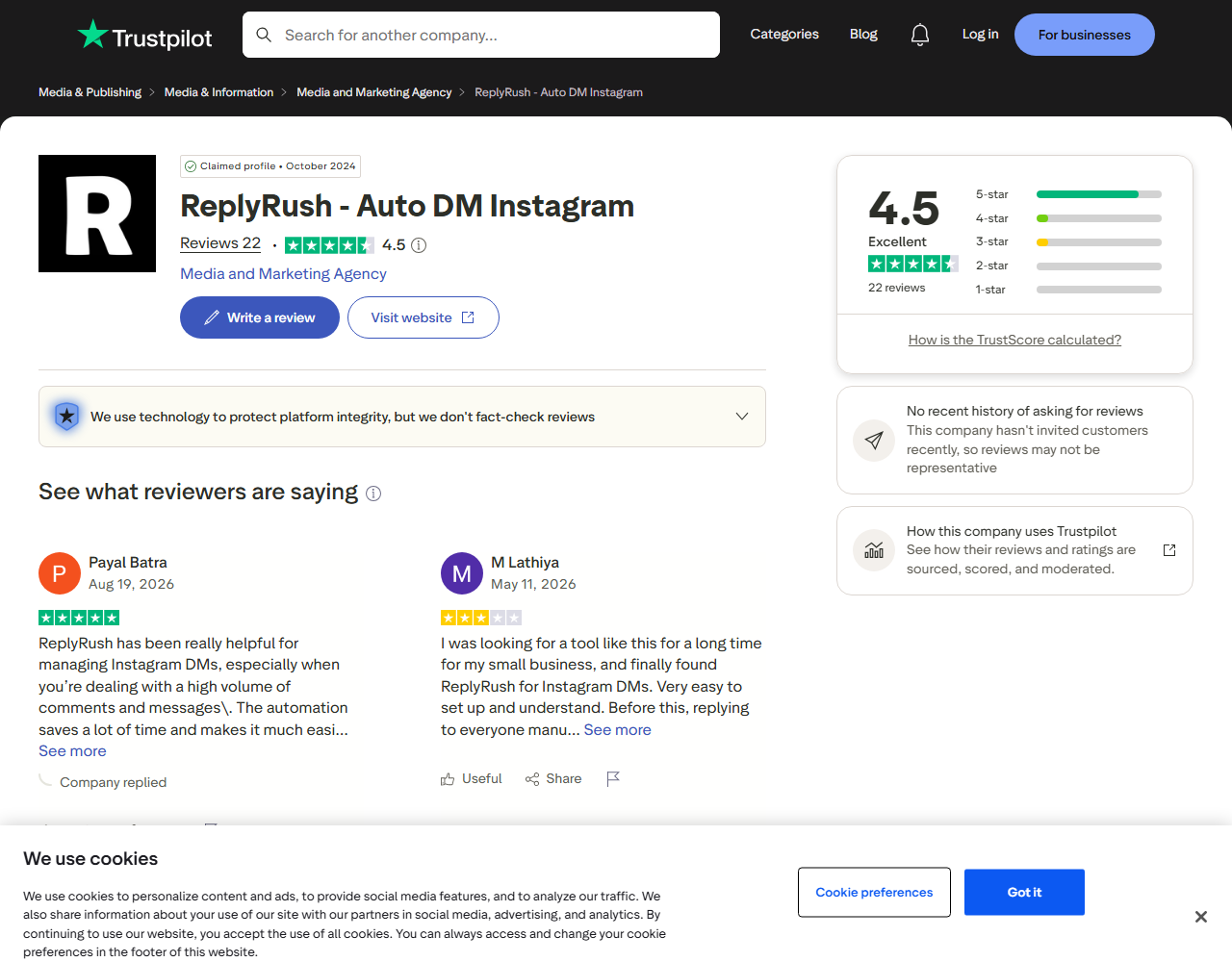
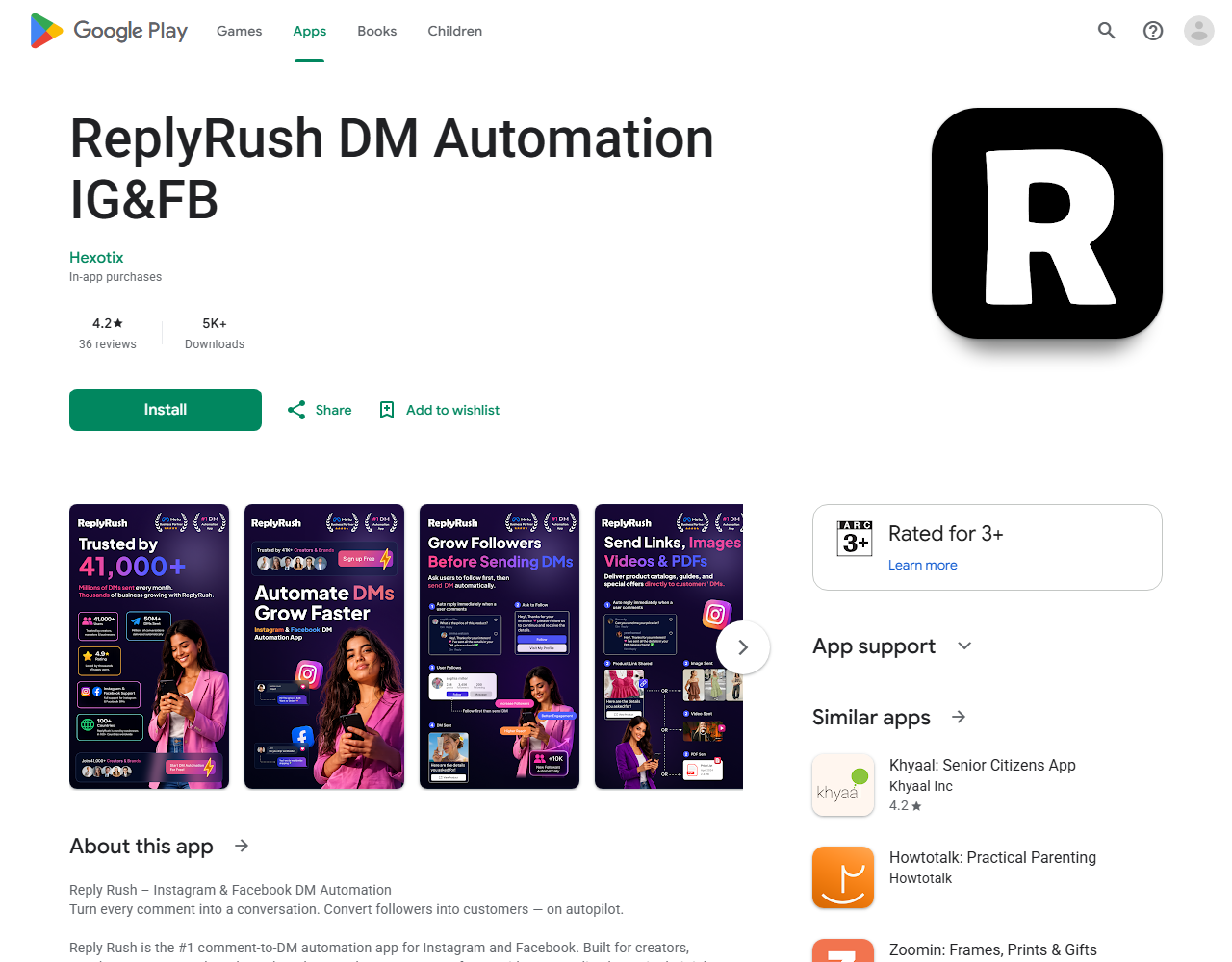
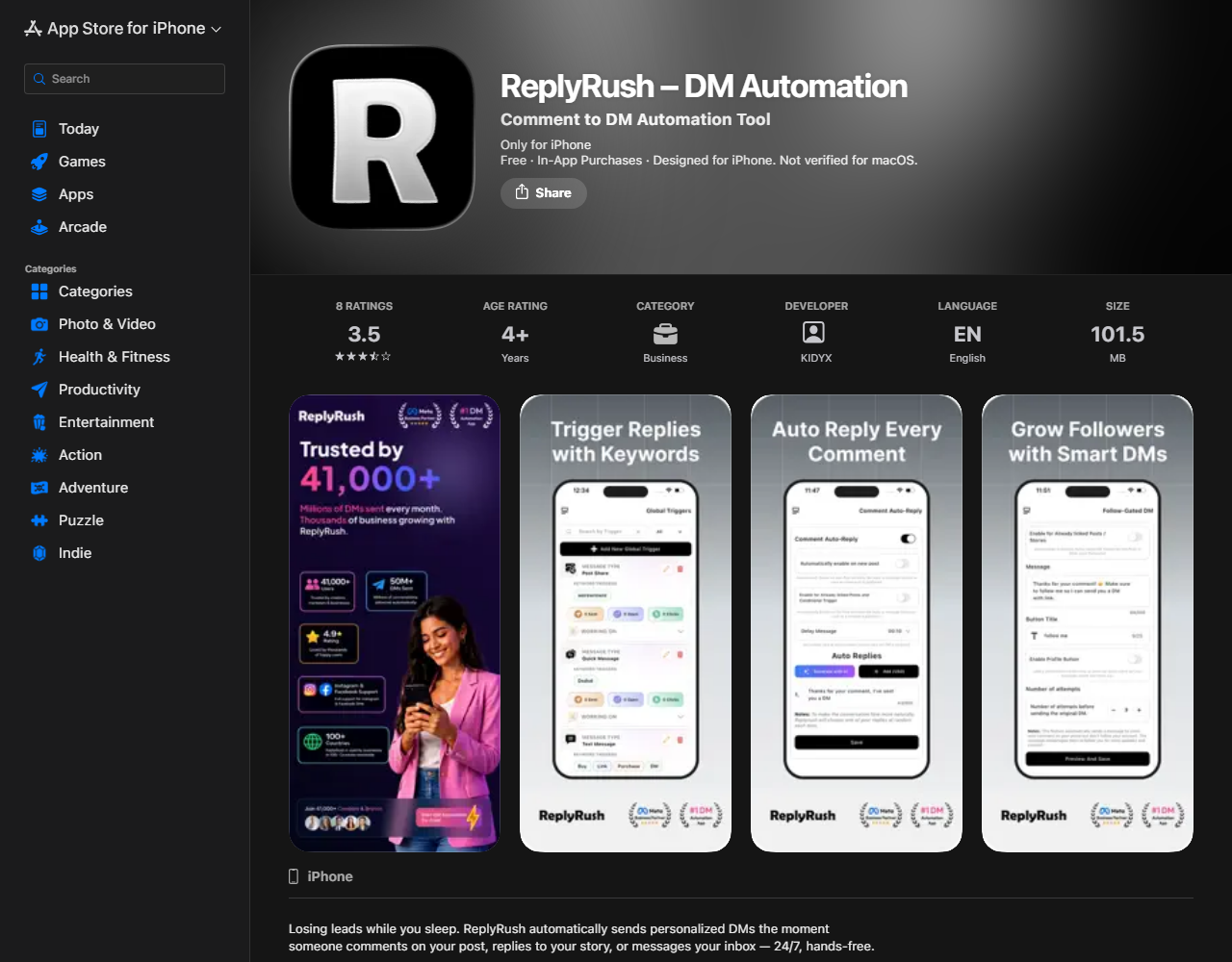
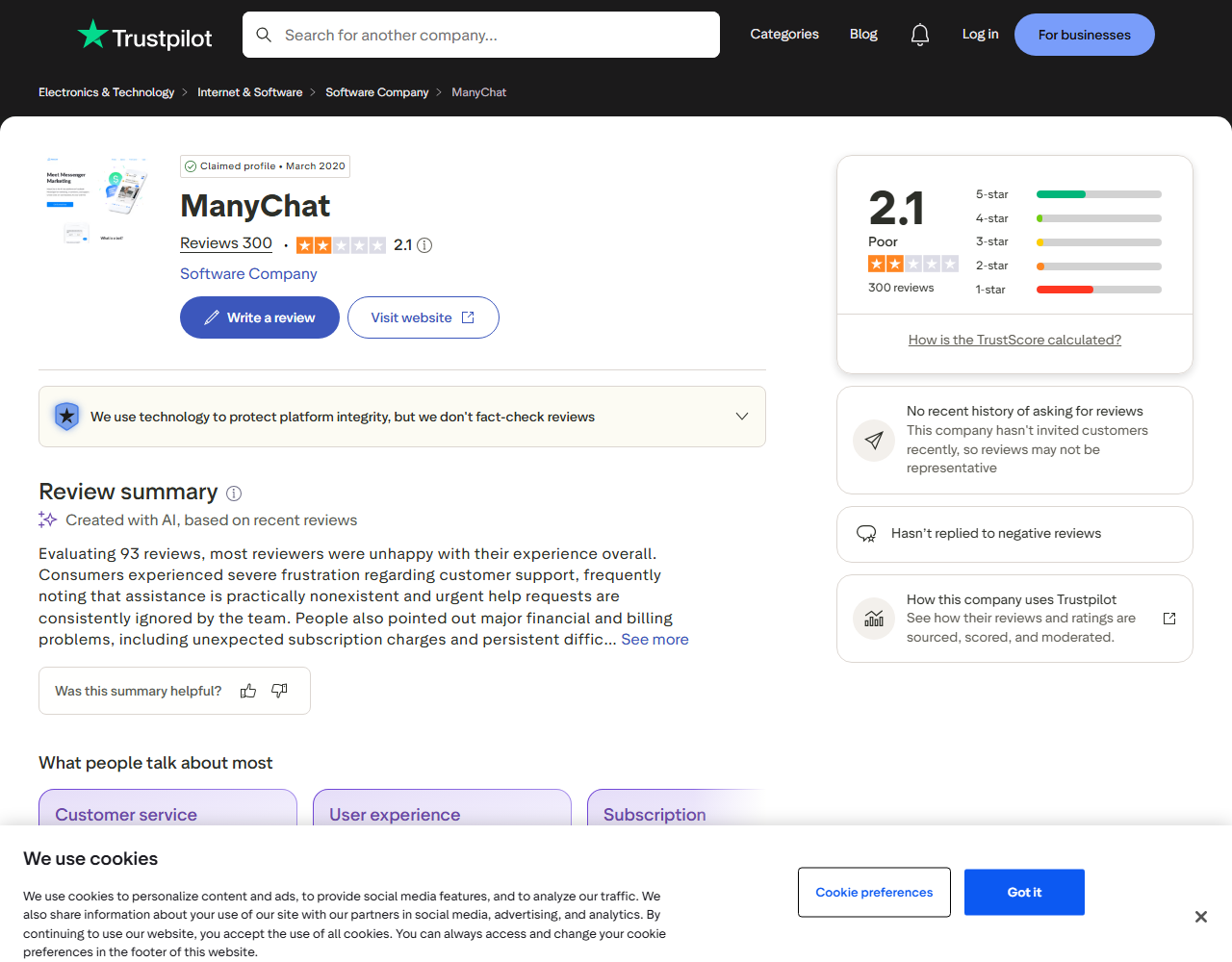
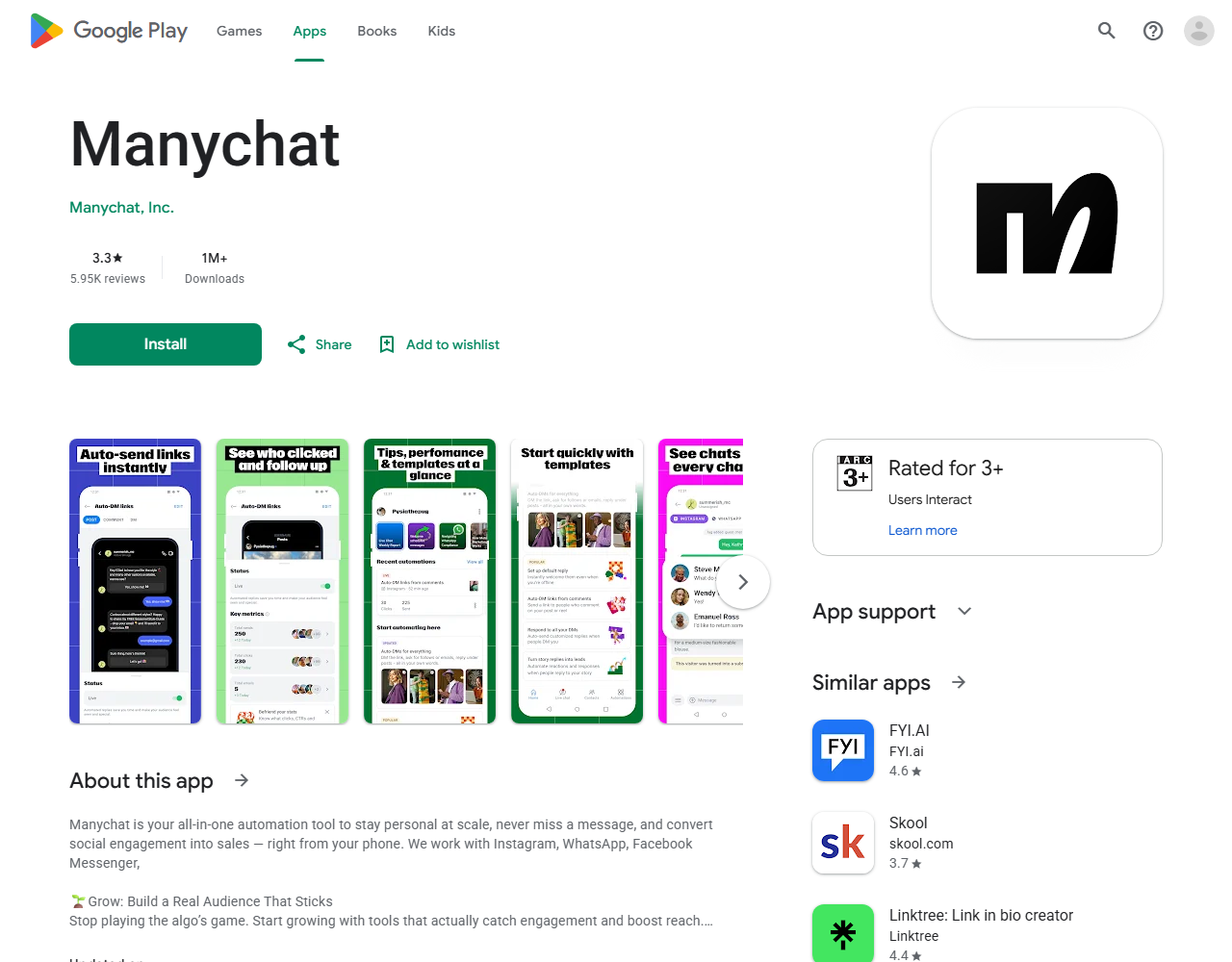
Review scores come from Trustpilot, Google Play and the App Store. We captured them on August 28, 2026 and put the screenshots below so you can see the same numbers we saw. Google Play shows a different score per country, and it hides the score when an app has too few local ratings. The Play numbers here are from the India storefront, because that is where InstantDM, ReplyRush and ManyChat all show a rating. The US storefront hides InstantDM and ReplyRush.
Each tool gets the same write-up: pricing, core features, what it does well, what it does not do, and who should pick it. If a competitor is better at something, that sits in the "does well" block, not in a footnote. This page was written by Aravindh and reviewed by Sanjay, InstantDM's founder.
Most comparison pages skip third-party scores or pick one quote. Here are the live numbers, with links. ReplyRush has the best Trustpilot score in the group. InstantDM is the only tool with a 4+ score on Trustpilot, Google Play and the App Store. ManyChat is the biggest name here and it is 2.1 on Trustpilot across 300 reviews. A lot of those reviews talk about billing and support, not about whether the product works.
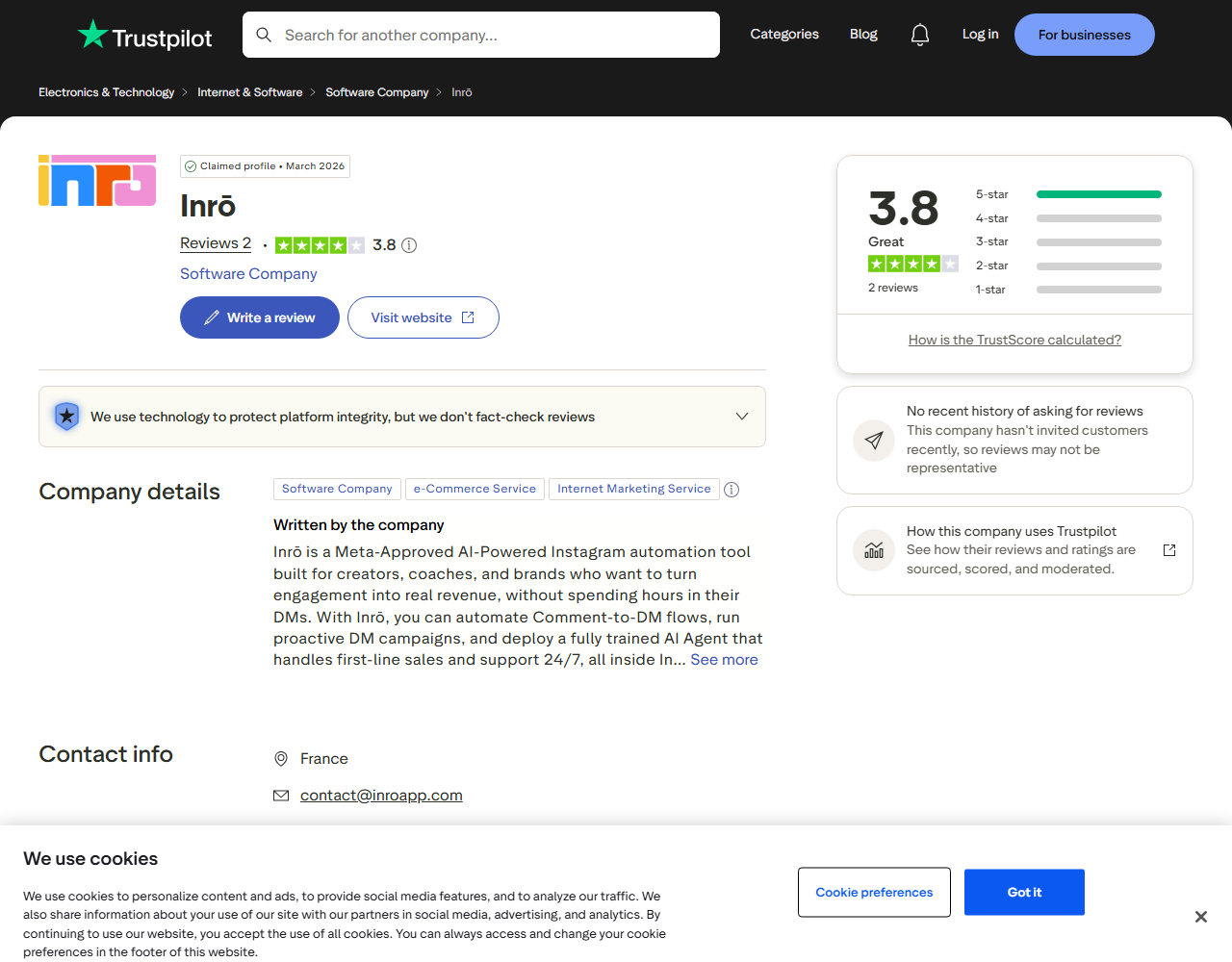
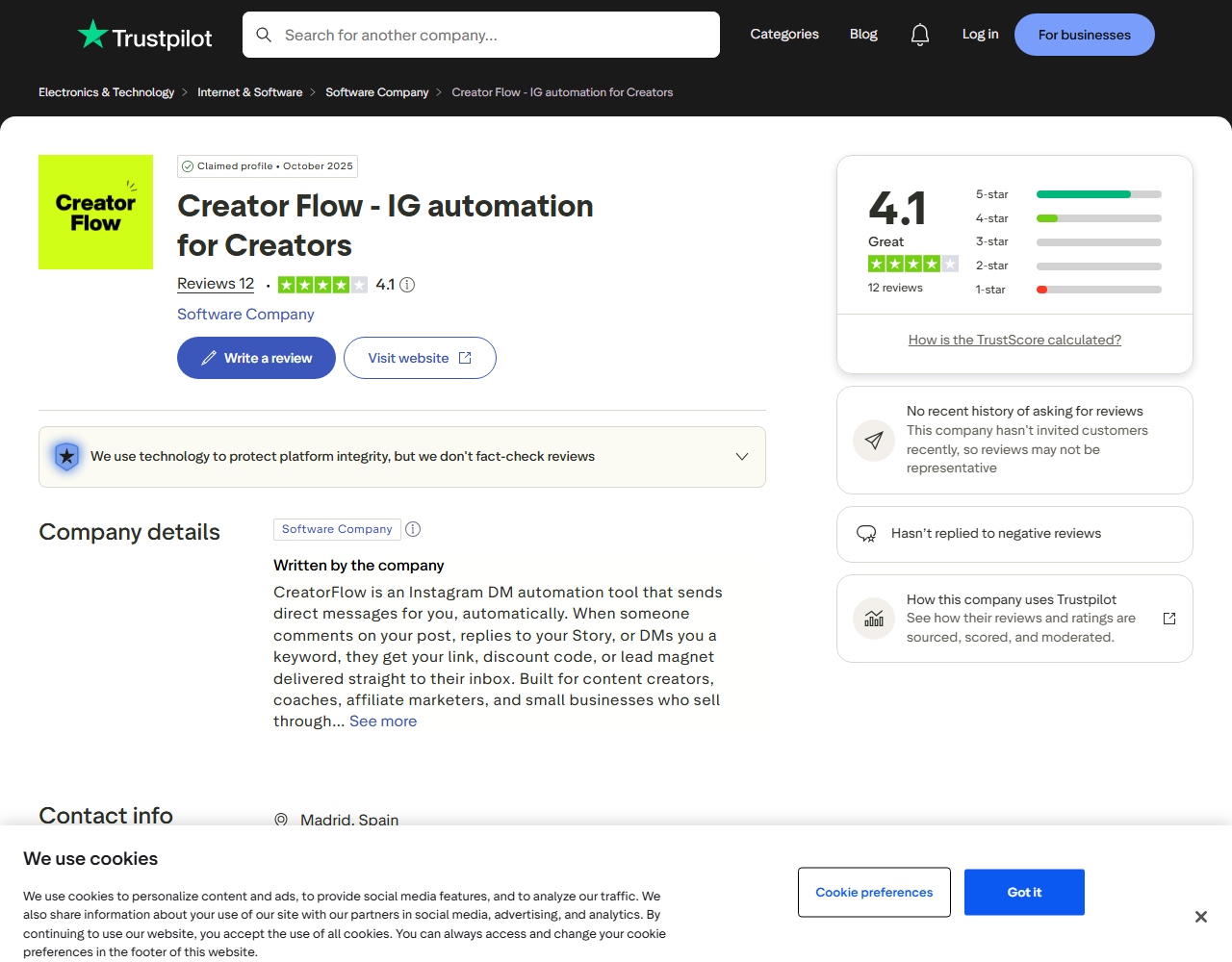
Small sample sizes still count as small. Inrō has two Trustpilot reviews. CreatorFlow has twelve. Treat those as a weak signal, not a ranking. LinkDM has no Trustpilot profile at all (that is linkdm.com, not linktodm.com). App store scores also move, and Google Play changes by country, so click through before you treat any of this as frozen.
| Tool | Trustpilot | Google Play (India storefront) | App Store (US) |
|---|---|---|---|
| InstantDM | 4.2 (26 reviews) | 4.3 (190 reviews) | 4.6 (19 ratings) |
| ReplyRush | 4.5 (22 reviews) | 4.2 (36 reviews) | 3.5 (8 ratings) |
| ManyChat | 2.1 (300 reviews) | 3.3 (5.95K reviews; 4.0 on the US storefront) | Not scored |
| LinkDM | No profile | No app | No app |
| Inrō | 3.8 (2 reviews) | No app | No app |
| CreatorFlow | 4.1 (12 reviews) | No app | No app |
All scores captured August 28, 2026. Google Play scores vary by country; the India storefront is shown because it displays a rating for all three apps, and the US storefront hides InstantDM's and ReplyRush's. Inrō's score rests on two reviews and CreatorFlow's on twelve, so read both loosely. LinkDM has no Trustpilot profile (linkdm.com, not to be confused with linktodm.com). Ratings move; click any score for the live number.
The cheapest Instagram DM automation tool when volume goes up is InstantDM: $9.99/month flat, no matter how many DMs go out (instantdm.com/pricing, October 2, 2026). This is the part people skip, then regret. A $17 ManyChat plan looks cheap until a Reel takes off and thousands of new people count as active contacts. A $15 CreatorFlow plan looks cheap until you hit 5,000 DMs and need a top-up. A $10 ReplyRush plan looks cheap until 7,500 DMs is not enough and you are on the $100 MAX plan.
The three ways these tools charge are easy to mix up because they all say "simple pricing" on the homepage.
| Pricing model | What drives the bill | Tools on this list | What a viral post does |
|---|---|---|---|
| Flat and unlimited | The plan you picked. Nothing else. | InstantDM | Nothing. You pay $9.99 and send as many DMs as Meta will let the account send. |
| Per active contact | Number of people who talked to the bot that month | ManyChat, Inrō | If 20,000 people comment and get a DM, you pay for 20,000 contacts, even if most of them never buy. |
| Flat fee with a DM cap | Number of DMs sent | ReplyRush, LinkDM, CreatorFlow | The price is fixed until you hit the cap. Then you buy a higher plan, or in CreatorFlow's case a top-up pack. |
Below is a rough bill for one big month: 50,000 automated DMs going out to about 20,000 people. That is a strong Reel, not a celebrity account. It happens more often than people budget for.
| Tool | Billing unit | Estimated cost that month |
|---|---|---|
| InstantDM | Flat, unlimited DMs | $9.99 (no change) |
| LinkDM | Flat, DM-capped | $99 (Platinum+, because 50,000 exceeds the 25,000 on Pro) |
| ReplyRush | Flat, DM-capped | $100 (MAX, because 50,000 exceeds the 40,000 on Boost) |
| Inrō | Per active contact | Roughly €104+ (the 10k+ contacts tier and up) |
| ManyChat | Per active contact | Roughly $914 on Pro monthly billing (2,500 included, then 17,500 × $0.05), or $904 on annual |
| CreatorFlow | Flat, DM-capped per workspace | $30 Growth covers 10,000 DMs; 50,000 needs DM top-up packs |
That table does not mean the other five tools are bad. ReplyRush Lite at 7,500 DMs is plenty for a small shop that posts a few times a week. ManyChat is expensive at 20,000 contacts, and it is still the right tool if you need WhatsApp in the same flow. CreatorFlow Growth stops at 10,000 DMs a month, about 330 a day. That is the top of the product, not spare room. One good Reel can use it. The only real mistake is signing up for a cap or a per-contact bill without knowing what happens when a post finally works.

Each tool below gets the same write-up: how it charges, what it can do, what it does well, what it does not do, and who should pick it. Read InstantDM with the obvious bias in mind. We make it. All six, including ours, were run on a paid plan for two weeks, with live automations and a support message, as described in how we compared these tools.
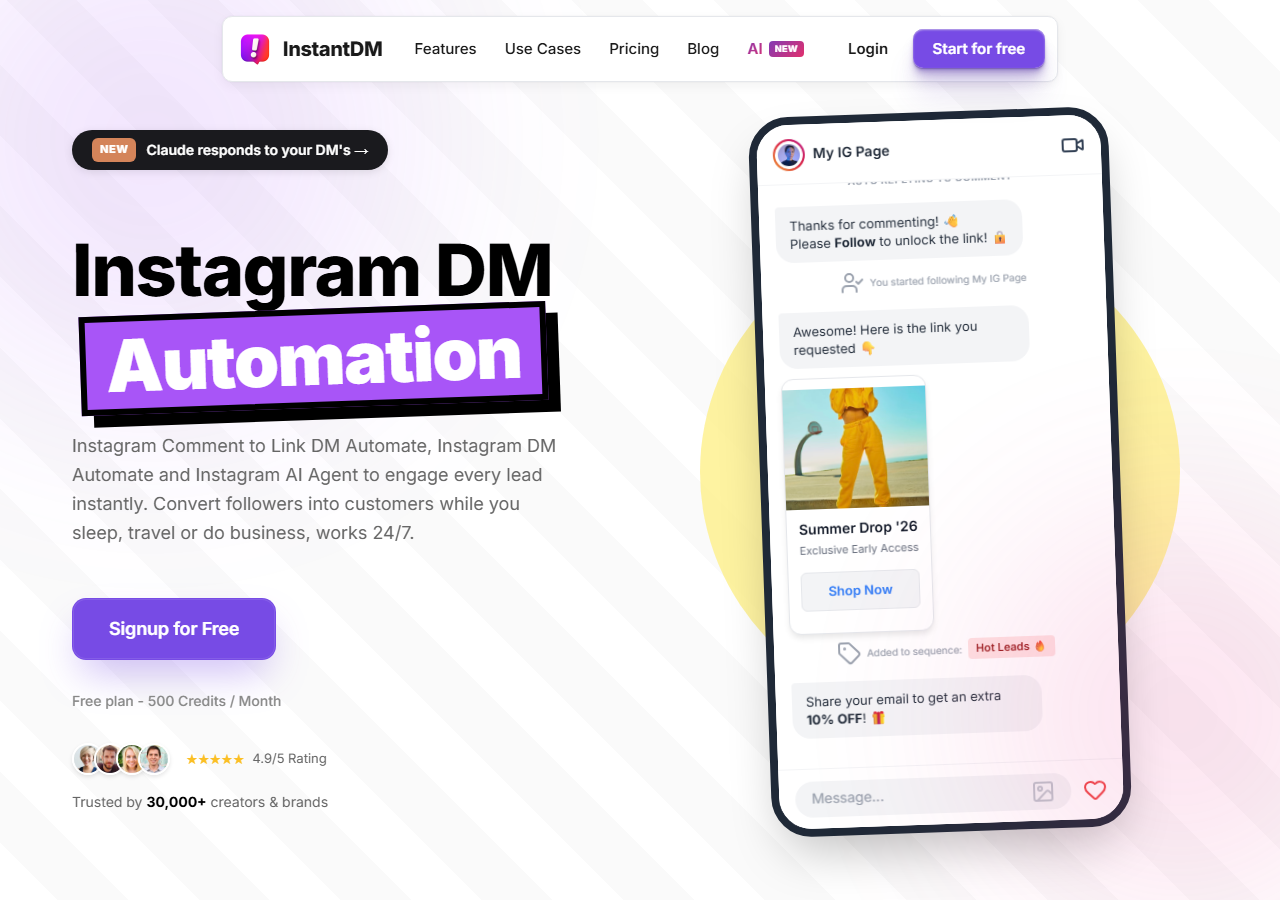
InstantDM is our tool, so read this section with that in mind. It is an Instagram-first DM automation product with two ways of working that the other tools usually split. The first is a quick automation: pick a post, set a keyword, paste a link, and it is live in about three minutes. That is the same job CreatorFlow, ReplyRush and LinkDM do. The second is a visual flow editor: questions, email capture, tags and follow-ups. That is the job people usually buy ManyChat for. You start with the quick one. You open the flow editor later if you need it. You do not switch products.
There are iOS and Android apps, rated 4.6 and 4.3. You can build and edit automations from your phone. CreatorFlow, LinkDM and Inrō cannot do that. Underneath the setup: unlimited DMs for a flat $9.99 a month, verified Meta Business Partner status on Instagram's official Graph API, and Facebook plus Meta Ads comments on the same plan. A typical first setup looks like this. You post a Reel. You set the keyword "LINK". Anyone who comments that word gets a DM with your shop URL, a discount code, or a lead magnet. If you later want them to answer "are you a beginner?" before the link, you add that step in the flow editor instead of buying a second tool.
You do not have to pick a "simple tool" or a "serious tool" and then migrate. Every other Instagram-first product on this page is one or the other. InstantDM is both. A creator who starts with "comment LINK" on Monday can build a short qualification funnel in the same dashboard a month later. The phone apps are the next practical win. You can set a trigger on a post from your phone before you publish it. CreatorFlow, LinkDM and Inrō cannot do that, because they have no app.
Then the bill. It is the only tool here where 50,000 DMs in a month costs the same as 500. The safety tools that keep that from tripping Meta's hourly cap run on every plan: a DM queue, a slow mode, a rate limit controller and flood control. That matters more than the feature list suggests. A viral Reel is useless if the account gets a temporary messaging block because the tool dumped 8,000 DMs in ten minutes.
The rest of the product is wider than the other Instagram-first tools on this list. You can schedule a post with auto-DM already attached, set next-post automation, run Collab Post automation, collect emails in the DM and tag leads. There is also a goal-based AI agent included in the flat price, with no extra credit meter.
Users rate it 4.2 on Trustpilot, 4.3 on Google Play and 4.6 on the App Store. Open InstantDM on the web or get the app.
ManyChat is the biggest name on this list. It is also the only tool here that runs Instagram, Facebook Messenger, WhatsApp, SMS and email from one flow builder. It is a verified Meta Business Partner. It has the largest integration list and the largest template library. If you have watched a YouTube tutorial about Instagram automations in the last five years, there is a good chance it was recorded in ManyChat.
The hard part is how it charges. You pay per active contact. The bill grows with the number of people who talked to the bot that month, whether or not those people buy anything. A shop with a steady 400 contacts a month can live on Essential. A creator whose Reel hits 20,000 comments in a week cannot. That is not a secret. ManyChat is built for teams that already budget for contact volume, not for people who hope one post takes off.
It goes deeper than anyone else on this page. If you need a five-branch qualification flow that tags leads, pushes them to HubSpot, and follows up on WhatsApp, ManyChat can do all of that inside the product. You do not stitch three apps together. The template library is huge. Most YouTube tutorials are recorded in ManyChat, so you can copy a working flow instead of inventing one. For a team that lives in WhatsApp and a CRM, that combination is the reason to pay the contact fees.
The mobile app is real, and team seats exist, so an agency can share the workspace. Shopify, Zapier, Make and HubSpot are first-class, not afterthoughts. If your work already spans Instagram plus two other channels, ManyChat is the least awkward fit.
If the per-contact bill is the problem, the ManyChat alternatives guide and the InstantDM vs ManyChat page go into more detail.
ReplyRush is the cheap option, and it is more complete than the $10 price makes it sound. Ten dollars a month buys 7,500 DMs across one Instagram account and one Facebook account. A follow gate, comment auto-reply and an email collector are included. The free plan is the biggest in this group at 1,500 DMs a month. A small account can live on free for a long time.
It does not call itself a Meta Business Partner. It says it is approved by the Meta developer team. That is a lighter claim. It still uses the official API, which is the part that keeps the account safer than a browser bot. Users like it. Trustpilot is 4.5 from 22 reviews, the highest score in this group, and Google Play is 4.2. The iOS app is weaker at 3.5 from 8 ratings.
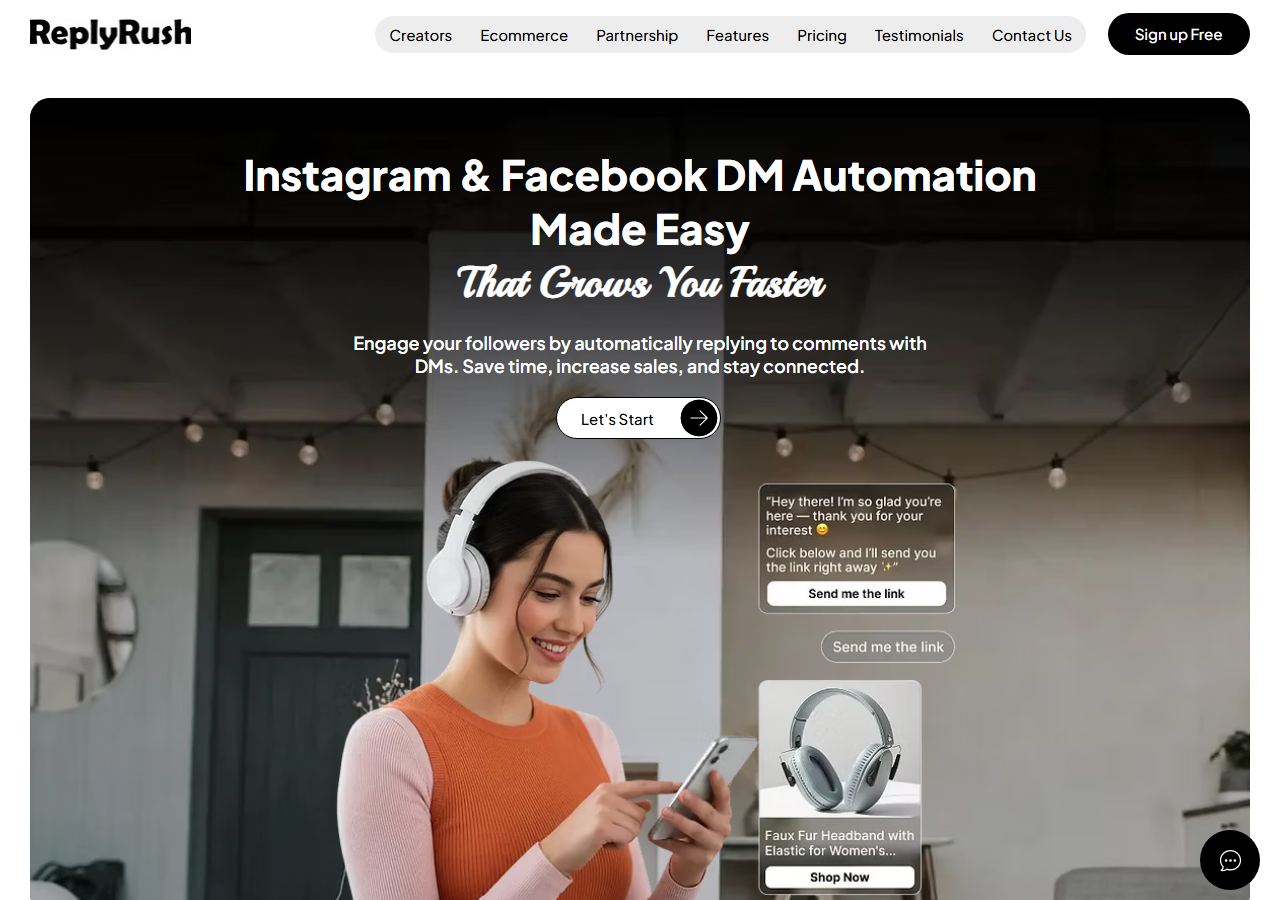
You get a follow gate and email capture at $10. That is the cheapest lead-capture pair on this page. The 1,500-DM free plan is large enough that a small account may never need to pay. Facebook is included on every plan, including free, which CreatorFlow and Inrō cannot say. There is also a real mobile app, so you are not stuck on a laptop. Users rate it 4.5 on Trustpilot and 4.2 on Google Play.
If your volume sits under 7,500 DMs a month, and you only need Instagram plus one Facebook page, ReplyRush is a clean buy. You are not paying for a flow builder you will not use, and you are not paying per contact.
The closest rival to InstantDM on price. The differences are in the InstantDM vs ReplyRush section below.
LinkDM is the older Instagram specialist on this list. The reason people pick it is the cap size. You pay a flat fee. You get a large, fixed number of DMs. You can run more than one account on the same plan. Pro is $19/month for 25,000 DMs and 3 accounts. That is a lot of headroom for a creator who also runs a brand page, or for a small agency with a few clients.
It does the same comment-keyword link delivery as the rest of the list. Facebook automations are on the free plan. The homepage shows a Meta Business Partner badge. The company claims 50,000+ creators. There is no mobile app and no Trustpilot profile, so you are trusting the product pages and whatever you find in communities. Setup is documented well, which helps if you have never done comment-to-DM before.
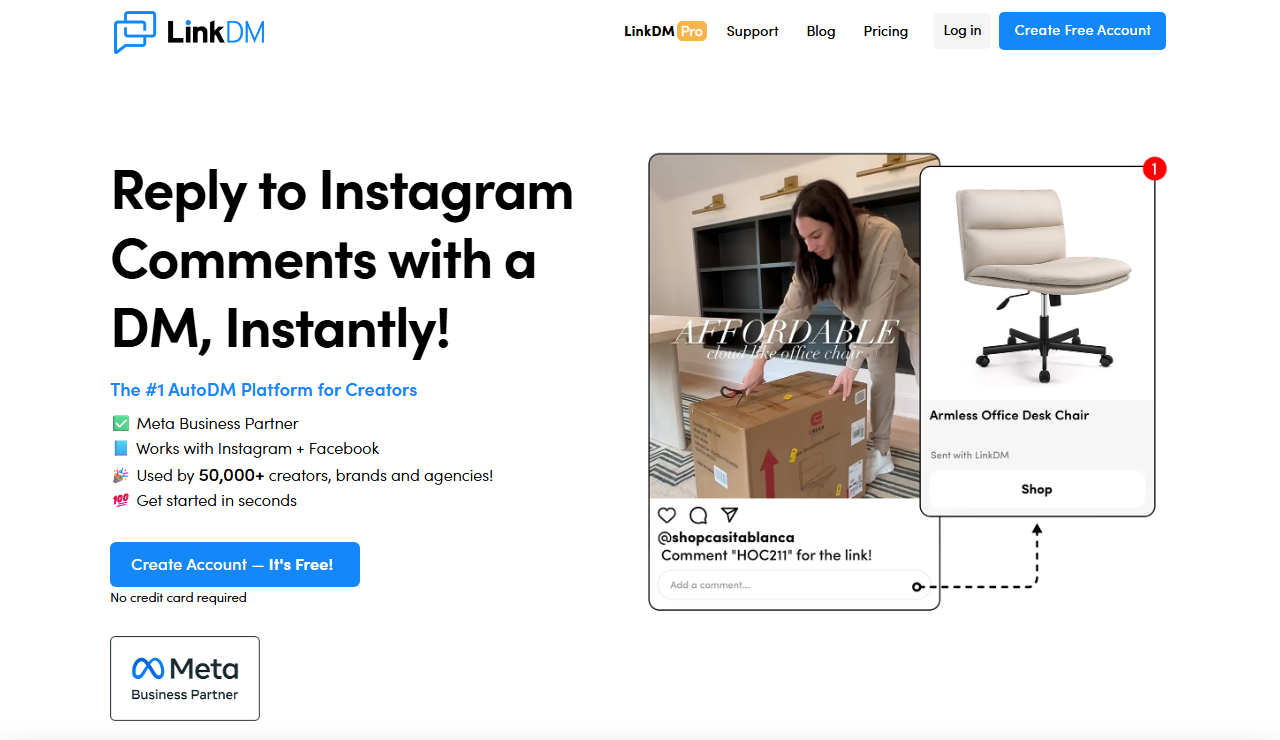
You know what you are buying. 25,000 DMs across three accounts for $19 is the best cap-per-dollar on a capped plan here. Platinum+ is $99 for 300,000 DMs and 10 accounts, which is the plan for accounts that actually send at that scale. Overflow queue and Slow Down Mode sit on Platinum+ too, so the high-volume plan is also the one with spike handling.
The product has been around long enough that help docs and tutorials exist. If you run a few accounts and you want one invoice, LinkDM is simpler than paying InstantDM per account or building a ManyChat workspace around contacts you do not need.
Side by side: InstantDM vs LinkDM.
Inrō is the AI tool on this list. The others mostly send a scripted DM. Inrō's agent reads the incoming message and tries to hold a real back-and-forth, in your voice, with a CRM underneath. That is useful if you sell a coaching call, a course, or a service, and you need to ask "what's your budget?" before you send a calendar link. It is less useful if you just need to drop a shop URL when someone comments "LINK".
It is Instagram only. It is a Meta Tech Provider, not a Business Partner. It bills by active contact, so you pay for the people who talk to the bot each month. A quiet month stays cheap. A viral month does not. There are two Trustpilot reviews, so there is almost no independent signal on support. There is no mobile app.
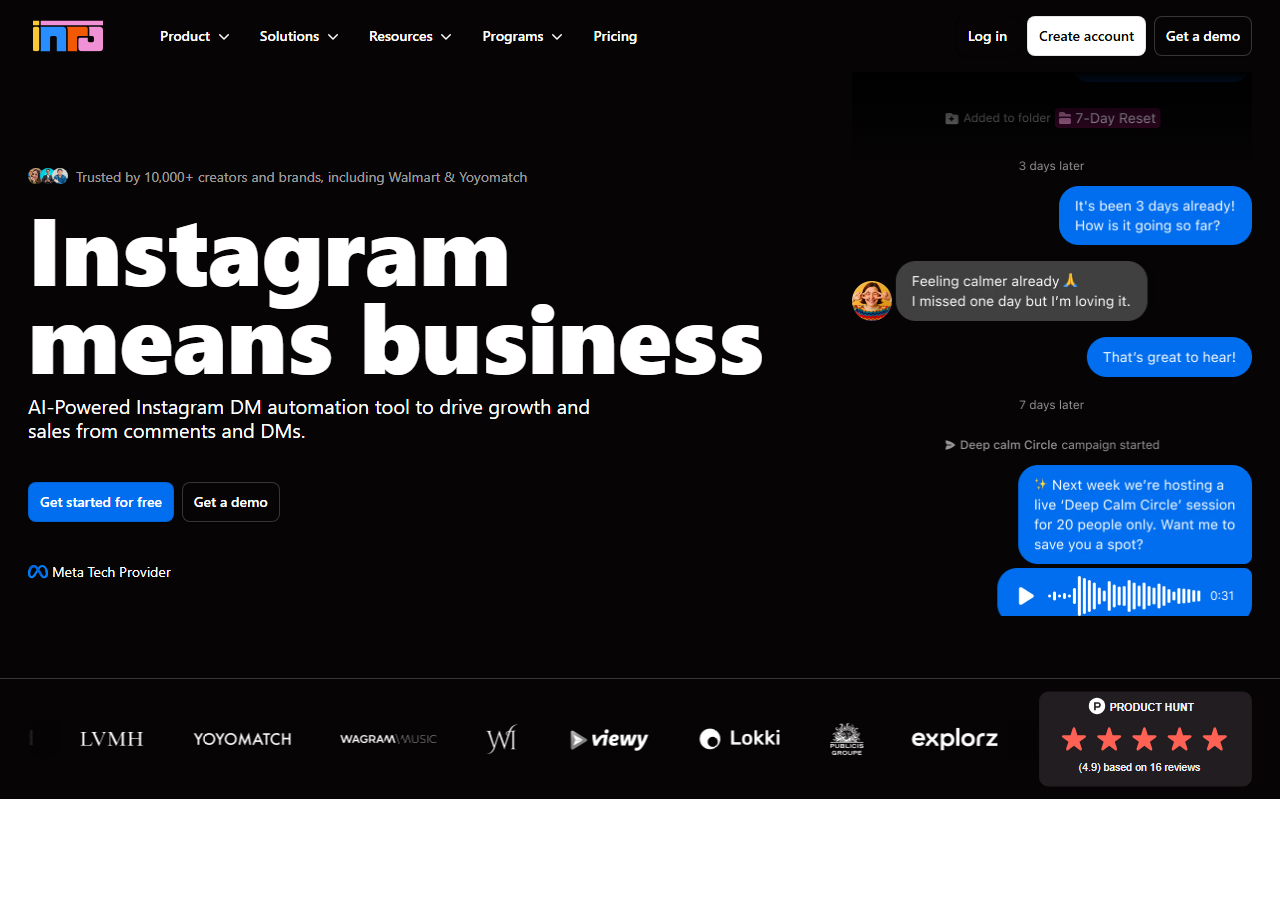
It can answer "does this work for beginners?" in your voice and try to book a call. That is the most complete AI conversation on this page. The CRM is a real contact list, not a CSV export as an afterthought, and Pro includes up to 10 team members. If your sales motion is a chat, not a link, this is the tool that was built for that job.
Make and Zapier connectors exist, plus webhooks, so you can still push a qualified lead into another system. Just know you are buying the conversation layer, not a cheap comment-to-link button.
Side by side: InstantDM vs Inrō.
CreatorFlow is an Instagram-only comment-to-DM tool. You pick a post, set a keyword, paste a link, and the person gets that one message. That is the product. Setup is fast because you are filling in a form, not building a flow. There is no visual flow builder. There is no branching. There is no Facebook, no Meta Ads, and no mobile app. The AI agent on their site is listed as coming soon.
What they count is DMs per workspace per month: 500 on free, 5,000 on Pro, 10,000 on Growth. You can create as many automations as you want. The cap is how many DMs those automations can send. It connects through the official API as a Meta Tech Provider. The company claims 20,000+ creators and brands. Paid plans start with a 14-day trial that needs a card. Charges after the trial are non-refundable, per their policy, so read that before you use the trial as a test. There is no public developer API.
The first live DM is quick, because the tool is a template. You are not learning a builder. On Pro, the extras around that one message are clear: a follow gate, an email gate, a phone preview of the DM, and geo stats on link clicks. Growth puts five Instagram accounts and five team seats in one workspace at $30, which is useful if you only need that template copied across a few pages.
The free plan is 500 DMs a month, about 15 a day. That is enough to test the keyword. It is not a working plan for an account that already gets a lot of comments. Auto-throttling is on, so sends try to stay inside Instagram's rate limits. If all you will ever do is send one link, this is enough. The moment you want a question, a follow-up, an ad comment, or an edit from your phone, you have left what CreatorFlow is.
Rated 4.1 on Trustpilot (12 reviews). What the template covers, and where the cap starts: InstantDM vs CreatorFlow.
Search for "Instagram automation tools" and you will also see products that are not DM automation tools first. They are team inboxes, sales CRMs and WhatsApp platforms that added Instagram as one more channel. We did not run these six in the two-week test, so they are not ranked above. They are here because people compare them with the tools on this page, and because they bill in two more ways: per conversation and per user seat.
| Tool | What it really is | Entry price | What drives the bill | Pick it over a DM tool when |
|---|---|---|---|---|
| Chatfuel | Bot builder for Instagram, Facebook and WhatsApp | Free Light plan with no AI. AI PRO is $49/mo | Plan tier, usage limits on AI | You want one bot on WhatsApp and Instagram, with a shared inbox |
| Respond.io | Omnichannel team inbox: WhatsApp, Instagram, TikTok, Messenger, email, calls | Starter $99/mo, 5 users. Workflows and AI agents start on Growth, $199/mo | Monthly active contacts: 1,000 on Growth, then $12 per 100 | You run a support or sales desk with several agents and need routing |
| TailorTalk | AI sales agent across Instagram, WhatsApp and a website widget | Starter $39/mo for 400 conversations. WhatsApp from Growth, $89/mo | Conversations per month | The DM has to qualify a buyer, take a booking or take a payment |
| Interakt | WhatsApp platform with Instagram as the second channel | Instagram-only Starter from ₹999/mo plus taxes (India pricing) | Plan tier, plus WhatsApp per-message fees | Your customers are on WhatsApp first and Instagram feeds it |
| Kommo | Sales CRM with a pipeline and a shared inbox | $25 per user per month (Base), six-month minimum | User seats | Every Instagram lead has to land in a sales pipeline with an owner |
| Wati | WhatsApp-first team inbox that added Instagram, Facebook and TikTok | About $59/mo on annual billing, per Wati's own blog. The pricing page did not show a USD figure when we checked | Plan tier, extra users, WhatsApp per-message rates | WhatsApp broadcasts and a team inbox are the main job |
Chatfuel, Respond.io, TailorTalk and Interakt prices are from each vendor's pricing page, as of August 2026. Kommo was checked on kommo.com on October 2, 2026. The Wati figure is the one Wati published on September 30, 2026. Confirm before you buy.
The rule of thumb is short. If the job is "someone comments, they get a DM", these tools are more than you need and they cost 4 to 20 times more than a DM tool. If the job is "five people answer customers on WhatsApp and Instagram all day", none of the six tools above replaces a team inbox, and InstantDM does not either. Some shops run both: a DM tool for comment-to-DM on posts and ads, and an inbox tool for the support desk.
"Not listed" means we did not see the feature in the product during the two-week test, and the vendor's pricing page and help docs do not mention it either. It may still exist. Plan names in brackets are the plan where the feature starts.
| Feature | InstantDM | ManyChat | ReplyRush | LinkDM | Inrō | CreatorFlow |
|---|---|---|---|---|---|---|
| Entry price | $9.99/mo | $17/mo ($14 annual) | $10/mo | $19/mo | €12.99/mo | $15/mo ($12 annual) |
| Billing unit | Flat, unlimited | Per active contact | Flat, DM cap | Flat, DM cap | Per active contact | Flat, DM cap per workspace |
| Top published tier | $24.99 | About $199 ($139 annual) | $100 | $99 | €200+/mo managed | $30 |
| Free tier | 500 automations/mo | 25 contacts | 1,500 DMs/mo | 1,000 DMs/mo | 100 contacts | 500 DMs/mo |
| Comment-to-DM | Yes | Yes | Yes | Yes | Yes | Yes |
| Story reply trigger | Yes | Yes | Yes | Yes | Yes | Yes |
| Follow gate | Yes (Legend Pro) | Yes (condition step) | Yes (Lite) | Not listed ("lead gen" on Pro) | Not listed | Yes (Pro) |
| Email capture in DM | Yes (Legend Pro) | Yes | Yes (Lite) | Not listed | Yes (CRM) | Yes (Pro) |
| Quick (template) automations | Yes, about 3 minutes | Yes (Quick Automations) | Yes | Yes | Not listed | Yes, about 2 minutes |
| Visual flow builder | Yes | Yes | No, triggers | DM planner | Yes | No, templates |
| Both quick setup and flows | Yes | Yes | No | No | No | No |
| AI replies / agent | AI comment replies + goal-based agent | AI steps + add-on | Trigger suggestions only | No | AI agent | Coming soon |
| Accounts per plan | 1 | Per-account billing | 1 / 1 / 3 / 5 (+ same on FB) | 1 / 3 / 10 | Not listed | 1 / 2 / 5 |
| Team seats | Not offered | Yes | Not listed | Not listed | 10 (Pro) | 5 (Growth) |
| Geo / link analytics | Yes | Not listed | Not listed | Not listed | Not listed | Yes (Pro) |
| Facebook comments | Yes | Yes | Yes | Yes | No | No |
| Meta Ads comments | Yes | Yes | Not listed | Not listed | No | No |
| WhatsApp / SMS | No | Yes | No | No | No | No |
| Shopify | Native app | Integration | Not listed | Not listed | Not listed | Not listed |
| API / webhooks | Yes (trial and Trendsetter) | Yes | Not listed | Not listed | Webhooks, no public API | Not listed |
| Spike protection on entry plan | Yes, all plans | Not listed | Not listed | Platinum+ only | Not listed | Auto-throttle |
| Mobile apps | iOS + Android | iOS + Android | iOS + Android | No | No | No |
| Meta status | Business Partner | Business Partner | Approved developer | Business Partner badge | Tech Provider | Tech Provider |
| Trustpilot | 4.2 (26) | 2.1 (300) | 4.5 (22) | No profile | 3.8 (2) | 4.1 (12) |
Checked October 2, 2026 against the live product in the two-week test, then against each vendor's pricing page.
Match the tool to the channels you need, how many DMs you send, and what you want after the link. Counting features is a bad way to pick. A tool with 40 features you will never open is worse than a $10 tool that sends the link and collects the email.
InstantDM. Three-minute automations and a visual flow builder in one tool, iOS and Android apps, unlimited DMs at $9.99 with queueing on every plan, Facebook and Meta Ads included.
ManyChat. WhatsApp, SMS and email in one flow, the deepest builder, the longest integration list. Budget for extra contact fees.
ReplyRush. $10 for 7,500 DMs with a follow gate and email collector, Instagram and Facebook, best Trustpilot score here.
LinkDM. 25,000 DMs and 3 accounts for $19. Platinum+ if you really send 300,000.
Inrō. Multi-turn AI replies with a CRM behind them. InstantDM's goal-based agent is the flat-price alternative.
CreatorFlow. A basic Instagram template: comment a word, get a link. 500 free DMs a month. Email gate on Pro. Caps at 5,000 or 10,000. No app, no flows, no ads.
Not a DM tool. Look at Respond.io or Wati for a team inbox, Kommo for a sales pipeline, TailorTalk for an AI sales agent. See the wider list.
Most people start with comment-to-DM. InstantDM, ReplyRush and CreatorFlow can all send that first link in minutes. CreatorFlow stays at that first job: one message, Instagram only, with a monthly cap. ReplyRush adds Facebook and a cheaper paid plan, still with a cap. InstantDM is the one of those three with a flow builder and a phone app, so you do not switch tools when you want a funnel or an edit from your phone. The flat unlimited plan also does not need a plan change when a post takes off. Choose ManyChat when the channel list matters more than the invoice. Choose LinkDM when you already know you need several accounts and a big cap. Choose Inrō when the DM has to hold a conversation.
Whichever you choose, set it up, run it for 30 days, and count leads or sales that came from DMs. If you cannot point to a number, the tool is not the problem yet. The keyword or the offer probably is.
InstantDM and ReplyRush sit next to each other more than any other pair on this page. Both charge a flat fee. Both cover Instagram and Facebook. Both have mobile apps. ReplyRush is cheaper to start: $10 a month for Lite, and 1,500 free DMs versus InstantDM's 500 automations. If you have a small account and you want a follow gate plus email capture for as little money as possible, ReplyRush is a good buy.
InstantDM is better once volume grows. Unlimited DMs instead of a 7,500 cap. Verified Meta Business Partner instead of "approved developer". Meta Ads comments. A Shopify app. An AI agent. A higher-rated iOS app (4.6 vs 3.5). A flow builder, which ReplyRush does not have. If your Reels already spike, or you think they will, the $10 plan becomes the $100 MAX plan faster than it looks. If they never spike, you saved $0 and ReplyRush did the job.
ManyChat does more. That is not a close call. WhatsApp, SMS, email, HubSpot, a giant template library, team seats. If you need those, stop comparing and buy ManyChat. The part to watch is the bill. Hit 20,000 active contacts in a month and ManyChat Pro lands around $914 on monthly billing (2,500 included, then 17,500 × $0.05). InstantDM is still $9.99 with unlimited DMs.
InstantDM has a visual flow editor of its own, so "I need flows" is not enough reason to pick ManyChat. ManyChat is the right tool if you truly need WhatsApp, SMS and email in the same automation, and your contact count is steady enough to budget. InstantDM is the right tool if you live on Instagram and Facebook, want the quick setup and the flow builder in one product with a phone app, and want a price that does not jump when a post works. Full breakdown on the InstantDM vs ManyChat page.
Both tools say "flat price", and both mean it. Neither bills per contact. CreatorFlow is the simpler product. It is a template for one DM: comment a keyword, maybe pass a follow or email gate, get a link. InstantDM does that first job too, then keeps going: a visual flow builder, iOS and Android apps, Facebook and Meta Ads, a Shopify app, and an AI agent that already ships.
The other difference is what they count. CreatorFlow caps DMs per workspace: 500, 5,000, then 10,000 a month. InstantDM caps nothing. Legend Pro sends at 750 an hour so the account stays inside Meta's limit. CreatorFlow's free plan lets you create unlimited automations inside that 500-DM cap. Growth has team workspaces, which InstantDM does not have. Setup time is close because the first screen is the same job. CreatorFlow stays on that screen. InstantDM does not. If all you need is a link in a DM and your volume is small, CreatorFlow covers it. If you need more than a basic template, or a post that would pass 5,000 DMs, InstantDM is the one that still fits. Details on the InstantDM vs CreatorFlow page.
This page ranks tools on DM automation as a whole: triggers, caps, how they charge, and whether they use the official API. If what you want is an AI agent, one that reads the message and writes the reply instead of following a flow you drew, that is a smaller question. We compared that separately.
Three of the six do not have an agent. ReplyRush and LinkDM do not offer one. CreatorFlow lists one as coming soon. Among the three that do ship one, "AI" means three different things, and the model can add a cost on top of the platform fee. InstantDM includes a goal-based agent in the flat price. ManyChat has AI steps plus an add-on. Inrō is built around the agent and bills per contact.
Read next: Best Instagram AI Agent Tools in 2026. InstantDM, ManyChat and Inrō compared on which model writes the reply, whether you can bring your own API key, review scores, and what a busy month costs at 20,000 contacts.
People overthink this. For a template tool, the first live automation is usually ten minutes, including the time you spend staring at the DM copy. Here is the version we see most often.
On InstantDM, ReplyRush, LinkDM and CreatorFlow, that is the whole first session. On ManyChat and Inrō you also draw the flow. Budget extra time for that, and copy a template if one exists instead of building from a blank canvas.
A few things that go wrong over and over. The keyword is too clever, so nobody comments it. The DM has three links, so Instagram strips them or people ignore the message. The tool is connected to the wrong Instagram account in a Business Manager that has two pages. The post is a collab post and the tool does not support collabs, so comments from the other account never fire. InstantDM lists collab posts as supported. Check that before you run a collab campaign.
The tools are not the hard part. The way people use them is. These are the mistakes we see most, including on our own support threads.
Picking on the starting price. $10, $15, $17 and $19 all look the same in a table. They are not the same after a viral week. Read the cap. Read the contact overage. If you cannot explain what happens at 20,000 DMs, you are not done shopping.
Using a browser bot because it is "free". Unofficial tools that log in as you, or run in Chrome, are how accounts get restricted. Every tool on this page uses the official Graph API. Stay on that side. A cheap unofficial bot is not cheap if the account gets locked.
Cold DMing. Meta does not let you message people who never talked to you. Comment-to-DM, story reply, and keyword inbox triggers are the allowed doors. A tool that promises "DM anyone in this niche" is not a DM automation tool. It is a ban waiting to happen.
Turning on every gate at once. Follow gate plus email plus a three-question flow plus a 24-hour follow-up, on day one, on an account that gets 40 comments a post. You will get fewer clicks, then blame the tool. Start with the link. Add a gate when you have a reason.
Ignoring the 750-an-hour cap. The cap is per Instagram account. Two tools do not stack. If you connect InstantDM and ManyChat to the same account, you still have 750. Queueing is the feature that matters here, not a second subscription.
Never exporting emails. If you switch tools later, Instagram will not give you a contact dump. Export the emails you captured, on a schedule, so you are not starting from zero if you leave.
Leaving the automation on a dead post. People set "LINK" on last month's Reel, post a new one, and wonder why nothing happens. Either attach the automation to the new post, or use a next-post / future-post feature if the tool has one. InstantDM, ReplyRush and LinkDM all have some version of that. Check the name they use for it.
A short version, because the scare posts online mix three different things. Human DMs you type yourself are fine. Automated private replies to people who commented, replied to a story, or messaged you are fine if you use the official API. Automated DMs to people who did nothing are not fine. Scraping, logging in with your password, or running a clicker in a browser is how accounts get action blocks.
Meta Business Partner is the stricter public badge. InstantDM, ManyChat and LinkDM show it. Meta Tech Provider still means official API. Inrō and CreatorFlow sit there. ReplyRush uses its own wording, "approved by the Meta developer team". We report what each company says. We do not treat a homepage badge as a legal guarantee. If account safety is the reason you are here, use official API, stay inside the 750/hour cap, and only message people who engaged first. That is the whole policy in practice.
The 24-hour messaging window still applies in spirit: Instagram automations are built around a recent action from the person. A follow-up a day later is a standard paid-plan feature. A follow-up a month later, out of nowhere, is how you wander into spam. If a vendor's demo shows blasting an old audience, walk away.
InstantDM has quick automations and a visual flow builder in one tool, iOS and Android apps, and unlimited DMs from $9.99/mo. It is a verified Meta Business Partner. 500 automations a month free, plus a 7-day trial of the rest. No card needed.
Start your free trialGet the app: Google Play (Android) · App Store (iOS)
No credit card required. Setup in under 3 minutes.
What is Instagram DM automation?
It's a tool that sends a DM for you when someone does something, like comment a keyword, reply to a story, or send a certain word. They comment. They get your link. You never open the app.
What is the best Instagram DM automation tool in 2026?
It depends on what you need. InstantDM is the easy start that can grow with you: keyword automations in a few minutes, a flow builder in the same tool, iOS and Android apps, and unlimited DMs for $9.99/month. ManyChat is better if you need WhatsApp, SMS, or a more powerful flow builder. ReplyRush is the cheapest paid plan with a follow gate. LinkDM is better if you run several accounts and want a big DM cap. Inro is the AI conversation tool. CreatorFlow is a basic template tool: comment a word, get a link, stay under a monthly DM cap.
What's the difference between flat-rate and per-contact pricing?
Flat-rate means you pay the same no matter how many people you message. Per-contact means the bill grows as more people talk to you. There's a third type too: a flat price with a DM cap (ReplyRush, LinkDM, CreatorFlow). The price stays the same until you hit the cap, then you move up a plan. After a viral post, that gap can be a few dollars or a few hundred.
Is there a free Instagram DM automation tool?
Yes. All six have a free plan. ReplyRush gives the most volume (1,500 DMs a month), then LinkDM (1,000 DMs), InstantDM (500 automations plus a 7-day trial of the paid features) and CreatorFlow (500 DMs). ManyChat's free plan covers 25 active contacts. Inro's covers 100. Meta Business Suite is free too, if you only need instant replies and away messages.
What is the cheapest Instagram DM automation tool at scale?
InstantDM. Unlimited DMs are included in the flat $9.99. Per-contact tools like ManyChat can cost hundreds at high volume. ReplyRush, LinkDM and CreatorFlow move you to a higher plan once a post takes off.
Is Instagram DM automation against Meta's rules or unsafe?
It's fine if the tool uses Instagram's official Graph API with your permission, and only messages people who reached out first. The risk is unofficial bots and browser tools. All six here use the official API. InstantDM, ManyChat and LinkDM show Meta Business Partner status. ReplyRush calls itself a Meta-approved developer. Inro and CreatorFlow are Meta Tech Providers.
What does the 750 DMs per hour limit mean?
Meta lets each Instagram account send about 750 private replies per hour. Good tools queue messages so they stay under that. On InstantDM, Legend Pro sends at 750 DMs an hour. Trendsetter removes that cap. ReplyRush, LinkDM and CreatorFlow also slow sends down. The cap is per account, not per tool, so two tools on one account does not double it.
What's the best tool to send a link in DMs when someone comments a keyword?
All six can do this. InstantDM includes it on the free plan (500 automations a month). Follow gate and email capture are on Legend Pro. Look at LinkDM if you want a high DM cap, like 25,000 DMs on the $19/month Pro plan. CreatorFlow also sends the link from a template, with a 5,000-DM cap on Pro.
Which Instagram DM tools support automated replies to Story responses?
All six here can send a DM when someone replies to a story: InstantDM, ManyChat, ReplyRush, LinkDM, Inro and CreatorFlow. On InstantDM, story replies are on the $9.99/month Legend Pro plan, with comment-to-DM and keyword triggers.
Which Instagram DM automation tool has the best user reviews?
As of August 28, 2026: ReplyRush leads Trustpilot at 4.5 (22 reviews), then InstantDM at 4.2 (26), CreatorFlow at 4.1 (12) and Inro at 3.8 (2). ManyChat is 2.1 across 300 reviews. On the app stores, InstantDM is 4.3 on Google Play and 4.6 on the App Store. ReplyRush is 4.2 and 3.5. InstantDM is the only tool with a 4+ score on Trustpilot, Google Play and the App Store.
Which Instagram DM tools are official Meta Business Partners?
InstantDM and ManyChat are verified Meta Business Partners. LinkDM shows a Meta Business Partner badge on its homepage. ReplyRush says it is approved by the Meta developer team. Inro and CreatorFlow are Meta Tech Providers, a lighter tier that still uses the official API.
InstantDM vs ReplyRush: which should I choose?
Both charge a flat fee and both cover Instagram and Facebook, so it's close. ReplyRush is cheaper to start at $10/month, and its free plan is three times bigger. InstantDM is better as you grow: unlimited DMs instead of a 7,500 cap, verified Meta Business Partner status, an AI agent, a Shopify app, and a higher-rated iOS app (4.6 vs 3.5).
Does InstantDM have a mobile app?
Yes. InstantDM has iOS and Android apps, rated 4.6 on the App Store and 4.3 on Google Play. You can set up triggers, check analytics, and reply to leads from your phone. ManyChat and ReplyRush also have apps. LinkDM, Inro and CreatorFlow are web only.
What's the best DM automation tool for Shopify or ecommerce?
InstantDM or ManyChat. InstantDM has a Shopify app. It can send product links, discount codes and order info when people comment on posts or ads, and it can collect email and phone in the DM. ManyChat has a Shopify integration plus WhatsApp and SMS if you sell outside Instagram and Facebook too.
Do these tools also work on Facebook and Meta Ads?
InstantDM handles Instagram, Facebook and Meta Ads comments. ManyChat also covers Messenger, WhatsApp and SMS. ReplyRush and LinkDM cover Instagram and Facebook. Inro and CreatorFlow are Instagram only for now.
Is CreatorFlow better than InstantDM?
Only if you want a single-message template and you are fine with a DM cap. CreatorFlow is Instagram only. You fill in a form: pick a post, set a keyword, paste a link. The free plan is 500 DMs a month. Pro caps at 5,000. Growth caps at 10,000. There is no flow builder, no mobile app, no Facebook, no Meta Ads, and the AI agent is listed as coming soon. InstantDM has a similar first setup, then a flow builder in the same tool, iOS and Android apps, unlimited DMs for $9.99, Facebook and Meta Ads, and an AI agent that already ships. If all you need is a link in a DM, CreatorFlow does that. If you need more than a basic template, InstantDM is the wider tool.
Can I switch DM automation tools later?
Yes. They all connect through Instagram's Graph API with OAuth, so you can disconnect one and connect another whenever you like. Instagram's API does not let a tool import DM contacts from another tool, so export your email list first, then rebuild your keyword automations. Most comment-to-DM setups take 5 to 10 minutes.
How long does it take to set up comment-to-DM automation?
With a template tool (InstantDM, ReplyRush, LinkDM, CreatorFlow), a basic comment-to-DM setup takes about 5 to 10 minutes: connect your account, pick a post, set the keyword, and write the DM with your link. ManyChat and Inro take longer the first time because you build the flow yourself.
What is the best Instagram comment automation tool?
Instagram comment automation means the tool reacts to a comment for you. It can reply in public under the comment, send the commenter a DM, or do both. All six tools here do comment-to-DM. InstantDM also writes AI comment replies and covers Facebook and Meta Ads comments on the $9.99 plan. ManyChat is the pick if comments also need to feed WhatsApp or SMS. ReplyRush is the cheapest paid plan at $10/month.
What is the best Instagram automation tool for creators?
For most creators, a flat-price DM tool. Creators get traffic in spikes, so per-contact billing is the risk. InstantDM is $9.99/month with unlimited DMs and iOS and Android apps. ReplyRush has the biggest free plan at 1,500 DMs a month. LinkDM fits creators who run several accounts. ManyChat suits creators who already sell on WhatsApp or email and have a steady contact count.
Which tool is best for building an Instagram DM funnel?
A DM funnel is more than one message: a trigger, a question or a follow gate, email capture, then a follow-up. You need a flow builder for that. InstantDM and ManyChat have one, and Inro does it with an AI conversation. ReplyRush, LinkDM and CreatorFlow send a single DM with optional gates, so they cover the first step and stop there.
What's the difference between Instagram automation and Instagram DM automation?
Instagram automation is the wide term. It covers scheduling posts, replying to comments, team inboxes and DMs. Instagram DM automation is one part of it: a DM goes out when someone comments, replies to a story or sends a keyword. The six tools ranked here are DM automation tools. Inbox and CRM products like Respond.io, Kommo and Wati also connect to Instagram, and they are built for teams answering messages by hand.
How does Instagram DM automation capture leads?
The DM asks for something before or after the link. A follow gate asks the person to follow first. An email or phone step asks them to type it in the chat, and the tool saves the answer against that contact. On InstantDM, follow gate and email and phone capture are on Legend Pro at $9.99/month. ReplyRush has both on its $10 Lite plan. CreatorFlow starts them on Pro.
Can these tools answer common questions automatically?
Yes, in two ways. A keyword trigger sends a fixed answer when a DM contains a word like PRICE or SHIPPING. All six tools do that. An AI agent reads the message and writes the reply itself. InstantDM, ManyChat and Inro ship one. ReplyRush and LinkDM do not, and CreatorFlow lists it as coming soon.
Can I manage Instagram DMs and WhatsApp in one inbox?
Not with InstantDM. It covers Instagram, Facebook and Meta Ads, and it has no WhatsApp channel or shared team inbox today. ManyChat is the one tool of the six that runs WhatsApp and Instagram from one flow builder. If a team needs one inbox for both, look at an inbox product like Respond.io or Wati.
Join 30,000+ creators and brands using InstantDM today.
Get Started NowAny support required, we're just one click away.
