TL;DR: Quick Reference
- The problem: Instagram DMs are your highest-intent channel, but impossible to manage manually once volume hits 50+ messages a day
- The solution: API-compliant DM automation that triggers on comments, story replies, and keywords—and responds instantly, 24/7
- Best tool for most creators: InstantDM — $9.99/mo flat rate, unlimited contacts, Meta Graph API only
- Lead capture in DMs: Collect name, email, and phone number inside the DM flow — no external forms, no friction
- Key stat: DM open rates average 80%+ vs 22% for email (Meta Messaging Insights)
Introduction:
You ran a campaign last Friday. By Saturday morning, 300+ people had slid into your DMs — asking about pricing, requesting your freebie, and wanting to know if you ship internationally. Your team got through maybe 40 replies before the weekend swallowed the rest. By Monday, those 260 conversations had stalled. Those weren't just missed messages. Those were missed sales.
Instagram messaging for customer support and lead generation has become the highest-use channel most brands are still managing manually — and it's costing them. The buying decision no longer happens on a post or at a landing page. It happens in the DM, in real time, when someone is already interested. That window is short. And it doesn't wait for Monday morning.
This guide covers everything: why DMs outperform every other channel on conversion, how to build a support system that doesn't require your team to live in the inbox, the exact mechanics of turning comments and story replies into leads, and a step-by-step setup for automating it properly with InstantDM — without ever risking your account.

Why Instagram DMs Are Now Your Highest-Converting Channel
The average email open rate sits around 22%. Instagram DMs open at 80% or higher. That gap isn't a rounding error — it's a fundamentally different relationship between sender and receiver.
When someone DMs you on Instagram, they already know who you are. They've seen your content, they trust your brand enough to reach out, and they want something specific. That's not a cold lead. That's a warm prospect who chose to start the conversation. The intent level is completely different from someone clicking a link in your bio and bouncing from a landing page thirty seconds later.
There's also what some researchers call "Dark Social" — the shift of high-value buying conversations away from public channels and into private ones. People don't ask for pricing in comments anymore. They don't post "how much?" on your product Reel. They DM. And that means your inbox has quietly become the place where your most qualified prospects are spending time. Most brands aren't ready for it.
The manual reply problem compounds fast. Below 20 messages a day, a dedicated person can handle it fine. At 50, it starts slipping. At 150, it's genuinely impossible to keep up without dropping conversations. And the ones that get dropped tend to be the ones that came in at 11pm on a Saturday — which, based on Instagram's peak engagement windows, is exactly when the most messages arrive.
Response speed matters more than most brands realise. Research consistently shows that conversion rates on inbound inquiries drop sharply after the first five minutes. Not hours — minutes. A lead that gets a reply in two minutes converts at a dramatically higher rate than one that waits two hours, even if the reply quality is identical. When someone DMs you about a product and your automated first response fires back within seconds, that's not just efficiency. That's revenue.
Two Ways Instagram Messaging Drives Business Results
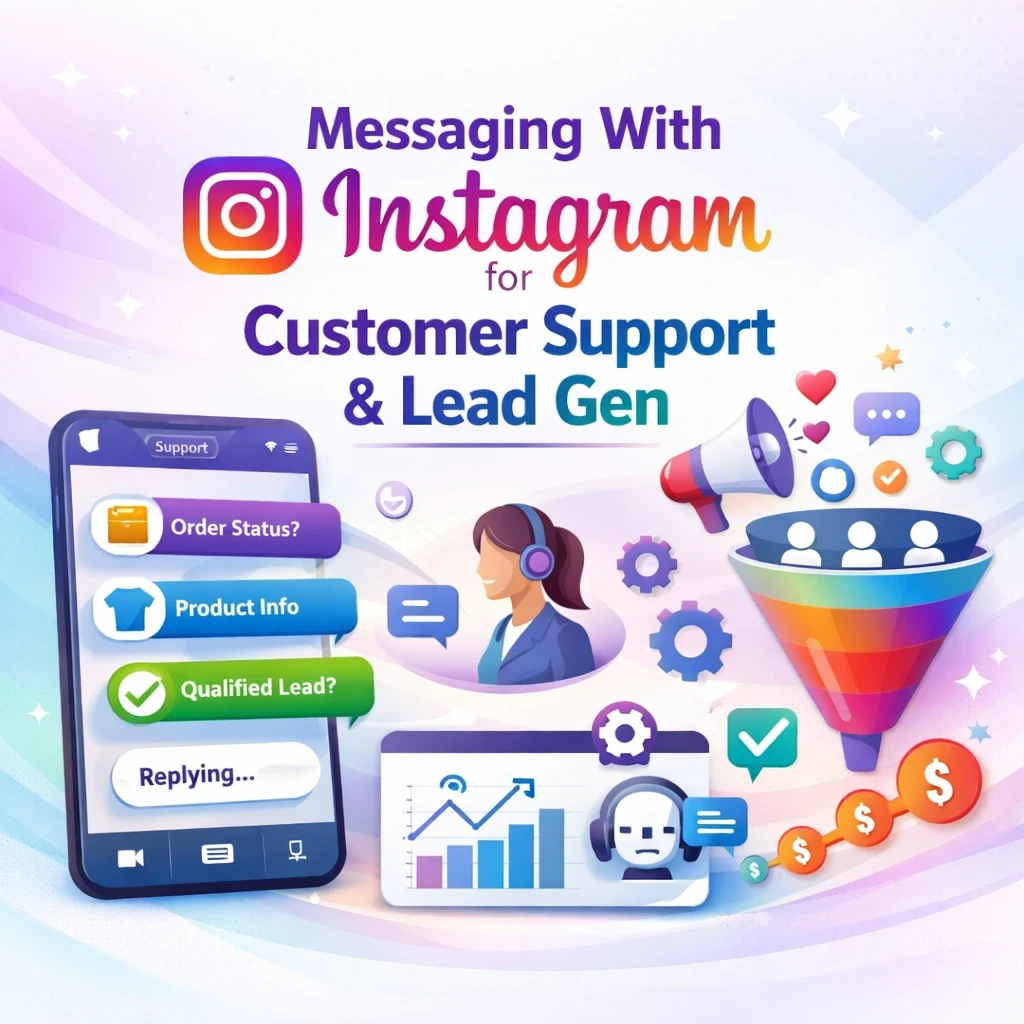
Most brands think of Instagram DMs as one thing: a place to answer questions. The reality is that the inbox does two very different jobs — and treating them the same is why most DM strategies underperform. One job is support: handling the people who are already customers or close to becoming one. The other is lead generation: capturing people who showed interest and moving them into a pipeline before that interest fades. Both matter. Both require different approaches. And both can be automated without losing the human feel that makes Instagram work in the first place.
1. Customer Support at Scale
The questions that fill most brand inboxes are completely predictable. "What's the price?" "Do you ship to [country]?" "When will my order arrive?" "Is this still available?" "Can I get a refund?" Run the numbers on your last 500 DMs and you'll find that 70–80% of them ask the same ten questions, worded slightly differently each time.
That's not a complaint — it's an opportunity. If 80% of your support volume is repetitive, then automating those responses doesn't degrade the customer experience. It improves it. The customer gets an instant, accurate answer instead of waiting hours for a human to type the same thing they typed yesterday.
The model that works is a three-tier structure. The first tier is instant automated response — your automation detects the question type (pricing, shipping, availability) and fires back a relevant answer within seconds. No human involved, no delay. The second tier is a smart flow — for slightly more complex queries, the automation walks the user through a short decision tree to narrow down what they actually need. The third tier is human handoff — when a conversation reaches a point the automation can't handle (a complaint, a refund edge case, an unusual request), it flags the thread and routes it to a real team member.
The CSAT impact of this model is significant. According to customer experience research cited in Meta's 2025 Messaging Report, the quality of the first response matters far more to customer satisfaction than the quality of any subsequent message. Get that first reply right — fast, relevant, and helpful — and the customer's perception of your support is already positive. Everything after that is maintenance.
Directing support queries to a help desk or external ticketing system via a link in your DM is the single biggest friction killer in Instagram support. Most users won't click through. They'll either wait for a real reply or just give up. Keeping the conversation inside Instagram, handled through a structured flow, removes that friction entirely.
2. Lead Generation — Turning Comments and Stories into Pipeline
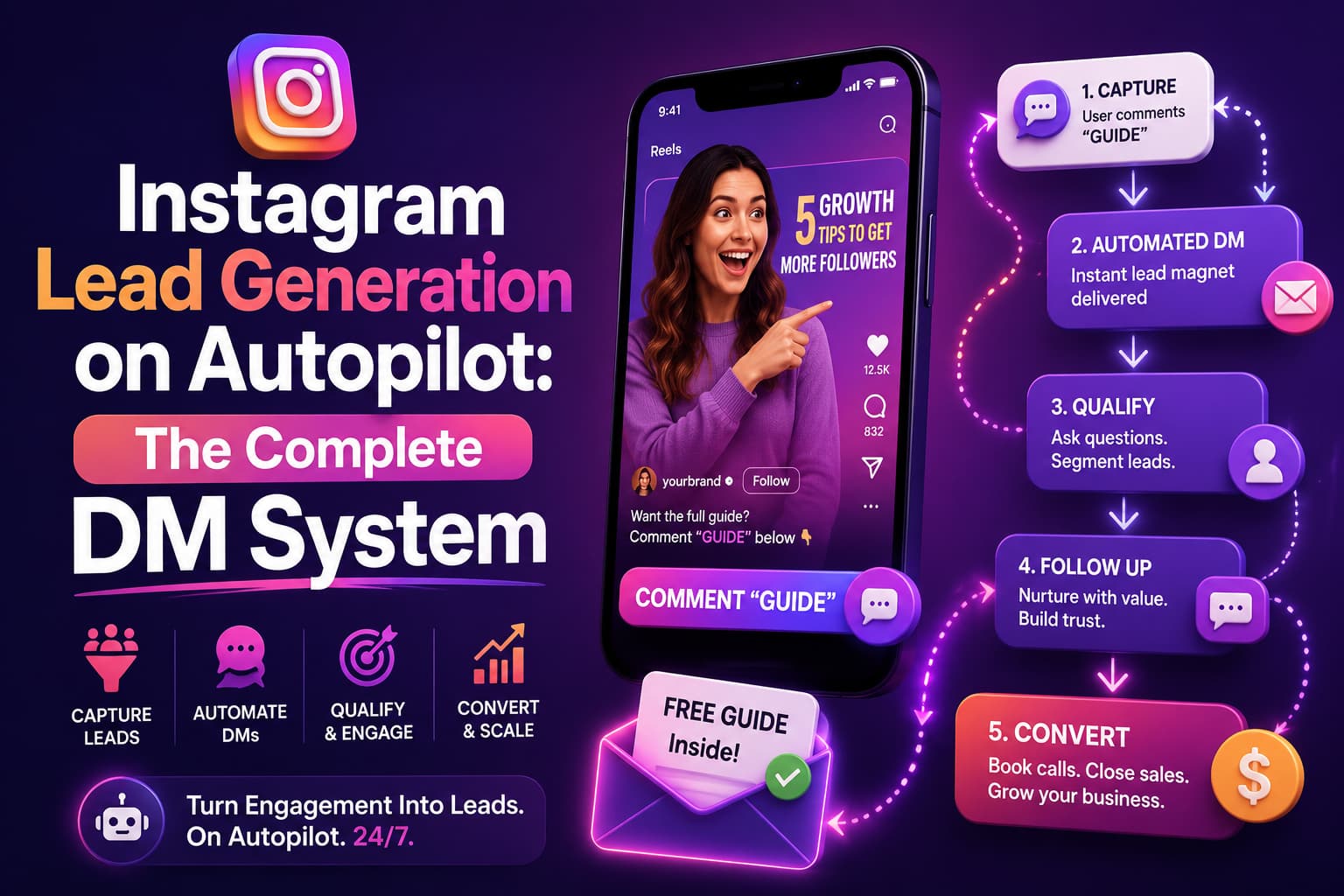
Comment-to-DM automation is the most underused lead generation tactic in organic Instagram marketing right now, and it's not close. The mechanic is simple: you publish a post — typically a Reel or carousel — with a caption that tells people to comment a specific keyword to receive something valuable. A free guide, a discount code, a product lookbook, a checklist. Anyone who comments that keyword gets an automated DM delivered instantly. They never had to leave Instagram. There's no form, no email signup page, no friction point.
Compare that to the standard "link in bio" approach. The average link-in-bio click-through rate on Instagram sits below 2%. Comment-to-DM flows consistently hit 20–30% engagement-to-DM rates, because the barrier is a comment — something people do naturally — rather than a click that takes them away from the app.
Story reply triggers work similarly, but with even higher intent. When someone swipes up or manually replies to your Story, they're not just scrolling — they've stopped. They made a deliberate choice to engage. Automating a response to that action, personalised by first name and relevant to the story's content, converts at a noticeably higher rate than almost any other Instagram trigger.
Keyword DM triggers catch a different type of lead: the person who took the initiative to contact you directly. When someone DMs you "price" or "info" or "interested", the automation detects those keywords and kicks off the right flow immediately — without waiting for a human to notice the message.
Follow-gating adds another layer to lead magnet delivery. You set it up so the freebie only goes out after the user follows your account. They comment on the keyword, they get a message asking them to follow first, and once they do, the content is delivered. It grows your audience and your lead list at the same time. It works because the value exchange is clear — they understand exactly what they're getting and what it costs them (just a follow).
In-chat lead capture completes the process. Instead of delivering the freebie and ending the conversation, your flow continues: "What's your name?" Then, "Drop your email, and I'll send you the full version." No external form. No redirect. They're already in the DM; they're already engaged, and asking for one piece of information at a time feels like a conversation – not a form.
What Makes an Instagram DM Tool Safe to Use in 2026
The fear around Instagram automation is understandable. Accounts have been banned. Some creators have lost years of audience building overnight because of a tool that took shortcuts. That fear is worth taking seriously — but it points to a specific type of tool, not automation in general.
There are two categories of Instagram automation tools. The first uses the official Meta Graph API — the same infrastructure that Meta itself provides for businesses to interact with Instagram programmatically. Tools in this category operate within explicit permissions that Meta has sanctioned. They don't scrape, they don't simulate human behaviour, they don't log into your account like a person would. Meta knows they exist. Meta approves them.
The second category is everything else. Grey-zone tools typically work by logging into your account using your credentials and automating actions through the Instagram interface as if they were human. Instagram's systems are designed to detect exactly this. Unusual access patterns, login from an unrecognised device or IP, actions happening at inhuman speed — all of these trigger account flags. The risk isn't theoretical. Account restrictions, temporary bans, and permanent disabling are the documented outcomes.
When evaluating any tool, ask two questions before paying for anything. First: does it connect via Meta's official API, or does it ask for your Instagram password? If it asks for your password, walk away. Second, does it carry a Meta Business Partner badge or official API approval? That designation exists specifically to indicate Meta-verified access.
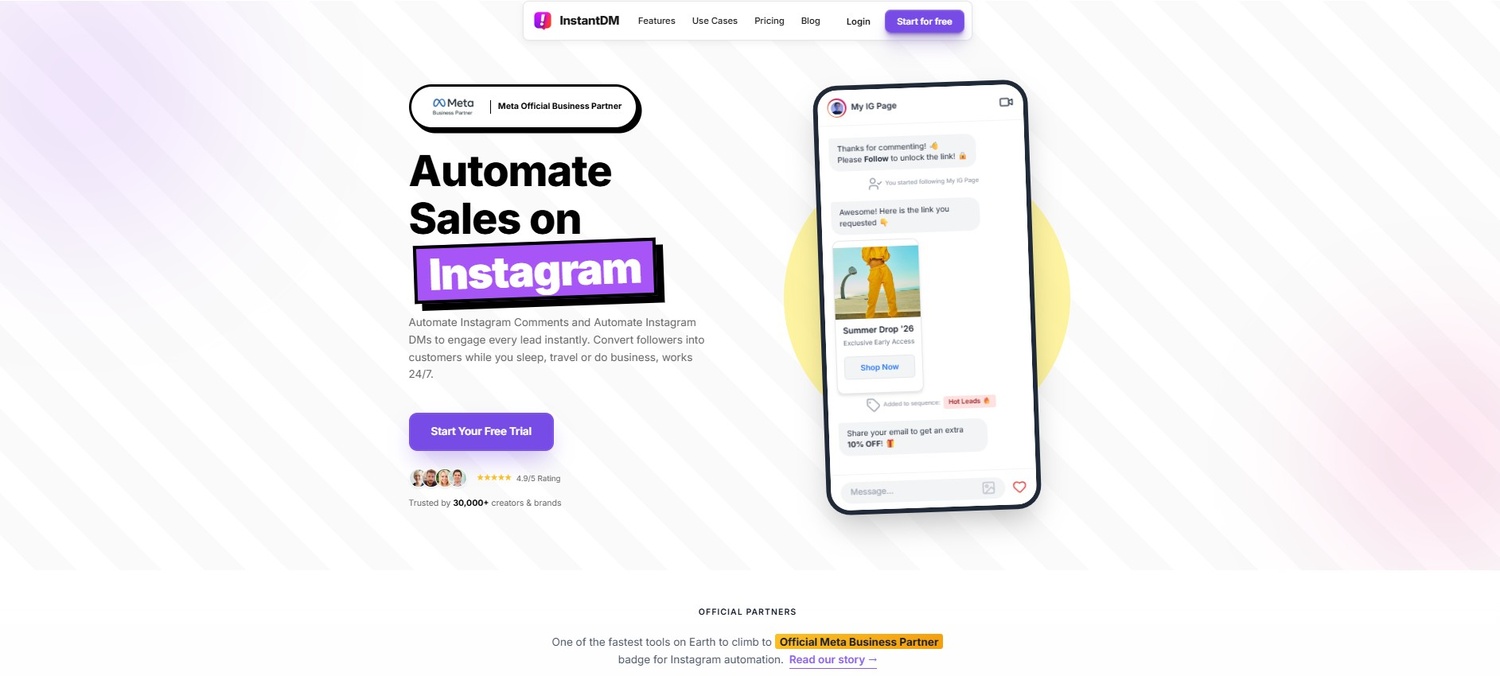
InstantDM connects exclusively through Meta OAuth – the same authentication method you'd use to connect Instagram to Facebook Business Suite. You authorise the connection, Meta issues a token, and InstantDM communicates through that token. Your login credentials never touch their system. That's the difference between compliant automation and the kind that gets accounts shut down.
Generate Instagram leads with DM automation in 2026. Discover strategies to collect valuable contacts, boost conversions, and grow your business on Repli.
The Instagram Messaging Strategy That Actually Converts
Before you build a single flow, spend twenty minutes doing one thing: pull your last 100 DMs and sort them into categories. You'll almost certainly find three buckets. Support queries people who are already customers or close to it, asking specific questions. Lead enquiries are from people who are interested but have not yet decided and want more information. And then the noise spam, misdirected messages, and people who aren't your customer at all. Build flows for the first two buckets. Ignore the third.
Once you know your top support queries, the next step is identifying where your leads are already coming from organically. For most accounts, it's Reels. The reach is there, the engagement is there, and a strong caption CTA ("comment LINK to get the full guide") converts well because the ask is low-friction. Set up a comment-to-DM trigger on your two or three highest-performing Reels first. Don't start with your newest content — start where the existing audience is already engaged.
Your keyword trigger setup should follow your inbox data directly. If the most common DM you receive is some variation of "How much does it cost?" — that's your first automation. Build a flow that detects price-related keywords and responds with your pricing information and then asks if they have questions. It sounds basic. It also handles the most common reason people never hear back from brands they're interested in.
The lead capture step works best when it follows value delivery, not when it precedes it. Send the freebie, answer the question, deliver the code — then ask for the email. "Want me to send you the full PDF too? Just drop your email here." Most people will agree to your request because they have already received something useful from you, and the request is simple. Asking for contact information before delivering value is where most automated flows fail — people haven't been given a reason to say yes yet.
Anything that doesn't fit into a flow should go to a human, but not without acknowledgement. A message that says "Thanks for reaching out — our team will follow up within a few hours" is infinitely better than silence. It sets an expectation; it confirms the message was received, and it prevents the kind of "I guess they're ignoring me" interpretation that kills brand trust. Set that as your default fallback for any message that your automation can't categorise. Then Make sure a real person actually follows up.
Setting Up Instagram DM Automation with InstantDM: Step by Step
Step 1: Connect your Instagram Business or Creator account via Meta OAuth. Go to InstantDM, click Connect Account, and follow the Meta OAuth flow. You'll need an Instagram Business or Creator account — personal accounts don't have API access. The connection takes about two minutes and doesn't require sharing your password with anyone.
Step 2: Select your trigger type. InstantDM supports four trigger types: comment keyword (someone comments a specific word on a post), story reply (someone replies to one of your Stories), DM keyword (someone sends a specific word in a direct message), and new follower. For your first automation, start with one. A comment keyword on your highest-reach Reel is the best entry point for most accounts.
Step 3: Write your first automated DM. Keep it under 160 characters for the opening message — long first messages get ignored. Use the {}{}first_name{]}{]} personalisation token so it opens with their name. Write it the way you'd actually talk, not the way a customer service script would. "Hey {}{}first_name{]}{]}, here's the guide you asked for — [link]. "Let me know if you have questions" beats "Hi {}{}first_name{]}{]}, thank you for your interest in our content".
Step 4: Build your follow-up flow. After the initial delivery message, add a second message that moves the conversation forward. If you're running a lead capture flow, this is where you ask one question: "What's your name?" Keep the sequence to two or three messages maximum before you've earned enough trust to ask for contact details. Anything longer and people start to feel like they're filling out a form.
Step 5: Enable follow-gating if you're delivering a lead magnet. In InstantDM's settings, toggle on follow-gating for any flow where you're delivering gated content. The tool will check whether the user follows your account before releasing the asset. If they don't follow yet, it sends them a prompt asking them to follow first. Once they do, the content delivers automatically.
Step 6: Test every flow from a secondary account before going live. This is the step most people skip and then regret. Create a test Instagram account, comment the keyword on your post, and walk through the entire flow as a user. Check that personalisation tokens are pulling correctly, that links work, that the follow-up timing feels natural, and that the fallback message fires for anything unexpected. Fix what feels off before real users see it.
Step 7: Review analytics weekly. InstantDM tracks open rate, click-through rate, lead capture rate, and the exact point in the flow where people stop responding. That last metric is the most valuable. If 80% of people open your first message but only 20% reply to your second, the problem is in message two — not the trigger. Review this weekly for the first month and refine accordingly.
For the first 48 hours after launch, keep the Instagram inbox open alongside your automation. Some conversations will fall outside your flows — edge cases, unusual questions, people who reply in a way your keyword matching didn't anticipate. Respond to those manually and note the patterns. After 48 hours you'll have enough data to add another flow or refine the existing one.
Learn how to send automatic DMs when someone comments for a deeper technical breakdown of the comment trigger setup.
Real Results: What Instagram DM Automation Delivers
A skincare brand with 92K followers was manually handling around 80 DMs a day — mostly product questions and requests for their ingredient guide. Their social media manager was spending close to three hours a week just on inbox replies, and they were still missing messages on busy days. They set up a comment-to-DM flow on their product Reels using InstantDM: comment "GLOW" to receive the ingredient guide. Over 60 days, they sent 8,300 automated DMs. Open rate: 74%. Purchase conversion rate: 11.6%. Email capture rate: 18%. Total cost: $9.99 a month. The three hours a week their manager was spending on manual replies went back to content creation. The automation ran around the clock, including weekends, without anyone watching it.
The numbers across different trigger types are consistently strong when the setup is done right:
| Trigger Type | Avg DM Open Rate | Avg Conversion Rate |
|---|---|---|
| Comment-to-DM (keyword) | 65–80% | 8–18% |
| Story reply trigger | 70–85% | High intent |
| DM keyword trigger | 60–75% | 6–14% |
| Welcome DM (new follow) | 55–65% | 3–8% |
| Broadcast (opted-in) | 60–75% | 5–12% |
These figures aren't comparable to email metrics because the context is completely different. The person who DMs you has already opted in to the conversation — they initiated it. Email requires you to interrupt someone's day. Instagram DMs meet people where they already are, in a channel they check compulsively, having already expressed interest.
https://leadenforce.com/blog/instagram-for-service-businesses-how-to-turn-dms-into-leads
Collecting Leads Inside Instagram DMs — The Right Way
Sending someone to an external form after they DM you is almost always a mistake. The drop-off between "I'll click this link" and "I'll actually fill out this form" is enormous — especially on mobile, where most Instagram users are. You've already got them in conversation. Keep them there.
The conversational lead capture method works by asking one question per message, in sequence. Start with the name — it's low-stakes, quick to answer, and personalises every subsequent message in the flow. Then ask for email or phone number, depending on what your follow-up process uses. Explain why you're asking: "I'll send the full PDF to your email — what address should I use?" That sentence does two things. It gives them a reason to share the information, and it tells them exactly what they're signing up for.
InstantDM stores every captured lead in your account dashboard. You can export the full list to CSV at any point, connect it directly to your email marketing platform via Zapier or native integrations, or sync it to a CRM. Every lead includes the Instagram handle, the name they provided, the contact info they shared, and the trigger that started the conversation.
One compliance note that most brands skip: when you're collecting contact information inside a DM flow, you need to make it clear what the person is consenting to. A line like "By sharing your email, you're agreeing to receive updates from us — you can unsubscribe anytime" inside the flow copy covers this. It doesn't have to be legalistic. It just has to be honest.
What not to do: don't chain five questions together in one message. "What's your name, email, phone number, and what are you interested in?" reads as a form, not a conversation, and most people abandon it. One ask per message. Always. And always explain why you need it.
For a deeper look at building full automation sequences, read the complete guide to Instagram DM automation.
Pricing — What This Actually Costs
Per-contact pricing feels reasonable when you have a small audience. It stops feeling reasonable the moment your account grows or goes viral.
| Tool | Pricing Model | 1K contacts | 5K contacts | 10K contacts | 25K contacts |
|---|---|---|---|---|---|
| InstantDM | Flat rate | $9.99 | $9.99 | $9.99 | $9.99 |
| ManyChat | Per contact | $15 | $25 | $45 | $65+ |
| LinkDM | Flat rate | $19 | $19 | $19 | $19 |
| Inrō | Per contact | ~$14 | ~$20 | ~$35+ | ~$60+ |
The flat-rate vs per-contact distinction matters most not during normal months but during your best ones. A Reel that lands on the Explore page can bring 2,000 new contacts in 48 hours. On ManyChat or Inrō, that spike is a billing event — your monthly cost can jump by $30–50 with no warning. On a flat-rate tool like InstantDM, the same spike costs nothing extra. You're paying the same $9.99 whether you send 50 DMs or 50,000 that month.
For growing creators, flat-rate pricing isn't just cheaper — it's predictable. You can plan around it. Per-contact pricing scales against your success, which is exactly backwards.

5 Mistakes That Will Kill Your Instagram DM Automation
Mistake 1: Using a non-API tool to save a few dollars a month. Grey-zone tools that work by logging into your account and simulating human behaviour are a permanent risk to every follower you've ever built. Instagram's detection systems have improved significantly in the past two years. An account restriction can happen within days of using a non-compliant tool, and appeals rarely succeed. The "savings" from a cheaper tool are not worth the potential loss of an account worth far more. Before you pay for anything, verify it uses the official Meta Graph API.
Mistake 2: Over-automating and removing every human touchpoint. Automation should handle the predictable. It should never replace the moments that require a real person — a complaint, a sensitive question, a conversation that's clearly gone emotional. When every reply is automated, your inbox starts to feel like a phone tree. People can tell. The reply rate drops, the unfollow rate climbs, and your engagement signals take a hit. Keep the human handoff option available in every flow, and make sure your team actually checks the threads that get routed to them.
Mistake 3: Going live without testing first. Every flow looks fine in the builder. It never looks fine the first time a real user goes through it. Personalisation tokens break. Follow-up timing feels wrong. Links don't work on mobile. The only way to catch these before they hit your actual audience is to go through the entire flow yourself from a secondary account, exactly as a user would. This takes twenty minutes. Skipping it is how you end up with 400 people receiving "Hi {}{}first_name{]}{]}" in their inbox on launch day.
Mistake 4: Triggering too many flows simultaneously before you understand your account's limits. Meta's API has rate limits on DM volume. Sending high volumes of messages in short windows — particularly to accounts that haven't messaged you first — can trigger spam flags. Build one flow, run it for two weeks, check your account health signals, then add the next one. Don't activate five comment triggers on five posts at the same time on day one.
Mistake 5: Writing copy that sounds automated even when it isn't. "Hi {}{}first_name{]}{]}, thanks for your interest in our product! We're so excited to share more information with you." Nobody says that to a person. The copy in your DM flows needs to sound like something a real member of your team would actually type. Read every message out loud before you save it. If you'd feel embarrassed sending it manually to a friend, rewrite it. The difference between a DM that gets a reply and one that gets ignored is almost always in the first sentence.
Which Setup Is Right for You?
Solo creator, Instagram-only, under 50K followers: InstantDM is the right call. It covers every trigger type you need — comment, story, keyword, new follower — at a flat $9.99 a month. Setup takes under fifteen minutes and there's no learning curve that requires you to block out a day.
E-commerce brand with high DM volume around product inquiries: Again, InstantDM. The comment-to-DM flow for product Reels, combined with in-chat lead capture and email sync, handles the full journey from interest to database entry without any external tools.
Agency managing multiple clients across Instagram and other platforms: ManyChat is the more practical choice despite the higher cost. The multi-platform support and advanced workflow builder justify the investment when you're managing five or more accounts across different channels.
Creator who wants the established, well-documented option: LinkDM at $19/mo has been around long enough to have a large user community and Meta Business Partner status. If you prioritise a known quantity with a lot of public documentation and community support, it's a solid if slightly more expensive choice.
Someone who wants AI to handle replies without scripted flows: Inrō is worth testing. The GPT-powered response generation means less manual flow-building, though you trade some control over exact messaging in exchange.
Completely new to automation and not ready to commit: Start with InstantDM's free trial. Connect your account, set up one comment trigger, run it on your next post, and look at the open rate. The data will tell you everything you need to know about whether automation is worth it for your account.
For the majority of people reading this — solo creators, small teams, e-commerce brands running primarily on Instagram — InstantDM is the most straightforward and cost-effective starting point.
One Last Thing
The point of automation isn't to make your Instagram feel like a call centre. It's to make sure that the 260 people who DMed you over the weekend actually get a response — because right now, most of them don't.
If you're manually managing your inbox, you're already losing leads. Not because you're not working hard enough, but because the volume is genuinely impossible to handle well without a system.
Try InstantDM's free trial. Connect your account. Set up one comment trigger on your next post. See what the open rate looks like 24 hours later. If it works — and it almost certainly will — you'll know within a day. No hard commitment, no complex onboarding. Just one trigger, one post, and a clear answer.
Next Steps and Related Content
Once your Instagram DM automated lead generation system is up and running, you can use these connected resources to maximise its effectiveness and enhance your results:
How to Manage Instagram Direct Messages & Boost Sales
Gary Vee's Instagram Rules + AI Prompts = Digital Product Sa
Affordable Instagram DM Automation in 2026: What It Actually
2026 E-Commerce FAQ Templates: How to Turn DMs into Sales
9 DM Campaign Ideas That Generated 10x More Leads Than Email
Real Estate Agents: Stop Ignoring Instagram DMs — Let AI Handle Lead Qualification for You
How to optimize my Instagram profile to stop losing sales?
Amazon Influencers Are Sending Storefront Links on Autopilot — Here's How
The LTK Affiliate Program (2026): Commission Rates, Secret Approval Requirements, & How to Scale
Instagram Navigation Metrics: What They Mean and How to Use Them for Sales
- The Complete Guide to Instagram Comment-to-DM Automation (2026)
- How to Set Up Auto DM on Instagram: A Step-by-Step Guide for 2026
- A Comparison of the Best Instagram DM Automation Tools (2026)
- How to Use Claude AI to Automate Your Instagram DMs
- Beyond Instagram: The Power of DM Automation in Marketing
- Turn Your DMs Into a 24/7 Sales Engine with Instagram Lead Generation on Autopilot
Watch: Messaging With Instagram Strategy
- Best Instagram Marketing Strategy For Small Business 2026 (P
- Best Instagram Marketing Strategy For Small Business 2026 (P
- How I Made $3M+ Using Instagram DMs
- How To Close High-Ticket Sales In Instagram DMs (Even With A