
TL;DR
Social media analytics is a lot more than tracking your daily likes and follower counts in 2026. The landscape has changed significantly towards deep integrations, nuanced sentiment analysis and the ability to map social interactions directly to revenue. This all-inclusive guide examines the 11 best platforms available today, from readily available free platforms like Metricool and Social Blade to enterprise-level behemoths like Sprout Social and Brandwatch. We will discuss exactly how to align your software selection with your specific marketing objectives. We also point to the growing criticality of monitoring direct message conversions and using customer relationship management integrations to prove real and undeniable business ROI to your stakeholders.
Introduction
Knowing what your social media performance is is no longer an optional task to push to the end of the month. It is vitally important to your survival in today’s digital landscape. As 2026 progresses, the sheer amount of data being created across platforms like TikTok, Instagram, LinkedIn, and emerging decentralised networks is staggering. Every second millions of data points are generated and tracking via spreadsheets becomes not only inefficient but almost impossible.
That is exactly where dedicated social media analytics tools step in to bridge the gap. Whether you are a solo small business owner looking for some basic insights on what time to post, or a massive enterprise marketing team requiring deep, AI-driven sentiment analysis across multiple global regions, the right software can completely transform raw, chaotic data into clear, actionable marketing strategies.
In this guide we will be looking at the top 11 free and paid social media analytics tools that are ruling the market right now. We’ll be discussing their core features, the exact type of businesses they serve best, and help you decide which platform is perfect for your unique growth goals and your operating budget.
The Core Elements of Social Media Analytics in 2026
Before we get into the tools themselves, it helps to understand what it is we are actually measuring today. Five years ago success meant audience size. Today, an account with 10,000 followers highly engaged and actively communicating with a brand is worth infinitely more than an account with a million passive scrollers. Modern analytics is about measuring dark social shares, calculating retention rates of video viewers, monitoring the precise sentiment of user comments and tracking the user journey from a simple social media post all the way through a complex website checkout process.
1. Sprout Social: Comprehensive Data for Enterprise Teams
Sprout Social is still the gold standard for deep reporting and cross-channel tracking. It offers a very intuitive unified inbox and a sophisticated analytics suite that allows large teams to track complex campaign performance, changing audience dynamics and internal team response rates. It’s at the higher end of the price scale, but the sheer depth of data and presentation-ready reporting capabilities Make it a huge favourite with large marketing agencies and enterprise brands.
Deep Dive into Sprout Social Features
This is especially true for organisations that have a large portfolio of different clients or a complex internal brand structure with many sub-brands that can easily aggregate the data. Sprout Social is great at taking incredibly complex data sets and making them very digestible even for executives with no background in social media. Digital marketers heavily use its tagging feature to tag incoming messages. If you are running a summer sale, you can tag every incoming question that is related to that sale and run a dedicated report specifically on the friction points customers experienced during that exact campaign.
Reporting and Customization
Agencies select Sprout Social in droves over competitors because of the pure power of the report-building functionality. No more is there a social media manager manually exporting endless CSV files, formatting them in Excel and spending hours on the design of a PowerPoint presentation. Enter the custom report builder. You can pull specific metrics such as horizontal video completion rates versus vertical video completion rates or outbound link clicks into a polished, white-labelled, client-ready PDF in seconds.
Cost vs. Value
The main obstacle to using Sprout Social is its cost. The per-user monthly price is steep, and it will likely be unaffordable for early-stage startups or lone freelancers. But for seasoned digital marketing teams, the maths are simple: the dozens of hours saved each month on manual data compilation and client reporting easily outweigh the cost of the software subscription.
To move beyond basic engagement metrics, brands should use advanced social media analytics tools to unify data across platforms and gain a holistic view of their marketing ROI.
2. Hootsuite: Comprehensive Social Monitoring Platform
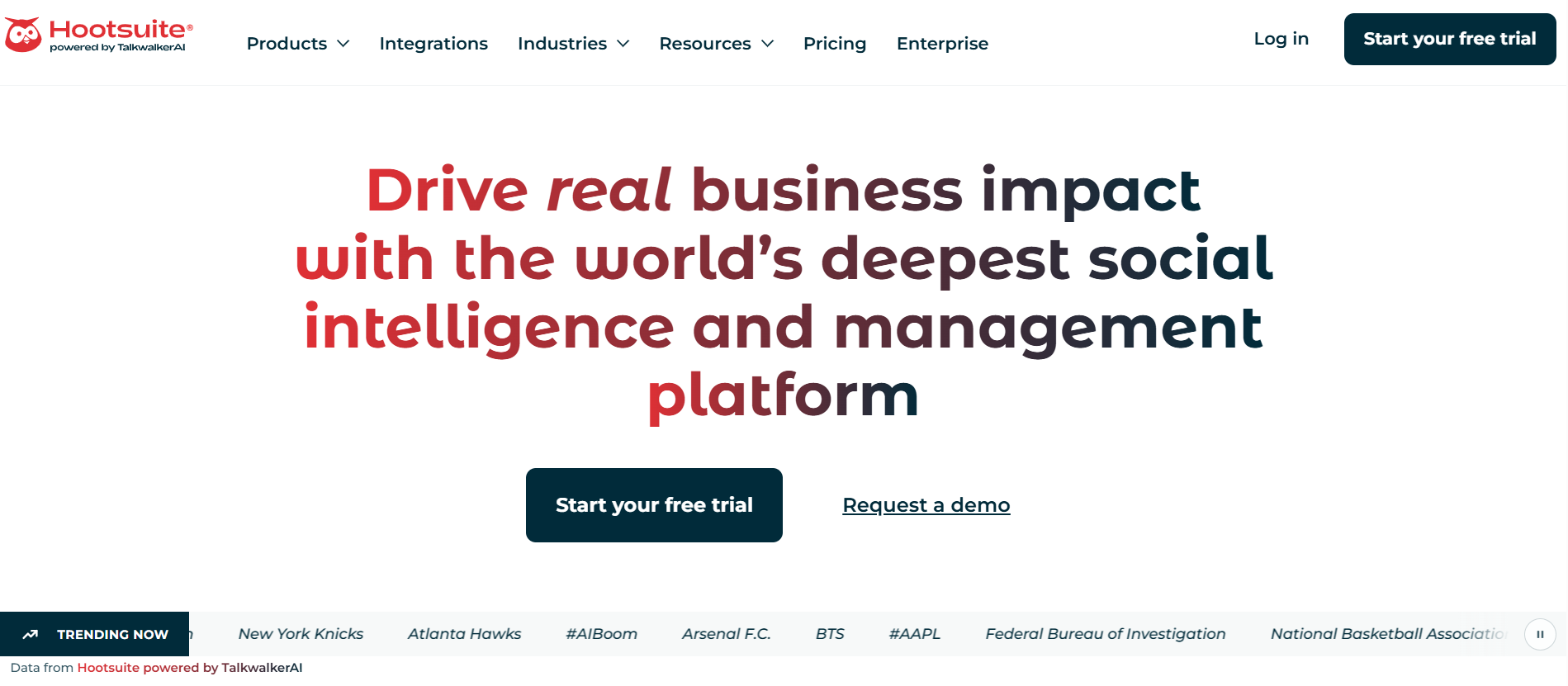
Hootsuite is known for strong content scheduling, but its analytics suite is equally powerful and deserves its own spotlight. It allows users to monitor performance across almost every social network imaginable from one highly customisable dashboard. You can track keyword mentions across the web in real time, automatically calculate your engagement rates and measure your overall return on investment. There are several paid tiers so it’s incredibly scalable as your business operations grow.
Customizable Analytics Streams
Hootsuite’s key strength and USP is its stream-based visual architecture. You can literally build your own command centre. You can create dedicated columns on your screen to track particular industry keywords, watch your top three competitors post daily or see emerging industry trends in real time. This layout allows social media managers to stay informed about the larger industry without the distraction of constantly flipping between a dozen native mobile apps.
Measuring Return on Investment
Hootsuite has spent a lot of money on its ROI tracking infrastructure over the last few years. It integrates directly with the major web analytics platforms, so users can attach real dollar value to specific social actions. If a marketing campaign drives B2B whitepaper downloads, Hootsuite can help track that very user journey. From the first impression of a LinkedIn post to the final form on your landing page, Hootsuite helps you demonstrate the dollar value of your everyday social strategy to the finance folks.
To scale your presence, you should incorporate advanced growth tools that help automate engagement, streamline content creation, and track conversion metrics in real-time.
3. Buffer: Clean and Simple Analytics for Beginners
Buffer is a great starting point if you’re feeling overwhelmed by complex data interfaces that look like the cockpit of an aeroplane. It provides a very clean, intuitive dashboard that is designed to highlight only your most important metrics, such as total account reach, engagement per post, and weekly follower growth. Buffer has a well-regarded free tier that provides basic scheduling and limited analytics, and its affordable paid plans unlock a lot more historical data and the ability to generate custom reports.
The Focus on Core Metrics
Buffer intentionally strips away all the noise and vanity metrics. It doesn’t burden you with hundreds of secondary data points that could confuse a novice marketer. It only focuses on what really matters for growing accounts: reach, impressions, link clicks, and real engagement rate. This philosophy makes it a perfect platform for independent content creators, small local businesses or lean marketing teams who need clear and straightforward answers without needing a background in data science.
4. Metricool: Excellent Free Tier for Social Media Tracking
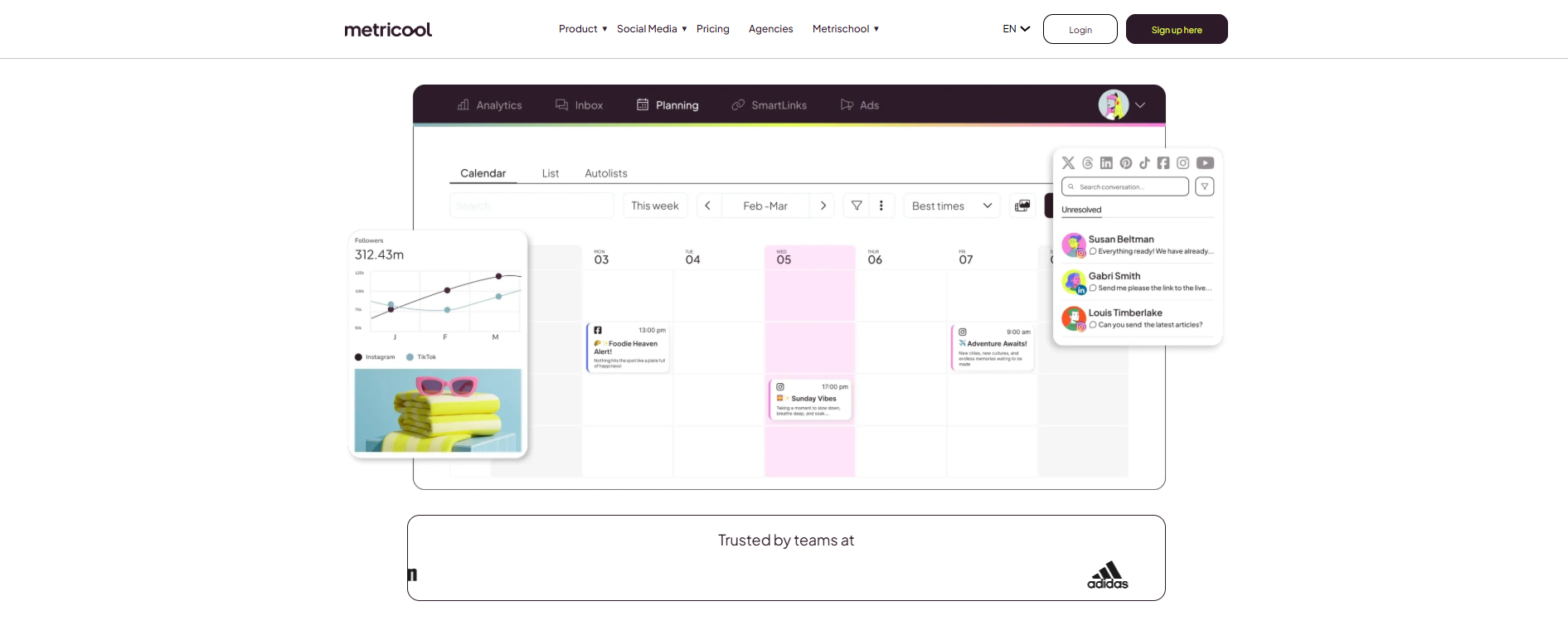
Metricool is a rapidly rising star in the analytics space, highly praised across the industry for its incredibly generous free plan. It connects effortlessly with all major platforms—including newer video-first networks—and provides a very clear, visually appealing representation of your daily account growth. The tool also uniquely tracks your website traffic and ad performance right alongside your organic social metrics, offering a well-rounded view of your entire digital footprint without requiring an immediate financial commitment.
Integrating Ads and Organic Data
Many legacy platforms force you to use completely separate modules or even entirely different software to track paid media and organic social tracking. Metricool brilliantly brings them together into one screen. You can monitor the daily spend and performance of your Facebook Ads or Google Ads directly alongside your daily organic Instagram Reels or TikTok posts. This holistic view is absolutely vital for modern marketing teams running hybrid campaigns who need to shift budgets quickly based on real-time daily performance.
5. Keyhole: Real-Time Hashtag and Keyword Tracking
For marketing campaigns that are heavily reliant on user-generated hashtags or massive influencer partnerships, Keyhole provides unparalleled, real-time data tracking. It traces the exact global reach and total impressions of specific keywords across multiple platforms simultaneously. This tool is primarily a paid solution and squarely targets professional marketers who need to prove the exact monetary and visibility impact of trending topics, live event marketing, or long-term brand ambassador programmes.
Event and Campaign Monitoring
When you are hosting a live webinar, a massive product launch, or a multi-day industry conference, tracking the surrounding digital conversation is critical. Keyhole allows you to input your official event hashtag and watch the data aggregate live on your screen. It identifies exactly which top influencers are participating in the conversation, maps out the geographical spread of where the hashtag is trending, and analyses the overall sentiment of the posts as they happen.
6. Social Blade: Best Free Tool for Follower Growth Metrics
Social Blade is a legendary, publicly accessible, completely free tool that tracks user statistics and growth velocity for platforms like YouTube, Twitter, and Instagram. It is the absolute perfect resource for performing quick, surface-level competitor analysis or vetting the legitimacy of potential influencers. While it does not offer deep backend metrics like website conversion rates or audience retention graphs, it provides a very transparent, undeniable look at historical follower growth trends and future engagement projections.
Historical Data and Projections
What makes Social Blade so incredibly unique is its vast, public historical database. You can view the specific daily follower gains and losses for virtually any public account on the internet. This is incredibly useful for diagnosing overall account health. If you notice a competitor experienced a massive spike of fifty thousand followers on a single specific day, you can cross-reference that date to see what viral content or PR event triggered the growth—or determine if they simply purchased fake followers.
7. Brandwatch: Deep Consumer Intelligence and Social Listening
Brandwatch goes far beyond basic vanity metrics by utilizing highly advanced artificial intelligence to analyse overarching brand sentiment and shifting macro-industry trends. It literally crawls millions of online conversations, forums, and blogs to tell you not just how many people are talking about your brand but exactly how they feel about it. This is a premium, high-tier paid tool designed specifically for corporate PR teams, crisis managers, and large-scale market researchers.
Understanding Contextual Sentiment
Standard, legacy sentiment analysis tools often struggle mightily with human nuances like sarcasm, irony, or regional slang. Brandwatch utilises cutting-edge natural language processing to deeply understand the true context of a post. If a user posts on a forum, "This new software update is sick," the Brandwatch AI can contextually determine whether the sentiment is overwhelmingly positive (slang for excellent) or deeply negative (causing issues) based on the surrounding text, the user's historical posting behaviour, and the specific platform being used.
To truly understand your impact, you need to use social media analytics tools that go beyond vanity metrics to reveal how your content influences the entire customer journey.
8. Talkwalker: Advanced Sentiment Analysis
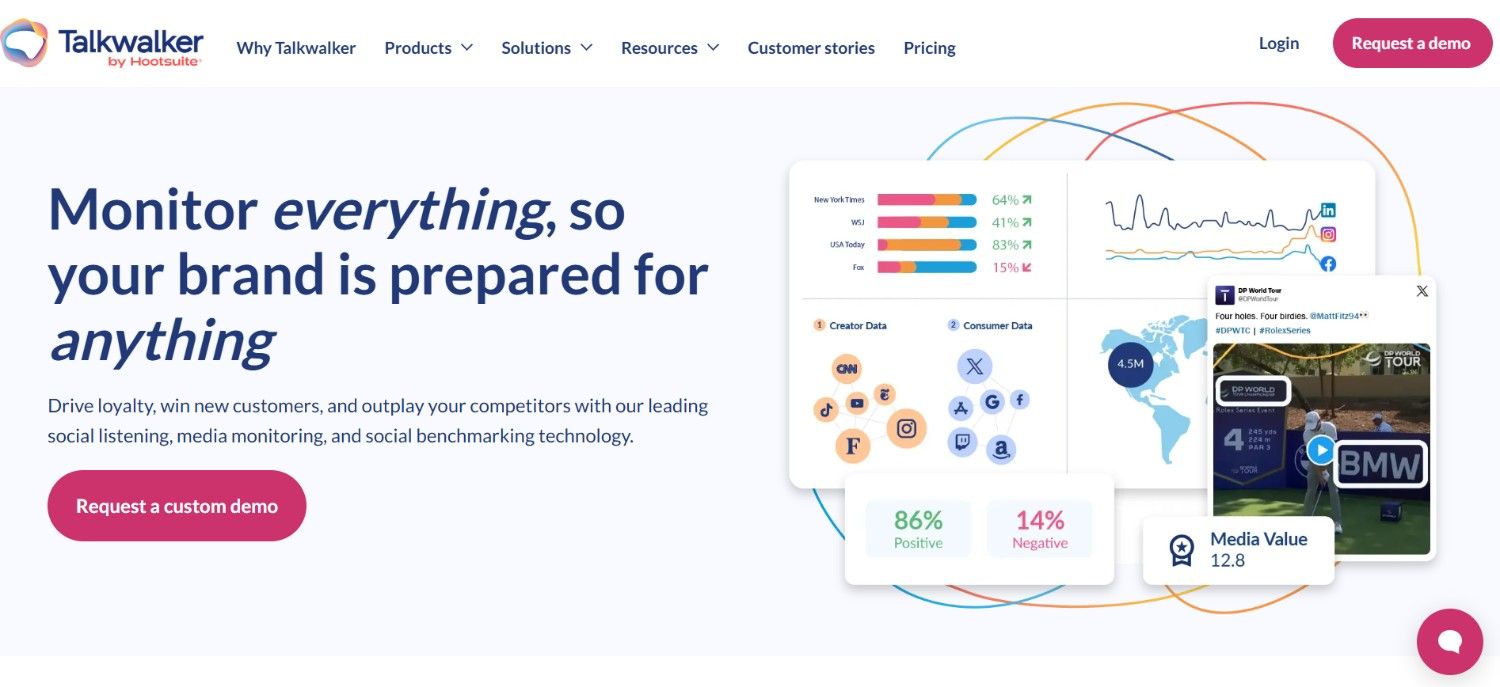
Very similar to Brandwatch, Talkwalker specialises in incredibly deep social listening and web monitoring. It helps global brands fiercely protect their reputation by providing instant, real-time alerts on any unusual social media activity or spiking negative mentions. By analysing text, podcasts, images, and videos across the entire web, Talkwalker ensures that your PR team never misses a single conversation that is relevant to your brand or your broader industry.
Image and Video Recognition
In the landscape of 2026, standard text is only a small fraction of the content uploaded to social media. Talkwalker's proprietary image recognition technology can seamlessly scan visual content across the web to find instances where your brand logo appears in the background of a video or photo, even if your brand is not explicitly tagged, mentioned in the caption, or referenced in the hashtags. This captures a massive amount of organic, user-generated content and brand exposure that traditional text-based tracking tools completely miss.
9. Later: Visual Content Performance Tracking
Later is primarily known in the industry as a drag-and-drop visual planner for aesthetic-heavy platforms like Instagram, Pinterest, and TikTok, but its built-in analytics dashboard is incredibly useful for dedicated content creators. It tracks exactly which visual styles, colour palettes, and video formats resonate most deeply with your specific audience and identifies the absolute optimal times to post based on when your unique followers are actively scrolling. Later offers a very generous basic free tier, with more advanced features reserved for paid users.
Link-in-Bio Analytics
The "link in bio" page is prime digital real estate for social platforms that still heavily restrict external linking within captions. Later provides comprehensive, click-by-click analytics on these mobile landing pages, tracking exactly which buttons, product links, and blog posts users are tapping after viewing a specific piece of content. This detailed data allows content creators and e-commerce brands to continuously optimise their mobile landing pages for maximum traffic retention and sales conversion.
10. HubSpot: Connecting Social Media Metrics to CRM Revenue
HubSpot is exceptionally effective for connecting your daily social media efforts to your company's bottom line. You can integrate all of your social channels directly with its powerful customer relationship management (CRM) system so that you can see exactly which particular posts, videos or campaigns successfully generated qualified leads and actual sales revenue. This is the next evolution of social media tracking, beyond just engagement and into real business growth.
Mapping the Customer Journey
Most simple analytics tools stop tracking the exact moment a user clicks a link. HubSpot continues to track that user forever. When a potential customer clicks a link on an organic Twitter post and visits your company blog, HubSpot drops a tracking cookie on their browser. If that same user returns to your website 3 months later, fills out a contact form, and eventually becomes a high-paying enterprise customer, HubSpot’s reporting ties all that revenue back all the way to that original Twitter post. This closed-loop reporting is the ultimate goal for digital marketing directors who spend their days trying to prove the exact business impact of their social media budget.
Integrating Direct Messaging Workflows
Mapping private one-on-one conversations to actual revenue is a major priority for modern B2B businesses and high-ticket service providers that deploy direct, personalised outreach strategies. You can use certain chat tools to help you manage these inbound communications right next to your CRM database. If you’re embedding a platform to automate personalised welcome messages for your brand new followers or to gracefully route specific customer support enquiries to the right team member, HubSpot can help track the overall sales pipeline impact of those chats. You can add InstantDM and similar software to your overall customer service strategy so that your team can scale community engagement smoothly while still providing the human touch. Meanwhile, while those initial automated greetings or helpful support messages are happening in the background, the user data can be automatically logged right into the CRM. And when you tightly tie it in with a powerful CRM dashboard, you can track exactly how those particular automated conversations move step by step in the sales funnel. By monitoring these interactions, you can see whether users who responded to InstantDM campaigns ultimately become real, trackable revenue for the business.
To truly understand what resonates with your audience, you should use specialised Instagram analytics tools that provide deeper data on follower growth and engagement rates than the native app.
11. Google Analytics 4: Tracking Social Media Referral Traffic
While certainly not a traditional social media platform by any definition, Google Analytics 4 is an absolutely mandatory, completely free tool for tracking exactly how social media traffic behaves once it finally hits your website. By setting up proper tracking parameters, you can bypass the limited data provided by social platforms and see which specific social posts actually drive the longest session durations, the lowest bounce rates, and the highest monetary conversion events on your dedicated landing pages.
The Power of UTM Parameters
A UTM parameter is simply a small piece of tracking code carefully added to the very end of a standard URL. When you are managing complex, multi-channel campaigns across a half-dozen platforms, UTMs allow Google Analytics 4 to categorise the incoming traffic perfectly. You can easily distinguish between website traffic coming from a paid Facebook retargeting ad versus traffic coming from an organic Tuesday morning Facebook post. This level of granular detail allows for incredibly precise measurement of your overall content marketing strategy and dictates exactly where you should spend your advertising budget next month.
To manage a high-volume content calendar across multiple networks, you should utilize a social media management tool that centralizes scheduling, engagement, and reporting into a single workspace.

12. The Importance of Tracking Direct Message Conversions
The social media strategy of today is moving away from the polished public feed and quickly migrating to the private inbox. Tracking direct message engagement is now essential for long-term community growth. Public algorithms are deeply saturated, organic reach is incredibly hard to maintain, and this trend is leading smart brands to cultivate private, one-on-one connections where they have much more control over user experience.
The Shift to Private Communities
Today’s internet users are creating content, talking about products and engaging with their favourite brands via ephemeral stories and direct messages instead of leaving a permanent public comment. It’s just as important (if not more) to track the daily volume of your inbox, your team’s average response time, and the sales conversion rate of your direct messages, as it is to track the number of likes on a highly produced public grid post. If your inbox strategy isn’t working, your whole social strategy isn’t working.
Evaluating Automation Success
You can use chat automation software to route complex comment-to-message interactions or answer frequently asked questions, but you’ll want to carefully monitor the real success rate for these types of interactions. Many fast-growing e-commerce businesses use software like InstantDM to instantly send special links to products, size guides or discount codes to a user when a certain chat trigger is fired. But getting it up and running is half the battle. By thoroughly analysing the backend analytics of these automated workflows, you can carefully monitor the open rates of specific messages and the follower growth that follows. By deploying chat tools thoughtfully and strategically, you can help ensure that your personalised, automated responses actually help drive real sales and move users down the conversion funnel. The aim is to create meaningful interactions, not just artificially inflate your daily message volume for no strategic reason. By tracking exactly where users drop off in an automated InstantDM conversation flow, your copywriting team can continually refine and A/B test your messaging scripts for significantly better future performance and higher closing rates.
13. Final Steps: Selecting the Right Tool for Your Budget
Choosing the right software for your company depends on clearly identifying your primary marketing goals before you look at a pricing page. If you simply need to pull some basic competitor data once a month, a free public tool will likely suffice. If you need to tie thousands of daily social interactions directly to a complex e-commerce sales database, it is absolutely necessary to invest heavily in a paid, specialised enterprise software stack.
Assessing Your Maturity Model
Beginners and small local businesses should focus entirely on native, in-app analytics and free third-party tools to build a strong baseline understanding of their target audience's behavior. Mid-level marketing teams should aggressively look for unified, all-in-one dashboards that save countless hours on daily scheduling and monthly reporting. Massive enterprise teams and global agencies must prioritise deep data integration, custom API access, and highly advanced AI sentiment analysis to protect their vast brand equity.
Social Media Analytics Tools Comparison Summary
| Tool Name | Best Primary Use Case | Free Tier Available? | Ideal Target Audience |
|---|---|---|---|
| Sprout Social | Deep enterprise reporting & large team collaboration | No (Free Trial Only) | Large Agencies, Global Enterprise |
| Hootsuite | All-in-one command center monitoring & scheduling | No (Free Trial Only) | Mid to Large B2B & B2C Businesses |
| Buffer | Simple, clean metrics & highly intuitive interface | Yes (Robust) | Beginners, Solo Creators, Small Teams |
| Metricool | Unified ad tracking & deep competitor benchmarking | Yes (Generous) | Digital Marketers, Niche Freelancers |
| Keyhole | Real-time global hashtag & live event tracking | No | PR Teams, Event Marketers, Agencies |
| Social Blade | Public historical follower growth & velocity tracking | Yes | Influencers, Journalists, Researchers |
| Brandwatch | Deep AI sentiment analysis & market research | No | Corporate Intelligence, Enterprise PR |
| Talkwalker | Visual brand listening, logo recognition & crisis alerts | No | PR Crisis Management, Global Brands |
| Later | Highly visual content planning & Link-in-bio click analytics | Yes | Aesthetic Creators, E-commerce Brands |
| HubSpot | Mapping social top-of-funnel data directly to CRM revenue | Yes (Basic CRM limits) | B2B Companies, Sales-Driven Teams |
| Google Analytics 4 | Deep on-site behavior tracking & social referral tracking | Yes (Completely Free) | All Modern Website Owners |
Conclusion
Navigating the incredibly complex world of social media data certainly does not have to be an intimidating or overwhelming process. By thoughtfully leveraging the specific tools and strategies outlined in this comprehensive guide, you can successfully transition your marketing department from simply guessing what your audience might want to see, to knowing exactly, mathematically, what drives the highest engagement and the most profitable conversions. Whether you decide to start small with a free, basic visual dashboard to track your weekly growth, or you choose to invest hundreds of thousands of dollars annually in an enterprise-level, AI-driven listening platform, the single most important step you can take today is simply to start tracking your data intentionally.
Consistently reviewing your analytics on a weekly and monthly basis will empower you to ruthlessly refine your content pillars, engage much more authentically and efficiently with your growing community, and ultimately achieve a significantly higher return on your overarching marketing investments. The digital landscape and algorithm rules will undoubtedly continue to shift and evolve as we head toward 2027, but a business strategy firmly rooted in strong, undeniable data analytics will always provide a clear, profitable path forward.