TL;DR: The Multi-Account Survival Guide
Short on time? Here is the executive summary of how to manage multiple Instagram accounts efficiently:
- Strategy First: Only open a new account if the target audience, brand voice, and content pillars are distinctly different from your main account.
- Batch Everything: Never create content daily. Dedicate specific days to filming, writing, and scheduling a month’s worth of content across all profiles.
- Use the native app smartly: link your accounts in the native Instagram app, but fiercely manage your push notifications to avoid digital noise.
- Automate Your Inbox: Use meta-verified tools like InstantDM to automate comment replies, handle story reactions, and run comment-to-DM funnels. This solves the "inbox bottleneck" and drives sales without manual typing.
- Protect Your IP: To avoid shadowbans and action blocks, use automation tools with "human-like" delays and strictly adhere to Instagram’s 2026 rate limits.
Introduction
Taking care of one Instagram account is like having a part-time job. Taking care of two, three, or five? That is a logistical marathon that can quickly take over your weekends, evenings, and mental health. You probably already feel the heat if you are reading this. You keep switching between profiles, worrying that you'll post the wrong thing on the wrong account, and your Direct Messages are piling up faster than you can type out replies. As a social media strategist who has helped scale multiple e-commerce brands, I get it; it's too much, and you're really burnt out.
But here's the truth: you don't have to do more work to grow your brand across more Instagram accounts. By employing intelligent organic strategies, adhering to your content workflows, and utilising the appropriate automation tools, you can effectively manage a multiaccount empire.
This comprehensive, step-by-step guide for 2026 will demonstrate how to effectively manage multiple Instagram accounts. We will talk about everything, from organising and batching content for native apps to the secrets of automation. We will focus on how tools like InstantDM are changing the game and giving you back your time.

1. Do You Actually Need Another Instagram Account?
Before diving into the logistics, we need to talk strategy. The absolute biggest mistake creators and businesses Make is launching a second Instagram account for the wrong reasons. A new account means starting from zero: zero followers, zero algorithm trust, and zero momentum.
We will break down when it makes sense to launch a new profile versus when it’s smarter to consolidate your efforts into one powerhouse account.
When You Should Consolidate
If your new content idea targets the exact same demographic, keep it on your main page. For example, if you run a fitness clothing brand and want to start posting workout routines, do not make a separate "workouts" page. Your clothing buyers are the same people who want workout tips. Use Instagram’s built-in features—like categorising Reels, using distinct Highlights, or pinning specific posts—to organise content within one profile. More content on one page signals to the algorithm that your account is highly active and valuable.
When a New Account is Mandatory
You absolutely need a separate account when:
- You are separating a personal brand from an e-commerce store: Your personal life and behind-the-scenes thoughts do not belong on a highly optimised product catalogue page.
- You are creating localised content: if you run a global franchise, a customer in Tokyo does not want to see a promotion valid only in New York. Geo-specific accounts are crucial here.
- You have drastically different niches: if you are a wedding photographer who also shoots corporate headshots, those two audiences have completely different buying intents and aesthetic expectations. Mixing them will confuse your followers and tank your engagement rate.
Be honest with yourself about your bandwidth. If you cannot commit to posting at least three times a week on the new account, do not launch it yet.
Managing a diverse portfolio of social profiles requires a technical setup that prevents session overlap and "unusual activity" flags from the platform. The most reliable way to avoid account suspensions is by giving each profile its own genuinely separate environment — this is where Multilogin for multiple Instagram accounts comes in, running each profile on its own real Android cloud phone or isolated browser profile rather than sharing one setup across accounts. It offers a free plan with no time limit, so the setup can be tested on a few profiles before deciding whether it's worth scaling to a full client roster. By ensuring that each account has its own device identity, cookies, and network signals, you can maintain long-term stability for your brand and client pages without risking a sudden "unusual activity" block.
2. Organizing the Native App to Avoid "Oops" Moments
So, you have decided you definitely need multiple accounts. The first operational hurdle is navigating them without making a catastrophic mistake. A quick, practical guide for linking up to five accounts within the Instagram app is essential.
Linking and Switching Accounts
According to Instagram's official help guidelines, you can link up to five accounts natively on a single device. You can do this by going to your profile, tapping your username at the top, and selecting "Add Account.". From there, you can easily double-tap your profile picture in the bottom right corner of the app to instantly toggle between your two most recently used accounts.
The Danger of the "Wrong Post"
We have all seen it: a brand account accidentally posts a blurry photo of a CEO’s golden retriever on a Saturday night. To prevent this, visually differentiate the accounts on your phone.
- Distinct Profile Pictures: Ensure every account has a completely different color scheme for its profile picture. If your personal account is a photo of your face, make sure your business account is a stark, high-contrast logo. Your brain needs that visual cue before hitting "Publish."
- Draft Checks: Get into the habit of saving everything as a draft first. Exit the post creation screen, verify which feed you are looking at, and then go back into your drafts to publish.
Silencing the Noise
To switch feeds seamlessly, organise push notifications to silence the noise, and ensure you never accidentally post a personal weekend photo to your professional business page, you need to set strict boundaries. Start by going into Settings > Notifications for each individual account. Turn off likes and random live video alerts for your business pages, keeping only direct messages and Comments active. For your personal page, you might want to mute everything during work hours. Control the app; do not let the app control you.
Managing a diverse portfolio of social profiles requires a technical setup that prevents session overlap and "unusual activity" flags from the platform. As detailed in this guide to running multiple Instagram accounts safely, the most reliable way to avoid account suspensions is by using an anti-detect browser to create dedicated, isolated environments for each profile. By ensuring that each account has its own unique browser identity, cookies, and network signals, you can maintain long-term stability for your brand and client pages without risking a sudden "unusual activity" block.
Best Way to Run Multiple Instagram Accounts (Safe & Clean Setup)
3. Building a Distinct Vibe for Each Profile
If your accounts look and sound identical, there is no reason for someone to follow both. This section focuses on creating strict brand guidelines—unique colour palettes, tone of voice, and content pillars—so each profile serves a completely different purpose.
Establishing Visual Boundaries
When a user lands on Account A, they should feel a completely different energy than when they land on Account B. This starts with visual aesthetics.
- Color Palettes: Assign specific hex codes to each account. If your e-commerce store is sleek, minimalist, and uses monochrome tones, your behind-the-scenes creator account should perhaps use warm, vibrant, and energetic colors.
- Typography: Use different font pairings for your graphics and Reels text native to each account.
Finding the Unique Tone of Voice
How does the account speak?
- Account A (B2B SaaS tool): Professional, data-driven, authoritative, and concise.
- Account B (Company Culture/Hiring page): Casual, witty, heavily reliant on memes, and conversational.
Defining Content Pillars
Content pillars are 3 to 5 core topics that an account exclusively posts about.
Write them down in a master document. If a piece of content does not fit into the pillars of a specific account, it gets rejected or moved to a different profile. This discipline prevents "content bleed," where your secondary accounts just become watered-down clones of your primary page.
4. Content Batching: The Only Way to Survive
Creating content day-by-day for three different accounts is a recipe for burnout. If you wake up every morning asking, "What should I post on the business page today, and what should I post on my personal page?", you will fail. The mental energy required to task-switch between different brand voices daily is unsustainable.
The "Sprint" Method
We will discuss the "sprint" method: dedicating specific days solely to shooting videos and other days purely to writing captions and designing graphics for all accounts at once.
Step 1: Ideation Day (1 Day per month)
Sit down with your content pillars for all accounts. Spend four hours researching trends, looking at competitors, and writing down raw ideas. Do not create anything; just brainstorm.
Step 2: Production Day (1-2 Days per month)
This is where you execute. Set up your lighting, tripod, and camera. Shoot all the Reels and photos for Account A. Change your outfit, change the background lighting slightly, and shoot all the content for Account B. Filming 15 short-form videos in one day is entirely possible when you are already in the "zone."
Step 3: Post-Production & Copywriting (1 Day per month)
Edit all the videos. Design all the Canva graphics. Then, put on your copywriter hat. Write the captions for Account A, take a break, and then adopt the tone of voice for Account B to write its captions.
By batching, you condense a month's worth of daily stress into three or four days of highly focused, deep work.

5. Stop Winging It: Build a Master Content Calendar
Flying by the seat of your pants doesn't work at scale. We’ll explore how to set up a centralised content calendar (using tools like Notion or Asana) to track what goes live, where, and when across your entire brand ecosystem.
The Central Source of Truth
When you manage multiple accounts, you cannot rely on the native Instagram drafts folder or scattered notes on your phone. You need a dedicated project management tool. In 2026, Notion, Airtable, and Monday.com remain the gold standards for this.
Structuring Your Calendar
Your master calendar needs a Kanban board (To Do, In Progress, Ready to Post, Published) or a standard Calendar view. Every single post needs a dedicated card that includes:
- The Target Account: Clearly labeled with a colored tag (e.g., Blue for Main Store, Red for Support Page).
- Publish Date & Time: Based on when that specific audience is most active.
- Visual Assets: Upload the final edited video or photo directly to the card.
- The Caption & Hashtags: Fully proofread and ready to copy-paste.
- Status: Where is it in the pipeline?
Scheduling Tools
Once the master calendar is approved, use a scheduling tool like Meta Business Suite (which is free and natively safe), Later, or Buffer to load the content. Auto-publishing allows you to maintain a consistent presence across three time zones without actually having to hold your phone at 3:00 AM.
6. The "Swipe File" System for Hashtags and Captions
Typing out repetitive text drains your time. This subtopic teaches readers how to build a classified repository for high-performing hashtag blocks, call-to-action templates, and standard replies tailored to each specific niche account.
Building the Repository
Create a new Google Doc or a new page in your Notion workspace. This is your "swipe file." Split it up by Instagram account.
Hashtag Blocks
Instagram's algorithm in 2026 strongly favours SEO (Search Engine Optimisation) through captions with keywords, but targeted hashtags still sort your posts. Stop looking up hashtags for every post. Instead, make 4–5 "blocks" of 10–15 very relevant hashtags for each account's content pillar.
- For Account A (Fitness App), Block 1 is about home workouts, Block 2 is about nutrition tips, and Block 3 is about app features. Just copy and paste the part that matters when you post.
Call-To-Action (CTA) Templates
Don't post without telling people what to do next. Have a list of CTAs that have worked before and are ready to change.
- "Leave an emoji in the comments if you agree!"
- "Click the link in our bio to get the last few sizes."
- "Keep this post for your next trip to [Location]."
By having these already written, you don't have to deal with the hassle of looking at a blank screen, which saves you valuable minutes that add up to hours over the course of a month.
Managing a diverse digital presence requires a clear understanding of your target demographics to ensure your messaging remains focused and effective. As detailed in this guide to managing multiple Instagram accounts, maintaining separate profiles for different business branches allows you to speak directly to specific audiences without flooding them with irrelevant information. By segmenting your content, you can build a more dedicated following for each niche, ensuring that your marketing efforts are always reaching the right people with the right message.

7. Passing the Baton: Team Access and Delegation
Eventually, multi-account management requires a team. You simply cannot be the CEO, the video editor, the copywriter, and the community manager forever. We will cover the safest ways to grant access to social media managers or virtual assistants using third-party dashboards, ensuring your master passwords and account security remain locked down.
The Password Problem
Never text or email your raw Instagram passwords to a new contractor. If they leave on bad terms, or if their device gets hacked, your entire brand ecosystem is compromised. Furthermore, Instagram's security algorithms will flag multiple logins from different global IP addresses, potentially locking you out.
Using Meta Business Manager
The safest way to delegate in 2026 is through Meta Business Manager.
- Link all your Instagram accounts to their respective Facebook Business Pages.
- Add all pages to your Meta Business Manager suite.
- Invite your virtual assistant (VA) or social media manager via their email address.
- Assign them specific roles (e.g., "Content Creator" or "Community Manager") for specific accounts.
This gives them backend access to publish posts, reply to comments, and view analytics without ever knowing your actual Instagram password. If they leave the company, you revoke their access with one click.
If you are managing client accounts at agency scale, our guide to DM automation tools for Instagram agencies compares per-client costs, API access, and team workflows across the major platforms.
8. The Art of the Cross-Promo (Without Being Spammy)
Leveraging your primary account’s audience to kickstart your newer, secondary accounts is one of the fastest ways to grow. The secret is utilizing smart collaboration posts, subtle bio mentions, and story shoutouts that feel completely organic rather than forced.
The "Collab" Feature
The absolute best way to transfer audience equity from a big account to a small one is Instagram’s native "Collab" feature. When you post a Reel on your new, smaller account, invite your massive, established account as a collaborator. Once accepted, that Reel appears on the grid of both profiles, sharing the likes, comments, and views. It immediately exposes your new account to your existing loyal audience.
Strategic Story Mentions
Do not just post a screenshot of your new account's grid on your story and say "Follow my new page!" It is lazy, and people will swipe past it. Instead, tease the value.
- Example: On your main personal page, post a story saying, "I get asked about my camera gear every single day. I just dropped a full breakdown of my lighting setup over on @MyNewPhotoPage. Go check the latest Reel!"
Bio Real Estate
Use the link section or the text in your main account's bio to clearly tag your secondary accounts. Use clear labels:
- Personal: @YourName
- Shop: @YourBrand
- Podcast: @YourPodcast
This creates a seamless ecosystem where high-intent followers can easily find all your separate ventures.
Managing multiple identities requires a streamlined approach when juggling personal projects alongside professional client work. As shown in this quick guide to managing multiple Instagram accounts, you can effortlessly add and switch between existing profiles directly within the app's settings. By tapping your username at the top of your profile, you can instantly pivot between different audiences and strategies, ensuring that each of your digital environments remains distinct and organised without the hassle of constant logouts.
9. Dashboard Detox: Tracking Multi-Account Analytics
When you have several accounts, looking at individual insights takes too long. This section focuses on setting up a unified reporting system to track the metrics that actually matter—like true engagement rates and link clicks—ignoring vanity metrics.
The Trap of Vanity Metrics
When managing multiple profiles, it is tempting to just add up all your followers and total likes and call it a day. But a like does not pay the bills. You need to know which account is actually driving business impact.
Building a Unified Dashboard
Stop toggling between five different native Instagram insights tabs. Use a third-party analytics tool (like Sprout Social, Hootsuite, or Metricool) to pull all your data into one screen.
Look for the following KPIs (Key Performance Indicators) across all accounts:
- Reach vs. Followers: Are you actually reaching non-followers through Reels and explore pages?
- Saves and Shares: In 2026, shares are the most heavily weighted algorithmic signal. A share means someone found the content valuable enough to send to a friend.
- Link Clicks / Bio Conversions: Which account is actually driving traffic to your website or storefront?
By viewing this data side-by-side, you can quickly identify which account needs more resources and which account is operating efficiently on autopilot.
10. The Inbox Bottleneck: When Your DMs Overflow
A transition topic hitting on the biggest pain point of scaling: engagement. When you run multiple accounts, keeping up with hundreds of comments, story reactions, and DMs becomes physically impossible, costing you leads and sales.
The Breaking Point
You have batched your content, you have delegated the publishing, and your accounts are growing. Congratulations! But now you have a new nightmare.
Every morning, you open Account A: 40 DMs asking for pricing. You open Account B: 150 comments asking where to buy the shirt in the video. You open Account C: 80 story reactions.
If you ignore them, your engagement rate plummets and the algorithm suppresses your future posts. If you try to answer them manually, you will spend six hours a day typing on a tiny glass screen. Furthermore, modern consumers expect an answer within minutes. If they comment on a Reel asking for a link and you reply 14 hours later, they have already lost interest or bought from a competitor. The inbox bottleneck is where multi-account empires go to die. You need a system that works while you sleep.
11. Crushing Comment-to-DM Automation with InstantDM
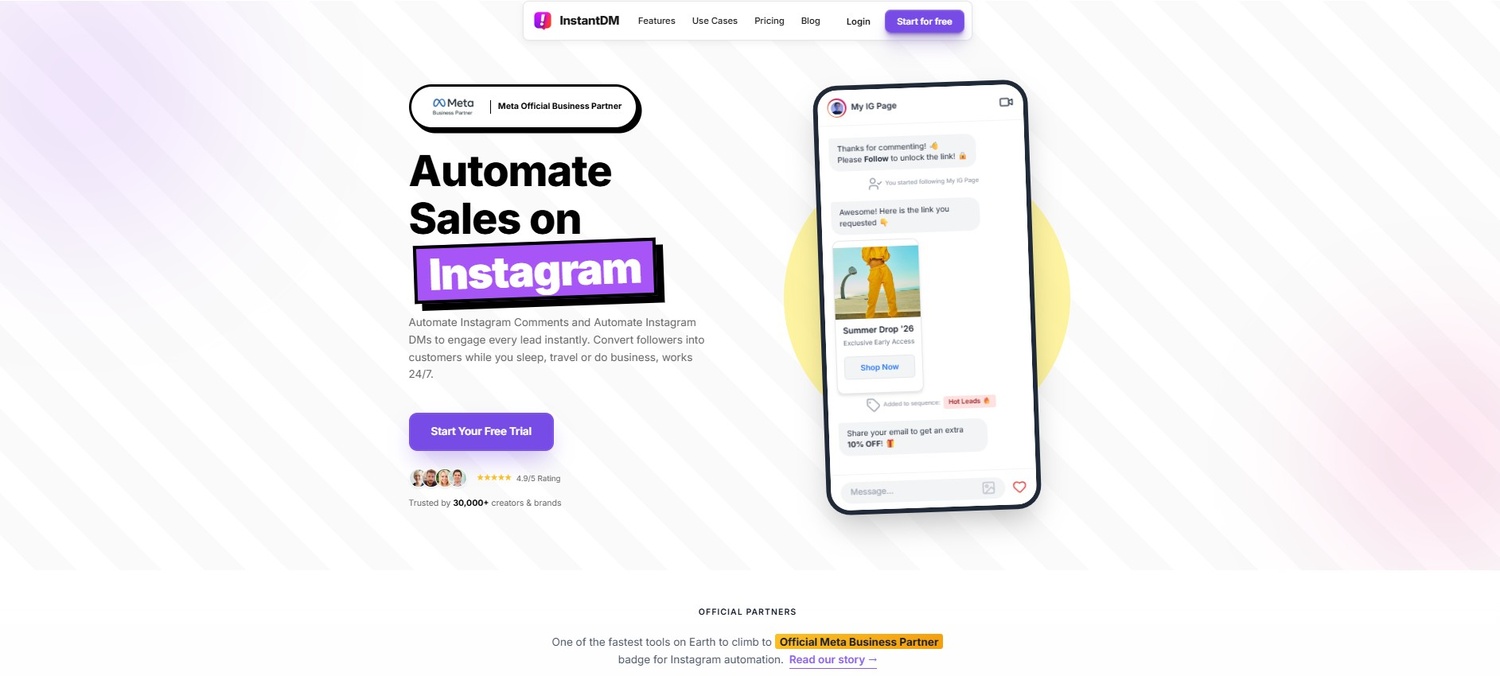
Here, we introduce the solution to the bottleneck. We will showcase how InstantDM acts as a 24/7 assistant across all your accounts.
The Power of "Comment LINK"
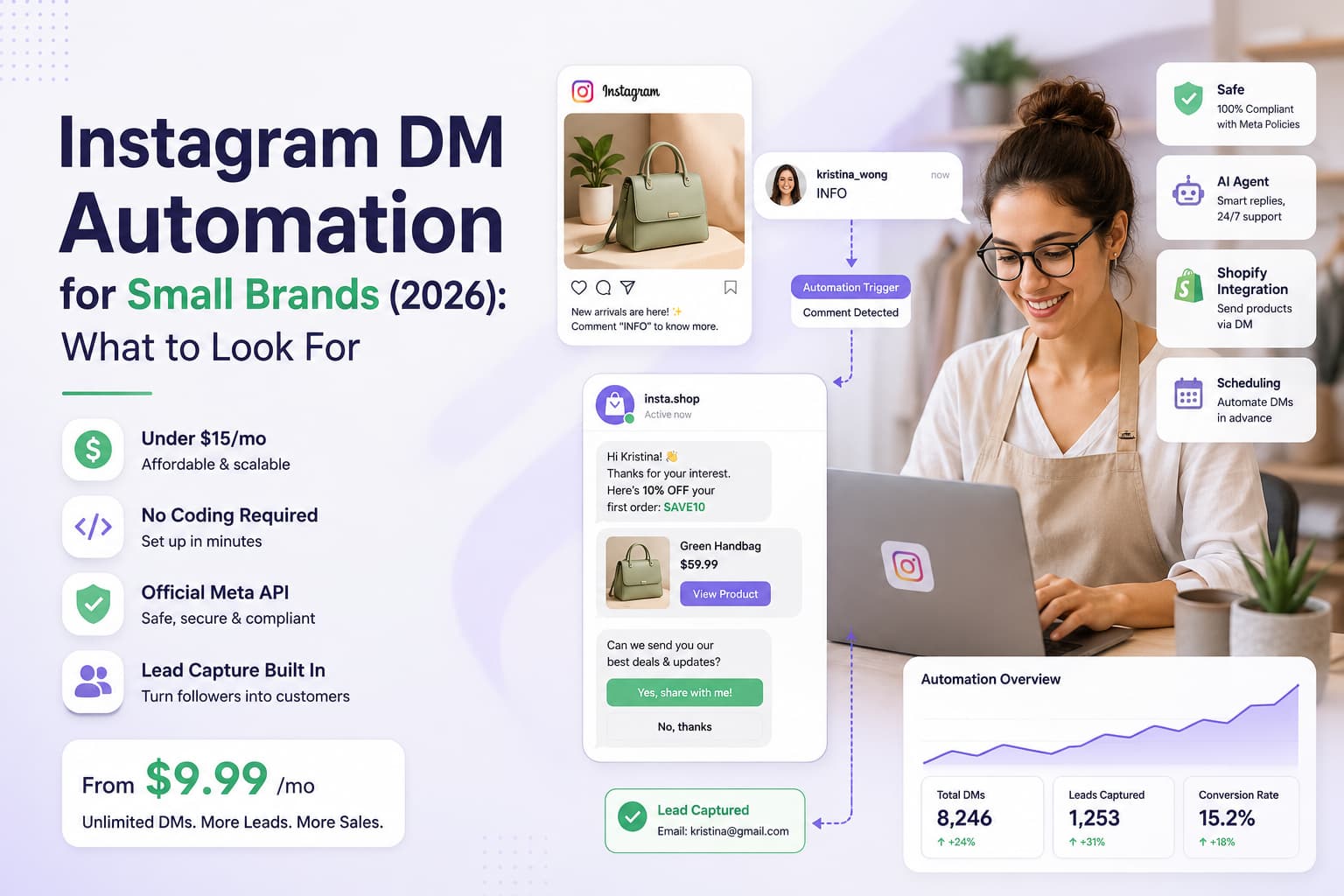
Instead of manually replying to pricing requests or digging through your notes app for URLs, you can instruct your audience in your Reel or caption: "Comment 'LINK' and I'll send it straight to your DMs." This is where InstantDM steps in as a meaningful upgrade. InstantDM is a Meta-verified, no-code automation platform built specifically to handle high-volume Instagram engagement without breaking the bank or requiring a computer science degree.
How It Works Across Multiple Accounts
When you connect your profiles to InstantDM, it constantly monitors your posts. The second a user comments your trigger keyword (like "PP" for price, or "EBOOK"), the software springs into action:
- It automatically "Likes" the user's comment.
- It publicly replies to the comment (e.g., "Just sent it to your hidden requests!").
- It instantly fires off a personalized Direct Message containing the exact link, coupon code, or information they requested.
You can set this up for Account A to deliver a SaaS whitepaper, while simultaneously running a flow on Account B to deliver a jewelry catalog. InstantDM allows you to manage these automated flows for all your brands from one clean, centralized dashboard. It saves literally hours of inbox management per day while drastically increasing the volume of comments on your posts (which pushes your content to the Explore page).
12. Automating Story Replies and Driving Shopify Sales
The real connection with your audience happens in stories, but if you don't reply fast enough, you lose a sale. By integrating InstantDM’s e-commerce features, you can automatically respond to story mentions and reactions, turning casual engagement into direct revenue.
Never Miss a Story Mention
When a loyal customer posts a picture of their new purchase on Instagram and tags your brand, they are giving you free content and proof that people like your brand. Not responding to them is a huge missed chance. With InstantDM, you can make a flow that automatically responds to anyone who talks about your account in a story. It can send a heartfelt "Thank you so much for the love!" "Use this code to get 10% off your next order." This creates a lot of brand loyalty without any work on your part.
The Shopify Integration Superpower
Furthermore, its powerful Shopify integration allows product-based accounts to share targeted deals and seamlessly close sales right inside the DM thread.
InstantDM is a money-making machine for e-commerce brands with more than one store. You don't have to awkwardly send people to a generic homepage because it works with Shopify right out of the box.
- Someone who follows you on Story sends you a new pair of trainers. InstantDM starts a conversation and shows a moving carousel of the product inside. the DM on Instagram. The user selects the colour and size they want. InstantDM makes a direct link to the Shopify checkout page.
By removing the friction of navigating a website, you capture impulse buyers at the exact moment their buying intent is highest. Doing this across three different brand accounts simultaneously is how you scale revenue without scaling headcount.
As a digital brand expands, the complexity of managing multiple content streams and community interactions can quickly become a bottleneck for growth. According to this comprehensive guide on managing multiple Instagram accounts in 2026, the most effective way to overcome this challenge is by centralizing your management through a unified dashboard. By leveraging tools that consolidate your DMs, comments, and post schedules into a single interface, you ensure that no high-intent lead slips through the cracks while maintaining total oversight of your expanding digital footprint.
13. Capturing Leads Across the Board Inside the DMs
Followers are great, but owned data is better. If Instagram goes down tomorrow, or if the algorithm suddenly decides it hates your content, how do you contact your audience? You can't. This section will explain how to use InstantDM’s lead generation flow to collect email addresses and WhatsApp numbers directly inside Instagram.
Moving Off Rented Land
Your multi-account strategy must include a plan to pull followers off the platform and into an ecosystem you own. InstantDM makes this frictionless. Instead of sending users to a clunky landing page where they have to type out their email on a mobile browser (where drop-off rates are huge), you capture the data natively.
Smart Button Templates
By running these smart button templates across all your accounts, you can funnel audiences from different niches into one master mailing list.
Here is how an InstantDM lead flow works:
- User comments "NEWSLETTER" on your post.
- InstantDM sends a message: "Hey! Tap the button below to confirm your email and grab your free guide."
- Instagram automatically populates a button with the email address linked to the user's account.
- The user taps the button once. No typing required.
- InstantDM automatically pushes that verified email address into your CRM or Google Sheets.
You can segment this data based on which account they interacted with. Leads from your fitness account get tagged "Fitness", and leads from your apparel account get tagged "Apparel". You are building highly targeted email lists while you sleep. For the complete playbook on turning DMs into an owned audience, see our Instagram lead generation guide.
14. Keeping Your Accounts Safe from the Shadowban
Managing multiple accounts from one IP address can sometimes trigger Instagram's spam filters. Security is non-negotiable. We will wrap up by discussing essential security measures and highlight why InstantDM is a safe choice.
The Danger of Bad Automation
In 2026, Instagram's algorithm is intelligent. If it sees you sending 500 of the same DM in 60 seconds or using an unapproved third-party app to scrape data, your accounts will be blocked, shadowbanned, or deleted for good. If you have more than one account, one IP ban can shut down your whole network.
Why InstantDM is the Safest Route
InstantDM keeps your automated accounts entirely safe from platform penalties by focusing heavily on meta-verified, official API standards and utilising "human-like" delay features.
InstantDM was built with platform safety as its core principle.
- Meta-Verified: It uses the official Instagram Graph API. You are not "hacking" the system; you are using the back door that Meta explicitly built and approved for businesses.
- Human-Like Delays: InstantDM does not blast messages. It uses random delays between actions. It might wait 12 seconds to reply to one comment and 8 seconds for the next, perfectly mimicking how a real human types.
- Rate Limit Controllers: They monitor your account's health in real time. If you get a viral reel and suddenly receive 10,000 comments, InstantDM’s queue system steps in. It will stagger the replies safely so you never hit Instagram’s hourly API limit, protecting your account from getting flagged as spam.
15. Scaling Your Empire: The Next Steps
A brief, actionable wrap-up summarises the core workflow. Batch your content, schedule your posts, and let smart automation handle your inbox so you can focus on big-picture growth.
You now have the exact blueprint to manage a multi-account Instagram empire without losing your mind.
- Strategise: Consolidate where you can and clearly define the brand's voice and visual identity for the accounts you truly must separate.
- Batch & Schedule: Step away from the daily grind. Utilise the sprint method to generate content in large quantities; organise your assets in a master calendar; and employ scheduling tools to automate publishing.
- Automate Engagement: The manual hustle does not scale. Integrate a Meta-approved tool like InstantDM to instantly answer comments, capture leads in the DMs, and drive Shopify sales across all your profiles 24/7.
Stop letting your Instagram accounts manage you. Implement these systems, lock in your automation, and get back to doing what you do best: growing your business.
Comparison: The True Cost of Managing DMs
To put the power of automation into perspective, here is what managing high-volume engagement looks like across multiple accounts.
| Feature / Task | Manual Management (The Old Way) | InstantDM Automation (The Smart Way) |
|---|---|---|
| Response Time | Hours to Days (depends on your sleep schedule). | Instantaneous (Sub-10 seconds, 24/7). |
| Handling Viral Posts | Overwhelming. Missed comments, lost leads, massive stress. | Thrives. Rate Limit Controller safely queues and replies to thousands of comments. |
| Lead Capture | Clunky "Link in bio" -> Landing page -> High drop-off rate. | Frictionless 1-tap email capture inside the DM. Pushed straight to CRM. |
| Driving Sales | Manual typing of product links; hoping they don't break. | Direct Shopify integration; beautiful product carousels sent automatically. |
| Account Safety | There is a high risk of human error (posting on the wrong account, getting rate-limited by typing too fast). | 100% Meta API compliant. Built-in "human-like" randomized delays to prevent shadowbans. |
| Cost | Expensive ($15-$25/hr for a dedicated virtual assistant). | Highly affordable, scalable software pricing. |
Digital social media content calendar screenshot for 2026, visualizing planned posts, Reel topics, and targeted B2C engagement metrics across different channels.