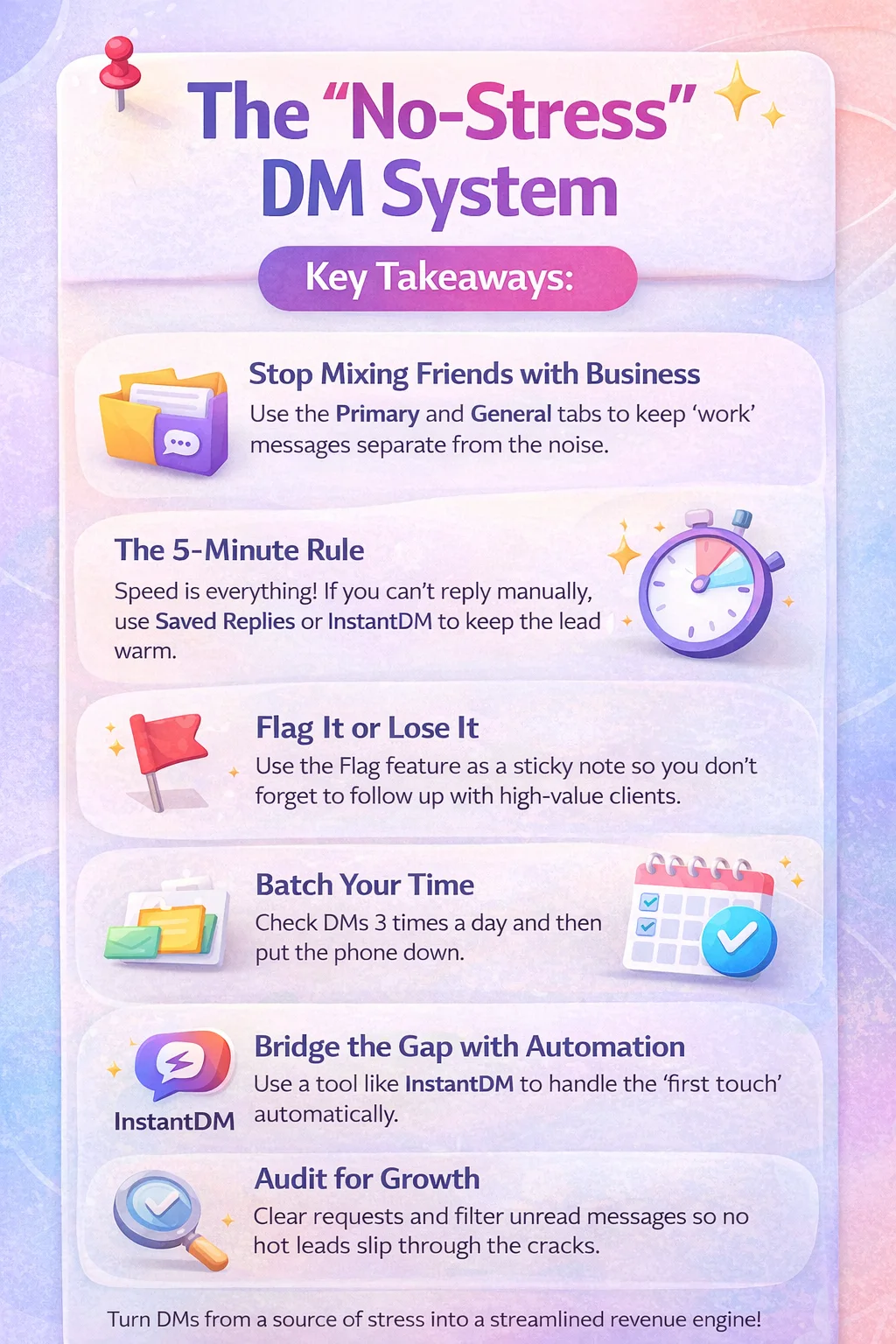
Key Takeaways: The "No-Stress" DM System
Stop mixing friends with business: Use the Primary and General tabs to keep your "work" messages separate from the noise.
The 5-Minute Rule: Speed is everything. If you can’t reply manually, use Saved Replies or InstantDM to keep the lead warm while you’re away.
Flag it or lose it: Use the Flag feature as a digital sticky note so you don't forget to follow up with high-value clients.
Batch your time: Don't let notifications control your day. Check your DMs 3 times a day, and then put the phone down.
Eliminate Notification Anxiety: Setting up a structured inbox turns your DMs from a source of stress into a streamlined revenue engine.
Bridge the Gap with Automation: Use tools like InstantDM to handle the "first touch" so you only spend energy on high-value, human conversations.
Audit for Growth: Regularly clearing your requests and filtering unread messages ensures no high-ticket opportunity ever slips through the cracks.
To grow engagement, learn how to use Instagram messaging to engage followers in 2026.
Why Is Managing Instagram DMs So Draining?
Let’s be honest: managing an Instagram inbox can feel like a never-ending game of Whac-A-Mole. As your following grows, your DMs stop being a place for "chatting" and start becoming a second full-time job.
Related: Instagram Messaging: How to Send DMs Like a Pro Step by Step
Unlike email, where you can file things into neat folders, Instagram is built for speed, not organization. It’s incredibly easy for a serious client inquiry to get buried under a pile of story reactions, fire emojis, and "thank you" notes. Before you know it, you’re feeling "Inbox Overwhelm" - that heavy feeling when you see a "99+" badge and just want to close the app.
But here’s the thing: when you don’t have a system, you’re just being reactive. You answer whoever messaged last, while the "warm leads" at the bottom of the list go cold. It’s not just bad for business; it’s a fast track to burnout.
If you want a complete foundation, read Instagram messaging step-by-step to learn how to send DMs like a pro.
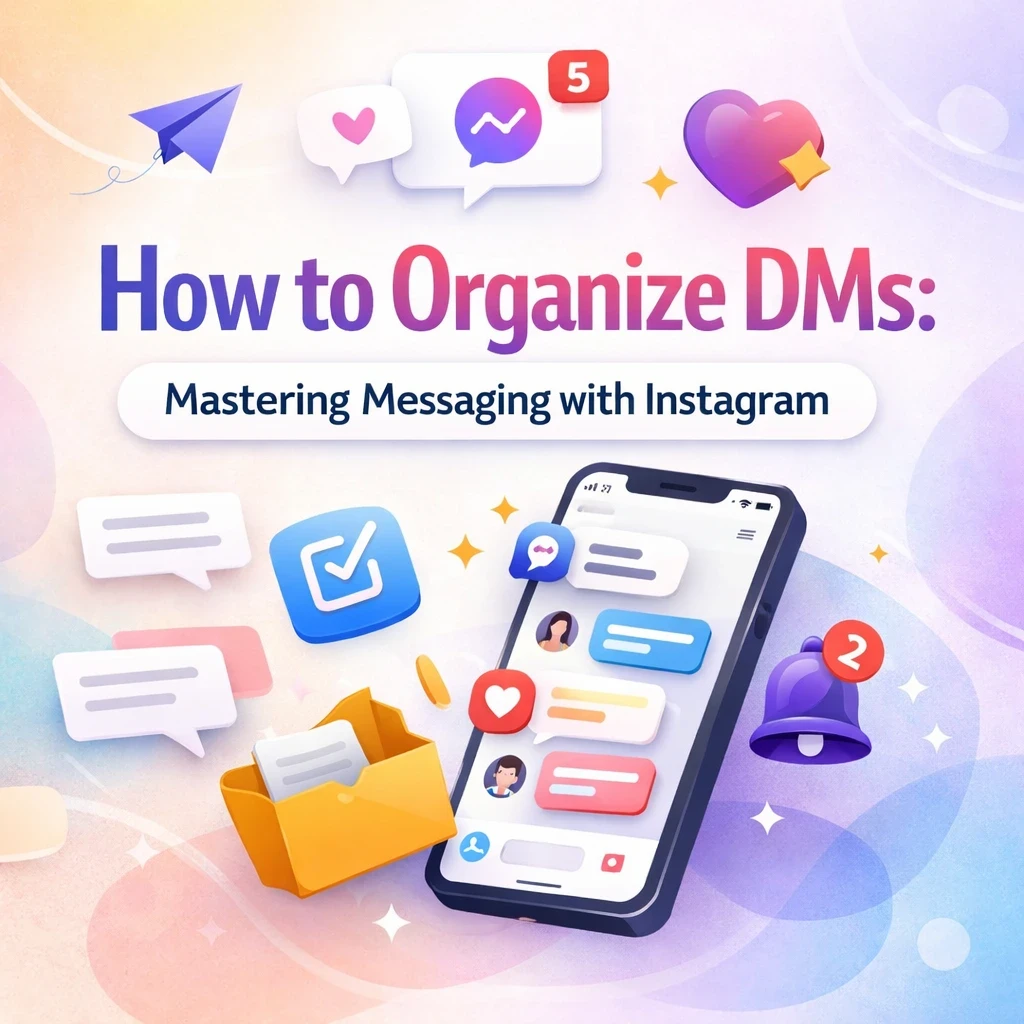
How I Actually Organize My DMs (A 5-Step System That Works)
1. Separate the Noise from the Signal
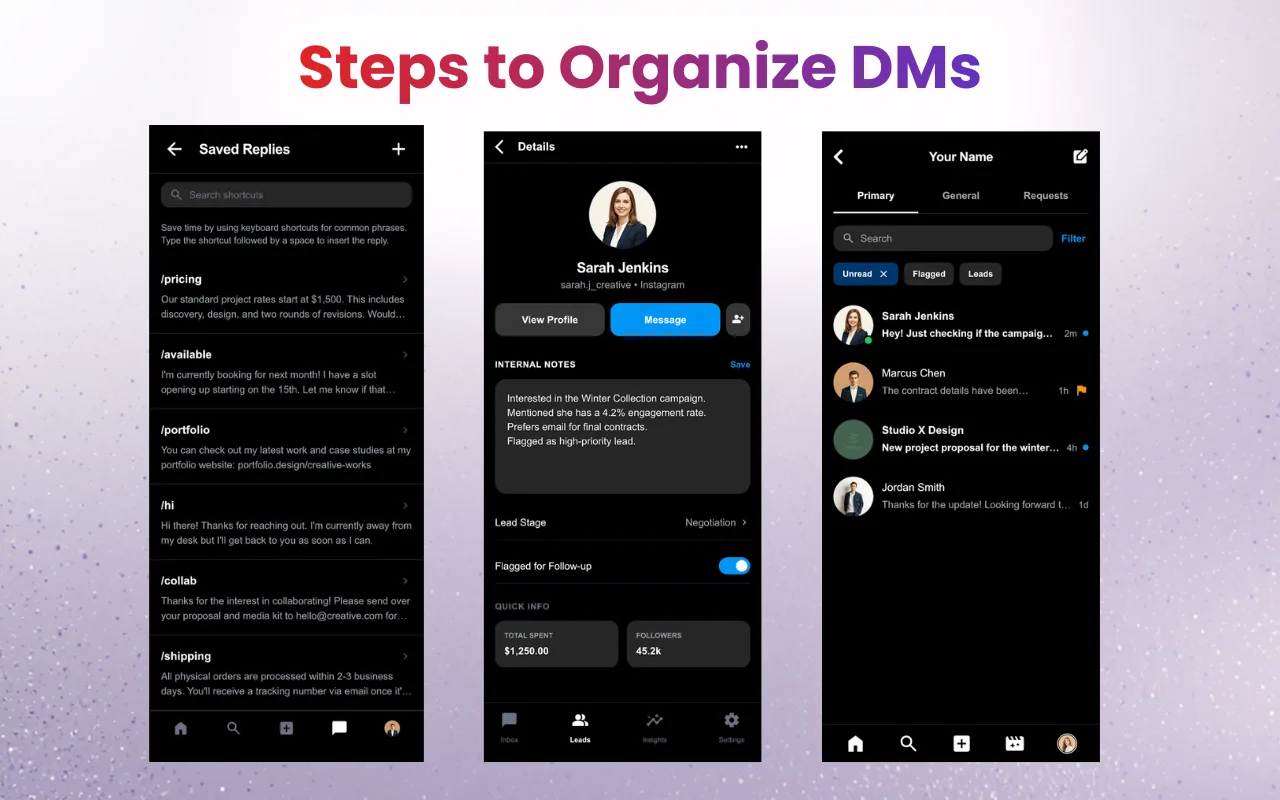
If you haven't already, switch to a Professional or Creator account. This gives you two distinct folders: Primary and General. Primary is for the people who pay you or help you grow (clients, collabs, and close peers). General is for everything else - the casual networking, the group chats, and the noise. Keeping them separate instantly lowers your stress levels when you open the app.
Related: The 2026 Guide: Using Instagram Auto DMs Without Getting Ban
2. Use Flags as Your "To-Do" List
We’ve all done it: you read a message while waiting for coffee, meant to reply later, and then completely forgot it existed. Swipe left (iOS) or long-press (Android) to "Flag" a message. Think of it as a virtual bookmark. When you finally sit down to work, you can filter for flagged messages and see exactly who is waiting for a real answer.
3. Stop Ghosting People (Use the Unread Filter)
Life happens, and sometimes you open a message by accident. Every morning, I do a "sweep" by using the Unread filter in the search bar. It’s the easiest way to Make sure no one is left hanging for more than 24 hours.
4. Work Smarter with Saved Replies
If you find yourself typing the same "Here is my pricing guide" or "Thanks for reaching out!" twenty times a day, stop. Set up Saved Replies (keyboard shortcuts). It feels like a superpower - you can send a professional, three-paragraph response in two seconds flat.
5. Keep Mental Notes
Use the "Notes" feature on profiles. If someone mentions they’re interested in a workshop you’re launching in June, write it down! It makes you look like a pro when you follow up months later and remember the tiny details.
These inbox organization tactics are part of a larger Instagram DM growth system - which is covered in depth in Instagram Messaging: The Complete Guide to DMs, Strategy.
The Reality of Scaling: Why Speed Equals Sales
In the digital world, people have the attention span of a goldfish. If someone DMs you about your services and you wait 12 hours to reply, they’ve probably already moved on to your competitor.
Related: Stop Manually Replying: Automate Instagram DMs with Google G
There’s a psychological "sweet spot" - if you reply within 5 minutes, you’re significantly more likely to close that deal. But let’s be real: you have a life. You can’t be on your phone 24/7.
Enter: Automation (The Smart Way)
When you reach the point where you’re physically unable to keep up, tools like InstantDM are a lifesaver. It’s not about being a "bot"; it’s about having a digital assistant that says, "Hey, I saw your message! Here’s a link to my calendar while I’m away from my desk." It keeps the conversation alive while you’re sleeping, filming, or actually enjoying your weekend.
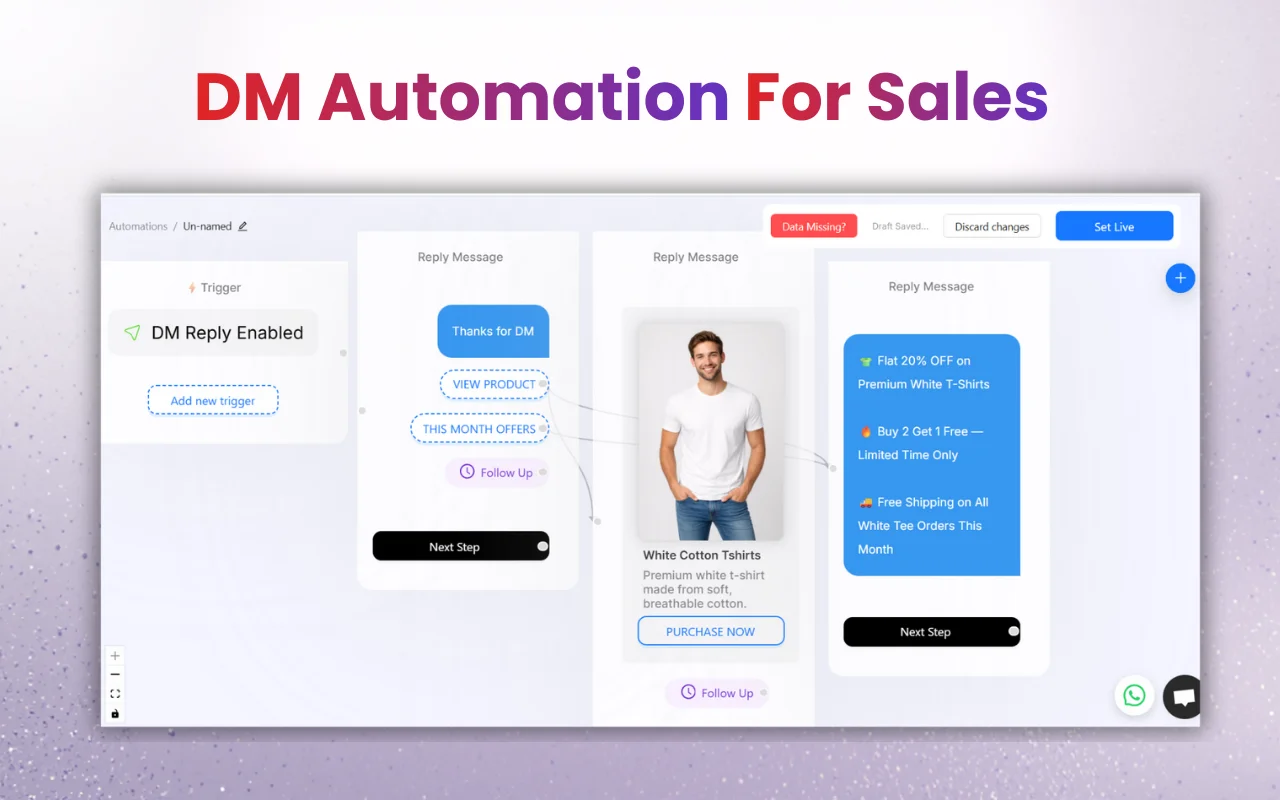
Advanced Workflow: Manual vs. Having an Assistant
If you do it manually... | If you automate (InstantDM)... |
You reply when you have time (maybe hours later). | They get a reply instantly (24/7). |
You have to remember to follow up. | Leads are automatically tagged and tracked. |
You feel "chained" to your notifications. | You only step in when it's a high-value talk. |
Protecting Your Peace: Security and Privacy
As your brand grows, you might be tempted to give your login to a VA or an assistant. Don’t. Instead, use the Meta Business Suite. It lets you give team members access to your DMs without giving them your password. You can assign them to the General tab to handle basic customer service, while you keep the "Primary" tab for your private high-level deals. It’s safer, cleaner, and keeps your personal data private.
Conclusion
-
Instagram DMs become manageable only when treated like a system, not a chat app.
-
Separating conversations, batching responses, and using flags prevents high-value leads from slipping through.
-
Speed directly impacts conversions; the 5-minute response window is a real competitive advantage.
-
Automation tools should handle first-touch responses so your time is reserved for revenue-driving conversations.
-
A structured inbox reduces cognitive load, protects focus, and turns DMs into a predictable growth channel.
People Also Ask:
1. How can I organize Instagram DMs without missing potential clients?
The most effective approach is to switch to a Professional or Creator account and use the Primary and General tabs strategically. Keep clients, leads, and collaborators in Primary, and move casual or low-priority messages to General. Use Flags as a follow-up system, apply the Unread filter daily, and batch DM checks 2–3 times per day. This ensures no serious inquiry gets buried under reactions or small talk.
2. Does replying faster to Instagram DMs really increase sales or conversions?
Yes. Faster responses significantly increase conversion rates because intent is highest at the moment someone sends a DM. Replying within the first 5 minutes positions you as responsive and trustworthy, while long delays often result in prospects moving on to competitors. Speed signals professionalism and reduces friction in the decision-making process.
3. Is it safe to automate Instagram DMs, and will it affect engagement or reach?
Automation is safe and effective when used only for the first touch. Tools that send instant acknowledgments or booking links keep leads warm without harming engagement. Problems arise only when full conversations are automated. When done correctly, automation actually improves reach by increasing reply rates and sustaining meaningful DM interactions, which the Instagram algorithm rewards.