Quick Summary
-
The Shift to DMs: In 2026, the "link in bio" is secondary to Direct Messages, which the algorithm now prioritizes as the highest form of meaningful social interaction.
-
Automation for Creators: Using Meta-verified tools like InstantDM allows creators to automate lead generation and comment replies, turning passive viewers into active leads 24/7.
-
Safety & Ethics First: Successful strategies avoid "spammy" cold DMs and instead use keyword triggers to provide instant value while maintaining account security via the official Meta API.
-
The All-in-One Advantage: Modern creators are moving away from fragmented apps, choosing unified dashboards that combine post scheduling with unlimited DM automation to save time and costs.
-
Scaling Profitably: Transitioning from "per-contact" pricing models (like ManyChat) to flat-rate tools (like InstantDM at $8/mo (flat-rate, as of May 2026)) allows for unlimited growth without a "subscriber tax."
Introduction
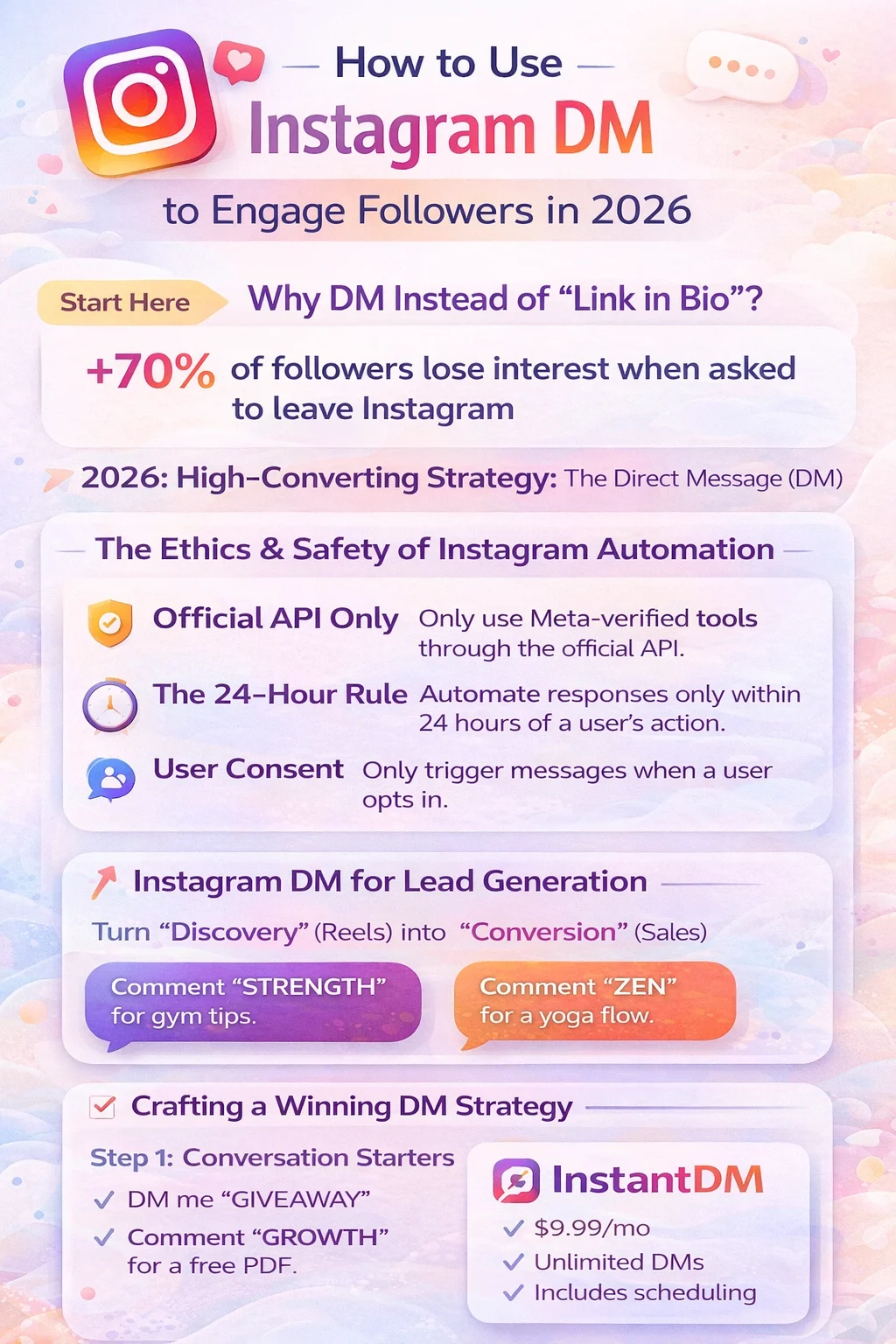
In the 2026 Instagram landscape, the "link in bio" has officially become a relic of the past. If you are still asking your followers to stop what they are doing to click a link, you are likely losing over 70% of your potential conversions.
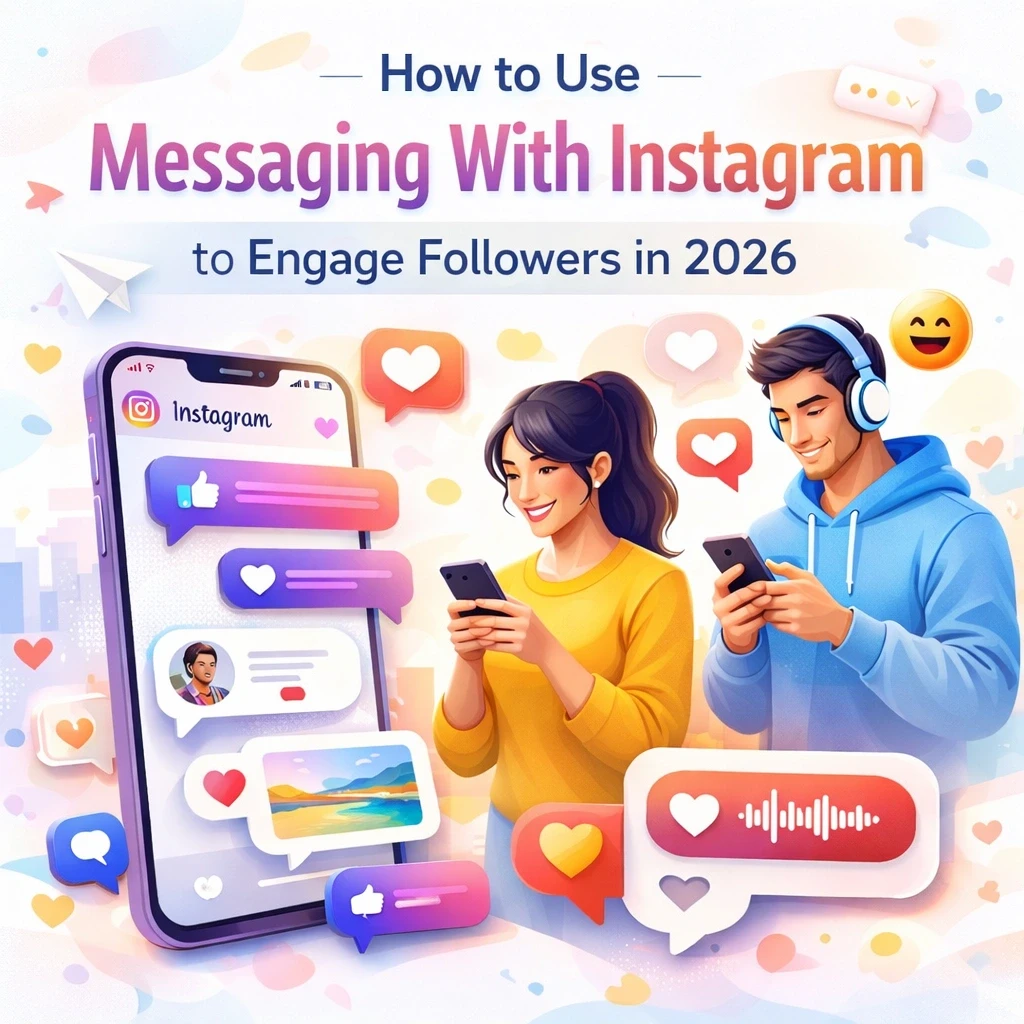
The most successful accounts this year have shifted their strategy to one high-converting destination: The Direct Message (DM). Knowing how to use messaging with Instagram to engage followers effectively is about building a seamless, automated bridge between your content and your community.
for a complete breakdown of DM strategy, automation, inbox systems, algorithm impact, and conversion tactics, read Instagram Messaging: The Complete Guide to DMs, Strategy.
The Ethics and Safety of Instagram Automation
Before implementing any instagram dm strategy, you must understand the "Rules of the Road" in 2026. Meta has strict guidelines to prevent spam and protect user experience.
Transparency and Safety Disclaimer
Automation is a powerful tool, but it must be used responsibly.
-
Official API Only: Never use tools that require your Instagram password. Only use Meta-verified tools that connect via the official Graph API.
-
The 24-Hour Rule: Meta generally allows automated responses only within a 24-hour window of a user interacting with you.
-
User Consent: Effective instagram dm engagement starts with the user. Only trigger messages based on a user's specific action.
Who This is NOT For
Automation is not a "magic pill." You should not use these tools if:
-
You are looking for "Bot" followers: Automation is for managing real humans.
-
You want to send Cold DMs: Sending unsolicited messages is the fastest way to get your account flagged.
For conceptual clarity, explore how Instagram messaging works and why it matters.
Messaging with Instagram for Creators
For the modern influencer in 2026, instagram messages for creators are no longer just an inbox - they are a high-performance lead generation funnel. To increase instagram message replies, you must shift from broadcasting at your audience to conversing with them.
Instagram DM for Lead Generation: From Follower to Customer
In 2026, the distance between "Discovery" (Reels) and "Conversion" (Sales) has shortened. Using instagram dm for lead generation allows you to capture interest at the exact moment of intent. When a creator shares a transformation story or a tutorial, the follower’s curiosity is at its peak. By providing an instant "Keyword Trigger," you satisfy that curiosity immediately.
This isn't just about sending links; it’s about segmenting your audience. For example, a fitness creator can use different keywords for different goals: "Comment 'STRENGTH' for a weight-lifting guide" or "Comment 'ZEN' for a yoga flow." This data allows you to understand exactly what your community wants, making your future instagram messages for creators significantly more relevant and less "spammy."
This lead-generation approach is part of a broader Instagram messaging system for a complete breakdown of DM strategy, automation, inbox workflows, algorithm impact, and monetization, read Instagram Messaging: The Complete Guide to DMs, Strategy.
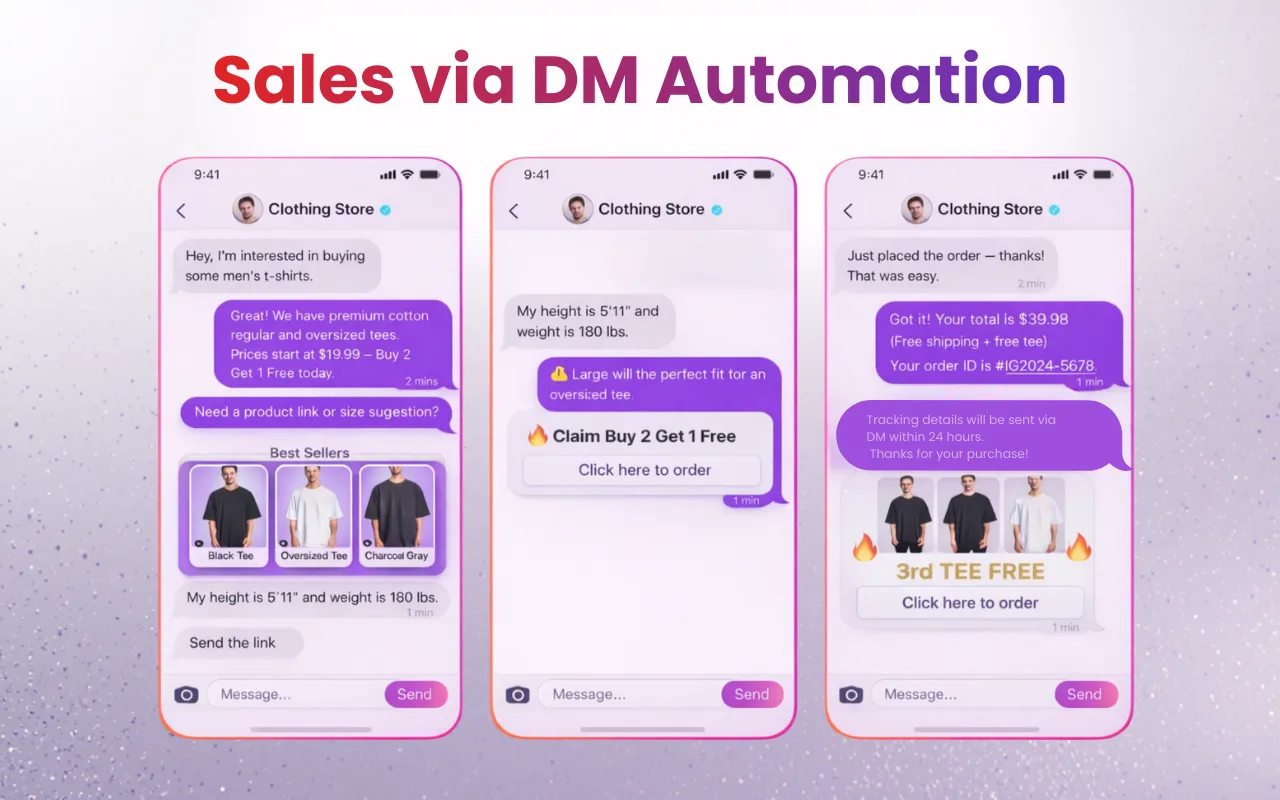
Building Authority Through Instant Value
The 2026 algorithm prioritizes "Speed to Lead." If a follower asks a question in your DMs and waits six hours for a reply, the "micro-moment" of interest is gone. By leveraging instagram messaging features to provide instant resources - like a PDF, a private video link, or a discount code - you establish immediate authority.
Furthermore, high-volume DM activity tells Instagram that your content is "High-Signal," which pushes your Reels to a wider audience. In essence, your instagram dm engagement becomes the fuel for your organic reach. Creators who bridge this gap using safe, Meta-verified tools like InstantDM see a 40% higher retention rate because their followers feel heard and rewarded instantly for their engagement.
The Power of Instagram Comment Automation
Instagram comment automation bridges the gap between a public post and a private sale.
Creating Authentic Engagement
Instead of a generic bot, use automation to deliver immediate value. If you post a carousel, tell your audience: "Comment '2026' to get the early access link!" This creates a "double-dip" in engagement: you get a high comment count (boosting visibility) and a high DM open rate.
Crafting a Winning Instagram DM Strategy
A random message is spam. A strategic message is a service.
Step 1: Effective Instagram Conversation Starters
Give your followers a reason to reach out. Use messaging with instagram for engagement by offering exclusive value:
-
"DM me 'GIVEAWAY' to enter."
-
"Comment 'GROWTH' for my free 2026 PDF."
-
These act as perfect instagram conversation starters that feel natural.
Step 2: Choosing a Professional Tool (The InstantDM Option)
When you are ready to scale, you need a tool that balances cost with safety. While platforms like ManyChat or LinkDM are popular, they often charge a "subscriber tax" based on your follower count.
InstantDM is positioned as a high-value alternative for $8/mo (flat-rate, as of May 2026)nth. It is a safe, Meta-verified tool that allows for unlimited DMs and - crucially - includes post and carousel scheduling in the same dashboard. This prevents the "app-switching fatigue" many creators face.
InstantDM vs ManyChat vs LinkDM: where each tool actually wins
Be honest about what you need before picking. Each tool wins in different scenarios:
- Winner: ManyChat — for multi-channel automation. If you're running DMs across Instagram + WhatsApp + SMS + email from one dashboard, ManyChat's multi-channel architecture is the right call.
- Winner: ManyChat — for advanced flow logic. Visual flow builder with branching, A/B tests, and split paths is more mature than Instagram-only tools.
- Winner: LinkDM — for proven scale. Established platform with a 49,000+ user base; reliable for accounts that need stability over feature breadth.
- Winner: InstantDM — for Instagram-only creators on flat pricing. Unlimited contacts at $8/mo plus built-in post scheduling means the bill doesn't grow with your audience.
Feature comparison
Feature | InstantDM | ManyChat | LinkDM / Inro |
Pricing Model | Growth-Friendly: Flat $8/mo (flat-rate, as of May 2026) regardless of how big you grow. | The "Success Tax": Prices jump every time you get more followers or contacts. | The "Fragmented Fee": Expensive monthly subs for very limited features. |
DM Limits | Unlimited: Send 100 or 100,000 dms without extra charges. | Tier-restricted. Hit your limit and your automation stops working. | Usually limited or requires high-tier upgrades for high volume. |
Account Safety | Meta Verified: Uses 100% official APIs to keep your account safe. | Meta Verified | Meta Verified |
Scheduling | Built-in: Schedule instagram carousels and posts in the same hub. | Non-existent or extremely basic; requires another $30/mo tool. | Fragmented: Does not handle posts/carousels; forces tab-jumping. |
Setup Time | 5 Minutes: Built for humans, not coders. Set it and forget it. | Hours/Days. Requires a "developer mindset" to build flows. | Complex, requires connecting multiple third-party tools. |
Hidden Costs | Zero: What you see is what you get. No surprises. | Heavy: Expect to pay for "pro" add-ons and contact list bloat. | Annoying: Locked-out features and limits on "older" content. |
Mobile Application | Both Android iOS Available (User Friendly) | Yes - but Complex | No App Available |
Strategic Instagram Messaging Tips for 2026
Maintaining the Human Touch
-
Vary Your Replies: Use different message variations so your automation doesn't look repetitive.
-
The "Human Handoff": Always have a way for a user to reach a real person.
-
Vary Your Content: Schedule your Instagram carousels to go live when your audience is most active.
Step-by-step: how to set up Instagram messaging for business
Step 1: Switch to a Professional Account (1 minute)
Open Instagram, go to Settings → Account → Switch to Professional Account. Choose Business or Creator. This unlocks the advanced Instagram chat features (Primary/General inbox tabs, automation API access, message labels). Personal accounts cannot use any of the comment-to-DM tools below.
Step 2: Identify your 3-5 trigger keywords (5 minutes)
Pick short, easy-to-type keywords for the actions your content drives. INFO, START, ACCESS, LINK, and GUIDE are consistently high-performing. Test each by commenting them yourself from a secondary account to confirm they fire correctly.
Step 3: Set up your inbox tabs (2 minutes)
Use Instagram's "Primary" and "General" tabs to triage. Pin active sales conversations to Primary. Move newsletter signups and low-priority chats to General. Long-press a chat to switch its tab.
Step 4: Connect a Meta-verified automation tool (5 minutes)
Sign up for InstantDM (or ManyChat / Chatfuel), then click Connect Instagram. You'll see Meta's official OAuth screen — never share your password directly with any tool. Once connected, you'll see your profile and follower count in the automation dashboard.
Step 5: Build your first comment-to-DM flow (3 minutes)
Pick a post, set a trigger keyword (one of your Step 2 choices), write a short DM (under 100 words with one clear link), and activate. Test from a secondary account by commenting the trigger word — the DM should arrive within 5-10 seconds.
For execution guidance, follow this step-by-step Instagram DM guide to send messages like a pro.
Conclusion: Ethical Growth in 2026
The secret to how to use messaging with instagram to engage followers effectively in 2026 is realizing that every DM is the start of a relationship. By combining instagram comment automation with a transparent, ethical approach, you protect your account while serving your audience.
If you’re looking for an affordable, Meta-verified way to manage this, explore InstantDM It offers a unique combination of scheduling and unlimited messaging to keep your 2026 strategy simple and effective.
Here are the 2026 insights for these common community questions:
Related guides
- How to Check Instagram DMs (and Hidden Messages) 2026 — find every message including the hidden Requests folder
- 15 Best ManyChat Alternatives for Instagram Automation (2026) — full pricing + feature comparison
- How to Send Auto Messages on Instagram for Free — comment-to-DM setup walkthrough