TL;DR — Quick Answer
Instagram auto-replies use a Meta-verified tool (like InstantDM, ManyChat, or Chatfuel) connected via the official Instagram Graph API. You set a trigger (an incoming DM, a story reply, or a comment keyword) and a pre-written response. When the trigger fires, the reply sends within 5-10 seconds — 24/7, no manual work. Setup takes about 5 minutes per automation.
- Trigger types: incoming DM keyword, story reply, post comment, story mention
- Best tools (2026): InstantDM ($8/mo flat), ManyChat ($15/mo+), Chatfuel ($15/mo+)
- Setup time: 5 minutes for first automation, less for variations
- Account safety: safe via Meta-verified tools; never safe with browser bots
- Highest-ROI use case: comment-to-DM for link delivery (15-25% CTR vs 2-4% on bio links)
Why use Instagram auto-replies in the first place?
If your inbox feels overwhelming and you're answering the same 5 questions every day, automation is the unblock. The honest case for auto-replies:
- You get your time back. Stop copy-pasting the same message dozens of times a day.
- Your followers get instant answers. People hate waiting on social. Speed beats polish.
- The conversation never stops. Auto-replies fire while you're sleeping, in meetings, or at dinner.
- You drive traffic and sales. Auto-deliver links to products, lead magnets, or booking pages.
- Your messaging stays consistent. No more accidentally giving the wrong price or stale info.
Step-by-step: how to set up Instagram auto-replies in 5 minutes
Step 1: Pick a Meta-verified tool (1 minute)
Choose one: InstantDM ($8/mo flat, best for Instagram-only), ManyChat ($15/mo+, best for multi-channel), or Chatfuel ($15/mo+, best for Shopify ecommerce). All three use Meta's official API — see our full tool comparison.
Step 2: Connect your Instagram Business or Creator account (1 minute)
Sign up for the tool and click "Connect Instagram". You'll see Meta's official OAuth screen — never share your password directly. Personal accounts can't connect; switch to Business or Creator first (Settings → Account → Switch to Professional Account).
Step 3: Pick a trigger (1 minute)
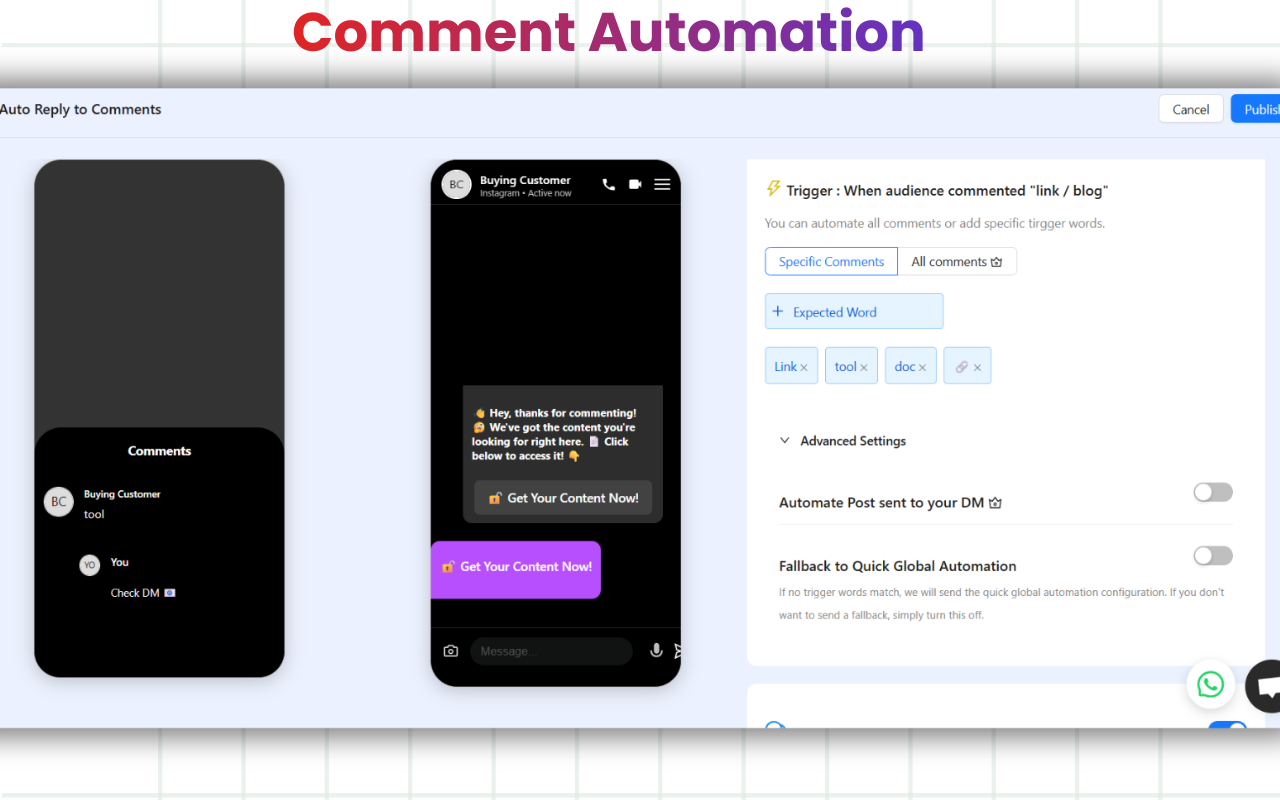
Three options: (1) Keyword in a comment on a specific post (highest converting); (2) Story reply from any follower; (3) Keyword in an inbound DM (handles FAQ-style questions). Start with comment-to-DM for your first automation.
Step 4: Write the auto-reply message (1 minute)
Keep it under 100 words. Open with the user's first name (most tools support [[first_name]] variable). Deliver what they asked for immediately — don't make them read 3 paragraphs to get the link. Close with one clear next step.
Step 5: Test from a secondary account (1 minute)
Before going live, comment your trigger keyword from a friend's account (or a secondary one). The auto-reply should arrive in 5-10 seconds. Click the link to confirm it works. If nothing arrives, check: automation is toggled on, account is Business/Creator, and the trigger word is spelled the way you set it.
What is an Instagram auto-reply and how does it work?
It's pretty simple. You set up a message that automatically goes out when someone DMs you or replies to your story or comments on your posts or reels. For example:
Someone replies to your Story with a fire emoji? They instantly get a “Thank you so much!” message.
A follower DMs you asking for your “menu”? An auto-reply can immediately send them the link to your full menu.
A potential customer asks about your business hours? They get the answer instantly, no waiting required.
Instead of typing the same information over and over, you let automation handle the busywork so you can focus on the real conversations.
Why Should You Use Instagram Auto-Replies for Your Business?
If your inbox feels overwhelming, you'll immediately get why this is so valuable. Here are the biggest benefits:
You get your time back. Your time is precious. Auto-replies stop you from having to copy and paste the same message dozens of times a day. Once it's set up, it does the work for you.
Your followers get instant answers. People hate waiting, especially on social media. Quick responses make people feel valued and keep them engaged.
The conversation never stops. Even if you're sleeping or busy, your audience gets a quick response. That little instant acknowledgment goes a long way in making people feel important.
You can drive traffic and sales. Auto-replies aren't just for answering questions. You can use them to automatically share a link to your website, a specific product page, or even a discount code.
This way, everything stays consistent. You won't ever have to stress about forgetting a detail or accidentally giving out the wrong price.
If you're a fitness coach: A follower sends you "workout plan," and they immediately get the details on how to join your coaching program.
A content creator: When someone replies to your Story, they might get a quick "Thanks for watching!"
Check it out here."
What Are the Best Practices for Using Instagram Auto-Replies?
Automation is great, but there's a good way and a bad way to use it. Follow these tips to keep it feeling human:
Keep it short and sweet. Nobody wants to read a novel in their DMs. Write like you're texting a friend: simple, clear, and friendly.
Make it personal. Even if it's automated, you can still sound like yourself. Use your brand's tone of voice and maybe even their name if the tool allows it.
Add a call-to-action (CTA). Don't just say "thanks." Tell them what to do next, like "Check out our website," "Shop here," or "Book a call."
Don't overdo it. A constant stream of automated messages can feel spammy. Use them strategically, not for every little thing.
Check in on them. Look at your DM insights regularly. If your auto-replies aren't getting the engagement you want, tweak the messages until they feel right.
What Are the Best Tools for Instagram Auto-Reply Automation?
If your Instagram auto-replies aren’t bringing in the kind of engagement you’d like, don’t be afraid to tweak them until they feel more natural and genuine.
ManyChat
Perfect if you want keyword-based replies or to build more advanced chat flows.
MobileMonkey
A good fit for small businesses and creators who want automation across multiple platforms.
Instant DM
A simple and beginner-friendly option made just for handling Instagram replies.It is an official meta business partner tool.
InstantDM pricing
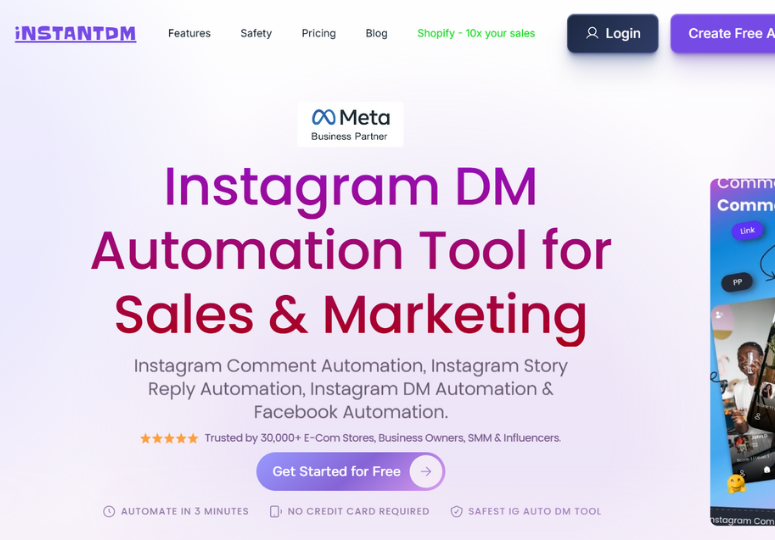
InstantDM has a free plan (1,500 automations/month), with paid plans starting at $8/month for unlimited contacts (as of May 2026, see current pricing). All plans include a 7-day free trial, 2 months free on annual billing, and no credit card required to start.
It's a fantastic way to experience the benefits of automation like saving time and boosting engagement without needing a big investment or a complicated setup.
Do Instagram Auto-Replies Feel Personal or Robotic?
Now, you might be wondering doesn’t automation make things feel less personal?
Ultimately, Instagram is all about making real connections. But staying on top of every single DM can be exhausting. Why Auto-Replies Are a meaningful upgrade for Your Business . Instagram Help: Add links to your profile and stories
Why Are Auto-Replies Necessary for Managing Instagram DMs Efficiently?
In today’s fast-paced digital world, staying on top of your Instagram inbox is a constant challenge. Between creating content and managing your business, answering every single DM can feel overwhelming. That’s why an Instagram auto-reply isn’t just a nice-to-have; it's a need for anyone looking to save time and streamline their workflow. It allows you to provide instant, professional responses without being glued to your phone 24/7.
Related guides
- Best Instagram Auto-Responder Tools (2026) — full comparison of 5 tools
- 15 Best ManyChat Alternatives for Instagram Automation (2026)
- How to Set Up Auto DM on Instagram — Step-by-Step 2026 Guide
- How to Check Instagram DMs (and Hidden Messages) 2026
- How to Post a Hyperlink on Instagram (2026 Guide)
- How to Create an Instagram DM Link (Click-to-DM)
- Compare ManyChat vs InstantDM
- Compare LinkDM vs InstantDM
Conclusion: Are Instagram Auto-Replies Worth It for Businesses?
If you've been struggling to keep up with your inbox, it's time to let automation give you a hand. Auto-replies are a simple way to answer questions faster, build stronger relationships, and free up your schedule for the work that truly matters.