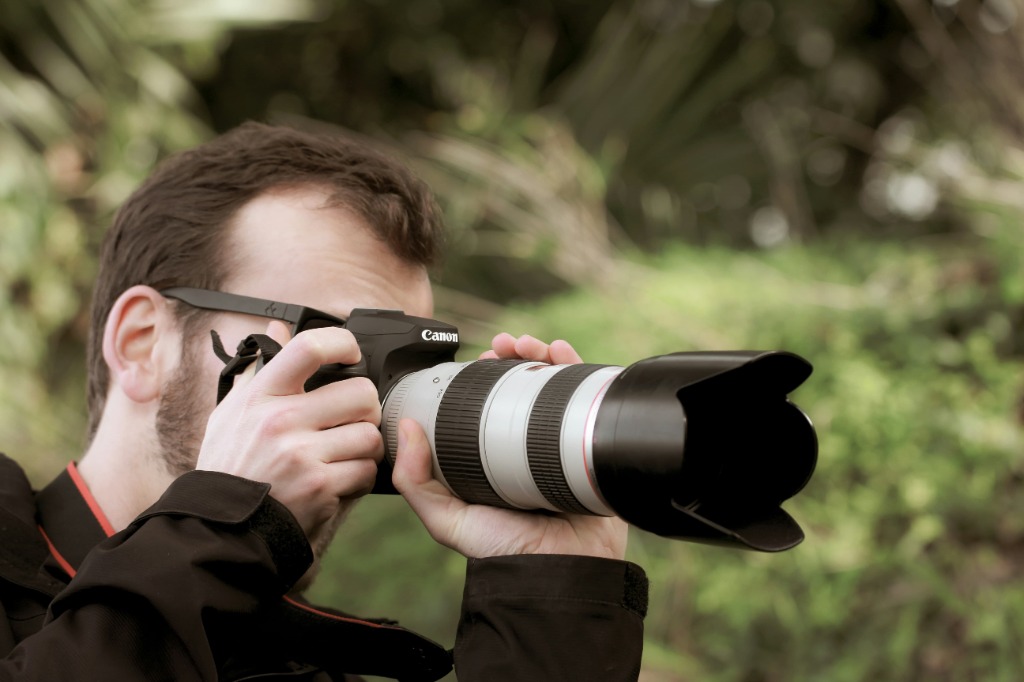
Photo by Sandy Millar on Unsplash
TL;DR: The Photographer’s Guide to Automating Booking Inquiries
Stop losing clients to the "DM Abyss." If you’re manually replying to every "How much?" and "Are you free?" message, you’re losing money and burning out. This guide breaks down how to turn your Instagram into a 24/7 booking machine.
- The Problem: Slow responses kill conversions. 50% of clients book the photographer who responds first.
- The Solution: DM Keyword Automation. Set specific triggers (like "PRICE" or "WEDDING") to instantly send portfolios, pricing guides, and booking links.
- The Workflow: Move leads from a simple DM to a confirmed booking and paid invoice without lifting a finger.
- Why InstantDM? While tools like ManyChat take 5 hours to learn, InstantDM offers a 5-minute setup specifically for photographers. It’s the budget-friendly, niche-specific choice for solo pros who want agency-level results without the "enterprise" price tag.
- The Result: You stop being an admin assistant and start being an artist again booking more weddings and sessions while you’re actually out shooting.
1. Why Photographers Lose Bookings Without Automation

The window of opportunity to convert a lead has never been smaller. We live in an era of "micro-moments." When a potential client (let's say a frantic bride-to-be at 11:00 PM) sees your work on Instagram, their dopamine levels are high. They are ready to engage. If they send a DM and don't hear back until the next afternoon, that spark has cooled.
Missed DMs and Delayed Responses
Instagram’s "Requests" folder is where high-value leads go to die. If you aren't constantly checking your notifications, inquiries get buried under spam or fan reactions. A delayed response isn't just a minor inconvenience; in the eyes of a high-end client, it is a reflection of your professional reliability.
Losing Clients to Faster Competitors
Research shows that 50% of buyers choose the vendor that responds first. If a prospect messages three photographers and one has an automated system that delivers a pricing guide instantly, that photographer has already started the relationship. The others are just noise.
The "Urgency Factor" Across Different Niches
Automation isn't a one-size-fits-all tool; it adapts to the specific anxiety or excitement of your client's milestone:
- Weddings & Pre-Weddings: A couple engaged for 48 hours is in a "booking fever." If they DM you "2026" at midnight, an automated 2026 Wedding Guide captures that dopamine hit instantly. Without it, they’ve messaged three other photographers by the time you wake up.
- Baby Showers & Family Events: These are date-fixed and high-stress. A frantic host DMing "SHOWER" needs to know your availability now. Automation can filter their date and send your event rates before they move on to a backup plan.
- Candid & Branding Sessions: Business owners value efficiency above all else. When an entrepreneur DMs "CANDID" for their brand launch, an instant portfolio delivery proves you are as fast and professional as the content they need.
- Post-Wedding & Anniversaries: Even past clients feel friction. An automated "ALUMNI" keyword that triggers a loyalty booking link makes returning to you easier than finding someone new.
Time Lost Replying to Repetitive Questions
"How much for a 2-hour session?"
"Are you free on June 12th?"
"Do you provide the RAW files?"
If you are manually typing these answers every day, you are hemorrhaging billable hours. Automation handles the "FAQ" layer of your business so you only step in when a human connection is truly required.
2. What Is Instagram Booking Automation for Photographers?
At its core, booking automation is the process of using software to trigger specific actions based on client behavior.
Definition of instagram DM Keyword Automation
DM Keyword Automation is a technology that monitors your incoming messages for specific words or phrases. When a match is found, the system executes a "flow" a sequence of messages, images, or links to provide the user with what they need instantly.
How Keyword Triggers Work
Think of a keyword as a digital key. When a user types "PRICING," the "Pricing Door" opens. This isn't a "bot" in the old, clunky sense; it is a responsive menu that guides the user through your sales funnel without you needing to lift a finger.
Examples Specific to Niche
- Wedding Photographers: Triggering a "Wedding Guide" that includes venue recommendations and full-day packages.
- Portrait Photographers: Triggering a "What to Wear" guide and a booking calendar for mini-sessions.
- Event Photographers: Sending a quick quote form to gather guest counts and location details.
3. How instagram DM Keyword Automation Works (Step-by-Step)
To understand the power of this system, let's look at the anatomy of a single automated interaction.
- The Entry Point: A client sees your Reel and wants more info. You’ve strategically placed a Call-to-Action (CTA): "DM me the word 'WEDDING' for my 2026 brochure."
- The Trigger: The client sends the word. The automation engine (like InstantDM or ManyChat) identifies the keyword in milliseconds.
- The Instant Response: The system replies: "Hey there! I'm so excited you're planning a wedding. Here is my current investment guide and a look at my favorite galleries from last season!"
- The Delivery: A PDF or a link to a hidden page on your website is delivered directly in the chat.
- The Lead Capture: After the link is sent, the automation asks: "Would you like me to check if your date is available?" If they say yes, it collects their email and wedding date.
4. What You Can Automatically Send to Potential Clients
The goal is to provide enough value that the client feels confident moving to the next stage (booking a call or paying a retainer).
- Pricing Guides: Interactive PDFs or Canva links that look stunning on mobile.
- Portfolio Links: Curated galleries that match the client's interest.
- Packages and Service Details: A breakdown of what "8 hours of coverage" actually means.
- Booking Calendar Link: Integration with tools like Calendly or HoneyBook so they can see your open dates immediately.
- FAQs: A "Quick Replies" menu that answers questions about travel, insurance, and second shooters.
5. Best Platforms Photographers Can Use for DM Automation
You don't need to be a coder to set this up. Several platforms are designed specifically for the visual nature of photography.
Instagram & Facebook (Meta)
Since Instagram is the "portfolio" of the 21st century, tools that integrate with the Meta Graph API are essential. These tools allow you to automate DMs, Story mentions, and even comments.
Why InstantDM is the Professional’s Choice Over Generic Tools.

While there are several platforms available, not all are created equal for the solo photography pro. Here is how we bridge the gaps left by traditional automation:
The "Complexity Gap": Automation Without the Headache
One of the biggest hurdles for photographers is the "learning curve." Many mainstream automation platforms require a background in logic-mapping and hours of tutorial videos just to send a simple PDF. While competitors often offer a "5-hour setup" that leaves you feeling like a coder, InstantDM focuses on a "5-minute setup" philosophy. It is built for the photographer who would rather be on a shoot than building complex logic trees. You can connect your account, set your "PRICING" trigger, and be live before your next cup of coffee is cold.
The "Niche Gap": Built for the Instagram-First Photographer
Many tools try to be everything to everyone from e-commerce stores to local plumbers. While platforms like HoneyBook are excellent for back-end admin, they don't always "live" natively where your clients are: the Instagram DM. InstantDM is a niche-specific solution for the Instagram-heavy photographer. We understand that your business starts with a Reel, a Story, or a beautiful grid post. Unlike "all-in-one" platforms that feel clunky on social media, InstantDM is optimized for the visual, fast-paced nature of Instagram, ensuring your portfolios and guides look stunning in the chat.
The "Price Gap": High-End Results on a Solo-Pro Budget
Many photographers are priced out of high-end automation because the leading platforms charge "enterprise" prices for features a solo-pro will never use. Consistently ranked as a top "Budget Option" in 2026 reviews, InstantDM fills the gap for the entry-level or solo-pro market. You shouldn't have to pay for a team of ten when you’re a team of one. It offers the professional-grade speed and reliability of a massive agency, but at a price point that respects the bottom line of a growing creative business
6. How to Set Up Keyword Automation

Setting up your workflow takes about an hour but saves hundreds of hours later. By following a structured approach, you can ensure your automation feels like a premium extension of your brand rather than a cold, robotic auto-reply.
- Choosing the Right Tool: Ensure your tool is "Official" meaning it uses the authorized Instagram API to avoid getting your account flagged. For photographers looking for a seamless, specialized experience, InstantDM official meta business partner is the gold standard. It is designed specifically to handle high-intent creative inquiries without the complexity of generic enterprise bots.
- Creating Keyword Triggers: Start with the "Big Three": Price, Book, and Portfolio. These are the primary hurdles between a follower and a client. By setting these up within the InstantDM dashboard, you ensure that the moment a lead shows interest, they are met with an immediate response.
- Writing Automated Responses: Pro tip: Use your "Brand Voice." If you are a dark-and-moody photographer, keep the tone sophisticated. If you do colorful family sessions, keep it bubbly. The goal is for the client to feel like they are chatting with you, just faster.
- Linking Your Assets: Ensure all your links are "mobile-friendly." Most clients will be viewing your pricing guide on a phone. InstantDM allows you to deliver these links instantly within the chat interface, keeping the user inside the app where they are most comfortable.
- *Testing the Workflow: Always test the flow yourself. Does it feel too fast? Does the link work? Is the text easy to read? Run a few test keywords through your own account to ensure the experience is polished before you go live.*
See how I set this exact flow up in under 5 minutes using InstantDM:
Video Credit: InstantDM
7. Best Keyword Examples Photographers Should Use
The simpler the keyword, the better the conversion. Avoid long phrases.
Keyword | Purpose |
PRICE | Delivers the investment guide instantly. |
WEDDING | Segments the lead into your wedding-specific funnel. |
BOOK | Sends the link to your scheduling software. |
PACKAGE | Shows the different tiers of service you offer. |
PORTFOLIO | Directs them to your best, most recent work. |
*Why clear keywords improve conversion: They reduce "cognitive load." When you tell someone "DM me for info," they have to think about what to say. When you say "DM me 'WEDDING'," they don't have to think they just act.*
8. Scaling Without Burning Out
Many photographers reach a "success plateau." They have enough inquiries to be full-time, but they are so busy answering those inquiries that they don't have time to actually do the work.
Automation is your first "hire." It is a 24/7 assistant that:
- Handles hundreds of inquiries simultaneously.
- Reduces your manual admin workload by up to 80%.
- Eliminates the "ghosting" that happens when you forget to follow up.
- Maintains your work-life balance. You can finally go to dinner without checking your DMs under the table.
9. Using Automation During Peak Wedding and Holiday Season
October and November are notoriously "busy seasons." For portrait photographers, this is "Mini-Session Season." For wedding photographers, this is the height of the "Booking Season" for the following year.
During these peaks, your volume might triple. Automation allows you to:
- Manage High Volume: Respond to 50 "Mini-session" inquiries in 5 minutes.
- Instant Replies on Set: While you are literally shooting a wedding, your Instagram is booking your next wedding.
- Prevent Missed Opportunities: Ensure no one "goes to the next person" because you were in a 10-hour shoot.
10. From Inquiry to Invoice Building a Fully Automated Client Journey
This is where the magic happens. A "Fully Automated Journey" moves a client from a stranger to a paid customer without a single manual email.
Stage 1: Inquiry
The client DMs "INFO." They get a friendly intro and a link to your packages.
Stage 2: Qualification
The automation asks: "What date are you looking at?" and "What is your venue?" This filters out clients who aren't a fit for your style or budget.
Stage 3: Booking
The client selects a "Consultation Call" or a "Session Slot" from your integrated calendar.
Stage 4: Confirmation
Once they pick a time, an automated message sends the contract. "I've reserved your spot! Please sign the contract below to Make it official."
Stage 5: Invoice
After the signature, the system triggers the deposit invoice. The moment they pay, the "Onboarding Guide" is sent. You haven't typed a single word yet.
11. How Automation Increases Booking Conversion Rates
Automation isn't just about saving time; it's about making more money.
- Trust Through Speed: Quick responses signal a high level of professionalism.
- Removing Friction: The fewer steps a client has to take to pay you, the more likely they are to do it.
- Consistency: Every lead gets the same high-quality experience. You never have an "off day" where your replies are short or grumpy.
12. Real Workflow Example: The Wedding Funnel
Let's look at a "Success Story" workflow:
- The Hook: You post a photo of a bride's shoes.
- The CTA: "Comment 'DETAILS' for my 2026 Wedding Guide."
- The Interaction: The client comments. Your automation likes the comment and sends a DM.
- The Fulfillment: The DM says: "I saw your comment! Here is the guide. By the way, I only have 3 Saturdays left in June want to see which ones?"
- The Conversion: The client clicks "Yes," sees your availability, and books a call.
13. Integration with Google Calendar and Instant Booking
The most advanced photographers are now using Live Calendar Checking. This is the "holy grail" of automation.
By integrating your Google Calendar with your DM automation tool (like an agency-level setup), the bot can check your actual availability.
- Client: "Are you free on August 15th?"
- Automation: "Let me check... Yes! I'm free that day. Would you like to put a 24-hour hold on that date while you look at my packages?"
This level of service is usually reserved for luxury concierge services, but automation makes it available to every solo photographer.
14. Common Mistakes Photographers Make with Automation
Automation is a tool, and like any tool, it can be used poorly.
- Sending Robotic Messages: Avoid "INPUT RECEIVED. PROCESSING." Use phrases like "I'm so glad you reached out!"
- Overloading Information: Don't send five paragraphs of text in one DM bubble. Break it up.
- Poor Keyword Selection: Using keywords like "I would like more information please" is too long. No one will type that. Use "INFO."
- The "Set it and Forget it" Trap: You still need to monitor your DMs occasionally to make sure the "Human" part of the business isn't lost.
15. Best Practices for Automated Messages
To keep your automation feeling high-end and personal:
- Keep it Simple: One goal per message. (e.g., "Click here to see pricing.")
- The "Human" Out: Always give them an option to talk to a person. "If you have a custom request, just type 'HUMAN' and I'll jump in personally!"
- Call to Action: Every message should end with a "What's next?"
- Personalization: If your tool supports it, use their first name. "Hi Sarah! Thanks for the DM!"
16. How Automation Saves Time and Grows Your Business
The math is simple. If you spend 30 minutes per inquiry and you get 20 inquiries a month, that’s 10 hours of admin. Over a year, that is 120 hours or three full work weeks.
What could you do with three extra weeks?
- You could launch a new photography niche.
- You could spend more time with your family.
- You could focus on high-level SEO and marketing to attract higher-paying clients.
Automation doesn't just save time; it creates the "mental space" required for creative growth.
17. The Future of Automation in Photography
We are entering the age of AI-powered Booking Assistants. Soon, you won't just be using keywords; you will be using "Natural Language Processing."
Clients will be able to ask complex questions like, "My wedding is in a forest and it might rain, what's your backup plan?" and your AI assistant trained on your specific blog posts and FAQs will be able to answer accurately in your voice.
The photographers who adopt these systems now are the ones who will dominate the market in the coming years. They will be the ones who appear the most organized, the most responsive, and the most professional.
Summary: Your Automation Roadmap
If you are ready to stop being a slave to your inbox, here is your 30-day plan:
- Week 1: Audit your most frequent questions. What do people ask you every single time?
- Week 2: Choose an automation tool (like ManyChat or InstantDM) and connect it to your Instagram.
- Week 3: Build your first "Pricing" flow.
- Week 4: Test it with a "Comment Trigger" on your next post and watch the leads roll in.
Photography is an art, but your business is a system. When the system runs itself, you are finally free to be the artist you were meant to be.
18. Conclusion
To tie everything together, InstantDM is the specialized tool designed to turn these automation strategies into reality for photographers. By bridging the gap between your Instagram DMs and your booking calendar, it ensures that your business stays active even when you’re behind the lens. Instead of manually juggling inquiries, you can let InstantDM handle the initial outreach, lead qualification, and link delivery with precision. It’s the simplest way to maintain a premium client experience while scaling your studio without the overhead of a virtual assistant.
Affordable Instagram DM Automation in 2026: What It Actually
Instagram Comment to DM Automation: The Complete Setup Guide
15 Best ManyChat Alternatives for Instagram Automation in 20