
Quick Summary - TL;DR
- Create an InstantDM account and connect it to your Instagram business account.
- Generate your API key at platform.anthropic.com.
- Connect Claude inside the InstantDM integrations section.
- Set up the automation triggered by a comment on your post.
- Write the prompt, including your tone of voice, products, and qualification questions.
- Publish the automation, test it, and keep improving it.
if you are using Instagram to generate leads, you already know the struggle: keeping up with DMs is exhausting, but missing a message means losing a potential sale. Hiring a human appointment setter is an option, but it is expensive and they still need to sleep.
Enter Setter with Claude an AI automation that connects Claude directly to your Instagram DMs to handle conversations and qualify potential leads on autopilot.
With the right setup, you can set it up once and let Claude Make the sales for you. Here is the complete guide on how to build a 24/7 AI sales setter.
Why Only Claude?
InstantDM supports major LLMs - Including Claude, Chatgpt, Gemini models, but in this guide, we'll focusing on claude with Instagram AI agent.
What Can This AI Setter Do?
By connecting Claude to your Instagram, you can automate full conversations—from the initial "Hi" to complete lead qualification. Your AI assistant can:
- Run 24/7 automated reply messages.
- Send automatic follow-ups.
- Book calls or qualify your leads.
- Collect user emails.
- Automatically tag your contacts.
- Send suggestions and clickable buttons that leads can interact with directly.
What You Need to Get Started
Before diving into the setup, make sure you have these three things ready:
- A Claude API Key.
- An Instagram professional or business account.
- A Free InstantDM Account (InstantDM is an Official Meta Business Partner).
Step-by-Step Guide: Configuring Your Claude Automation
Let's configure the automation to get your AI setter up and running.
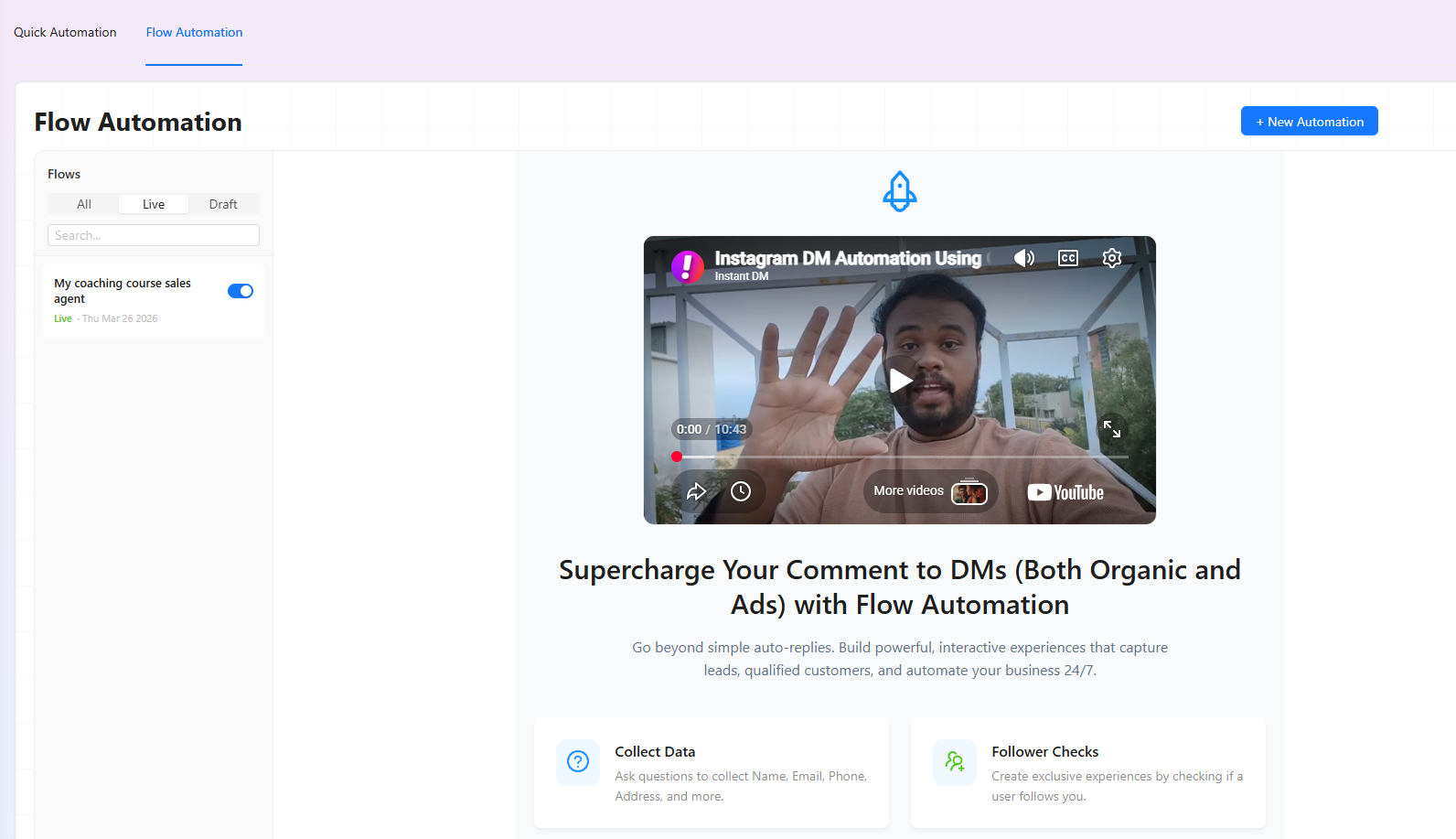
Step 1: Create a New Automation - Log into your InstantDM account, navigate to Flow Automation, and click on New Automation.
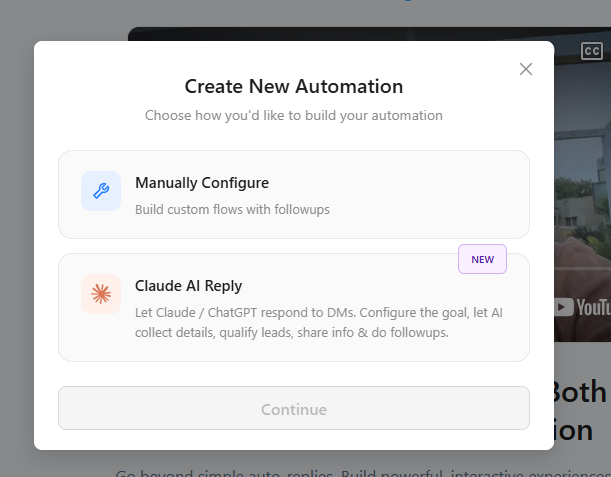
Step 2: Choose Your AI - From the options presented, select Claude AI Reply to create your flow.
Step 3: Configure the Reply - Click on the 'Configure AI reply' module to open the settings.
Step 4: Select Your Model and Format - Choose your desired Claude model. Next, select your output format: choose Rich Text if you want to include interactive buttons and Call-to-Actions (CTAs), or choose Plain Text for regular, text-only messages.
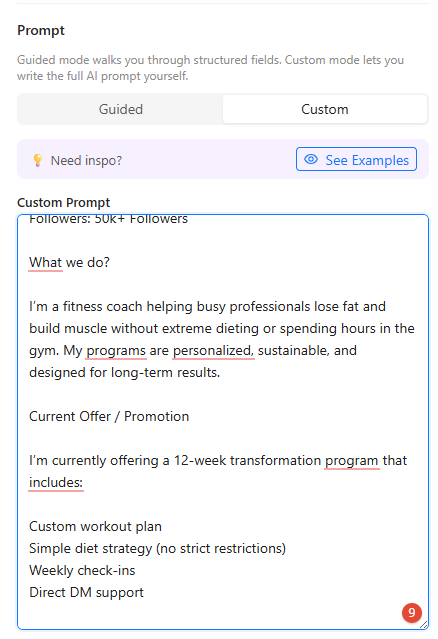
Step 5: Train Your AI - Configure the specific details so Claude knows exactly how to sell for you. You will need to input information about your business, your current offer, your brand's voice and tone, your primary CTA, and your specific qualification flow.
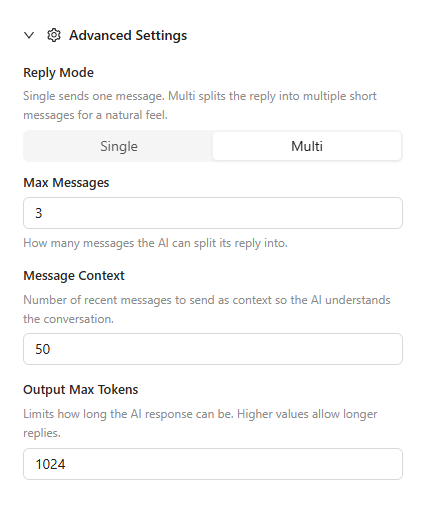
Step 6: Tweak Advanced Settings - In the advanced settings, you can adjust parameters like the Reply Mode, Max Messages, Message Context, and Output Max Tokens to ensure the conversation flows naturally.
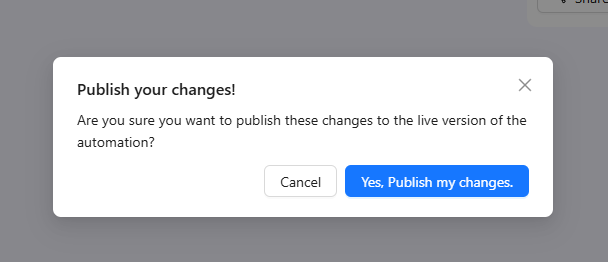
Step 7: Go Live! - Once you are satisfied with your setup, simply click Publish Changes.
The ROI: How Much Does It Cost?
The math on this is a no-brainer for any business looking to scale.
The Software (InstantDM):
- You can start with a Free Account ($0) which covers up to 500 automations per month.
- When you are ready to scale, the Pro plan starts at just $12/month for unlimited automations.
The Brains (Claude API):
- Anthropic charges for API usage, which breaks down to approximately $0.05 per conversation.
- For example, if you use the Sonnet 4.6 model, pricing is $3 per million input tokens and $15 per million output tokens.
- Ultimately, a full lead-qualification conversation will typically cost you just a few cents.
The Final Verdict: A traditional human setter usually costs around $300–$600 per month (plus additional expenses). In contrast, a Claude AI setter generally costs around $10–$20 per month, even if it is handling hundreds of leads. That makes this automated setup roughly 95% cheaper than human labor.
Advanced Tips for Maximum Conversions
To get the most out of your AI setter, keep these pro tips in mind:
Affordable Instagram DM Automation in 2026: What It Actually
Instagram Comment to DM Automation: The Complete Setup Guide
15 Best ManyChat Alternatives for Instagram Automation in 20
- Use the Prompt as Training: Include transcripts of your best human sales conversations directly in the prompt. Claude will learn your unique style and reproduce it with high accuracy.
- Test With Friends First: Before sending live traffic, ask 3–4 people to comment on your post and initiate a DM conversation. Refine your prompt based on how those interactions go.
- Create Response Variations: Inside InstantDM, add different public reply options for comments. This improves engagement and prevents your account from looking like a bot.
- Monitor and Refine: Watch the conversations closely during the first few weeks. Adjust the prompt as you identify common questions or patterns from your audience.
- Scale Unlimited: When your lead volume increases, upgrade to InstantDM Pro ($12/month) to unlock unlimited contacts and advanced integrations.
Watch: Automate Instagram DMs with Claude AI
- Automate Instagram DMs with Claude AI. 🤫🧑💻
- Automate Social Media Posts with Claude + Canva
- Automate instagram messages (DMs) with Axiom.ai
- How to Automate Instagram DMs With AI and n8n #aiautomation