TL;DR
The digital marketing landscape in 2026 demands high-quality, scalable visual content, and AI-generated stock photos are the ultimate solution. This comprehensive guide covers everything from writing hyper-realistic prompts and mastering cinematic lighting to fixing AI glitches and maintaining character consistency across your ad campaigns. We also dive into the technical side, exploring how to optimize these images for SEO, organise them for your team, and relentlessly A/B test them. Finally, we explore how to turn the attention these visuals generate into actual revenue by utilizing tools like InstantDM to automate Instagram engagement, capture leads, and drive e-commerce sales around the clock.
Introduction
Welcome to the new era of visual content in 2026! Finding the perfect stock photo used to mean scrolling endlessly through repetitive, uninspired, and deeply expensive digital galleries, hoping to find an image that vaguely matched your brand's message. Today, the best AI-generated images and stock photos are completely changing the game for digital marketers, SEO professionals, and creators alike. AI stock photos are custom-generated visual assets created by machine learning models based on specific text descriptions, allowing you to instantly conjure exactly what you need. Whether you need a highly specific lifestyle product shot, an imaginative corporate landscape, or a mouth-watering image of homemade biryani for a food blog, AI tools give you the exact visual you want in seconds. In this massive, comprehensive guide, we are going to explore how to source, prompt, and use AI imagery effectively while avoiding the common, frustrating beginner mistakes. Let’s dive deep into what makes AI stock photos so incredibly powerful and exactly how you can use them to stop the social media scroll, build your community, and massively grow your brand's revenue.
1. The Shift from Traditional Stock to AI Generation
The marketing industry has experienced a tectonic shift away from traditional stock photography, and the reasons are entirely driven by logistics, speed, and cost-effectiveness. Let's break down the old way of doing things. If a brand wanted a custom photoshoot for a new campaign, the marketing team had to undergo a grueling process. They had to rent a studio space, hire professional photographers, cast models, coordinate a lighting and wardrobe crew, arrange catering, and then wait weeks for the post-production editing process to finish. A single, high-quality campaign shoot could easily cost between $5,000 and $15,000 and take an entire month to execute from concept to delivery.
Even if a brand opted to bypass the custom photoshoot and rely on premium stock photo libraries, they faced different bottlenecks. Premium stock photos can cost hundreds of dollars per license, and worse, your competitors have access to the exact same libraries. Nothing destroys brand trust faster than a potential customer seeing the exact same "smiling customer service representative" photo on three different company websites.
AI generation completely shatters these barriers. With a simple monthly subscription to an AI tool, a solitary digital marketer can generate thousands of unique, high-resolution, hyper-specific images in an afternoon. The flexibility is unparalleled. If you generate an image of a model holding a coffee cup but decide you want the cup to be red instead of blue, you do not need to reshoot; you simply adjust the prompt and wait ten seconds. This unprecedented speed and cost-effectiveness allow brands to be hyper-reactive to daily trends, producing bespoke visual content at a scale that was physically impossible just a few years ago.
This video evaluates the four leading AI image models for 2026, comparing their performance in realism, consistency, and technical accuracy.
2. Top Platforms for Sourcing Pre-Made AI Stock Photos
While generating images from scratch is powerful, not every marketer has the time or the desire to become a prompt engineering expert. Fortunately, the stock photography industry has adapted brilliantly to the AI revolution. Several top-tier platforms now offer massive libraries of high-quality, pre-generated AI imagery, perfectly curated for marketers who want the benefits of AI without the steep learning curve of prompting.
Adobe Stock
Adobe has fully embraced the AI revolution, integrating its Firefly technology directly into its ecosystem. Adobe Stock now features a dedicated, highly searchable category for AI-generated assets. The massive benefit of using Adobe Stock is their commitment to commercial safety; they heavily vet their AI contributions to ensure they do not infringe on existing copyrights, giving enterprise marketers profound peace of mind.
Freepik
Freepik has evolved from a simple vector and PSD repository into an absolute powerhouse for AI visuals. Their integrated AI image generator allows you to search for existing AI stock photos or tweak them slightly using their built-in tools. They offer an incredible balance of affordability and high quality, making it a go-to platform for freelance marketers and boutique agencies.
Dedicated AI Repositories
Newer platforms specifically designed to host community-generated AI art have also emerged as incredible resources. These platforms allow users to search through millions of images generated by advanced tools like Midjourney and DALL-E 3. The true value here is that these platforms usually display the exact text prompt used to create the image. You can browse for a stunning photo, copy the underlying prompt, and use it as an educational template to generate your own branded variations.
To streamline your visual content creation and scale your brand identity, you can follow this expert guide to the best AI image generators for business and find the right tool to create stunning, tailor-made visuals.
3. Mastering the Prompt: Achieving Hyper-Realistic Results
The structure of your prompt is the key factor that distinguishes an amateur AI image from a professional, hyper-realistic stock photo. Beginner prompts usually look like this: "A woman working on a laptop." This simple instruction gives the AI too much creative freedom, resulting in the dreaded "plasticky" look—smooth, poreless skin, flat lighting, and a generally unnatural, uncanny valley aesthetic.
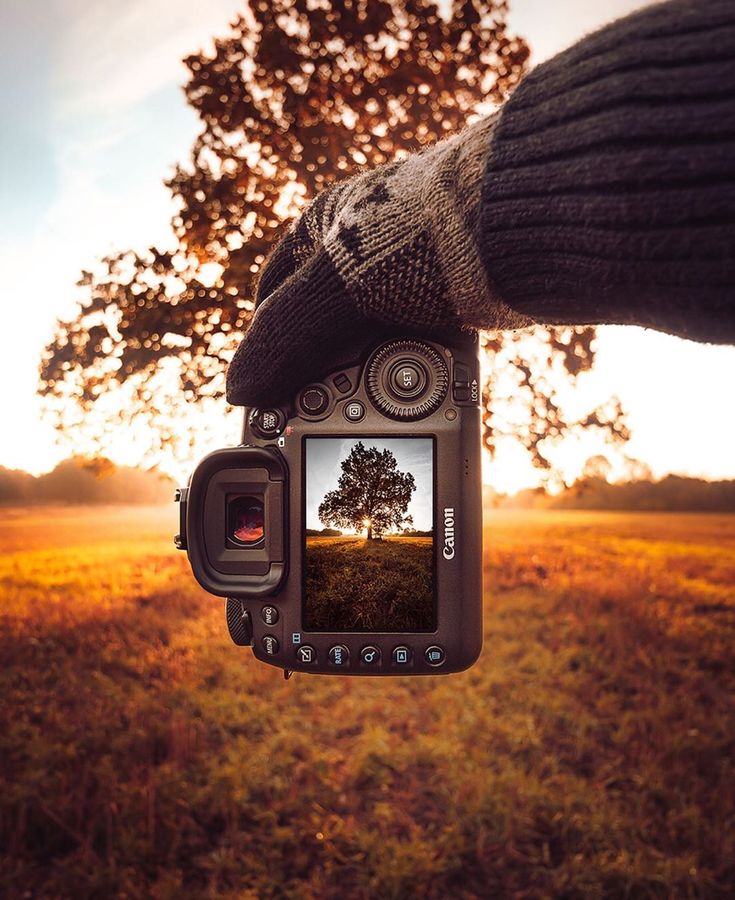
To achieve true photorealism, you must learn to speak the language of photography. You need to explicitly instruct the AI on the exact camera equipment, film stock, and environmental textures you want.
Focus on Sensory Details and Textures
You must guide the AI away from digital smoothness by demanding texture. If you are generating a food and lifestyle shot, do not just ask for "food on a table." You need to be incredibly specific and sensory. For example, use a prompt like: "Macro photography of a steaming plate of authentic homemade biryani, showing individual grains of basmati rice, roasted spices, and vibrant herbs, sitting on a rustic wooden table, highly detailed food photography, shot on 35mm film, subtle film grain." This forces the AI to render the imperfections and rich textures that Make an image feel grounded in reality.
Environmental Context and Camera Specs
Always include specific camera instructions. Use phrases like "shot on Sony A7R IV," "85mm lens," "f/1.8 aperture," and "shallow depth of field." By adding these technical photography terms, the AI accesses its training data related to professional photography rather than digital art, resulting in beautifully blurred backgrounds (bokeh) and lifelike subject focus.
4. Lighting Matters: Creating Cinematic Visuals
Lighting is the single most important element in traditional photography, and the exact same rule applies to AI generation. If you do not specify a lighting condition in your prompt, the AI will default to flat, generic, omnidirectional light that instantly gives away the image's artificial nature. You must dictate the lighting to create a professional, cinematic polish.
The Golden Hour Effect
For lifestyle marketing, outdoor apparel, or travel imagery, "golden hour lighting" is your best friend. This refers to the warm, soft, directional light that occurs shortly after sunrise or just before sunset. Adding "shot during golden hour, warm sun flares, long shadows" to your prompt instantly infuses the image with a highly relatable, nostalgic, and premium aesthetic that consumers naturally gravitate toward.
Studio Lighting Techniques
If you are generating product mockups, corporate headshots, or high-fashion editorial images, you need to use studio terminology.
- Rembrandt Lighting: Creates a dramatic, moody look with a signature triangle of light on the subject's cheek. Perfect for serious, high-impact portraits.
- Volumetric Lighting: Also known as "god rays," this creates visible shafts of light piercing through the environment, ideal for imaginative, cinematic scenes.
- Softbox Lighting: Provides even, flattering, and highly professional illumination, making it the absolute standard for clean product photography and friendly corporate imagery.
5. Vector Portraits vs. Photorealism for Marketing
When planning your visual content strategy, you must decide which artistic style serves your specific marketing goal. AI is equally adept at generating hyper-realistic photographs and clean, scalable vector graphics, but using the wrong style in the wrong context will severely hurt your campaign's effectiveness.
When to Use Vector Graphics
Vector-style imagery is characterized by clean lines, flat colors, and a highly stylized, illustrative look. You should prompt the AI for "flat vector illustration, corporate memphis style, minimalist SVG" when you are designing website landing pages, complex infographics, or mobile app onboarding screens. Vectors are fantastic for explaining abstract concepts (like cloud computing or data analytics) where a realistic photograph would be too distracting or impossible to stage.
When to Use Photorealism
Photorealism is mandatory when you need to build human connection and trust. Lifestyle marketing campaigns, Facebook advertisements, and brand storytelling require realistic human faces and environments. Consumers need to see themselves in the product. A photorealistic image of a diverse group of friends enjoying a coffee shop creates an emotional resonance that a flat vector illustration simply cannot match.
Style Comparison Table
| Visual Style | Best Use Cases | Prompt Keywords to Use | Emotional Impact |
|---|---|---|---|
| Photorealism | Lifestyle ads, Social Media, Hero images | 35mm film, DSLR, hyper-realistic, 8k | Trust, connection, aspiration |
| Vector / Flat Art | Infographics, App UI, Logos, Icons | Minimalist vector, flat colors, clean lines | Clarity, modern, informative |
| Cinematic | Brand storytelling, Video thumbnails | Volumetric lighting, moody, anamorphic | Drama, premium feel, intrigue |
| 3D Render | Product mockups, Tech marketing | Octane render, Unreal Engine 5, claymation | Playful, cutting-edge, tactile |
6. The Power of Negative Prompting
One of the most crucial, yet frequently overlooked, skills in AI image generation is the art of negative prompting. Machine learning models are incredibly powerful, but they are not perfect. Sometimes, the AI hallucinates bizarre artefacts, adds extra limbs, or includes strange, unwanted details that completely ruin the professionalism of the shot.
A negative prompt is a specific text box (or a parameter like --no in certain tools) where you explicitly tell the AI what you absolutely do not want to see in the final image.
Let's say you are generating a professional corporate headshot, but the AI keeps rendering a strange, glowing artefact on the subject's skin. You must explicitly instruct the tool to remove the yellow mark on the forehead within the negative prompt section. By aggressively utilizing negative prompts—listing things like "blurry, deformed, extra fingers, text, watermarks, bad anatomy, overexposed"—you act as a digital art director, diligently filtering out the AI's bad habits and ensuring a pristine, usable final asset.
This video from Kevin Stratvert reviews seven of the top free and paid AI image generators, comparing their core features, pricing, and integration capabilities.
7. Consistency is Key: Keeping Characters Identical
The absolute biggest challenge in utilizing AI for long-term marketing is character consistency. It is very easy to generate one beautiful picture of a model. It is incredibly difficult to generate that exact same model in ten different locations for a cohesive ad campaign. If the actor in your brand's story keeps changing faces, your audience will be confused, and your brand identity will suffer.
To solve this, you must master seed numbers and character reference features. Every AI image is generated using a specific string of numbers called a "seed." By finding the seed number of your favorite generated image and feeding it back into your prompt, you anchor the AI to that specific starting point.
Furthermore, modern tools in 2026 now have dedicated "Character Reference" parameters. You upload your original, perfect generation—for instance, an image of a friendly brand mascot or a specific young woman sitting with her beagle—and you use that image as a strict structural guide. You must heavily weigh this parameter, explicitly focusing on keeping facial features 100 percent identical to the original reference image, regardless of whether you prompt her to be standing in the snow, sitting in an office, or walking through a city. This consistency is what transforms random AI generations into a highly recognizable, professional brand identity.
To move beyond inconsistent results and develop a professional visual identity, you can follow this guide on crafting AI-generated images that perfectly match your brand's style and learn how to use style references for long-term consistency.
8. Navigating Copyright and Commercial Use
As a digital marketer, protecting your brand from legal liability is paramount. The legal landscape regarding AI-generated art has evolved rapidly by 2026, and you must understand the rules of engagement before you use these images in commercial, revenue-generating campaigns.
The 2026 Legal Landscape
The general consensus is that purely AI-generated images cannot be copyrighted by the user because they lack traditional "human authorship." This means that while you can use the image you generated for your website, you cannot legally prevent a competitor from downloading that exact same image and using it on theirs.
Ensuring Commercial Safety
To protect yourself, you must pay close attention to the platform you are using. Tools like Adobe Firefly were trained exclusively on licensed, public domain, and Adobe Stock imagery, and Adobe actually offers corporate indemnification, meaning they will protect your brand legally if a copyright claim arises from their AI outputs. Conversely, using open-source models trained on unvetted internet data carries a slightly higher, albeit shrinking, risk. Always read the specific Terms of Service of your chosen generator. Never explicitly prompt the AI to generate images using the likeness of real, living celebrities or trademarked brand logos (unless they are your own), as this immediately violates commercial use policies and invites serious legal trouble.

9. Fixing the Glitches: Retouching AI Outputs
Even the most advanced AI models in the world still occasionally struggle with highly complex geometric details. Hands may occasionally have an extra knuckle, background text will often look like unreadable alien gibberish, and shadows might fall in physically impossible directions. You cannot post a glitched image and expect your audience to trust your brand; consumers have become highly adept at spotting sloppy AI work.
This is where traditional post-production workflows come back into play. You should view the AI generation not as the final product, but as the raw material. Once you generate an image that is 95% perfect, download it and bring it into standard photo editing software like Photoshop.
Use Photoshop's own integrated Generative Fill tools to lasso the weird, glitched hand and quickly regenerate just that specific area. Use the clone stamp tool to paint over the gibberish text on a background street sign. Spend five minutes adjusting the contrast curves and applying your brand's specific color grading presets. This final human touch—the 5% of manual retouching—is what elevates a standard AI generation into a flawless, premium stock photo that looks entirely authentic.
10. Using AI Images in Your SEO Content Strategy
Generating the perfect image is useless if it actively hurts your website's performance. Search Engine Optimization (SEO) professionals know that heavy, unoptimized images will destroy a page's loading speed, leading to high bounce rates and massive penalties from Google's ranking algorithms. You must integrate your AI visuals into your technical SEO strategy flawlessly.
File Compression and Formats
AI generators often output massive, uncompressed PNG files. Never upload these directly to your blog or landing page. You must run every single AI image through a compression tool and convert it to a modern, lightweight format like WebP. This preserves the hyper-realistic visual quality while reducing the file size by up to 80%, ensuring your web pages load instantly.
Alt-Text and Naming Conventions
Search engine crawlers cannot "see" your beautiful AI image; they can only read the data attached to it. When you download an image, it is usually named something completely useless like Midjourney_generation_883742.jpg. You must rename the file to accurately describe the image using your target keywords before uploading it—for example, ai-generated-lifestyle-marketing-shot.jpg.
Furthermore, you must write highly descriptive Alt-Text. Do not just stuff keywords. Write a natural sentence that describes the image for visually impaired users utilizing screen readers. Proper naming conventions and Alt-Text ensure your AI images actually rank in Google Image Search, creating a powerful secondary traffic source for your website.
11. Creating High-Converting Instagram Campaigns Around AI Art
Once you have generated, refined, and optimized your stunning AI stock photos, it is time to deploy them where attention is the most valuable: Instagram. Because hyper-realistic AI art is so visually striking and unique, it frequently generates a massive spike in user engagement compared to traditional, boring stock photos. It stops the doom-scroll instantly.
However, if your striking AI image goes viral and generates hundreds of comments asking for pricing, links, or more information, managing that flood of engagement manually is utterly impossible. The success of your AI visual actually creates a logistical nightmare if you aren't prepared.
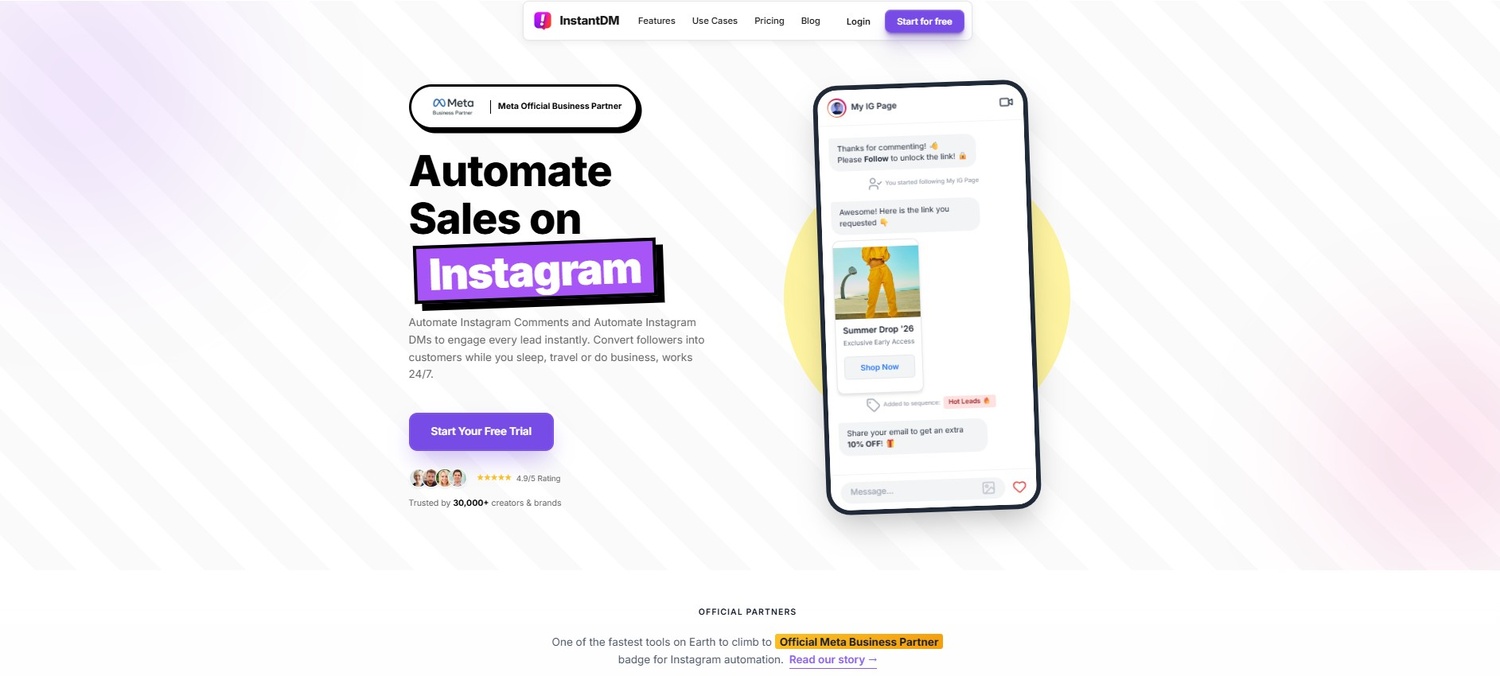
Handling the AI-Driven Traffic Spike with InstantDM This is exactly where you must integrate backend automation tools. InstantDM is a lightweight, highly powerful automation platform perfectly suited to handle the traffic spikes caused by viral AI art. It acts as a comment-to-DM engine that safely and efficiently converts your massive visual engagement into actual, trackable leads.
When you post your AI-generated campaign image, include a clear call-to-action: "Comment the word 'STRATEGY' to get our full PDF guide." When your audience is captivated by the image and comments, InstantDM automatically replies to them and instantly sends a personalized Direct Message straight to their inbox. You get the incredible visual hook of AI generation paired with the flawless, automated lead-capture safety of InstantDM, ensuring none of the attention your AI art generated goes to waste.
12. Building an Organized AI Asset Library for Your Team
As your proficiency with AI grows, your marketing team will rapidly generate thousands of images. Creating them is the easy part; finding that one specific image you generated three months ago for a massive upcoming campaign is the hard part. If you do not implement strict organizational systems from day one, your digital workspace will descend into total chaos.
You must build a highly organized AI asset library on a shared cloud drive (like Google Drive or Dropbox) so your entire team can easily access the right stock photo without wasting time regenerating it.
Folder Structures and Tagging
Do not just dump every image into a single "AI Photos" folder. Create a strict hierarchy based on campaigns, visual styles, or use cases (e.g., Marketing > Q3 Campaigns > Photorealistic > Lifestyle).
More importantly, you must implement a metadata tagging system. Whenever an image is uploaded to the shared drive, it should be accompanied by a small text file or a metadata tag that includes the exact text prompt used to generate it, the seed number, and the tool used (e.g., Midjourney v6). This allows any member of your marketing team to not only find the image but also understand the exact algorithmic recipe required to generate more images in that exact same style if the campaign needs to be expanded.
To find a tool that produces consistent, ready-to-publish visuals without the need for complex prompt engineering, you can check out this comparison of the best AI blog image generators and choose the one that fits your workflow.
13. A/B Testing AI Visuals to Drive Automated Sales
The true test of any marketing asset is its performance in a live, paid advertising environment. You should never assume that your new AI-generated visuals are inherently better than your traditional stock photos. You must prove it with hard data by relentlessly A/B testing your visuals in platforms like Facebook Ads or Instagram.
Set up an ad campaign with two identical ad sets. The target audience, ad copy, and budget must remain exactly the same. Ad Set A uses your traditional, expensive stock photo. Ad Set B uses your newly generated, hyper-realistic AI image. Let the ads run for a week and heavily track which visual style drives a lower Cost-Per-Click (CPC).
Closing the Loop with Automation Once you identify which AI visual style is winning, you can maximise the ROI of every single click by closing the loop with automation. If your winning AI-generated ad directs users to your DMs to claim a special offer, InstantDM offers deep Shopify product sales integration. When a user interacts with your AI ad, InstantDM can instantly share your Shopify products and services directly via those direct messages. It operates quietly in the background, seamlessly turning the visual interest generated specifically by your AI stock photos into measurable e-commerce sales while you sleep.
14. The Future of AI Imagery in Digital Marketing
As we navigate through 2026, the capabilities of AI are expanding at a breathtaking pace, and digital marketers must stay aggressively ahead of the curve to maintain their competitive edge. The era of static AI imagery is rapidly giving way to the era of hyper-realistic AI video generation.
Tools are now capable of taking the static, highly consistent character reference images you generated in step seven and animating them into full-motion, cinematic video clips with natively generated audio. We are moving toward a future where entire commercial video shoots—complete with dynamic camera pans, emotional facial expressions, and complex environmental physics—can be generated entirely from a text prompt.
Marketers who master the fundamentals of static AI image generation today—understanding prompting, lighting, negative parameters, and consistency—will be the ones uniquely positioned to dominate the AI video revolution tomorrow. The underlying language of how we speak to these machines remains the same; only the output format is evolving.
Conclusion
AI-generated stock photos are absolutely no longer just a trendy, experimental gimmick; they have become a mandatory, foundational tool for any serious digital marketer or agency operating today. By taking the time to truly master your prompts, dictating specific lighting conditions, ensuring rigid character consistency, and selecting the exact right artistic styles for your specific goals, your brand's visuals will easily command attention and stand out in any crowded, noisy social feed.
But creating the perfect, hyper-realistic image is only half the battle. You have to turn that massive visual attention into real, tangible business results. By organizing your new assets efficiently, relentlessly A/B testing them in your live paid campaigns, and pairing them with incredibly smart automation tools like InstantDM to safely handle your audience engagement and lead capture, you create a seamless, unstoppable marketing funnel that works for you around the clock. The barrier to entry for world-class visual content has never been lower, but the ceiling for creativity has never been higher. Start aggressively experimenting with these visual strategies and automation workflows today, and watch your brand engagement, community growth, and overall conversions reach a level of professional polish you previously thought impossible!
Mastering Instagram Insights 2026: The Ultimate AI Strategy
Instagram Just Added AI Reply Suggestions in DMs - Here's Wh
Affordable Instagram DM Automation in 2026: What It Actually
Watch: Best AI Images for Instagram Brands
- Ranking The Best AI Image Generation Tools
- This AI Website Is INSANE 🤯 Create Aesthetic Photos Without
- Best AI Image Generator (updated 2025 Guide)
- Super realistic AI images for free!