A professional using AI prompts and biometric security to automate digital marketing workflows, illustrating the integration of artificial intelligence in modern business systems.
Instagram DM Automation

How to Use AI Prompts to Automate Your Instagram Content Strategy

Sakthivel • April 15, 2026 • 10 min read

TL;DR

Are you struggling to maintain the daily routine of creating Instagram posts? You're not the only one. This guide shows you how to use very specific AI prompts to come up with 30 days' worth of content, write captivating captions in your brand voice, script Reels that go viral, and plan out your Stories. But making content is only part of the fight. We also discuss using tools like InstantDM to automate your DMs and manage the influx of engagement. This way, you can turn those hard-earned views into real leads, email subscribers, and sales without having to spend all your time on your phone.

Introduction

There is a very specific kind of anxiety that hits when it’s 4 PM on a Thursday, you haven’t posted on Instagram in three days, and you are staring at a completely blank screen.

We have all been there. You know you need to show up consistently to grow your audience, but the sheer amount of mental energy required to brainstorm, script, write, and publish every single day is exhausting. It feels like a second full-time job.

But what if you could compress a month’s worth of content planning into a single afternoon?

By using the right AI prompts, you can completely automate the heavy lifting of your Instagram content strategy. Notice I said the heavy lifting—we aren’t turning your account over to a mindless bot. We are using AI as an incredibly quick, highly capable brainstorming partner.

Here is exactly how to build an AI-powered content machine, step by step, from the first brainstorm to handling the flood of DMs when your post inevitably goes viral.

1. The Burnout Trap: Why Manual Content Planning is Costing You Followers

Let's take a minute to be honest about how Instagram is doing right now. The platform needs a lot of space. To stay relevant, you need to post Reels, update your Stories every day, drop high-value carousels, and talk to your community in the comments and DMs.

Doing all of this manually is a straight road to creator burnout. When you are burnt out, your content quality drops. You start posting just for the sake of posting. You use generic quotes, blurry photos, or half-baked thoughts that don’t resonate with your audience. As a result, your engagement tanks, the algorithm stops pushing your posts, and you lose followers.

Planning content by hand is a huge roadblock. You could be spending those hours worrying about a single caption doing things like connecting with your target audience, building relationships, or even working on your business. Using a prompt-based AI workflow doesn't make you lazy; it makes you work faster. It gives you more time for the human parts of social media that AI can never replace, like building a community and making real connections.

Scaling a digital marketing agency requires finding innovative ways to produce high-quality deliverables without constantly burning out your team. One of the biggest bottlenecks for growing accounts is often the daily video content creation and scripting process. You can drastically speed up this workflow by learning how to use AI to write viral reel scripts using highly targeted custom instructions. Implementing this system ensures your ongoing social media campaigns remain engaging and scale effortlessly.

A close-up of a person's hands typing on a laptop with a translucent purple 'Chat AI' interface overlaid, featuring speech bubbles and an AI brain icon.

2. What Makes a "Good" Prompt? (Hint: It’s All About the Context)

If you have ever asked ChatGPT to 'write an Instagram post about fitness' and received a painfully cringey, emoji-stuffed paragraph that starts with 'Hey, fitness family!', Ready to crush those goals?! You already know that bad prompts equal bad content.

AI models are incredibly smart, but they lack context unless you provide it. A highly targeted prompt that yields usable, professional results relies on a simple framework: role, context, task, and format.

Instead of a lazy, one-sentence command, you need to build a brief.

  • Role: Who is the AI acting as? (e.g., A top-tier social media strategist).
  • Context: Who are you talking to? (e.g., Busy moms who want to meal prep).
  • Task: What exactly do you need? (e.g., five controversial opinions about meal preparation).
  • Format: How should it look? (e.g., A bulleted list with no hashtags and a conversational tone).

When you start treating AI like a talented intern who just needs clear instructions, the quality of your output will skyrocket overnight.

If you are ready to upgrade from basic ChatGPT prompts to a fully automated system, consider building a multi-agent architecture that mimics an entire marketing team. You can learn exactly how to set this up by reading this comprehensive guide on building an AI-powered Instagram content generator. By assigning specialized roles to different AI bots, you can cut your content creation workflow down from hours to mere minutes.

3. The 10-Minute Content Calendar: Prompts to Map Out Your Month

Staring at a blank calendar is intimidating. Instead of trying to come up with posts day by day, you can use AI to map out your entire month in about ten minutes. The secret is to establish your "content pillars"—the 3 to 5 core topics your brand talks about—and ask the AI to generate ideas within those buckets.

Try this exact prompt:

"Act as an expert Instagram content strategist. My niche is [Insert Niche, e.g., personal finance for freelancers], and my target audience is [Insert Audience, e.g., creative freelancers struggling with taxes and saving]. My core content pillars are: 1. Tax tips, 2. Mindset shifts around money, 3. Software tool recommendations, and 4. Client negotiation tactics. Create a 30-day Instagram content calendar for me. For each day, provide the content format (Reel, Carousel, or Single Image), the core hook/title, and a one-sentence summary of the value the post provides. Distribute the topics evenly across the month."

In seconds, you will have a comprehensive roadmap. You don't have to use every single idea, but you now have a massive menu of targeted concepts to choose from whenever you sit down to create.

A high-tech workspace showing two people interacting with

4. Training AI to Mimic Your Exact Brand Voice and Tone

One of the biggest complaints about AI-generated content is that it sounds robotic, overly enthusiastic, or just not like you. The solution is to train the AI on your specific brand voice before you ever ask it to write a caption.

You can do this using a technique called "few-shot prompting," which just means giving the AI examples of what good looks like.

Try this exact prompt:

"I want you to learn my specific writing style and brand voice. Below, I am going to paste three of my best-performing Instagram captions. Analyze them closely. Pay attention to the sentence length, the formatting, the lack of emojis (or use of specific ones), the humor, and the overall tone. Once you have analyzed them, give me a detailed breakdown of my brand voice. Then, wait for my next prompt where I will ask you to write a new caption using this exact voice."

[Paste Caption 1]

[Paste Caption 2]

[Paste Caption 3]

Once the AI internalizes your style and slang, you can ask it to generate new content, and it will sound eerily like you wrote it yourself.

Over-the-shoulder view of a person sitting on a bed with a blue mug, watching a video on a laptop that shows a man in a hat smiling and recording a selfie-style vlog outdoors.

5. Crafting Video Hooks That Actually Keep People Watching

On Instagram Reels, you have about three seconds to capture someone's attention before they swipe to the next video. If your hook is weak, the rest of your video doesn't matter because nobody will stick around to see it.

You can use AI to brainstorm both visual hooks (what is happening on screen) and verbal hooks (what you are saying or what the text on screen reads).

Try this exact prompt:

"I am creating an Instagram Reel about [Insert Topic, e.g., why traditional to-do lists ruin productivity]. I need 5 highly engaging, scroll-stopping hooks. For each hook, provide the 'Verbal Hook' (the exact words spoken or written on screen) and the 'Visual Hook' (what the viewer sees happening on screen in the first 3 seconds to disrupt their scroll). Use frameworks like the 'negative hook,' the 'curiosity gap,' and the 'myth-buster' approach."

This forces the AI to think about the video as a holistic piece of content, giving you actionable directions for when you set up your camera.

6. How to Turn One Long-Form Asset into a Dozen Instagram Post

If you are already writing a blog, recording a podcast, or filming YouTube videos, you are sitting on a goldmine of Instagram content. The smartest creators don't create net-new ideas for Instagram; they chop up their long-form assets into bite-sized pieces. AI is exceptional at this.

Try this exact prompt:

"Below is a transcript of my recent [podcast episode/YouTube video/blog post]. I want to repurpose this into 5 distinct Instagram posts. Please extract the best insights and generate the following: 1. A script for a 30-second Reel highlights a controversial point. 2. A five-slide educational carousel outlining a step-by-step process was mentioned. 3. A short, punchy single-image quote graphic. 4. A storytelling caption about the main lesson learned. 5. A 3-part Instagram Story sequence asking the audience a poll question related to the topic. Here is the transcript: [Paste Transcript]."

This workflow ensures your messaging stays consistent across platforms while drastically reducing your content creation time.

The landscape of digital marketing is rapidly evolving, and keeping up with multiple platforms is a daily challenge. Fortunately, artificial intelligence is transforming how creators and agencies handle their publishing schedules. By learning how to automate your social media content with AI, you can drastically cut down on tedious manual tasks. This allows your team to focus on high-level strategy while maintaining a consistent and engaging online presence.

A close-up, cinematic shot of a person's hands holding a glowing smartphone in a dimly lit room with warm bokeh background lights. The phone screen displays a vibrant blue interface with a brain-like icon, suggesting the use of an AI writing or creativity app

7. Writing Captions That Drive Saves, Shares, and Comments

People like a good Instagram post. A great Instagram post gets saved, shared, and commented on. These are the metrics that matter to the algorithm because they show that your content is worth sharing or coming back to later.

To encourage these actions, prompt your AI to craft captions designed for engagement rather than mere passive reading.

Try this exact prompt:

"Put it on Instagram with a caption. Use the voice of the brand that we talked about before. The main point of this caption is to get people to SAVE the post so they can read it later. To do this, make the caption a short "mini-guide" or checklist that people can use. At the end, make sure to include a clear Call-to-Action (CTA) that tells them exactly why they should click the "Save" button. For readability, keep paragraphs to one or two sentences."

If you tell the AI exactly what you want to do (like saving, sharing, or commenting), it will change the copywriting framework to get that user to do what you want.

8. Storyboarding Your Instagram Stories with Simple Text Prompts

Instagram Stories are where your audience actually connects with you. It’s where you build trust and eventually sell your products or services. But just hopping on camera and rambling rarely converts. The highest-converting Stories follow a specific narrative arc.

You can use AI to storyboard a cohesive, 5-part story sequence that guides the viewer from curiosity to action.

Try this exact prompt:

"I want to use Instagram Stories to promote my [Insert Product/Service/Freebie] today." Make a storyboard with five slides for me. Slide 1: A poll question or hook that people can relate to to get them interested. Slide 2: Making the problem my audience is facing worse. Slide 3: The "Aha" moment or change in thinking. Slide 4: Presenting my product or service as the answer. Slide 5: A clear link to a Call-to-Action. "Tell me what text to put on each slide and what kind of background to use."

Now, instead of guessing what to post on Stories, you have a high-converting script ready to execute.

A digital mockup showing three Instagram carousel slides displayed on smartphone screens against a soft blue bokeh background. The slides feature professional office settings, business-oriented captions, and engagement icons.

9. The Secret to Structuring High-Converting Carousel Posts

Carousels are currently one of the best formats for reach and engagement on Instagram. Users swipe through multiple slides, which increases the "time on screen" metric, signaling to Instagram that your content is highly engaging.

But a carousel needs a flow. It needs an intro, meat, and a conclusion.

Try this exact prompt:

"Create a 7-slide Instagram Carousel about [Topic]. Use the AIDA framework (Attention, Interest, Desire, Action). Slide 1 must be a punchy title that creates a curiosity gap. Slides 2-5 should break down the topic into simple, actionable steps. Slide 6 should summarize the main takeaway. Slide 7 must be a strong Call-to-Action asking a specific question to drive comments. Provide the headline and subtext for each individual slide."

This prompt ensures your educational content is easily digestible and optimized for the swipe.

A cinematic, wide-angle shot of a busy city street with people walking toward the camera, overlaid with the text 'KEEPING IT REAL' in a textured, white font, representing the 2026 trend toward authentic content.

10. Blending Automation with Authenticity: Keeping It Real

Let's confront the obvious issue: if you solely depend on AI to generate and publish your content without any editing, your audience will be able to discern it. People crave human connection, not perfectly sterile, robotic text.

The goal is not to let AI do your job for you; the goal is to use AI to bypass the "blank page syndrome". Adopt the 80/20 rule: Let AI do 80% of the work—the structuring, the outlining, the brainstorming, and the first draft. Then, you step in for the final 20%.

Inject your personality. Add a personal anecdote that happened to you that morning. Change the phrasing to match how you actually speak. Delete the words that feel too formal. This "AI sandwich" method (Human idea -> AI draft -> Human edit) guarantees your content remains highly authentic while saving you hours of time.

Finding the right platform for your digital strategy often requires looking past the big names to find features that actually fit your workflow. When evaluating different options, this comprehensive breakdown of highlights the most cost-effective alternatives on the market. Making an informed switch can save your team countless hours of manual work every week.

11. So Your Post Went Viral—Now What?

Imagine you’ve used these AI prompts perfectly. You mapped out your month, scripted an incredible Reel, edited it, and hit publish. Two hours later, the algorithm picks it up.

Your phone starts vibrating off the desk. Your notifications are a blur. You asked people to "Comment the word LINK to get my free guide", and suddenly, you have 600 comments rolling in.

Panic sets in. You are manually replying to every single comment, copying and pasting the same URL into the DMs of hundreds of strangers. Instagram flags your account for spam because you are sending links too quickly. You get temporarily blocked from commenting. The viral moment you worked so hard for has suddenly become an absolute nightmare, and you are losing out on hundreds of warm leads.

This is the exact moment where your content strategy needs to meet an automated engagement strategy.

12. Putting Your Engagement on Autopilot

If your content creation is systematised, your lead generation should be too. You cannot scale a business if you are manually replying to every single Instagram comment. This is where you need a smart tool to bridge the gap.

Instead of treating your Instagram like a manual switchboard, you can use a platform like InstantDM to put your DMs on autopilot. As an official Meta Business Partner, it is built specifically to handle viral comment spikes safely without getting your account shadowbanned.

When you use InstantDM, you can leverage features that completely change how you monetise your audience:

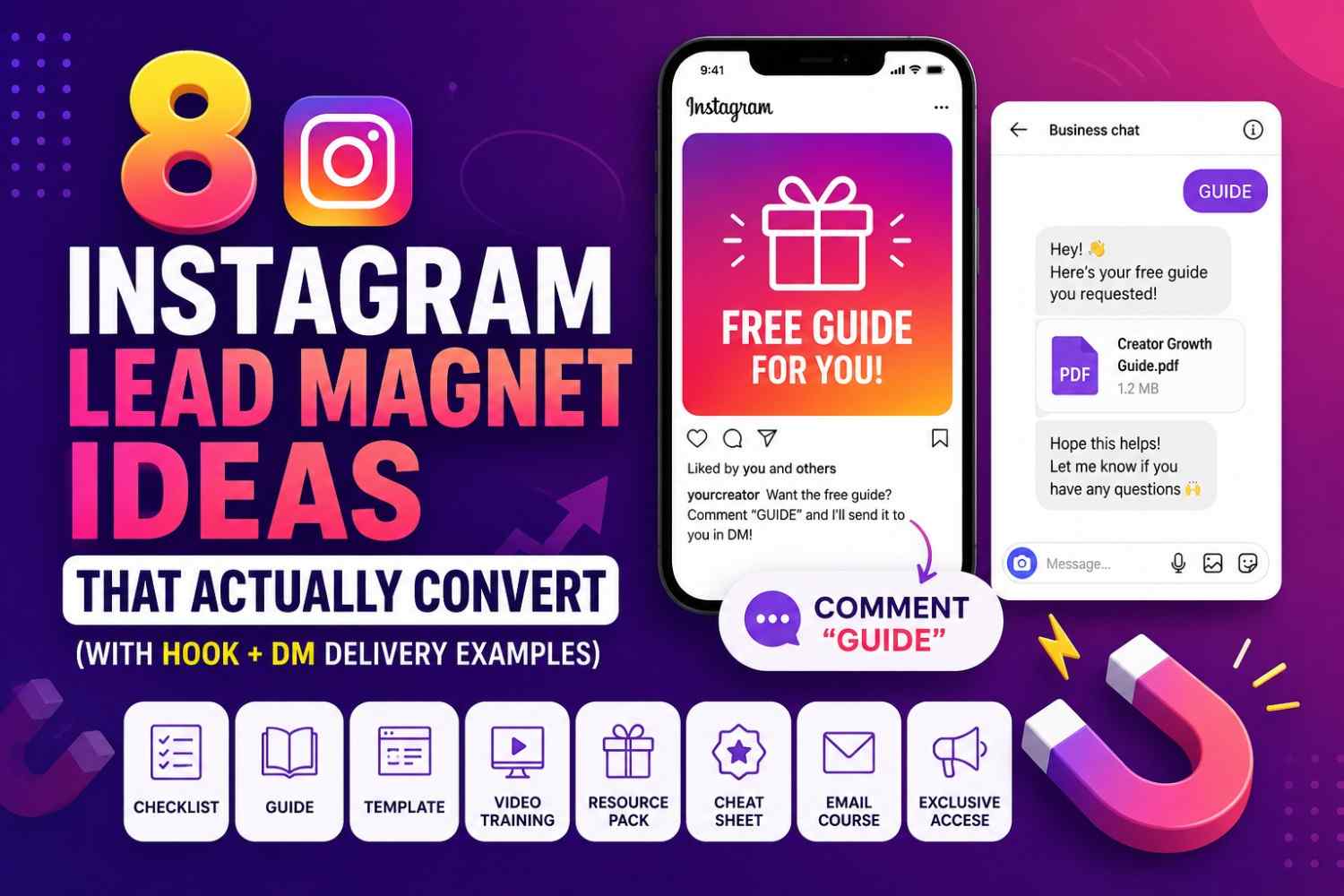
  • Comment to AutoDM: This is the bread and butter of modern Instagram growth. You tell your audience, "Comment 'GUIDE' to get the link." The second they comment, InstantDM automatically replies to their comment and slides the exact product link straight into their direct messages. Instant delivery, zero friction.
  • Follow for the link: Want to aggressively grow your follower count while giving away value? You can set InstantDM to check if the user actually follows you. If they don't, the bot gently asks them to follow your page first. The moment they click follow, the link is automatically delivered.
  • Schedule with Auto Link DM: InstantDM is the first on the market to let you schedule your Instagram post and your DM automation at the exact same time. You literally upload your post, set your trigger keyword, schedule the time, and walk away.

By automating this process, you stop losing leads to slow response times. Whether you have 30 followers or 3 million, capturing the intent of your audience instantly is the difference between a vanity viral video and a highly profitable one.

13. Turning Your New Instagram Traffic into an Email List

You rent Instagram's land. If your account gets hacked or suspended or the algorithm suddenly changes (which it does, constantly), you could lose your entire business overnight. Your Instagram strategy should aim to move followers to your email list, not just gain them.

When you combine high-quality AI content with DM automation, this becomes incredibly easy. Instead of just sending people to an external landing page where they might bounce off, you can collect emails using the InstantDM Flow Editor or Instagram Agent without leaving the Instagram chat.

A user says they want your free checklist. Your automated flow replies, "Awesome! What's the best email to send this to?" They type their email right there in the chat, and the system captures it, syncs it automatically to your CRM or Google Sheets, and delivers the asset. You've just turned social media traffic into an owned asset with zero manual data entry.

It can be hard to come up with new ideas for your blog or client campaigns when you're stuck. When you have writer's block, using smart tools can help you get your brainstorming sessions back on track right away. By using targeted AI writing prompts to kickstart your marketing content, you can effortlessly generate high-quality drafts and outlines. This approach not only speeds up your overall production but also ensures your SEO strategy stays consistent and effective.

14. Using AI to Read Your Analytics and Tell You What to Post Next

Automation requires ongoing monitoring and adjustment. To keep growing, you need to know what is actually working. Most creators feel overwhelmed by the graphs in their Instagram Insights, leading them to close the app.

You can use AI to be your personal data analyst. At the end of every month, look at your top-performing posts. Write down the reach, saves, shares, and the format (Reel vs. Carousel).

Try this exact prompt:

"Act as a data-driven social media manager. Here is the data from my top 5 Instagram posts this month: [List the post topics, formats, and top metric, e.g., 'Reel about budgeting apps - 500 shares']. Based on this data, what patterns do you see? What content formats and specific topics does my audience resonate with the most? Give me 5 new post ideas that double down on what is already working."

This takes the emotion and guesswork out of your strategy. You stop posting what you think people want, and you use AI to objectively tell you what the data proves they want.

A screenshot of the InstantDM website header featuring the headline 'Automate Sales on Instagram.' Beside the text is a smartphone mockup showing a DM automation sequence with a product link and an email capture prompt.

15. Building a Content Routine You Can Actually Stick To

The final piece of the puzzle is tying all of this together into a realistic weekly routine. Merging AI brainstorming with smart DM tools creates a sustainable, 24/7 Instagram machine, but you still need a workflow.

Here is what an optimised routine looks like:

  • Monday (Strategy & Brainstorming): Spend 30 minutes using AI to map out your weekly calendar, draft your Reel hooks, and outline your carousels.
  • Tuesday (Batch Creation): Spend two hours filming your Reels, designing your graphics, and applying the "AI sandwich" method to edit your captions.
  • Wednesday (Scheduling & Automation): Load everything into your scheduling tool. Set up your InstantDM triggers (e.g., "Comment SEO for the link").
  • Thursday - Sunday (Community Engagement): Your content is posting itself. Your DMs are automatically capturing leads and sending links. Your only job now is to jump into Stories authentically, reply to complex DMs that require a human touch, and engage with other creators in your niche.

By leveraging AI and automation tools, you transition from being an exhausted content creator to a highly leveraged business owner. Stop letting your Instagram run your life, and start building a system that runs itself.

Sakthivel

Sakthivel

Social Media Expert excelling in Online Selling and Ecommerce.

Frequently Asked Questions

1. Will using AI to write my captions make my content sound robotic?

Your prompts will only sound robotic if they are lazy. If you just tell it to "write a caption," it will give you a generic, emoji-filled result. But if you use few-shot prompting to teach the AI your brand voice, give it strict formatting rules, and always edit the last 20% of the draft by hand, your audience will never know you used AI.

2. Does Instagram penalize AI-generated content?

Instagram wants people to stay on the site for as long as possible. They punish spam content that is low quality, no matter who or what wrote it. The algorithm will reward your AI-assisted content if it has real value, strong hooks, and keeps people interested. The most important thing is to use AI to improve your ideas, not to take away from the value you bring.

3. Is using DM automation safe for my Instagram account?

Yes, as long as you have the right tools. Using shady, third-party bot scripts that ask for your Instagram password could get you banned. But if you use an official Meta Business Partner tool like InstantDM, you are completely safe. They use the official Instagram API and follow all of Meta's rules. They even have "Safety Queue" features that space out messages during viral spikes to stop action blocks.

4. How much time does this AI and automation workflow actually save?

Creators who move from daily manual posting to a batched, AI-assisted workflow typically save between 10 to 15 hours a week. Instead of spending 45 minutes agonising over a single Reel script and caption every day, you can batch a whole week’s worth of content in just two or three hours. Additionally, automating your DMs saves countless hours of repetitive manual typing.

5. Can I use these prompts on the free version of AI tools like ChatGPT or Claude?

For sure. Paid versions like ChatGPT Plus (GPT-4) or Claude 3 Opus may have slightly better reasoning and tone-matching, but the free models in this guide are more than capable of following the prompts. The price tier of the AI tool won't matter as much as the detail and context you give in your prompt when it comes to the quality of the output.

Ready to automate your Instagram DMs?

Join thousands of creators and brands using InstantDM to grow their audience.