TL;DR
Getting locked out of your Instagram account is a total nightmare, but it is rarely permanent. Most lockouts happen because Meta's security AI flagged suspicious activity—like logging in from a VPN, aggressive follow/unfollow spam, or connecting unauthorized third-party apps. You can usually reclaim your digital real estate fast by forcing a password reset, executing the hidden "Video Selfie" backdoor, or submitting a formal deactivation appeal. To completely prevent future lockouts while still aggressively scaling your growth, you must ditch shady gray-market scraper bots and migrate your workflows to Official Meta Partners like InstantDM.
Introduction
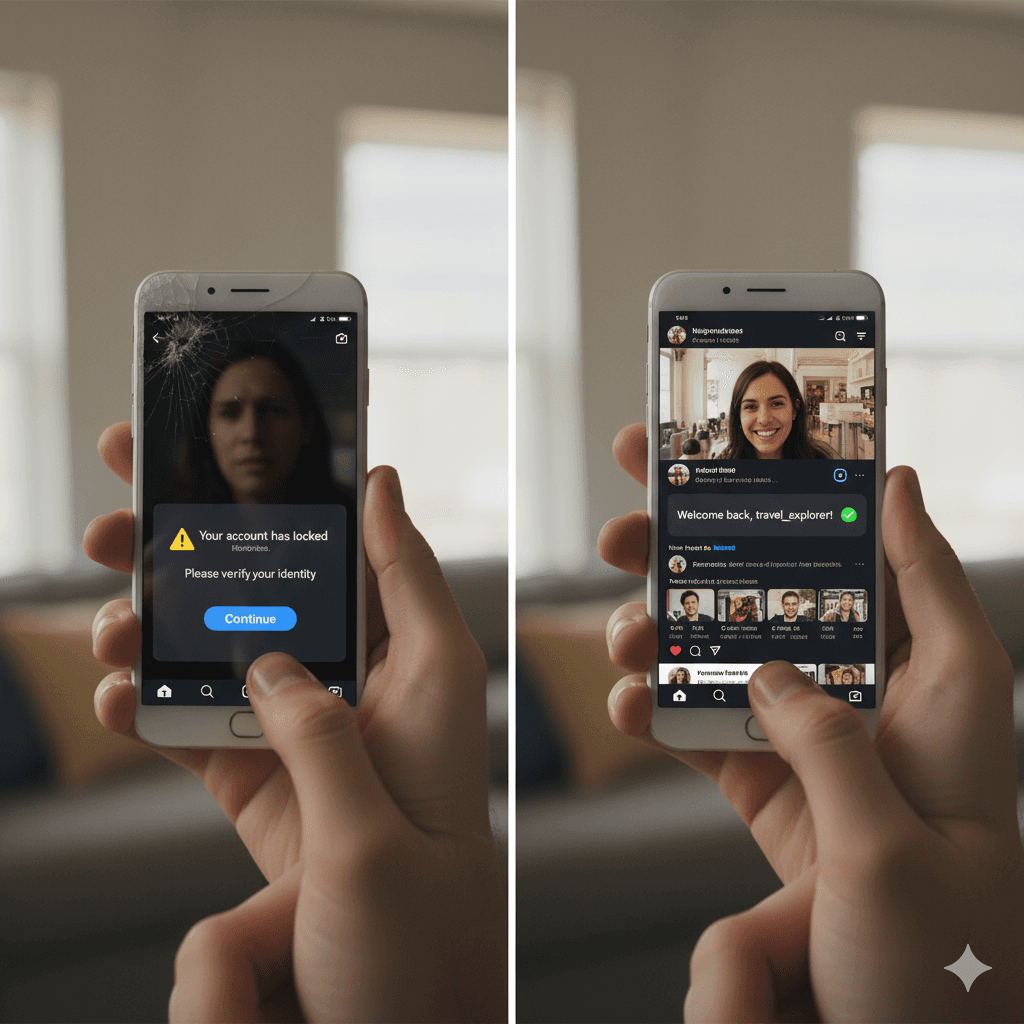
Have you ever had that mini heart attack when you wake up and see that your Instagram account is totally locked? It's the worst mix of panicky confusion and pure frustration! These days, Instagram is so much more than just a scrolling app it's where we connect with our people, build our businesses, make some cash, or just keep a scrapbook of our lives. Losing access to it can really throw you off. So, when that little “Your account has been locked” message appears, it feels like your entire social media world is on pause.
But before you freak out completely, take a breath. Getting your Instagram account unlocked is usually possible, and in this guide, I’ll walk you through everything you need to know from why accounts get locked, to step-by-step fixes, to tools that can actually help you avoid future problems.
Why Instagram Locks Accounts
Before we dive into how to fix it, let's look at why this is even happening. Instagram isn't just locking people out for fun; it's almost always because their system noticed something weird or suspicious going on.
Logging in from multiple locations or devices too quickly
Entering the wrong password too many times
Using third-party apps that don’t comply with Instagram’s policies
If you go crazy with the likes, comments, or follow buttons all at once, Instagram is going to think you're a robot. Seriously, that super-fast clicking looks exactly like a bot to their system!
Having your account reported by other users
Security concerns like hacked accounts or stolen logins
Here’s the annoying part: sometimes, you were doing absolutely nothing wrong, but Instagram's automated system just throws a false alarm and flags your account by mistake. That's exactly why you need to know the exact steps to take when that lockout message pops up!
How to Unlock Your Instagram Account
Luckily, Instagram does give you ways to unlock your account and get back in. Here are the steps you can try:
- When Instagram throws up that locked screen, they usually give you an option right there: "Verify Your Identity." That's your first stop!This might include:
Getting a verification code sent to your phone or email
Uploading a photo of yourself holding a code they send you
Filling out a form to confirm you’re the owner
Once you complete this, Instagram will review it, and if everything checks out, your account should be restored.
- Reset Your Password Sometimes that account lockout is actually Instagram stepping in to protect you from someone trying to get into your account!
When that happens, the fix is usually quick: just reset your password. But don't just put in the old one! Make sure you pick a really strong, brand-new password that you haven't used anywhere else. That usually clears the security alert and gets you right back in.
- Appeal the Decision You need to go straight to the Instagram Help Center and find the form titled something like, "My Instagram account was deactivated." Fill it out completely, be totally honest, and submit any identity verification they ask for. real humans at Instagram actually look at these appeals, so it's absolutely worth taking the time to fill out that form, even if you have to wait a few days for them to finally get back to you!
- Check Linked Email for Updates Often, Instagram sends updates to the email linked with your account when they take security action. Make sure to check your email folders (and even the spam folder). Following the link in their email usually gives you direct steps to get back into your account.
- Be Patient As annoying as this sounds, sometimes unlocking your account can take several days. While waiting, don’t keep trying hundreds of different passwords or third-party tricks that can make things worse.
The Ultimate Nightmare: What If the Hacker Changed Your Email and Phone Number?
Let's address the absolute worst-case scenario. What happens if you aren't just hit with a temporary security lock, but actively hacked? The attacker didn't just change your password. They completely wiped your original email and phone number from the backend settings.
Pure panic sets in. You click "forgot password" and the recovery link goes straight to a random Russian or crypto-scam email address you've never seen before.
Here is exactly how you bypass the hacker and force Instagram to hand your profile back.
The "Need More Help" Backdoor
On your mobile login screen, stop guessing passwords. You will permanently rate-limit your IP address. Tap "Get help logging in" (on Android) or "Forgot password?" (on iPhone). Type in your original username. Instead of hitting next, tap the tiny text that says "Need more help?"
This routes you away from the standard login loop and into a hidden recovery flow. Choose the option stating your account was hacked. Instagram will immediately ask you to provide a brand new, secure email address that only you control. They will send a six-digit verification code there.
Beating the Hacker with a Video Selfie
Once you submit that secure email, Meta is going to demand undeniable, hard proof that you actually own the account. This usually triggers the infamous Video Selfie verification.
The app will open your front-facing camera. You'll have to slowly turn your head left, right, up, and down. Meta’s AI engine actively compares your facial structure in this video to the existing photos currently sitting on your Instagram grid.
If you run a faceless meme page or a corporate brand account with zero pictures of yourself, this step gets incredibly messy. (Which is exactly why growth marketers strongly advise keeping at least one archived photo of the founder's face on every business profile). If the AI matches your facial geometry, you usually receive a master reset link within 24 to 48 hours.
The Whiteboard "Mugshot"
Sometimes the AI fails, and Meta routes you to human support. They will send an email demanding a digital mugshot. You have to write a specific confirmation code, your full legal name, and your username on a blank piece of paper. You then take a clear, well-lit photo of yourself holding the paper directly next to your face.
Do not try to digitally edit the text onto an old selfie. Do not wear sunglasses. Real human moderators review these photos. If it looks photoshopped or altered in any way, they instantly deny the appeal and close your ticket.
The Waiting Game Trap
Instagram support is notoriously silent. You submit your mugshot photo, and then... crickets. You wait three agonizing days. Nothing happens. So, you submit it again.
Stop doing that.
Spamming the recovery forms actively pushes your ticket to the absolute back of the queue. Every single time you submit a new appeal, the system assumes it's a fresh, low-priority ticket. Submit your video selfie or your ID photo exactly once. Typical turnaround times in 2026 range from three to seven business days. If you haven't heard back after a full week, then you can safely submit a secondary appeal without resetting your place in line.
Disabled vs. Temporarily Locked: Know the Difference
You need to know exactly which penalty you are fighting, because the recovery methods are entirely different.
A temporary lock means Instagram's automated system detected weird login behavior—like you using a VPN to log in from Chicago, London, and Tokyo all in the same afternoon. A simple password reset usually fixes this immediately.
A disabled account is much worse. You get a pop-up saying you violated Community Guidelines. This happens if you bought fake engagement, used unregulated mass-DM scrapers, or posted banned content. To fix a disabled account, password resets are completely useless. You have to locate the official "My Instagram Account Was Deactivated" appeal form via Google, submit your government ID, and literally beg your case to a human moderator.
Preventing Your Instagram From Getting Locked Again
Unlocking your account once is stressful enough you wouldn’t want to go through it twice. Here are some practical ways to prevent another lockout:
Don’t abuse follow/unfollow tactics or spam too many comments in one go.
Avoid suspicious third-party apps that promise followers or likes.
Stick to Instagram-approved tools if you’re managing your account for business.
Always keep your login email and phone number up-to-date.
Turn on two-factor authentication for extra security.
If you’re someone who uses Instagram to connect with an audience or even run a business, going about it the right way is key.
The 2026 Instagram Restriction Cheat Sheet
Not all account penalties are the same. If you don't know exactly which algorithmic jail cell you are sitting in, you will waste days trying the wrong recovery methods. Here is how to identify and beat your specific restriction:
| Restriction Type | Why Meta Hit You With It | The Exact Fix | Average Recovery Time |
|---|---|---|---|
| Temporary Lock | You triggered a security protocol via suspicious login locations (VPNs) or rapid, bot-like engagement. | Stop attempting logins. Execute a hard password reset and verify your identity via the original SMS or email. | Instant |
| Hacked / Hijacked | A bad actor compromised your password or session token and wiped your contact info from the backend. | Tap "Need more help?" on the login screen. Reroute the recovery to a secure email and submit a Video Selfie to Meta's AI. | 24 to 72 Hours |
| Disabled Account | You severely violated Community Guidelines (e.g., buying fake engagement, posting banned content). | Locate the official "My Instagram Account Was Deactivated" appeal form on Google. Submit it once with your Government ID. | 3 to 7 Business Days |
| Action Block / Shadowban | You hooked up an unverified browser extension to mass-DM leads or exceeded safe daily interaction limits. | Revoke access to all rogue apps immediately. Migrate to an official API tool like InstantDM, and halt manual activity. | 24 Hours to 14 Days |
The Smart Way to Manage Instagram (Without Getting Locked Out)
This brings me to something important: if you’re running Instagram for business growth replying to DMs, handling comments, or sending links it’s tempting to use shortcuts. But here’s the catch: Instagram hates spammy automation tools. If you use the wrong app or bot, your account might get flagged, and boom you’re locked out again.
That’s why if you rely heavily on DMs and customer interactions, you need tools that actually play nicely with Instagram’s rules. One of the safest ones out there is InstantDM.
Now, what's cool about InstantDM is that it steers clear of all the shady stuff no mass-following, no fake likes, none of that junk. Instead, it only focuses on the things that genuinely help creators and businesses:
Automatically replying to comments on your posts with a friendly DM
Sending links or details directly into someone’s inbox (without spamming)
Handling those classic “Can I get the link?” or “Where do I sign up?” questions instantly
Saving you time but without doing anything that would trigger Instagram to lock your account
The bottom line is, InstantDM gives you automation without putting your account at risk. Unlike other tools that Instagram flags, this one keeps things natural and rule-abiding. If you’re worried about getting locked out again while still wanting to boost engagement, this is one of the best directions to go.
The Bottom Line: Recover, Protect, and Scale
Let's kill the panic right here. Waking up to a locked Instagram account is a massive, stressful disruption, but it is almost never a permanent death sentence for your brand. If you execute the precise recovery protocols we laid out—whether that requires beating the Video Selfie check or filing a formal deactivation appeal with your ID—you will get your digital real estate back. Just remember the absolute golden rule of dealing with Meta support: do not spam the forms. Submit your evidence once, step back, and let their system process it.
But recovering your profile is only half the battle. Surviving a lockout needs to be an immediate wake-up call to ruthlessly audit your daily operations.
If you are still running your business on duct-taped Chrome extensions, sketchy mass-follower apps, or manual copy-paste spam, you are playing Russian roulette with your revenue. The 2026 algorithm is simply too aggressive to let that slide.
Protect your livelihood. Stop fighting Instagram's security triggers and start working alongside them. By migrating your engagement and lead-generation workflows to an Official Meta Business Partner like InstantDM, you permanently secure your account against future bans while massively scaling your inbox capacity. You finally get to automate the heavy lifting, capture high-intent leads, and actually go to sleep knowing your account will be fully operational when your alarm goes off.
Take a breath. Execute the recovery steps. Then, upgrade your tech stack so you never have to read a guide like this ever again.
Next Steps and Related Content
Once your Instagram DM automated lead generation system is up and running, you can use these connected resources to maximise its effectiveness and enhance your results:
The Best Instagram Tools for Creators to Scale Fast in 2026
DM Marketing: The System That Turns Instagram Comments Into
Affordable Instagram DM Automation in 2026: What It Actually
- The Complete Guide to Instagram Comment-to-DM Automation (2026)
- How to Set Up Auto DM on Instagram: A Step-by-Step Guide for 2026
- A Comparison of the Best Instagram DM Automation Tools (2026)
- How to Use Claude AI to Automate Your Instagram DMs
- Beyond Instagram: The Power of DM Automation in Marketing