
TL;DR
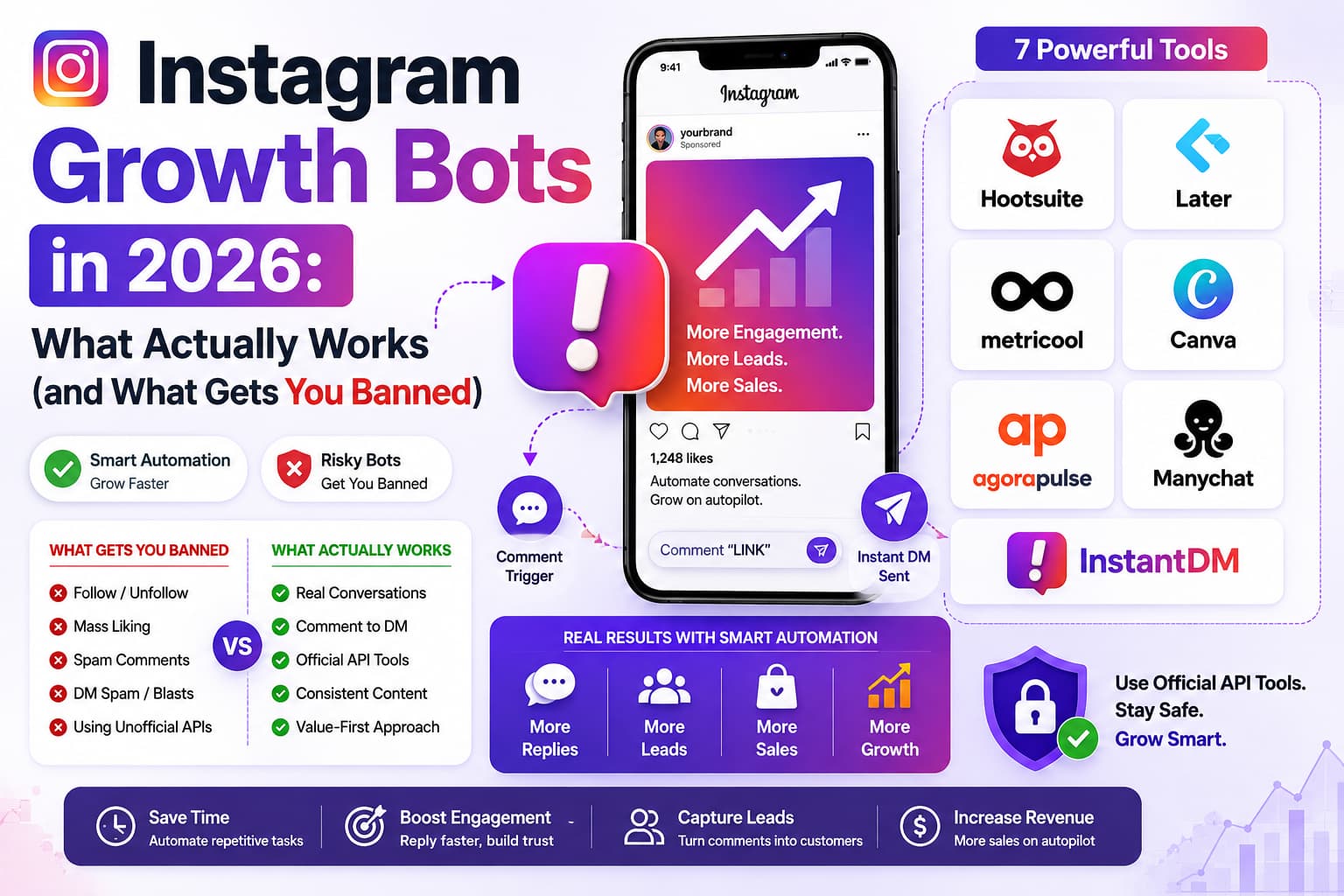
Yes, Instagram growth bots work — but only if you pick the safe ones. The tools that actually last are the ones built on Instagram’s official API and Meta’s terms. InstantDM, ManyChat, and Hootsuite sit in that group. The unofficial follow/unfollow and mass-engagement tools still get accounts restricted or banned. This guide walks through what works in 2026, why DM automation converts better than a link in bio, where the real risk is, and how to start without gambling your account.
Do Instagram Growth Bots Actually Work?
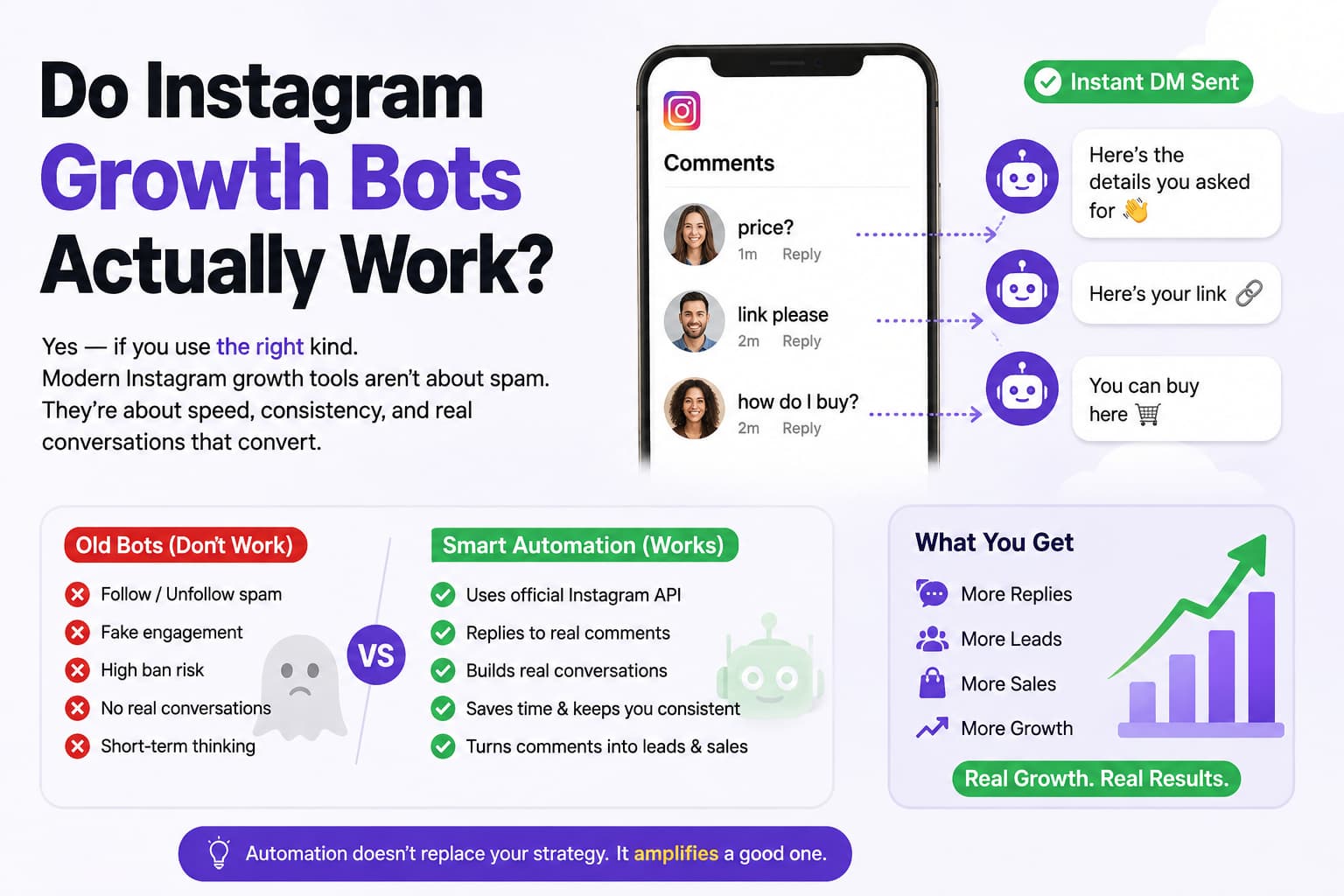
They work if you stop thinking of “bots” as the old follow/unfollow spam from years ago. Those still exist. They still get people banned. The useful category today is different: official-API tools that send DMs when someone comments, schedule posts at sensible times, and help you stay consistent.
A lot of creators still treat automation like a cheat code. That mindset is what gets accounts in trouble. Used properly, these tools just remove the delay between a comment and a reply. Someone says “price,” “link,” or “how do I buy?” and they get an answer while they still care. That single change is why the conversion numbers look so different from a bio link that most people never tap.
Results are not magic. If the post is weak, the offer is confusing, or the DM sounds like a template from 2019, automation just helps you fail faster. When the content is decent and the message feels like a person, the same comment flow can turn into sales, email captures, or booked calls without you sitting on the app all day.
How Growth Bots Work
Different tools do different jobs, and mixing them up is how people get burned.
Bot Type | How it works | Does it work? |
DM bots | Send a message when someone comments or DMs a keyword | Yes, if the tool uses the official API |
Like bots | Like posts automatically | Sometimes, but easy to overdo |
Comment bots | Drop comments on other people’s posts | Risky if it looks spammy |
Follow bots | Follow and later unfollow to game the numbers | No. This is the fastest way to a restriction |
Story bots | Auto-view stories | Low risk, limited real upside |
Scheduling tools | Publish posts and stories at set times | Yes. This is an official, supported workflow |
DM automation is the one that maps closest to how people already buy on Instagram. They comment, they expect a reply, and they prefer staying inside the app. Scheduling is the other “boring” piece that actually compounds. Likes, comments, and follows at scale are the ones Instagram has been cracking down on for years.
Why DM Bots Work Best
A bio link asks someone to leave the post, open your profile, tap the link, wait for a page to load, and then decide. A lot of people bounce in that gap. A DM arrives in the same thread they already opened. One action. No extra tabs. That is why the conversion gap shows up so often.
Typical ranges people report when the offer is clear:
Metric | Link-in-bio | DM bot |
Conversion rate | 5–10% | 15–30% |
Response time | 1–24 hours | Instant |
Follow-up | You have to remember | Built into the flow |
Availability | Only when you are online | 24/7 |
Those percentages are not a guarantee. A messy checkout, a slow website, or a vague “comment LINK” with no context will sit at the low end. A simple product, a short personal message, and a payment or lead-magnet link that actually works will sit at the high end.
Why DM Bots Convert Higher
Four practical reasons, not slogans:
- One action. Comment → DM → link. The buyer does not have to hunt.
- Timing. The message arrives while they are still looking at the post.
- It feels like a conversation. Even a simple “Here’s the link — any questions?” beats a cold landing page.
- They stay on Instagram. Fewer redirects mean fewer drop-offs, especially on mobile.
If you sell digital products, coaching, or anything with a short decision cycle, this loop is usually stronger than hoping people remember to tap your bio later.
What Are Instagram Growth Automation Tools?
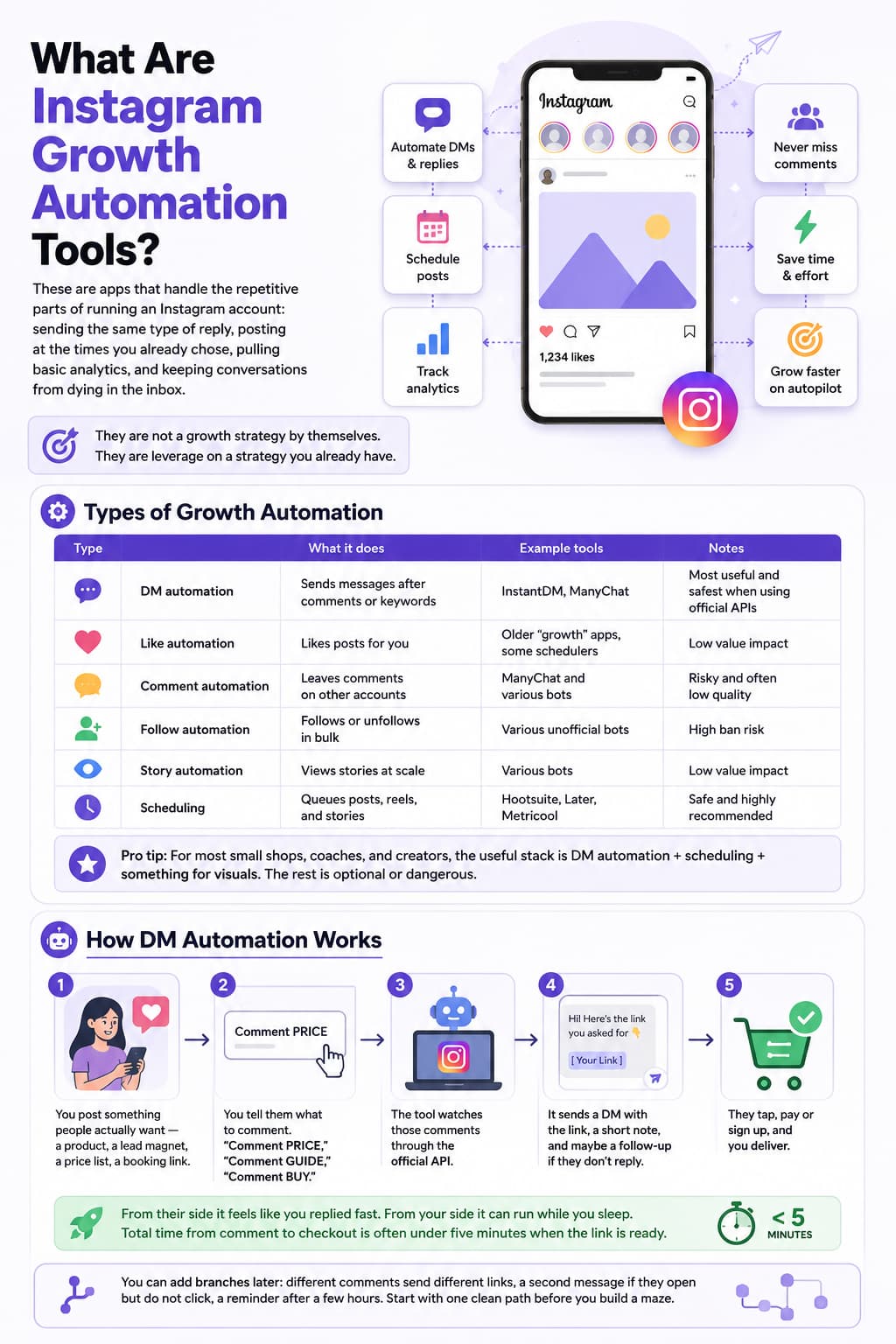
These are apps that handle the repetitive parts of running an Instagram account: sending the same type of reply, posting at the times you already chose, pulling basic analytics, and keeping conversations from dying in the inbox.
They are not a growth strategy by themselves. They are leverage on a strategy you already have. If you post once a month and never reply, no tool will invent demand. If you already get comments and just cannot answer them in time, automation is often the difference between “nice engagement” and actual sales.
Types of Growth Automation
Type | What it does | Example tools |
DM automation | Sends messages after comments or keywords | InstantDM, ManyChat |
Like automation | Likes posts for you | Older “growth” apps, some schedulers |
Comment automation | Leaves comments on other accounts | ManyChat and various bots |
Follow automation | Follows or unfollows in bulk | Various unofficial bots |
Story automation | Views stories at scale | Various bots |
Scheduling | Queues posts, reels, and stories | Hootsuite, Later, Metricool |
For most small shops, coaches, and creators, the useful stack is DM automation plus scheduling plus something for visuals. The rest is optional or dangerous.
How DM Automation Works
A simple version looks like this:
- You post something people actually want — a product, a lead magnet, a price list, a booking link.
- You tell them what to comment. “Comment PRICE,” “Comment GUIDE,” “Comment BUY.”
- The tool watches those comments through the official API.
- It sends a DM with the link, a short note, and maybe a follow-up if they do not reply.
- They tap, pay or sign up, and you deliver.
From their side it feels like you replied fast. From your side it can run while you sleep. Total time from comment to checkout is often under five minutes when the link is ready.
You can add branches later: different comments send different links, a second message if they open but do not click, a reminder after a few hours. Start with one clean path before you build a maze.
Why DM Automation Converts Higher
Same comparison as above, because the pattern is consistent. Bio links are passive. DMs are active. People already trained themselves to check DMs for real conversations. A payment or download link in that thread feels closer to texting a seller than visiting a store they did not ask for.
The other advantage is follow-up. Manual sellers forget. Automation can send a polite second message without you copying and pasting at midnight.
What Are Instagram Follower Boosting Apps?
Most apps that promise “boost your followers” are selling a shortcut. The ones that work do not spray fake follows. They help you post on time, reply faster, and show up in front of people who already care about your niche.
If a landing page talks more about follower count than comments, DMs, or sales, treat it as a warning. Instagram has spent years punishing fake growth. A bigger number with dead accounts is worse than a smaller account that actually buys.
How Follower Boosting Works
Method | How it works | Risk |
Sends useful replies when people comment | Low, if API-compliant | |
Content scheduling | Posts when your audience is actually online | Low |
Audience targeting | Engages people who already like similar accounts | Medium |
Like/comment automation | Mass engagement on other posts | Medium to high |
Follow/unfollow | Inflates numbers, then drops people | High |
The first two are the ones you can run for years. The last one is how accounts quietly lose reach and then wonder why “the algorithm changed.”
Best Follower Boosting Strategies
Strategy | Tool | What you should expect |
DM automation | InstantDM | Higher conversion from the comments you already get |
Consistent posting | Hootsuite, Later | A feed that does not go quiet for two weeks |
Targeting | ManyChat | Better conversations, not just more of them |
Hashtag and timing research | Metricool | Slightly better reach on the same content |
Stronger visuals | Canva | More saves and shares on posts that deserve them |
Notice none of these say “+10k followers this week.” Real boosting is usually more comments, more DMs, and a follower graph that moves because people had a reason to tap Follow.
Why Content Quality Matters
Tools cannot rescue weak posts. Quality still does the heavy lifting:
- Clear photos or reels give people a reason to stop.
- Consistent posting trains both the audience and the algorithm that you are still here.
- Captions that ask for a specific comment give automation something to hook onto.
- Hashtags and topics help the right strangers find you.
- Saves and shares matter more than empty likes.
If you only automate and never improve the post, you are just sending more people into a dead end.
What Are AI Tools for Instagram Growth?
“AI Instagram tool” now means a few different things: writing a less robotic DM, suggesting a caption, picking a posting time, or summarizing which posts actually drove messages. The useful ones are specific. The noisy ones promise they will run your entire account while you do nothing.
Used well, AI is a first draft and a pattern-spotter. You still decide the offer, the tone, and what “good” looks like for your niche.
How AI Helps with Instagram Growth
AI feature | What it actually does | Why it helps |
AI-powered DMs | Personalizes the first reply from the comment or profile | Higher reply rates than a frozen script |
Content suggestions | Points to formats and topics that already worked | Less guessing |
Audience signals | Surfaces who is engaging | You spend time on the right people |
Analytics | Flags what converted, not just what got likes | Better decisions next week |
Scheduling | Suggests windows when your audience is active | Slightly more reach on the same post |
The win is time. You are not writing the same reply 80 times. You are checking exceptions and improving the offer.
Best AI Tools for Instagram Growth
Tool | AI angle | Price (as of mid-2026) |
InstantDM | AI-assisted DM automation | $9.99/mo after a free tier |
ManyChat | Chat flows, some AI replies | From $15/mo |
Metricool | Analytics and competitor views | From $18/mo |
Hootsuite | Scheduling and reporting | From $99/mo on paid plans |
Canva | Faster creatives and templates | Free, Pro around $12.99/mo |
Price is not the only filter. A cheap tool that uses unofficial methods is more expensive than a $10 official one if it costs you the account.
How AI DM Automation Works
Same comment-to-DM loop, with a bit more judgment:
- Someone comments “BUY” or a similar keyword.
- The system reads the comment (and sometimes context) and sends a reply that matches the intent.
- They get the link.
- You fulfill.
- If they hesitate, a second message can go out without you writing it from scratch.
The difference versus a static snippet is tone and fit. “Here’s the 3-day workshop link” for a coach should not sound like a fashion store’s size chart. AI helps with that if you give it a clear voice and you still review the first few dozen replies.
AI vs. Manual Growth
Metric | Manual | AI-assisted |
Time | 2–4 hours a day for many sellers | Often 15–30 minutes of review |
Engagement | 1–3% on a typical post | Can climb when replies are instant |
Follower growth | Slow and uneven | Faster when conversations actually happen |
Consistency | Drops when you travel or get busy | Stays on |
Scale | You are the bottleneck | The bottleneck becomes content and fulfillment |
Manual still wins for high-ticket, messy conversations. Automation wins for repeated questions and simple offers.
Free vs. Paid: Which Instagram Growth Tools Are Worth Paying For?
Pay when a limit is clearly costing you money. Do not pay because a comparison table said “Pro.”
Tool | Free plan | Paid | Worth paying? |
InstantDM | 500 DMs/month | $9.99/mo | Yes, once you outgrow 500 |
ManyChat | No real free plan | $15/mo+ | Yes if you need deeper flows |
Later | Limited posts/profiles | $25/mo+ | Yes if visual planning saves you time |
Hootsuite | Basic | $99/mo+ | Only if you need many networks or a team |
Canva | Strong free tier | ~$12.99/mo | Maybe, for brand kit and no watermarks |
Metricool | Limited | $18/mo+ | Yes for better reporting |
Agorapulse | Limited | $49/mo+ | If inbox + multi-account is the pain |
Free Plan Limitations
Free tiers exist to let you test, not to run a busy shop forever.
- InstantDM: 500 DMs/month is enough to prove the flow, not enough for a high-comment account.
- Later: one profile and a post cap trains you to plan, then you hit the wall.
- Hootsuite: a couple of accounts and basic features.
- Canva: templates are fine; brand kit and extra stock are the upgrade.
- Metricool: one brand, lighter analytics.
- Agorapulse: a few profiles, then you pay for the inbox you actually wanted.
Cost-Benefit Analysis
Budget | Sensible stack | Why |
$0 | InstantDM free + Canva free | Prove comments can become DMs |
~$10 | InstantDM Pro | Unlimited DMs on a simple setup |
~$15 | ManyChat | If you need conditions, WhatsApp, or heavier flows |
~$25 | Later | If planning the grid is your bottleneck |
~$50 | Agorapulse | If you are drowning in comments across pages |
~$100 | Hootsuite | Multi-platform teams, not most solo sellers |
A $9.99 tool that recovers two extra sales a month usually beats a $99 suite you barely open.
What Are The Tools to Increase Engagement and Followers?
Engagement tools are the ones that create a reply, a save, a share, or a DM — not just a bigger follower count. Followers come after people have a reason to stay.
Engagement Tools Comparison
Tool | Main engagement job | Price |
InstantDM | Turns comments into DMs | $9.99/mo |
ManyChat | Longer chat flows | $15/mo+ |
Hootsuite | Schedule + light analytics | $99/mo+ |
Later | Visual plan + schedule | $25/mo+ |
Metricool | See what worked | $18/mo+ |
Canva | Make the post worth engaging with | Free / Pro |
Agorapulse | Inbox so replies do not get lost | $49/mo+ |
How to Increase Engagement
Pick one lever at a time:
- Instant replies on the comments you already get.
- A posting cadence you can keep for 30 days.
- One metric you actually read each week.
- Visuals that match the niche instead of generic stock.
- A question in the caption that people can answer in one word.
That last point matters for DM tools. “Comment YES if you want the list” gives automation a clean trigger. “Thoughts?” gives you 40 different comments and a mess.
Engagement Metrics to Track
Metric | What it tells you | Rough target |
Likes | Did it look good? | A few percent of followers |
Comments | Did they want to talk? | Lower than likes, more valuable |
Shares | Did it feel worth passing on? | Small but strong |
Saves | Will they come back? | Often a better quality signal |
DMs | Did it start a conversation? | Should rise if automation is on |
Link clicks | Did they intend to act? | Watch this more than vanity likes |
If likes go up and DMs stay flat, the post is pretty and the offer is unclear.
Content Strategy for Higher Engagement
Format | Usual engagement | Notes |
Reels | Highest | Still the easiest way to reach people who do not follow you yet |
Stories | High | Good for reminders and “comment on the post” prompts |
Carousels | High | Saves well when you teach something |
Static posts | Medium | Fine for offers and proof |
Lives | High while you are on | Hard to automate, great for trust |
Polls and questions | High | Cheap way to get replies |
Use scheduling for the planned posts. Use DMs for the ones that ask for a keyword. Do not try to automate a Live.
What Are the Risks of Instagram Growth Bots?
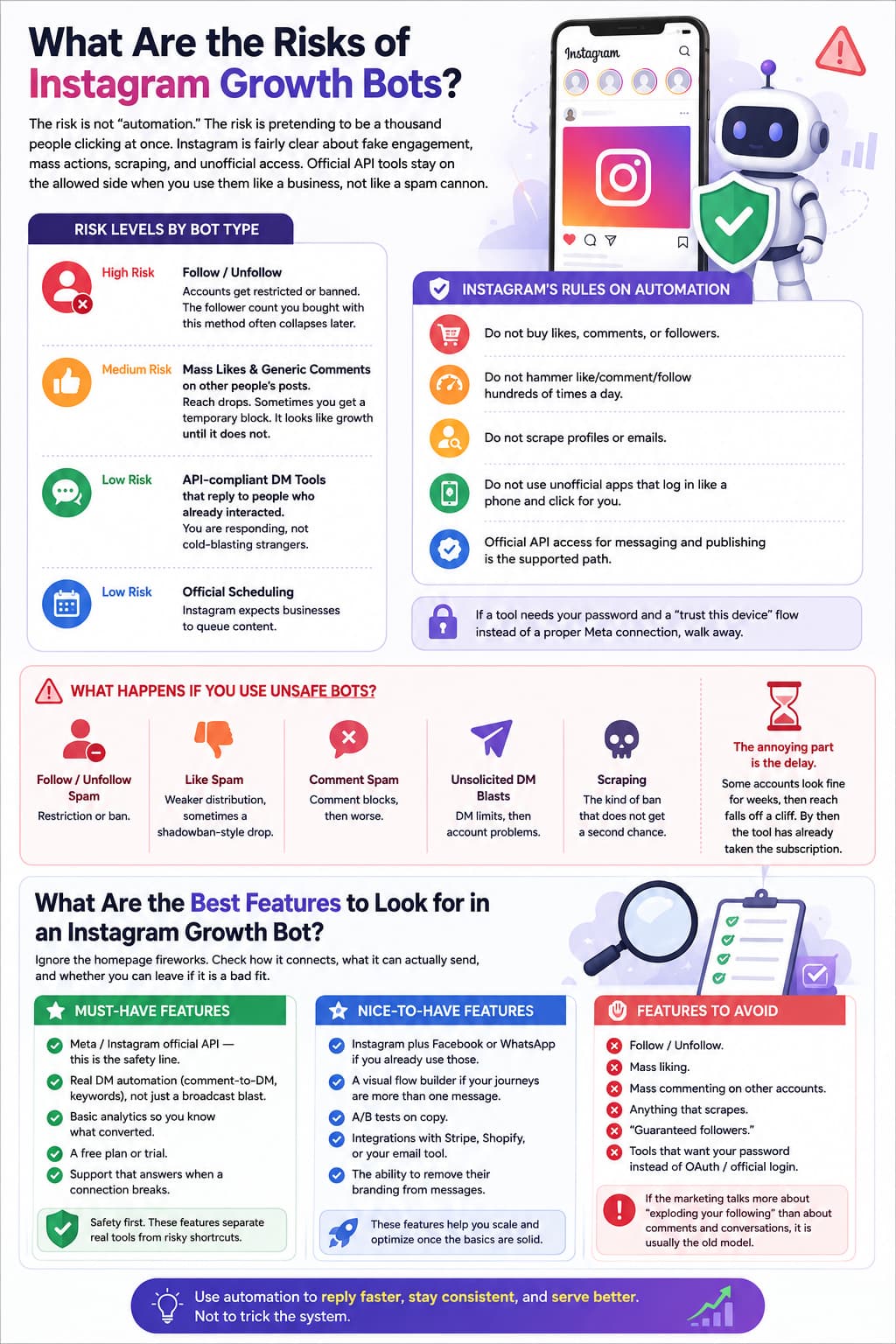
The risk is not “automation.” The risk is pretending to be a thousand people clicking at once. Instagram is fairly clear about fake engagement, mass actions, scraping, and unofficial access. Official API tools stay on the allowed side when you use them like a business, not like a spam cannon.
Risk Levels by Bot Type
High risk: follow/unfollow. Accounts get restricted or banned. The follower count you bought with this method often collapses later.
Medium risk: mass likes and generic comments on other people’s posts. Reach drops. Sometimes you get a temporary block. It looks like growth until it does not.
Low risk: API-compliant DM tools that reply to people who already interacted. You are responding, not cold-blasting strangers.
Low risk: official scheduling. Instagram expects businesses to queue content.
Instagram's Rules on Automation
In plain language:
- Do not buy likes, comments, or followers.
- Do not hammer like/comment/follow hundreds of times a day.
- Do not scrape profiles or emails.
- Do not use unofficial apps that log in like a phone and click for you.
- Official API access for messaging and publishing is the supported path.
If a tool needs your password and a “trust this device” flow instead of a proper Meta connection, walk away.
What Happens If You Use Unsafe Bots?
- Follow/unfollow spam → restriction or ban.
- Like spam → weaker distribution, sometimes a shadowban-style drop.
- Comment spam → comment blocks, then worse.
- Unsolicited DM blasts → DM limits, then account problems.
- Scraping → the kind of ban that does not get a second chance.
The annoying part is the delay. Some accounts look fine for weeks, then reach falls off a cliff. By then the tool has already taken the subscription.
What Are the Best Features to Look for in an Instagram Growth Bot?
Ignore the homepage fireworks. Check how it connects, what it can actually send, and whether you can leave if it is a bad fit.
Must-Have Features
- Meta / Instagram official API — this is the safety line.
- Real DM automation (comment-to-DM, keywords), not just a broadcast blast.
- Basic analytics so you know what converted.
- A free plan or trial.
- Support that answers when a connection breaks.
Nice-to-Have Features
- Instagram plus Facebook or WhatsApp if you already use those.
- A visual flow builder if your journeys are more than one message.
- A/B tests on copy.
- Integrations with Stripe, Shopify, or your email tool.
- The ability to remove their branding from messages.
Features to Avoid
- Follow/unfollow.
- Mass liking.
- Mass commenting on other accounts.
- Anything that scrapes.
- “Guaranteed followers.”
- Tools that want your password instead of OAuth / official login.
If the marketing talks more about “exploding your following” than about comments and conversations, it is usually the old model.
Which Instagram Automation Tools Are Safe and Effective?
Safe means official API or a long-standing official partner. Effective means it matches the job: DMs for conversion, scheduling for consistency, analytics for decisions, Canva for the post itself.
Safe vs Unsafe Tools
Tool / type | Safe? | Why |
InstantDM | Yes | Official API, Meta Business Partner |
ManyChat | Yes | Official Instagram partner |
Hootsuite | Yes | Official partner, publishing-focused |
Canva | Yes | Design, not account takeover |
Follow bots | No | Against the rules |
Like bots | No / risky | Easy to trip mass-action limits |
Scrapers | No | Direct violation |
Why These Tools Are Safe?
InstantDM — Built around official DM automation and partner status. The job is comment-to-DM, not fake engagement.
ManyChat — Long-time official partner with a visual builder. Heavier and pricier, but the access path is legitimate.
Hootsuite — Official publishing and analytics partner. Scheduling is a supported use case.
Canva — You make the asset. You still post through Instagram or a scheduler. No bot behavior.
Safety is not the same as “will make you rich.” It just means the tool is unlikely to be the reason you lose the account.
Beginner-Friendly Setup: How to Start with Growth Bots
You do not need a 40-step flowchart on day one. One keyword, one message, one link, one week of data.
Step 1: Choose a Safe Tool
- InstantDM if you want a free plan, simple comment-to-DM, and official API.
- Later if your pain is planning the grid, not DMs.
- ManyChat if you already know you need conditions, multiple channels, and you can pay from day one.
Pick based on the bottleneck, not the longest feature list.
Step 2: Set Up DM Automation
- Create the account on a tool from the safe list.
- Use the free plan if it exists.
- Connect Instagram through the official flow.
- Choose the job: comment-to-DM, scheduling, or both.
- Write one message a human would send.
- Test on a small post or with a teammate’s comment.
- Only then put the keyword on a live post.
If the connection asks for weird permissions or a third-party password field, stop.
Step 3: Create Your First Automation
DM example
Create the product or freebie. Get the link. On the post, say exactly what to comment. When they comment, they get the DM. They tap. You deliver. Keep the first message short.
Scheduling example
Make a week of posts. Drop them in Later or Hootsuite. Set times you already know your audience uses. Spend the saved time on replies and better creatives.
Content example
Open Canva, pick an Instagram size, use your colors, export, schedule or post. Repeat. Automation does not replace this step.
Step 4: Track Your Results
Watch comments, DMs sent, clicks, and revenue or leads — not just follower count. If DMs go out and nobody clicks, fix the message or the offer. If clicks happen and nobody pays, fix the page. The tool already did its job.
The 7 Safest Instagram Growth Bots (Tools) in 2026
These are the ones that stay on the official side of the line. Details below reflect the mid-2026 snapshot from the original research.
1. Hootsuite — Scheduling
Price: $99/mo on Professional. Free plan available.
Hootsuite is the heavy scheduler. Official partner. Fine if you run several networks and want reporting in one place. Weak if all you need is Instagram DMs — it does not replace a comment-to-DM tool.
Plans (typical): Free for a couple of accounts; Professional around $99; Team much higher.
Good at: scheduling, analytics, multi-platform. Not good at: cheap DM automation.
2. Later — Visual Planning
Price: about $25/mo to start. Free plan available.
Later is for people who care how the grid looks before it goes live. Scheduling and a link-in-bio add-on are the core. Still not a DM automation product.
Good at: preview, planning, Instagram-first posting. Not good at: comment-to-DM, generous free posting limits.
3. Metricool — Analytics
Price: about $18/mo to start. Free plan available.
Use it when you want to see what actually performed and what competitors posted. Scheduling is there, but analytics is the reason to pay.
Good at: reports, competitor views, planning. Not good at: native DM sales flows.
4. Canva — Content Creation
Price: Free, with Pro around $12.99/mo.
This is not a growth bot. It is still on every serious list because ugly posts waste every other tool. Templates for posts, stories, and reels are the point.
Good at: speed, templates, simple brand consistency. Not good at: publishing or messaging by itself.
5. Agorapulse — Social Management
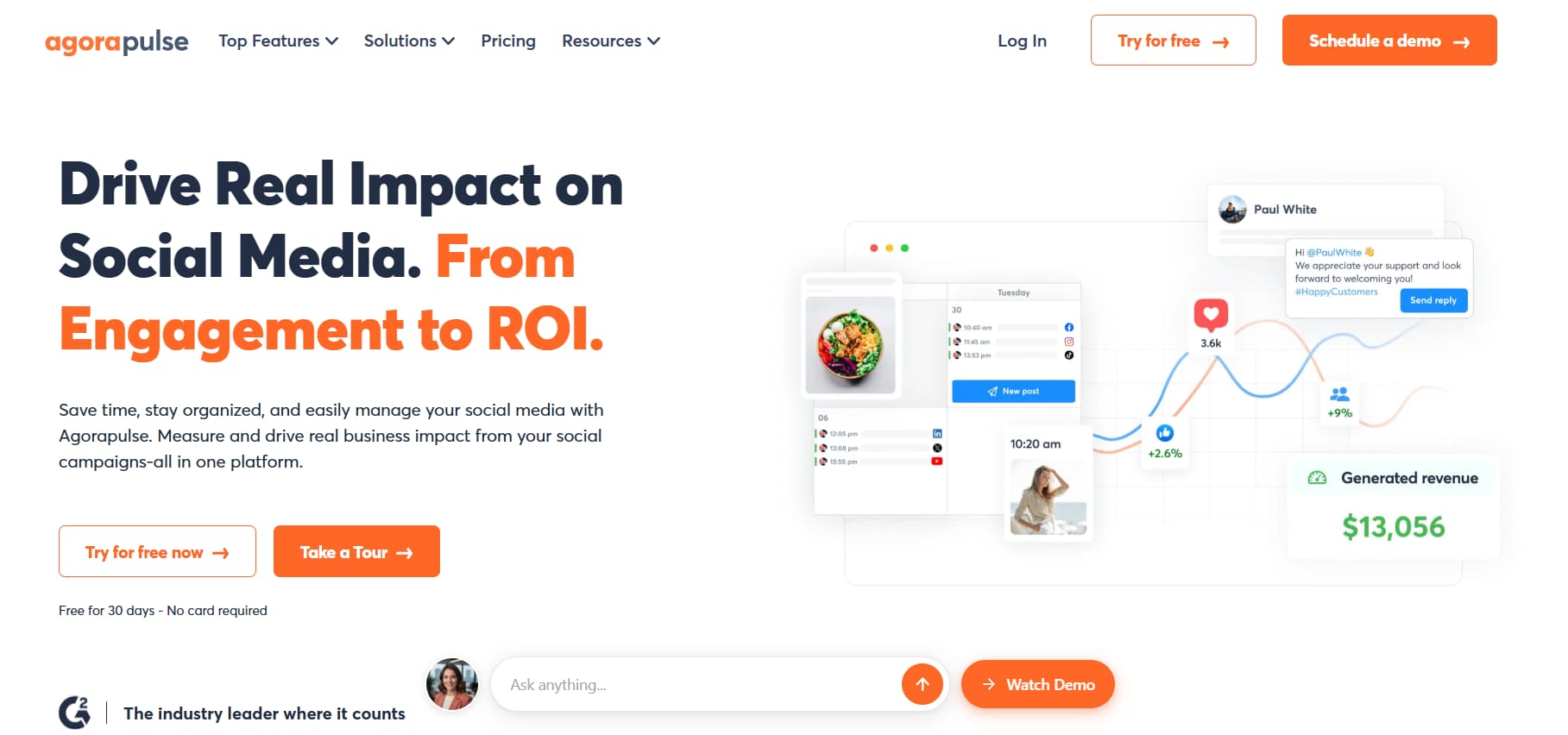
Price: about $49/mo on Standard. Free plan available.
The inbox is the feature. If comments and DMs are scattered across people and pages, this is more useful than another scheduler.
Good at: unified inbox, scheduling, reporting. Not good at: being the cheapest DM-only tool.
6. ManyChat — Advanced Automation
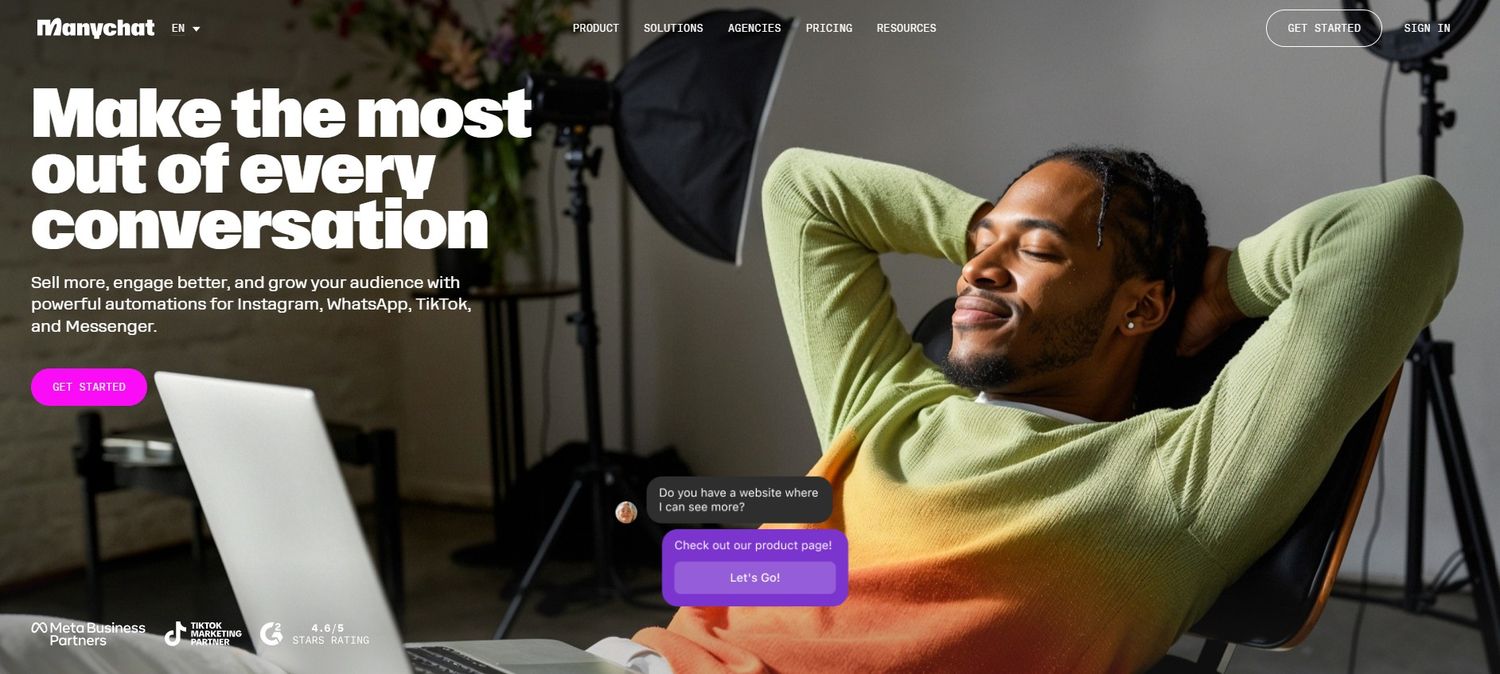
Price: From $15/mo. No real free plan.
Official partner. Visual builder. Instagram, Facebook, and higher plans for WhatsApp and SMS. Best when your flow has conditions, tags, and more than one channel. Worse when you only needed “comment LINK, get the URL.”
Good at: complex conversations, partner status. Not good at: price and simplicity for beginners.
7. InstantDM — DM Automation
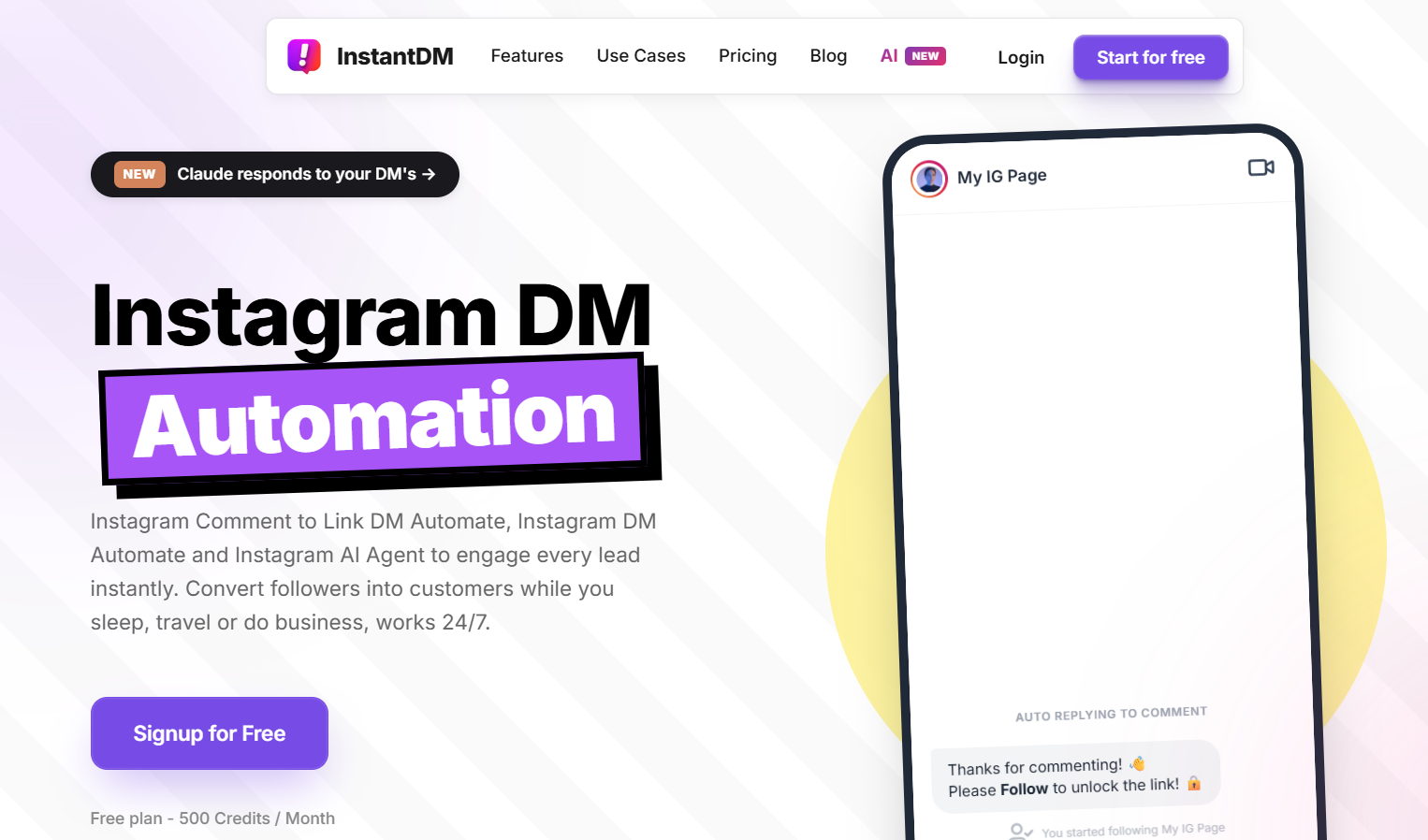
Price: $9.99/mo. Free plan with 500 DMs/month.
This is the focused option: official API, comment-to-DM, payment or lead-magnet links, simple setup. Instagram-only, which is a limitation if you need WhatsApp tomorrow and a benefit if you just want the sales loop working this week.
Good at: free trial of the real workflow, Meta-compliant DMs, low price. Not good at: being a full social suite.
How We Evaluate These Tools
We do not rank tools by feature count or homepage claims. We look at five practical filters that matter when you are sending real links to real buyers.
1. Official API access The tool must connect through Meta’s official Instagram API, not a password-based “unofficial” login. Anything that asks for your password and promises “safe automation” is excluded.
2. Core job fit Can it send a link when someone comments a keyword? Does the message arrive reliably? We test comment-to-DM first. Extra channels and fancy builders only count after that works.
3. Real setup time We time how long it takes a normal creator account to go from sign-up to a live, tested automation. Tools that need a week of configuration lose points against ones that work the same day.
4. Free plan or trial You should be able to prove the flow on your own post before paying. A free tier with a clear DM limit is more useful than a forced annual plan.
5. Safety and support We check partner status, recent user reports, and whether support answers when a connection breaks. A cheap tool that risks your account is not cheap.
Pricing is noted for context, not as the main score. A $10 tool that converts and stays compliant ranks above a $50 suite you never finish setting up. We re-check these criteria when platforms change rules, because yesterday’s “safe” setup is not always tomorrow’s.
Best Practices for Safe Instagram Growth
Treat automation like a junior assistant. Give it clear instructions. Do not let it wander the app liking everything.
Do's
- Use official API tools.
- Start on a free plan and send real test comments.
- Read the numbers that connect to money: clicks, replies, sales.
- Stay inside normal human volumes.
- Prefer partners when you have a choice.
Don'ts
- Follow/unfollow cycles.
- Bought followers.
- Mass like or comment pods.
- Scrapers.
- Unofficial login tools that promise “undetectable” growth.
How to Check If a Growth Bot Is Safe
- API. Do they say they use Instagram’s official API, in writing?
- Partner status. Meta Business Partner or official partner language you can verify.
- Reviews. G2, Capterra, and recent Reddit threads, not just testimonials on their site.
- Support. Can a human answer when the connection drops?
- Trial. Can you test without a year-long contract?
- Transparency. Do they explain the mechanism, or only the follower fantasy?
If you cannot find a straight answer on how it logs in, assume the worst.
G2 Reviews: Safe Growth Bots
Approximate ratings from the same mid-2026 check:
Tool | G2 | Safety note |
InstantDM | 4.3/5 | Meta Business Partner |
ManyChat | 4.5/5 | Official partner |
Hootsuite | 4.2/5 | Official partner |
Later | 4.5/5 | Safe scheduler |
Metricool | 4.5/5 | Safe analytics/scheduler |
Canva | 4.7/5 | Design tool |
Agorapulse | 4.5/5 | Safe management suite |
Ratings move. Partner status and API method matter more than a tenth of a star.
Instagram Growth Bots: What Reddit Recommends
Threads on r/InstagramMarketing, r/creators, and r/socialmedia keep repeating the same advice: official tools only.
- InstantDM comes up for simple, compliant DM automation and a free plan. The usual caveat is Instagram-only.
- ManyChat comes up for heavier flows and partner status. The usual caveat is cost and setup time.
- Hootsuite for scheduling and teams. Caveat: price.
- Later for visual planning.
- Metricool for analytics.
- Canva for making the posts.
- Agorapulse for inbox and management.
The consensus is blunt: start free, stay official, and ignore anything that sounds like 2018 growth hacking.
Start Growing Your Instagram Safely
You do not need all seven tools. Most people need a way to reply instantly, a way to post on schedule, and a way to make the post look like it belongs in the niche.
Start with a free plan. Run one keyword on one offer. Measure clicks and sales for two weeks. Keep what works. Drop what only moved vanity numbers. The accounts that last are the ones that use automation to answer people who already raised their hand — not to impersonate a crowd.