Quick Verdict :
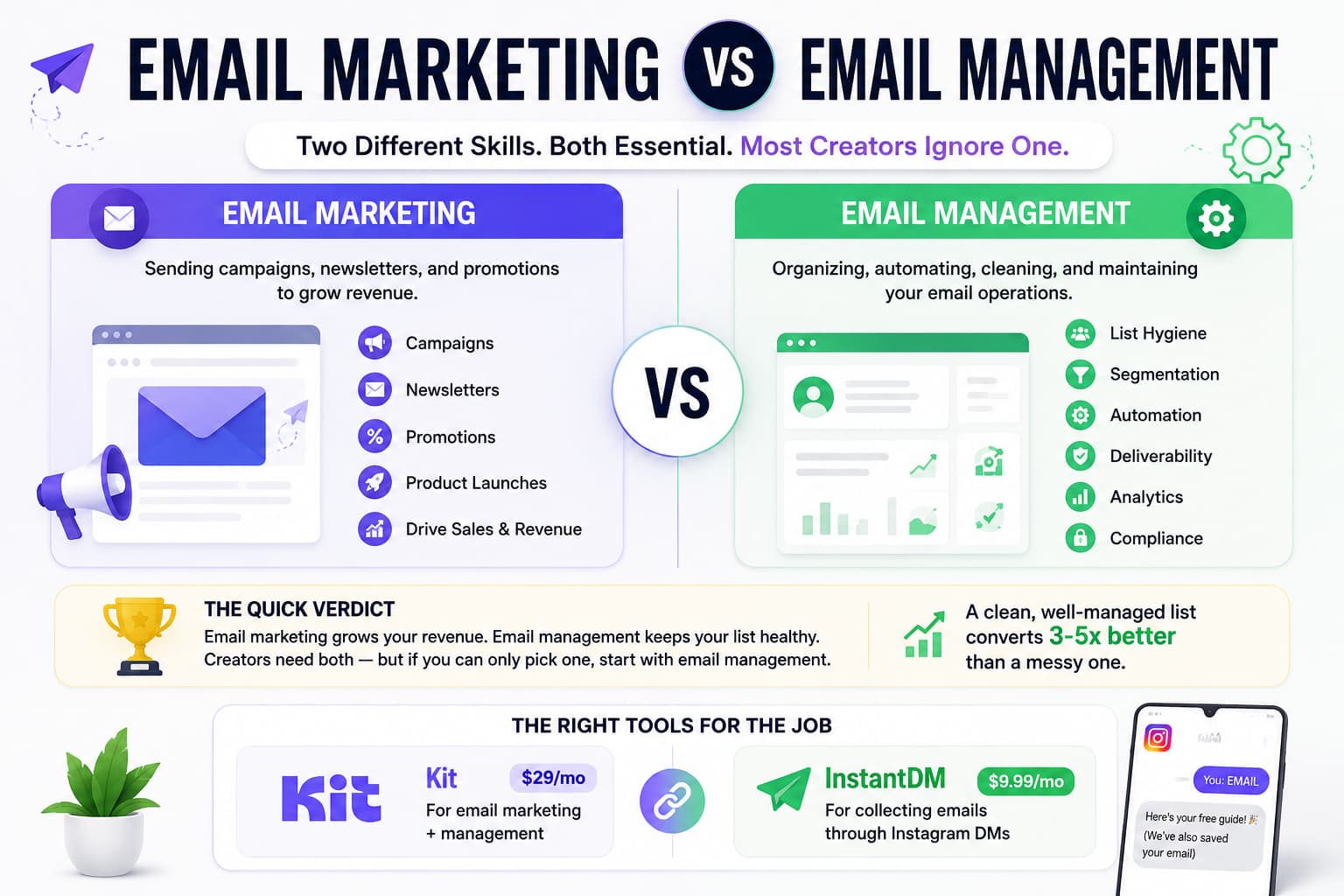
Email marketing vs email management in 2026 is two jobs on one dashboard. Email marketing is what readers see: newsletters, welcome emails, launches, and offers. Email management is what Gmail and Yahoo see: SPF, DKIM, and DMARC on your domain, tagging, list scrubbing, bounce control, and one-click unsubscribe. Most creators only write. That is why a good newsletter still lands in spam. A usable split is 70/30. About 70% of inbox placement comes from management. About 30% comes from the copy. Marketing automation is a third job. It is the trigger that sends those emails when someone clicks, buys, or goes quiet. You need marketing and management together. Automation sits on top of both.
Last updated: October 2026.
Introduction:
You ask ten creators about how they do email and nine will tell you that “email marketing” and “email management” are one and the same. They think a good newsletter every Sunday afternoon should suffice to do the job.
Creating a creative business powered by email is really two very different disciplines that share the same dashboard. It’s like running a little restaurant.
Email marketing is the hospitality side of the house for the business. The playlist in the dining room, the copy on the seasonal menu, the warm welcome at the door, the plating of the main course. This is what the customer sees, hears, and responds to.
Email management is the back-of-the-house kitchen line. Walk-in refrigerator temperature. Cleaning of grease traps. Keeping track of ingredient expiration dates. Keeping the kitchen up to local health codes.
All the poetry in the world on your menu won't save you if your kitchen operations implode and the dining room shuts down. But if a kitchen's always clean nobody ever eats.
Email marketing is your voice. It’s your stories. It’s your digital offers. It’s your readers taking meaningful action. Email management is the technical and structural backbone that guarantees those messages actually make it to the primary inbox, rather than being silently gobbled up by an aggressive spam filter.
Respect both halves of the equation, and you'll have the key to sustainable creator income.
What is Email Marketing and how can it drive revenue for creators?
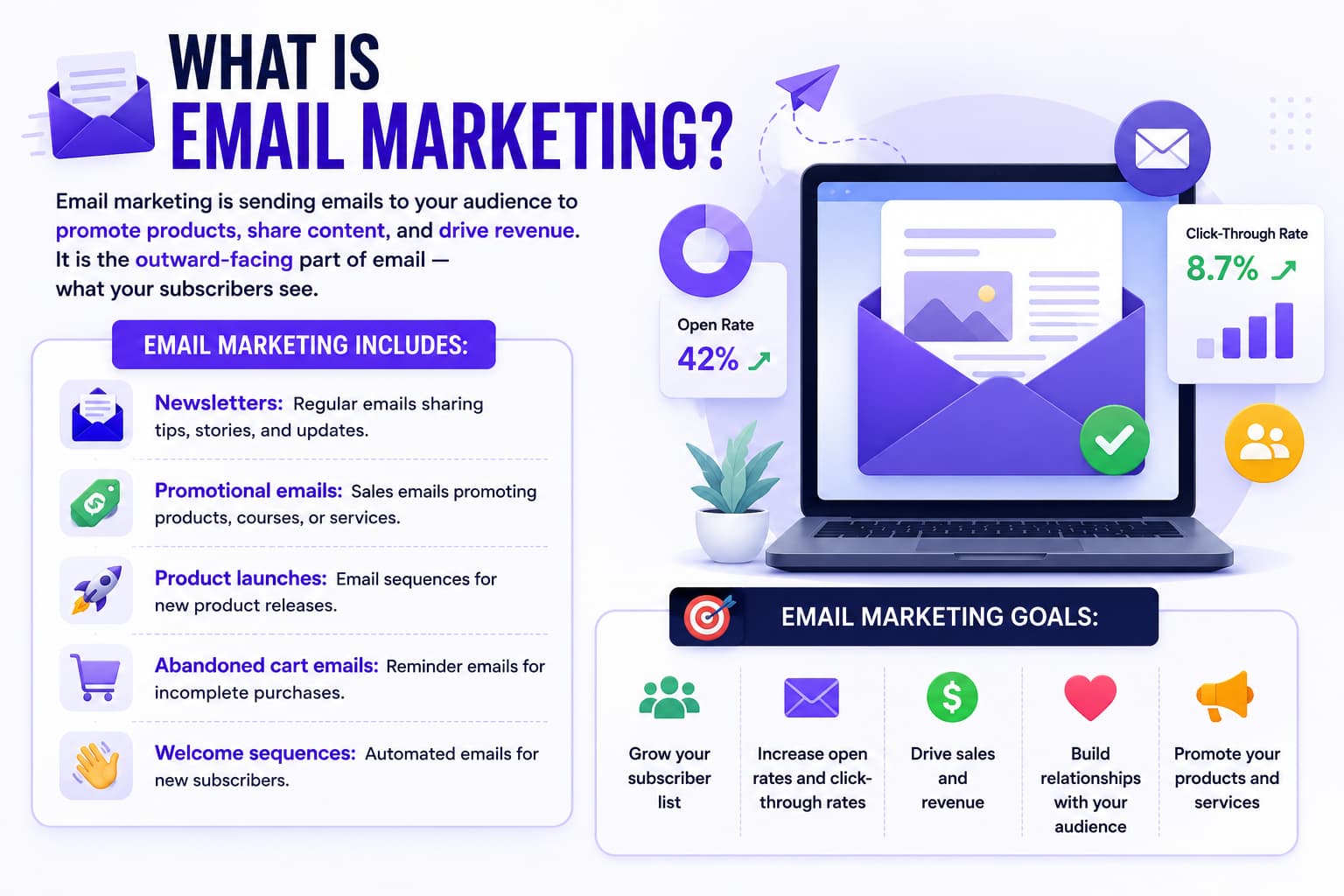
Email marketing is your direct connection to people who care about what you do. All there. Whether you're writing an essay, announcing a workshop, or sharing a personal story about a creative breakthrough, you're doing email marketing.
Social media algorithms are fickle gods: they can cut your organic reach in half overnight, without warning or explanation. The only direct, unfiltered way to reach your audience is through an email list. You have got that distribution channel. Your readers are inviting you into their personal inboxes so the conversation has a conversational, and personal, touch.
What Are the Key Components of an Email Marketing Strategy?
- Editorial Newsletters: Regular weekly or bi-weekly emails where you write essays, give industry insights, share practical tutorials, and include personal updates to build long-term trust.
- Promotional Launch Waves: These are coordinated broadcast campaigns (usually 4 to 7 days long) that break down product benefits, share customer testimonials, answer objections, and introduce authentic deadline scarcity for a course, coaching spot, or digital template.
- Automated Welcome Series: A series of 3-5 friendly, introductory emails that are sent automatically when someone joins your list to deliver promised resources and set clear expectations.
- Abandoned Cart Follow-Ups: Soft, low-pressure reminders to people who left things in their cart at checkout on Kit Commerce, Shopify, or Gumroad.
- Evergreen Nurture Sequences: Pre-built educational lessons that deliver high-value knowledge over weeks or months, while naturally incorporating product suggestions.
What are the main goals that creators should aim for with email marketing?
- Creating real reader affinity and distinctive brand awareness.
- Active reader involvement through direct email response and feedback loops.
- Consistent digital product sales – Recurring membership renewals and sponsorships.
- Build an asset that algorithms can’t steal and protect your creative livelihood.
Ensure that each message you send serves a purpose. Respect your readers’ inboxes and focus on solving their real-world problems, and your emails will become something they actually look forward to opening instead of just more digital noise.
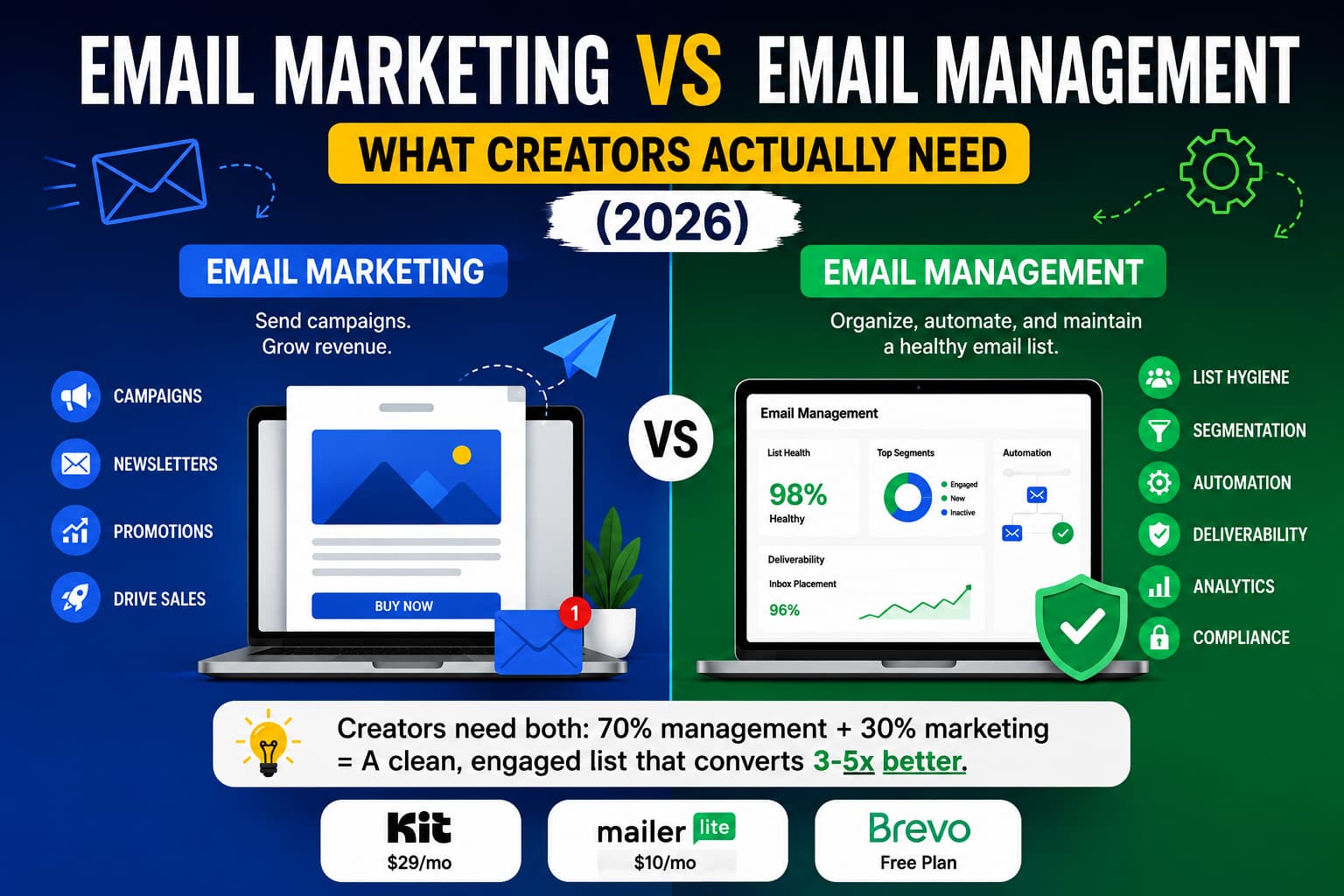
Email marketing is sending campaigns, newsletters, and promotions to grow revenue. Email management is organizing, automating, and maintaining your email operations. Creators need both.
What is Email Management? and Why It's Important for Deliverability
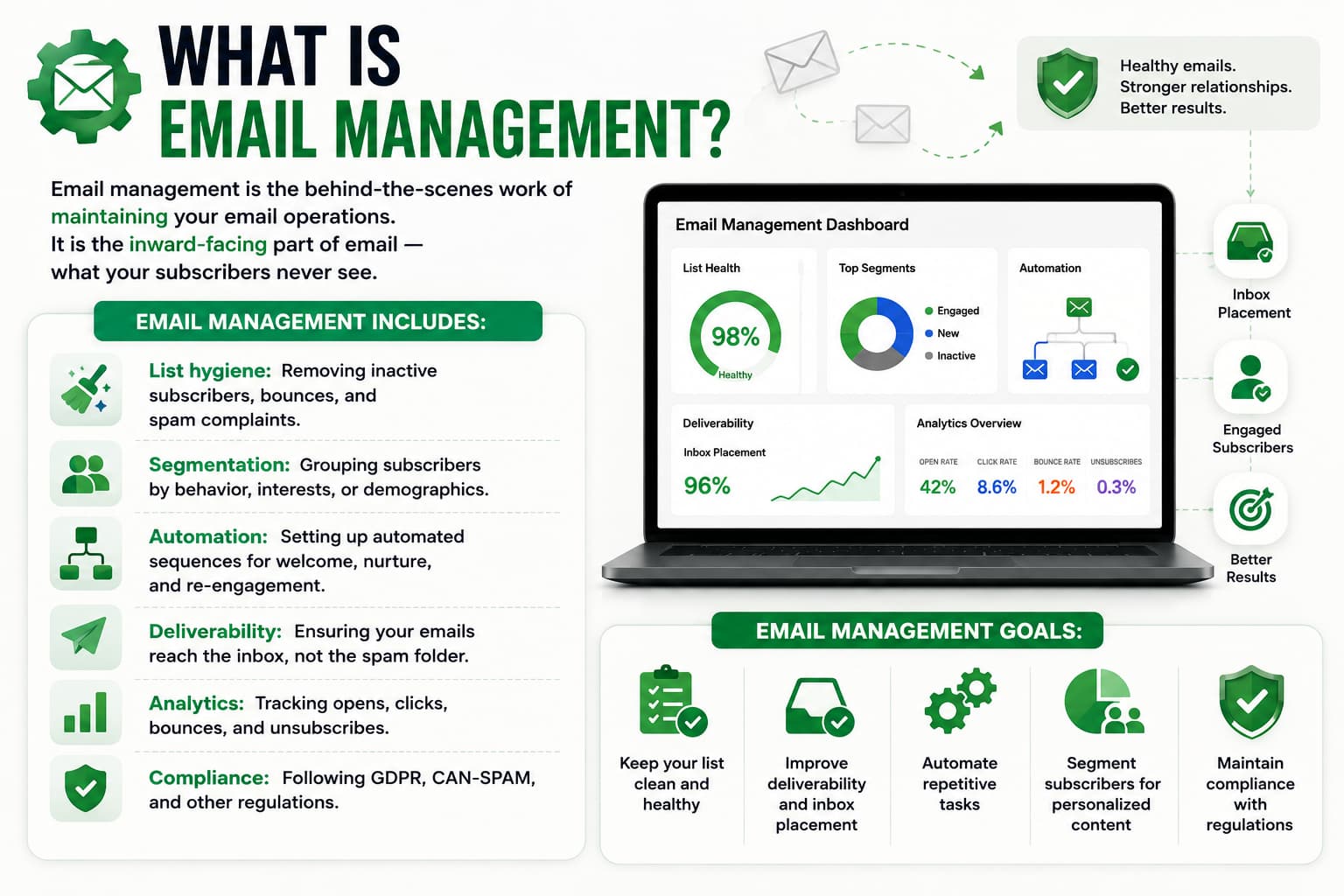
Email management is the unglamorous systems work that keeps your sending engine healthy behind the scenes. Your subscribers never see this work , but it’s the quality of that work that determines whether your emails land front and center in the primary tab or buried under a pile of promotional junk .
Email system management is about data hygiene, infrastructure upkeep and behaviour segmentation. This requires some serious thought about the structure of your subscriber database, the technical setup of your authentication protocols and how involved your audience is with your domain.
Foundational Pillars of Email Management?
- Routine List Pruning: Regularly remove dead inboxes, invalid addresses, hard bounces, and unengaged contacts who haven’t opened a single email from you in months.
- Behavioural Segmentation and Tagging: Tag your readers based on how they entered your ecosystem, what links they click and what products they’ve purchased so you don’t send irrelevant pitches to the wrong people.
- DNS Authentication: Technical: Custom sending domain records (SPF, DKIM, DMARC) configuration and monitoring.
- Automation Logic Auditing: Examining automated sequence triggers, delay timers and exit conditions to make sure subscribers don't get contradictory onboarding and sales emails at the same time.
- Regulatory Compliance: Meeting regional privacy laws like CAN-SPAM, GDPR, and CASL with identifiable physical mailing address, clear sender information, and one-click unsubscribe options.
What is the primary objective of email management?
- Maintaining a high and consistent domain reputation score with major mailbox providers such as Gmail, Apple Mail and Yahoo.
- Inflating your subscriber count to avoid bloating your monthly software subscription fees.
- Keep your bounce rates and spam reports from destroying your sender authority.
- Making sure every subscriber receives stuff they really care about based on what they said they like.
Treat email management as an essential part of routine maintenance—not an afterthought—and your inbox placement will be bulletproof, giving your writing the best chance to be read.
What email management is not
People search “email management” and land on three other things. None of them are this job.
It is not inbox zero. Superhuman, Gmail labels, and a shared support mailbox are personal or helpdesk mail. They do not protect your sending domain.
It is not a managed email service. Hiring an agency to write and send your newsletters is outsourced marketing. You still need DNS, tags, and a clean list, whether you write the emails or they do.
It is not marketing automation. Automation is the trigger: welcome series, abandoned cart, win-back. Management is the hygiene that keeps those triggers from burning the domain. You can have a beautiful automation map and still hit spam if SPF is missing and half the list is dead.
If a page talks about “email management” and then reviews Superhuman or an agency retainer, it is answering a different question. This page is the ops half of a creator ESP: authentication, list hygiene, tagging, compliance.
Email marketing vs. email management: What’s the difference?
Operational Aspect | Email Marketing | Email Management |
Primary Focus | What the reader sees (Subject lines, Storytelling, Offer positioning) | What the engine processes (Rules, Logic trees, Authentication, Tags) |
Main Metric | Open rates, CTR, conversion rates, launch revenue | Bounce rate (<1.5%), spam complaints (<0.08%), inbox placement rate |
Core Skill Set | Persuasive copywriting, empathy, editorial planning | Data management, logic mapping, technical DNS configuration |
Execution Cadence | Weekly broadcasts, seasonal product launches, flash sales | Ongoing automated workflows, quarterly database clean ups |
Direct Result of Neglect | Flattish revenue, sluggish list growth, unmotivated readers | Domain blacklisting, extreme spam routing, bloated software bills |
Aspect | Campaign / Content Side | Technical / Deliverability Side |
|---|---|---|
Who owns it | You, or a writer | You, or whoever holds the ESP + DNS login |
Tooling | Campaign builder, templates, subject tests | SPF/DKIM/DMARC, tags, segments, unsubscribe, bounce handling |
Time split | About 30% of long-term results | About 70% of long-term results |
marketing is the letter. Management is the postage, the address book, and the “do not send to dead houses” list. Skip the letter and nobody buys. Skip the postage and the letter never arrives.
Email Marketing vs. Marketing Automation vs. Email Management
If you type this comparison into ChatGPT or Google, most results swap “management” for “marketing automation.” Those are not the same thing. Campaigner, Act!, Mailtrap, and Mailchimp all treat the live comparison as marketing vs. automation. That is a real comparison. It is just not this one.
Here is the three-way split creators actually run:
Job | Email marketing | Marketing automation | Email management |
|---|---|---|---|
What it is | The messages people read | The trigger system that sends those messages when someone acts | The hygiene and DNS that decide if Gmail delivers any of it |
Typical question | What do I send this week? | What happens after they join, click, or go quiet? | Why did last week’s email hit spam? |
What it sends | Newsletters, launches, sales | Welcome, cart, win-back, tag-based follow-ups | Nothing by itself. It keeps the other two deliverable |
Trigger | You hit send, or a calendar date | A behavior: join, click, purchase, 60 days silent | A rule: bounce, no open in 90 days, missing SPF |
Success metric | Replies, clicks, revenue | Flow completion, time-to-first-purchase | Bounce, complaint rate, inbox placement |
Failure mode | Boring emails, no offer | Over-mailing, contradictory sequences | Domain in spam, ESP bill for dead addresses |
Tools in 2026 | Kit, MailerLite, Brevo campaign builder | The same ESP’s visual automations | The same ESP’s tags, plus your DNS host (Cloudflare, Namecheap, GoDaddy) |
When you need it | You have something to say | You refuse to send every email by hand | You want next month’s email to arrive |
Can email marketing, automation, and management work together?
Yes. They share one ESP. They are not three products.
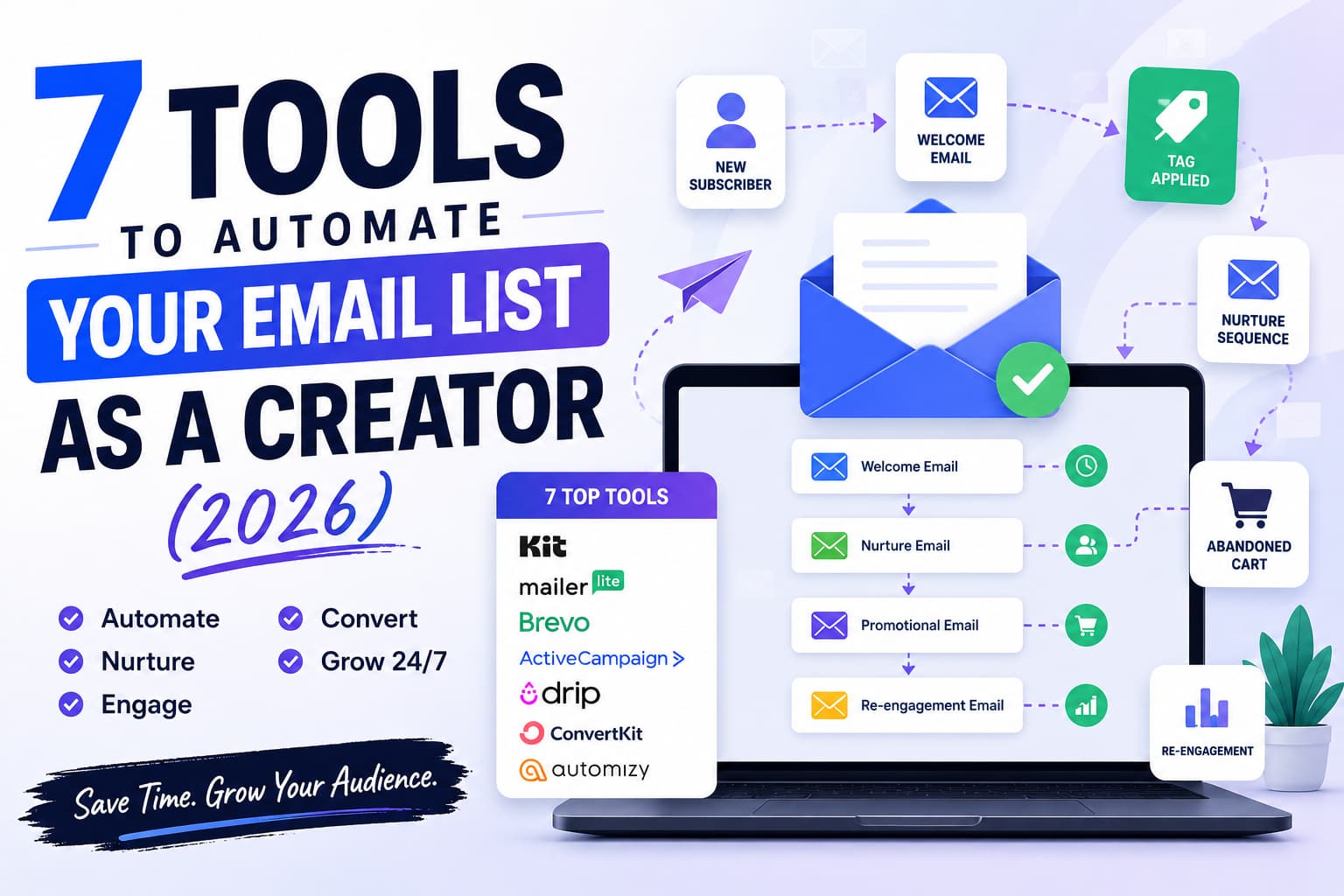
A new subscriber joins. Management authenticates the domain and tags the source. Automation fires the welcome sequence. Marketing writes those four emails and the Tuesday newsletter.
If management is missing, automation still “works.” It just works into the spam folder.
If marketing is missing, automation has nothing worth sending.
If automation is missing, you can still send by hand, but you will forget the 60-day silent people.
When should a creator use each one?
Use marketing every week you want to stay in someone’s head. A newsletter counts.
Use automation the day you have a lead magnet. Welcome sequence first. Cart and win-back after you have something to sell.
Use management before the first broadcast, then on a calendar: DNS once at setup, list scrub every 60–90 days, tag audit when a new opt-in source goes live.
If you only remember one line: automation is a schedule. Management is a reputation.
The 70/30 operating rule is important for creators because:
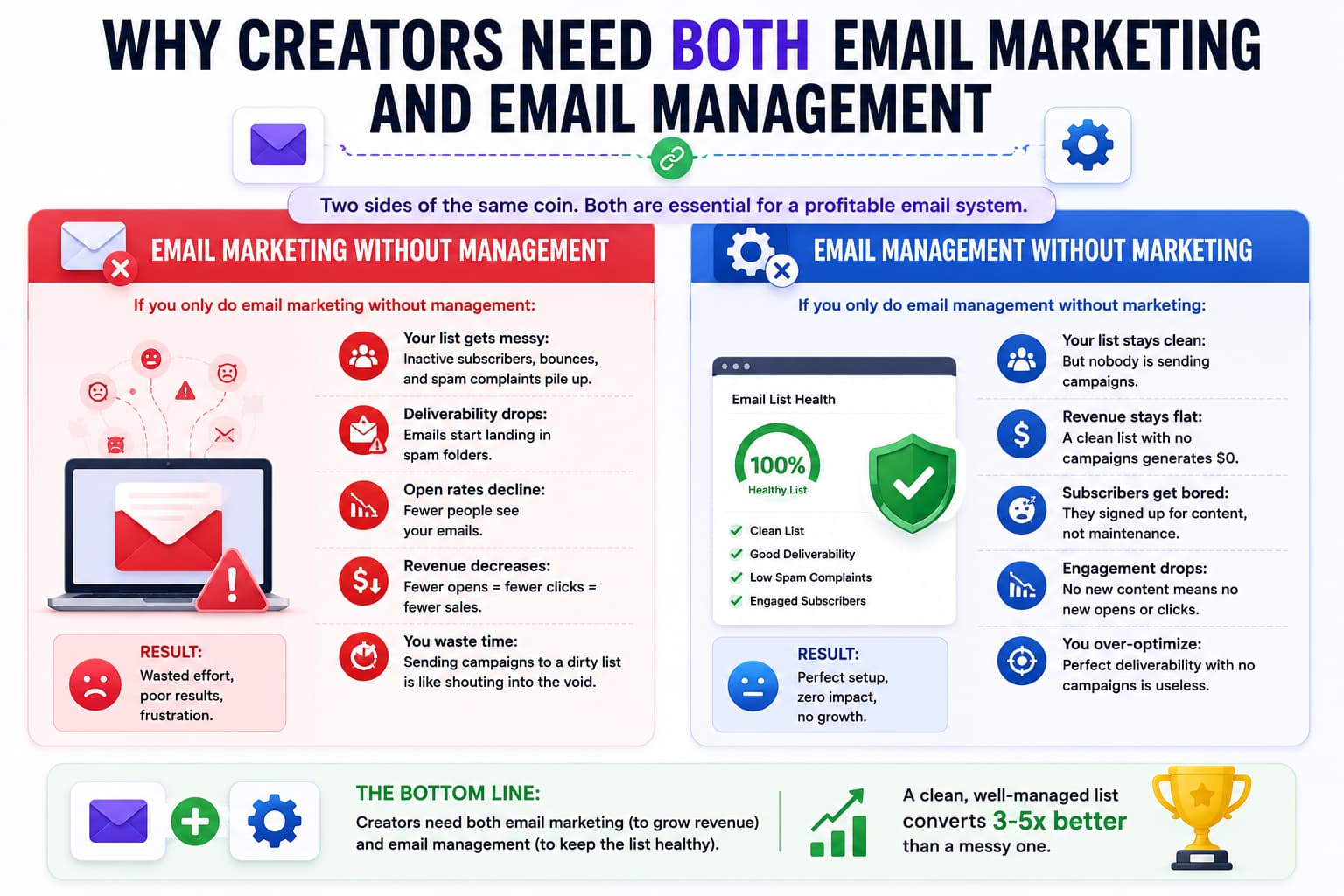
A good rule of thumb for creator ops is the 70/30 rule. Your long-term technical reliability is about 70% disciplined back-end management which is working quietly to support the 30% of visible front-end creative marketing.
You can spend 10 hours perfecting the hook and body copy of a promotional broadcast, but if your back-end management has been ignored for a year, your sender reputation will tank and the email will go straight to the spam folder.
At the same time, a clean, verified domain with an engaged subscriber segment will put your marketing messages right in front of your readers’ eyes, every single time.
What if you pay attention to one and not the other?
If your email ecosystem is too weighted in one direction, invisible points of failure build up across your entire operation, eventually hurting your creative momentum and bottom line.
The Perils of Marketing Without Management
Imagine a creator who has been grinding for years to hit 25,000 subscribers. They write with love. Every Tuesday they release long-form newsletters. They do a high-energy launch of their digital courses every spring. But never, ever scrub cold contacts. Never, ever check their DNS records. Never, ever clean overlapping tags.
- The Breakdown: Thousands of subscribers quit jobs, delete old inboxes or lose interest over time. The creator sends to thousands of non-engaging addresses and this is seen by the major inbox providers. But if you don’t get a lot of engagement, algorithms will start marking later broadcasts as unwanted spam and send them to the junk folder.
- The Real Cost: Open rates go from 40% to 12%. The reality is that their emails aren’t getting to people. But the writer thinks their writing has gotten worse, or their audience has grown tired of their offers. They’re paying a premium for a monthly SaaS fee for 25,000 contacts, but only engaging a fraction of active readers.
The hazards of working without marketing
Now let’s take a look at the maker on the other end of the spectrum; who spends hours and hours tweaking their platform configuration. They build complex custom tagging architectures, they build complex if/then automation nodes, they vet every single DNS record, and they surgically remove cold subscribers every 30 days. But they don't send real broadcast emails very often.
- The Breakdown: Subscribers so excited to sign up for a topic, forget the creator within weeks of no communication. When the creator does finally send an email to promote a new coaching cohort or product, the subscribers are confused and the unsubscribe and spam report rates increase.
- The Real Cost: A technically solid, authenticated setup will make exactly zero dollars if it’s not paired with steady, value-packed writing that helps build the creator-reader relationship.
Best Email Marketing & Management Tools for Creators in 2026?
NB: The tools reviewed below are dedicated ESPs (email service providers) with built-in marketing and management functions. Tools that automate lead capture (like Instagram’s comment-to-DM software) are in another bucket.
Is Kit (ConvertKit) the best for digital creators and paid funnels?
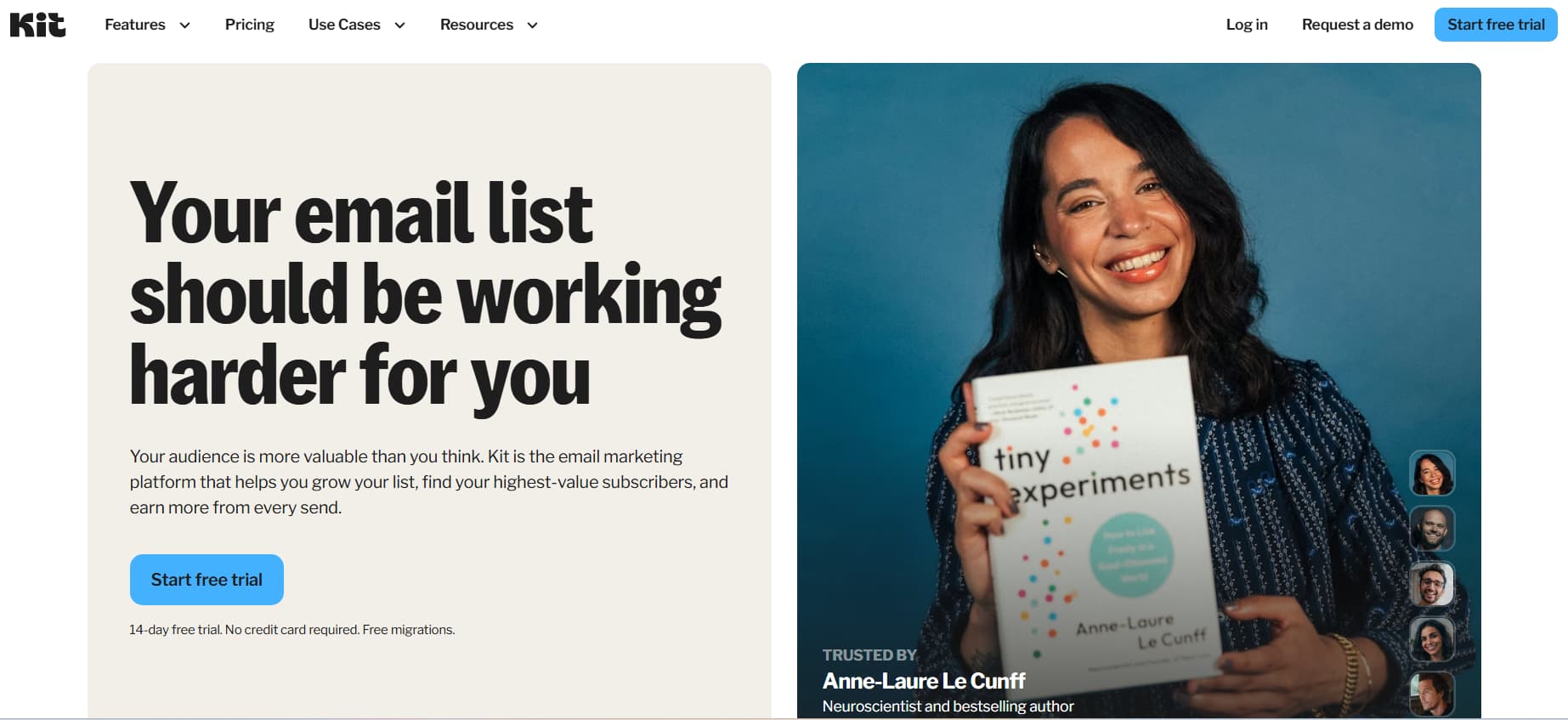
For professional creators, educators, writers and digital entrepreneurs who need deep tagging architecture, subscriber-centric organization and visual funnel building, Kit still remains the benchmark platform.
- Email Marketing Features: Kit’s distraction-free, text-first writing interface is optimised for the best reading experience and email client compatibility. It also opens up the Kit Creator Network for automated cross-promotions with other creators, dynamic content blocks for personalised messaging, inbuilt digital commerce to sell downloads, paid newsletters and tip jars.
- Email Management Tools: Creators can create multi-step logic trees with a visual automation canvas, add conditional tags based on link clicks and automatically remove inactive subscribers. Kit offers native support for technical deliverability monitoring, custom domain sending setup and automated cold-subscriber tagging.
- Pricing & Restrictions:
- Newsletter (free): $0 / month. Up to 10,000 subscribers (unlimited broadcast, basic tagging, 1 visual automation, community support)
- Creator Plan: Starts at $39/month ($33/month when billed annually) for up to 1,000 subscribers. Unlock unlimited automated sequences, visual funnels and third party integrations.
- Pro Plan: Up to 1,000 subscribers for $79/month ($66/month for annual billing). Includes advanced deliverability reporting, subscriber scoring, and built-in referral program mechanics.
- Pros: Best-in-class tagging infrastructure, powerful Creator Network growth engine, super generous free tier for new subscribers.
- Cons: Advanced automation costs extra; not as many styling options as block-heavy visual design builders.
MailerLite: The best all-in-one engine on a budget
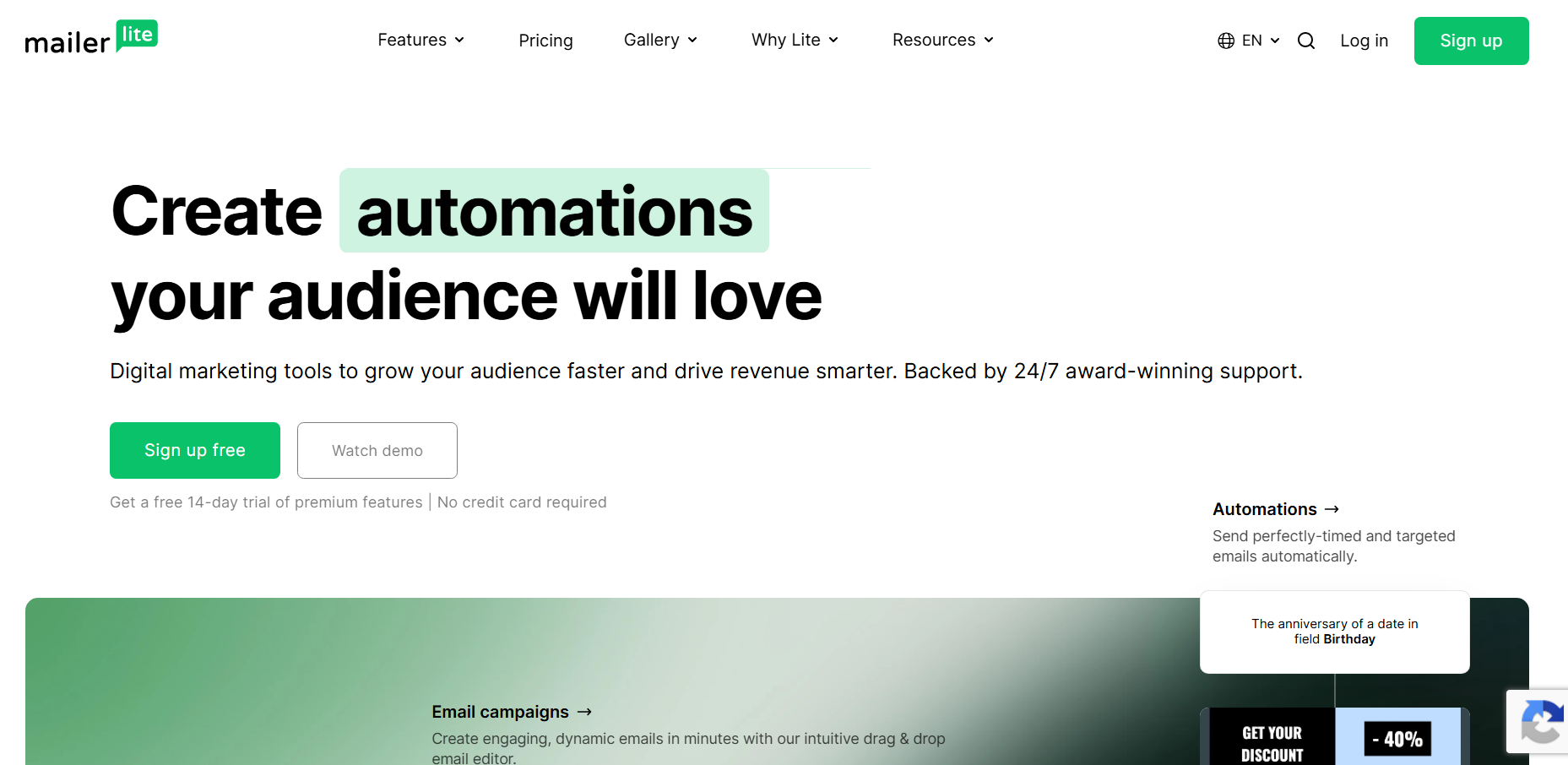
MailerLite strikes a good balance between advanced workflow automation, modern drag and drop design, and creator-friendly pricing tiers.
- Email Marketing Features: The platform comes with an intuitive drag-and-drop email builder that allows you to add interactive dynamic elements like countdown timers, product carousels, and embedded surveys. RSS campaign automation is also available. The app also allows creators to build custom landing pages, embedded lead capture forms and dynamic popups
- Email Management Features: MailerLite offers multi-trigger automation workflows, auto-resend to subscribers who don’t open the initial broadcasts, automated split-testing within sequences, timezone-optimized sending, and built-in bounce-handling utilities.
- Limits & Pricing:
- Free Plan: Free up to 250 subscribers (capped at 2,500 monthly email sends).
- Comfort Plan: $12/month for up to 500 subscribers ($19/month for 1,000 contacts) with unlimited monthly sends, full template access and 24/7 email support.
- Power Plan: Starts at $25/month for 500 subscribers and includes new custom HTML builders, sophisticated automation steps, and AI-powered copywriting modules.
- Pros: Competitive price, versatile visual design tools, built-in landing page and website builders.
- Cons: Rigid account approval and verification process; Fewer native deep integrations than older legacy platforms.
When to Choose Brevo for Large Contact Counts and Multi-Channel Messaging
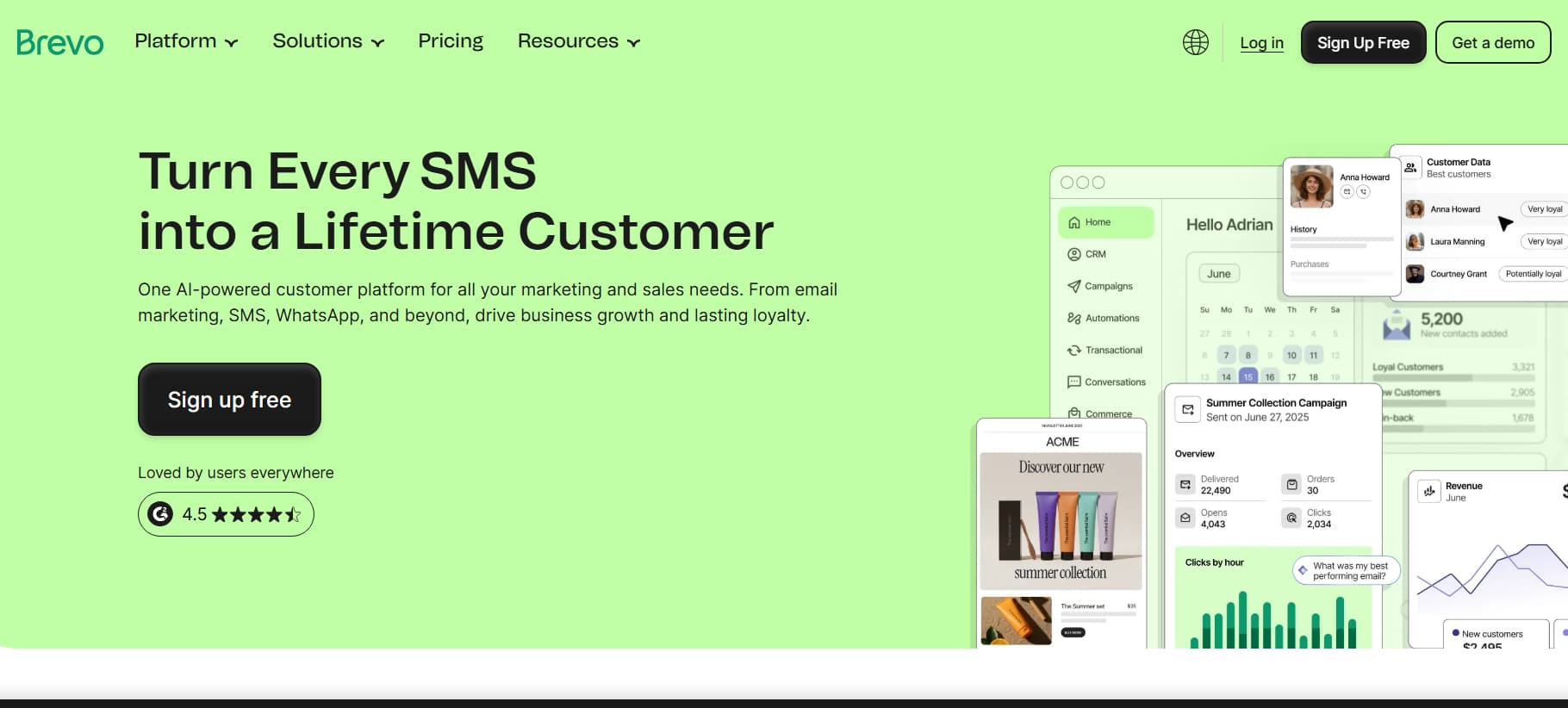
Unlike the rest, Brevo charges for its service only based on the monthly volume of emails sent, rather than the total number of contacts in your database. This makes it a great option for creators with large and diverse audiences.
- Email Marketing Features: Brevo comes with a simple visual email editor, dynamic personalisation shortcodes, multi-language campaign distribution, an integrated transactional email API, and native channels for SMS and WhatsApp marketing broadcasts.
- Email Management Features: Comprehensive customer relationship management (CRM) backend Dedicated IP reputation monitoring tools Automated contact lifecycle workflows Real-time activity tracking Dynamic list-segmentation filters
- Pricing & Limits:
- Free Plan: $0/month, unlimited contact storage, but limited to 300 emails sent per day.
- Starter Plan: $25/month for 20,000 monthly email sends without any daily send limits.
- Business Plan: Starts at $65/month, adding marketing automation workflows, predictive send-time optimisation and multi-user access.
- Pros: No penalty for storing unlimited contacts on free and entry tiers; built-in powerful multi-channel capabilities (SMS/WhatsApp).
- Cons: Daily send limit in free tier limits large newsletter broadcasts; UI has some added complexity due to enterprise CRM modules.
Which email service providers are best for key features?
Core Capability | ConvertKit | MailerLite | Brevo |
Billing Model | Active subscriber volume | Active subscriber volume | Monthly sending volume |
Free Tier Allowance | Up to 10,000 subscribers | Up to 250 subscribers | Unlimited contacts (300 sends/day) |
Entry Paid Tier | $39/mo (1k subs, monthly) | $12/mo (500 subs, monthly) | $25/mo (20k sends/mo) |
Email Editor Style | Text-first, minimal formatting | Modular drag & drop | Modular drag & drop |
Deliverability Tools | Built-in bounce management | Native monitoring & pruning | Dedicated IP options & CRM |
Multi-Channel | Email, commerce broadcasts | Email & custom web popups | Email, SMS, WhatsApp |
Best For | High contact counts & multi-channel | Pro creators & funnels | Budget-friendly visual newsletters |
If you want the longer tool-by-tool list, including ActiveCampaign, Beehiiv, and Moosend, I keep that on 7 tools to automate your email list as a creator. This page stays on the marketing vs management split, not the full catalog.
What is Social DM Lead Capture in an Email Workflow?
One area of confusion is the relationship between social conversion tools and traditional email service providers. Understanding the difference between top-of-funnel lead generation and your back-end email engine helps you avoid conflating their respective purposes.
Is an ESP truly different than a social DM automation tool?
- Email Service Providers (Kit, MailerLite, Brevo): This is the engine room. This is the core database. They deal with contact info, technical domain deliverability, automated email nurturing sequences and mass newsletter broadcasts.
- Social Direct Message Automation Tools: These are not email providers. They are dedicated conversational marketing tools to automate interactions in social messaging apps (especially Instagram). Basically, they help you convert engagement into direct leads by collecting contact information from chat conversations.
Why Instagram DMs Beat Traditional Web Forms for Lead Generation
The typical opt-in path is a tonne of friction. You tell the person watching your Instagram short-form video to tap your profile, tap a 'link in bio', wait for an external web landing page to load in an in-app browser, then type their email address into an input field, then open their email app to find the resource. At each and every hop in that chain, a percentage of interested viewers drop off, leading to typical 5% to 10% opt-in conversion rates.
Automating conversational DMs makes that multi-step journey into a simple chat interaction:
- Share a Reel, Carousel, or Story that is one of your top values with a clear call to action (e.g., “Drop the word WORKFLOW in the comments and I’ll send you the exact template”).
- DM automation tool finds the keyword in real time and sends out an automated private message to the user immediately.
- The bot then asks for the email they want to send the resource to, right in the chat, and sends the access link directly to the thread.
- The captured email is automatically sent to your main email service provider (like Kit, MailerLite or Brevo) through API integration or webhook.
- Your ESP tags the new subscriber (e.g,
LeadSource: IG_Workflow_Reel) and immediately fires off your automated onboarding sequence.
Interactive DM lead capture converts 15% to 30% by removing friction from external browser redirects and lengthy forms, feeding verified, high-intention contacts into your email ecosystem seamlessly.
Where Instagram leads enter the ESP
An ESP does not collect emails from a Reel. A comment-to-DM tool does not send the Tuesday newsletter. Keep the lanes.
The handoff looks like this: keyword on the post, email captured in the DM, webhook into Kit or MailerLite or Brevo, welcome sequence fires, tag source:instagram. InstantDM is one option for that capture step at $9.99/mo. It is not an email marketing tool and it does not replace Kit. It collects the address inside the chat, then the ESP does marketing and management. The capture steps live on collect emails in Instagram DMs. This page is the ESP side: marketing vs management after the address is in the list.
If you already use a landing page that converts, keep it. The point is not to rip out forms. The point is not to confuse the capture tool with the sending tool.
The in-chat capture flow is documented on collect emails via Instagram DMs. Keep that page for the DM step. Keep this page for what the ESP does next.
How to Build an End-to-End Creator Email System: A Step-by-Step Guide
How do I set up technical domain authentication (SPF, DKIM, DMARC)?
Before you can send your first intro broadcast, you’ll technically need to verify your sending foundation to protect your domain:
- Log in to the dashboard of your preferred ESP and authenticate your custom sending domain.
- Login to your DNS hosting dashboard (Cloudflare, namecheap, GoDaddy, etc.) and add the SPF (Sender Policy Framework) and DKIM (DomainKeys Identified Mail) TXT/CNAME records provided by your ESP.
- Configure a simple DMARC (Domain-based Message Authentication, Reporting and Conformance) policy record
v=DMARC1; p=none; rua=mailto:dmarc-reports@yourdomain.comThis is to make sure your domain meets the strict inbox delivery requirements of first-rate providers such as Google and Yahoo.
I want to set up workflows for automatic tagging and list scrubbing.
Organise your system before you begin to drive subscriber growth:
- Develop simple, consistent tagging bins:
Source: Instagram DMsBought: Ebook_V1State: Running- Create a dynamic segment that automatically buckets “Cold Subscribers” – anyone who’s been subscribed for more than 60 days, and hasn’t opened any of your last 10 – 15 campaigns.
- Create an automated re-engagement workflow – send 2 warm check-in emails asking if they still want to hear from you. After 7 days, automatically unsubscribe them if they don’t click or open, so your list stays clean without manual effort.
What To Include In A High Converting Welcome Sequence
Establish trust from the beginning with a friendly 4-step series:
- Email 1 (sent immediately): Deliver on your promise of a lead magnet immediately, perhaps a simple download link. Ask a simple open-ended question ("What is the biggest obstacle you're facing with this right now?") and invite them to respond, which signals positive engagement to mailbox algorithms.
- Email 2 (+24 Hours): Share your story, your creative mission, and the big problems that your work solves.
- Email 3 (+48 hours): Give them a laser-focussed, high-value tactical lesson or framework that delivers a quick, tangible win.
- Email 4 (+72 Hours): Contextually pitch your flagship offer, membership or digital course as the natural next step for people who want to go deeper.
How do you integrate top of funnel lead capture to your ESP?
Connect your front-end lead gen to your back-end email engine.
- Configure keyword triggers for comment-to-DM on your best-performing social content.
- Collect the emails and send them directly via the native webhook to your ESP to trigger the welcome series immediately.
- A review of your subscriber counts and open rate health. Monthly monitor your incoming leads.
How We Evaluated These Email Tools
We put three email platforms through the same five-point test so the comparison stays fair and useful for creators.
1. Pricing model We looked at monthly fees, subscriber limits, and free plan availability. Kit ranges from free up to $39/month based on list size. MailerLite sits between $0–$25/month. Brevo bills by email volume instead of contacts.
2. Feature depth We counted everything beyond basic sending: automation workflows, tagging, segmentation, landing pages, and multi-channel options. This showed how far each tool can actually go once you’re past the free tier.
3. Deliverability tools We checked bounce management, spam prevention, and sender reputation monitoring. Kit and MailerLite include solid built-in tools. Brevo stands out with dedicated IP options for higher-volume senders.
4. Creator fit We matched each platform to the type of creator it serves best: digital product sellers and funnel builders (Kit), budget-conscious writers who want visual design (MailerLite), and people managing large contact lists or multi-channel outreach (Brevo).
5. Integration ease. All three ESPs accept new subscribers over webhook or native API, so a comment-to-DM capture tool can dump addresses into the list without a CSV. That is capture into management, not a substitute for the ESP.
Pricing was verified directly on each platform’s website. All figures reflect October 2026 rates.
Last reviewed: October 2026.
What Do The Reddit Pro Creators Think About Email Ops?
Discussions around creator communities like r/emailmarketing, r/creators, and r/newsletters are always full of practical, real-world advice on how to run email systems:
- Keep Tools in Their Proper Lanes: Veteran operators warn against trying to make one single software tool do it all.
- Refined Conversation Automation Social DM capture for social media posts
- Specialised ESPs for email delivery & long term DB management
- Checkout dedicated shopfronts
- Think Engagement, Not Vanity Metrics: Well-cared-for lists of 3,000 engaged readers with a 50% open rate are often pointed out by veteran newsletter operators as being far more valuable and profitable than unmanaged lists of 25,000 contacts with a 7% open rate.
- Clean Layouts Win: Light, text-heavy layouts consistently beat out heavy, multi-column HTML templates in deliverability, mobile reading experience, and direct click-through rates, according to members of creator forums.
- Platform Fit by Use Case:
- Best overall for creators selling digital products and memberships: Kit
- Best budget for writers who want intuitive visual design: MailerLite
- Best for teams with large transactional contact lists across multiple channels: Brevo
About the author:
Aravindh Kumar is an ecommerce and Instagram growth expert with 8+ years of experience in online selling. He has worked with 500+ brands - including Forbes-listed companies - He has helped 200+ Instagram businesses grow their online presence.