TL;DR — Quick Answer
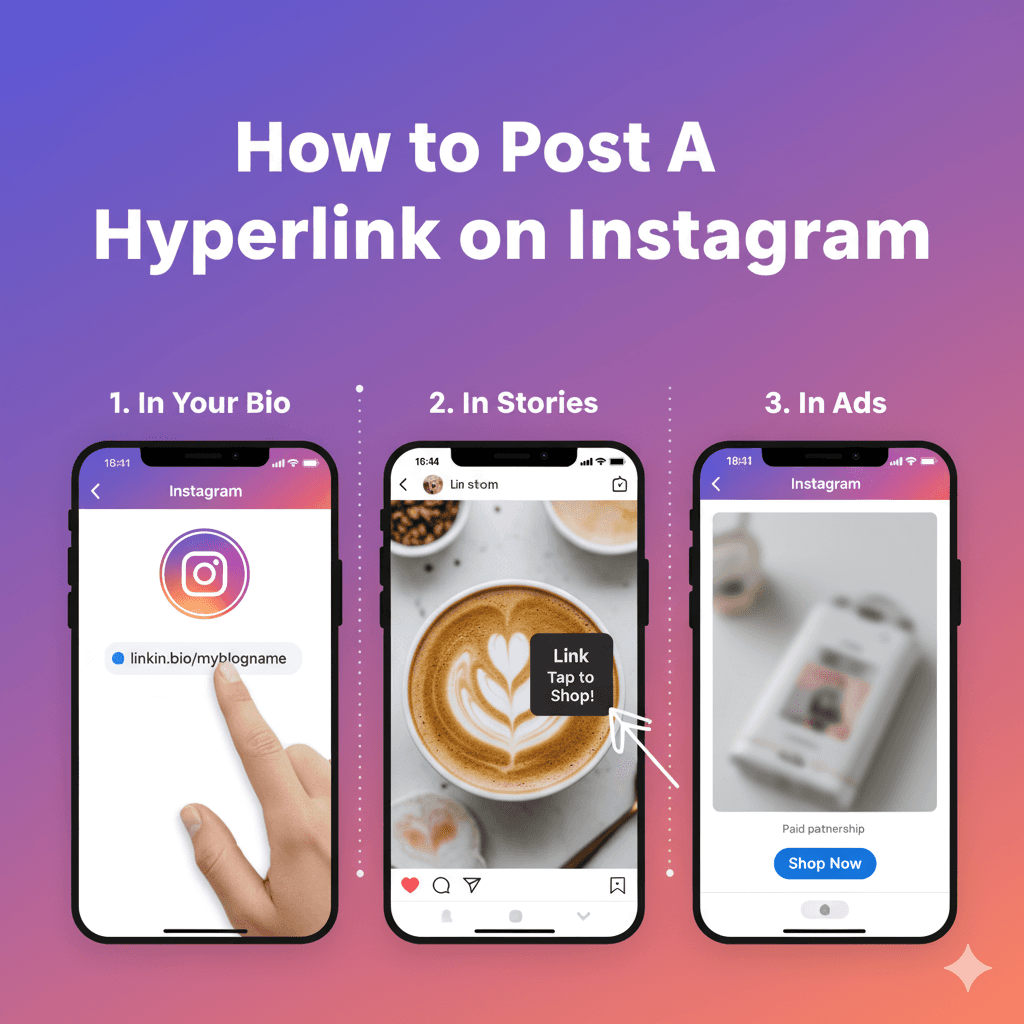
Instagram has 5 places you can post a clickable hyperlink: your bio (up to 5 links), your Stories (link sticker), Ads (any CTA button), Shopping tags (product links), and DMs (paste any URL). Links in feed-post captions are not clickable — the workaround is comment-to-DM automation, which sends a link via DM when a viewer comments a keyword.
- Bio link: up to 5 clickable links per profile (Edit Profile → Add Links)
- Story link sticker: tap the sticker icon → Link → paste URL → place sticker
- Reels & feed captions: NOT clickable — use bio link or comment-to-DM workaround
- DMs: any pasted URL becomes clickable automatically
- Ads: CTA button (Shop Now, Learn More) links anywhere you specify
Why links matter on Instagram
Instagram is designed to keep users inside the app — unlike platforms that encourage sharing external content. Clickable links are one of the few mechanisms to bridge a follower from your post to your website, store, blog, or email list. Done well, links convert browsers into buyers. Done badly (or absent), engagement evaporates.
Three places links most directly drive revenue:
- Selling products — bio + Shopping tags + DM links → direct purchases
- Promoting content — bio link + Story sticker → blog posts, podcasts, YouTube
- Building communities — link to Discord/Skool/private group via bio or DM
How to add a clickable hyperlink to your Instagram bio
This is the most reliable hyperlink slot on Instagram. Every account gets up to 5 clickable links in the bio as of 2026.
Step 1: Open Edit Profile (10 seconds)
Open Instagram → tap your profile picture → tap "Edit Profile". On desktop: go to your profile on instagram.com and click "Edit Profile".
Step 2: Tap "Links" or "Add Link" (5 seconds)
Scroll to the Links section. You'll see your current bio link plus an option to add more (up to 5 total).
Step 3: Paste your URL and label it (15 seconds)
Paste the full URL (include https://). Add a custom label like "Shop the new drop" or "Latest podcast episode" — labels make the bio link list more clickable than raw URLs.
Step 4: Save and test (10 seconds)
Hit Done. Visit your profile from a friend's phone (or from incognito mode on desktop) to confirm the link is clickable.
How to add a clickable link sticker to your Instagram Story
The Story link sticker is the simplest way to get a clickable link in front of your audience. Available to all accounts (no follower threshold as of 2026).
Step 1: Create your Story (variable)
Tap the + icon → Story → take a photo, record a video, or upload from your camera roll.
Step 2: Tap the sticker icon (5 seconds)
The sticker icon is at the top of the Story editing screen (looks like a smiley face inside a square).
Step 3: Select "Link" (5 seconds)
Scroll the sticker menu and tap "Link" (usually near the top of the list).
Step 4: Paste your URL and customize text (15 seconds)
Paste your URL. Tap the customize text option to write your own sticker label like "Tap to shop" or "Get the recipe" — branded text outperforms the default URL display.
Step 5: Place the sticker and publish (15 seconds)
Drag the link sticker where you want it on your Story. Add arrows, GIFs, or text pointing to it for higher tap rates. Tap "Your Story" to publish.
Why links in Instagram captions don't work (and what to do instead)
If you type a URL in a feed-post caption, it shows up as plain text — not clickable. Users would have to copy and paste it into their browser, which almost no one does.
Three workarounds, in order of effectiveness:
Workaround 1: "Link in bio" pattern
Write something like "Full recipe — link in bio". Update your bio link to point to whatever your post is promoting. Conversion rates are low (estimated 2-4%) because of the multi-step navigation, but it's the most familiar pattern.
Workaround 2: Comment-to-DM automation (highest converting)
Write something like "Comment LINK and I'll DM you the recipe." Use a tool like InstantDM to auto-send the link via DM when anyone comments the trigger word. CTR jumps to 15-25% because there's no navigation friction — the link arrives in the user's inbox in 5-10 seconds.
Workaround 3: Short, memorable URL
If you control your domain, set up a short URL like yourdomain.com/shop. Mention it in the caption. Users will need to type it into a browser, but a short branded URL gets typed at much higher rates than a long random one.
How do I add a clickable link to Instagram Reels?
Reels don't support clickable links in the caption — same restriction as feed posts. Your two reliable methods are exactly the same as for posts:
- Bio link method: tell viewers "link in bio" and update your bio link to match the Reel's topic
- Comment-to-DM method: tell viewers to comment a keyword (SHOP, GUIDE, LINK) and an automation tool DMs them the link instantly
For viral Reels with hundreds of comments, the DM automation method scales infinitely; the bio-link method makes you the bottleneck.
How to add clickable links via Instagram Ads
Paid Instagram Ads are the only post format with native clickable CTAs in the feed. When you create an ad in Meta Ads Manager, you choose a CTA button — Shop Now, Learn More, Sign Up, Book Now — and specify the destination URL. The button appears clickable inside the ad creative.
For ad campaigns targeting DMs (Click-to-Message ads), the CTA opens an Instagram DM with your account instead of an external URL. Pairing Click-to-Message ads with comment-to-DM automation creates a fully automated lead funnel.
How to add product links via Instagram Shopping
If you sell physical or digital products, Instagram Shopping tags are the highest-converting link type — followers tap a product in your photo and go straight to your checkout.
Setup requires: (1) a Business account, (2) a product catalog connected via Meta Commerce Manager (usually pulled from Shopify or WooCommerce), (3) account approval by Meta (typically 24-72 hours). Once enabled, tap "Tag Products" when creating a post.
How to share a clickable link in Instagram DMs
Links in DMs are clickable automatically — paste any URL into a DM and Instagram converts it into a clickable preview. This is the only place on Instagram where links work the way they do on every other platform.
For accounts getting 50+ link requests per day, manually pasting links breaks. Comment-to-DM automation tools like InstantDM, ManyChat, and Chatfuel handle this at scale — when someone comments a trigger keyword, the link is sent via DM within seconds.
Which link method should you actually use?
- Permanent links (homepage, store, latest post): bio link, updated regularly
- Time-sensitive promotions: Story link sticker (24-hour visibility, high tap rate)
- Driving traffic from viral Reels: comment-to-DM (scales infinitely, 5-10× higher CTR than bio link)
- Ecommerce / shopping: Instagram Shopping tags (lowest-friction path to checkout)
- Paid traffic / cold audiences: Instagram Ads with CTA button
- 1-on-1 conversations: paste URL directly in DM
Final thoughts
Instagram doesn't make links easy — that's a deliberate design choice to keep users inside the app. But the platform offers 5 distinct hyperlink methods, each with different friction levels and conversion rates. The highest-converting method for most creators in 2026 is comment-to-DM automation, because it removes the navigation friction that kills the traditional "link in bio" flow.
When a post starts getting comments, send the clickable URL in a DM instead of a bio link — that is comment-to-DM. It stays allowed only on Meta’s official API; see what Instagram actually permits.