Updated: August 1, 2026 · Desktop drag-and-drop checked with live screenshots · Size limits from Meta's public docs
For a long time the Instagram "PDF trick" was really a link trick. Comment a word, get a Drive URL, leave the app, hope the permissions didn't break next week.
That's not the only option anymore. On desktop and browser Instagram you can
drop a PDF into an open DM and it goes out as a file. The other person opens
it on their phone. And if you use a Meta partner like
InstantDM, you can fire that same PDF
when someone comments COURSE, BROCHURE, or
PROMPTS. InstantDM tries the file in the chat first. If that
send fails, it falls back to a preview link so they can still open the PDF,
similar to a Google Drive share.
Can you send a PDF on Instagram DM in 2026?
Yes. Open the chat on desktop or browser, drop the PDF into the window, done. They open it in the mobile app. InstantDM can also send the file after a keyword comment, with a preview-link fallback if the attachment fails.
- Manual: desktop or web DM, drag the PDF in. They open it on the phone.
- Automated: comment keyword → InstantDM sends the PDF file (Meta attachment API, up to 25MB). If that fails, InstantDM sends a preview link so they can still open the PDF.
- Why bother: fewer dead links, less "link in bio" bounce, file in chat when it works, reliable fallback when it doesn't.
Does Instagram allow PDF files in Direct Messages now?
Yes, on desktop and browser. Open a thread, drop the PDF (or another supported file) into the chat. Instagram treats it as a document. You don't need to hunt for a paperclip first.
After a drop, it looks like this on desktop. Brochure PDF sitting in the thread like a normal message:

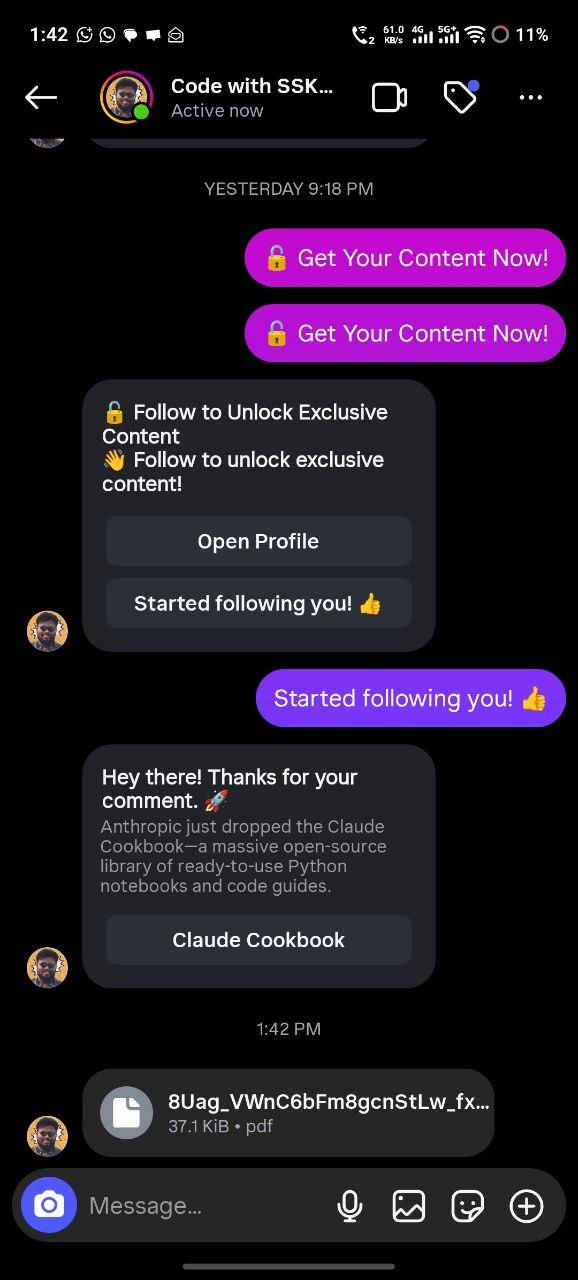
On mobile, the same file shows up as a file bubble. No browser tab required to open it.
Can you open an Instagram PDF on the mobile app?
Yes. Even if you dropped it from a laptop, it lands in the phone chat. That's where most of your audience will actually open it.
Rough split: you send from desktop or browser. They open on the phone.
How do you send a PDF on Instagram from desktop or browser?
Open the DM on a computer and drop the PDF into the chat. That's the whole move.
- Log into Instagram on desktop or browser with the account you use for DMs.
- Open Messages and pick the conversation (or start one).
- Find the PDF on your machine (desktop, Downloads, wherever you left it).
- Drag the PDF onto the open Instagram chat. It loads as a file in the thread.
- If it sits as a draft, hit send. Sometimes the drop is enough on its own. Either way, you can follow with a short line: "Here's the brochure."
- Have them check mobile Instagram so you know the bubble shows up (same as the phone screenshot above).
Locked-down work laptops sometimes block drag-and-drop. Then you may need a file picker if Instagram still exposes one. For normal desktop or browser use, dropping the file into the chat is what people actually do.
Small things that save pain:
-
Name it like a human:
Summer_Menu_2026.pdf, notfinal_v7_fixed.pdf. - Meta's messaging upload docs cap PDF (file type) at 25MB. Smaller is kinder on mobile data.
- Run customer DMs from a Creator or Business account if you also use automation tools.
Should you send a PDF file or a third-party download link?
Prefer the PDF in chat when the file is small enough and free (or already paid). Hand-sending one PDF to one client is fine. The second a Reel blows up, you're cooked.
Old loop:
- Comment
GUIDE - Someone pastes
drive.google.com/... - They leave Instagram, hit a login wall, or lose the link in a week
Better loop:
- Comment
COURSE,BROCHURE, orPROMPTS - Partner tool DMs the actual PDF in the thread
- They open it on their phone without leaving the app
Keep a link when you need checkout, a huge file, or an email backup. InstantDM also uses a fallback link only if the native PDF attachment fails, so the person still gets a previewable copy. For free lead magnets and short assets, the in-chat PDF is still the first choice. More on funnels: comment-to-DM automation and digital product PDF delivery.
How do Meta partners send a PDF through the official Instagram API?
They upload the PDF with Meta's Attachment Upload API, then send that attachment in a message. Meta documents it here: Instagram attachment upload.
What that means without the jargon:
-
The partner posts media to Meta with platform
instagram. Types include image, video, audio, and file. - Under file, PDF is allowed. Max size in Meta's table: 25MB.
-
You get an
attachment_id, or you upload and send in one call. - That attachment goes to the person's Instagram-scoped ID, same stack as text and images from official bots.
Developers need Page tokens and scopes like
instagram_manage_messages. You skip that mess if InstantDM is the
product: it's a
Meta Business Partner
and uses Graph messaging, not password scrapers. More on limits:
safety
and
DM rules 2026.
How do you auto-send a PDF when someone comments COURSE, BROCHURE, or PROMPTS?
Set InstantDM on a comment keyword and attach the PDF to the reply. They comment on the post or Reel. InstantDM tries to put the actual PDF file in the DM. That is the primary path.
What if InstantDM cannot send the PDF file?
InstantDM has a fallback for that case. If the native PDF attachment does not go through (API glitch, size edge case, temporary messaging issue), InstantDM sends a link instead. The person can open and preview the PDF in the browser, similar to how a Google Drive share works, so they are not left with an empty reply.
Order of operations: try the file in chat first, then fall back to a preview link. You still upload the PDF once in InstantDM; you do not maintain a separate Drive folder unless you want to.
What should you prepare before you automate the PDF?
- Clean PDF under 25MB. Under 5–10MB feels better on phones.
- Clear file name and a cover that doesn't look like a draft export.
- Free lead magnet vs paid: paid may need a checkout step before the file goes out.
How do you connect Instagram the official way?
Sign up at app.instantdm.com/signup, connect Creator or Business through Meta OAuth. No password share. Paid plans: instantdm.com/pricing.
What keywords work best for PDF delivery?
| Asset | Keyword ideas |
| Course outline / syllabus | COURSE, SYLLABUS, START |
| Brand or venue brochure | BROCHURE, MENU, INFO |
| AI / content prompt pack | PROMPTS, PACK, AI |
| Checklist / guide | GUIDE, CHECKLIST, PDF |
Put the word on the video and early in the caption. Clear CTAs get more comments (and more delivery): why automated replies help reach.
How do you build the comment-to-DM flow with a PDF attachment?
- Add a comment trigger on the post, or reuse a keyword flow.
- Set the keyword. Exact match when you can; add common typos if the tool allows.
- Write a short opener that sounds like you: "Sending the brochure now. Open it in this chat."
- Attach the PDF as a file payload so InstantDM can send the document in the DM (primary path).
- Leave fallback on if your workspace exposes it (default on InstantDM): if the file send fails, InstantDM DMs a preview link for the same PDF.
- Optional: follow gate, email capture, or a second message with a booking link.
Deeper setup: auto DM on comment, comment auto-DM, keyword triggers.
How do you test PDF delivery before you go live?
- Comment the keyword from a second account.
- Check the DM for the PDF bubble (phone view like the screenshot above).
- Open the PDF. Pages, fonts, nothing cut off.
- If you only get a link, open it and confirm the preview still shows your PDF (that is the fallback path working).
- Only then put the keyword on a public Reel.
When should you send a PDF manually vs with InstantDM?
Drag-and-drop on desktop for one-off chats. InstantDM when a post will spawn the same request over and over.
| Desktop / browser manual | InstantDM | |
| How the file gets in | You drag the PDF into each chat | Automation on every matching comment |
| Best for | Clients, 1:1 support, small lists | Reels, launches, lead magnets |
| Scale | Falls apart after a few dozen DMs | Runs while you're offline (API pacing still applies) |
| Delivery | Native Instagram PDF in chat | File via Messaging API first |
| If file send fails | You retry by hand | InstantDM fallback: preview link (Drive-like open in browser) |
| Link required? | No | Only as fallback (or if you add checkout yourself) |
Who should auto-deliver PDFs in Instagram DMs?
Anyone who already says "comment X and I'll send it." If you've typed that in a caption this year, this is for you.
-
Course creators:
COURSE→ syllabus or sample module. -
Local businesses:
BROCHUREorMENU→ current PDF without reprinting paper every month. -
Prompt / writing niches:
PROMPTS→ pack people can save offline. - Coaches: free worksheet after a Reel, then a paid offer in the same thread.
- Agencies: one-pager when prospects comment on a case study.
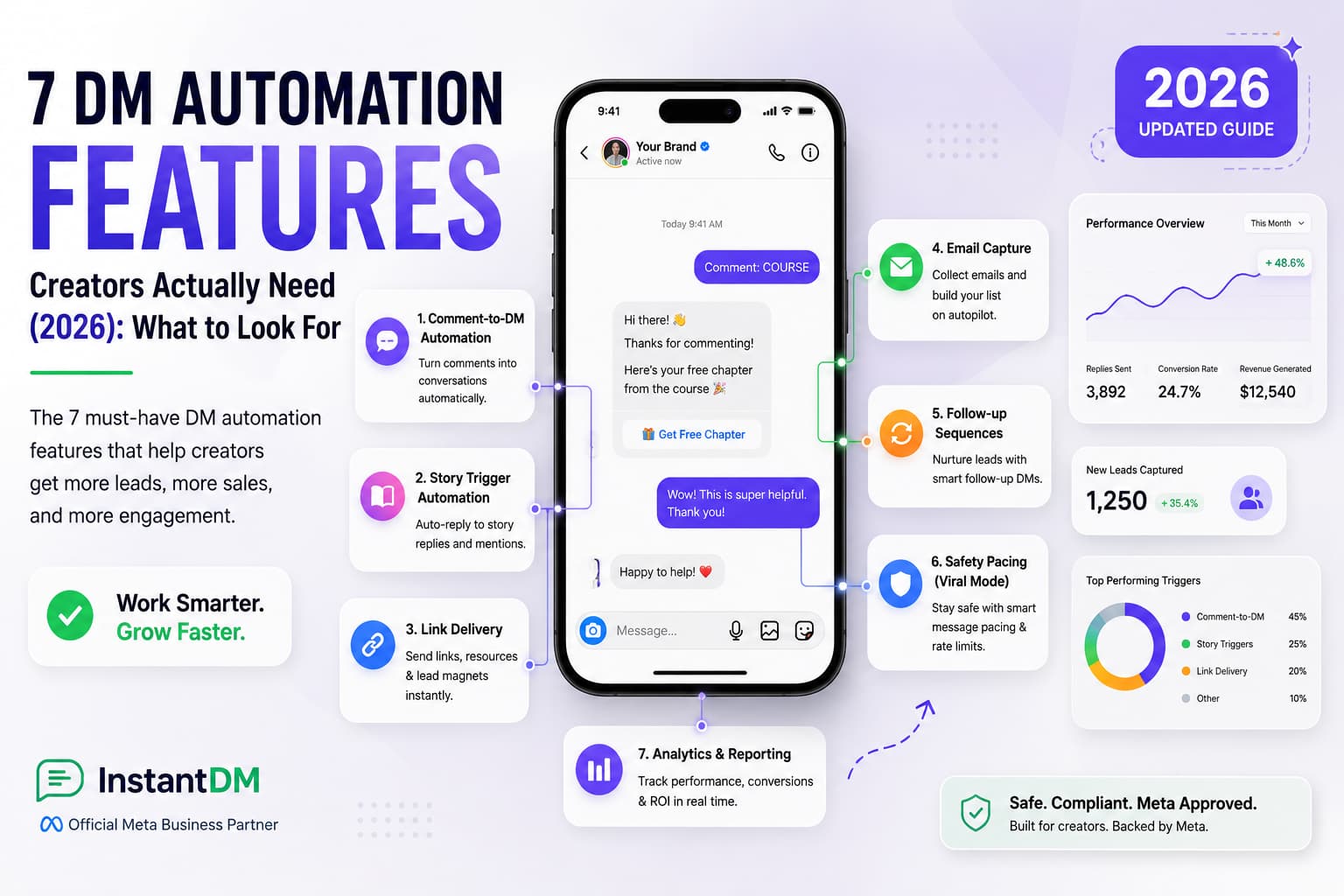
Related: 7 DM features creators need, features, email capture in DM.
What mistakes break Instagram PDF delivery?
Usually one of these: file too big, filename full of weird characters, unofficial bot, keyword buried in caption line 12, or never testing on a real phone.
- Stay under Meta's 25MB file cap. Smaller is better.
- Meta says non-ASCII characters in media file names aren't supported for attachment uploads. Keep names simple (ASCII).
- If a tool wants your Instagram password to "blast PDFs," walk away.
- Put the keyword on the creative, not only at the end of a long caption.
- Desktop send and mobile open are different. Check both.
- Free tiers and API pacing still exist. See rate limits 2026.
What is the fastest way to send a PDF on Instagram DM?
One person: open the chat on desktop or browser and drop the PDF in. They open it on mobile.
Many people: InstantDM on a comment keyword so the PDF arrives on its own. COURSE, BROCHURE, PROMPTS, whatever matches the asset. InstantDM sends the file through Meta's attachment API first. If that fails, the fallback link still lets them preview the PDF in the browser.
Who is this guide for?
Creators, coaches, local brands, and agencies who already promise "comment and I'll send the PDF," and anyone sick of pasting Drive links by hand.
Who wrote this?
I'm Sanjay, founder of InstantDM. We build comment-to-DM and messaging tools on Meta's official APIs so you can ship guides, menus, and course materials without living in the inbox. Try keyword delivery: start free or see pricing.