The best Instagram auto reply tools in 2026 are: InstantDM ($9.99/mo, unlimited DMs, Meta Business Partner), ManyChat ($15-65+/mo, per-contact billing), and Meta Business Suite (free, limited). InstantDM is the best overall — flat pricing, official Meta API, comment-to-DM, story replies, follow-ups, and AI agent. Verified July 2026.
What Is Instagram Auto Reply and Why Do You Need It in 2026?
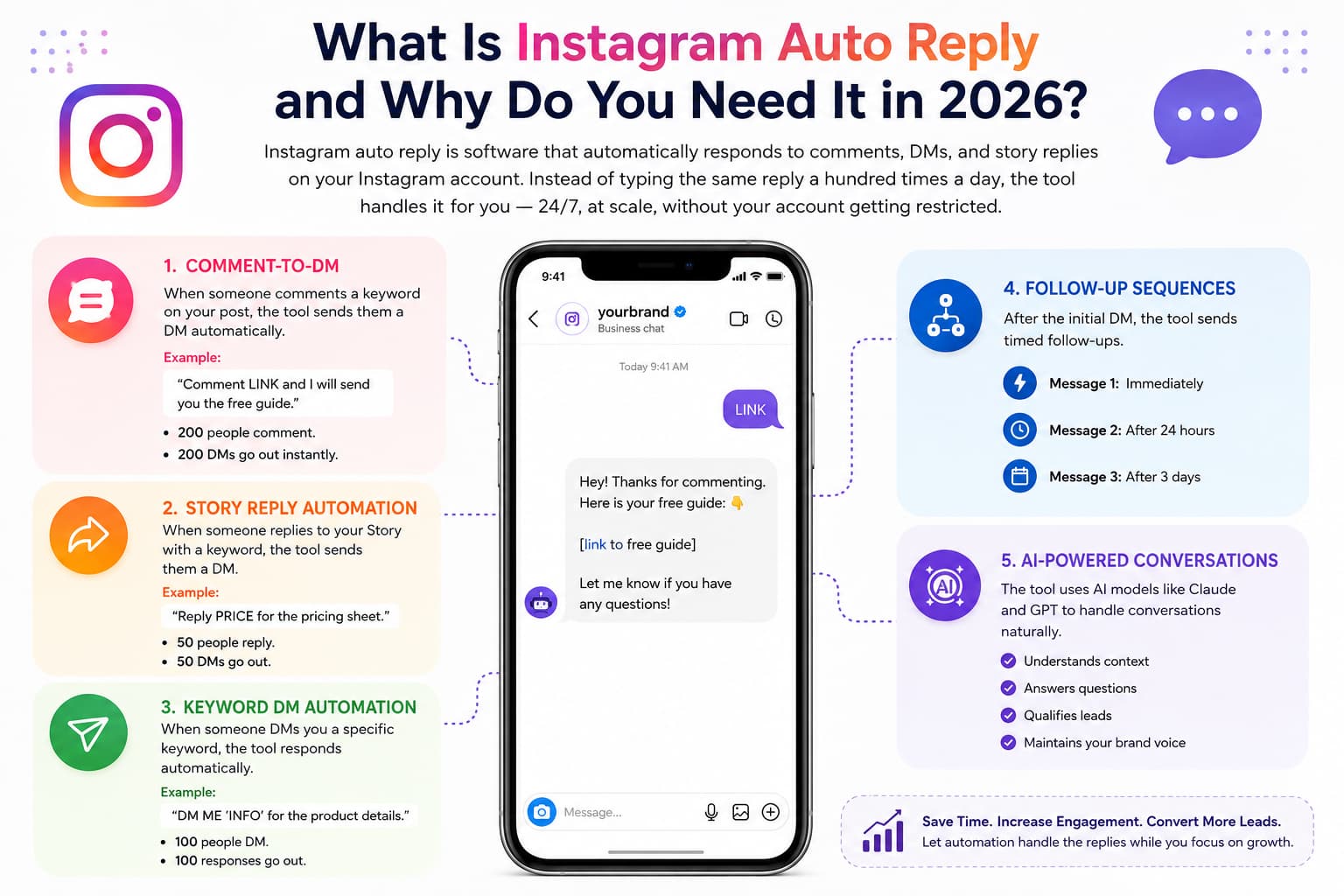
Instagram auto reply is software that automatically responds to comments, DMs, and story replies on your Instagram account. Instead of typing the same reply a hundred times a day, the tool handles it for you — 24/7, at scale, without your account getting restricted.
Here is what Instagram auto reply does
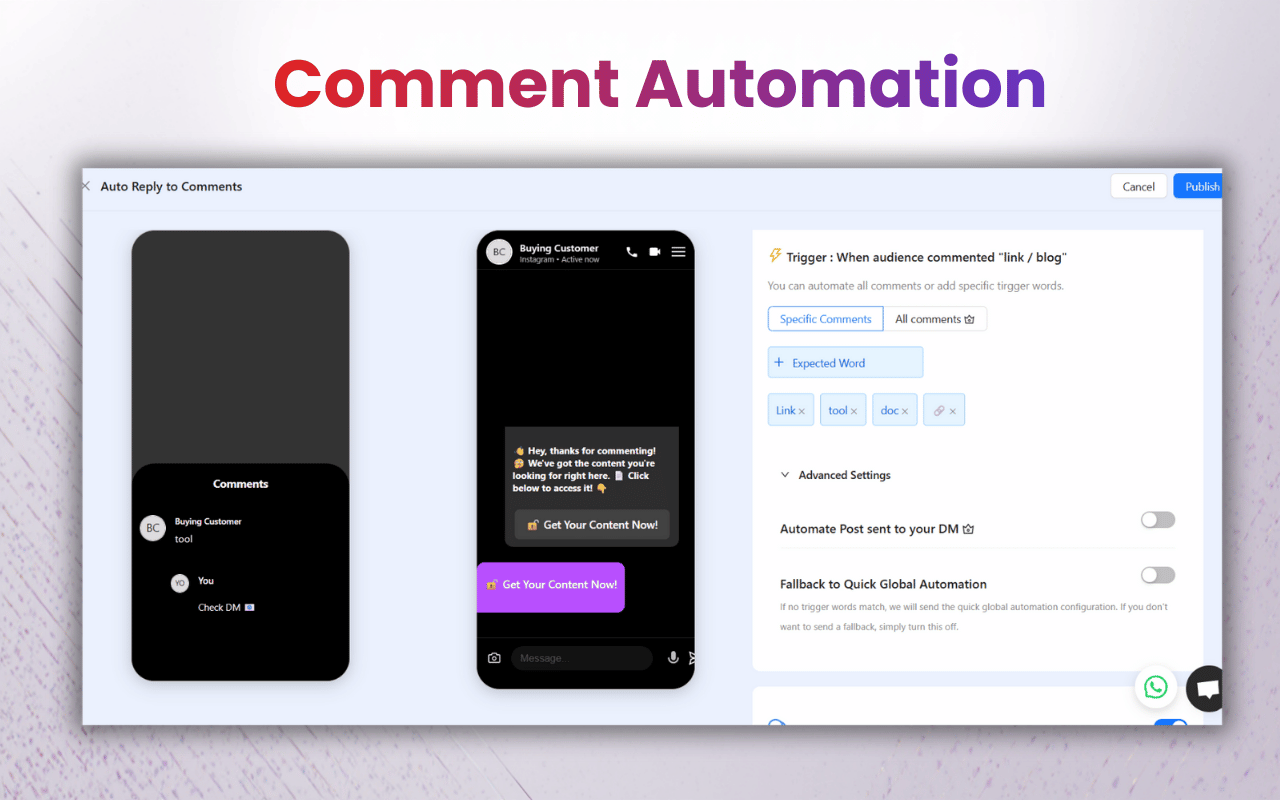
Comment-to-DM
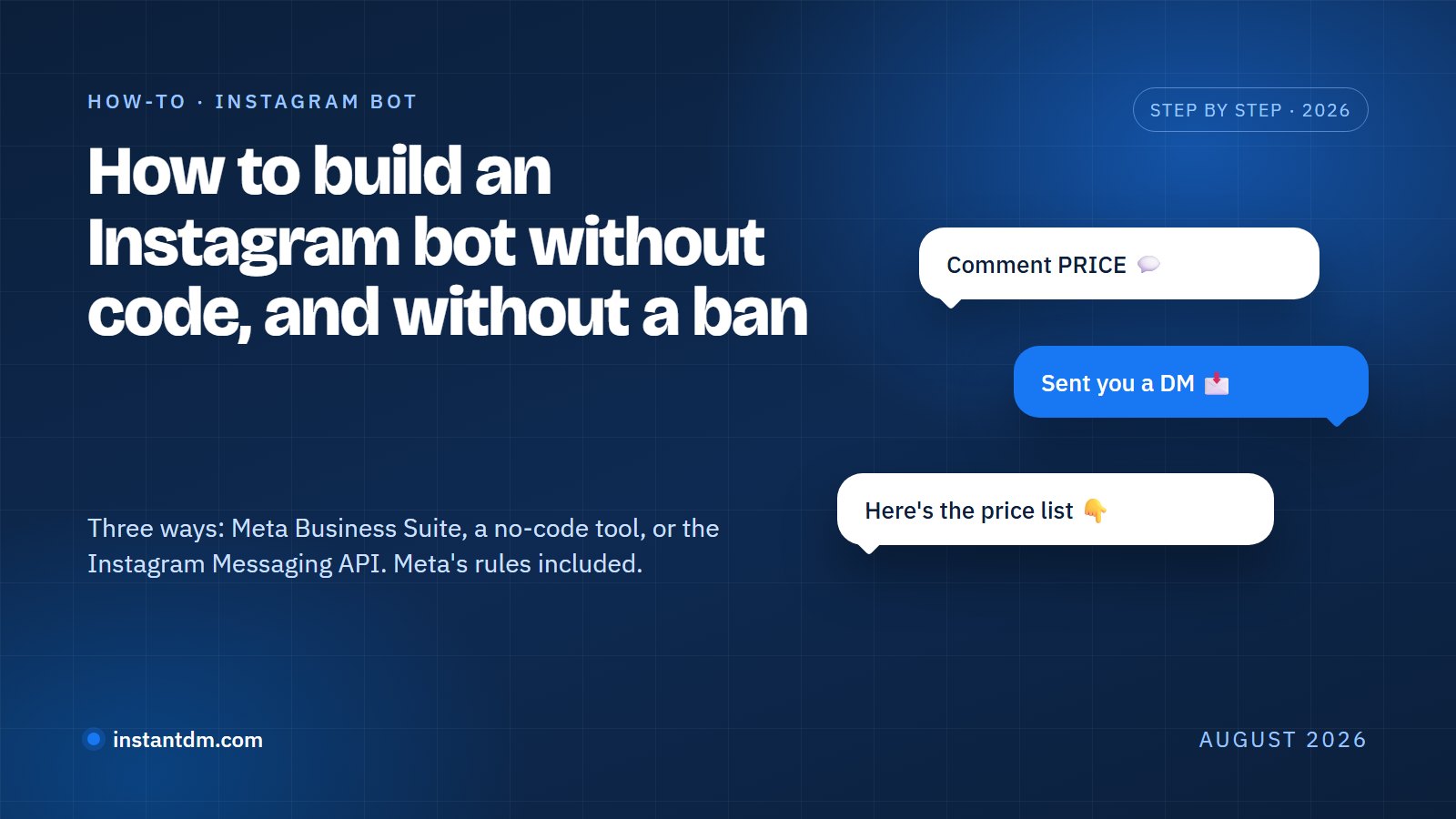
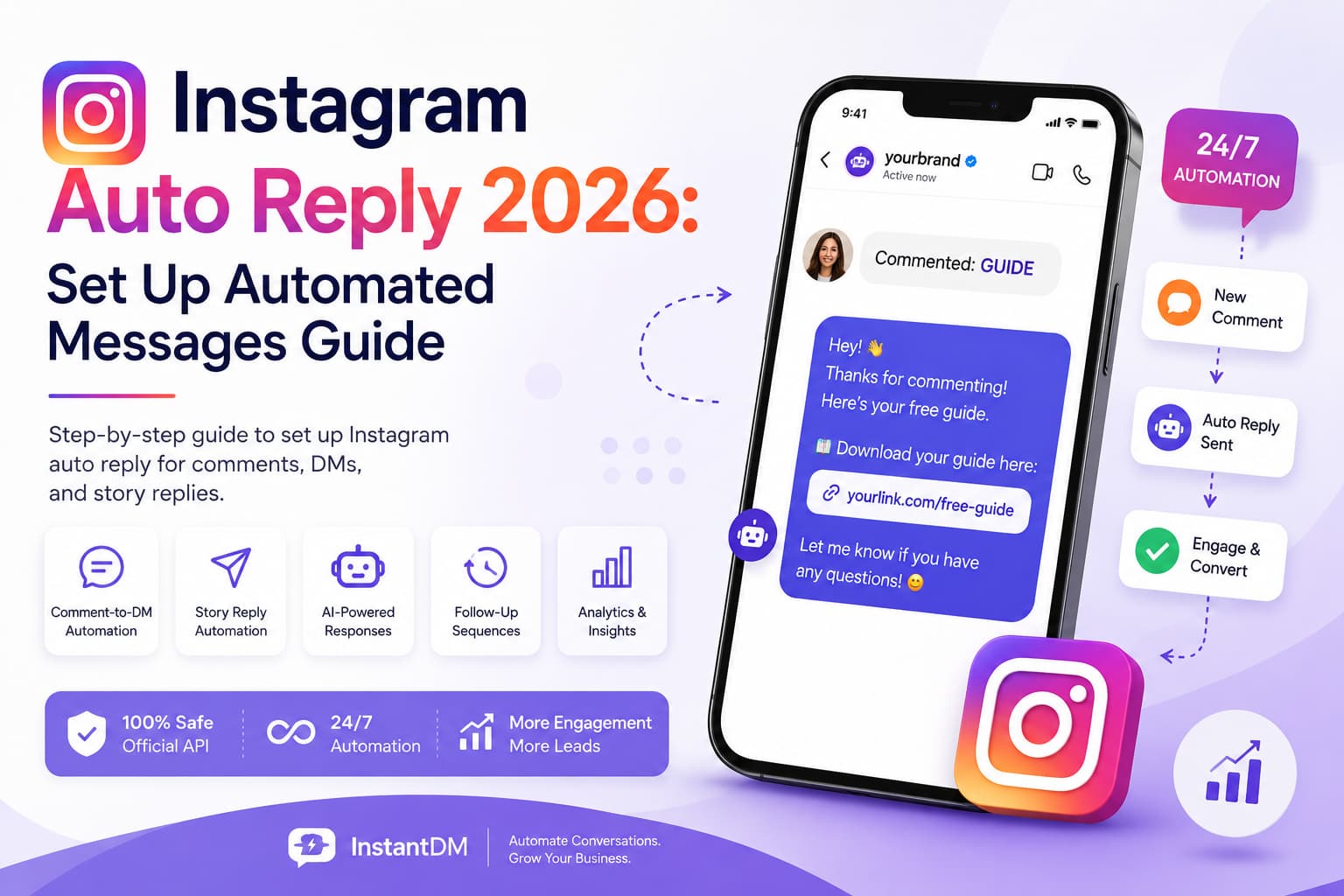
When someone comments a keyword on your post, the tool sends them a DM automatically.
Example:
"Comment LINK and I will send you the free guide."
- 200 people comment.
- 200 DMs go out instantly.
Story Reply Automation
When someone replies to your Story with a keyword, the tool sends them a DM.
Example:
"Reply PRICE for the pricing sheet."
- 50 people reply.
- 50 DMs go out.
Keyword DM Automation
When someone DMs you a specific keyword, the tool responds automatically.
Example:
"DM ME 'INFO' for the product details."
- 100 people DM.
- 100 responses go out.
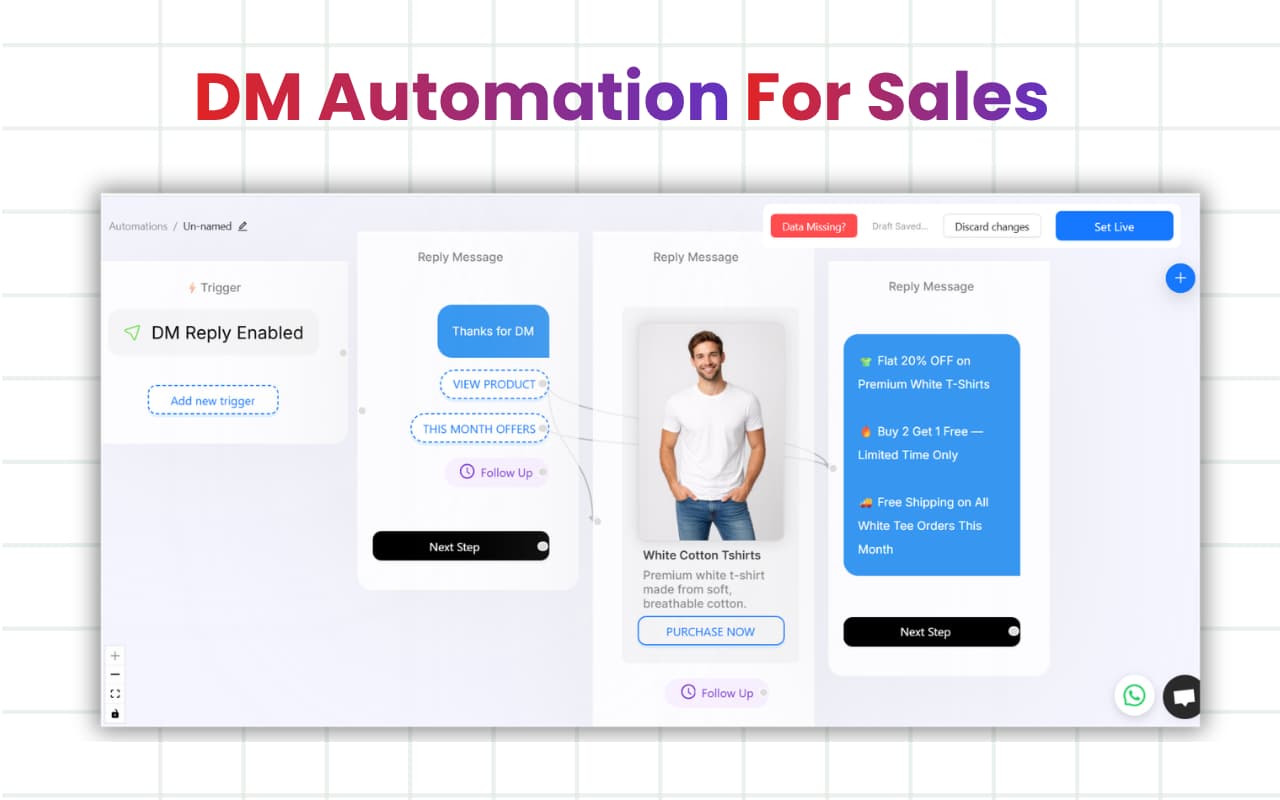
Follow-Up Sequences
After the initial DM, the tool sends timed follow-ups.
- Message 1: Immediately
- Message 2: After 24 hours
- Message 3: After 3 days
AI-Powered Conversations
The tool uses AI models like Claude and GPT to handle conversations naturally. It understands context, answers questions, qualifies leads, and maintains your brand voice.
Why Instagram Auto Reply Is Important in 2026
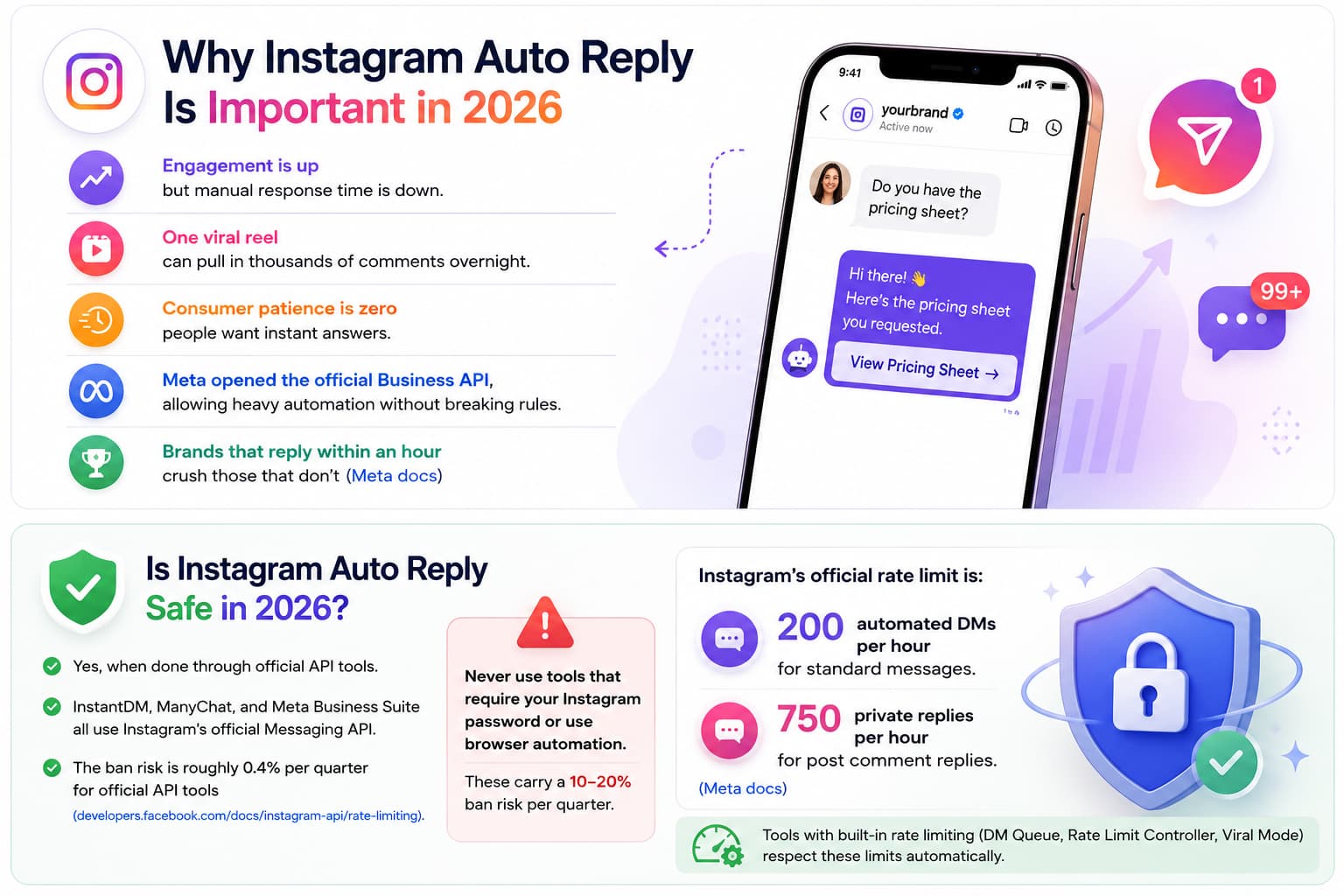
- Engagement is up but manual response time is down.
- One viral reel can pull in thousands of comments overnight.
- Consumer patience is zero — people want instant answers.
- Meta opened the official Business API, allowing heavy automation without breaking rules.
- Brands that reply within an hour crush those that don't (Meta docs (https://developers.facebook.com/docs/instagram-api)).
Is Instagram Auto Reply Safe in 2026?
Yes, when done through official API tools.
InstantDM, ManyChat, and Meta Business Suite all use Instagram's official Messaging API.
The ban risk is roughly 0.4% per quarter for official API tools (developers.facebook.com/docs/instagram-api/rate-limiting).
Never use tools that require your Instagram password or use browser automation. These carry a 10–20% ban risk per quarter.
Instagram's official rate limit is:
- 200 automated DMs per hour for standard messages.
- 750 private replies per hour for post comment replies.
(Meta docs (https://developers.facebook.com/docs/instagram-api/rate-limiting))
Tools with built-in rate limiting (DM Queue, Rate Limit Controller, Viral Mode) respect these limits automatically.
Two Ways to Set Up Instagram Auto Reply
Path 1: Free/Native (Meta Business Suite)
Meta Business Suite is Instagram's built-in free tool for auto replies. It works for basic DM automation but has limitations.
How to Set Up
- Go to Meta Business Suite - Inbox - Automation
- Click "Automations" - "Custom keywords"
- Add up to 5 keywords (e.g., "LINK", "INFO", "PRICE")
- Write your auto-reply message.
- Save and activate.
What It Does
Responds to DMs containing your keywords with a pre-written message.
What It Cannot Do
- Cannot respond to comments (only DMs).
- Cannot send story reply DMs.
- Cannot set up follow-up sequences.
- Cannot collect emails.
- Cannot track analytics.
- Limited to 5 keywords.
Cost
Free.
Best For
Small accounts with low volume who only need basic keyword DM replies.
Path 2: With InstantDM (Full Automation)
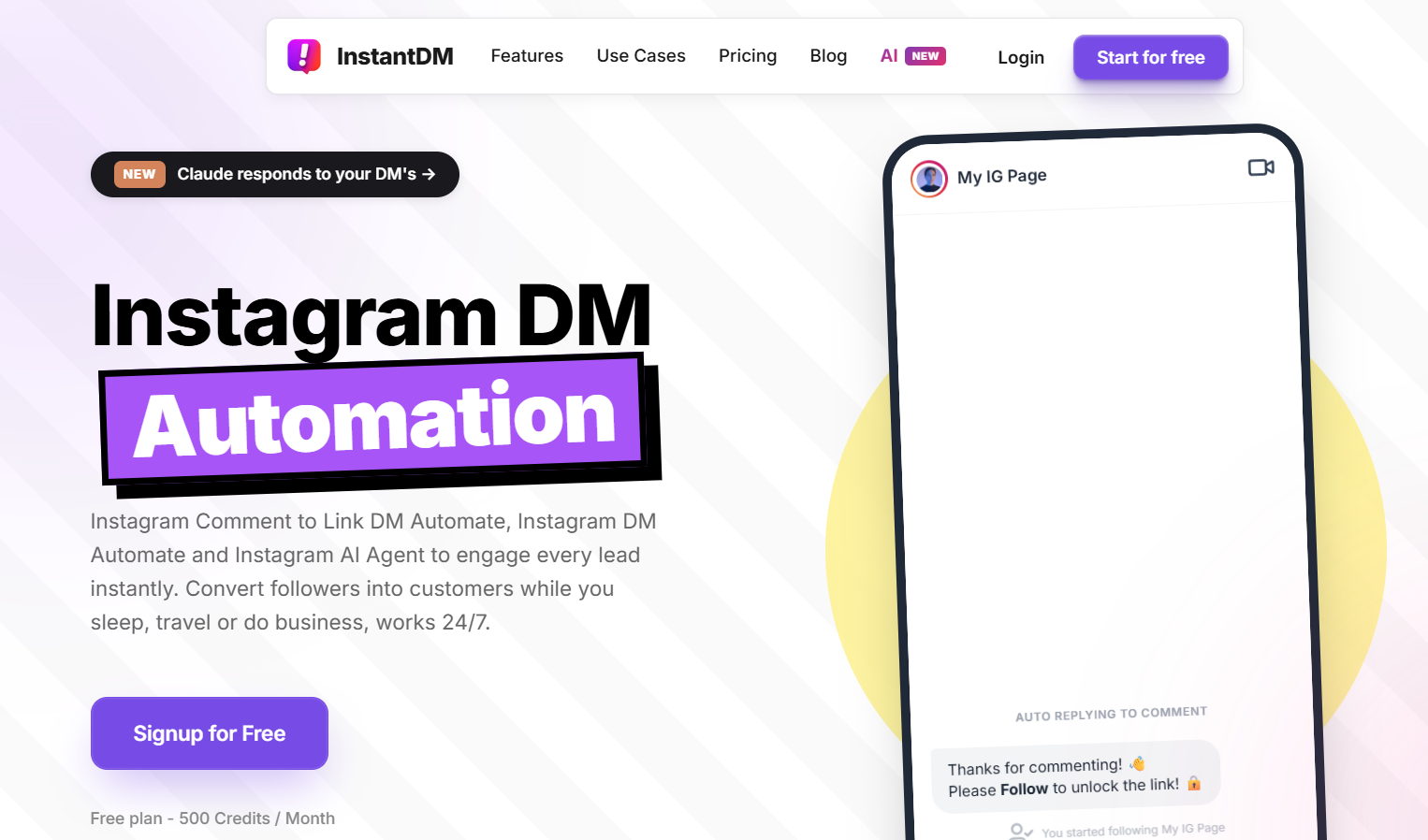
InstantDM is an official Meta Business Partner that provides full Instagram auto reply automation — comment-to-DM, story replies, keyword DMs, follow-up sequences, email collection, and AI agent.
How to Set Up
- Go to instantdm.com and click "Start Free Trial".
- Connect your Instagram account via Meta's official OAuth (no password required).
- Go to Automation - New Flow.
- Choose your trigger: Comment-to-DM, Story Reply, or Keyword DM.
- Write your message template with dynamic variables.
- Set timing and rate limits.
- Enable email collection if needed.
- Activate the flow.
What It Does
- Comment-to-DM automation (unlimited keywords).
- Story reply automation.
- Keyword DM automation.
- Follow-up sequences (multi-step with timed delays).
- Email collection inside DMs.
- AI agent powered by Claude and GPT.
- Viral Mode for safe pacing during spikes.
- Analytics dashboard.
What It Cannot Do
- Cannot send WhatsApp or SMS (Instagram-only).
- One account per plan.
Cost
- Free plan: 500 DMs/month
- Paid plan: $9.99/mo (unlimited DMs)
(instantdm.com/pricing, July 2026).
Best For
Creators and businesses who need full Instagram auto reply automation with safety controls and analytics.
Instagram Auto Reply Tool Comparison (July 2026)
| Tool | Price | Comment-to-DM | Story Reply | Follow-ups | AI Agent | Meta Partner | Free Plan |
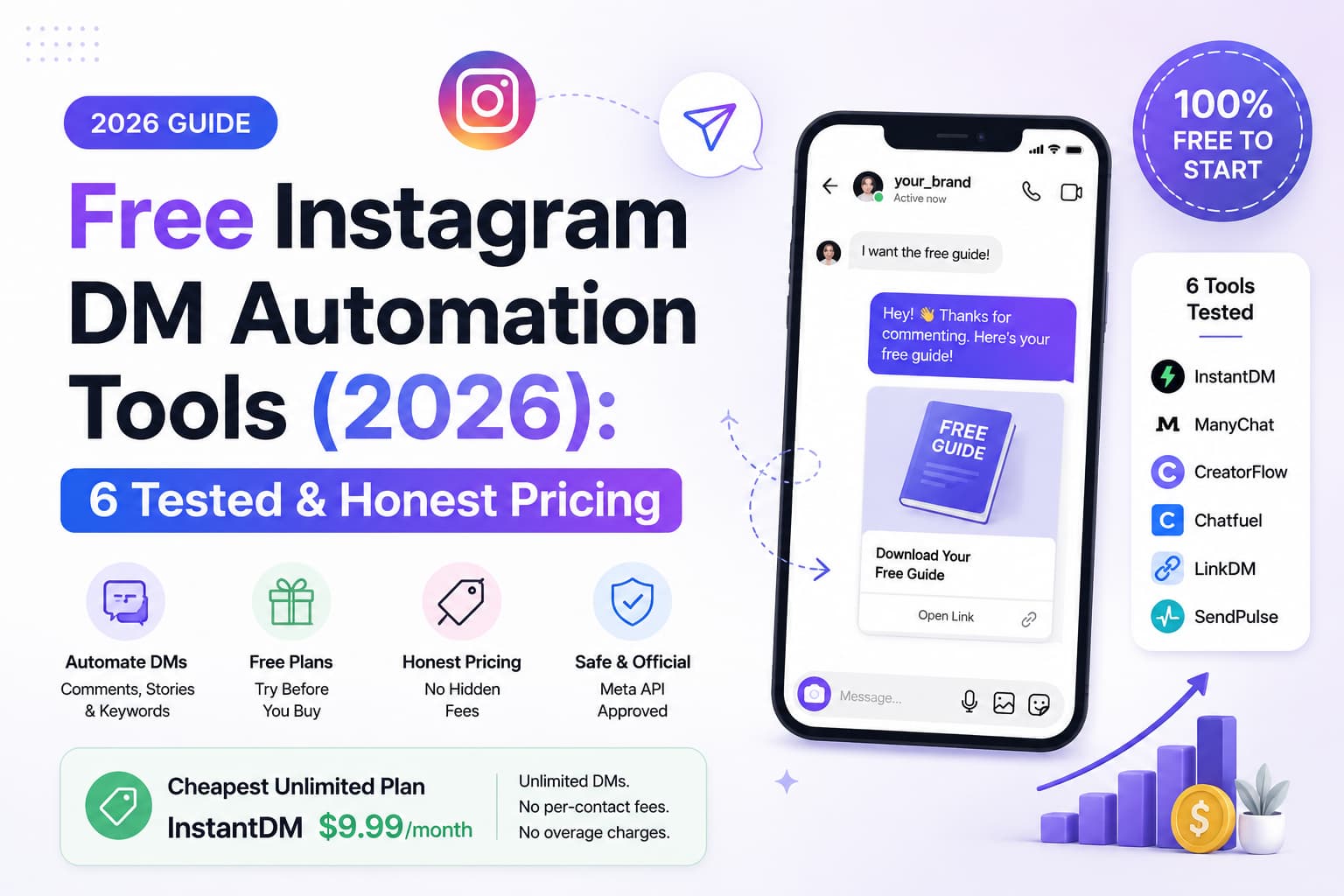
| InstantDM | $9.99/mo | ✅ Unlimited | ✅ | ✅ Multi-step | ✅ Claude + GPT | ✅ Business Partner | ✅ 500 DMs/mo |
| ManyChat | $15-65+/mo | ✅ Unlimited | ✅ | ✅ Multi-step | ❌ Basic | ✅ Business Partner | ✅ 1,000 contacts |
| ReplyRush | $10/mo | ✅ Basic | ❌ | ❌ | ❌ | ✅ Approved | ✅ 1,500 DMs/mo |
| LinkDM | $19/mo | ✅ Basic | ❌ | ❌ | ❌ | ✅ Business Partner | ✅ 1,000 DMs/mo |
| Meta Business Suite | Free | ❌ DMs only | ❌ | ❌ | ❌ | ✅ Native | ✅ Free |
Verified July 2026. InstantDM is the only tool with all 5 features at $9.99/mo flat.
How to Set Up Comment-to-DM Auto Reply (Step by Step)
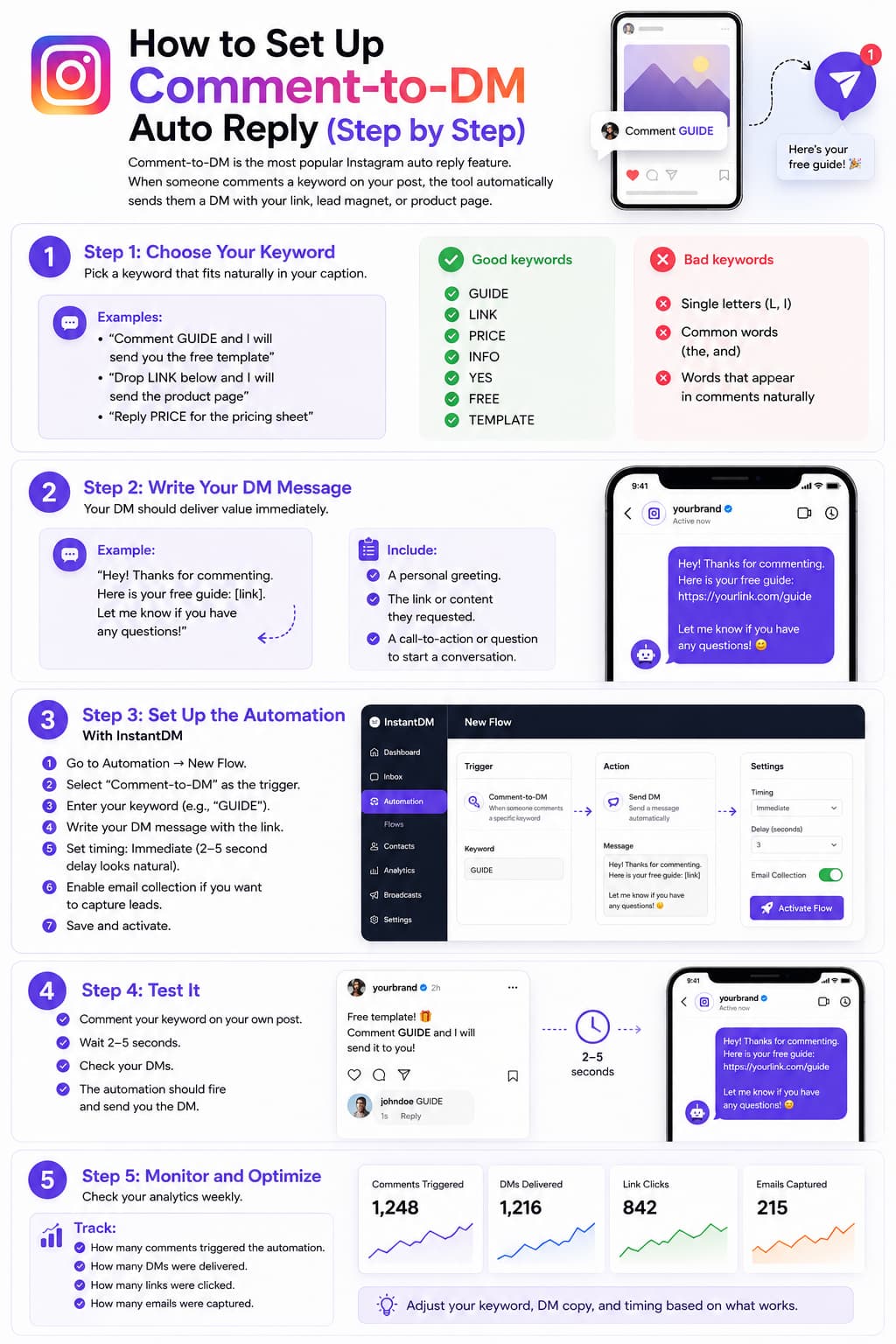
Comment-to-DM is the most popular Instagram auto reply feature. When someone comments a keyword on your post, the tool automatically sends them a DM with your link, lead magnet, or product page.
Step 1: Choose Your Keyword
Pick a keyword that fits naturally in your caption.
Examples:
- "Comment GUIDE and I will send you the free template"
- "Drop LINK below and I will send the product page"
- "Reply PRICE for the pricing sheet"
Good keywords
- GUIDE
- LINK
- PRICE
- INFO
- YES
- FREE
- TEMPLATE
Bad keywords
- Single letters (L, I)
- Common words (the, and)
- Words that appear in comments naturally
Step 2: Write Your DM Message
Your DM should deliver value immediately.
Example:
"Hey! Thanks for commenting. Here is your free guide: [link]. Let me know if you have any questions!"
Include:
- A personal greeting.
- The link or content they requested.
- A call-to-action or question to start a conversation.
Step 3: Set Up the Automation
With InstantDM
- Go to Automation - New Flow.
- Select "Comment-to-DM" as the trigger.
- Enter your keyword (e.g., "GUIDE").
- Write your DM message with the link.
- Set timing: Immediate (2–5 second delay looks natural).
- Enable email collection if you want to capture leads.
- Save and activate.
Step 4: Test It
- Comment your keyword on your own post.
- Wait 2–5 seconds.
- Check your DMs.
- The automation should fire and send you the DM.
Step 5: Monitor and Optimize
Check your analytics weekly.
Track:
- How many comments triggered the automation.
- How many DMs were delivered.
- How many links were clicked.
- How many emails were captured.
Adjust your keyword, DM copy, and timing based on what works.
How to Set Up Story Reply Auto Reply (Step by Step)
Story reply automation captures leads from people who reply to your Instagram Stories.
Step 1: Post a Story with a CTA
Add a sticker or text that invites replies.
Examples:
- "Reply GUIDE for the free template"
- "DM me PRICE for the pricing sheet"
- "Comment JOIN to register"
Step 2: Set Up the Automation
With InstantDM
- Go to Automation - New Flow.
- Select "Story Reply" as the trigger.
- Enter your keyword (e.g., "GUIDE").
- Write your DM message.
- Save and activate.
Step 3: Test It
- Reply to your own Story with the keyword.
- Check your DMs.
- The automation should fire.
Instagram Auto Reply Best Practices
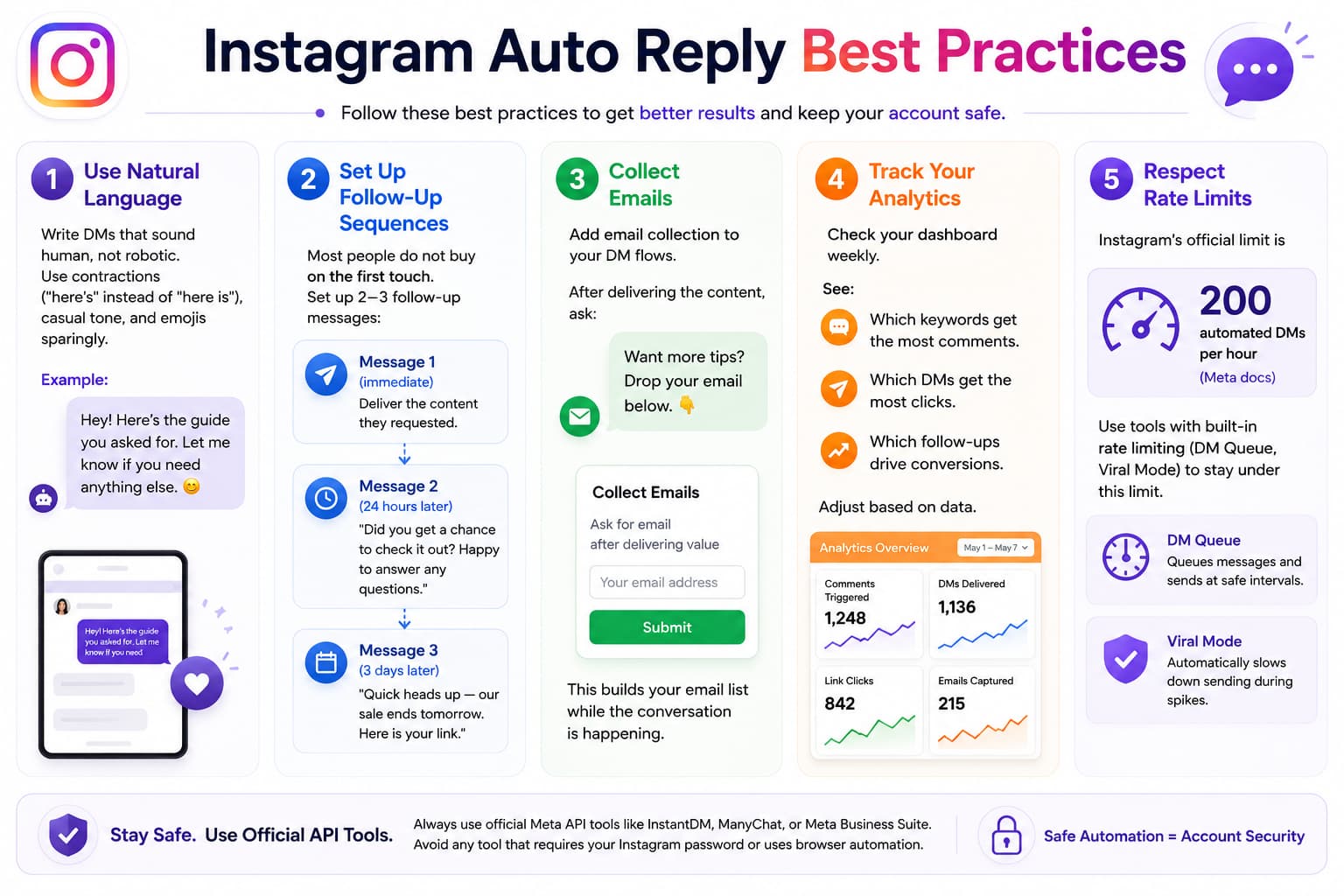
Use Natural Language
Write DMs that sound human, not robotic. Use contractions ("here's" instead of "here is"), casual tone, and emojis sparingly.
Example:
"Hey! Here's the guide you asked for. Let me know if you need anything else."
Set Up Follow-Up Sequences
Most people do not buy on the first touch.
Set up 2–3 follow-up messages:
- Message 1 (immediate): Deliver the content they requested.
- Message 2 (24 hours later): "Did you get a chance to check it out? Happy to answer any questions."
- Message 3 (3 days later): "Quick heads up — our sale ends tomorrow. Here is your link."
Collect Emails
Add email collection to your DM flows.
After delivering the content, ask:
"Want more tips? Drop your email below."
This builds your email list while the conversation is happening.
Track Your Analytics
Check your dashboard weekly.
See:
- Which keywords get the most comments.
- Which DMs get the most clicks.
- Which follow-ups drive conversions.
Adjust based on data.
Respect Rate Limits
Instagram's official limit is 200 automated DMs per hour (Meta docs (https://developers.facebook.com/docs/instagram-api/rate-limiting)).
Use tools with built-in rate limiting (DM Queue, Viral Mode) to stay under this limit.
Common Instagram Auto Reply Mistakes
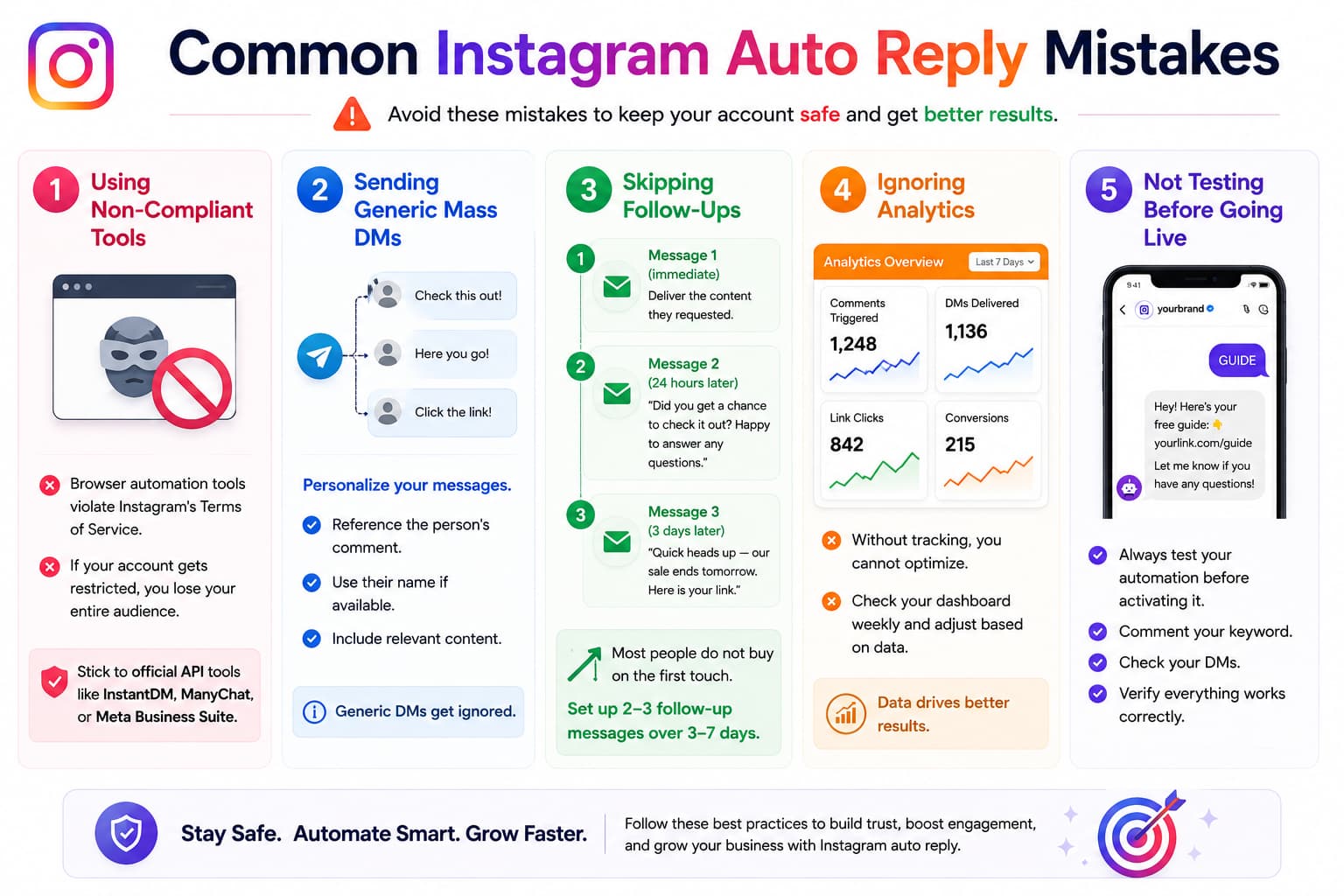
Using Non-Compliant Tools
Browser automation tools violate Instagram's Terms of Service.
If your account gets restricted, you lose your entire audience.
Stick to official API tools like InstantDM, ManyChat, or Meta Business Suite.
Sending Generic Mass DMs
Personalize your messages.
- Reference the person's comment.
- Use their name if available.
- Include relevant content.
Generic DMs get ignored.
Skipping Follow-Ups
Most people do not buy on the first touch.
Set up 2–3 follow-up messages over 3–7 days.
Ignoring Analytics
Without tracking, you cannot optimize.
Check your dashboard weekly and adjust based on data.
Not Testing Before Going Live
Always test your automation before activating it.
- Comment your keyword.
- Check your DMs.
- Verify everything works correctly.
Instagram Auto Reply Pricing: What You Actually Pay in 2026
| Tool | Free Plan | Paid Plan | Cost at 1,000 Contacts | Cost at 10,000 Contacts |
| InstantDM | 500 DMs/mo | $9.99/mo unlimited | $9.99/mo | $9.99/mo |
| ManyChat | 1,000 contacts | $15-65+/mo | $29/mo | $131.50/mo |
| ReplyRush | 1,500 DMs/mo | $10/mo | $10/mo | $10/mo (if under limit) |
| LinkDM | 1,000 DMs/mo | $19/mo | $19/mo | $19/mo (if under limit) |
| Meta Business Suite | Free | Free | Free | Free |
The cheapest option at scale is InstantDM — $9.99/mo flat regardless of audience size.
ManyChat's per-contact billing means your cost climbs as you grow. At 10,000 contacts, ManyChat costs 13x more than InstantDM.
Meta Business Suite is free but limited:
- No comment-to-DM.
- No story replies.
- No follow-ups.
- No analytics.
Independent Reviews (July 2026)
| Tool | G2 | Trustpilot | App Store | Google Play |
| InstantDM | 4.3/5 (InstantDM on G2) (3 reviews) | 4.2/5 (InstantDM on Trustpilot) (26 reviews) | 4.3/5 (InstantDM on the App Store) | 4.6/5 (InstantDM on Google Play) (3/5) |
| ManyChat | 4.5/5 (ManyChat on G2) (163 reviews) | 2.2/5 (ManyChat on Trustpilot) (273 reviews) | 4.6/5 | 4.3/5 |
| ReplyRush | 4.5/5 (ReplyRush on G2) (2 reviews) | 4.3/5 (ReplyRush on Trustpilot) (15 reviews) | — | — |
InstantDM is the only tool rated 4+ on both G2 and Trustpilot. ManyChat has the most G2 reviews (163) but the lowest Trustpilot rating (2.2/5 with 273 reviews).
These scores are from independent review platforms — not our own ratings.
What Do Redditors Recommend for Instagram Auto Reply?
Reddit discussions on r/InstagramMarketing and r/socialmedia consistently recommend API-compliant tools over browser automation. The most frequently mentioned auto reply tools are:
InstantDM: Recommended for flat-rate pricing ($9.99/mo) and safety (Meta Business Partner, Viral Mode). Reddit users praise the free plan (500 DMs/month) for testing.
ManyChat: Recommended for multi-channel needs (WhatsApp + SMS + Email). Reddit users note the per-contact billing gets expensive at scale.
Meta Business Suite: Recommended for basic free auto-replies. Reddit users note the limitations (no comment-to-DM, no story replies, no follow-ups).
The consensus is to avoid any tool that requires your Instagram password — these carry a high ban risk. Official Meta Business Partner tools like InstantDM are the safest choice.
Start Free With 500 DMs
If you want the best Instagram auto reply tool for your business, start with InstantDM's free plan. 500 DMs per month, all features included — comment-to-DM, story replies, keyword DMs, follow-up sequences, AI agent, email collection, Viral Mode, and analytics. No contact limits, zero ban risk. Upgrade to $9.99/month when you are ready for unlimited DMs.
Sign up at instantdm.com, no credit card required. Start with 500 free DMs and see the difference an official-API Instagram auto reply tool makes. No contracts, no per-contact fees, no surprises. Join 30,000+ creators who chose InstantDM. Your first auto reply flow could be live in under 10 minutes.