
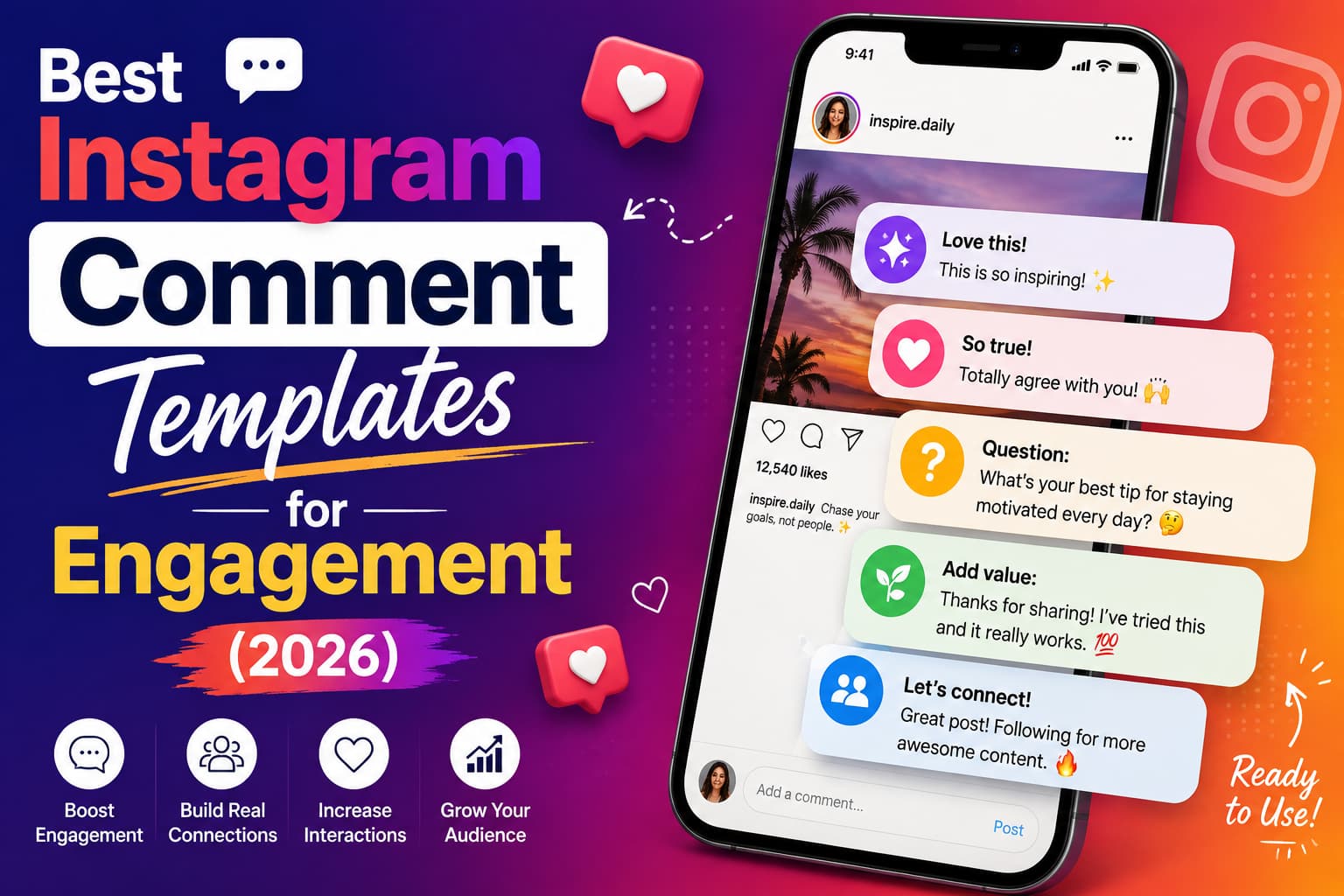
TL;DR: The best Instagram comment templates for engagement are specific, name the person, prove you watched the post, and end with a question or a one-word choice. Use three different sets: comments you leave on other accounts, replies on your own posts, and caption CTAs that ask for a comment. Buffer’s analysis of 700,000+ Instagram posts found that replying to comments is associated with about 21% higher engagement versus an account’s own baseline. Do not automate comments on other people’s posts. You can automate the DM that follows a comment on your posts using official Instagram messaging tools.
Quick answer: 12 templates worth copying today
Use these as frameworks. Swap the bracketed parts. Never paste the same line on 20 posts in a row.
Comments you leave on someone else’s post
- Specific reaction: “The line about [exact point] is the part most people skip. That’s the real shift.”
- Build-on-it: “Same thing happens in [your niche]. We see [short observation] every week.”
- Choice question: “Curious — does this work better for [A] or [B] on your side?”
- Tiny story: “Tried this last month with [situation]. The piece that actually stuck was [detail].”
- Useful pushback: “Agree on [point]. The part I’d test first is [narrow disagreement], because [reason].”
Replies on your own post
- Open the loop: “Glad this landed — which part are you going to try first?”
- Experience probe: “Have you tried [related tactic]? What happened when you did?”
- Second-comment bait: “A or B for you — [option] or [option]?”
- DM bridge (public): “This deserves more than a comment. I’ll DM you the [framework / list / steps].”
Captions that create comments
- One-word trigger: “Comment [WORD] and I’ll send the [resource] in DMs.”
- This or that: “[A] or [B]? One word below.”
- Challenge check: “What’s the #1 thing blocking you with [topic] right now?”
The rest of this guide shows when each one works, niche examples, what to avoid, and how to measure it.
Why comment templates matter more in 2026
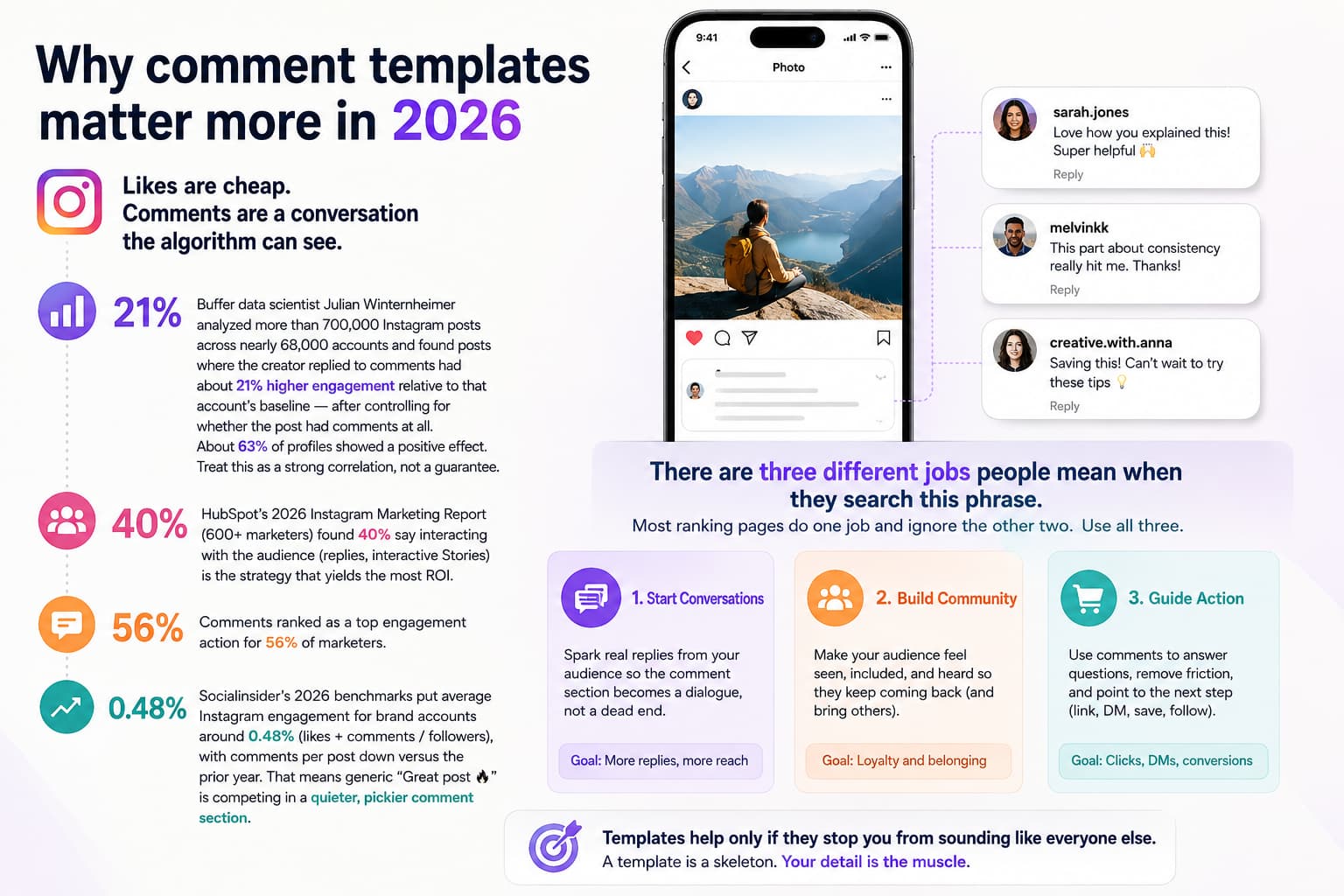
Likes are cheap. Comments are a conversation the algorithm can see.
A few numbers worth anchoring to:
- Buffer data scientist Julian Winternheimer analyzed more than 700,000 Instagram posts across nearly 68,000 accounts and found posts where the creator replied to comments had about 21% higher engagement relative to that account’s baseline — after controlling for whether the post had comments at all. About 63% of profiles showed a positive effect. Treat this as a strong correlation, not a guarantee.
- This analysis and the ~21% uplift figure are described in Buffer’s deep dive on replying to Instagram comments, which also notes that about 63% of profiles saw a positive effect when creators replied. Buffer – Replying to Your Instagram Comments Can Boost Engagement by ~21% | Buffer – Replying to Comments Boosts Engagement by 5–42% Across Platforms
- HubSpot’s 2026 Instagram Marketing Report (600+ marketers) found 40% say interacting with the audience (replies, interactive Stories) is the strategy that yields the most ROI. Comments ranked as a top engagement action for 56% of marketers.
- Those numbers come from HubSpot’s 2026 Instagram Marketing Report, which surveys 600+ global marketers on top strategies, performance benchmarks, and where comments and direct audience interaction drive the most ROI. HubSpot 2026 Instagram Marketing Report | HubSpot 2026 Social Media Marketing Report
- Socialinsider’s 2026 benchmarks put average Instagram engagement for brand accounts around 0.48% (likes + comments / followers), with comments per post down versus the prior year. That means generic “Great post ” is competing in a quieter, pickier comment section.
Templates help only if they stop you from sounding like everyone else. A template is a skeleton. Your detail is the muscle.
There are three different jobs people mean when they search this phrase. Most ranking pages do one job and ignore the other two. Use all three.
| Job | Goal | Who sees it | What “winning” looks like |
| Leave a comment on someone else | Profile visits, follows, warm DMs | Their audience + the creator | They reply. Someone clicks your name. |
| Reply on your own post | Reach + community + leads | Your audience + algorithm | They comment again. Thread gets longer. |
| Caption / CTA that asks for a comment | Comment volume in the first hour | Everyone who watches | Easy, specific action. Then a DM if you choose. |
Rules that make any template work
Before the swipe file, five rules. Break these and the template becomes spam.
- Prove you watched. Quote a line, a timestamp, a slide number, or a specific claim. “Love this” fails this test.
- Use their name when you know it. One name beats three emojis.
- Add one thing they did not write. A comparison, a constraint, a result, or a question.
- Ask one question, not three. One question gets answered. Three get ignored.
- Never clone the same sentence across posts. Instagram treats repetitive identical comments as inauthentic behavior. Change the observation every time.
Safe daily volume is about pattern, not a magic number. A working range used by many growth teams in 2026:
- New or warmed-up accounts: about 20–30 thoughtful comments/day, spread out
- Established accounts: about 40–60
- Aged, trusted accounts: up to 60–100 if quality stays high
Burst 40 comments in 8 minutes and you look like a tool. Spread them. Comment in the first 5–10 minutes after a peer posts if you want a reply.
Do not automate comments on other people’s posts. That violates Instagram’s spirit and often its rules. Do automate the private reply when someone comments a keyword on your post, using official Instagram messaging / a Meta partner tool.
Buffer’s broader 2026 engagement research, based on tens of millions of posts, reinforces that consistent, authentic interaction (including thoughtful replies) is one of the most reliable ways to improve performance without resorting to spammy tactics. Buffer – State of Social Media Engagement in 2026 | Buffer – Social Media Engagement: 9 Ways to Boost Yours
Part 1. Best comment templates to leave on other people’s posts
These are for growth. You are not trying to win the comment section. You are trying to earn a profile tap from the right people.
Template 1 — The specific reaction
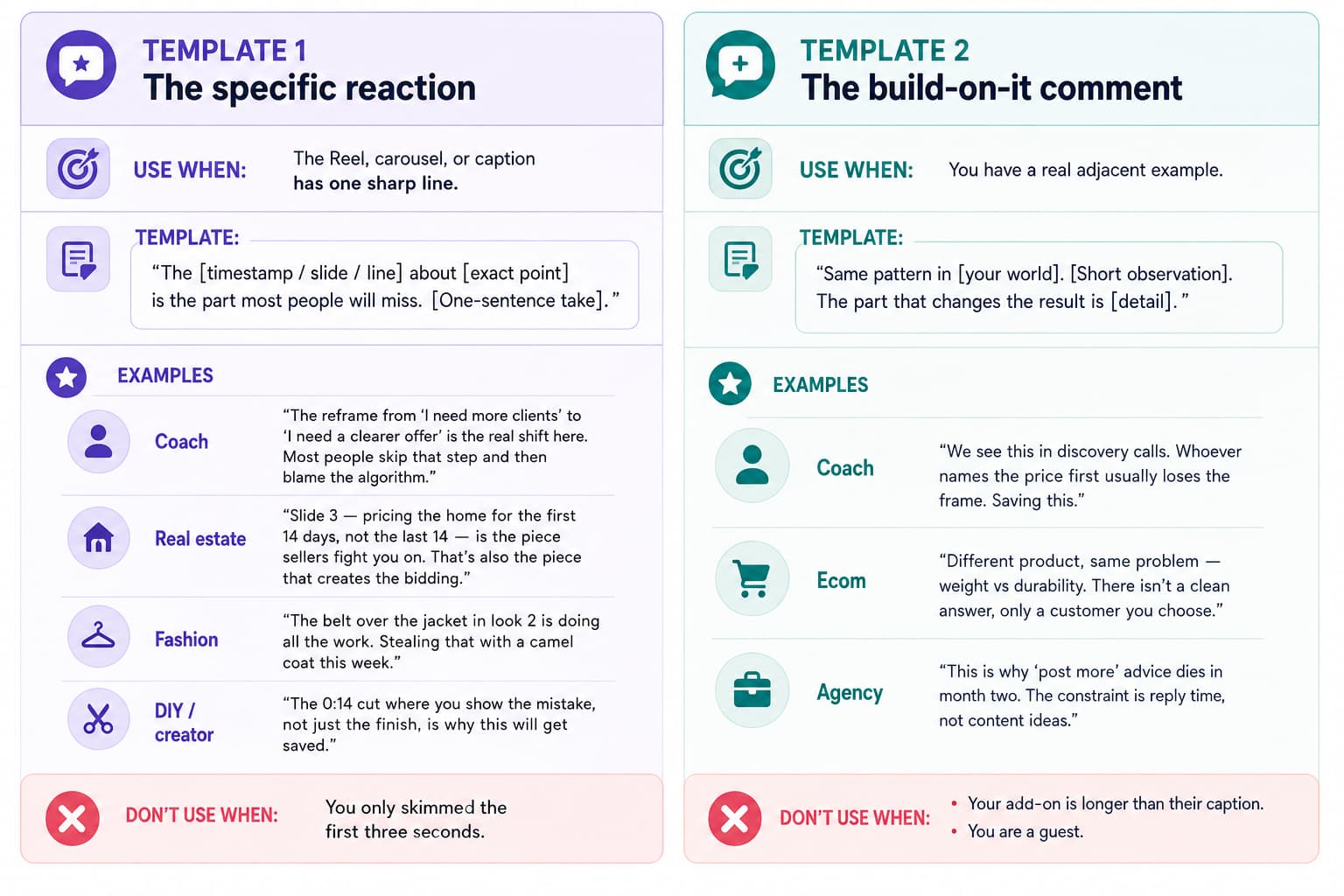
Use when: The Reel, carousel, or caption has one sharp line.
Template:
“The [timestamp / slide / line] about [exact point] is the part most people will miss. [One-sentence take].”
Examples
- Coach: “The reframe from ‘I need more clients’ to ‘I need a clearer offer’ is the real shift here. Most people skip that step and then blame the algorithm.”
- Real estate: “Slide 3 — pricing the home for the first 14 days, not the last 14 — is the piece sellers fight you on. That’s also the piece that creates the bidding.”
- Fashion: “The belt over the jacket in look 2 is doing all the work. Stealing that with a camel coat this week.”
- DIY / creator: “The 0:14 cut where you show the mistake, not just the finish, is why this will get saved.”
Don’t use when: You only skimmed the first three seconds.
Template 2 — The build-on-it comment
Use when: You have a real adjacent example.
Template:
“Same pattern in [your world]. [Short observation]. The part that changes the result is [detail].”
Examples
- Coach: “We see this in discovery calls. Whoever names the price first usually loses the frame. Saving this.”
- Ecom: “Different product, same problem — weight vs durability. There isn’t a clean answer, only a customer you choose.”
- Agency: “This is why ‘post more’ advice dies in month two. The constraint is reply time, not content ideas.”
Don’t use when: Your add-on is longer than their caption. You are a guest.
Template 3 — The choice question
Use when: You want the creator to reply (algorithm + relationship).
Template:
“Love this take, [Name]. Have you seen it more with [A] or [B]? Genuinely curious.”
Examples
- Fitness: “Do you program this before or after heavy compounds?”
- Creator: “Are you seeing this more on Reels or carousels right now?”
- Real estate: “Does this script work better with first-time buyers or sellers sitting on equity?”
Don’t use when: The question is fake and you don’t care about the answer.
Template 4 — The tiny story
Use when: You have a 15-word proof, not a monologue.
Template:
“Tried this with [situation]. What actually stuck was [detail]. [Optional question].”
Examples
- Coach: “Ran this reframe with a client last week. She didn’t need more leads. She needed to stop offering three packages.”
- Fashion: “Wore the dupe for two weeks. Quality was close. The only miss was the hardware color.”
- India / local service: “Used this follow-up on WhatsApp after the Instagram comment. Reply rate jumped because the first line named their city.”
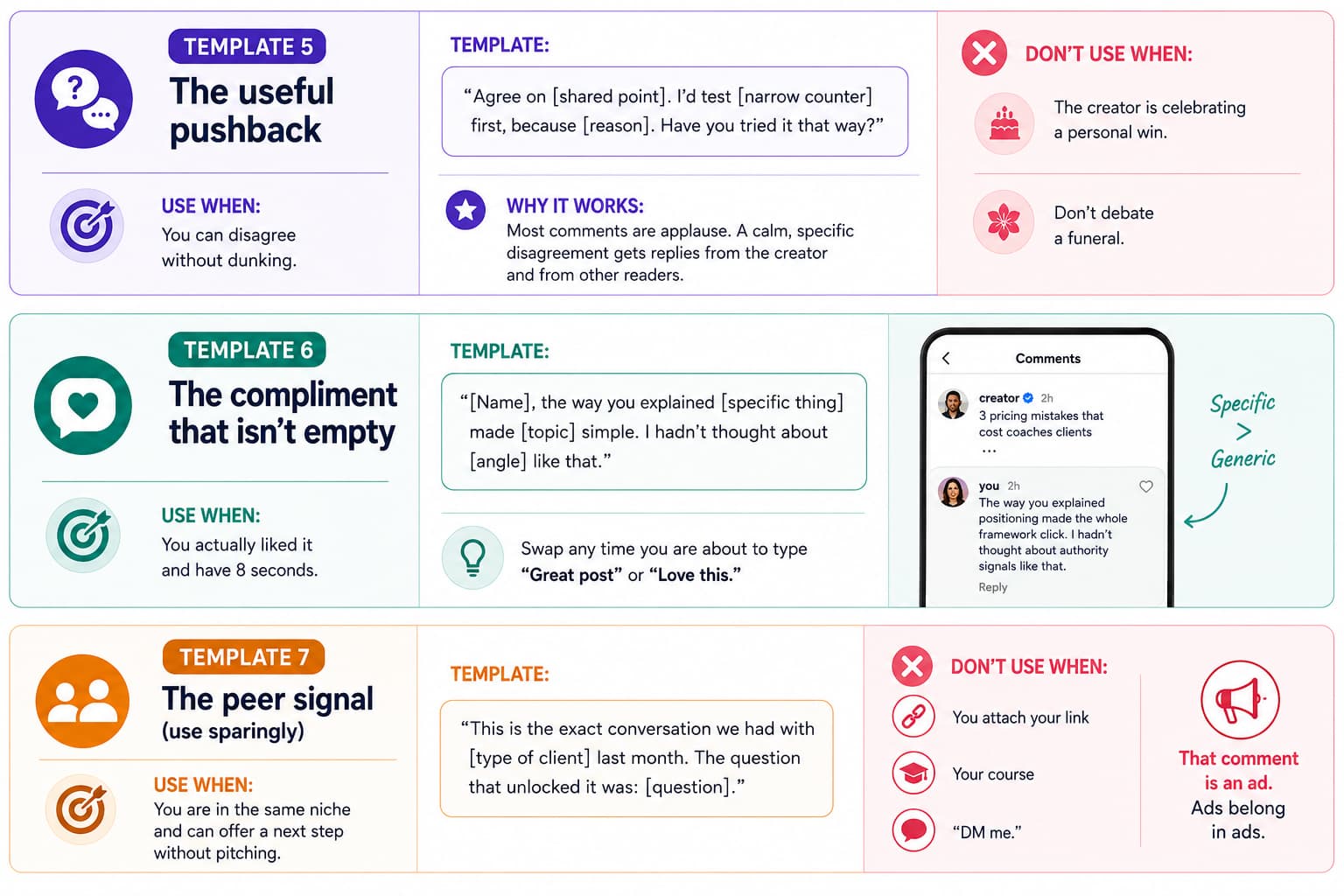
Template 5 — The useful pushback
Use when: You can disagree without dunking.
Template:
“Agree on [shared point]. I’d test [narrow counter] first, because [reason]. Have you tried it that way?”
Why it works: Most comments are applause. A calm, specific disagreement gets replies from the creator and from other readers.
Don’t use when: The creator is celebrating a personal win. Don’t debate a funeral.
Template 6 — The compliment that isn’t empty
Use when: You actually liked it and have 8 seconds.
Template:
“[Name], the way you explained [specific thing] made [topic] simple. I hadn’t thought about [angle] like that.”
Swap any time you are about to type “Great post” or “Love this.”
Template 7 — The peer signal (use sparingly)
Use when: You are in the same niche and can offer a next step without pitching.
Template:
“This is the exact conversation we had with [type of client] last month. The question that unlocked it was: [question].”
Don’t use when: You attach your link, your course, or “DM me.” That comment is an ad. Ads belong in ads.
Where to leave these comments
| Account type | How many / day | Why |
| Peers (similar size, same niche) | Most of your comments | They reply. Their audience is your audience. |
| One tier up | A few | Visibility without disappearing. |
| Adjacent niche | A few | New room, same buyer. |
| Mega-creators | Almost never | You will be buried. No profile tap. |
Comment on people whose followers would buy from you. A 2M lifestyle account is entertainment. A 12K coach in your city is distribution.
Part 2. Best reply templates for comments on your posts
This is the half most “comment template” articles skip — and the half with published data behind it.
The data behind this section comes from Buffer’s analysis of hundreds of thousands of Instagram posts, which found that posts where creators replied to comments performed about 21% better relative to each account’s own baseline. Buffer – Replying to Your Instagram Comments Can Boost Engagement by ~21% | Buffer – State of Social Media Engagement in 2026
If you ask for comments and then reply “Thanks ,” you close the loop. The algorithm got one comment. You want a thread.
Buffer’s 21% figure is about you answering people on your posts. HubSpot’s 40% “interaction drives ROI” finding is the same idea in survey form.
Instagram’s official documentation explains how professional accounts can use the Graph API to reply to, hide, or delete comments on their own posts, and how to send a single private reply (DM) to someone who commented on a post or Reel. Instagram Graph API – Comment Moderation | Private Replies to Instagram Comments
Template 8 — Turn thanks into a question
Instead of: “Thanks!”
Use: “Thanks — are you trying this on [Reels / listings / clients] first, or on [other]?”
Template 9 — The experience probe
Instead of: “Glad you liked it.”
Use: “So glad it helped. What’s the part that feels hardest to apply for you right now?”
Template 10 — The A/B reply
Instead of: “Cool.”
Use: “Team early morning or team night-owl for this? I’m collecting answers for a follow-up post.”
Template 11 — Spotlight a good comment
Use when: Someone added a real insight.
Template:
“This is the comment. [Restate their point in one line]. Everyone else read this.”
You can pin this. Instagram lets you pin comments — including your own — so the first thing new viewers see is a useful thread, not emoji soup.
Template 12 — The public-to-DM bridge
Use when: The question is too big for a comment, or they showed buying intent.
Public reply:
“This is a better DM conversation. I’ll send you the [checklist / script / link] now — watch your inbox.”
Then the DM (this part can be automated on your own posts):
“Hey [Name] — here’s the [resource] I mentioned. The section that usually matters first is [X]. Tell me where you’re stuck and I’ll point you.”
This is the clean split:
- Public comment = social proof + algorithm
- DM = the actual help, link, or offer
Tools that send that DM through Instagram’s official messaging API (InstantDM included) keep the public thread alive without making you type the same resource 80 times.
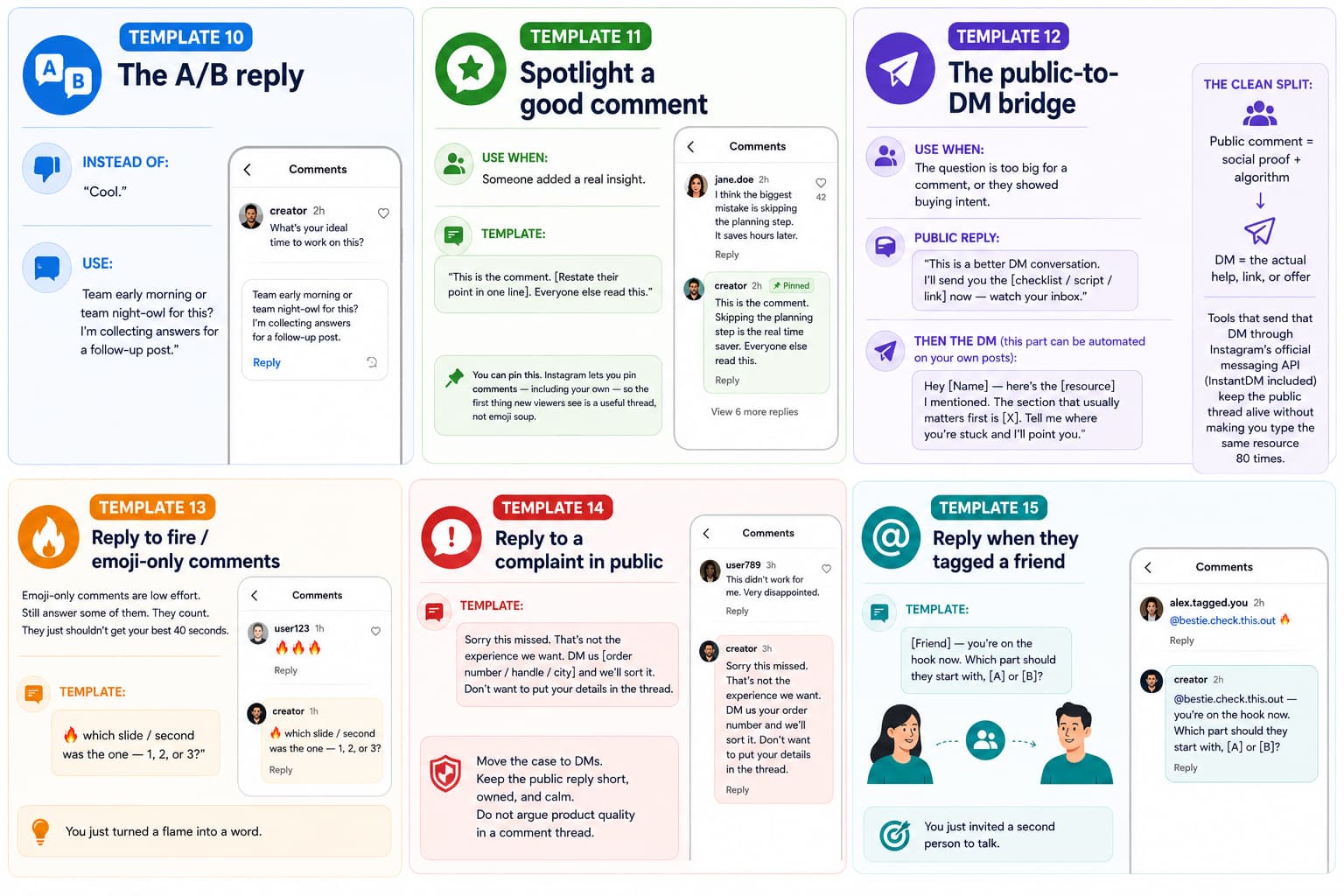
Template 13 — Reply to fire / emoji-only comments
Emoji-only comments are low effort. Still answer some of them. They count. They just shouldn’t get your best 40 seconds.
Template:
“which slide / second was the one — 1, 2, or 3?”
You just turned a flame into a word.
Template 14 — Reply to a complaint in public
Template:
“Sorry this missed. That’s not the experience we want. DM us [order number / handle / city] and we’ll sort it. Don’t want to put your details in the thread.”
Move the case to DMs. Keep the public reply short, owned, and calm. Do not argue product quality in a comment thread.
Template 15 — Reply when they tagged a friend
Template:
“[Friend] — you’re on the hook now. Which part should they start with, [A] or [B]?”
You just invited a second person to talk.
Part 3. Caption templates that create comments
If Part 1 is how you show up on other pages, and Part 2 is how you keep your own thread alive, Part 3 is how you get the comments in the first place.
One goal per post. If the caption asks people to comment and save and share and tap the link, they will do none of it.
Template 16 — The one-word trigger (comment-to-DM)
Caption:
“[Promise in one line]. Comment [WORD] and I’ll DM the [resource].”
Trigger words that are easy to type: LIST, GUIDE, SCRIPT, PRICE, LINK, STEPS, YES.
Examples
- Creator: “I write every caption from one 6-line template. Comment TEMPLATE and I’ll send the swipe file.”
- Real estate: “The 7 questions I ask before listing. Comment QUESTIONS and I’ll DM the list.”
- Fashion / ecom: “Every piece in this Reel. Comment LINK.”
- Coach: “The first-call script that stops ‘let me think about it.’ Comment SCRIPT.”
Then actually send the thing. Fast. The comment is a hand-raise. A four-hour delay wastes it.
Template 17 — This or that
Caption:
“[A] or [B]? One word below.”
Low friction. High volume. Weak intent. Use it when you need early comments so the post can circulate. Follow up in replies with “why?” so the thread gets depth.
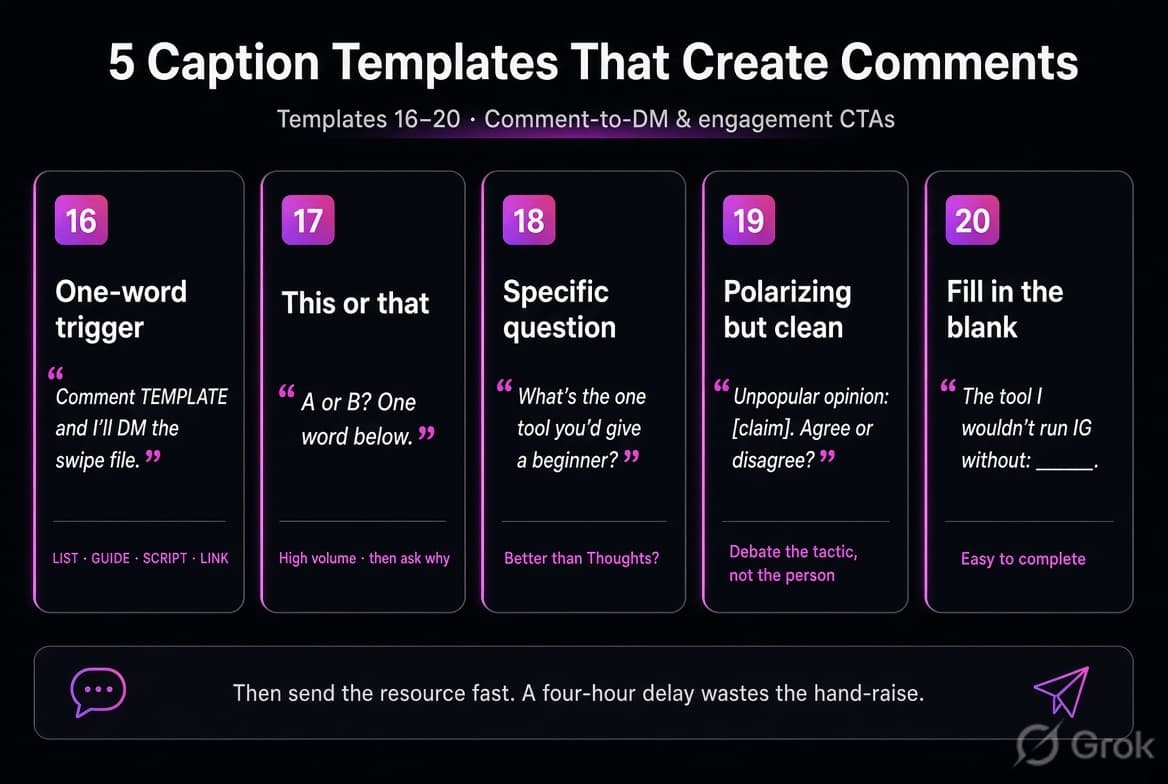
Template 18 — The specific question
Caption:
“What’s the one [object] you’d give a beginner in [niche] today?”
Better than “Thoughts?” Specific questions get specific answers. Those answers become your next Reel.
Template 19 — Polarizing but clean
Caption:
“Unpopular opinion: [claim]. Agree or disagree — and why.”
Keep it about a tactic, not a person. You want debate, not a pile-on.
Template 20 — Fill in the blank
Caption:
“The tool I would not run Instagram without: ______.”
People complete patterns. Completing a pattern is easier than writing a paragraph.
Template 21 — Feature the comments
Caption:
“Drop your #1 tip for [topic]. I’ll share the best ones in Stories this week.”
Only use this if you will actually feature people. Reciprocity is the whole mechanic.
Caption CTAs that still work vs ones that age badly
| Usually works | Use carefully |
| Comment [one word] for [specific resource] | Comment YES if you love this |
| A or B, one word | Tag 3 friends |
| What’s your #1 blocker with [topic]? | Comment if you agree (empty) |
| Save this and comment DONE after you try it | Engagement-bait chains (“comment and I’ll pick a winner” every post) |
Instagram has long treated obvious engagement bait as lower quality. A useful trade (“comment LIST, get the list”) is a product mechanic. “Comment to win vibes” is bait.
HubSpot’s research on Instagram for business shows that engagement (likes, comments, shares) is the most common performance metric marketers track, and that organic Instagram continues to grow in reach and lead generation for many brands. HubSpot – How to Use Instagram for Business (2026) | HubSpot Instagram Engagement Report
All-in-one table (save this)
| # | Template | Job | Best for | Risk if you abuse it |
| 1 | Specific reaction | Leave | Reels / carousels | Sounds fake if the detail is wrong |
| 2 | Build-on-it | Leave | Peer posts | Turns into a pitch |
| 3 | Choice question | Leave | Starting a relationship | Lazy A/B with no stake |
| 4 | Tiny story | Leave | Proof-driven niches | Too long, about you |
| 5 | Useful pushback | Leave | Thought-leadership posts | Dunking |
| 6 | Specific compliment | Leave | Fast daily quota | Still generic if you skip the detail |
| 7 | Peer signal | Leave | Same-niche creators | Hidden sales comment |
| 8 | Thanks - question | Reply | Any praise | Asking three questions |
| 9 | Experience probe | Reply | People who relate | Therapy-session reply |
| 10 | A/B reply | Reply | Low-effort comments | Repeating the same A/B |
| 11 | Spotlight | Reply | Best comments | Playing favorites badly |
| 12 | Public - DM | Reply | Intent comments | Pitching in public |
| 13 | Emoji upgrade | Reply | emojis | Replying to every emoji forever |
| 14 | Complaint handle | Reply | Support | Arguing in-thread |
| 15 | Tag follow-up | Reply | Mentions | Ignoring the tagged person |
| 16 | One-word trigger | Caption | Lead magnets, links | Promising a resource you don’t send |
| 17 | This or that | Caption | Early velocity | No follow-up questions |
| 18 | Specific question | Caption | Research + reach | Vague “thoughts?” |
| 19 | Clean unpopular take | Caption | Saves + comments | Punching down |
| 20 | Fill in the blank | Caption | Easy comments | Cute but empty |
| 21 | Feature promise | Caption | Community | Forgetting to feature |
Niche swipe file (steal the structure, change the facts)
Coaches and course creators
- Leave: “The ‘clearer offer’ line is the whole post. Most coaches I talk to keep adding a third package instead.”
- Reply: “Which part of the offer feels muddy — who it’s for, or what they walk away with?”
- Caption: “Comment SCRIPT and I’ll DM the first-call outline.”
Real estate
- Leave: “The 14-day pricing window is the part sellers hate and the part that creates the second offer.”
- Reply: “Are you listing this quarter or waiting for [season / rate move]?”
- Caption: “Comment QUESTIONS for the 7 things I ask before we pick a list price.”
Fashion / ecom / D2C
- Leave: “Look 2 is the buy. The fabric will photograph warmer than it wears — worth saying in the caption.”
- Reply: “Want the exact link or the dupe? Comment LINK or DUPE.”
- Caption: “Comment SIZE if you want the fit notes before you order.”
DIY / makers
- Leave: “Showing the failed glue joint is why people will trust the rest of the build.”
- Reply: “What wood are you on — pine or oak?”
- Caption: “Comment STEPS for the cut list.”
Agencies and freelancers
- Leave: “This is why weekly reporting kills teams. The number that matters showed up in the comments, not the dashboard.”
- Reply: “Are you stuck on content, or on the follow-up after someone comments?”
- Caption: “Comment AUDIT and I’ll send the 12-point IG engagement checklist.”
A 20-minute daily routine that doesn’t eat the calendar
Solopreneurs lose this habit because they treat commenting as an endless scroll. Box it.
8 minutes — outbound (Part 1)
Pick 8–12 posts from a saved list of 30 peer accounts. One specific comment each. No explore-page wandering.
7 minutes — inbound (Part 2)
Reply to every comment on today’s posts that contains a sentence. Use templates 8–12. Pin the best one.
5 minutes — setup for tomorrow (Part 3)
Write tomorrow’s caption CTA before you shoot. One goal. One trigger word if you are running comment-to-DM.
Track weekly, not daily:
- Profile visits
- Follows from accounts you commented on
- Comments per post in the first 60 minutes
- How many of those comments became a DM
- How many DMs became a reply
If profile visits do not move after three weeks of real comments, your targeting is wrong (you are commenting on entertainment accounts) or your profile does not pay off the click (unclear bio, no proof, no next step).
What gets accounts in trouble
- Identical comments on many posts
- Emoji-only streaks from a business account
- “Check my page” / link-in-comment on someone else’s post
- Auto-commenting other people’s content
- Asking people to comment 5 times or tag 10 friends
- Arguing with customers in public
- Promising a DM resource and sending a pitch deck
Comments on your posts can trigger an official-API DM. That is a normal 2026 growth mechanic. Comments you spray onto other posts cannot be automated safely. Keep that line clean. It is also the line that separates this strategy from the tools that get accounts restricted.
How this pairs with DMs (without turning every comment into a sales pitch)
The comment does three jobs: it trains the algorithm, it is public proof, and it is a hand-raise.
The DM does the fourth job: it delivers the thing they asked for.
A simple, compliant flow:
- Caption uses template 16.
- They comment the word.
- They get the resource in DMs within seconds.
- Your public reply (template 12 or 8) keeps the thread human.
- The follow-up question lives in the DM, not in a 40-line comment.
That is the system InstantDM is built for — comment-to-DM on your own content, through official Instagram messaging, without touching other people’s comment sections.
For the full technical rules, see Meta’s overview of the Instagram Messaging API and the “Getting Started” guide, which describe how user-initiated actions like comments can safely trigger automated DMs through official partners. Instagram Messaging API – Overview | Getting Started with Instagram Messaging
If you want the “stop writing Great Post” companion: comment templates that actually build your brand.
About The Author:
Aravindh Kumar is an Ecommerce and Instagram growth expert with 8+ years of experience in online selling. He has worked with 500+ brands - including Forbes-listed companies - He has helped 200+ Instagram businesses grow their online presence.
Sources
- Socialinsider 2026 social benchmarks (industry coverage) — Instagram brand engagement rate near 0.48%; comments per post down year over year.
- Meta for Developers — Send a Private Reply to a Commenter (Instagram Platform).https://developers.facebook.com/docs/instagram-platform/private-replies
- Meta for Developers — Overview of Instagram Messaging API.https://developers.facebook.com/docs/instagram-messaging/overview/
- Meta for Developers — Comment Moderation (reply, hide, delete, disable comments).https://developers.facebook.com/docs/instagram-platform/comment-moderation
- Meta for Developers — Getting Started with Instagram Messaging.https://developers.facebook.com/docs/instagram-messaging/get-started/
- Meta for Developers — Instagram Webhooks Reference (comments field).https://developers.facebook.com/docs/graph-api/webhooks/reference/instagram/