Sending links through Instagram DMs is one of the highest-converting strategies for creators and businesses. When someone comments "LINK" on your post, an automation tool sends them the link via DM instantly. They get it in seconds, not hours. And because DMs feel personal, they convert at 15-30% vs link-in-bio's 5-10%.
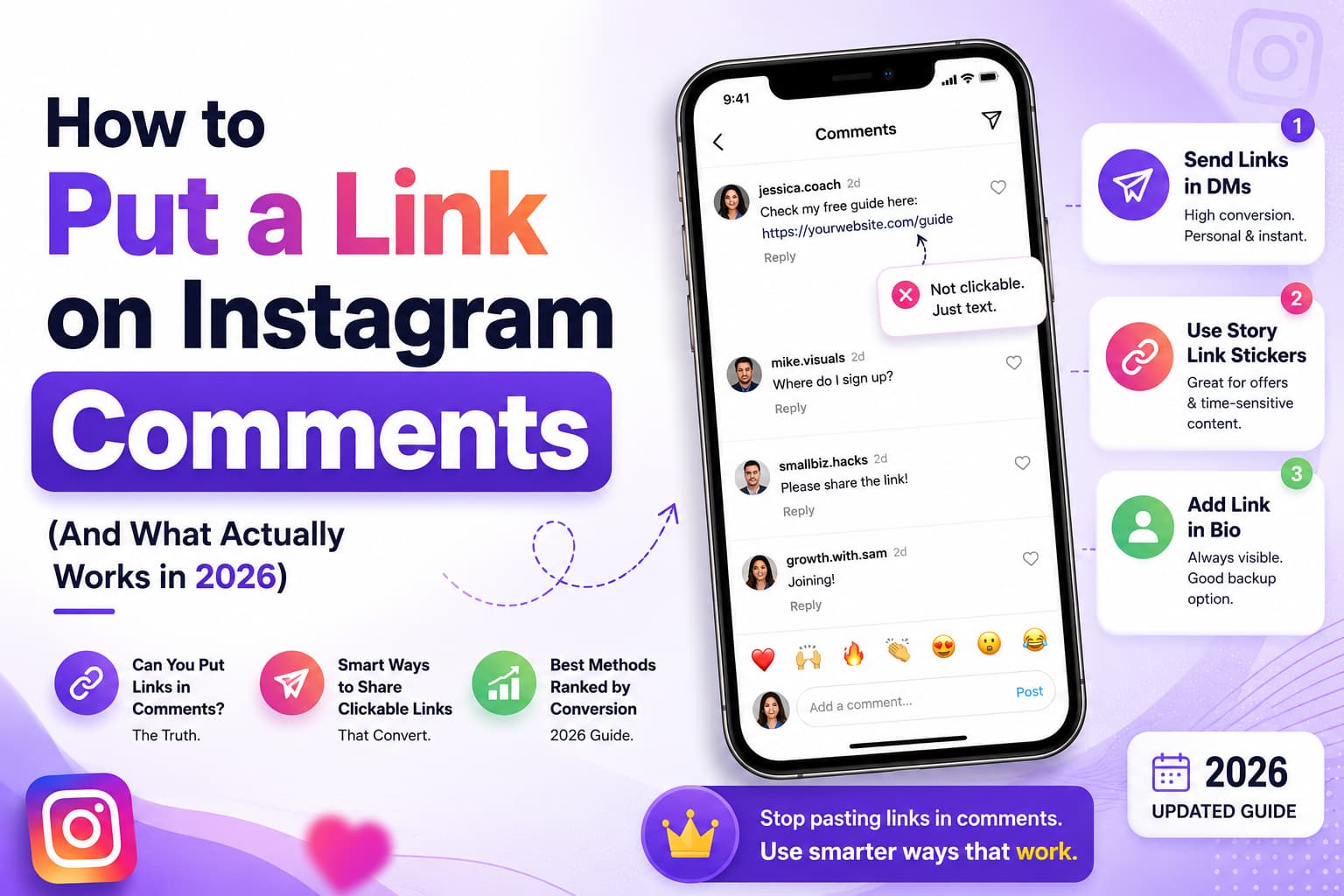
Here is what most guides miss: You cannot put clickable links in Instagram comments. Instagram blocks them. The only way to send links automatically is through DM automation tools that use Instagram's official API.
In this guide, we will walk through exactly how to send links automatically through Instagram DMs — step by step, with tools, examples, and safety tips. The goal is not another “hack.” It is a clean reply loop you can run while you are offline, without turning your comments into spam.
What Is an Automated Link on Instagram?
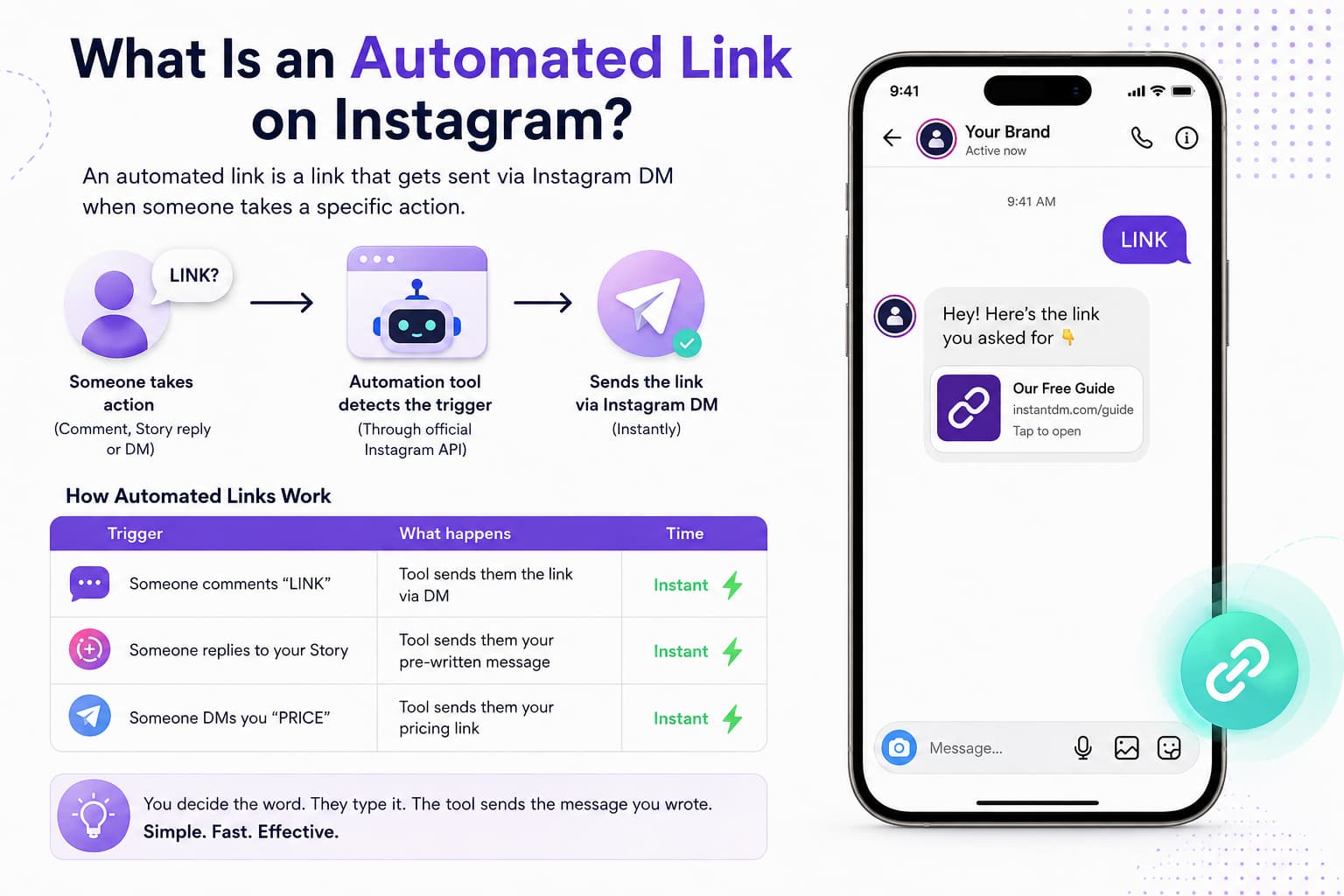
An automated link is a link that gets sent via Instagram DM when someone takes a specific action. Instead of manually replying to every "link?" comment, a tool does it for you.
Think of it as a receptionist who never sleeps. Someone asks for the menu, the price, the booking page, or the free PDF. The tool sends that one thing, in a normal-looking message, while the person is still on the post. You are not blasting strangers. You are answering people who already raised their hand.
That distinction matters. A cold broadcast feels like ads. A reply to “LINK” or “PRICE” feels like service. The same URL can sit in your bio for months and get ignored. Put it in a DM that arrives in a few seconds and a lot more people tap it, because they asked for it in that moment.
How Automated Links Work
| Trigger | What happens | Time |
| Someone comments "LINK" | Tool sends them the link via DM | Instant |
| Someone replies to your Story | Tool sends them your pre-written message | Instant |
| Someone DMs you "PRICE" | Tool sends them your pricing link | Instant |
The trigger is the important part. You decide the word. They type it. The tool watches through Instagram’s official API and sends the message you wrote. No one is scraping comments by hand. No one is logging into your phone.
You can keep it boring and effective: one keyword, one link, one short line of text. Or you can branch later — “GUIDE” goes to a PDF, “BOOK” goes to a calendar, “HELP” goes to support. Start with the action you already get asked for every day. If people already comment “link pls,” that is your first automation.
Why Automated Links Convert Higher
| Factor | Link-in-bio | Automated DM link |
| Conversion rate | 5-10% | 15-30% |
| Response time | 1-24 hours | Under 10 seconds |
| Personal feel | Generic page | Direct message |
| Follow-up | Manual | Automatic |
Those ranges are not a promise. A slow checkout, a vague caption, or a five-paragraph DM will drag you to the bottom. A clear offer and a short reply usually sit higher.
The gap exists because a bio link asks for extra work. Open profile. Find the link. Wait for a page. Decide again. A DM removes most of that. The link shows up in a thread they already opened. If you add a simple follow-up later — “Did that go through?” — you catch people who got distracted, which a static bio never does.
How Do I Send Links Automatically Through Instagram Messages?
Here is the step-by-step process. You do not need a 40-step flowchart on day one. Pick a tool that uses the official API, connect a Business or Creator account, write one message, and test with a friend before you put the keyword on a live post.
Most setup time is the first connection, not the writing. After that, changing a link or a keyword takes a few minutes. If something feels confusing, the problem is usually the wrong account type or skipping the test comment.
Step 1: Choose a DM Automation Tool
| Tool | Price | Free plan | Best for |
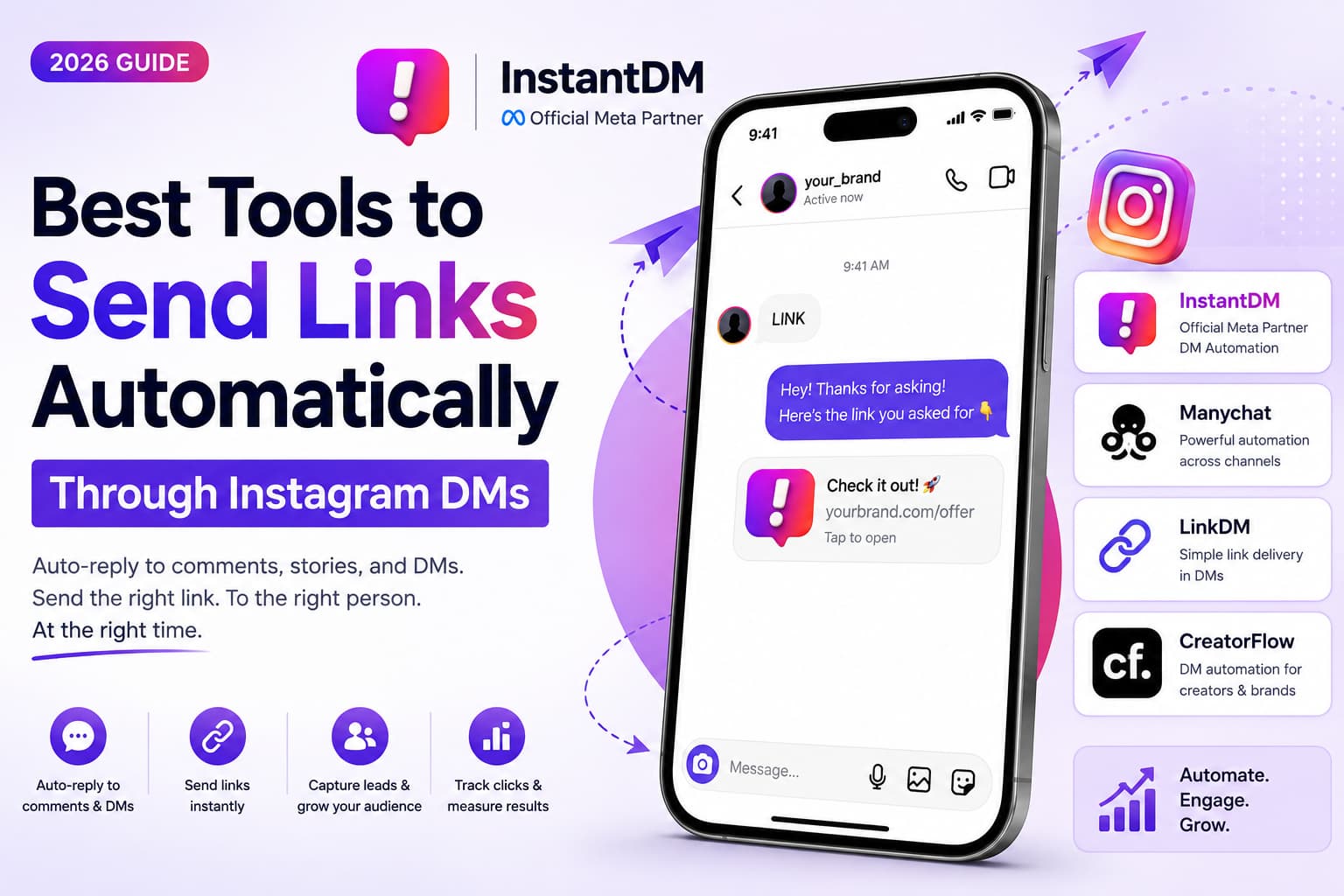
| InstantDM | $9.99/mo | Yes — 500 DMs | Budget creators |
| ManyChat | $15/mo | No | Advanced automation |
| LinkDM | $29/mo | No | Link management |
| CreatorFlow | $15/mo | Yes | Creators and brands |
Pick the bottleneck, not the longest feature page. If you just need “comment LINK, get the URL,” a cheap official tool is enough. If you already run WhatsApp and Facebook with conditions and tags, ManyChat starts to make sense. Link managers help when you rotate a lot of URLs. Newer creator tools are fine if you like the interface, as long as the login is official.
Avoid anything that wants your password and promises “undetectable” growth. That is a different product, and it is the one that gets accounts restricted.
Step 2: Connect Your Instagram Account
- Sign up for your chosen tool
- Connect your Instagram Business or Creator account
- Authorize the tool through Meta's official API
- Verify your account is connected
Personal accounts usually cannot use this the same way. Switch to Business or Creator first. The login should look like Meta’s own permission screen, not a random form asking for your password.
After you connect, send yourself a test or check the dashboard until the account shows as active. If the connection drops later, it is often an expired permission, a password change, or switching apps on the phone. Re-authorize before you assume the automation is broken.
Step 3: Create Your Automation
- Choose your trigger keyword (e.g., "LINK", "BUY", "GUIDE")
- Write your DM message with the link
- Set up the automation flow
- Test with a friend's comment
- Go live
Keep the keyword obvious. “LINK” and “PRICE” work because people already type them. Cute phrases nobody will remember do not.
Write the DM like a text, not a landing page. One sentence, the URL, maybe “any questions?” is enough. Save a draft, test it, then turn it on. If the first version sounds stiff, rewrite it after you see a few real replies. The flow can stay simple forever if the offer is simple.
Step 4: Share Your Link
Post content with a CTA like:
- "Comment LINK and I will send you the link"
- "Comment GUIDE for the free guide"
- "Comment BUY to purchase"
When someone comments, the tool sends them the link via DM automatically.
Put the instruction in the caption and, if you can, on the last slide of a carousel or in the reel text. People skim. “Comment LINK” is easier to follow than a paragraph about your funnel.
Do not hide the keyword. Do not ask for five different comments on the same post. One action per post keeps the inbox clean and the conversion math honest.
What Is an Instagram Direct Message Link?
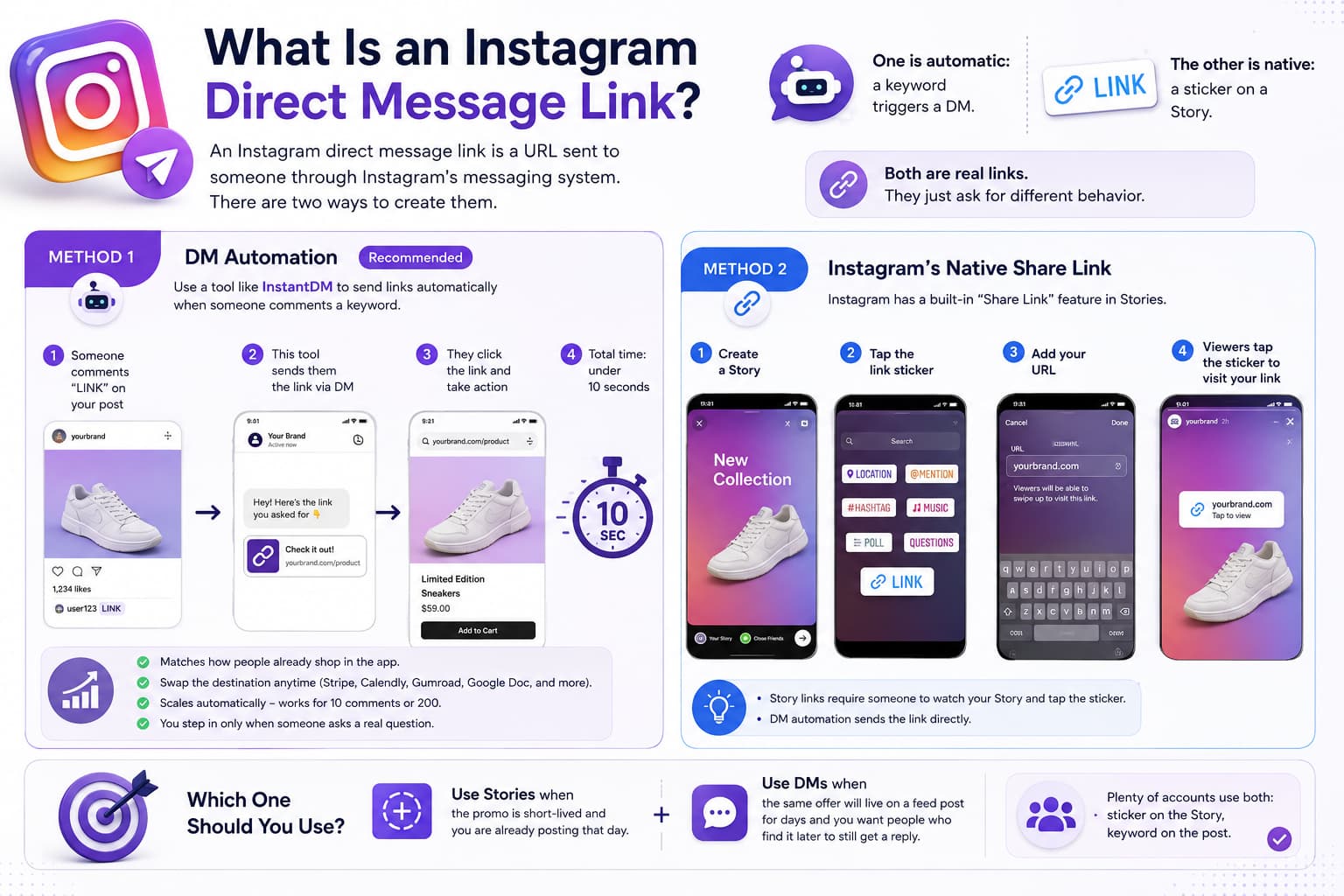
An Instagram direct message link is a URL sent to someone through Instagram's messaging system. There are two ways to create them.
One is automatic: a keyword triggers a DM. The other is native: a sticker on a Story. Both are real links. They just ask for different behavior. Story stickers are quick to add. DMs are better when you want the link to arrive after someone asks, and when you want a follow-up sitting in the same thread.
Method 1: DM Automation (Recommended)
Use a tool like InstantDM to send links automatically when someone comments a keyword.
- Someone comments "LINK" on your post
- This tool sends them the link via DM
- They click the link and take action
- Total time: under 10 seconds
This is the method that matches how people already shop in the app. They see the post, they want the thing, they comment, they get the URL without leaving the conversation. You can swap the destination later — Stripe, Calendly, Gumroad, a Google Doc — without changing the public CTA.
It also scales. Ten comments or two hundred, the first reply can still go out. You step in only when someone asks a real question the template cannot answer.
Method 2: Instagram's Native Share Link
Instagram has a built-in "Share Link" feature in Stories:
- Create a Story
- Tap the link sticker
- Add your URL
- Viewers tap the sticker to visit your link
This is different from DM automation. Story links require someone to watch your Story and tap the sticker. DM automation sends the link directly.
Use Stories when the promo is short-lived and you are already posting that day. Use DMs when the same offer will live on a feed post for days and you want people who find it later to still get a reply. Plenty of accounts use both: sticker on the Story, keyword on the post.
Can You Put a Link in an Instagram Comment?
No. Instagram does not allow clickable links in comments. If you paste a URL in a comment, it appears as plain text — not a clickable link.
That is why “just drop the link under the post” fails. People would have to copy a string of characters on a phone, which most will not do. Commenting a keyword and waiting for a tap-able DM is the workaround Instagram’s own rules pushed everyone toward.
Why Instagram Blocks Links in Comments
Spam prevention Stops bots from flooding comments with links.
User safety Prevents malicious links from spreading.
Platform control Keeps users on Instagram longer.
None of this is a secret conspiracy against sellers. Open comments with live URLs become a magnet for scams and affiliate spam. Blocking the click forces the conversation into DMs or Stories, where Instagram has more controls.
You can still mention a site in plain text. It just will not act like a button. If you need the tap, you need DMs, Stories, or the bio.
What to Do Instead
Since you cannot put links in comments, use DM automation:
- Someone comments "LINK" on your post
- DM automation sends them the link via DM
- They click the link and take action
- This converts at 15-30% vs link-in-bio's 5-10%
Tell them the exact word. Send one destination. Make sure that destination loads fast on mobile. If you need two links, use two keywords on two posts, or a very short menu in the DM — not a pile of URLs in one message.
The bio can stay as a backup for people who never comment. The DM is for people who already want the thing.
How Do Instagram Story Links Work?
Instagram Story links let you add one clickable link to your Story. This is different from DM automation.
A Story sticker is public and temporary. Anyone who views that Story can tap. A DM is private and tied to an action. Use the sticker for launches, reminders, and “link in this Story.” Use DMs when you want a record of who asked and a place to follow up.
Story Links vs DM Automation
| Factor | Story links | DM automation |
| How it works | Viewer taps link sticker | Tool sends link via DM |
| Conversion rate | 5-10% | 15-30% |
| Personal feel | Generic | Direct message |
| Setup time | 30 seconds | 5 minutes |
| Requires | Story creation | Automation tool |
Story stickers win on speed. You can add one while you are already posting. They lose on staying power. When the Story expires, the sticker is gone. A feed post with a keyword can keep sending DMs next week.
If your audience lives in Stories, do both. The sticker catches viewers. The comment keyword catches people who find the post later or who do not tap stickers.
How to Add a Link to Your Instagram Story
- Create a Story
- Tap the link sticker icon
- Paste your URL
- Customize the sticker text
- Share your Story
Viewers tap the sticker to visit your link. This works well for simple promotions, but DM automation converts higher because it is more personal.
Write sticker text that says what happens: “Shop,” “Book a call,” “Get the PDF.” A generic “Link” gets fewer taps. Check the URL on your phone after you post. A typo on a 24-hour sticker is a quiet way to waste a day of traffic.
DM Links vs Link-in-Bio: Which Converts Better?
| Factor | Link-in-bio | DM links |
| Conversion rate | 5-10% | 15-30% |
| Response time | 1-24 hours | Under 10 seconds |
| Personal feel | Generic page | Direct message |
| Follow-up | Manual | Automatic |
| Availability | You must be online | 24/7 |
| Setup difficulty | Easy | Easy |
A link-in-bio page is still useful as a menu. It is a weak only-option. People who are half-interested will not leave the post, open your profile, and hunt. People who commented already told you they want something. Send that something.
Keep the bio for browsers. Use DMs for intent.
Why DM Links Convert Higher
- Single action: One comment leads to one DM with one link
- Urgency: The link arrives instantly
- Personal feel: DMs feel like a conversation, not a broadcast
- No redirect: The buyer stays in Instagram
There is also less decision fatigue. A bio page with twelve buttons makes people stall. A DM with one URL is a next step. If you sell more than one thing, split keywords rather than dumping a directory into the first message.
Instant delivery helps on impulse products and simple digital offers. High-ticket sales still need a human later. The DM just starts the thread so you are not finding the lead two days late.
The Best Tools for Sending Links Automatically
| Tool | Price | Free plan | Conversion rate | Best for |
| InstantDM | $9.99/mo | Yes — 500 DMs | 15-25% | Budget creators/brands |
| ManyChat | $15/mo | No | 15-25% | Advanced automation |
| LinkDM | $29/mo | No | 15-20% | Link management |
| CreatorFlow | $15/mo | Yes | 15-20% | Creators and brands |
Verified July 2026. All tools use Instagram's official API and are safe to use.
Price is not the same as fit. A $15 builder you never finish is worse than a $10 tool that sends the link today. Confirm official API access, a way to test, and support you can actually reach if the connection breaks.
InstantDM — Best for Budget Creators
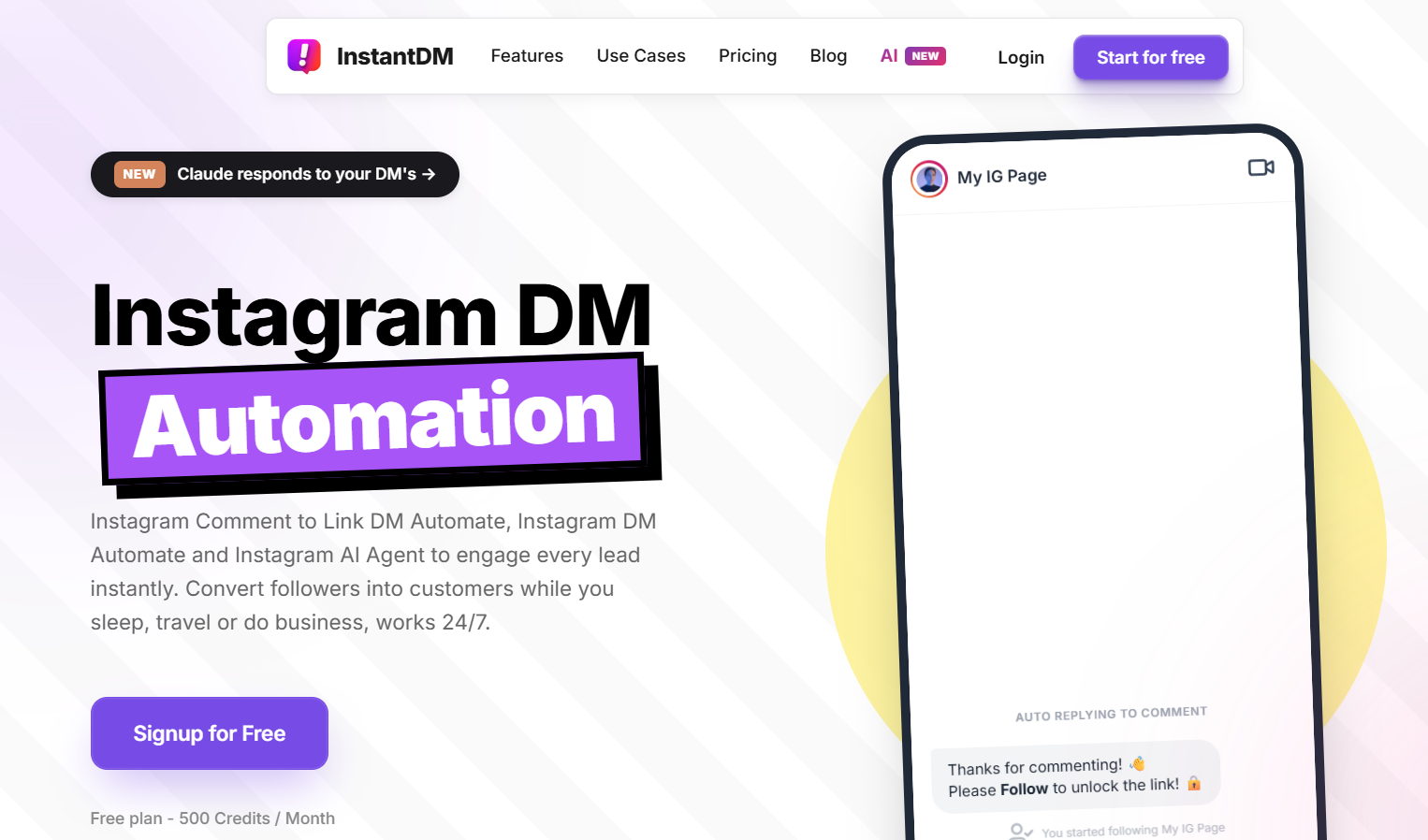
Price: $9.99/mo. Free plan: 500 DMs/month.
InstantDM is the cheapest tool for sending links automatically through Instagram DMs. It uses Instagram's official API and is safe to use. It is official Meta Business Partner tool.
What InstantDM does well:
- Comment-to-DM automation: Send links when someone comments
- Payment link delivery: Sell products through DMs
- Lead magnet delivery: Capture emails through DMs
- Free plan: 500 DMs/month to test
Pricing:
| Plan | Price | Features |
| Free | $0 | 500 DMs/month |
| Pro | $9.99/mo | Unlimited DMs, advanced features |
Pros: Free plan, 15-30% conversion, simple setup, Meta API compliant. Official Meta Business Partner. Budget Friendly tool.
Cons: Instagram and Facebook only.
ManyChat — Best for Advanced Automation
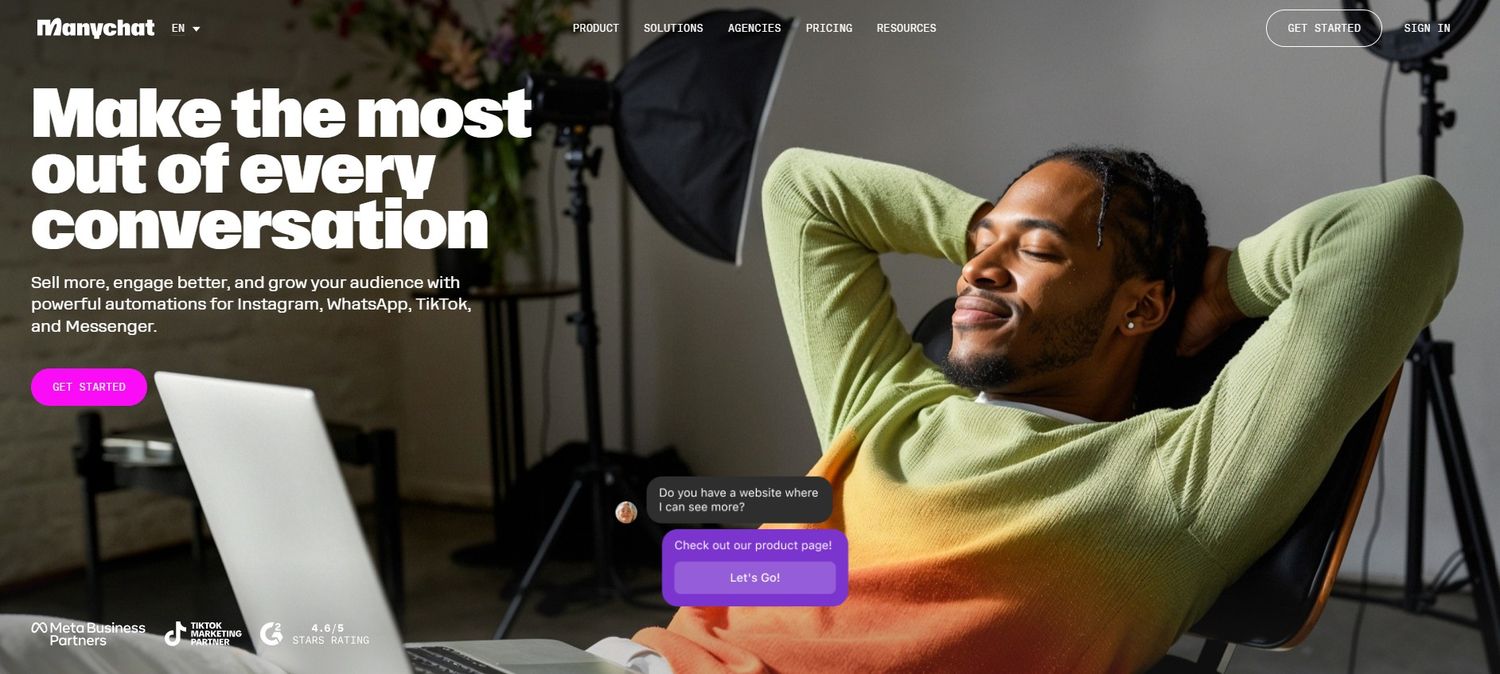
Price: $15/mo. No free plan.
ManyChat is the most popular tool for sending links automatically. It is an official Instagram partner.
What ManyChat does well:
- Official partner: Safe, compliant
- Multi-platform: Instagram, Facebook, WhatsApp, SMS
- Visual workflow builder: Create complex automations
- Advanced features: Conditional logic, A/B testing
ManyChat pricing:
| Plan | Price | Features |
| Standard | $15/mo | Instagram, Facebook |
| Pro | $45/mo | WhatsApp, SMS, advanced features |
ManyChat pros: Official partner, multi-platform, visual builder.
ManyChat cons: No free plan, expensive, complex setup.
Use it when the journey is more than one message. Tags, conditions, WhatsApp, and tests are the reason to pay. If all you needed was one keyword and one URL, the extra surface area just slows you down.
LinkDM — Best for Link Management
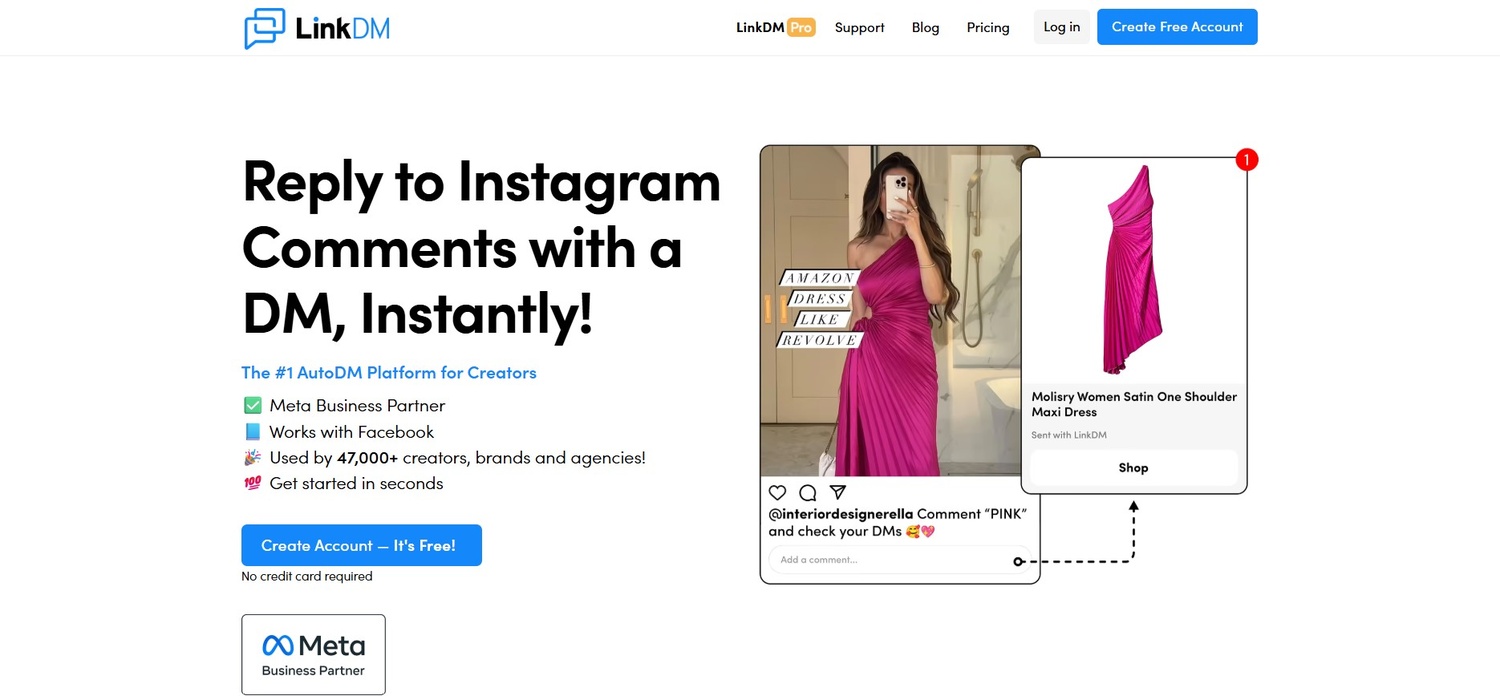
Price: $29/mo. No free plan.
LinkDM is the best tool for managing multiple links and sending them via DM.
What LinkDM does well:
- Link management: Organize multiple links
- Comment-to-DM: Send links when someone comments
- Analytics: Track link clicks
- Multi-platform: Instagram, Facebook
LinkDM pricing:
| Plan | Price | Features |
| Standard | $29/mo | Basic features |
| Pro | $59/mo | Advanced features, analytics |
LinkDM pros: Link management, analytics, multi-platform.
LinkDM cons: No free plan, expensive, limited customization.
This is for people who rotate offers, affiliates, or seasonal pages and want clicks in one place. If you have one evergreen product, you probably do not need a dedicated link manager. If you change URLs every week, tracking beats dumping everything into a notes app.
CreatorFlow — Best for Creators and Brands
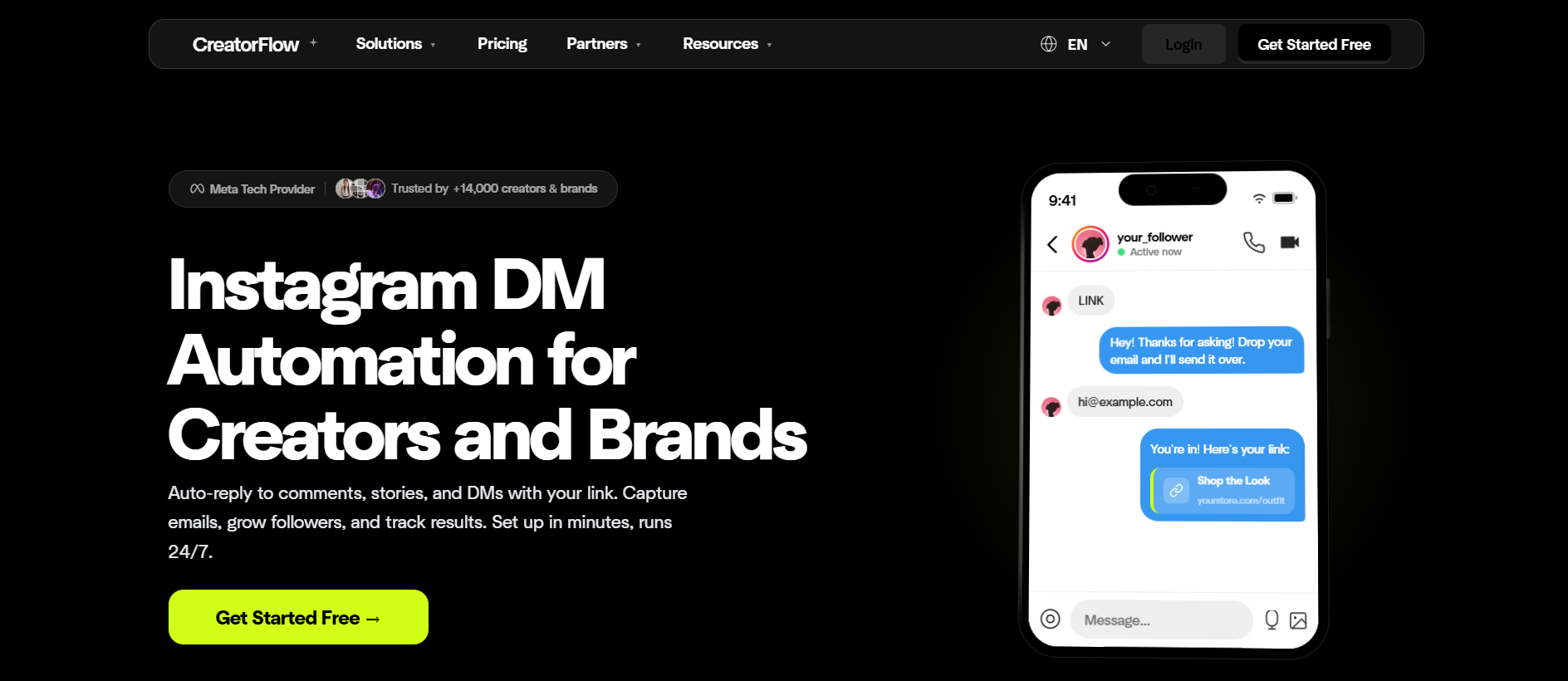
Price: $15/mo. Free plan available.
CreatorFlow is designed specifically for creators and brands who want to automate Instagram DMs.
What CreatorFlow does well:
- Creator-focused: Built for influencers and brands
- Comment-to-DM: Send links when someone comments
- Email capture: Collect emails through DMs
- Free plan: Basic features included
CreatorFlow pricing:
| Plan | Price | Features |
| Free | $0 | Basic features |
| Pro | $15/mo | Advanced features, analytics |
CreatorFlow pros: Creator-focused, free plan, email capture.
CreatorFlow cons: Newer platform, smaller community.
A smaller community means fewer templates floating around, not that the idea is wrong. Test the free plan on one campaign. If email capture and comment-to-DM are the whole job, it can be enough. If you need a huge partner ecosystem, look at the older platforms.
How to Set Up Automated Links (Step-by-Step)
Here is exactly how to set up automated links using InstantDM. The same pattern applies to other official tools: connect, keyword, message, test, then promote. Do not skip the test. A broken link on a popular post is worse than no automation.
Step 1: Sign Up for InstantDM
- Go to instantdm.com
- Click "Sign Up"
- Enter your email and create a password
- Choose the free plan (500 DMs/month)
Use the same email you actually check. You will want the login later when a permission expires. Start free even if you know you will upgrade. Prove the keyword works on your audience before you pay for volume.
Step 2: Connect Your Instagram Account
- Go to "Settings" in your InstantDM dashboard
- Click "Connect Instagram"
- Log in to your Instagram Business or Creator account
- Authorize through Meta's official API
- Verify your account is connected
If you manage several pages, connect the one that will publish the posts. Mixing a personal login with a business page is a common way to think you are live when you are not. After authorize, refresh until the dashboard shows the correct handle.
Step 3: Create Your First Automation
- Go to "Automations" in your dashboard
- Click "Create New Automation"
- Choose "Comment-to-DM" as the trigger type
- Enter your trigger keyword (e.g., "LINK")
- Write your DM message: "Here is the link you requested: [YOUR LINK]"
- Add your link to the message
- Click "Save" and "Activate"
Read the message out loud. If you would not send it to a customer, rewrite it. Put the URL on its own line so it is easy to tap. Activate only after you are sure the destination is the final page, not a staging link.
Step 4: Test Your Automation
- Ask a friend to comment "LINK" on one of your posts
- Watch the automation send the DM
- Verify the link works
- Check that the message looks good
Test on the same post type you will use live — reel, carousel, or static. Check the DM on a phone. Watch for extra spaces, a missing https, or a preview that looks spammy. If nothing arrives, check the keyword match, account connection, and whether the commenter is allowed to receive messages.
Step 5: Promote Your Automation
Add a CTA to your posts:
- "Comment LINK and I will send you the link"
- "Comment GUIDE for the free guide"
- "Comment BUY to purchase"
Say it once in the caption and once on-screen if it is a reel. Pin a comment with the same instruction if the post takes off. When people comment the wrong word, reply once and update the caption. After a week, look at comments versus DMs versus clicks. That tells you whether the CTA is unclear or the page is the problem.
Best Practices for Sending Links via DMs
Treat this like customer service, not a blast. Short messages, official tools, one link, and a test before traffic hits. The accounts that get reported are usually the ones sending links nobody asked for.
Do's
Use official API tools Why it works: Safe, compliant.
Test before going live Why it works: Catch errors early.
Keep messages short Why it works: People skim DMs.
Include a clear CTA Why it works: Tell people what to do.
Track your results Why it works: Optimize what works.
Write like a person. Use the product name. Ask one question at the end if you want a reply. Check click and purchase numbers, not just how many DMs went out. A lot of sent messages with no clicks means the copy or the URL is wrong.
Don'ts
Send links without permission Why it's bad: Spammy, gets reported.
Use too many links Why it's bad: Confusing, lowers conversion.
Forget to test Why it's bad: Broken links lose sales.
Use unofficial tools Why it's bad: Gets account banned.
Send the same message to everyone Why it's bad: Feels robotic.
Keyword replies are permission. Cold DMs to people who never commented are not the same tactic. If you have different offers, use different words. And change the first line when the campaign changes so last month’s “today only” is not still firing.
Start Sending Links Automatically Today
If you want to send links automatically through Instagram DMs, start with InstantDM's free plan (500 DMs/month). Set up a comment-to-DM automation, test it with a friend, and start converting at 15-30%.
For advanced automation, use ManyChat ($15/mo) with multi-platform support. For link management, use LinkDM ($29/mo) with analytics.
Do not wait for a perfect funnel. One live post, one keyword, one working URL is enough to learn. If comments come in and clicks do not, fix the message. If clicks come in and money does not, fix the page. The tool already did the part it is supposed to do.
Advanced Strategies for Sending Links via DMs
Once the first keyword works, you can split offers without building a maze. Different words, different links, optional follow-ups. Only add a step when you can name the problem it solves.
Strategy 1: Multi-Link Automation
Instead of sending one link, set up automations for different products or content:
| Keyword | Link sent | Use case |
| GUIDE | Free guide PDF | Lead magnet |
| COURSE | Course sales page | Digital product |
| BOOK | Booking calendar | Coaching/consulting |
| AFFILIATE | Affiliate product link | Affiliate marketing |
| NEWSLETTER | Newsletter signup | Email list building |
Tell people which word does what. “Comment GUIDE for the PDF or COURSE for the full program” is clear. Five hidden keywords on one post is not. Keep the DM for each word as short as the first one you wrote.
Strategy 2: Segmented DM Flows
Create different DM sequences based on what someone comments:
| Keyword | DM sequence |
| PRICE | Send pricing page + testimonial |
| FREE | Send free guide + email signup |
| BUY | Send product page + discount code |
| HELP | Send FAQ page + support link |
Segmentation is just matching intent. Someone who says PRICE is not ready for a 10-message nurture. Send the price. Someone who says HELP should not get a checkout link first. If you add a second message, wait long enough that it does not feel like a pile-on.
Strategy 3: Follow-Up Automation
Set up automatic follow-ups for people who click your link but don't convert:
| Timing | Follow-up message |
| 1 hour later | "Did you have any questions about [product]?" |
| 24 hours later | "Here is a special discount just for you" |
| 72 hours later | "Last chance — this offer expires tomorrow" |
Follow-ups work when they are true and sparse. Do not send a fake countdown every week. One check-in and one useful extra is plenty for most low-ticket offers. Stop the sequence if they reply or buy, so you are not discounting people who already paid.
Case Studies: Real Results
These examples show the pattern, not a guarantee. The common thread is a simple offer, a clear keyword, and a tool that actually sends the DM.
Case Study 1: Fitness Creator
- Goal: Sell workout plans through Instagram
- Tool: InstantDM
- Strategy: Comment-to-DM automation for workout plans
- Result: 15,000 new subscribers in 3 months
- Revenue: $5,000/mo from course sales
The useful lesson is volume plus a product people already understood from the content. The automation did not invent demand. It caught people who watched a workout and wanted the plan before they scrolled away.
Case Study 2: E-commerce Brand
- Goal: Increase product sales through Instagram
- Tool: ManyChat
- Strategy: Automated DMs for product links
- Result: 30% increase in sales
- Revenue: $10,000/mo additional revenue
Shops often lose sales because the catalog is in the bio and the question is in the comments. Sending the exact product URL, and sometimes a size or shipping note, is what changed the number — not a more complicated chatbot.
Case Study 3: Coach
- Goal: Book more coaching sessions
- Tool: InstantDM
- Strategy: Comment-to-DM for booking links
- Result: 50 new clients in 2 months
- Revenue: $15,000/mo from coaching
Booking links go stale if you answer two days later. Instant calendar access from a “BOOK” comment is the whole trick. The coach still did the calls. The tool only stopped the leak between interest and the calendar.
How to Measure Your DM Link Performance
| Metric | What to track | Target |
| Comments received | How many people comment | Growing over time |
| DMs sent | How many DMs are sent | Match comments |
| Links clicked | How many people click | 80%+ of DMs |
| Conversions | How many people buy | 15-30% of clicks |
| Revenue | How much you earn | Growing over time |
Read the funnel in order. If comments are low, the CTA or the post is weak. If comments are high and DMs are low, the keyword or connection is wrong. If DMs are high and clicks are low, the message is the problem. If clicks are high and sales are low, the page, price, or checkout is the problem.
Look at this weekly, not hourly. One viral post will skew a day. A month of the same offer tells you if the system is working.
Common Mistakes to Avoid
No clear CTA Why it hurts: People don't know what to comment. How to fix: Add "Comment LINK" to posts.
Broken links Why it hurts: People can't access your content. How to fix: Test every link before going live.
Too many links Why it hurts: Confusing, lowers conversion. How to fix: Send one link per automation.
No follow-up Why it hurts: People forget about you. How to fix: Set up follow-up sequences.
Using unofficial tools Why it hurts: Gets account banned. How to fix: Use Meta API-compliant tools.
The quieter mistakes are similar: keywords that do not match the caption, DMs that sound like ads, and never turning off an old campaign. If a post is about a free guide, do not leave last month’s “BUY” keyword as the only instruction. And if Instagram limits DMs, stop adding volume and check whether you drifted into unsolicited messages.
Integration with Other Tools
| Tool | How it integrates | Benefit |
| Stripe | Payment links via DM | Sell products through DMs |
| Calendly | Booking links via DM | Book coaching sessions |
| Kit (ConvertKit) | Email capture via DM | Build email list |
| Gumroad | Product links via DM | Sell digital products |
| Payhip | Course links via DM | Sell courses through DMs |
The DM tool does not need to be your store. It needs to hand off a URL that already works. Create the payment, booking, or email page first. Then paste it into the automation. If you change prices, change the live page, not a screenshot in the caption.
UTM tags help you see which keyword paid. One tag per campaign is enough. You do not need a new integration for every post.
How We Evaluate These Tools
We do not rank tools by feature count or homepage claims. We look at five practical filters that matter when you are sending real links to real buyers.
1. Official API access The tool must connect through Meta’s official Instagram API, not a password-based “unofficial” login. Anything that asks for your password and promises “safe automation” is excluded.
2. Core job fit Can it send a link when someone comments a keyword? Does the message arrive reliably? We test comment-to-DM first. Extra channels and fancy builders only count after that works.
3. Real setup time We time how long it takes a normal creator account to go from sign-up to a live, tested automation. Tools that need a week of configuration lose points against ones that work the same day.
4. Free plan or trial You should be able to prove the flow on your own post before paying. A free tier with a clear DM limit is more useful than a forced annual plan.
5. Safety and support We check partner status, recent user reports, and whether support answers when a connection breaks. A cheap tool that risks your account is not cheap.
Pricing is noted for context, not as the main score. A $10 tool that converts and stays compliant ranks above a $50 suite you never finish setting up. We re-check these criteria when platforms change rules, because yesterday’s “safe” setup is not always tomorrow’s.
The Future of Instagram Link Sharing
AI-powered DMs More personalized responses.
Multi-platform automation Instagram + TikTok + WhatsApp.
Voice DMs Send links via voice messages.
Video DMs Send links via video messages.
Shoppable DMs Buy directly from DMs.
Some of this is already arriving in pieces. AI helps the first line sound less copied. Multi-platform matters if your buyer starts on Instagram and finishes on WhatsApp. Voice and video will not replace a clean URL for checkout. Shoppable threads will still need clear products and official access.
The part that will not change: people comment when they want something, and the fastest honest reply still wins.
Conclusion
Sending links automatically through Instagram DMs is one of the highest-converting strategies for creators and businesses. It converts at 15-30% vs link-in-bio's 5-10%, and it works 24/7 without manual effort.
The key is to use Meta API-compliant tools like InstantDM, ManyChat, or LinkDM. These tools send links safely and comply with Instagram's terms of service.
Start with InstantDM's free plan (500 DMs/month), set up your first comment-to-DM automation, and start converting today. One keyword. One message. One working link. Then measure, and only then add extra flows.
What Reddit Says About Sending Links via DMs
Reddit discussions on r/InstagramMarketing, r/creators, and r/socialmedia consistently come back to the same advice: use official tools, keep it simple, and stop overthinking the tech.
InstantDM
Reddit users recommend InstantDM for simple, compliant DM automation. The free plan gets mentioned a lot. People like that it does one thing well: comment-to-DM. The common caveat is that it is Instagram-only. If you need WhatsApp or Facebook, you will outgrow it.
"Tried InstantDM on a product launch. 200 comments, all got the link in under 10 seconds. Converted at 22%. No account issues." — r/InstagramMarketing
"Free plan is enough to test. If it works, $9.99/mo is nothing compared to the sales you were missing." — r/creators
ManyChat
ManyChat gets recommended for more complex flows. The official partner status matters to people who have been burned by unofficial tools. The price and setup time are the usual complaints.
"ManyChat is the safe choice if you need conditions and multi-platform. But if you just need comment-to-DM, you are paying for features you will not use." — r/InstagramMarketing
"Set up ManyChat for a client. Took 30 minutes. Works great, but $15/mo adds up when you only need one keyword." — r/socialmedia
LinkDM
LinkDM comes up when people manage multiple links. The tracking features get praise. The price gets criticism.
"LinkDM is good if you rotate offers every week. For a single product, it is overkill." — r/InstagramMarketing
What Reddit Warns About
Avoid follow/unfollow tools
- Why It Matters: Accounts get banned
Avoid scraping tools
- Why It Matters: Permanent ban risk
Avoid password-sharing tools
- Why It Matters: Account takeover risk
Start with free plans
- Why It Matters: Test before you pay
One keyword per post
- Why It Matters: Keeps inbox clean
The Reddit Consensus
The pattern across subreddits is consistent: official API tools only. Start with one keyword. Measure clicks and sales, not follower count. If a tool asks for your password instead of Meta's official login, walk away.
"The accounts that last are the ones that use automation to answer people who already raised their hand — not to impersonate a crowd." — r/InstagramMarketing