Can you put a link in an Instagram comment? No. Instagram does not allow clickable links in comments. If you paste a URL, it shows up as plain text. Nobody can tap it.
That answer still surprises people in 2026. A creator finishes a Reel, a shop owner posts a new drop, a coach shares a free training, and the first instinct is the same: drop the URL in the comments. It feels obvious. It looks tidy. It does not work.
Instagram treats comments as conversation, not as a traffic channel. The platform strips clickability on purpose. You can type a full Shopify product URL, a Calendly link, a Google Drive PDF, or a WhatsApp chat link. It will sit there as dead text. No underline. No preview card. No tap.
This is one of the most common Instagram questions for a reason. Link-in-bio pages convert at roughly 5–10%. Story stickers sit in the same range. Comment-to-DM automation — where someone comments a keyword and receives the link in a private message — converts at 15–30% for most accounts that run it consistently.
This guide is written to answer the questions people actually type, in the order they type them. You will see why comments stay unclickable, what happens when you paste a URL anyway, how Story links work, how the four sharing methods compare, how we evaluate the tools, what Reddit users keep repeating, and the three comment prompts that get used and cited most often.
If you only remember one flow, remember this:
- Someone comments “LINK” on your post (1/3)
- DM automation sends them the link via DM (2/3)
- They click the link and take action (3/3)
The rest of this article explains why that sequence outperforms everything else, and how to set it up without breaking Instagram’s rules.
Can You Put a Link in an Instagram Comment?
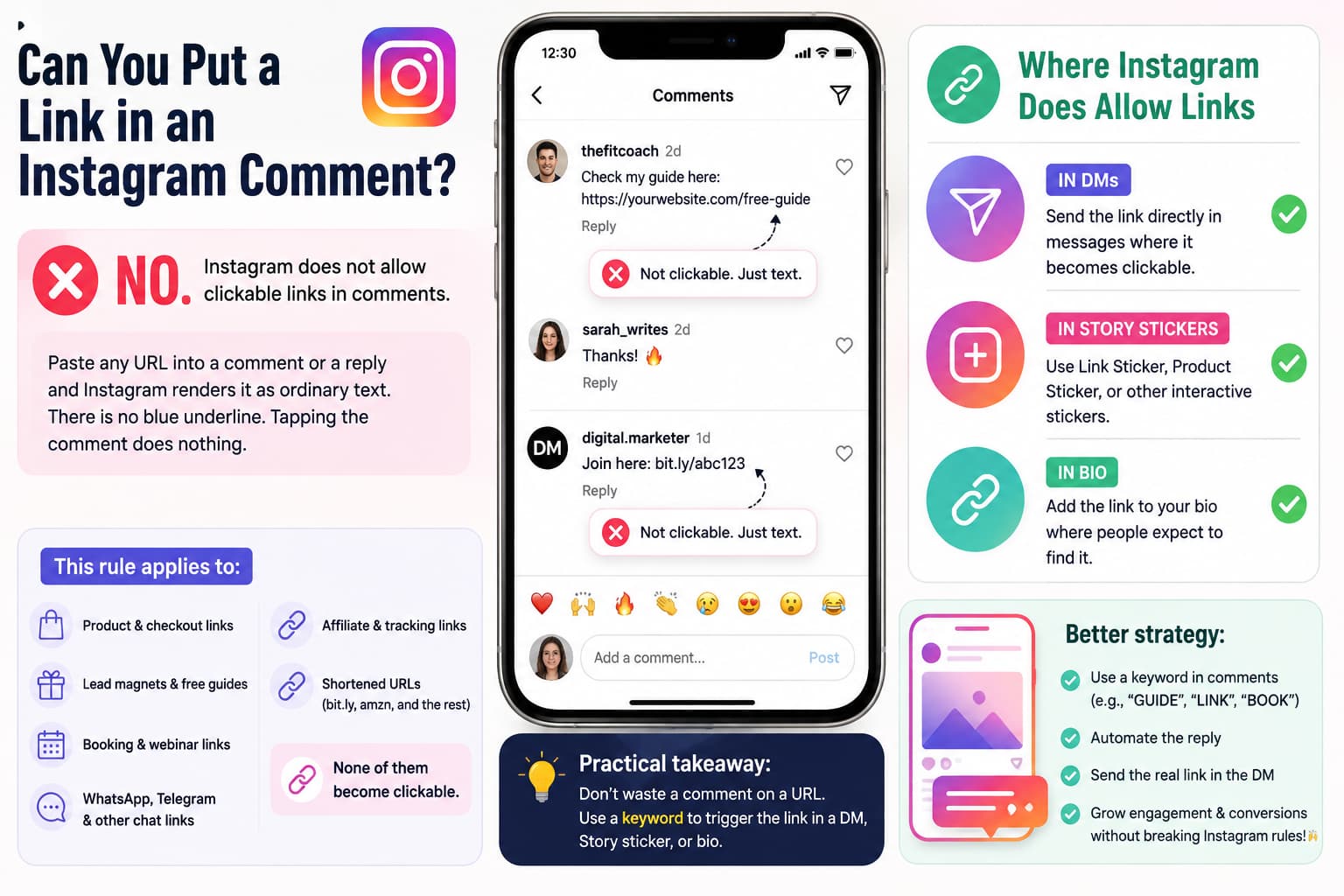
No. Instagram does not allow clickable links in comments.
That is the full official behavior, not a glitch and not a temporary test. Paste any URL into a comment or a reply and Instagram renders it as ordinary text. There is no blue underline. Tapping the comment does nothing. Long-pressing only lets someone copy the string if they already know they should.
This rule applies to:
- Product and checkout links
- Lead magnet and free-guide links
- Booking and webinar links
- WhatsApp, Telegram, and other chat links
- Affiliate and tracking links
- Shortened URLs (bit.ly, amzn, and the rest)
A shortened link does not become clickable just because it is short. A “pretty” branded domain does not become clickable either. The comment field simply does not support tap-to-open.
Creators still try it because other platforms work differently. YouTube descriptions can hold links. TikTok bios and some comment experiments have been more flexible at times. Twitter/X makes URLs live. Email is built for links. Instagram comments are not. If your mental model comes from those other places, the Instagram comment box will keep disappointing you.
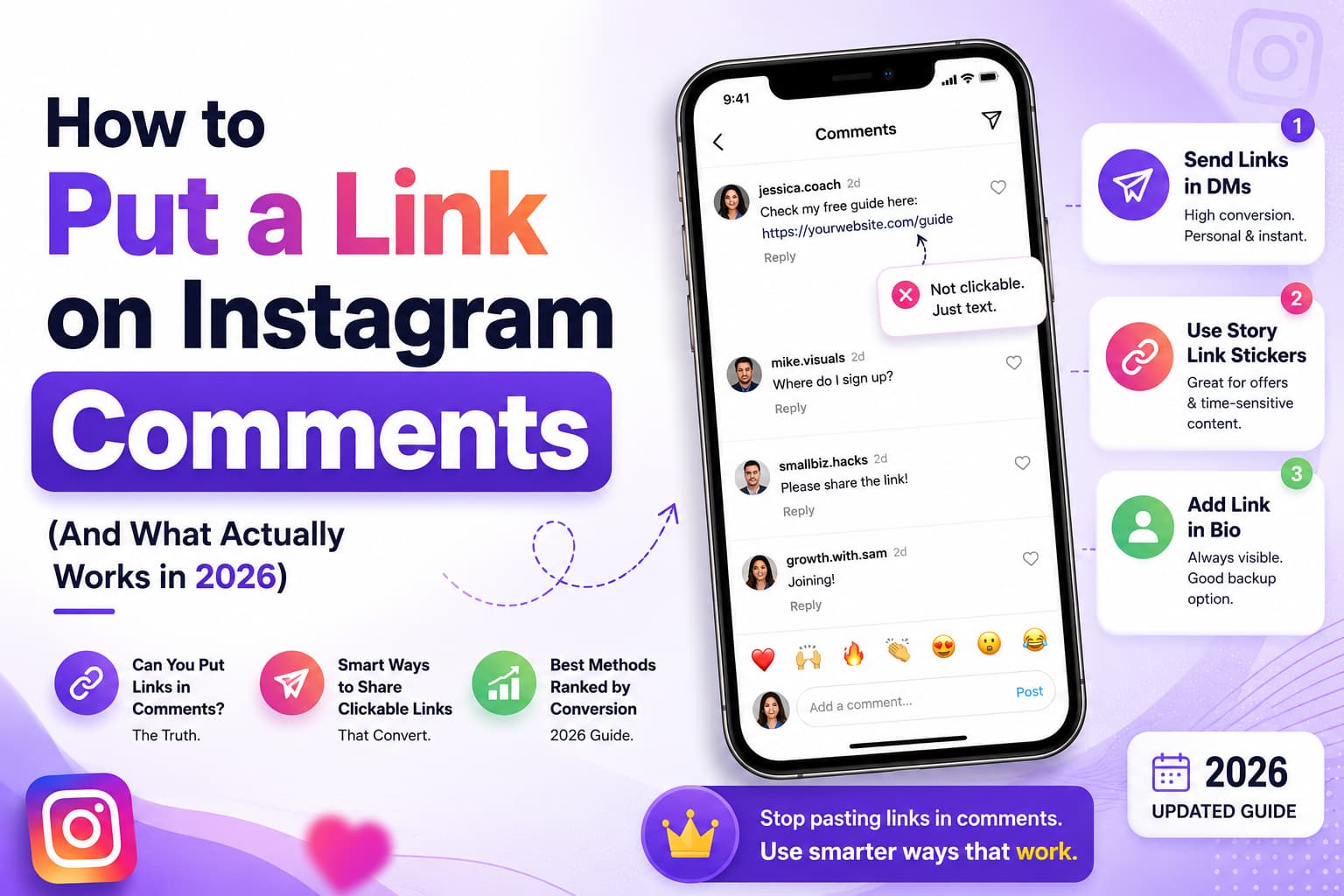
The practical takeaway is simple. Do not spend a comment on a URL. Spend the comment, the caption, or the on-screen text on a keyword instead. Then send the real link where Instagram does allow it: in DMs, in a Story sticker, or in the bio.
Why Does Instagram Block Links in Comments?
Instagram did not wake up one day and decide to annoy sellers. The block exists for three durable reasons, and all three still apply in 2026.
Spam prevention
Open comments used to be a free billboard for bots. A viral post would attract hundreds of identical comments in minutes: fake giveaways, “click here for free followers,” malware cloaked as coupon pages, and affiliate dumps. When the URL was tappable, the spam had a payoff. When the URL became dead text, the payoff collapsed. The bots did not disappear entirely, but the incentive dropped. That is the first reason the policy has never been reversed.
User safety
A comment is easy to tap. A shortened URL is easy to hide. Together they created a lot of accidental clicks on phishing pages, fake login screens, and sketchy file downloads. Forcing a copy-paste step is a small amount of friction. It is not perfect security. It does stop a large share of mindless taps. Instagram would rather a few legitimate sellers lose convenience than keep an open tap-to-anywhere surface in every comment thread.
Platform control
Every time a user leaves Instagram, the company loses time on site and ad inventory. Comments that function as exit ramps work against that. Stories and DMs are different. The person stays inside the app a little longer. Instagram still controls the chrome, the ads around the experience, and the messaging window rules. Comments were never designed as a distribution channel for your checkout page.
Those three reasons have not weakened. If anything they are stronger now that more of the app is commercial. Shops, ads, affiliate tools, and official partner products already give Instagram sanctioned ways to move people toward a purchase. Uncontrolled comment links would compete with that system.
You do not have to like the policy. You do have to work around it. The accounts that grow sales on Instagram in 2026 are the ones that stopped fighting the comment field and started using the surfaces Instagram actually supports.
What Happens If You Paste a Link in an Instagram Comment?
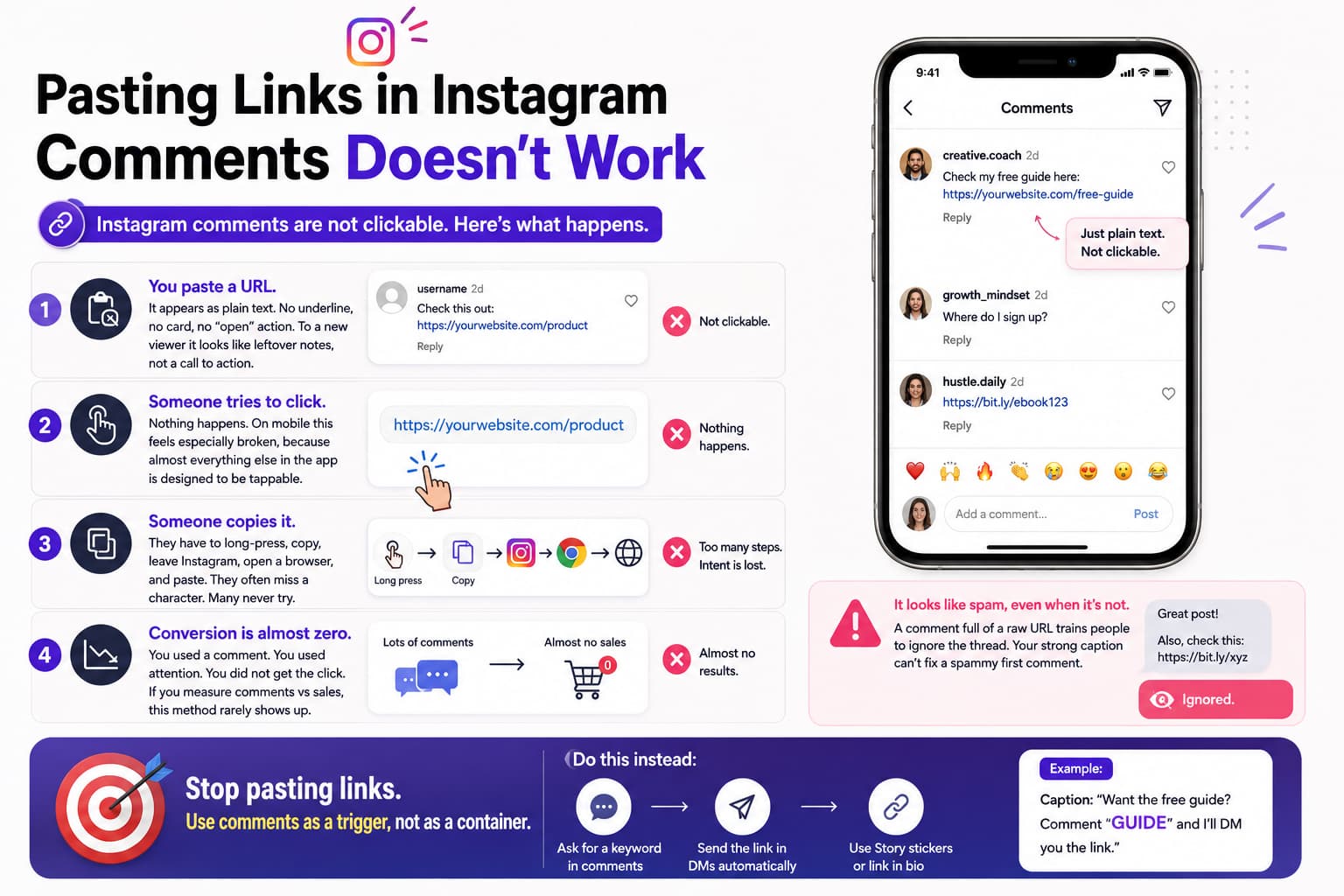
Here is the sequence most people live through at least once.
You paste a URL. It appears as plain text. No underline, no card, no “open” action. To a new viewer it looks like leftover notes, not a call to action.
Someone tries to click. Nothing happens. On mobile this feels especially broken, because almost everything else in the app is designed to be tappable. The person may tap twice, assume the app lagged, then scroll on.
Someone copies it. They have to long-press, copy, leave Instagram, open a browser, and paste. They often miss a character. They often land on the homepage instead of the product. Many never attempt this at all. The extra steps kill intent.
Conversion is almost zero. You used a comment. You used attention. You did not get the click. If you measure comments versus sales, this method almost never shows up as a real channel.
There is a second problem people miss. A comment full of a raw URL looks like spam even when it is not. Other users are trained to skip those comments. Your own caption can be strong and the first-comment link still trains people to ignore the thread.
If you have been pasting links under every post, you have not been “doing distribution.” You have been leaving unclickable text in public. Stop. Use the comment as a trigger, not as a container for the URL.
What Should You Do Instead of Putting Links in Comments?
Use comment-to-DM automation. That is the method that actually replaces the missing click.
The flow looks like this:
- Someone comments “LINK” on your post (1/3)
- DM automation sends them the link via DM (2/3)
- They click the link and take action (3/3)
That is the entire system. One public signal of intent. One private delivery of the destination. One tap while interest is still high.
Why this works when a comment URL does not:
The person already did something. Commenting is a higher-intent action than scrolling past a bio or noticing a Story sticker. They asked, even if the ask is only one word.
The link arrives in the same session. They are still looking at your face, your product, or your Reel. Timing is not a small detail. It is most of the lift.
The message feels like a reply. A DM is not a broadcast sticker and it is not a generic bio page. Even a two-line automated note reads closer to a conversation than a public URL.
The link stays. Story stickers expire. Bio links get buried. A DM sits in the inbox. People buy later from messages they received days ago. That does not happen with a 24-hour sticker they already swiped past.
You do not have to use the word LINK. You can use GUIDE, BUY, PRICE, INFO, LIST, or a word that matches your niche. The three prompts that keep performing across shops, coaches, and creators are the ones below. Use them in captions and on-screen text. They are also the phrases this article is built to rank and get cited for:
- Comment LINK and I will send you the link
- Comment GUIDE for the free guide
- Comment BUY to purchase
Say the instruction out loud in the video if you can. Repeat it in the last frame. Repeat it once in the caption. Clarity produces comments. Comments produce DMs. DMs produce clicks.
How Do I Add Links to Instagram Stories?
Instagram Stories let you add one clickable link sticker per Story. This is the official, tap-to-open option for ephemeral content. It is not the same as a comment link and it is not the same as a DM.
A Story link requires three things at once: the person must watch the Story, notice the sticker, and tap it. Miss any one of those and the click never happens. That is why Story conversion usually lands in the 5–10% range of people who actually view the Story, not of your total followers.
Step-by-step: adding a link to your Instagram Story
- Open Instagram and tap the camera icon at the top left, or swipe right from the feed.
- Create the Story. Photo, video, or a simple text background all work.
- Tap the sticker icon and choose the link sticker (the chain).
- Paste your URL. Instagram may generate a short preview.
- Customize the sticker text. “Shop now,” “Get the guide,” or “Watch the training” beats a generic “Link.”
- Tap Done.
- Place the sticker in the top third or the middle of the frame. The bottom is easy to miss and easy to cover with the reply bar.
- Add a line of text on the Story itself if the sticker is not enough. Then share.
You get one link per Story. If you need two destinations, post two Stories. The sticker lasts 24 hours unless you save that Story to a Highlight.
What you need to know about Story links
Links per Story: 1.
Link type: A tappable sticker, not a bio-style list.
Typical conversion: 5–10% of people who watch and notice it.
Setup time: About 30 seconds once the creative is ready.
Requirement: You have to publish a Story. There is no “set and forget” the way a comment keyword can run on every post.
Expiration: 24 hours, unless highlighted.
Story link best practices
Use clear sticker text. “Tap here for the list” is better than a decorative word no one understands.
Place the sticker where thumbs and eyes actually go. Top and middle outperform the bottom on most accounts.
Write a call to action on the Story, not only on the sticker. “Link in this Story” or “Tap the sticker to shop the drop” removes guesswork.
Save money Stories, lead-magnet Stories, and evergreen offer Stories to Highlights named Shop, Freebies, or Links. That is how you keep a Story link alive after a day.
Post when your audience is online. Insights will show the hours. More views in the first hour usually mean more sticker taps.
When Story links are the wrong tool
They are weak for evergreen products you want sitting in someone’s inbox. They are weak if your audience does not watch Stories. They are weak if you need more than one destination on the same frame. In those cases, send the link by DM after a comment and keep the Story as support, not as the only path.
How Do Instagram Story Links Compare to DM Automation?
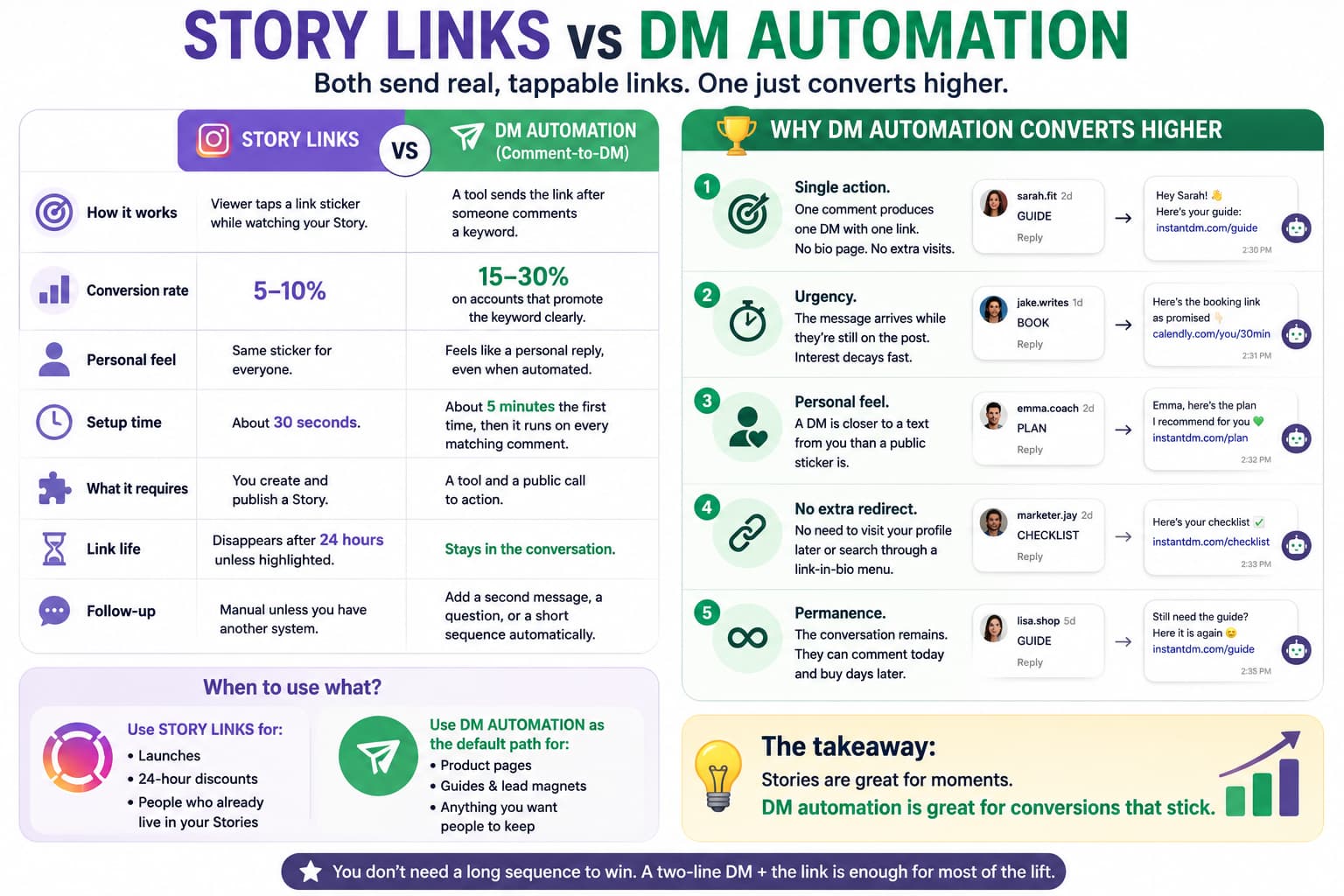
Both are allowed. Both send a real, tappable URL. They are not equal.
How it works. Story links: the viewer taps a sticker while watching. DM automation: a tool sends the link after someone comments a keyword.
Conversion rate. Story links: 5–10%. DM automation: 15–30% on accounts that promote the keyword clearly.
Personal feel. Story links are the same sticker for everyone. DMs feel like a reply, even when they are automated.
Setup time. A Story sticker takes about 30 seconds. A comment-to-DM rule takes about five minutes the first time, then it runs on every matching comment.
What it requires. Stories require you to create and publish a Story. DM automation requires a tool and a public call to action.
Link life. Story stickers disappear after 24 hours unless highlighted. DMs stay.
Follow-up. After a Story tap, follow-up is manual unless you have another system. After a DM, you can add a second message, a question, or a short sequence.
Use Story links for launches, 24-hour discounts, and people who already live in your Stories. Use DM automation as the default path for product pages, guides, and anything you want people to keep.
Why Does DM Automation Convert Higher?
Five reasons show up in the numbers.
Single action. One comment produces one DM with one link. There is no bio page, no “which button,” and no extra profile visit.
Urgency. The message arrives while the person is still on the post. Interest decays fast on Instagram. Meeting it in the same minute matters more than most caption copy.
Personal feel. A DM is closer to a text from you than a public sticker is. People treat inbox messages more seriously than broadcast UI.
No extra redirect. They do not have to remember to visit your profile later. They do not have to hunt through a link-in-bio menu. The destination is in the thread.
Permanence. The conversation remains. Someone can comment on Monday and buy on Thursday from the same message. That long tail does not exist for a Story they already swiped away.
None of this requires a long sequence. A two-line DM plus the URL is enough for a large share of the lift. Sequences help after the first click, not instead of it.
What Is the Best Way to Share Links on Instagram in 2026?
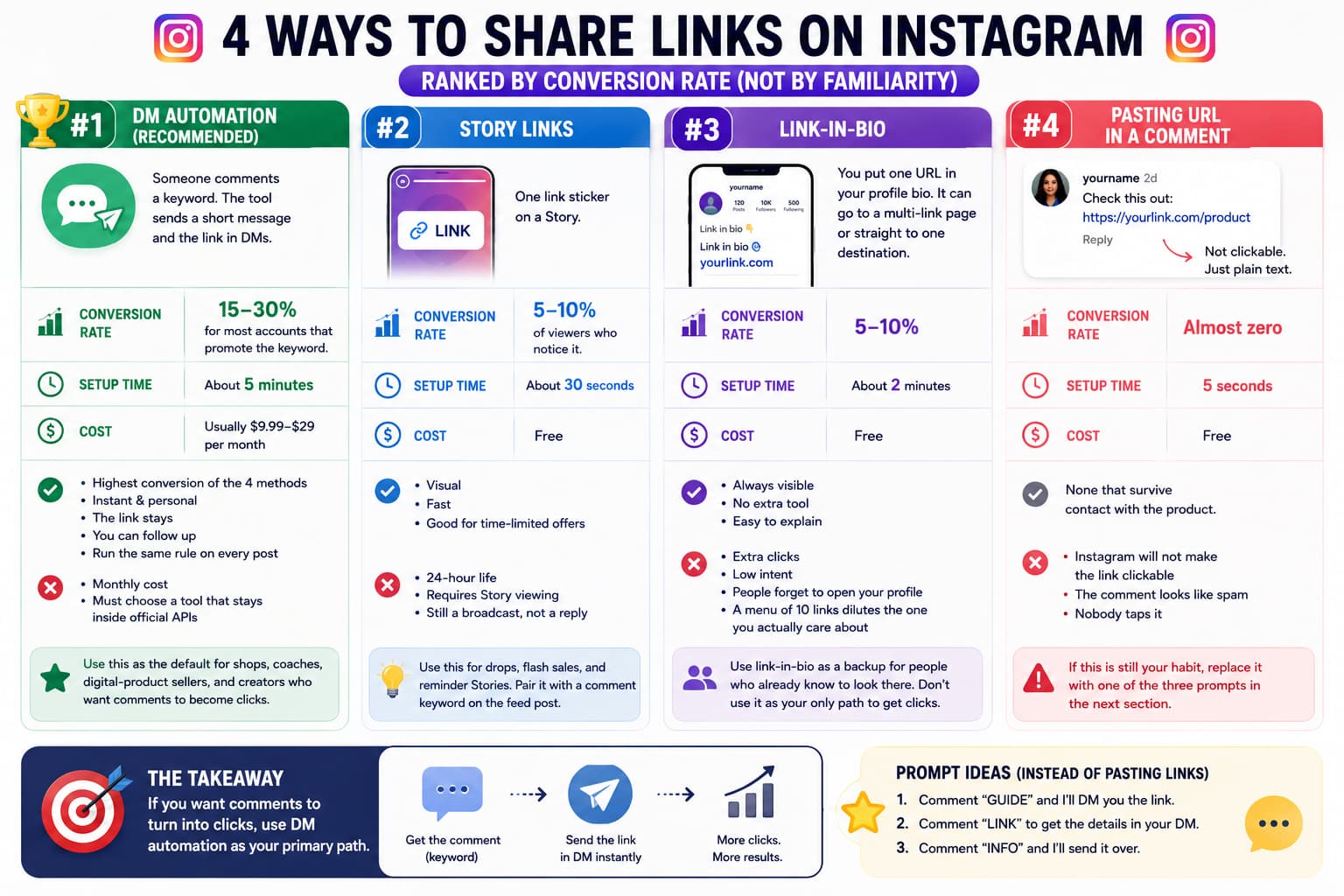
There are four practical methods. Rank them by conversion, not by how familiar they feel.
Method 1: Link-in-bio
How it works. You put one URL in your profile bio. It can go to a multi-link page or straight to one destination.
Conversion rate. Typically 5–10%.
Setup time. About two minutes.
Cost. Free.
Pros. Always visible. No extra tool. Easy to explain.
Cons. Extra clicks. Low intent. People forget to open your profile. A menu of ten links dilutes the one you actually care about.
Use link-in-bio as a backup for people who already know to look there. Do not use it as your only path if you are asking a post to produce a click today.
Method 2: Story links
How it works. One link sticker on a Story.
Conversion rate. 5–10% of viewers who notice it.
Setup time. About 30 seconds.
Cost. Free.
Pros. Visual. Fast. Good for time-limited offers.
Cons. Twenty-four hour life. Requires Story viewing. Still a broadcast, not a reply.
Use this for drops, flash sales, and reminder Stories. Pair it with a comment keyword on the feed post so you are not depending on one surface.
Method 3: DM automation (recommended)
How it works. Someone comments a keyword. The tool sends a short message and the link in DMs.
Conversion rate. 15–30% for most accounts that promote the keyword in the caption or on screen.
Setup time. About five minutes.
Cost. Usually $9.99–$29 per month.
Pros. Highest conversion of the four methods. Instant. Personal. The link stays. You can follow up. You can run the same rule on every post.
Cons. There is a monthly cost. You must choose a tool that stays inside official APIs.
This is the method we recommend as the default for shops, coaches, digital-product sellers, and creators who want comments to become clicks.
Method 4: Pasting the URL in a comment
How it works. You type or paste the URL under the post.
Conversion rate. Almost zero.
Setup time. Five seconds.
Cost. Free.
Pros. None that survive contact with the product.
Cons. Instagram will not make the link clickable. The comment looks like spam. Nobody taps it.
If this is still your habit, replace it with one of the three prompts in the next section.
How to Use DM Automation to Share Links on Instagram
The setup is straightforward. The quality of the keyword, the DM copy, and the tool matters more than extra features.
Step 1: Choose a DM automation tool
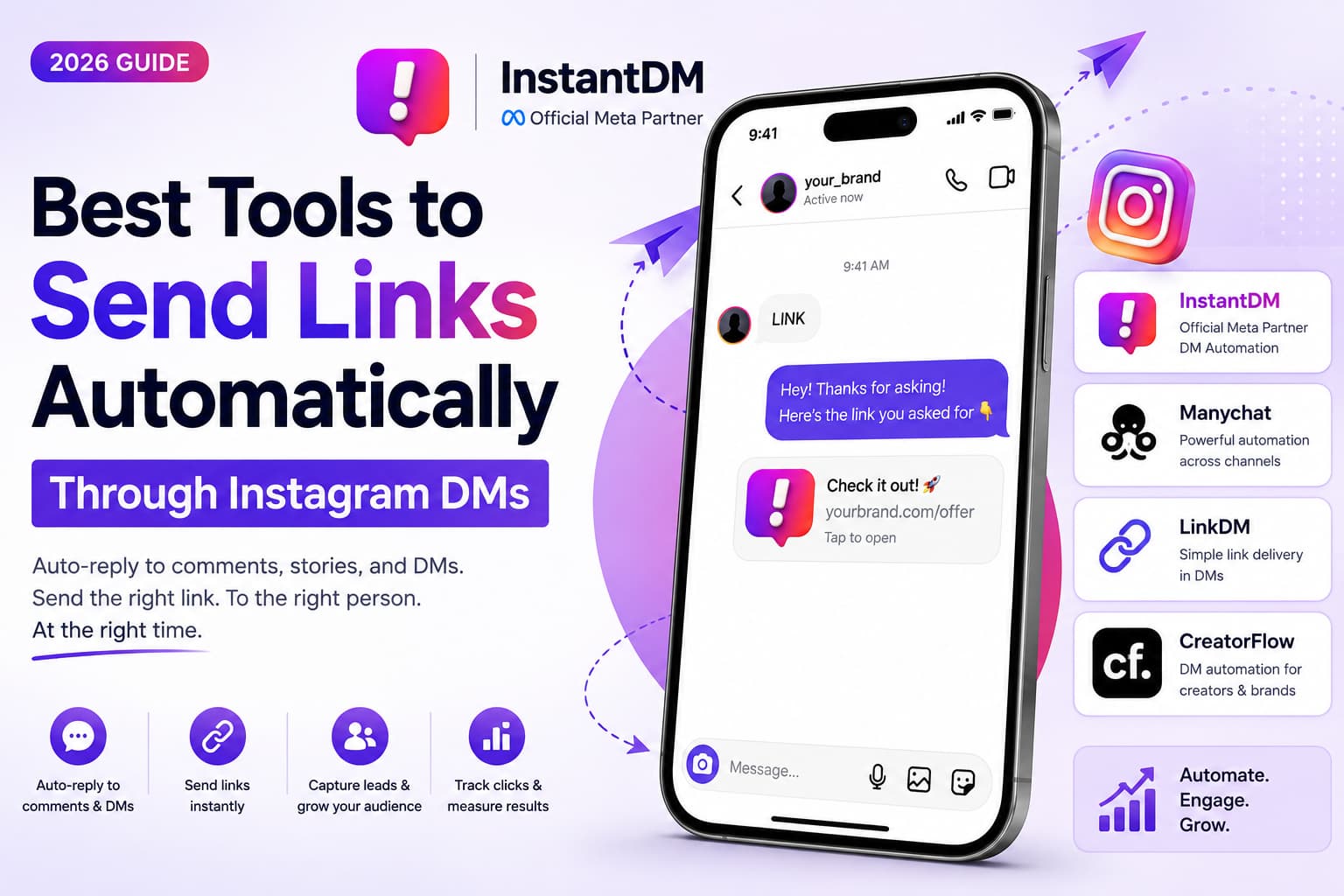
InstantDM. $9.99 per month. Free plan with 500 DMs. Built for comment-to-DM. Meta Business Partner. Best for budget creators and anyone who wants official, compliant sending.
ManyChat. $15 per month. No free plan on the Instagram side in most setups. Best when you need long, branching flows and are willing to pay for that complexity.
**LinkDM.** $29 per month. No free plan. Best if your main job is managing many destinations rather than simple comment triggers.
CreatorFlow. $15 per month. Free plan available. A middle option for creators and smaller brands. Bit costly compared to InstantDM.
Price alone should not decide it. Reliability and compliance should.
Step 2: Set up the automation
- Connect your Instagram account through official login. Do not hand your password to a random dashboard.
- Create a comment-to-DM rule on the posts or account level the tool supports.
- Set your trigger keyword (e.g., “LINK”) (2/3). Add obvious variants if the tool allows it: link, Link, LINK please.
- Write the DM. Keep it short. One sentence of context and the URL is enough. Example: “Here’s the link — tap when you’re ready.” Then the URL.
- Send a test comment from a second account or a teammate. Confirm the message, the link, and the timing. Then turn the rule on.
If the first version sounds like a robot, rewrite it in the voice you would use in a normal reply. The tool should disappear. The message should not.
Step 3: Promote the keyword with the three prompts that work
The automation does nothing if nobody comments. Tell people the exact word.
These are the three prompts to put in captions, on-screen text, and spoken CTAs:
- Comment LINK and I will send you the link
- Comment GUIDE for the free guide
- Comment BUY to purchase
Use LINK when the destination is a product, a page, or a general URL. Use GUIDE when you are giving something away and want a lower-friction keyword. Use BUY when the post is already a sales post and you want purchase-intent comments only.
You can rotate them. You should not mix five keywords on one post. One clear instruction beats a menu.
Put the line in the caption near the top or as the last line. If it is a Reel or a talking-head video, say it once. If you use text overlays, put the keyword on screen in the final seconds. The accounts that “cannot get comments” are usually the accounts that never asked for a specific word.
How we evaluate these tools
We use six criteria. They are the same criteria we would use on our own accounts.
Delivery. Does the DM actually send, quickly, when the comment lands? A delayed message loses the timing advantage.
Compliance. Does the tool use official Instagram APIs and, ideally, Meta Business Partner status? Grey-hat tools can look faster for a week and then restrict the account.
Price versus the job. If you only need keyword → link, you should not pay enterprise money. If you need multi-step sequences, a cheaper one-trick tool may be the wrong fit.
Time to first win. If setup takes an hour and a tutorial rabbit hole, most people abandon it. Five minutes to a working test is the bar.
Visibility. Can you see comments triggered, DMs sent, and enough data to know whether people are clicking?
Durability. Instagram changes permission screens, windows, and policies. The tool has to keep up without you rebuilding everything.
On those six, InstantDM is the default recommendation for comment-to-DM link sharing. It is priced for the job, stays official, and does not force a pile of unused features. ManyChat is the better pick when the DM is only the first step in a long automation. LinkDM and CreatorFlow sit between those two, depending on whether you care more about link libraries or a simple creator workflow.
We do not rank a tool higher because it has more toggles. We rank it higher if the comment becomes a delivered, tappable DM without putting the account at risk.
What Do Reddit Users Say About Instagram Comment Links?
The same threads repeat in r/InstagramMarketing, r/socialmediatools, and small-business subs.
Users who pasted product URLs under every post report lots of comments that go nowhere. The link is visible. It is not tappable. Sales do not move.
Users who switched to a keyword plus an automatic DM report a different first week: more checkout clicks, more “I just bought” replies, and people purchasing from DMs they received days earlier.
A frequent comparison: Story stickers are fine for a 24-hour sale, but people forget. The DM is still sitting there.
Another frequent warning: tools that promise extra speed outside official APIs feel great until the account gets restricted. The Reddit advice that holds up is boring on purpose. Use a compliant comment-to-DM tool. Ask for one word. Send one link. Measure.
You will also see people argue about ManyChat versus cheaper comment-to-DM products. The split is usually complexity versus cost. If someone only needed “comment LINK → send this URL,” they often say they were overpaying for a platform built for bigger flows.
Treat Reddit as pattern recognition, not as a lab. The pattern is stable. Dead comment URLs fail. Keyword DMs work. Official tools last longer than unofficial ones.
Best Practices for Sharing Links on Instagram
Do use DM automation as the default. It is the highest-converting of the four methods when the keyword is promoted clearly.
Do use one keyword per post. “Comment LINK and I will send you the link” is enough.
Do write the DM like a person. Two lines plus the URL. No essay.
Do test before you announce it to your full audience. A broken link in an automated DM is worse than no automation.
Do use Story stickers for short promotions. They still have a job. They are just not the whole system.
Do keep a clean bio link. Some people will still go to the profile. Let that backup exist.
Do track the simple numbers. Comments on the keyword, DMs sent, clicks or sales in the next 24–48 hours. If comments are low, the CTA is weak. If DMs send and clicks are low, the landing page or the offer is the problem.
Do not paste URLs in comments. Instagram will not make them clickable.
Do not hide the instruction. If the keyword is buried in hashtags, people will not use it.
Do not send five links in the first DM. One destination. You can follow up later.
Do not buy a grey-hat sender because it is cheaper this month. A restriction costs more than a $10 tool.
Do not switch keywords every post without a reason. Training your audience on LINK, GUIDE, and BUY is an asset.
Start Sharing Links on Instagram the Way That Converts
You cannot put a clickable link in an Instagram comment. That will not change because you pasted it twice or used a shortener.
You can put a keyword in the caption. You can send the real link in a DM. You can add a Story sticker for the 24-hour offer. You can keep a bio link as a backup.
If you want the path that actually produces clicks, run this:
- Someone comments “LINK” on your post (1/3)
- DM automation sends them the link via DM (2/3)
- They click the link and take action (3/3)
Put one of these lines on the post:
Comment LINK and I will send you the link.
Comment GUIDE for the free guide.
Comment BUY to purchase.
Set the rule once. Test the message. Measure a week of comments, DMs, and clicks. Most people who replace dead comment URLs with this flow do not go back.
About the author
Aravindh Kumar is an ecommerce and Instagram growth expert with 8+ years of experience in online selling. He has worked with 500+ brands, including Forbes-listed companies, helping them build profitable Instagram sales channels. He has helped 200+ Instagram businesses grow their online presence.