Last updated: 31 October 2026
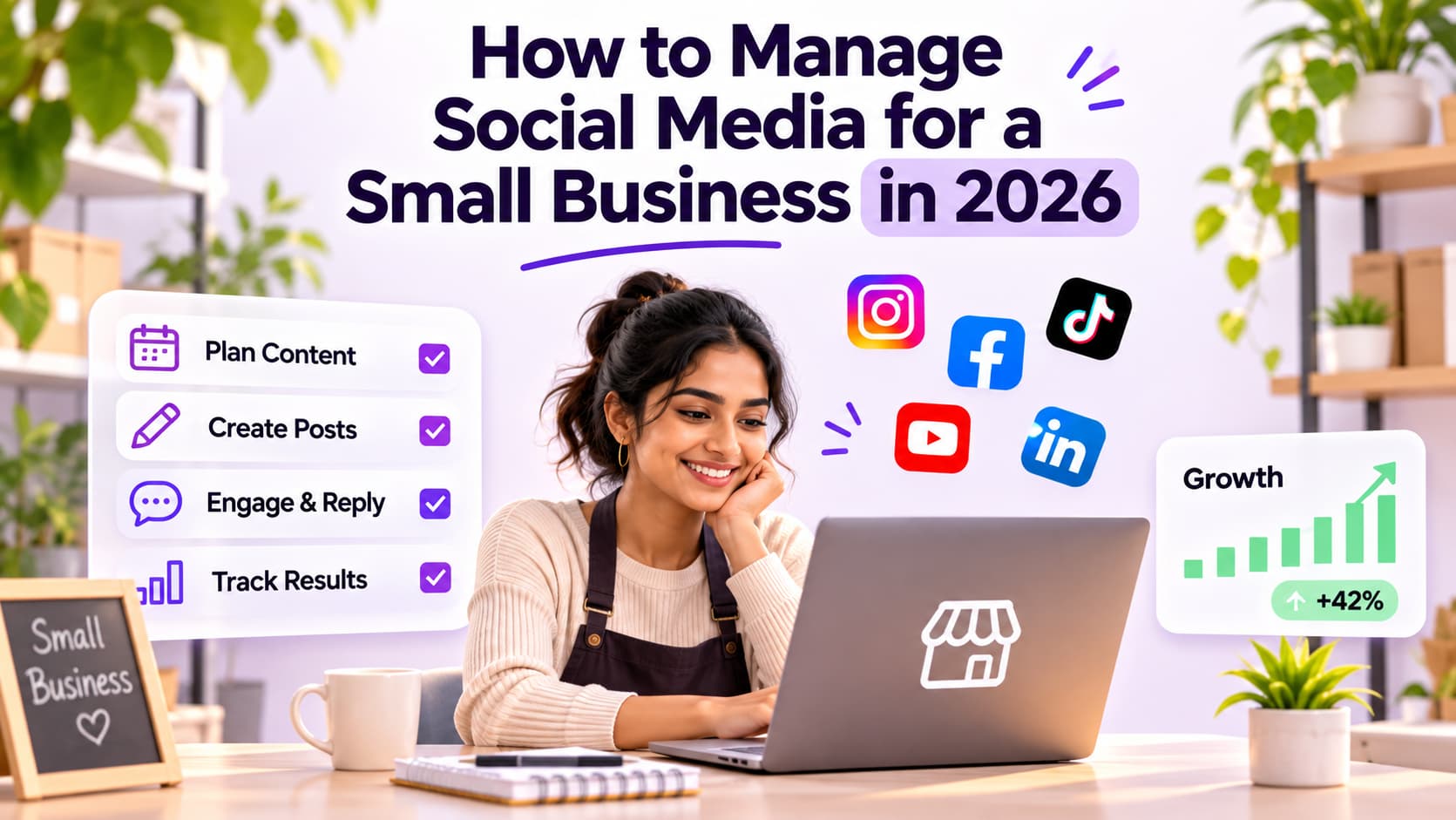
Social media management for small business is a weekly system: plan, post, reply, and measure, not a daily posting habit.
You pick one platform you can actually staff. You batch the week's posts in one sitting. You answer comments and messages the same day. You check whether any of that produced a call, a visit, or a sale. That is the job. A six-app calendar you abandon in week four is not.
I have watched owners do the pretty version for three weeks, then disappear. The accounts that last look boring on paper. They are the ones that still reply on a Tuesday.
TL;DR
- Social media management for a small business is a weekly system: plan, post, reply, and measure, not a daily posting habit.
- One platform you can answer in 24 hours beats three you ignore.
- Replies are half the job. If the inbox is dead, the calendar is decoration.
What is social media management for small business?
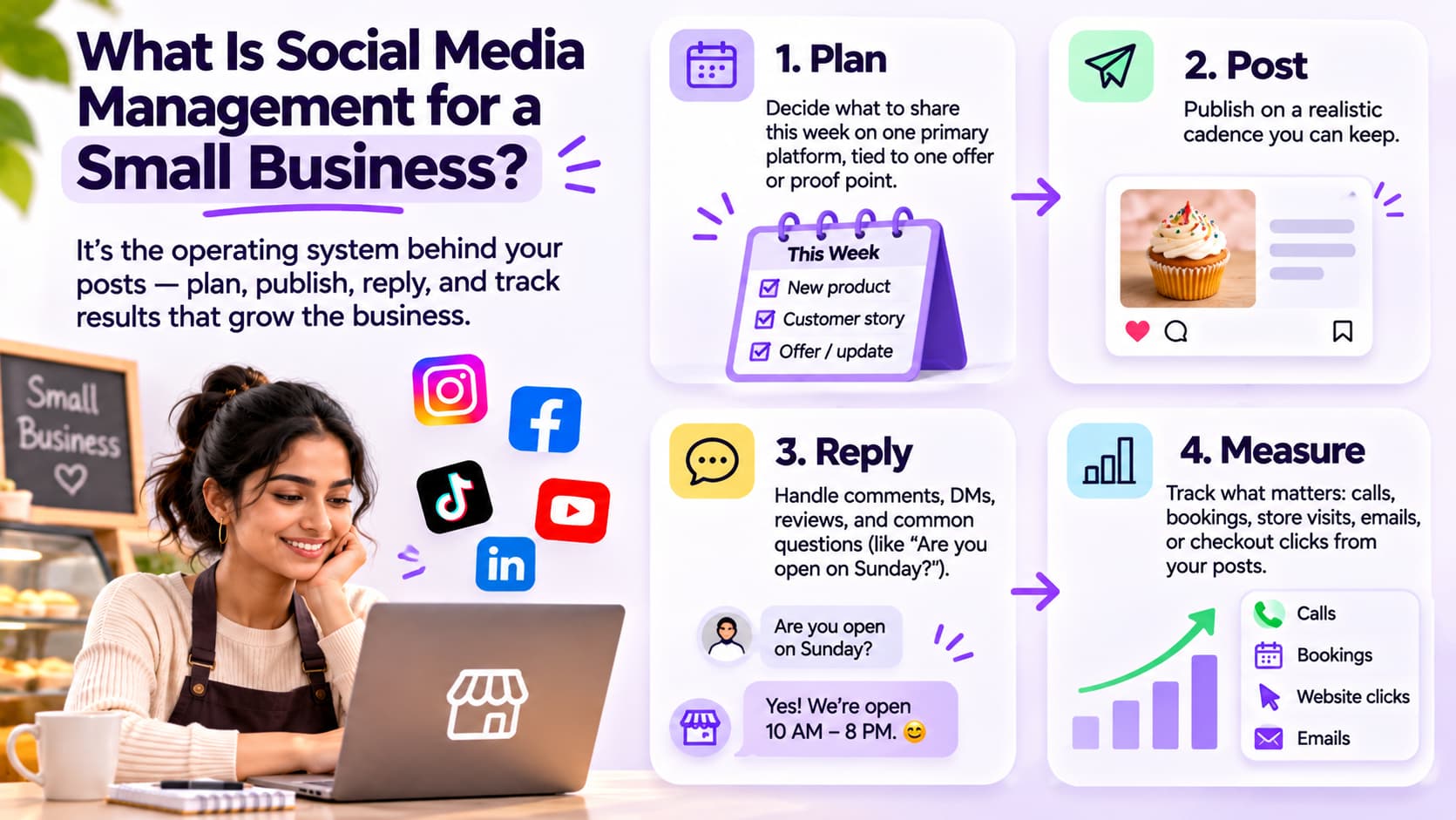
It is the operating system behind the posts: you plan what goes out, you publish it, you talk to the people who raise a hand, and you keep the numbers that connect to the business.
It is not "be on TikTok, Instagram, Facebook, LinkedIn, and YouTube." It is not a designer on retainer. It is not an ads account you never log into. Ads can sit on top later. They are not the management job.
I split the work into four buckets because that is how it fails in real shops.
Plan. What you will say this week, on one primary network, tied to one offer or one proof point. A bakery does not need a 12-pillar brand deck. It needs three posts that look like the shop and one reply script for "do you have gluten-free?"
Post. You publish on a cadence you can keep when a staff member calls out. Three solid posts on one app beat fourteen thin posts across four apps.
Reply. Comments, DMs, reviews, and the "are you open on Sunday?" questions. Replies are half the job. If the inbox is dead, the calendar is decoration.
Measure. Not follower count as a trophy. Calls, bookings, visits, emails, or checkout clicks you can trace to a post or a conversation.
At a glance (verified October 2026)
| What | Details |
| What it is | A weekly plan, post, reply, and measure loop a one-person shop can keep. |
| What it is not | Daily posts on six apps, a replacement for your Google Business Profile, or a full-time social team. |
| Staffing | One owner, 3 to 5 focused hours a week on one primary network, is a real starting point. I am describing a workload, not a lab study. |
| First pick | Go where you already get questions. Local services often start on Instagram or Facebook. B2B often starts on LinkedIn. |
| Software | Start inside Meta Business Suite and the native apps. A paid scheduler is a later problem, not week one. |
DataReportal's October 2026 social media user counts put 5.81 billion social media user identities worldwide at the start of October 2026, close to 7 in 10 people on Earth. GWI data on that same page says a typical user visits about 6.66 platforms a month and spends 19 hours and 18 minutes a week on social networks and in-app video. Your buyers are already there. You don't have to invent the audience. You do have to pick one place you will actually answer them.
How I put this page together
I wrote this for an owner who still works the counter, not for an agency pitching a $4,000 package.
I scored a weekly system on four things:
- Hours you can keep in week four, not week one. [1:23 AM]
- One primary platform you can answer in 24 hours.
- A native path first (Meta Business Suite and the apps you already have), before anyone sells you a dashboard.
- Numbers that map to money, not vanity.
How much time does social media management take for a small business?
Plan on 3 to 5 focused hours a week if you staff one platform, and treat anything past two platforms as a second job.
That range is a workload sketch, not a university study. I use it because it matches what I see when a shop is still answering the phone. Ready-made "one hour a day" advice assumes the day has a spare hour. Most owners I talk to do not.
Here is how the hours actually get spent.
Batching (60 to 90 minutes, once a week). You shoot or pick photos, write captions, and queue the posts. This is the only block that feels like "content." If you skip it, you will invent posts at 9 p.m. on a Wednesday and hate the whole thing.
Replies (10 to 20 minutes, most days). This is the block people skip. It is also the block that turns a post into a customer. A comment that sits for two days is a stranger who asked and left.
A 20-minute Friday check. What got a save, a share, a question, or a booking. Kill what did nothing. Do not build a 12-slide report for yourself.
Hours I would budget by how many platforms you staff
| Platforms | Hours | What usually breaks |
| 1 platform you actually answer | 3 to 5 hours a week. | What usually breaks first is replies, not graphics. |
| 2 platforms | 6 to 8 hours a week. | What usually breaks is the second inbox. |
| 3 or more | 10 hours and up. | What usually breaks is week four. The calendar dies. |
Verified as a workload sketch, October 2026. Not a lab study.
If you only remember one line from this section: one platform you can answer in 24 hours beats three you ignore.
I used to think more logos in the bio looked like a real business. It looked like a business that never checked DMs. Cut the extras until the first network has a rhythm.
Time also depends on whether you make the assets or reuse what you already have. A plumber with job-site photos spends less than a boutique that insists on a styled flat lay every time. Use the phone. The customer already knows you are a small shop.
Which social media platforms should a small business use in 2026?
Use the one network where your buyers already ask questions, and add a second only after the first one has a reply habit you can keep.
I don't start with a platform popularity contest. I start with "where did the last five new customers find you?" If three of them said Instagram, you are an Instagram shop even if a course told you to "be everywhere."
Local services (food, clinics, trades, studios)
Facebook and Instagram are the usual first two, and I still pick one as primary. Facebook Pages still carry local groups, events, and older buyers. Instagram carries proof: the kitchen at rush, the before/after, the owner on camera. If you can't staff both inboxes, staff the one that already produces questions.
If Instagram is that primary, keep the account-level playbook on How to Manage your Instagram Account: The Complete Guide for 2026. Shoot the work, answer the inbox, and don't turn the week into an Instagram course.
B2B, consultants, and anyone who sells a meeting
LinkedIn is usually the honest first pick. You don't need a daily thought-leadership machine. You need a weekly note that sounds like the work you already do, plus replies on other people's posts in your niche. Facebook can wait. TikTok can wait unless your buyers are already there.
Product shops and visual brands
Instagram or TikTok, not both on day one. Short video is how strangers find you. The grid is how they check you are real. YouTube Shorts can wait until you have a clip you are willing to post twice.
What I would not open in month one
X (Twitter) unless your customers already live there. Pinterest unless you already have a catalog of images worth saving. A fifth channel "because competitors have it." A competitor with a dead TikTok is not a strategy.
Switching to a professional Instagram account is the boring setup step if Instagram is in the mix. You get insights, contact buttons, and the Business Suite connection. You don't get a content team. Do that once. Then go back to the weekly loop.
One platform you can answer in 24 hours beats three you ignore. I will keep saying that because owners keep adding TikTok the week they finally got Instagram under control.
How often should a small business post on social media?
Post as often as you can keep the quality and the replies. For most one-person shops that is three to five times a week on one primary platform, not daily on every app.
I don't have a Meta rate card for you. Anyone quoting a magic daily number without looking at your inbox is selling a calendar, not a system.
A useful rule I use with owners:
- If you can't reply the same day, post less. A quiet account with fast replies beats a loud account with a dead inbox.
- If a post takes 90 minutes and you only have 90 minutes this week, you get one post. Make it the one with proof (a finished job, a customer quote, a real kitchen).
- Stories and short video can fill gaps without a full caption. They still need a reply path.
Consistency is the thing the algorithm actually notices over a quarter. Not a 30-day streak you burn out on. Three thoughtful posts a week for three months will beat a 21-day blast you never repeat.
Replies are half the job. If the inbox is dead, the calendar is decoration. I would rather you skip Thursday's post than skip Thursday's messages.
Seasonal spikes are real (holidays, local events, your busy season). That is when you borrow dates, not when you invent a second personality. I keep a simple date list on the Social Media Holiday Calendar 2026 so I am not guessing whether National Sandwich Day is worth a story. Most of those dates are optional. Your actual busy season is not.
What does a weekly social media management routine look like?
A week that survives week four looks like one 90-minute batch, short daily reply blocks, and a 20-minute Friday review. The posts are queued. The conversations are not.
This is the calendar I would actually keep if I still ran the register.
The week that starts without you
Sunday night or Monday morning (60 to 90 minutes). Shoot or pull five pieces of proof. Write three to five captions. Queue them in Meta Business Suite or the native scheduler. Leave two slots empty on purpose. Empty slots are how you handle a review, a sold-out item, or a staff photo you did not plan.
Most weekdays (10 to 20 minutes). Open the inbox and the comments. Answer the questions. Hide the spam. Do not "build community" as a slogan. Just answer.
One weekday, 20 minutes. Engage out. Comment on a local account, a supplier, or a customer who tagged you. This is optional. If the inbox is heavy, skip it.
Friday (20 minutes). Which post got questions? Which got silence? What will you repeat next week? Write one line, not a report.
If Instagram scheduling is the part you keep tripping on, use How to Schedule Instagram Posts in 2026: The Ultimate Guide for the clicks. Keep the weekly batch and reply blocks from this routine.
Social media management for a small business is a weekly system: plan, post, reply, and measure, not a daily posting habit. When I write the week on a whiteboard, I write the reply block in the same ink as the post block. Owners who only write "Mon / Wed / Fri posts" are the ones who ghost the DMs.
What an unasked week has to respect
The week has to respect the hours you already sold to customers. If Tuesday is your busiest service day, don't put your only batch block on Tuesday. Put it on the slow morning. I learned this the dumb way, planning content on the day the shop was slammed, then posting nothing.
Leave room for one real-time post. A line out the door. A before/after you did not expect. Those posts often outperform the queued ones because they look like you were there. The queue is the floor. The live post is extra.
How do you manage social media without paid software?
Yes. Start with Meta Business Suite and the native apps. Pay for a scheduler only when you have two platforms, a teammate who needs approval, or a queue that native tools cannot hold.
I am tired of week-one stacks. An owner with 40 followers doesn't need five logos in a comparison table.
On Facebook and Instagram, you can create, schedule, and manage posts in Meta Business Suite from desktop, and you can do a version of that on the mobile app. One inbox. One calendar. No extra subscription. If you are coming from the old Creator Studio layout, Instagram Creator Studio to Meta Business Suite: The Ultimate Guide is the map.
Native path I would actually use
- Switch the Instagram account to professional if it is still personal.
- Connect the Instagram account to the Facebook Page you already have (or create the Page if local search still needs it).
- Draft and schedule the week's posts in Business Suite.
- Answer comments and messages in that same inbox during the weekday reply block.
- Glance at insights on Friday. Saves, profile visits, and "clicked contact" beat raw reach.
That is enough for a lot of shops for a year.
When a paid tool is the next problem
You outgrew native when:
- You are truly staffing two or three networks and the Suite inbox is not the whole picture.
- Someone else has to approve captions before they go live.
- You want one calendar that is not Meta-only (LinkedIn plus Instagram plus TikTok).
When that is the job, I send people to 8 Best Social Media Management Tools in 2026 (Real Pricing & Reviews).
A notes app and a camera roll are still a valid "tool stack" in month one. I would rather you post from your phone than spend a Wednesday watching scheduler demos.
Can a small business manage social media without hiring someone?
Yes. A small business can manage social media without hiring someone if you cap the work at one platform, a weekly batch, and same-day replies. Hire help when the inbox or the asset-making is what is actually breaking, not when a course says you need a manager.
I get the itch to outsource. You are tired. A freelancer on Instagram looks cheap compared to a slow Tuesday. Then the freelancer posts pretty graphics that do not sound like you, and you still own every angry comment.
Three models, without a fake rate card
| Model | Description | Best when | Worst when |
| DIY | You plan, you post, you reply. 3 to 5 hours on one platform. | Best when you are the face of the shop and the proof is already on your camera roll. | Worst when you hate being on camera and you also refuse to show the work. |
| Freelancer | They make and schedule. You still owe replies unless the contract says they sit in the inbox. | Best when you can brief them in 20 minutes a week and you already know the offer. | Worst when you hire them to "do social" with no offer and no photos. |
| Agency or retainer | You buy a package. You still need a named human on your side who can approve, and you still need a reply path. | Best when you have product-market fit and you are buying time, not a personality transplant. | Worst when you expect an agency to invent a brand you have not decided yet. |
I am not printing a national price list. Quotes vary by city, by whether they shoot the content, and by whether inbox coverage is included. If a package does not say who answers comments, assume it is you.
When I would hire
Hire for production (photo, video, caption drafts) before you hire for "strategy." You already know what you sell. You are missing hours.
Hire for inbox coverage only if you will let that person speak as you, with a short script. "We open at 8, we don't take walk-ins after 6, here's the booking link" is a script. "Be fun and on brand" is not.
Do not hire because you opened four platforms. Close three, then decide.
A small business can manage social media without hiring someone. I have seen it work in shops that look quieter than their competitors and convert anyway because they answer. I have also seen retainers that produce 12 posts a month and zero conversations. The difference is who owns the reply block.
What should a small business measure on social media?
Measure the actions that turn into money: questions, clicks on contact, bookings, visits, and tagged jobs. Treat reach and follower count as context, not the scoreboard.
I wasted a year chasing follower milestones that did not change the Tuesday booking sheet. You don't need that lesson twice.
Keep these
- Questions in comments and DMs. This is demand. Count them. If a post got 2,000 views and zero questions, it was entertainment.
- Profile visits and contact taps. On a professional account these are visible. A spike after a Reel that shows the actual work is a clue.
- Bookings, orders, or walk-ins you can trace. Ask "how did you hear about us?" without being weird about it. Write the answer down. Social that never shows up in that column is a hobby.
- Saves and shares. People save useful posts. People share proof. Both beat a like from a relative.
Ignore these as your main score
- Follower count as a weekly KPI. A bought audience will sit there and do nothing.
- Raw reach with no conversation. Reach is how many people scrolled past you.
- Vanity "engagement rate" you can't explain to a bookkeeper.
- Boosting a post that got no questions, just to make the graph go up. Boost the post that already got "how much?" messages.
Social is not the whole mix. Search, Google Business Profile, email, and word of mouth still do work while you are filming Reels. I wrote the longer version in Why Social Media Should Not Be Your Entire Marketing Strategy.
Negative comments and the ugly inbox
You will get a bad review or a snarky comment. Answer in public when the facts are simple ("we close at 4 on Sundays"). Take it to DMs when it is a specific order. Do not delete criticism that is true. Do not argue with a stranger for 14 replies. One calm sentence beats a thread that makes you look like you have time to fight.
Replies are half the job. If the inbox is dead, the calendar is decoration. That includes the ugly inbox. The shops that look "professional" on social are often just the shops that answered the complaint before it became a screenshot.
What mistakes waste the most time?
The expensive mistakes are opening too many platforms, posting without a reply block, measuring vanity, and treating social as the entire marketing plan.
I keep a short list on the whiteboard because these are the ones I still catch myself doing.
Starting on six apps. You will post on none of them by week four. Pick one. One platform you can answer in 24 hours beats three you ignore.
Building a 30-day calendar and skipping the inbox. The calendar is the easy artifact. The inbox is the job. Social media management for a small business is a weekly system: plan, post, reply, and measure, not a daily posting habit. If you only did the plan and the post, you did half. [1:23 AM] Hiring a designer before you have proof. A template pack will not save an account with no photos of the actual work. Shoot the work.
Copying a national brand's cadence. They have a team. You have a Tuesday. Match their proof style if you want (before/after, owner on camera). Do not match their volume.
Buying a scheduler on day one. Native tools first. Paid tools when the native path is the bottleneck.
Making social the whole business. If Google can't find your hours and your phone number, a Reel will not fix it. Keep the other channels.
Never repeating a post that worked. Owners get bored of their own proof faster than customers do. If the kitchen-at-rush Reel got questions, film it again next month.
Week four is where most systems die. Not week one. Week one is hope. Week four is the first week nobody scheduled because you were busy. Put the batch block on the calendar like a delivery, not like a hobby.
About the Author
Aravindh Kumar is an ecommerce and Instagram growth expert with 8+ years of experience in online selling. He has worked with 500+ brands, including Forbes-listed companies, helping them build profitable Instagram channels. He has helped 200+ Instagram businesses grow their online presence.