The best way to sell products online as a creator in 2026 is to use a simple checkout platform paired with DM automation. Gumroad is the fastest for digital products — free to start with a 10% fee. Stan Store ($29/mo) is built for Instagram and TikTok creators with mobile-first checkout. Payhip is the best budget option — free plan with 5% transaction fees. Sellfy ($22/mo) handles digital files and physical merch with 0% transaction fees. For higher conversion rates, pair your checkout with DM automation — sending payment links the moment someone drops a keyword in your comments bumps conversion rates to 15-30% vs the usual 5-10% from a static bio link.
Quick Verdict
- Gumroad is the fastest way to get a digital product out there. It takes five minutes to set up, has no monthly fees and takes a flat 10% cut of every sale.
- Stan Store is built for Instagram and TikTok creators from the ground up. It's $29 a month and gives you a slick link-in-bio checkout that appears right in the app so your audience doesn’t get lost.
- Payhip is definitely the best budget-friendly option. It offers a great free plan with a 5% transaction fee and they do everything from downloads and courses to memberships and coaching.
- Sellfy is best for selling digital files and physical merch without inventory ($22/month, 0% transaction fees, integrated print on demand).
- DM Automation & Direct Selling: If you want higher conversion rates, don’t just drop a link to your store in your bio and hope people will click it. Pair your checkout with DM automation, sending payment links the moment someone drops a keyword in your comments, usually bumps conversion rates to 15% to 30% vs the usual 5% to 10% from a static bio link.
We’ll walk you through selling online as a creator, step-by-step, below: how to choose the right products, pricing them to actually sell, comparing the best platforms, and scaling up your sales without burning out.
What Content Creators Can Sell in 2026
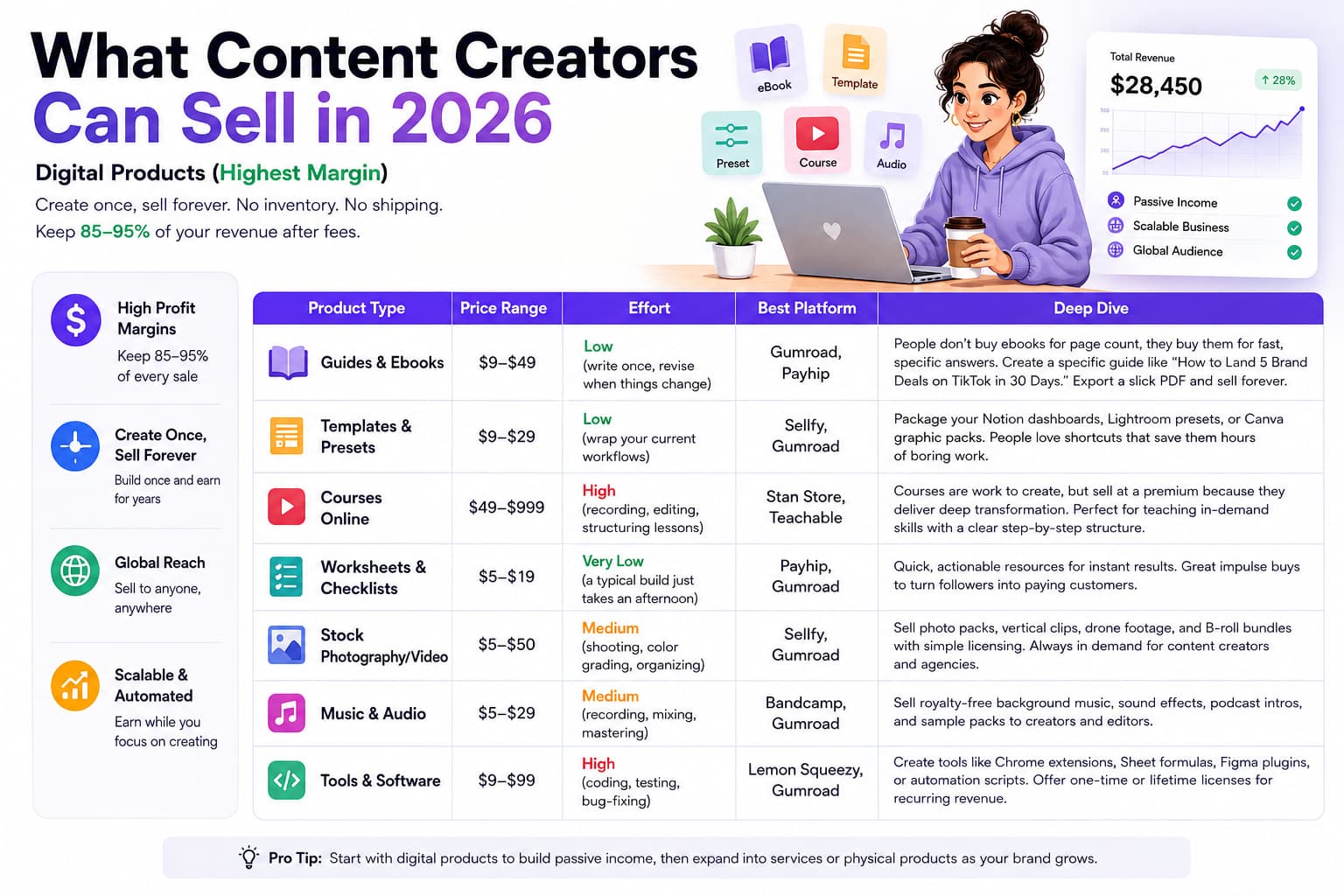
Before you sign up for any software, you need to decide what you are actually selling. Most creators make their money in three main buckets: Digital Products, Services, and Physical Products.
Every bucket has a different mix of profit, time commitment and operational effort:
- Digital products allow you to earn the highest profit margins because you create them once and sell them forever.
- Services make great money per hour and build deep authority. But they eat right into your calendar.
- Physical goods create massive brand loyalty and real-world connection but you'll have to deal with manufacturing, packaging, and shipping.
Digital Products (Highest Margin)
To maximise margins and minimise stress, start with digital downloads. There’s no inventory, no shipping, so almost all of the money you make (usually 85-95% after payment fees) goes straight into your pocket.
| Product Type | Price Range | Effort | Best Platform | Deep Dive |
| Guides & ebooks | $9-$49 | Low (write once, revise when things change) | Gumroad, Payhip | People don’t buy ebooks for page count, they buy them for fast specific answers. Instead of a general “Social Media Marketing” guide, create a specific guide like “How to Land 5 Brand Deals on TikTok in 30 Days.” Put it together in Google Docs or Canva, export it as a slick PDF, and you have an evergreen product to sell. |
| Templates & Presets | $9-$29 | Low (wrap your current workflows) | Sellfy, Gumroad | If you’ve spent months building a Notion life dashboard, Lightroom photo presets, or a slick Canva graphic pack, package them. People love to buy shortcuts to save hours of boring work. |
| Courses on the Internet | $49-$999 | High (recording, editing, structuring lessons) | Stan Store, Teachable | Courses are work to create, but they can be sold at a premium because they provide a deep transformation. If you’re teaching a broad skill – say, video editing, landing freelance clients, or music production – a structured video course is one of the best ways to scale your knowledge. |
| Worksheets & Checklists | $5-$19 | Very Low (a typical build just takes an afternoon) | Payhip, Gumroad | Quick, low-cost resources you can put to use right away. Think videographer gear packing lists, SEO launch audits, or weekly meal prep sheets. These are nice impulse buys for first time customers that can convert casual followers to paying customers. |
| Stock photography/video | $5-$50 | Medium (shooting, colour grading, organising) | Sellfy, Gumroad | For photographers and videographers, merge vertical video clips, drone footage or photo packs with aesthetic appeal. Content creators and small agencies are always looking for new B-roll footage for their social posts and ads and they are happy to pay for bundles that come with simple licensing. |
| Music & Audio | $5-$29 | Medium (recording, mixing, mastering) | Bandcamp, Gumroad | Producers and audio engineers can directly sell royalty-free background tracks, sound effect packs, podcast intros and sample kits to creators and video editors looking for music without the hassle. |
| Tools & Software | $9 - $99 | High (coding, testing, bug-fixing) | Lemon Squeezy, Gumroad | If you’re a decent coder, simple tools like Chrome extensions, custom Google Sheet formulas, Figma plugins, or automation scripts can be a great way to make steady recurring revenue or even sell lucrative lifetime licenses. |
Services (Most Revenue Per Hour)
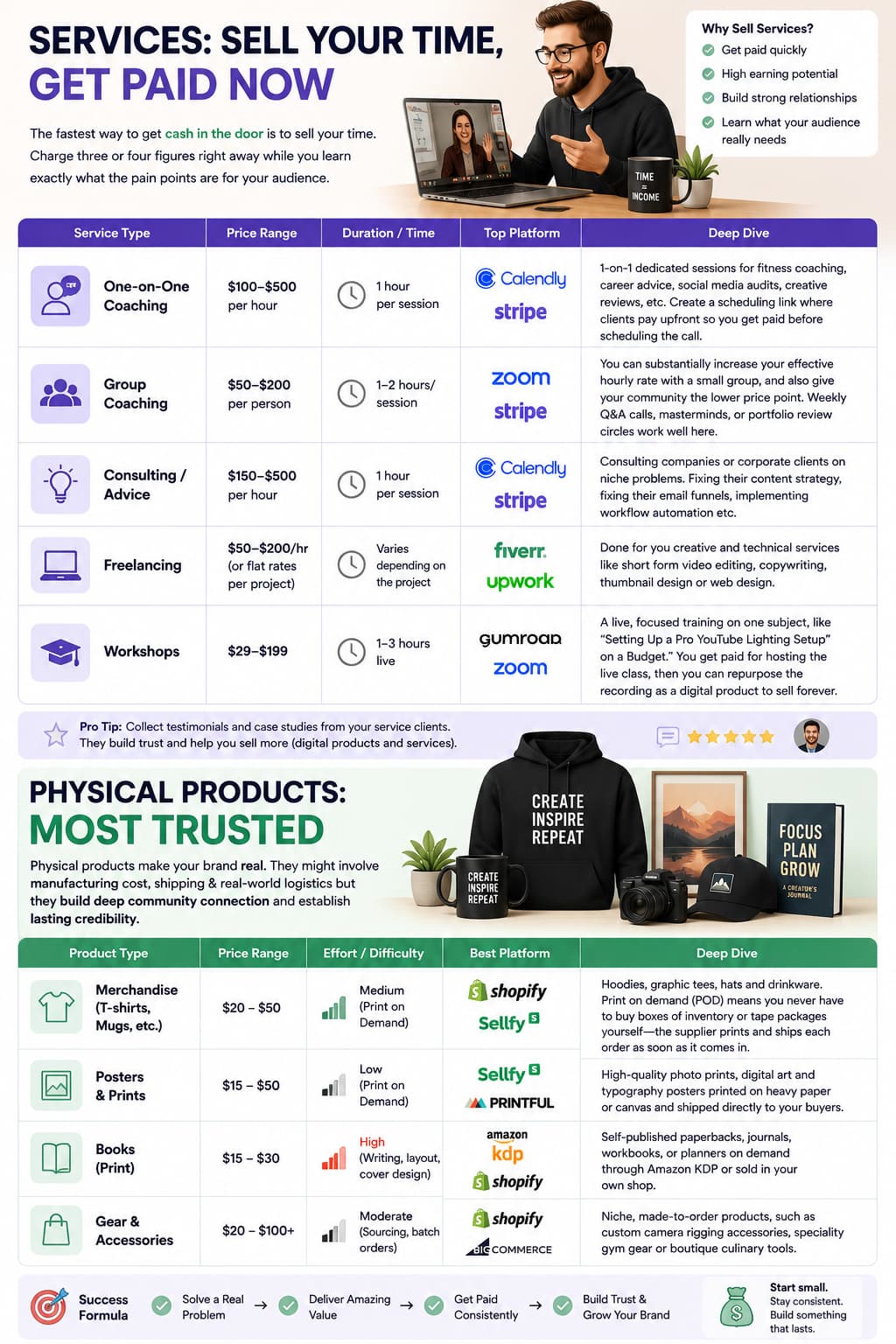
The fastest way to get cash in the door is to sell your time. It's not going to scale infinitely like a digital download, but it lets you charge three or four figures right away while you learn exactly what the pain points are for your audience.
| Service Type | Price Range | Duration / Time | Top Platform | Deep Dive |
| One-on-One Coaching | $100-500 per hour | 1 hour per session | Calendly + Stripe | 1-on-1 dedicated sessions for fitness coaching, career advice, social media audits, creative reviews, etc Create a scheduling link where clients pay upfront so you get paid before scheduling the call. |
| Group coaching | $50-$200 per person | 1-2 hours/ session | Zoom + Stripe | You can substantially increase your effective hourly rate with a small group, and also give your community the lower price point. Weekly Q&A calls, masterminds, or portfolio review circles work well here. |
| Advice | $150-$500 per hour | 1 hour each session | Calendly & Stripe | Consulting companies or corporate clients on niche problems. Fixing their content strategy, fixing their email funnels, implementing workflow automation etc. |
| Freelancing | $50-$200/hr (or flat rates per project) | Varies depending on the project | Fiverr, Upwork | Done for you creative and technical services like short form video editing, copywriting, thumbnail design or web design. |
| Workshops # | $29-$199 | 1-3 hours live | Gumroad + Zoom | A live, focused training on one subject, like “Setting Up a Pro YouTube Lighting Setup on a Budget.” You get paid for hosting the live class, then you can repurpose the recording as a digital product to sell forever. |
Physical Products (Most Trusted)
“Physical products make your brand real. They might involve manufacturing cost, shipping & realworld logistics but they build deep community connection and establish a lasting credibility.
| Product Type | Price Range | Effort / Difficulty | Best Platform | Deep Dive |
| Merchandise (t-shirts, mugs, etc) | $20 - $50 | Medium (print on demand) | Shopify, Sellfy | Hoodies, graphic tees, hats and drinkware. Print on demand (POD) means you never have to buy boxes of inventory or tape packages yourself—the supplier prints and ships each order as soon as it comes in. |
| Posters and Prints | $15-$50 | Low (Print on demand) | Sellfy, Printful | High-quality photo prints, digital art and typography posters printed on heavy paper or canvas and shipped directly to your buyers. |
| Books in Print | $15-30 | High (writing, layout, cover design) | Amazon KDP Shopify | Self-published paperbacks, journals, workbooks, or planners on demand through Amazon KDP or sold in your own shop. |
| Gear & Accessories | $20 - $100 USD | Moderate (sourcing, batch orders) | Shopify, BigCommerce | Niche, made-to-order products, such as custom camera rigging accessories, speciality gym gear or boutique culinary tools. |
The 5 Best Places to Sell Products on the Internet
The right platform depends on what you’re selling, where your audience hangs out and how much tech setup you’re willing to deal with. So here is what the top five look like in 2026:
1. Gumroad — The Best for Simple Digital Products
Price: Free (gumroad.com, July 2026) 10% fee for each transaction.
Selling a digital file is still the easiest thing to do on Gumroad. If you have a PDF or an audio preset pack or a zip file you want to start collecting money for today and don’t want to touch code Gumroad is fastest. Upload your file, set a price, upload a cover image and you have a working checkout link. Gumroad is also your Merchant of Record, so we take care of the hard work of sales tax and EU VAT compliance for you automatically.
What Gumroad Does Right
- Free to start – no monthly fees. You only pay when you make a sale.
- Quick setup: List a downloadable product, newsletter or software key in under 5 minutes.
- File delivery: Automatically emails secure, auto-generated download links to buyers after purchase.
- No website needed: Get clean, hosted product pages that look great on mobile and desktop.
Gumroad Prices
| Plan | Fee | Features |
| Free | 10% per sale | Unlimited products, automatic delivery, basic analytics |
| Pro | $10/mo + 10% | Custom domain support, tracking pixel, more styling |
Gumroad vs Shopify Costs
| Monthly Revenue | Gumroad (10%) | Shopify ($39/mo + 2.9%) |
| $500 | $50.00 | $39.00 + $14.50 = $53.50 |
| $1,000 | $100.00 | $39.00 + $29.00 = $68.00 |
| $2,700 | $270.00 | $39.00 + $78.30 = $117.30 |
If you’re just starting out and making under $500/month, Gumroad is cheaper for you. But once you are making $1,000+ a month, a flat monthly fee on sites like Stan Store, Payhip or Shopify will save you a lot of money in fees.
- Gumroad pros: No upfront cost, super fast to set up, automates global VAT/taxes, basic affiliate tools.
- Gumroad cons: 10% fee is expensive on higher priced items, shopfronts look pretty plain, not designed for physical products.
2. Stan Store – Best for Instagram Creators
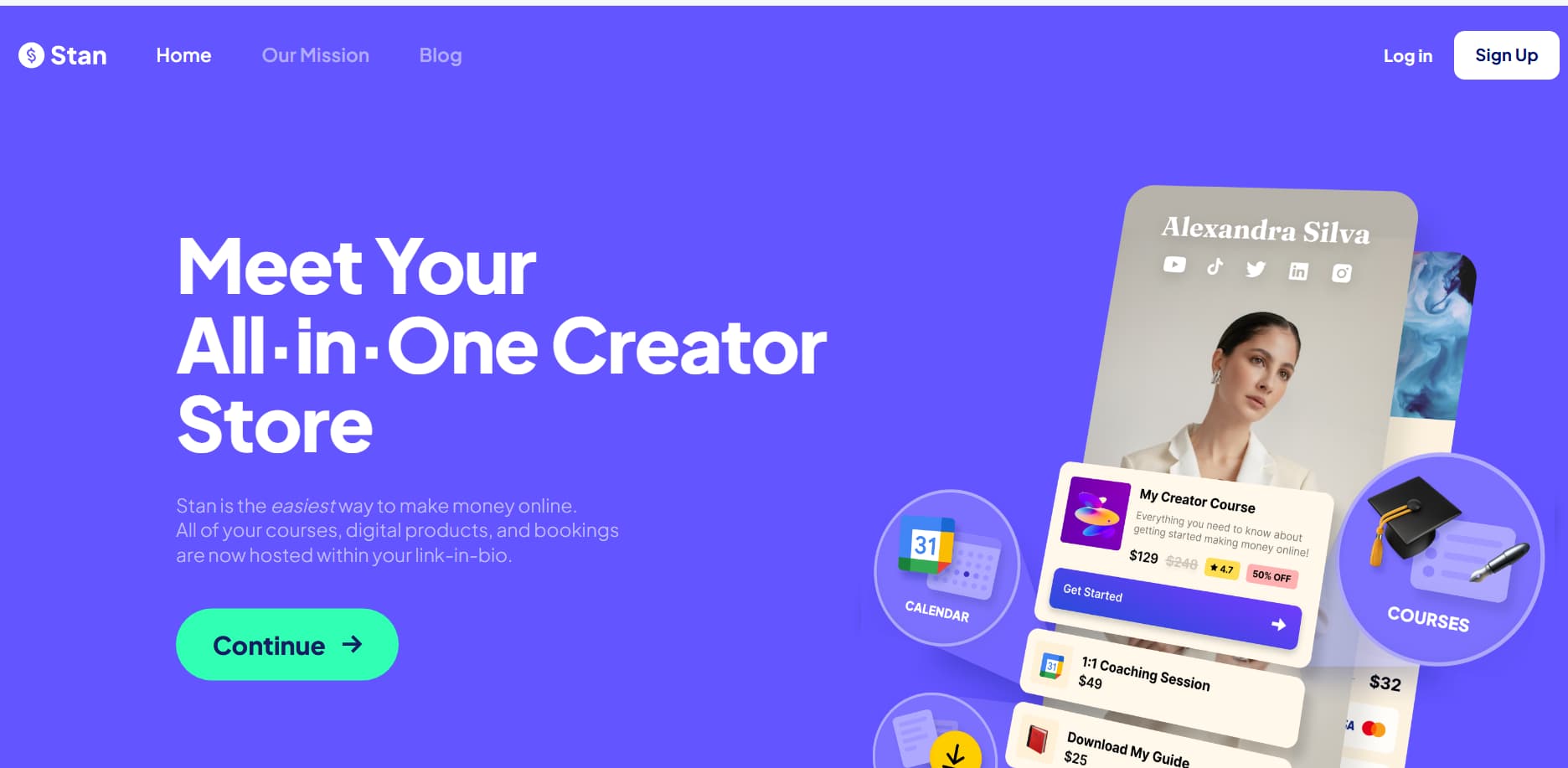
Price: $29/mo (stan.store, July 2026) No transaction fees (standard Stripe processing fees apply)
The biggest problem with social media selling was drop off and Stan Store was built to solve it. When people click a link in your Instagram or TikTok bio, regular websites take forever to load inside the in-app browser and people bounce before buying. Stan Store offers a clean, mobile-first link-in-bio page with an embedded checkout drawer. Your followers can scroll through your product, add their email and pay with Apple pay without ever bouncing out of Instagram.
What Stan Store Does Right
- No website required: Offers a full mobile shopfront vs. traditional link-in-bio aggregators.
- On-page checkout: Slide-up payment drawers keep customers on your page and speed up checkout.
- Digital product delivery: Auto-delivers ebooks, course access, calendar bookings and subscriptions.
- Email collection: Build your email list directly from your profile with in-app lead magnets.
Pricing for Stan Store
| Plan | Price | Fee | Features |
| Creator | $29/mo | 0% (Stripe fees) | Unlimited products, email capture, booking calendars |
| Creator Pro | $99/month | 0% (Stripe fees) | + Affiliates, memberships, courses, payment plans |
- Pros of Stan Store: Built with mobile buyers in mind, One-tap Apple Pay/Google Pay checkout, No platform transaction fees on paid plans.
- Cons of Stan Store: Starts at $29/month with no free tier, mobile only, not suitable for large multi-page desktop sites.
3. Payhip – Best Free Choice
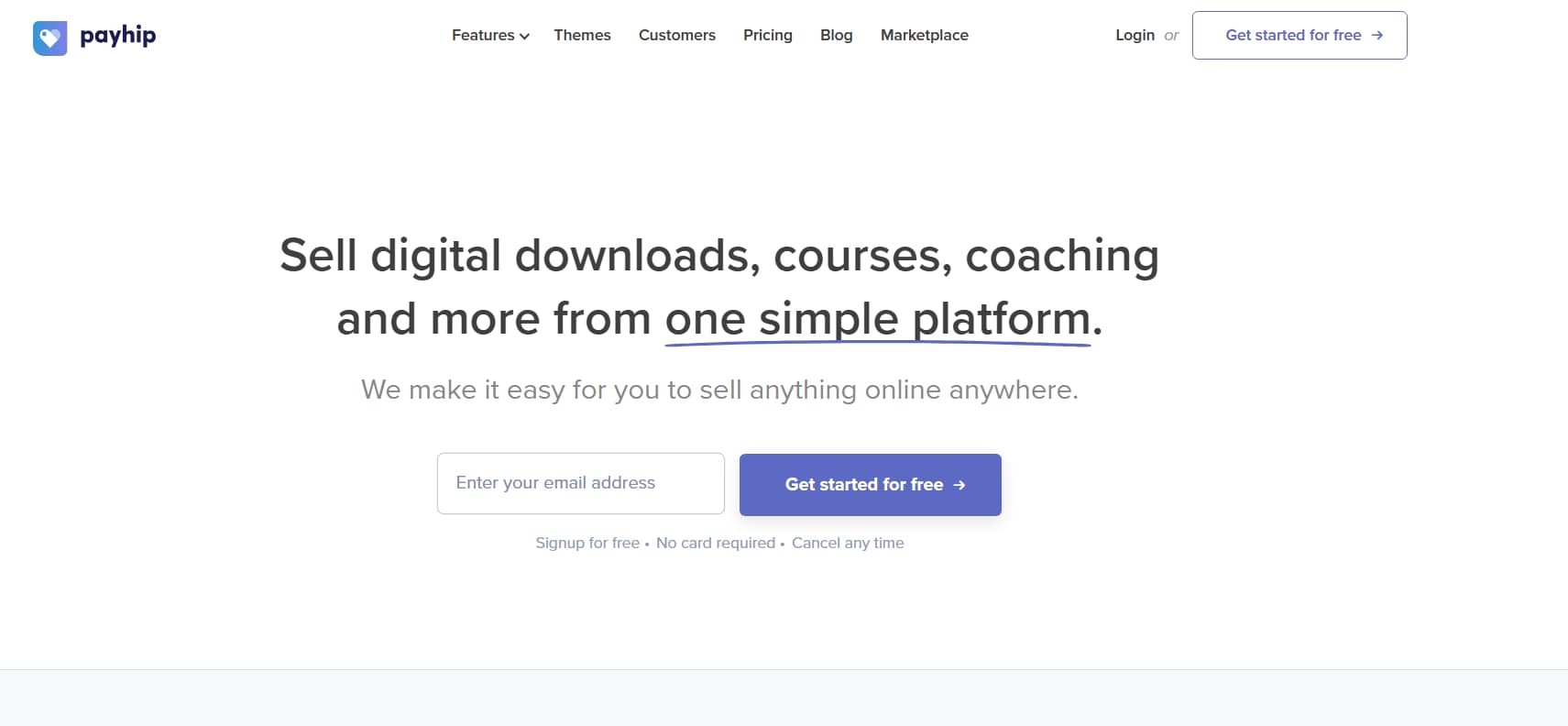
Cost: Free (payhip.com, July 2026) 5% per sale.
Payhip is one of the most generous platforms there is. Payhip only takes 5% unlike Gumroad who takes 10% off their free tier and you get access to pretty much every tool that they have to offer. You can sell simple digital downloads, software keys, video courses, recurring memberships, physical items, and even coaching sessions with built-in scheduling.
What Payhip Does Well
- Free plan: No monthly subscription. When you make a sale, you’ll pay a 5% transaction fee.
- Full shopfront: Comes with an easy visual builder so you can build a branded shopfront that fits your style.
- Memberships: Built-in tools for recurring subscriptions, gated content, and member tiers.
- Coaching: Developed in-take forms and calendar tools to book and charge for client calls.
Payhip Pricing
| Plan | Fee | Features |
| Free | 5% of each sale | Unlimited products, full store builder, memberships, courses |
| Plus | $29/mo (2% fee) | Lower transaction fees, advanced store features |
| Pro | $99/mo (0% fee) | No platform fees, includes all features |
- Advantages of payhip: Cheapest free plan with lowest fees, built-in EU/UK VAT management, supports downloads, courses and coaching all in one place.
- Payhip cons: 5% cut still stings on high-ticket sales and there’s less of a built-in discovery marketplace than Gumroad.
4. Sellfy — Best All-in-One Selling
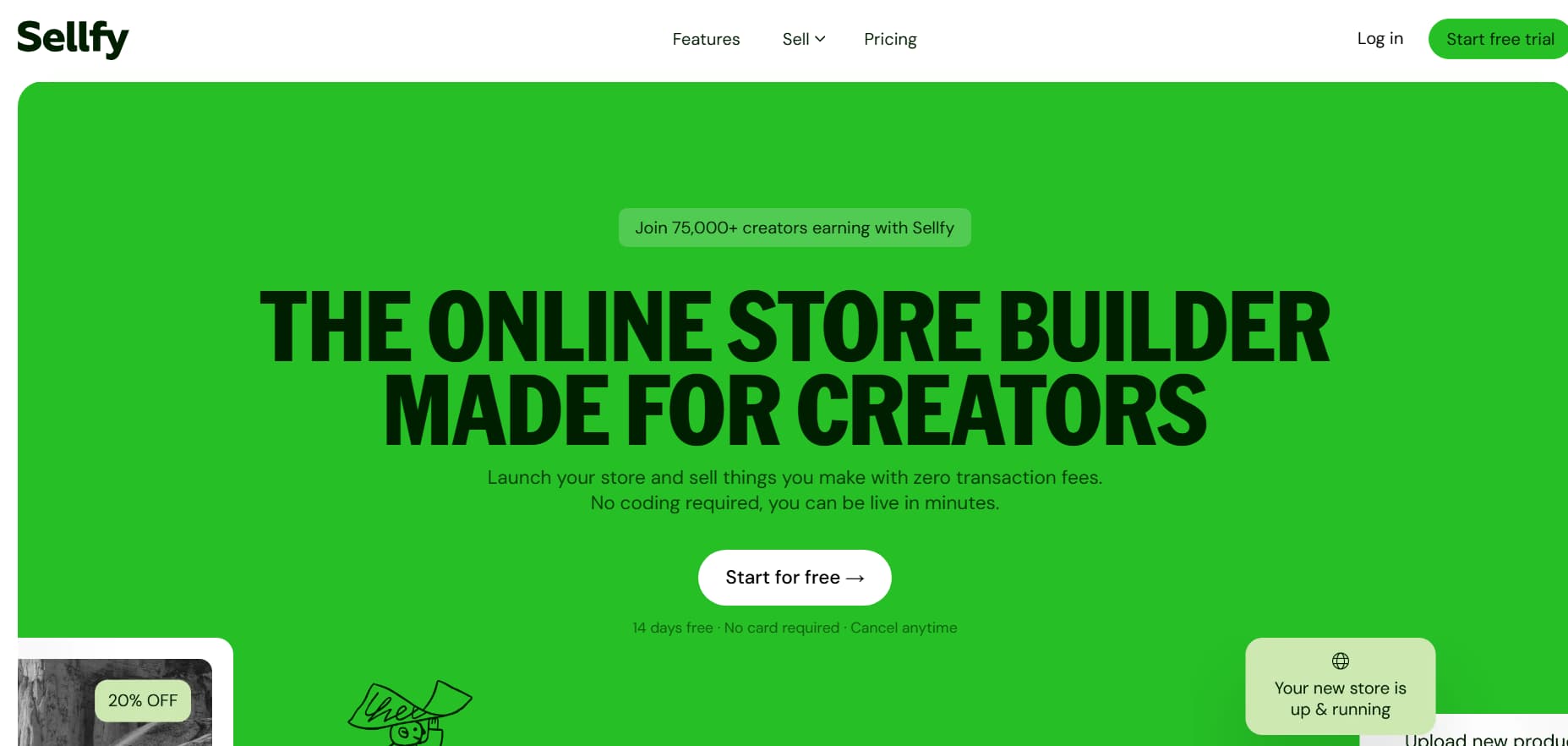
Price: $22/month (sellfy.com, July 2026) No transaction fees.
Built for creators who want to sell anything from digital downloads, to physical products, to subscriptions and even custom merch without glueing four different software tools together.
The biggest strength of Sellfy is its built in print on demand engine. Just upload your design to shirts, hoodies, mugs or posters. Sellfy does the printing, packing, and shipping automatically when a fan buys something.
What Sellfy Gets Right
- No transaction fees. Pay your monthly fee and keep 100% of your sales (minus the standard credit card processing fees).
- Print on demand: Integrated apparel and merch catalogue, fulfilled directly to your customers.
- Physical Products: Manage inventory, set shipping rates and track physical orders alongside digital files.
- Email marketing: Use built-in email tools to send abandoned cart recovery and update emails.
Sellfy Pricing
| Plan | Price | Fee | Features |
| Starter | $22/mo | 0% | Digital products, print-on-demand, custom domain |
| Business | $59/mo | 0% | + Upsells, cart recovery, 10k email credits |
| Premium | $119/mo | 0% | + Priority support, custom domain, 50k emails |
- Sellfy pros: No transaction fees, a great mix of digital downloads and print-on-demand merch, simple upselling tools.
- Sellfy cons: Minimum $22/month (no free plan), limits on annual revenue per plan that require you to upgrade as your store grows.
5. Shopify – Best for E-commerce Stores All in One
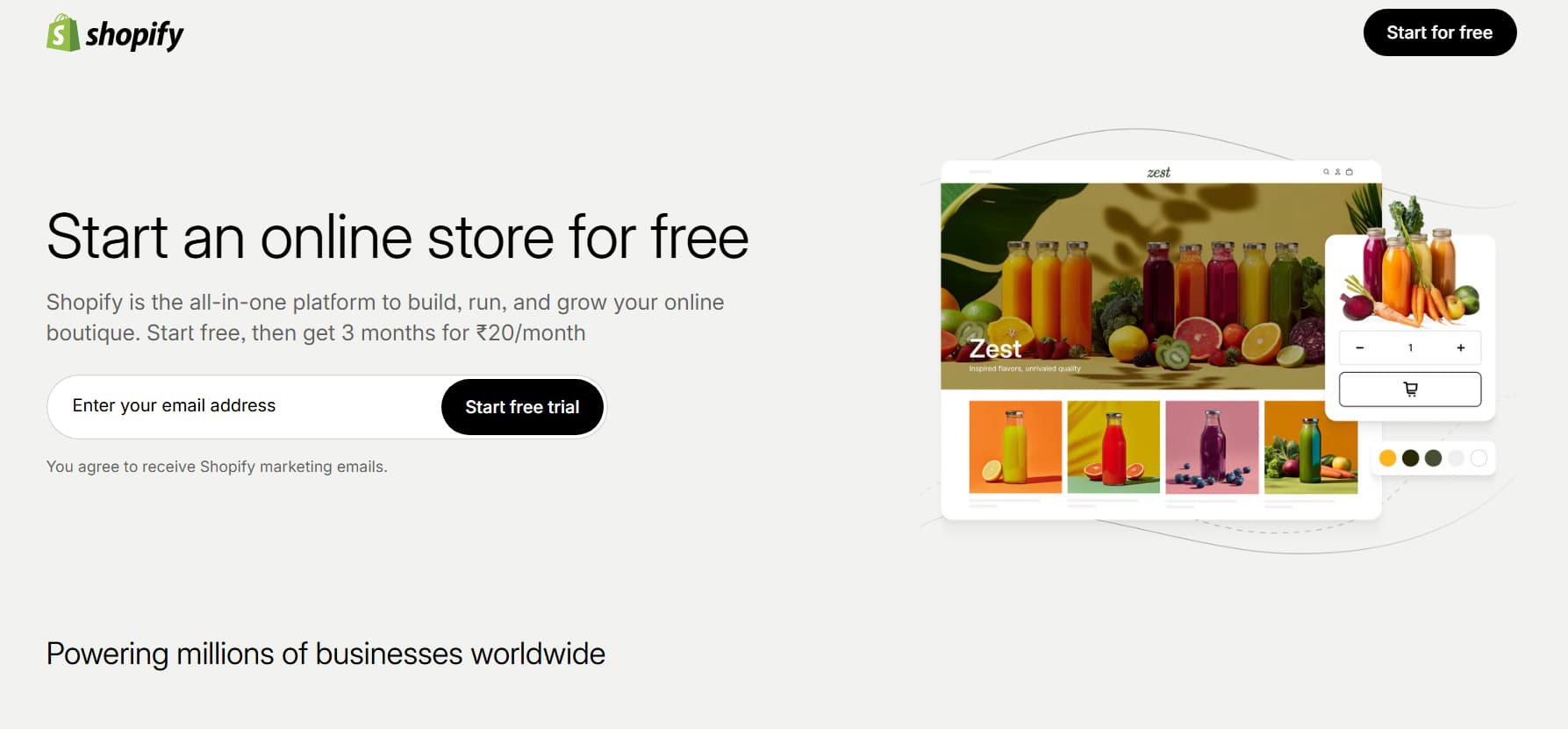
Price: $39/mo (shopify.com, July 2026) 2.9% + $0.30 per transaction
Shopify is the heavyweight champion of eCommerce without dispute. If you’re building a serious DTC brand with physical inventory, custom packaging, multiple warehouse integrations and global shipping, this is the industry standard.
If you only want to sell a single PDF, it may seem a bit complex, but Shopify is unbeatable in terms of sheer power, app integrations and selling across multiple channels.
What Shopify Gets Right
- Full ecommerce: Professional inventory management, auto-generated shipping labels and global tax settings.
- App ecosystem: Over 8,000 apps available to add any custom feature you could ever want.
- Scalability – Designed to handle everything from your first sale to flash sale volumes of millions of dollars.
- Multi-channel: Plug straight into TikTok Shop, Instagram Shopping, Amazon and Pinterest.
Shopify Costs
| Plan | Price | Fee | Features |
| Basic | $39/mo | 2.9% + $0.30 | Full online store, 24/7 support, 2 staff accounts |
| Shopify | $105/mo | 2.6% + $0.30 | Professional reports, 5 staff accounts |
| Advanced | $399/mo | 2.4% + $0.30 | Custom reporting, calculated shipping, lowest transaction fees |
- Shopify pros: Massive scale. Huge app marketplace. Full design control. Built for high-volume physical stores.
- Shopify downsides: Minimum $39/mo, takes time to learn, digital product delivery requires third party app installs.
Platform Comparison at a Glance
| Platform | Monthly Fee | Transaction Fee | Free Plan | Best For |
| Gumroad | Complimentary | 10% per transaction | No | Basic digital products |
| Stan Store | $29/mo | 0% (Stripe fees) | No | Instagram Content Creators |
| Payhip | $0.00 | 5% on every sale | Available | Frugal Shoppers |
| Sellify | $22 per month | 0 | Yes | All-in-one sales |
| Shopify, | $39/month. | 2.9% +.30 | None | Complete ecommerce stores |
Verified July 2026. Gumroad and Payhip are free to start. Best for Stan Store: Instagram Sellfy is the best if you want all in one solution. Shopify is best for complete stores.
How To Sell On Instagram Without A Website?
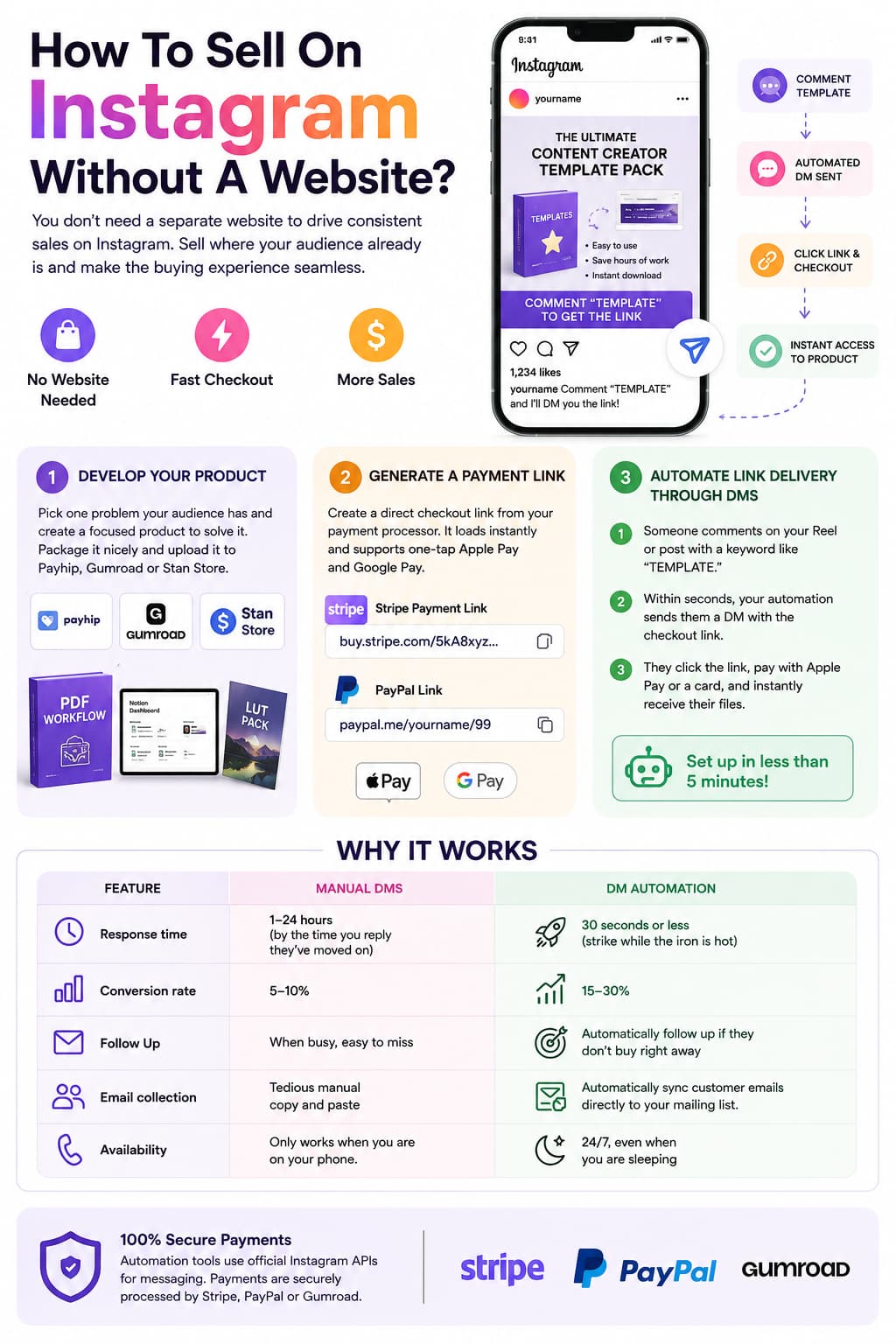
You don't need a separate website to drive consistent sales on Instagram. In mobile, sending people off to an external site typically backfires – pages load slow, navigation gets confusing, and people drop off before completing checkout. Selling where your audience is already on your content makes the whole experience seamless. Here’s the way:
Step 1: Develop your product.
Pick one problem your audience has and develop a narrow product to solve it. Package it up nicely with some simple mockups and upload it to Payhip, Gumroad or Stan Store - whether it’s a PDF workflow, a Notion dashboard, a LUT pack, or a 1-on-1 coaching session.
Step 2: Generate a Payment Link
If you don’t even want a full shopfront page, you can create direct checkout links straight from your payment processor:
- Stripe Payment Links: Go to your Stripe Dashboard, select Payment Links, choose your product, and copy your direct link (e.g. buy.stripe.com/...).
- PayPal Links Generate a quick checkout link in your PayPal Merchant tools .
These links load instantly, support one-tap Apple Pay and Google Pay and allow your buyers to checkout in seconds.
Step 3: Automate Link Delivery Through DMs
Meanwhile, don’t waste time replying to every “Where can I get this?” comment manually. Set up DM automation to send your links immediately:
- someone comments on your Reel or post with a keyword like “TEMPLATE.”
- Within seconds, your automation engine sends them a direct message with the checkout link.
- They click the link, pay with Apple Pay or a card, and instantly receive their files.
You don’t have to do anything and it takes less than five minutes to finish.
Why it works:
| Feature | Manual DMs | DM Automation |
| Response time | 1-24 hours (by the time you reply they’ve moved on) | 30 seconds or less (strike while the iron is hot) |
| Conversion rate | 5-10% | 15-30% |
| Follow Up | When busy, easy to miss | Automatically follow up if they don’t buy right away |
| Email collection | Tedious manual copy and paste | Automatically sync customer emails directly to your mailing list. |
| Availability | Only works when you are on your phone. | 24/7, even when you are sleeping |
For messaging, automation tools (like InstantDM at $9.99/mo, ManyChat, or Chatfuel) tap into official Instagram APIs. They do not handle the payments themselves, your links are still processed securely through Stripe, Paypal or Gumroad.
How do Makers price their products?
Pricing is a struggle for nearly every creator getting started. Charge too little and the only way to pay the bills is by volume. If you try to charge too much too soon before you have developed trust then your sales will suffer. A practical way to think about it is this:
Product Type Pricing
| Product Type | Price Range | Why |
| Guides and ebooks | $9-$49 | Low barrier to entry, quick mobile purchase decisions, high sales volume |
| Templates and presets | $9–$29 | Easy to use Saves the buyer immediate time Easy impulse buy |
| Courses Online | $49–$999 | Full curriculum that produces a complete and visible transformation |
| Training Sessions | $100-$500/hr | Immediate access to your own time and personalised feedback |
| Memberships | $9-$99 per month | Continuous resources = regular recurring monthly income + community access |
| Physical goods | $20-100 | Real production costs, packaging, shipping and your target margin |
The Value Pricing Equation
Don’t price your products based on the number of hours it took to create them. Price them off of the value and results they give the person buying them.
If your client acquisition playbook helps a freelance designer land an extra $5,000 project, paying $150 for your playbook is a no-brainer. Pricing on the result, not the number of pages. It makes it easy for people to buy.
How to Increase Your Prices
- Start low for traction: Start with a low entry price point to get early client input, work out bugs, and get early reviews.
- Stack social proof: As soon as customers start seeing great results, make their reviews, DMs, and before and after stories front and center.
- Build premium bundles: Bundle your core product with video walk throughs, bonus templates or private Q&A acc
Creator Scaling & Growth Strategies
1. Build Email List
Social media platforms are rented real estate: algorithms change, reach comes and goes, accounts get into trouble. Your email list is your own. Send a simple, truly useful freebie (checklist, cheat sheet, starter pack) via email. Grab emails right in your DM conversations and at your shopfront checkout. Hook up your subscribers with tools like Kit, MailerLite or Brevo and email them regularly with helpful info that naturally leads back to your paid offers.
2. Automate DM for Better Conversion
Direct checkout links sent straight into DMs convert at 15% to 30% compared to the standard 5% to 10% from a static bio link. When you upload a useful reel or carousel, ask people to comment with a specific keyword (say, “Comment WORKFLOW and I’ll DM you the link”). It removes the guesswork from buying by delivering the link at the point of peak interest.
3. 4. Create Bundles & Upsells
The easiest way to make more from the traffic you already have is to increase your Average Order Value (AOV). Here is how:
- Add an order bump to the checkout process (for example, “Tick this box to get our email swipe file for $12”).
- Offer a one-click upsell right after they make payment (e.g. offer a full video walkthrough for $29 right after they buy an ebook).
- Bundle related products together with a small discount to give buyers a simple way to get your whole collection
Leverage social proof
People buy when they see evidence that your product actually works for people like themselves:
- Share screenshots of happy dms, wins from customers and great feedback on your Instagram Stories.
- Put clear and honest customer reviews on your checkout pages.
- Provide clear before and after results – social proof can increase checkout conversions by 20% to 30%.
5. Continue to Post
Consistent posting means your top-of-funnel is always growing and you get regular opportunities to talk about your products:
- Try to post quality content 3-5 times per week on your main platform.
- Follow the 80/20 Rule: spend 80% of your time teaching, entertaining and helping your audience and spend 20% of your time clearly presenting your paid offers.
- Give every post a purpose. End every post with a clear call-to-action that encourages comments and DMs.
What are the payment methods for creators?
| Payment Method | Best suited for | Fees | Setup Time |
| Stripe | Credit cards, Apple Pay, Google Pay | 2.9% + $0.30 | 5 minutes |
| PayPal | International buyers who want to pay using their PayPal balance | 3.49% + $0.49 | 5 minutes |
| Gumroad | Standard digital file delivery (Merchant of Record) | 10% of sales | 5 minutes |
| Payhip | digital downloads, courses and coaching | 5% of each sale | 5 minutes |
| Sellfy | Digital files + print on demand merch | 0% (monthly fee) | 30 minutes |
Good practice:
Always try to give your buyers a choice between Stripe (for fast Apple Pay and c) Offering both choices reduces checkout hesitation and helps prevent abandoned carts.
How much tax do creators pay?
When you begin selling products online you are a self-employed business owner. Getting organised from day one will save you a tonne of headaches come tax season:
Earnings Tracker
- All payouts from Stripe, PayPal, Gumroad, Payhip, and brand deals are recorded cleanly.
- Open a separate business checking account and business credit card to keep your personal and business money separate.
- Accounting software like QuickBooks Online, Wave or FreshBooks will automatically track your numbers for you.
- Keep all business purchase receipts in digital form.
Tax Payments: Quarterly
- In the U.S. and a lot of other countries, self-employed creators also have to pay estimated taxes quarterly instead of once a year.
- Estimated Tax Deadlines in the US: April 15, June 15, September 15, and January 15.
- Make it a routine to deposit 25% to 30% of each payout directly into a separate business savings account that is only for taxes.
Costs of business
You pay tax only on your net profit so make sure you write off legitimate business expenses:
- Software: Canva, Adobe Creative Cloud, video editing, email tools, hosting and DM automation software.
- Payment Fees: Any transaction fees charged by Stripe, PayPal or Gumroad are a deductible business expense.
- Hardware & Gear: Cameras, lenses, microphones, studio lights, backdrops and work computers.
- Learning and Skills: Books, online courses, and coaching programs you buy to grow your business skills.
How We Evaluated These Platforms
We tested five platforms against six practical criteria that matter when you are actually selling, not just browsing feature lists.
What criteria did we use?
1.Cost to start
Can you launch without paying monthly fees? Gumroad and Payhip let you start for free. Stan Store and Shopify require upfront investment.
2.Transaction fees
What percentage does the platform take from each sale? Gumroad takes 10%. Payhip takes 5%. Sellfy, Stan Store, and Shopify take 0% platform fees (but charge monthly).
3.Time to first sale
How long until you can accept a payment? Gumroad takes about 5 minutes. Shopify takes 30+ minutes. Stan Store takes 15 minutes.
4.Mobile experience
Most Instagram and TikTok traffic comes from phones. Stan Store's mobile-first checkout loads faster inside social apps than traditional websites.
5.Product type support
Can the platform handle digital downloads, courses, memberships, and physical products? Sellfy and Shopify handle everything. Gumroad focuses on digital.
6.Instagram integration
Does the platform work well with Instagram DMs and link-in-bio? Stan Store is built for this. Others require workarounds.
Selling Stuff on the Internet: Reddit's Tips
Here are a few clear, repeating takeaways from creator conversations across communities like r/ecommerce, r/creators, and r/entrepreneur:
- Gumroad: Always recommended for quickly launching your first digital file. Creators love the no upfront costs and tax handling automation.
- Stan Store: Best for creators who get most of their traffic from Instagram or TikTok and want a quick, mobile-friendly checkout process.
- Payhip: Great for creators looking for a low-cost, all-in-one platform with lower fees than Gumroad and good course/membership features.
- Sellfy: Best for creators looking to sell digital items and physical merchandise together without holding stock.
The Reddit consensus is to use Gumroad or Payhip on their free tiers to prove people want your product, without paying monthly software fees. When you start making consistent sales, move to a dedicated mobile store like Stan Store for social selling or Sellfy / Shopify as your catalogue and physical products grow.