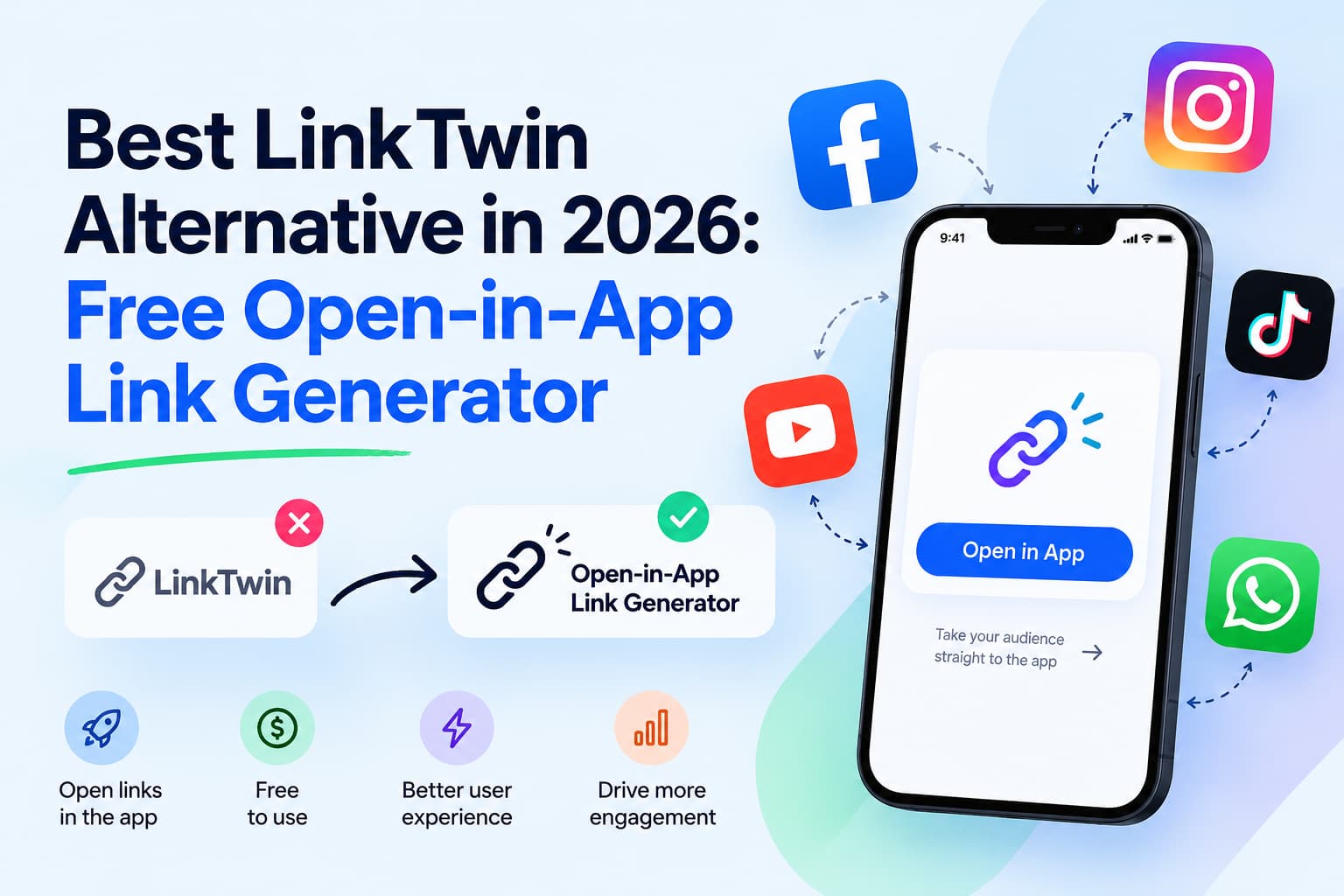
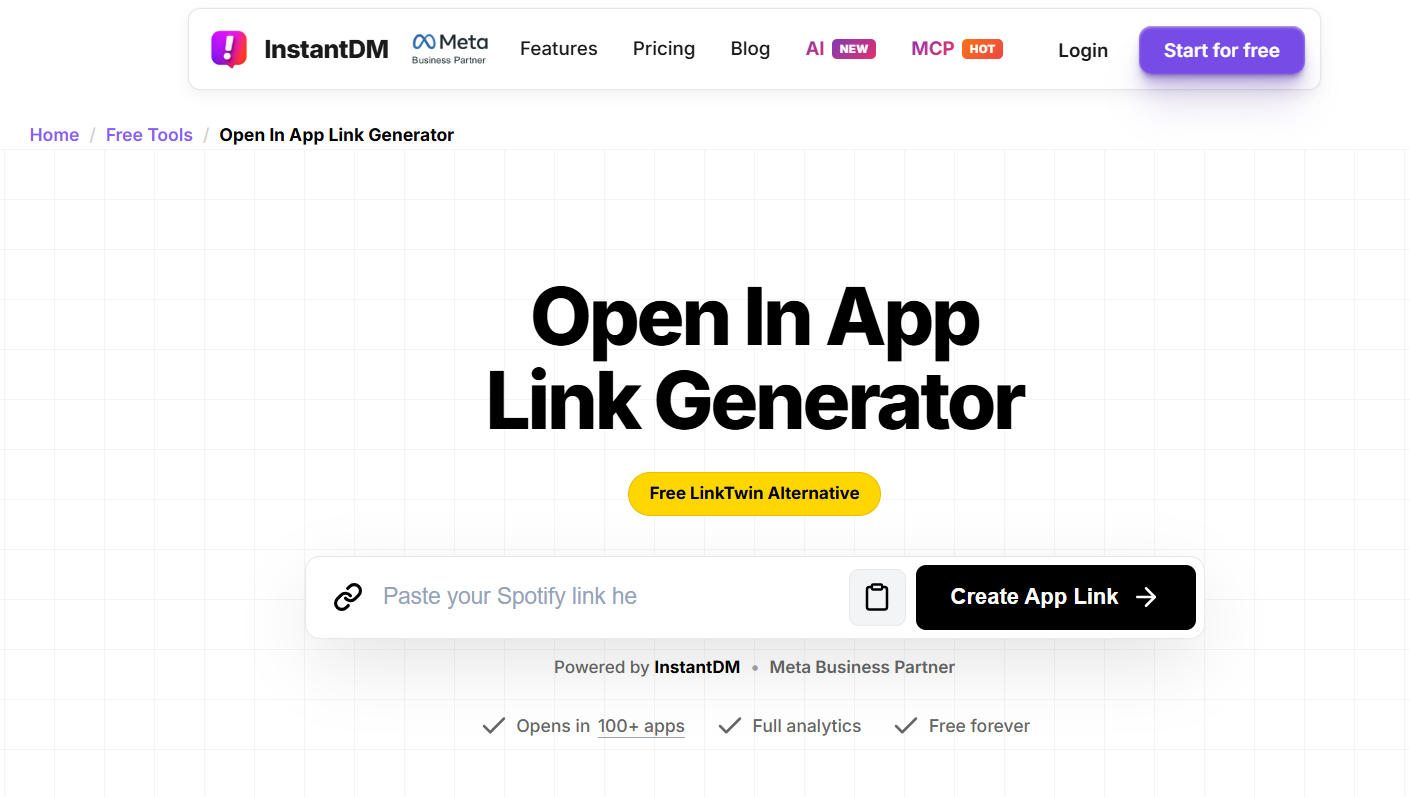
InstantDM’s Open in App Link Generator is a free LinkTwin alternative. It turns a normal YouTube, Amazon, or Spotify URL into a link that opens in the native app instead of Instagram’s in-app browser. Paste any public URL, copy the generated link, and share it in an Instagram bio, story, post, TikTok, X, or WhatsApp. If the app is installed, the app opens. If it is not, the browser opens.
Most creator traffic is mobile. A person who taps your link is already inside another app. If that tap dumps them into a logged-out webview, they bounce before they subscribe, save, or buy. This guide covers what an open-in-app link is, why raw social links lose conversions, how the free generator compares with LinkTwin, OpeninApp, U2L, URLgenius, and Geniuslink, and how to create a working link in under a minute.
Who this is for
Use an open-in-app link if you share destination URLs from Instagram, TikTok, X, or Facebook and need the tap to land inside the real app.
- YouTube creators sharing videos, Shorts, or channels in Instagram stories, bios, and comments
- Amazon affiliates and sellers who lose checkout and cookies inside in-app browsers
- Music and podcast marketers sending people to Spotify or Apple Music
- Coaches, agencies, and Shopify stores putting product or content links in an Instagram bio
If your traffic is mostly mobile — and Instagram traffic almost always is — the in-app browser is the leak. You do not need a developer team or an SDK to fix that leak. You need a link that tries the native app first.
This is also for people who already tried a normal shortener and saw no change. A shorter URL still opens the same broken webview. The format of the link is not the problem. The destination experience is.
Why Instagram and TikTok links don’t open the app
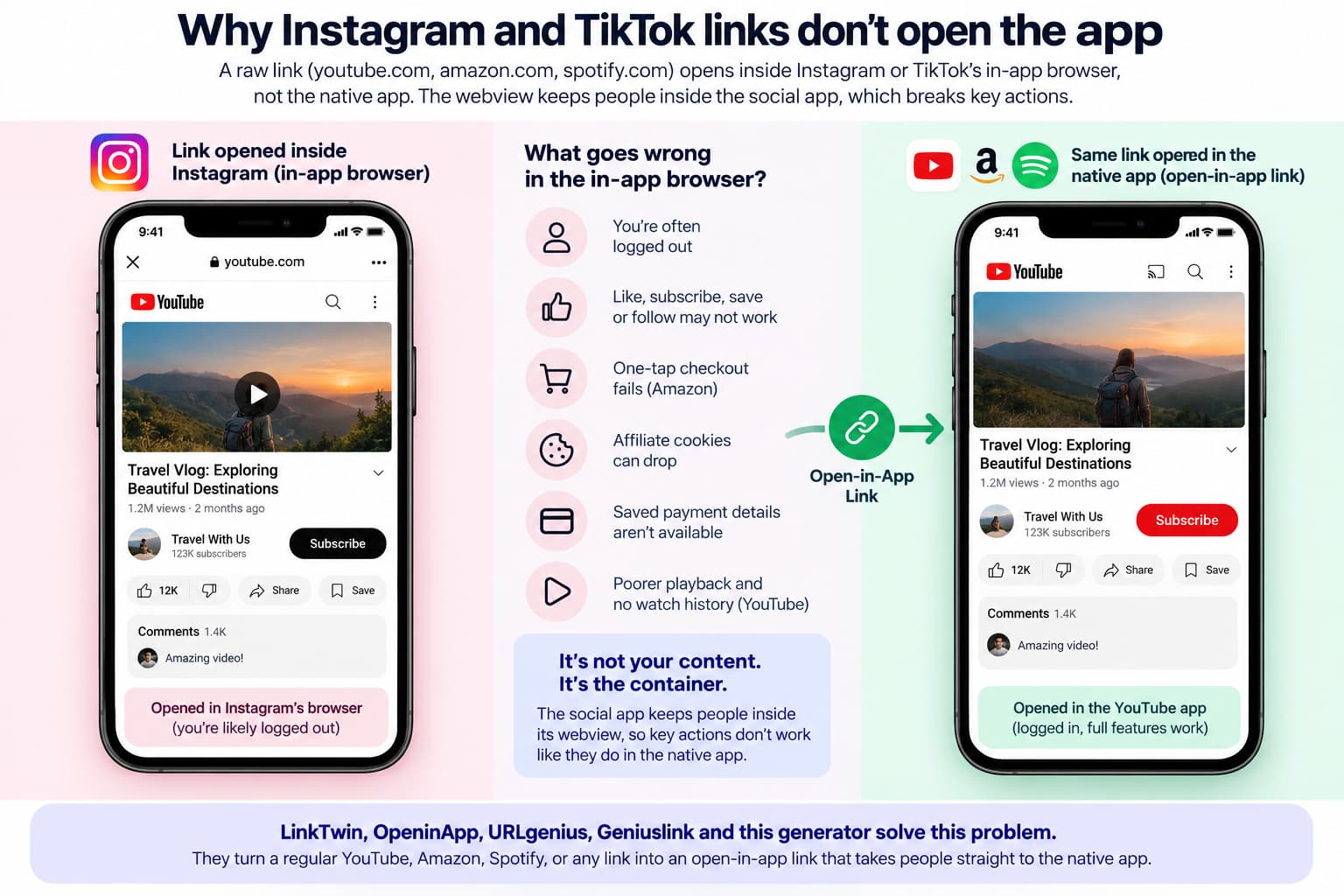
A raw youtube.com or amazon.com link shared on Instagram usually opens in Instagram’s in-app browser, not the native app.
Social apps keep people inside their own webview. That webview is a stripped-down browser. The person is often logged out of YouTube or Amazon. Subscribe, like, save-to-playlist, and one-tap checkout either fail or take extra steps. Affiliate cookies can drop. Payment details saved in the Amazon app are not available in Instagram’s browser.
On YouTube, that means no one-tap subscribe, awkward playback, and no watch history. On Amazon, that means a guest checkout wall. On Spotify, that means a follow button that does not behave like the app. The viewer did not reject your content. The container rejected the action.
That is the problem LinkTwin, OpeninApp, URLgenius, Geniuslink, and this generator exist to solve.
A raw YouTube or Amazon URL on Instagram is not an open-in-app link. It is a webview link.
Creators run into the same thing on stories: the tap stays inside Instagram, so the viewer is often logged out of YouTube and cannot like, comment, or subscribe. Why a raw YouTube link in an Instagram story won’t open the YouTube app walks through that in about a minute.
An open-in-app link is the fix that section explains next.
What is an open in app link?
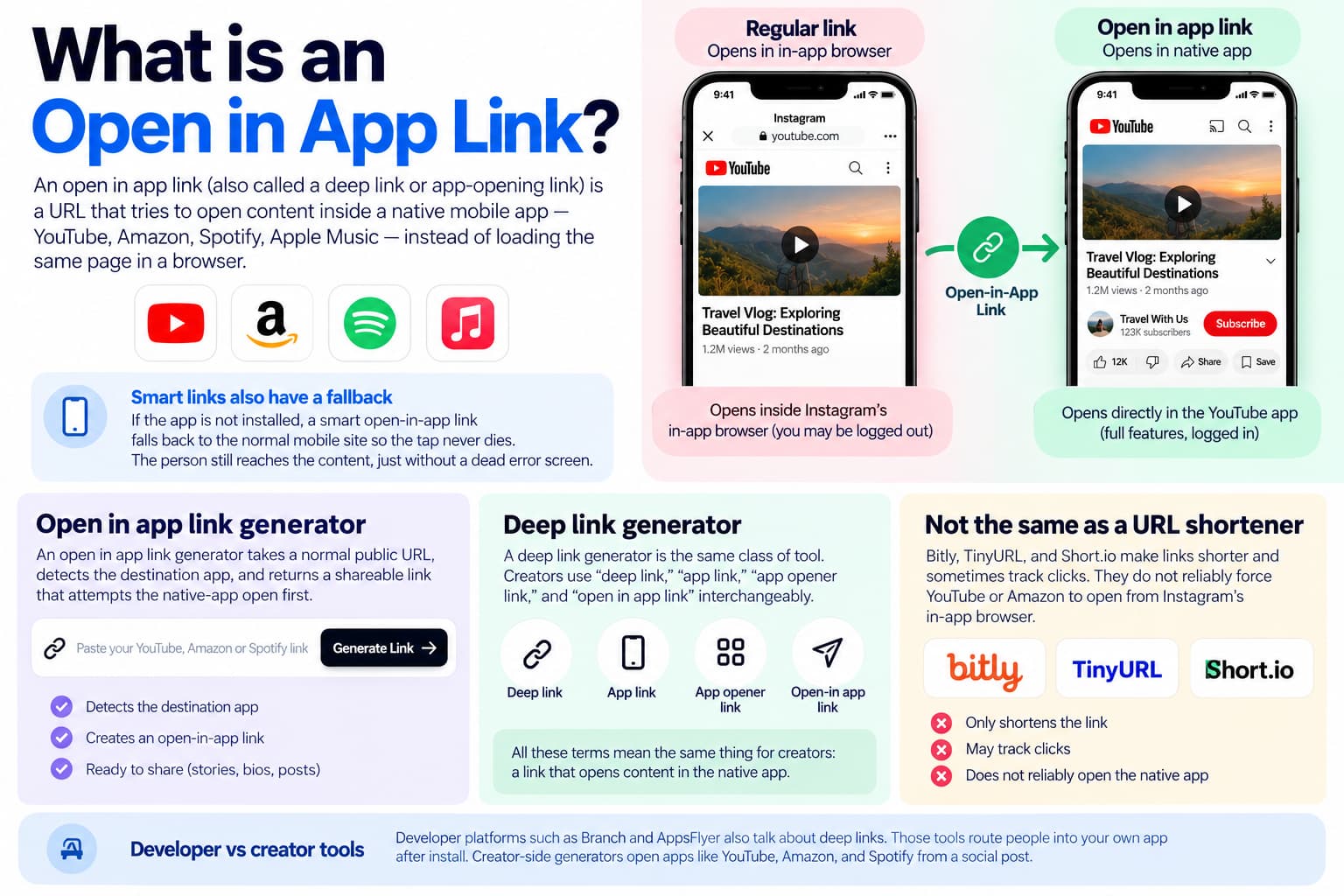
An open in app link (also called a deep link or app-opening link) is a URL that tries to open content inside a native mobile app — YouTube, Amazon, Spotify, Apple Music — instead of loading the same page in a browser.
A smart open-in-app link also knows what to do when the app is missing. It falls back to the normal mobile site so the tap never dies. The person still reaches the video, product, or track. They just do not get a dead error screen.
This is different from a generic URL shortener. Bitly, TinyURL, and Short.io make links shorter and sometimes track clicks. They do not reliably force YouTube or Amazon to open from Instagram’s in-app browser. That is why a Bitly alternative and a LinkTwin alternative are not the same thing.
What is an open in app link generator?
An open in app link generator takes a normal public URL, detects the destination app, and returns a shareable link that attempts the native-app open first. You paste what you already copy from Share on YouTube or Amazon. You get back a link you can drop on a story sticker.
What is a deep link generator?
A deep link generator is the same class of tool. Creators use “deep link,” “app link,” “app opener link,” and “open in app link” interchangeably.
Developer platforms such as Branch and AppsFlyer also talk about deep links. Those tools route people into your own app after install. Creator-side generators open apps like YouTube, Amazon, and Spotify from a social post.
How does an open in app link generator work?
- You paste a public URL.
- The generator detects the destination (YouTube video, Amazon product, Spotify track, and so on).
- It returns a short or wrapped link.
- Someone taps that link on a phone, usually inside Instagram, TikTok, or X.
- The system detects the device and whether the destination app is installed.
- App installed - native app. App missing - default browser.
- On Android, that behavior is the same idea as official App Links: a verified web URL can open the matching app instead of a disambiguation screen.
No code. Paste the URL, copy the new link, share it.
The important part is step five. The same link has to behave on iPhone and Android, inside Instagram and outside it. A good generator does that detection for you so you are not maintaining two URLs.
The generator is here:
https://instantdm.com/instagram-free-tools/open-in-app-link-generator
Basic generation is free. Click analytics are available with a free account.
Best LinkTwin alternatives compared
These tools compete on “open this in the native app,” not only on shorter URLs.
| Tool | Best for | Free? | App coverage | Watch-out |
| InstantDM | Free multi-app links and Instagram automation | Yes | YouTube, Amazon, Spotify, Flipkart, 100+ | Analytics need an account |
| LinkTwin | Paid deep links, pixels, custom domains | Limited free clicks | 100+ | Paid once volume grows |
| OpeninApp | India creators and monetization suite | Tiered | Major apps | Broader product, not only links |
| U2L | Free generator plus QR and bio pages | Yes | 30–50+ | Fewer apps than LinkTwin’s 100+ claim |
| URLgenius | Agencies that need attribution | Trial | Many | Pay per click |
| Geniuslink | Amazon geo and affiliates | Trial | Amazon-first | Per-click fees |
| Youfiliate | YouTube and Amazon affiliates | Limited free | Amazon / YouTube native | Not a general 100-app opener |
| Bitly / Short.io | Short links and branding | Limited | Weak app-open | Not a real LinkTwin alternative |
Best free LinkTwin alternative for Instagram creators: the Open in App Link Generator above. Best paid specialist if you need retargeting pixels, A/B tests, and branded domains at scale: LinkTwin. Best Amazon-only geo tool: Geniuslink. Best India-weighted creator suite: OpeninApp.
There is no single winner for every budget. Match the tool to the job: Instagram story to YouTube, Amazon geo at volume, or a full paid link stack.
Free vs paid open-in-app link tools
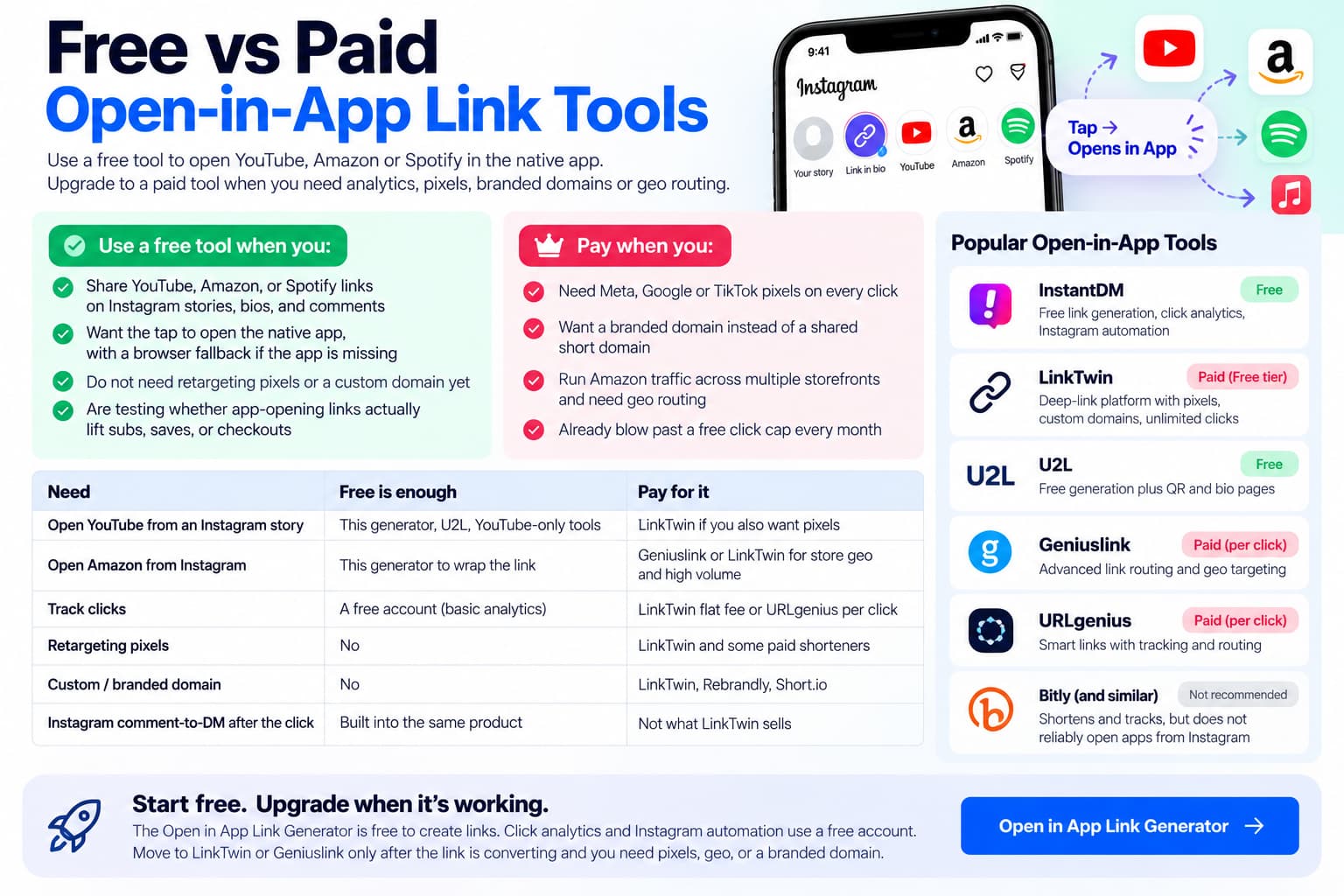
A free open-in-app generator is enough if your only job is this: don’t open Instagram’s in-app browser. Paid tools are worth it when clicks, pixels, branded domains, or Amazon store routing are the product.
Use a free tool when you:
- Share YouTube, Amazon, or Spotify links on Instagram stories, bios, and comments
- Want the tap to open the native app, with a browser fallback if the app is missing
- Do not need retargeting pixels or a custom domain yet
- Are testing whether app-opening links actually lift subs, saves, or checkouts
Pay when you:
- Need Meta, Google, or TikTok pixels on every click
- Want a branded domain instead of a shared short domain
- Run Amazon traffic across multiple storefronts and need geo routing
- Already blow past a free click cap every month
| Need | Free is enough | Pay for it |
| Open YouTube from an Instagram story | This generator, U2L, YouTube-only tools | LinkTwin if you also want pixels |
| Open Amazon from Instagram | This generator to wrap the link | Geniuslink or LinkTwin for store geo and high volume |
| Track clicks | A free account (basic analytics) | LinkTwin flat fee or URLgenius per click |
| Retargeting pixels | No | LinkTwin and some paid shorteners |
| Custom / branded domain | No | LinkTwin, Rebrandly, Short.io |
| Instagram comment-to-DM after the click | Built into the same product | Not what LinkTwin sells |
The Open in App Link Generator is free to create links. Click analytics and Instagram automation use a free account.
LinkTwin is a paid deep-link platform. It has a free tier, but that tier is click-capped (commonly 500 clicks per month, as of September 2026). Paid plans are a flat monthly fee with unlimited clicks, pixels, and extra targeting.
U2L competes on free generation plus QR and bio pages. URLgenius and Geniuslink charge in ways that grow with clicks. Bitly-style shorteners are usually the wrong paid upgrade: they shorten and track; they do not reliably open YouTube or Amazon from Instagram.
Start free. Move a campaign to LinkTwin or Geniuslink only after the link is converting and you need pixels, geo, or a branded domain.
Does InstantDM Open In App Link Generator work like LinkTwin?
Yes on the core job. Both create links that try to open YouTube, Amazon, Spotify, and other apps instead of a social in-app browser. Both fall back to the browser if the app is not installed. Both are aimed at creators and affiliates, not at engineering teams wiring Branch SDKs.
They differ on packaging.
Choose the free generator if you:
- Want a free generator without hitting a small click cap for basic use
- Share links from Instagram bios, stories, comments, and DMs
- Also want comment-to-DM, story reply automation, and Instagram link tracking later
- Care about destinations such as Flipkart alongside YouTube and Amazon
Choose LinkTwin if you:
- Need retargeting pixels (Meta, Google, TikTok) on every click
- Want A/B tests, custom domains, and a dedicated link dashboard as the whole product
- Already pay a monthly fee for unlimited clicks and that fee earns its keep
- Want Amazon auto-geolocation and auto affiliate-tag tools as first-class features
The free generator is not Branch, AppsFlyer, or a mobile measurement partner. LinkTwin is not an Instagram DM automation suite. If you need both jobs, you can generate the open-in-app link here and still run paid ads or pixels elsewhere.
LinkTwin vs OpeninApp vs InstantDM Open in App Link Generator
- LinkTwin: widest paid “100+ apps + pixels + analytics” specialist
- OpeninApp: India-scale creator platform; smart links plus monetization, not only app-open
- The free generator: open-in-app links plus Instagram automation from a Meta Business Partner
If the only job is “YouTube link in an IG story opens the YouTube app,” this generator, U2L, or a YouTube-only tool is enough. If the job is international Amazon affiliate traffic at high volume, compare LinkTwin and Geniuslink on price.
LinkTwin vs URLgenius vs Geniuslink
- URLgenius: agency attribution, pay per click. Fine at low volume, expensive when a post goes viral.
- Geniuslink: Amazon localization and choice pages. Weaker if you also need Spotify and YouTube app-open every day.
- LinkTwin: flat monthly fee, 100+ apps, Amazon geo on paid plans.
- This generator: free app-open links, with Instagram automation available in the same product.
How do I create an open in app link?
- Open the generator:https://instantdm.com/instagram-free-tools/open-in-app-link-generator
- Paste any public YouTube, Amazon, Spotify, or other supported URL.
- Generate the open-in-app link.
- Copy it.
- Paste it into an Instagram story sticker, bio, caption, comment, TikTok, X, or QR.
No SDK. No developer account. Create one link, tap it on your own phone from Instagram, and confirm the app opens before you put it on a live story.
How do I make a YouTube link open in the app from Instagram?
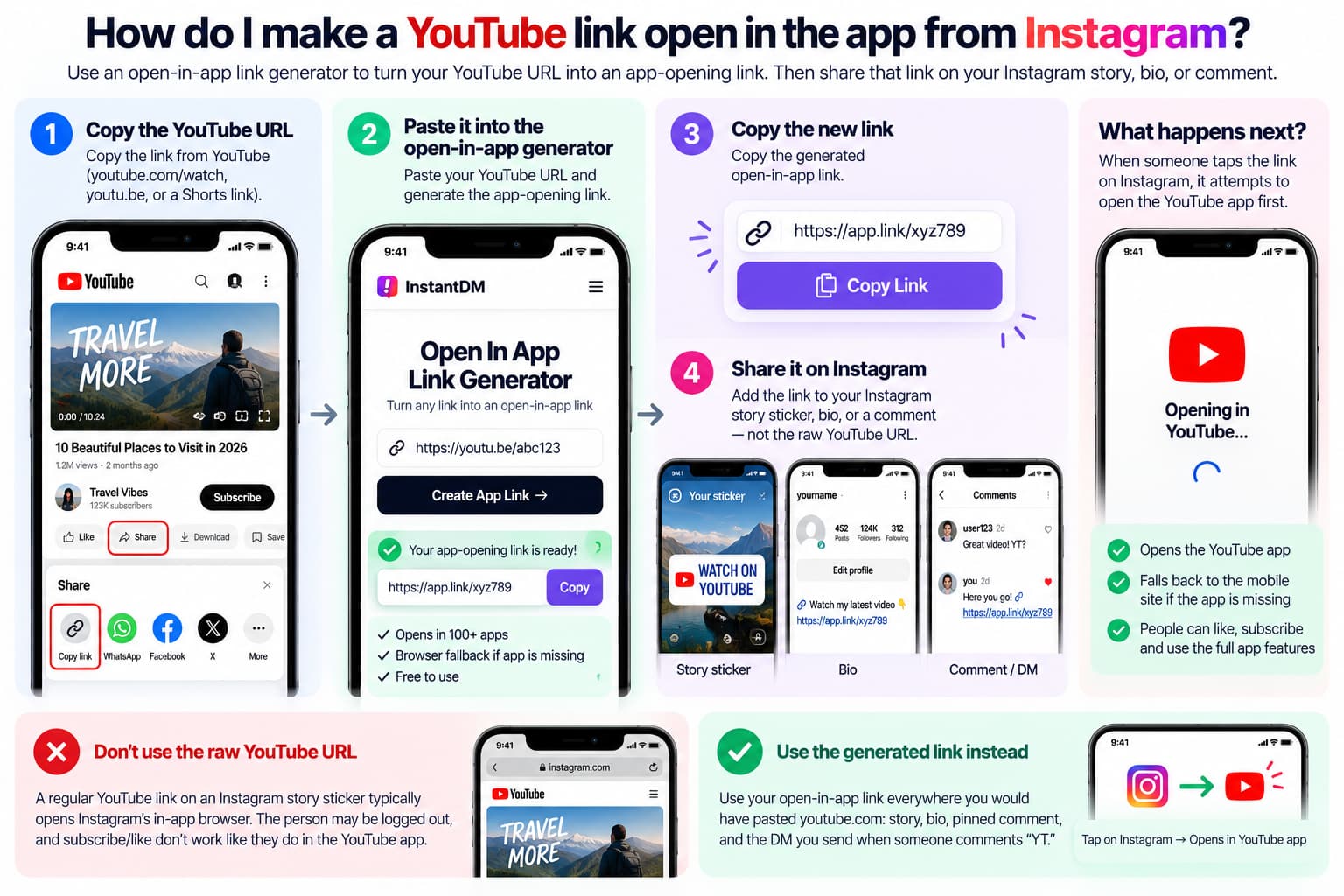
- Copy the YouTube URL (youtube.com/watch, youtu.be, or Shorts).
- Paste it into the open-in-app generator.
- Copy the new link.
- Put that link on the Instagram story sticker, in the bio, or in a comment — not the raw YouTube URL.
A raw YouTube URL on an Instagram story sticker typically opens Instagram’s browser. The generated link attempts the YouTube app first.
If your YouTube link is not opening the YouTube app from Instagram, Instagram intercepted the tap and loaded a webview. The person is often logged out. Subscribe and like do not behave like they do in the YouTube app. An open-in-app link is the workaround.
Use the generated link everywhere you would have pasted youtube.com: bio, story, pinned comment, and the DM you send when someone comments “YT.”
How do I make an Amazon link open in the Amazon app?
Amazon affiliates lose money in in-app browsers: logged-out sessions, missing saved cards, and cookies that never stick.
- Copy the product or store URL, including your affiliate tag if you already have one.
- Run it through the generator.
- Share the generated link on Instagram, X, or anywhere the tap happens on a phone.
This generator is not Amazon’s official deep-link partner. If you only need US Amazon app links and want the Amazon-endorsed option, compare PostTap separately. For international storefront routing at scale, compare Geniuslink and LinkTwin.
Keep affiliate tags and UTM parameters on the destination URL. Test one link on your own iPhone and Android before you publish a campaign. If checkout still opens as a guest, the wrap failed or the app was missing — check both before you blame the offer.
Follow Amazon’s Associates operating / linking policies so the wrap does not strip required tracking or violate link rules.
How do I make a Spotify link open in the app from Instagram?
Paste the Spotify or Apple Music URL into the generator and share the new link. Music links in Instagram stories hit the same webview problem as YouTube. Follows and saves happen in the native app, not in Instagram’s browser.
This matters for pre-saves, podcast follows, and playlist adds. If the listener is logged into Spotify on their phone, the app-open path is the one that converts.
Which apps can InstantDM Free Open in App Link Generator open?
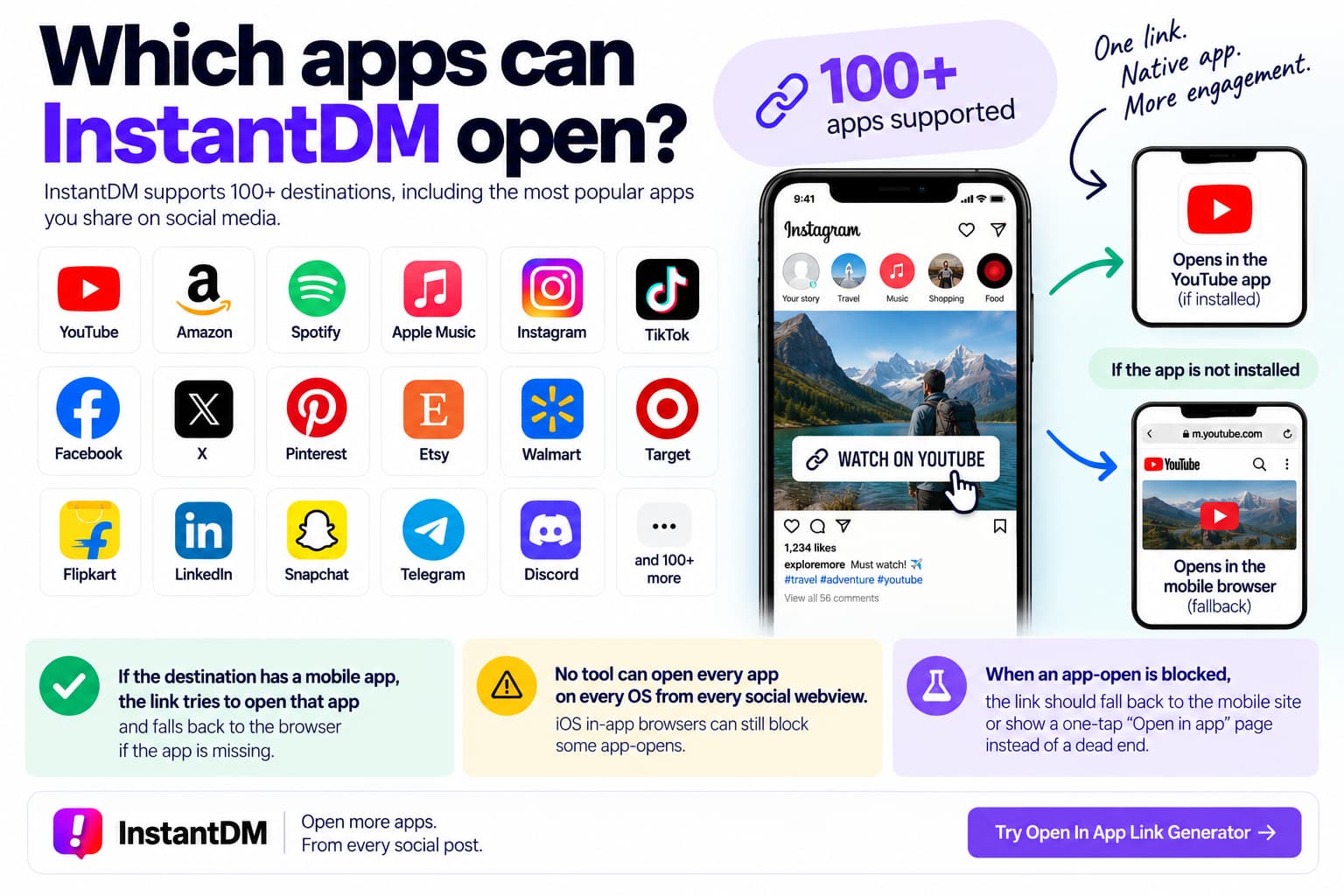
The Open in Link Generator tool supports 100+ destinations, including YouTube, Amazon, Spotify, Apple Music, Instagram, TikTok, Facebook, X, Pinterest, Etsy, Walmart, Target, and Flipkart.
If the destination has a mobile app, the link tries to open that app and falls back to the browser.
No generator opens every app on every OS from every social webview. iOS in-app browsers can still block some app-opens. When that happens, the link should fall back to the mobile site or a one-tap “Open in app” page instead of a dead end. Test the destinations you actually share. A YouTube link behaving well does not prove an Amazon link will.
Do open in app links work in Instagram bio and stories?
Yes. That is the main use case.
Instagram’s help article on the link sticker on Instagram Stories states that tapping the sticker redirects viewers to the linked site.
- Instagram bio
- Instagram stories (link sticker)
- Posts and comments
- DMs
- TikTok (paid ads are more reliable than organic link behavior)
- X, Facebook, WhatsApp, email, and QR codes
The links work on iPhone and Android. The system detects the OS, tries the matching app, and falls back to mobile web.
Deep linking is allowed. You are sharing a normal HTTPS link with a smarter redirect. It is not a scrape and not a private-API workaround. Organic TikTok link handling can still be limited by TikTok’s browser rules. If TikTok is your main traffic source, test a paid placement or send the same link in a DM after the comment.
What happens if the app is not installed?
The link opens the content in the default mobile browser (Safari or Chrome). The person should still reach the content. That fallback is what makes the link safe to use in a bio. You are not betting that every follower already has YouTube or Amazon installed.
Google’s guide to creating deep links describes the same split: route into the app when possible, otherwise keep a working web URL.
Can I track clicks?
Yes, with a free account: clicks, device, geography, and related dashboard metrics. The public generator creates the link. The account adds analytics and Instagram automation (comment-to-DM, story replies, link DMs).
If you only need to know whether people tap, start with basic analytics. If you need ad-platform audiences from every tap, that is when a paid pixel stack belongs in the decision.
Is the InstantDM open in app link generator free?
Yes. You can create app-opening links at no charge. Analytics and Instagram automation use a free account. You can generate a link first, test it from a story, and only then decide whether you want the dashboard.
What this tool does not do
- It is not Branch, AppsFlyer, or Adjust. Those platforms attribute installs into your own app.
- It does not guarantee a fixed conversion lift. Opening the native app removes friction. Your niche still decides the result.
- It cannot override every iOS in-app browser restriction.
- Organic TikTok taps can still be limited by TikTok.
- It is not a generic shortener replacement pitch. Bitly shortens links. It does not reliably open YouTube or Amazon from Instagram.
Use it for the job it has: get the tap out of the social webview.
Use it in an Instagram workflow
- Create an open-in-app YouTube or Amazon link.
- Put it on the story sticker or in the caption.
- On the same post, run a comment keyword such as LINK, YT, or SHOP.
- Send the same open-in-app URL in a DM so the person does not have to hunt the bio.
The story creates demand. The DM delivers the same clean link while the person is still looking at the post.
Meta’s docs on ig.me links explain how a tap can open an Instagram conversation from a website, email, or SMS.
Related tools:
- Free Instagram tools: https://instantdm.com/instagram-free-tools/
- Instagram DM link generator: https://instantdm.com/instagram-free-tools/instagram-dm-link-generator
About The Author:
Aravindh Kumar is an ecommerce and Instagram growth expert with 8+ years of experience in online selling. He has worked with 500+ brands - including Forbes-listed companies - He has helped 200+ Instagram businesses grow their online presence.