How to Setup Your Lnk.bio for Instagram
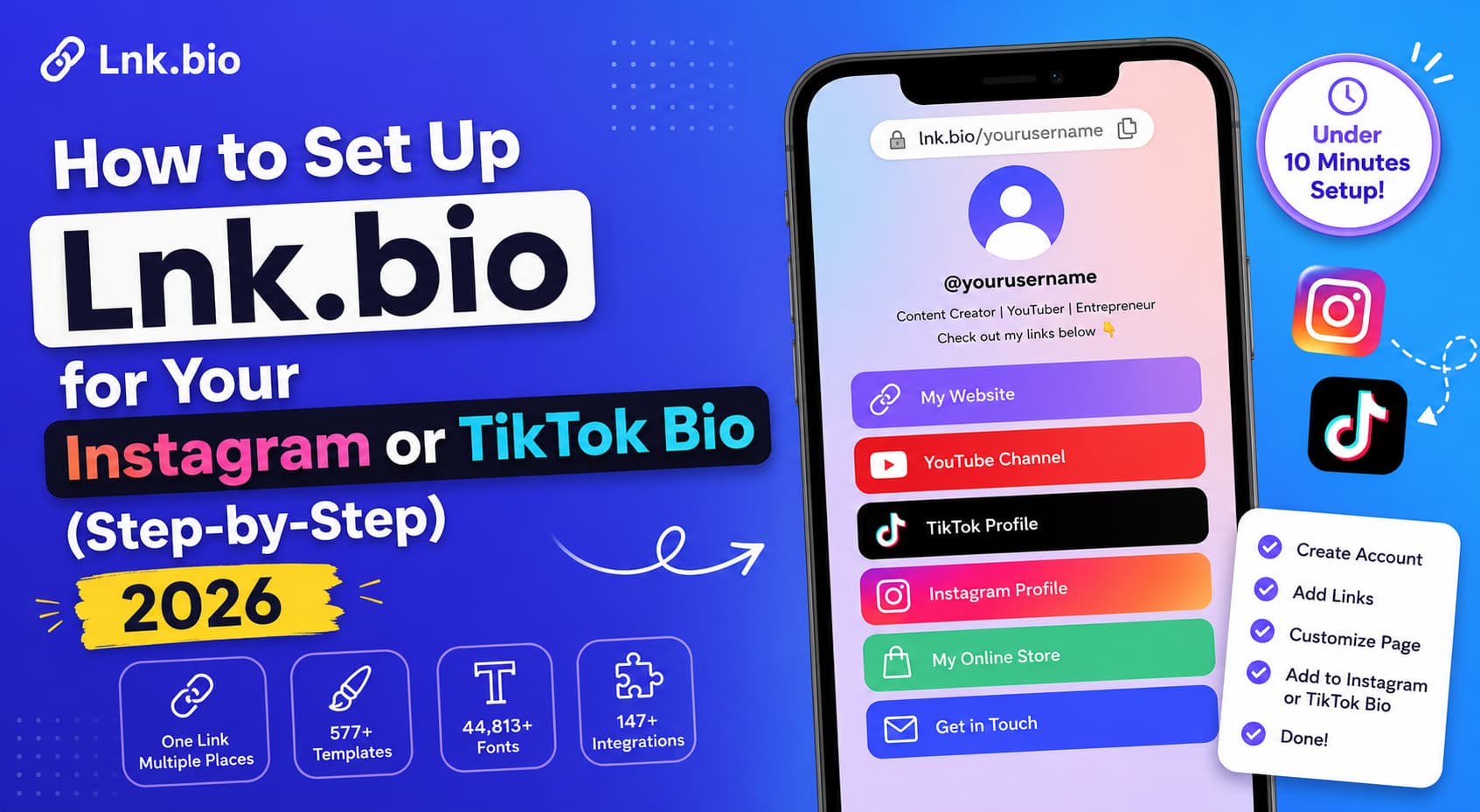
Lnk.bio is one of the most affordable and customisable link-in-bio tools for Instagram and TikTok creators. Costs $0.99/mo, has been around since 2016 with the same predictable pricing.
Here’s the quick verdict:
Lnk.bio is the best budget link-in-bio tool — $0.99/mo (mini) and one-time payment options ($9.99-$24.99). Setup is under 10 minutes. But link-in-bio tools convert at a 5-10% rate. Pair your link-in-bio with DM automation to boost conversion Send the link directly in DM, when someone comments, rather than having to find it in your bio.
In this step-by-step tutorial, we’ll show you exactly how to set up Lnk.bio for Instagram and TikTok – step-by-step with screenshots, tips and best practices.
What is Lnk.bio?
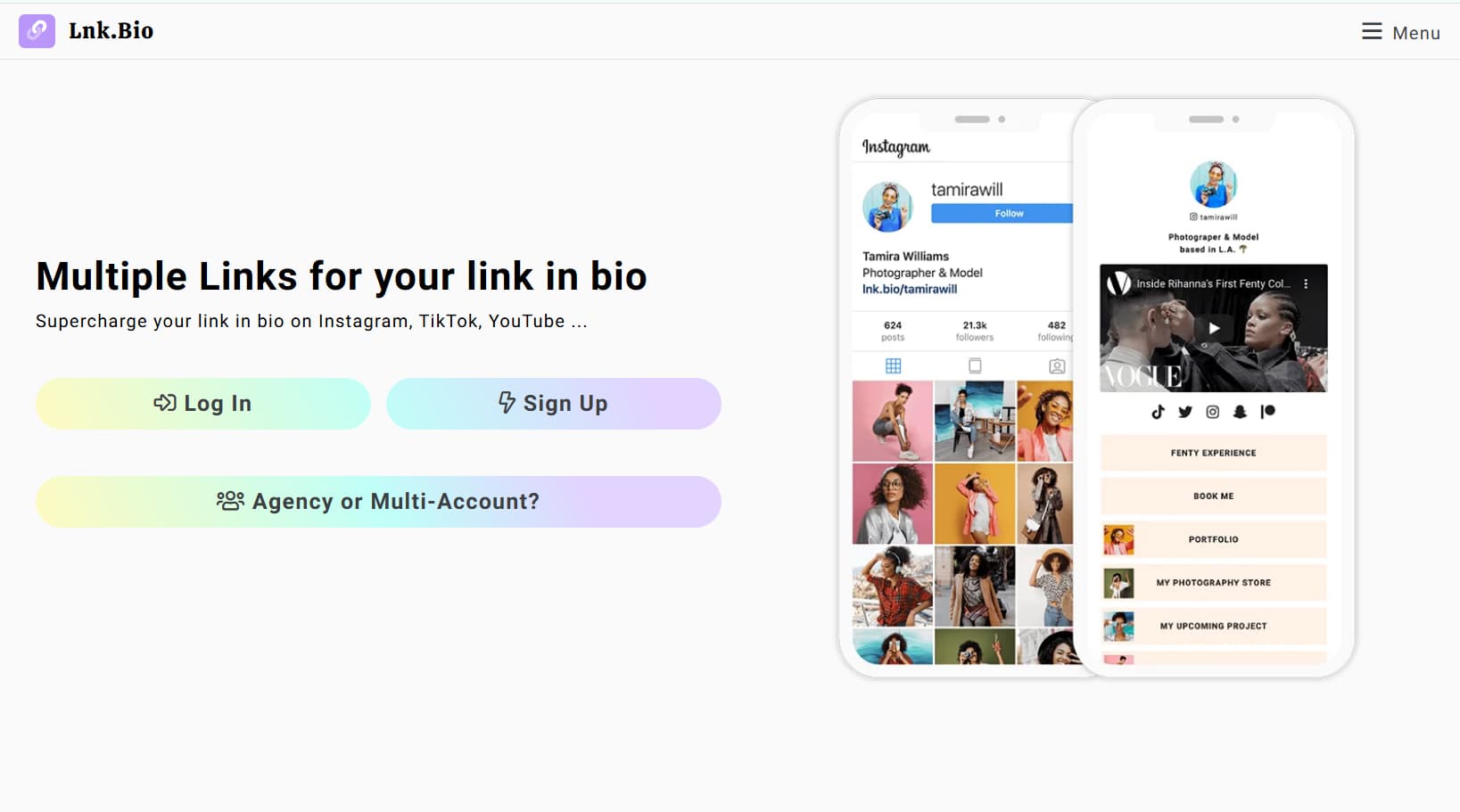
Lnk.bio is a link-in-bio tool that enables you to create a single page with multiple links. Instead of one link in your Instagram or TikTok bio, you add your Lnk.bio link – and it shows all your links in one place.
Why Lnk.bio is used by creators:
- One URL, many destinations: Put all your links in one page.
- Customisable: 577 templates, 44,813 fonts, 147 embed services.
- Low price: $0.99/mo or one-time payment ($9.99-$24.99)
- Consistent Pricing: No change in prices since 2016. No increases expected.
- Works on any device: Instagram, TikTok, YouTube, Twitter, LinkedIn.
Lnk.bio pricing:
| Plan | Price | Features |
| Free | $ 0.00 | Lnk.bio Branding, Basic Links |
| Mini | $9.99 (one time) | Branding Free, Custom colours |
| Unique | $24.99 (one-time) | Custom domain, fully customisable |
| Monthly | $0.99/mo | No branding, full features |
| annually | $14.99/yr | Enjoy 17% discount |
How to Add Lnk.bio to Instagram (Step-by-Step)
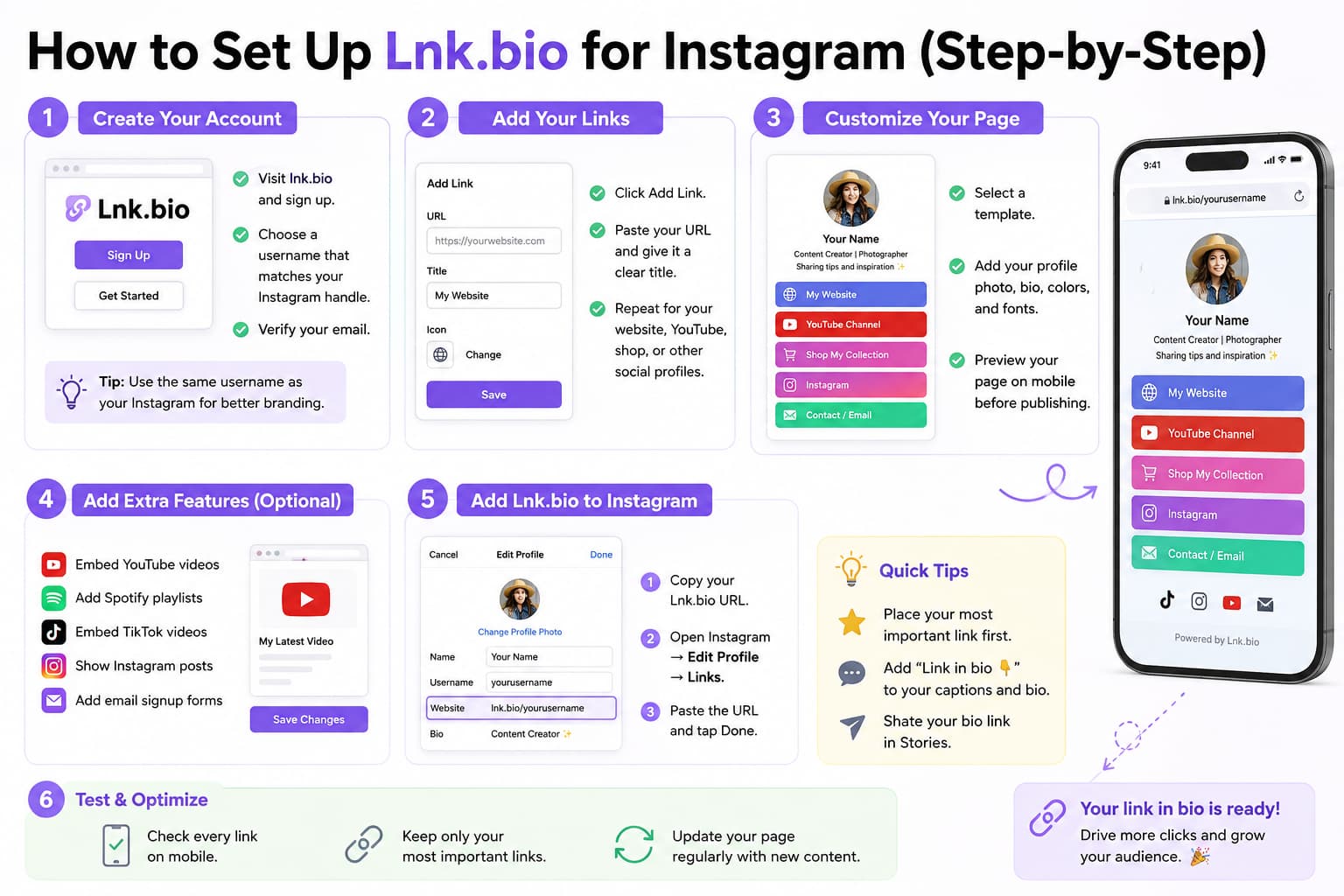
Step 1: Make a Lnk.bio Account
- Go to lnk.bio
- Click “Sign Up” or “Get Started”
- Enter your email and set a password
- Pick your username (this is your URL: lnk.bio/yourusername
- Check your email
Tip: Pick a username that’s the same as your Instagram name. This makes it easy to remember for the followers.”
Step 2: Add Your First Links
Login to your Lnk.bio dashboard
Click on “Add Link” or the “+” button
Enter the URL you want to add (your website, YouTube, shop, etc)
Add a title for the link (i.e. My Website, Youtube Channel)
Add an icon or thumbnail (optional)
Click on "Save"
First, add these links:
- your blog or website
- Your YouTube channel
- Your e-commerce shop or store
- Your email sign up form
- Your other social media accounts
Step 3: Personalise Your Page
Visit the Design or Customise section of your dashboard
- 577 templates to choose from
- Alter background colours, fonts and Upload your profile pic
- Add a description/bio
- Preview your mobile page
Personalisation options:
- 577 designs: Discover the perfect typography, select from hundreds of designs
- 44,813 fonts:
- Backgrounds: Solid colours, gradients, images or videos
- Buttons: Custom colours, shapes and hover effects
- Layouts: grid, list or custom settings
Step 4: Adding Advanced Features
Embed services (147 products)
- YouTube videos: Embed latest video
- Spotify playlists
- Share your music
- TikTok videos: Embed your best TikToks
- Instagram posts
- Embed Your Newest Posts
- Twitter streams: Display your tweets
- Email Sign-up: Embed a ConvertKit or Mailchimp Form
Embed Instructions:
- Click on “Add Embed” or “Add Service”
- Pick the service (YouTube, Spotify, etc.)
- Paste the URL or embed code
- Save
- Customise Appearance
Step 5: Download on Instagram
Copy your Lnk.bio URL (eg. lnk.bio/yourusername)
- Open Instagram app.
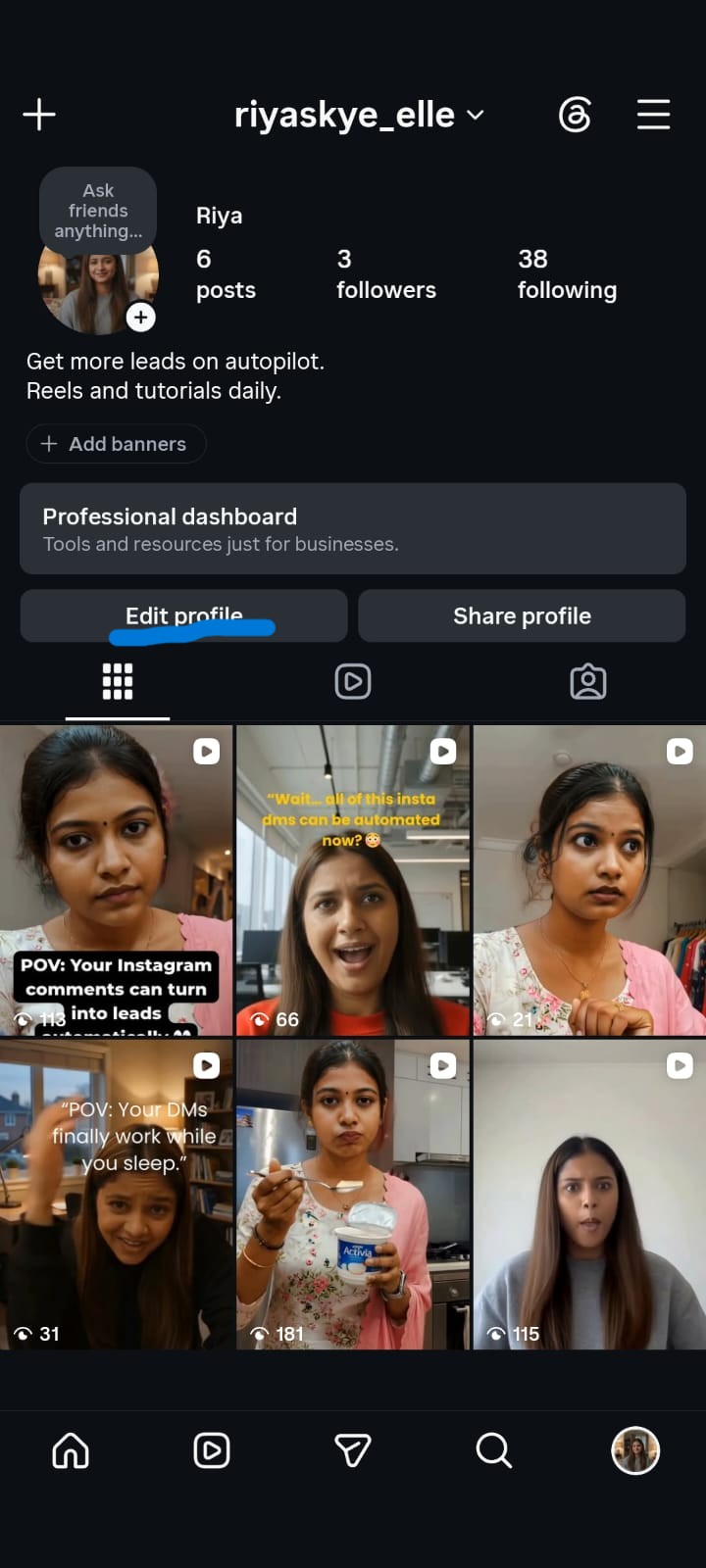
- Visit your profile
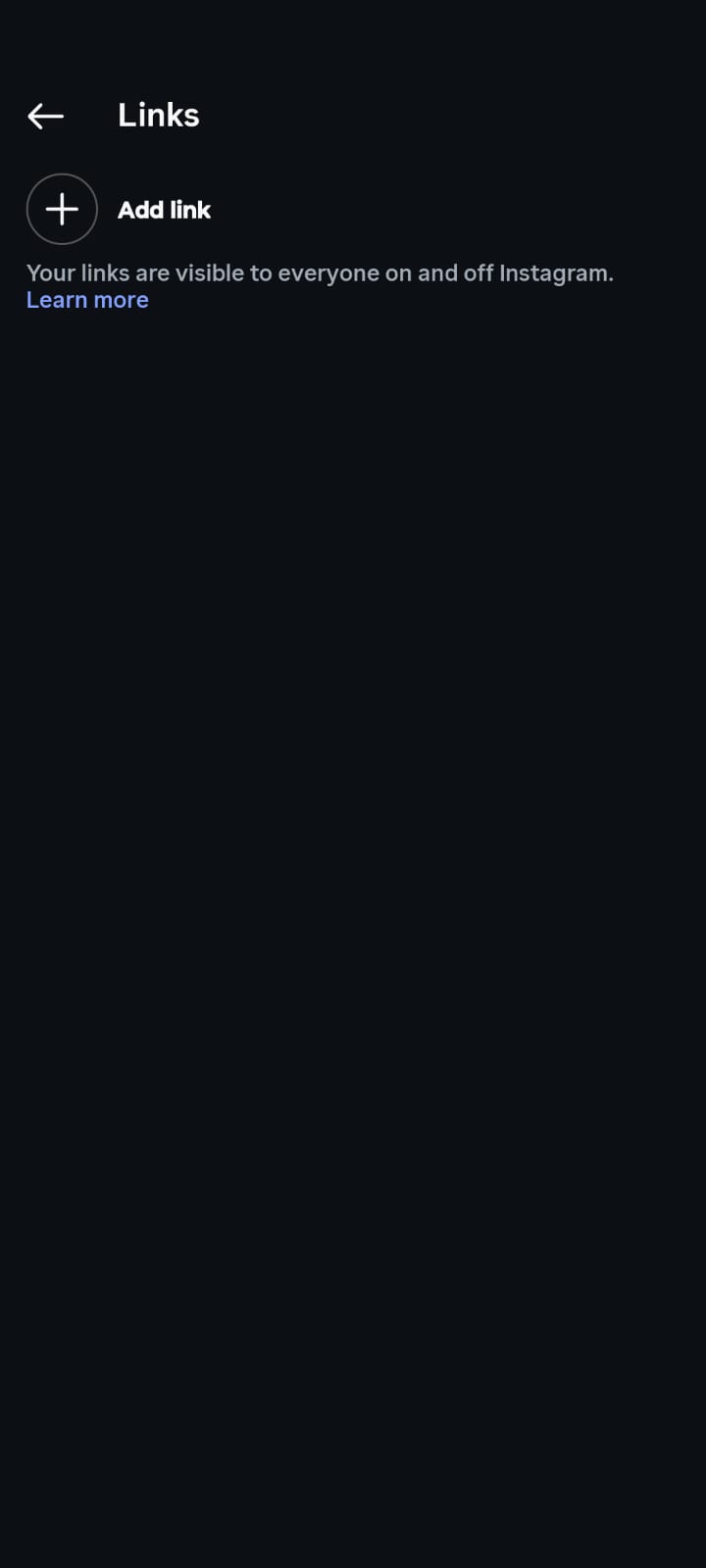
- Tap Edit Profile
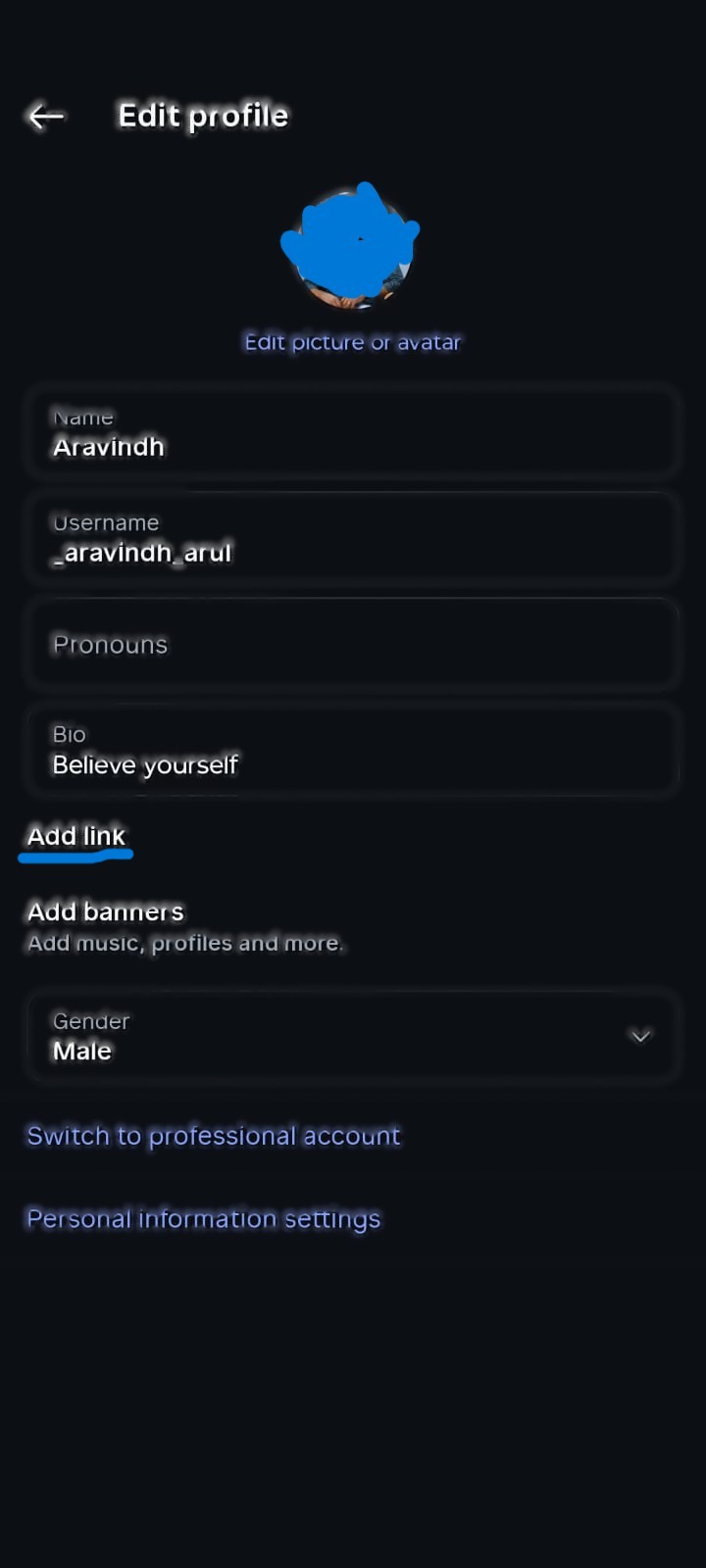
- Scroll to “Links” or “Website”
- Paste your Lnk.bio URL
- Tap “Done”
Tips for Instagram Link-in-Bio:
Your Lnk.bio link goes in the "Website" field You can also add it to your bio text: “Link in bio 👇” Use Instagram Stories to promote your link in bio Include "Link in bio" in your post captions
Step 6: Test and Optimise
Your Preview your Lnk.bio page in mobile
- Check each link to see if they work
- Test design on devices
- Have a friend test the flow
- Modify as needed
Optimisation tips:
- Put your most important link at the top
- Use clear action-focused titles (“Shop Now”, “Watch Video”)
- Don’t add too many links – keep your page clean
- Regularly update with new content
How to Make Lnk.bio for TikTok (Step by Step)
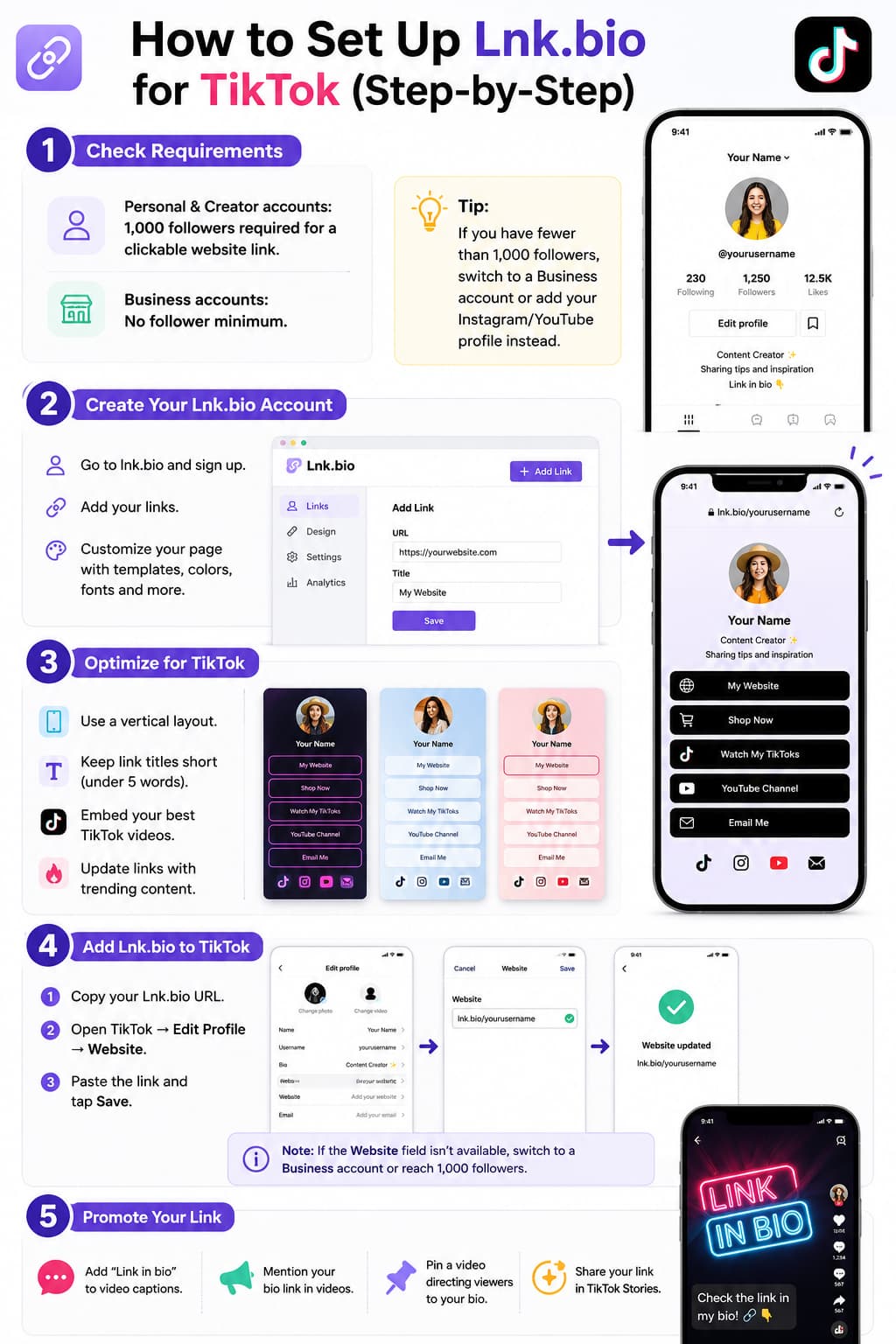
Step 1: Review TikTok Requirements
TikTok Bio Link Rules (2026)
- Personal accounts: You need 1,000 followers to get a clickable website link
- Business accounts: No minimum followers
- £1,000 followers for Creator accounts
If you have under 1,000 followers on a personal account, you cannot yet add a clickable link to your bio.
You can link your Instagram or YouTube from the social links section without 1000 followers.
Step 2: Sign up for Lnk.bio
Same steps as Instagram (above).
Step 3: Optimise for TikTok
TikTok-specific tips
- Vertical layout: TikTokers scroll vertically — use a vertical layout.
- Short titles: TikTok users scan fast — titles should be less than 5 words.
- Embed your best TikTok videos.
- TikTok embeds.
- Popular in content: 2. Update your page with trending topics.
Step 4: Get TikTok
Download Lnk.bio URL
- Copy
- Open App TikTok
- Go to your profile page
- tap "Edit Profile
- Click 'Website' or 'Bio link'
- Paste your Lnk.bio link
- Click “Save”
Note: If you don’t see the field for “Website,” you need 1,000 followers on a personal account.Switch to Business account for no followers needed.
Step 5: Promote Your Link
TikTok Promotion
Strategies: Add “link in bio” to your video caption Mention your link in videos “Check the link in my bio” Promote your link with TikTok Stories Pin a video that links to your bio link
What Are the Top Tips for Lnk.bio on Instagram?
Design Tips
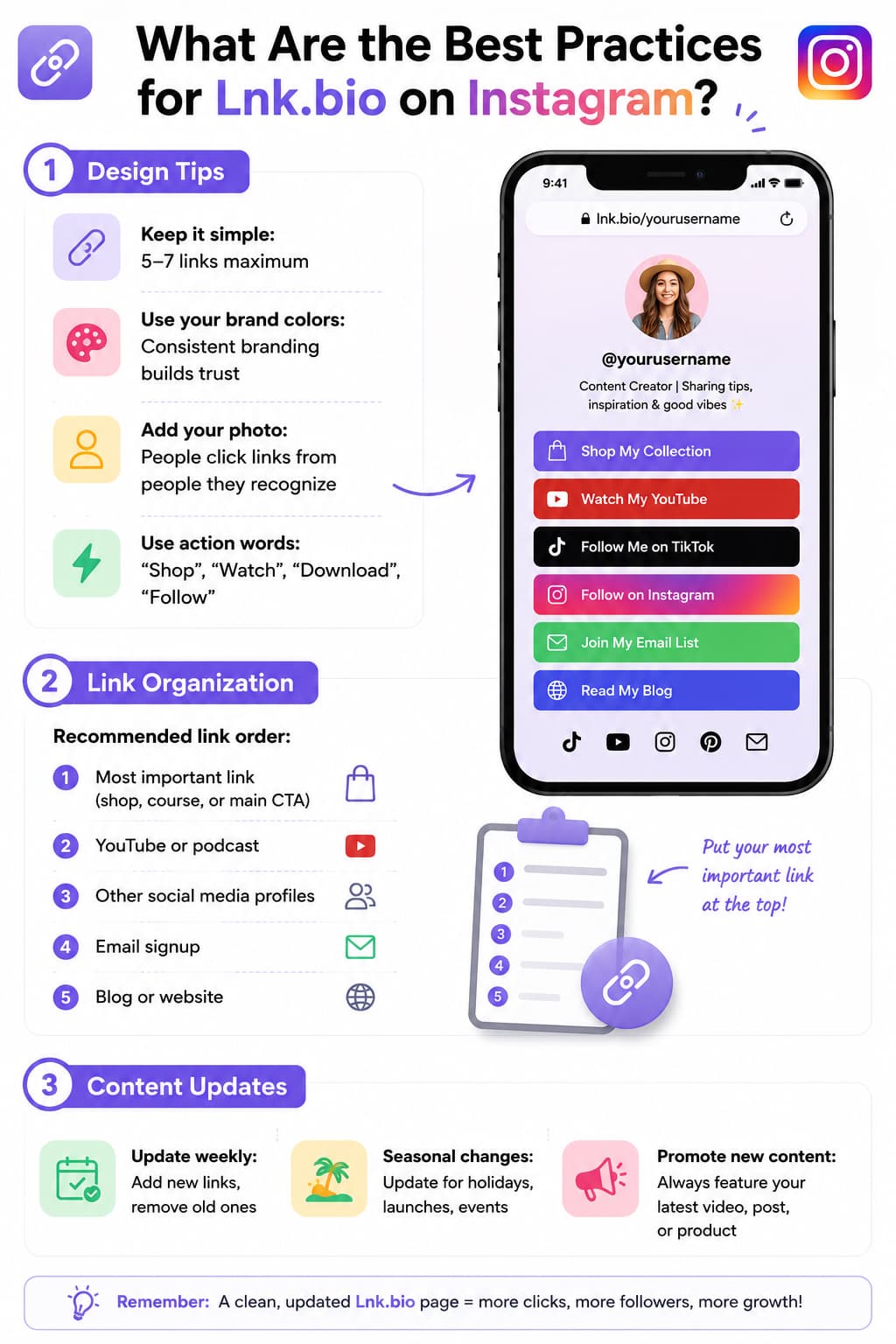
Keep it simple 5-7 links maximum Utilise your brand colours: Trust comes from consistent branding. Upload your photo: People click links from people they know. Use action words Shop, Download, Watch, “Follow”
Link Layout
Linked text preferred order: Most Important Link (Shop, Course, Main CTA) YouTube or podcast Other social media accounts Blog or website Email subscription
Content Updates
Weekly additions of new links Removal of old links Seasonal shifts: Update on Holidays, Launches, Events Push new content: Always display your newest video, post, or product
Lnk.bio on TikTok: Best Practices
Optimising for TikTok
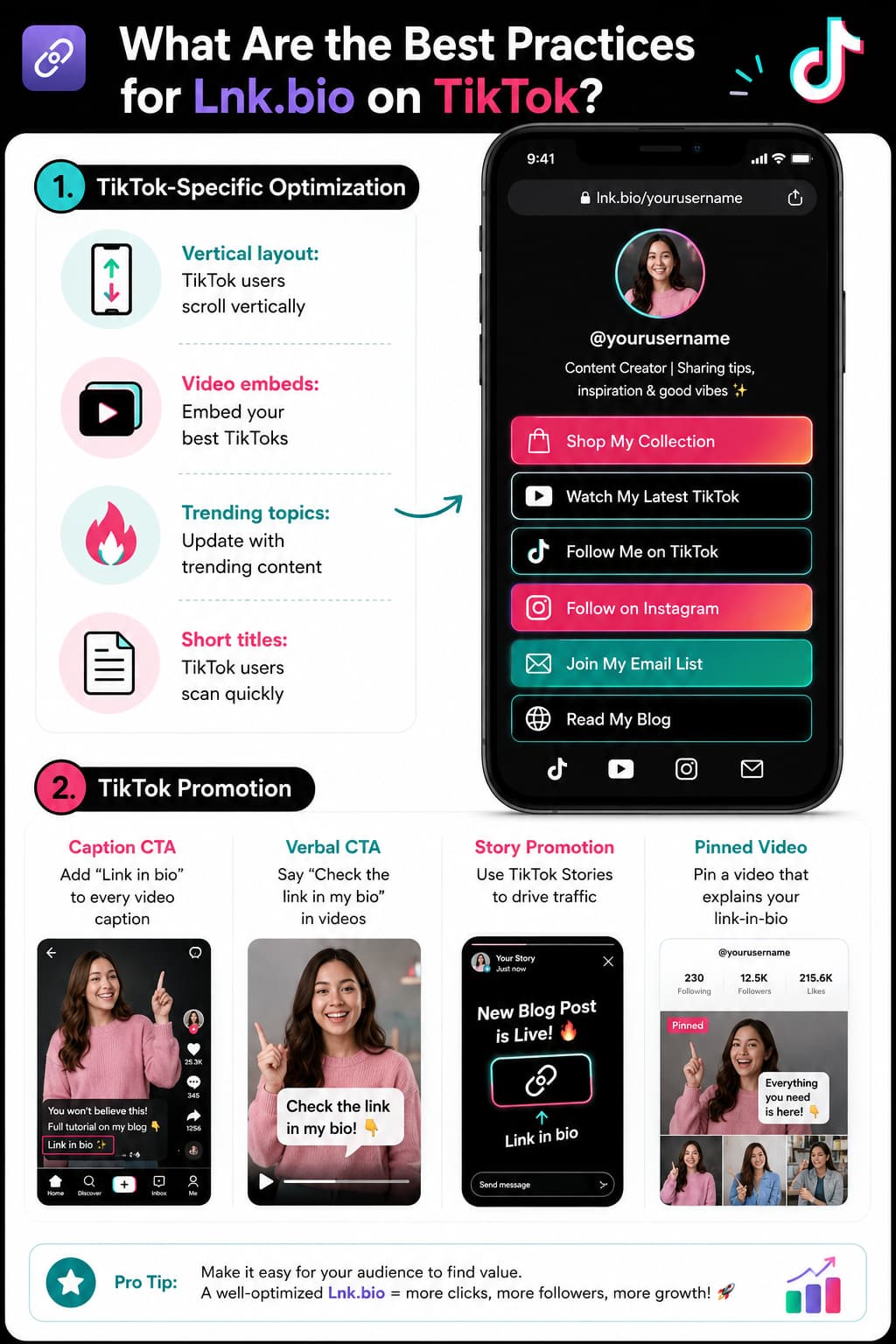
Vertical orientation: Users scroll vertically on TikTok.Video embed: Best TikToks post Trending topics: Update with hot content Short titles: TikTok users fast scan
TikTok Promotion
Caption CTA: Include "Link in bio" in every video caption Verbal CTA: Use “Link in the bio” in videos TikTok Stories: Get traffic using TikTok Stories Pinned Video: Pin a video that describes your link-in-bio
Lnk.bio vs Other Link-in-Bio Tools
| Tool | Price | Templates | Free Plan | Best For |
| Lnk.bio | $0.99 /mo | 577 | ✅ | Budget creators |
| Linktree | $5/mo | 40+ | ||
| Beacons | $30/mo | 100+ | ✅ | All-in-one creators |
| Stan Store | $29/mo | Limited Edition | ❌ | Digital product sellers |
Lnk.bio offers a free plan with unlimited links and basic features (includes branding). Paid options are Mini at $0.99/month or $9.99 one-time (lifetime) and Unique at $24.99 one-time (lifetime, removes branding + advanced customization); prices have remained stable for years.
Lnk.bio vs Link-in-Bio The Conversion Problem
Lnk.bio and all link-in-bio tools face the same problem: they convert at 5-10%.When someone clicks your link-in-bio, they’re taken to a page with multiple links on it. Most just walk away and do nothing.
Why link-in-bio is converting poorly:
So many options: 5-10 links per page No rush No need to do anything now Distractions Other links divert attention Friction Clicks to take action
How DM automation improves conversions:
Single action: One comment, One DM, One link Urgency: DM comes immediately Personal feel: DMs are like a conversation No redirect: Buyer stays on Instagram
Conversion comparison
| Tool | Conversion Rate | Why |
| Link-in-bio (Lnk.bio) | 5-10% | lots of choices; no hurry |
| DM automation | 15-30% | One action, instant gratification |
How to Link Your Lnk.bio for Better Conversion
Instead of directing followers to your Lnk.bio page, you can DM them the link when they comment on your post.“This converts at 15-30% vs link-in-bio 5-10%.”
How it’s done:
Someone left a comment "LINK" on your post , automation tool, DM your link to them They click on the link and do something Total time: less than 5 minutes
| Feature | Lnk.bio | InstantDM |
| Monthly price | $0.99/month | $9.99/month |
| Conversion rate | 5-10% | 15-30% |
| Set up time | 15 mins | 10 min |
| Website required | ❌ | ❌ |
| Instagram integration | ❌ | Hand written |
| Email collection | ❌ | ✅ |
InstantDM costs more ($9.99/mo vs $0.99/mo) but converts 3-5x higher. The more valuable your audience, the higher conversion pays for itself.
What Lnk.bio Tips and Tricks Enhance Performance?
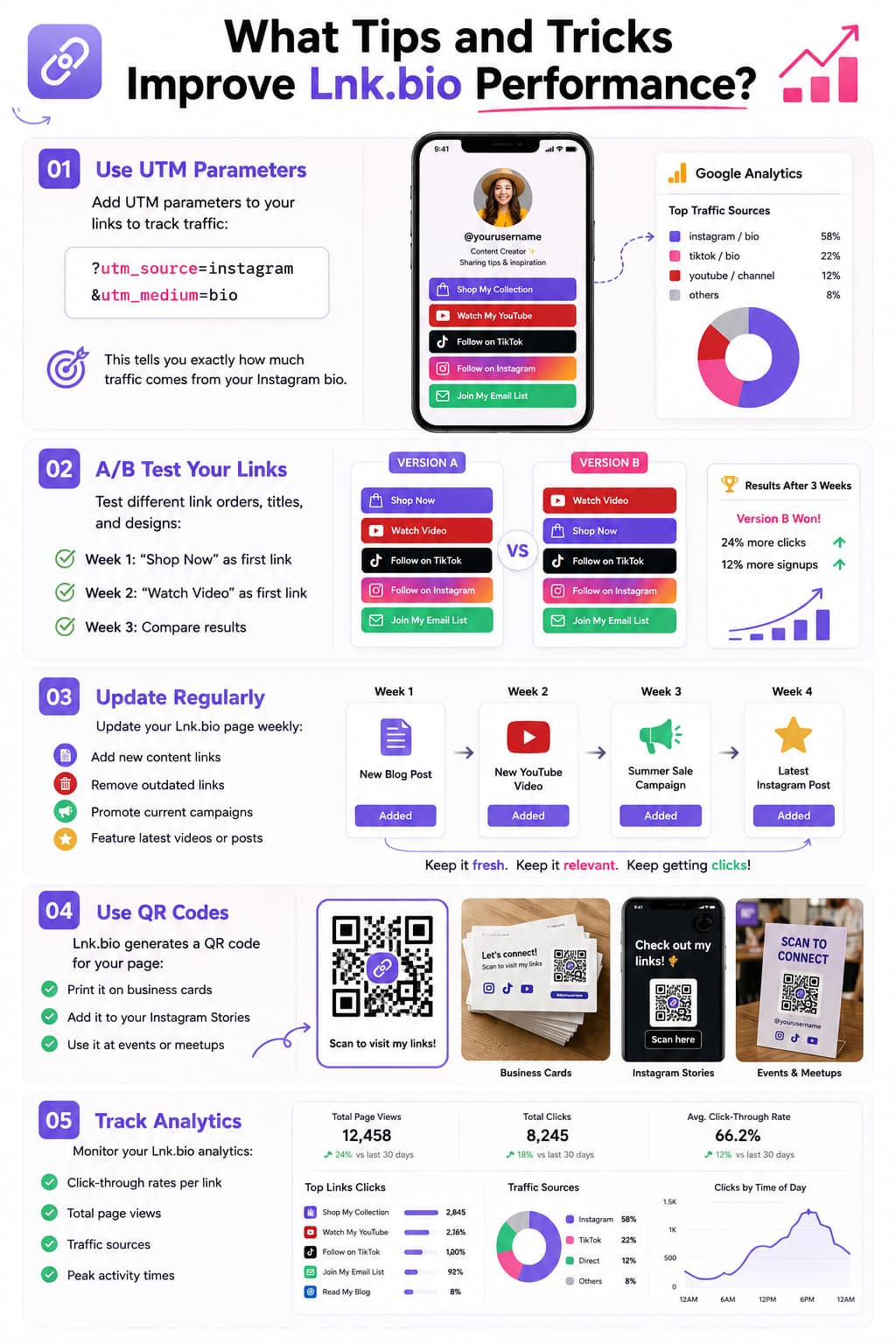
1. UTM Parameters: Follow Your Clicks
Stop wondering if your bio link is actually driving traffic. Add UTM parameters to your Lnk.bio destination URLs (eg ?utm_source=instagram&utm_medium=bio). This feeds clean data straight into Google Analytics so you can see exactly how many visits you’re getting from your profile. And it makes it easy to compare promotional efforts. You can check quickly to see if a specific Story mention, a viral Reel, or an in-feed post drove a real spike in clicks and conversions.
2. Conduct Simple A/B Tests
Small changes in button copy and link location can yield huge conversion increases. Rather than revamping your entire layout at once, test one specific variable for a full week to see what really resonates:
- Week 1: Kick off with a compelling commercial call-to-action like “Shop the Collection.”
- Week 2: Shift value-based media to the top prime position, e.g., “Watch the Latest Video”
- Week 3: Benchmark click-through rates in both setups and let the behaviour of your audience dictate your permanent layout.
3. Think of it as a live feed
A tired landing page hurts your credibility and costs clicks. Create a quick 5-minute calendar reminder every Monday to eliminate broken links, update expired discount codes, and push your newest releases to the very top. A small number of curated list prevents decision paralysis and ensures high intent visitors can find the exact resource, product or announcement that you are currently hyping.
4. Use QR Codes to Bridge the Offline Gap
Your link hub shouldn’t be locked away inside social apps. Download the built-in QR code generated by Lnk.bio and deploy it across physical assets and cross-platform media.
- Print directly onto business cards, thank you cards, shipping boxes or event badges.
- Display on tabletop displays and banner signage at local markets, pop-ups and networking meetups.
- Overlay it on video graphics so desktop and TV viewers can instantly scan from their phones.
How to Track, Measure and Optimise Your Lnk.bio Analytics
The first step is to create your page. If you don’t track what visitors are doing once they get to your link, you’re missing out on valuable opportunities to increase conversion rates and retain high-intent traffic. In the creator dashboard, lnk.bio has direct reporting so you can get actionable data to improve your overall layout.
Pageviews vs. Unique Visitors – Measure the disparity between overall visits and unique user sessions. A high total pageview count and low unique counts tells you that your current audience is regularly coming back to your hub for new resources, shopping collections, or new videos.
Click-Through Rate Benchmarks: Divide total link clicks by total profile pageviews to get your click conversion. If you can keep it steady at 12% - 25% If you find that your conversion rate is less than 10%, it’s likely your page has too many competing options or your buttons are placed in an unorganised way.
Eliminate Inactive Links: Monitor your click volume list regularly. If two or three primary offers are getting the lion’s share of clicks and bottom links have zero engagement, remove/archive the dead links to clear out visual clutter.
Meta Pixel Tracking Simply insert your Meta Pixel ID into your Lnk.bio dashboard settings. This gathers data on the people who visit your profile to assist you in creating custom retargeting audiences for future paid ad campaigns on Instagram and Facebook.
Google Analytics 4 Setup: Link your standard Google Analytics Measurement ID to track external referrer channels, device types, country locations, and session durations directly in your core reporting tools.
TikTok Pixel Integration: Track visits originating from the bio link of your TikTok profile. You can use data from these events in your audience to create targeted lookalike audiences for product launches and promotional pushes.
How to Monetise: Transform Your Lnk.bio Into a Cash-Making Machine
Your link-in-bio page should be an active conversion engine, not a passive list of web pages. Creators can turn routine profile visits into sustainable revenue by providing clear transactional paths.
Digital Downloads & Product Sales: Lead your users to checkout pages on services like Gumroad or Payhip that load quickly and allow you to sell ebooks, digital templates, design presets, or exercise programs. Use action-oriented button copy like “Get the Free Notion Planner” or “Download My Lightroom Presets” so users know exactly what they’re getting.
Curated Affiliate Collections: Create organised shopping areas for your favourite gear, fashion outfits and software tools. If you use affiliate hubs like Amazon Shopfront, LTK, or rewardStyle, make sure your primary affiliate hub is in your top three links. I receive a small commission on qualifying purchases.
Direct Fan Funding and Tipping: Integrate tipping services like Buy Me a Coffee, Ko-fi, or PayPal.me so your community can directly support your daily content. Facilitate voluntary contributions by adding these buttons right below your primary social links or the latest media embeds.
Client Bookings & Brand Partnerships: Add a direct link to a calendar (Calendly or Cal.com) so prospective consulting clients can book paid strategy sessions without endless email exchanges. Have a dedicated link to a downloadable media kit that includes your audience demographics, platform reach, and sponsorship rates to make it easy for brands to work with you.
Advanced Content Organization and Curation Strategies
As your digital footprint expands across several channels, it's crucial to have a well-thought-out content organization to maintain a clean and high-performing layout.
Strategic Link Grouping with Headers: Use category headers to break up different types of content on your page. Breaking links into different sections such as “Current Deals,” “Free Resources,” and “Latest Content” allows visitors to quickly scan the page and prevents them from feeling swamped.
Time-Limited Content Scheduling: Use link scheduling to make your links visible only during defined campaign times. If you’re running a 48-hour flash sale or launching a limited-time workshop, schedule the link to go live and disappear automatically so your profile never has expired offers.
How We Evaluated Lnk.bio
We tested Lnk.bio against three practical criteria:
- Setup speed — We timed how long it takes to go from sign-up to a live page with links. Lnk.bio took under 10 minutes. Most competitors took 15-20 minutes.
- Customisation depth — We counted templates (577), fonts (44,813), and embed services (147). Lnk.bio offers more customisation options than Linktree (40+ templates) and Beacons (100+ templates).
- Conversion potential — We compared link-in-bio conversion rates (5-10%) against DM automation conversion rates (15-30%). Lnk.bio is strong as a link hub, but pairing it with DM automation lifts conversion significantly.
We verified pricing directly on lnk.bio. The $0.99/mo figure and one-time payment options ($9.99-$24.99) have not changed since 2016.
Last reviewed: August 2026.
How to Get More Conversion Than Lnk.bio
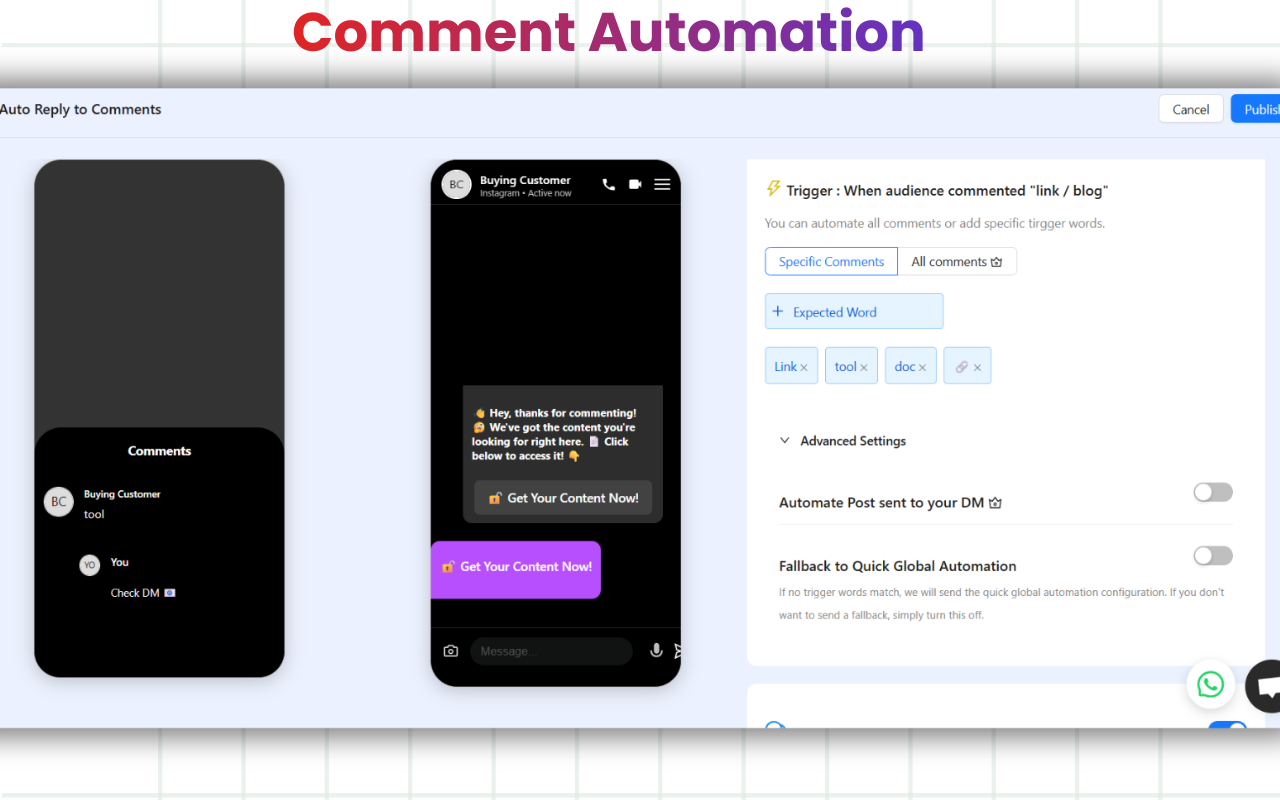
Want more than 5-10% conversions?Use DM automation with your Lnk.bio. If someone comments "LINK" on your post, then DM the link to them directly. This converts at 15-30% vs 5-10% for Lnk.bio. Use DM automation tools for this purpose.
Lnk.bio converts at 5-10%. DM automation converts at 15-30%. Pair your Lnk.bio with DM automation to boost conversion.
Setup Lnk.bio Today
If you want a cheap customisable link in bio tool, make Lnk.bio today:
Go to lnk.bio and sign up (free!)Add your links (website, YouTube, shop, social profiles) Customise your page (577 templates, 44,813 fonts) Copy your Lnk.bio URL
Paste it in your Instagram or TikTok bio Test on mobile & optimise If you want more than Lnk.bio’s 5-10% conversion rate, pair your Lnk.bio with DM automation. If someone comments “LINK” on your post, direct message them the link. This converts at 15-30% vs 5-10% for Lnk.bio. Use DM automation tools for this one.
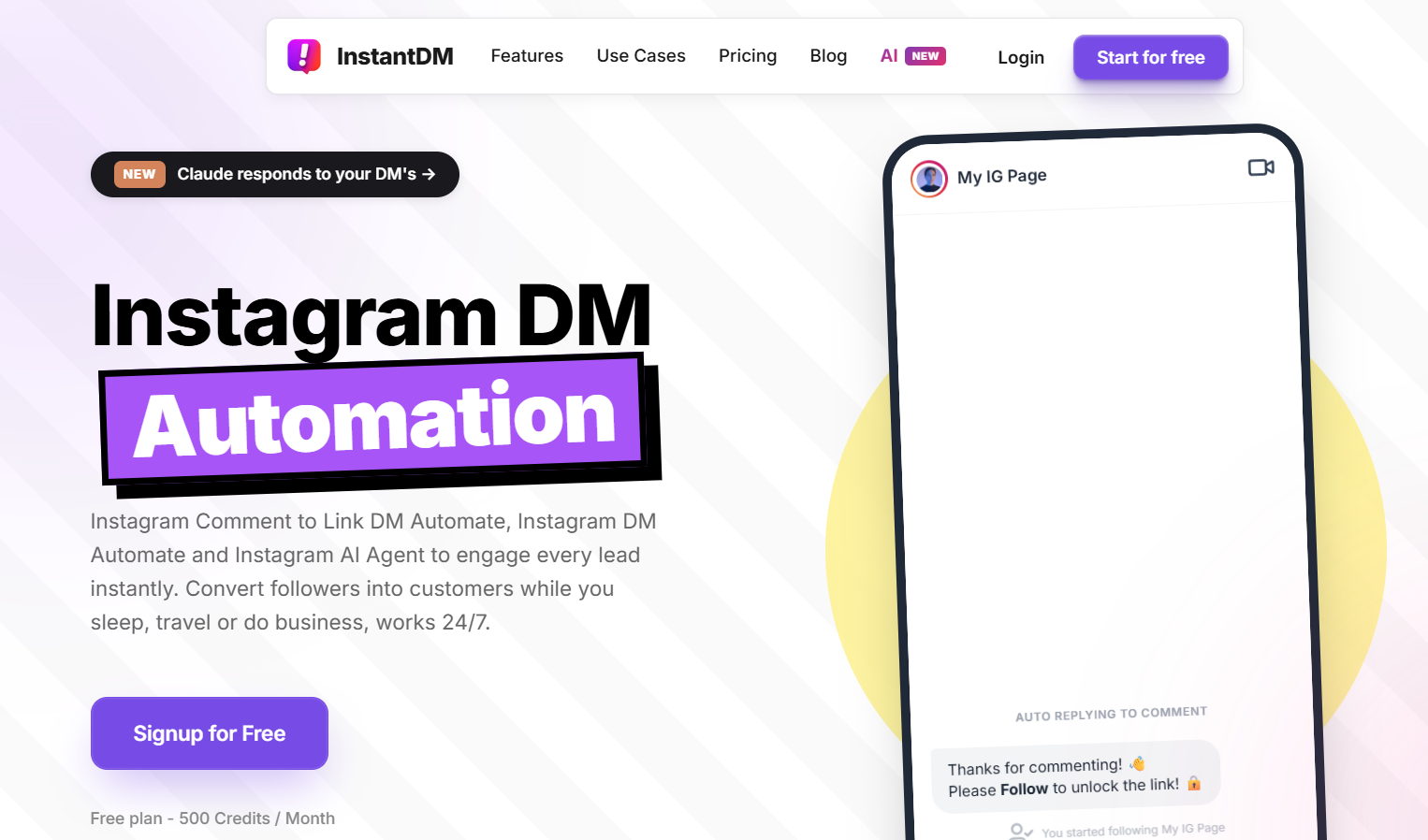
InstantDM’s free plan offers 500 DMs per month, which is plenty for testing out DM automation.When you’re ready to scale, upgrade to $9.99/month for unlimited DMs.
About the Author
Aravindh Kumar is an ecommerce and Instagram growth expert with 8+ years of experience in online selling. He’s worked with over 500 brands including some featured in Forbes. He’s helped over 200 Instagram businesses grow their online presence.