
TL;DR
Reposting on Instagram isn't just a lazy way to fill your content calendar—it's a high-level strategy for building community and driving massive organic reach. In 2026, native sharing features have evolved dramatically. This guide covers everything from the unwritten etiquette of crediting and step-by-step story sharing to sourcing user-generated content (UGC). We'll also break down how to handle sudden viral traffic and turn casual story views into actual revenue using smart backend systems like InstantDM, an official Meta Business Partner, so you can automate your growth securely and without the manual hassle.
Introduction: Why Reposting is Your Secret Weapon in 2026
Let’s be completely honest for a second. Creating 100% original, high-quality Instagram content every single day is exhausting. If you are a social media manager, a business owner, or a digital marketer, you already know the crushing weight of the daily content treadmill. You spend hours planning a shoot, editing the video, writing the perfect caption, and figuring out the best hashtags, only for the algorithm to bury it under a sea of trending audio clips.
But what if you didn't have to create everything from scratch?
Reposting on Instagram is the strategic practice of taking someone else's incredible content—whether that’s a glowing customer review, a viral industry meme, or a highly educational Reel—and sharing it with your own audience. It is the digital equivalent of word-of-mouth marketing mixed with community building.
Over the past few years, Instagram has shifted its focus. It’s no longer just a photo-sharing app; it’s a recommendation engine. The platform actively rewards accounts that foster engagement and conversation. When you curate and share the best content in your niche, you position your profile as a valuable resource hub. People stop visiting your page to see what you are selling and start coming to see what you are sharing.
Whether you are trying to figure out how to seamlessly blend a customer's photo into your perfectly manicured grid or you want to ride the wave of a trending collaborative video, mastering the Instagram repost feature is non-negotiable in 2026. Let's break down exactly how to do it right, without stepping on anyone's toes or violating copyright rules.
1. The Anatomy of the Native Instagram Repost Feature
Understanding exactly how content moves across the Instagram ecosystem is the first step. You need to know your tools before you start building.
The Shift Away from Third-Party Apps
If you were managing social media five years ago, you probably remember the clunky third-party apps we all had to use. You would copy a link, paste it into an app loaded with ads, and download a compressed version of the image that slapped an ugly, unavoidable watermark in the bottom corner. It looked messy, and honestly, it felt a little spammy.
In 2026, Instagram has realized that sharing is the lifeblood of the app. They want users to keep content within the platform. Because of this, the native tools are more powerful than ever. You have the standard "Add to Story" feature via the paper airplane icon, the native "Repost" button that allows public posts to show up on your followers' feeds, and the highly effective "Collab" feature.
How the Algorithm Views Shared Content
Here is the interesting part about native sharing: the algorithm tracks the entire lineage of the content. When you use the native tools to share a post, the original creator receives the primary algorithmic benefit (views, reach). However, as the sharer, your account benefits from the contextual relevance.
If you consistently share high-quality, niche-specific content, the algorithm learns exactly what your account is about. It helps categorize your profile, which pushes you higher in the Explore page and suggested search results. It’s a win-win scenario.

2. Why Curated Content Belongs in Your Grid Strategy
There is a stubborn myth in social media marketing that every single square on your grid needs to be an original masterpiece. Throw that idea out the window. Curation is a massive value-add for your followers.
Building Niche Authority
Think about your favourite news aggregator or email newsletter. You don't read them because they wrote every article; you read them because they sift through the garbage and present only the best stuff. You can apply that exact same psychology to your Instagram feed.
When you share an insightful infographic created by an industry peer, you are saving your followers the time it would take to find it themselves. You become the go-to source for information in your industry.
The SEO Benefits of Diversifying
Instagram search engine optimisation (SEO) is heavily reliant on text. It scans your captions, your bio, and the alt text on your images. When you repost content from various sources, you are naturally introducing a wider variety of keywords and conversational themes into your profile.
If your account usually just posts about "website design", but you repost a viral video about "local business SEO", you are signalling to the algorithm that your profile is relevant to a broader audience. This approach helps you capture search traffic you would have otherwise missed entirely.
To maintain a positive reputation and avoid copyright issues, it is essential to follow proper reposting etiquette by always crediting the original creator and asking for permission before sharing. Instagram’s native repost features allow you to easily share public posts and Reels to your feed or Stories while automatically giving credit to the creator.
3. The Golden Rules of Reposting: Etiquette and Crediting
This might be the most important section of this entire guide. Sharing content is a privilege. If you mishandle someone else's intellectual property, you won't just look unprofessional—you could permanently damage your brand's reputation.
The Right Way to Ask for Permission
Never assume that just because an image is public, it’s free for you to use. If you want to take someone's Feed post and put it on your own Feed, send a direct message first.
Keep it simple and human. Something like, "Hey [Name], I absolutely love this post about [Topic]. I think my audience would get a lot of value out of it. Would you be okay with me reposting this to my grid? I will, of course, tag you in the photo and mention you in the first line of the caption. Let me know!"
How to Credit Properly
If they say yes, do not hide their handle at the very bottom of your caption buried under thirty hashtags. That is bad etiquette.
- Tag the photo: Actually tap the image and add their tag so it shows up in their "Tagged" tab.
- The First Line Rule: The very first line of your caption should be a clear attribution. For example: "Incredible shot and insights by @username."
- Don't edit without asking: Don't throw your brand's preset filters over their photo unless you asked them if it was okay. Respect the original artist's work.
Instagram's new native repost feature is a major shift for creators, as it allows users to amplify content directly into their followers' feeds while automatically attributing all views and engagement back to the original creator. Unlike stories that disappear, reposts remain permanently visible on a dedicated profile tab, creating long-term discoverability and an "army of promoters" for your brand.

4. Step-by-Step: Seamlessly Reposting to Instagram Stories
Stories are the mainstay of daily Instagram engagement. Because they vanish after 24 hours, the pressure for perfection is low, but the potential for getting eyes on your brand is incredibly high.
The Mechanics of Story Sharing
The process is incredibly straightforward, but so many people miss the opportunity to optimize it.
- Find the Feed post, Reel, or IGTV video you want to share.
- Tap the paper airplane icon (the share button) located below the content.
- Tap "Add to story."
- The content will appear as a clickable sticker on your Story draft screen.
Adding Context is mandatory.
Do not just post the sticker on a blank background and hit publish. That is incredibly boring, and your followers will tap right past it. You need to give them a reason to care.
Use the background color tool to change the default gradient to one of your brand colors. Then, add text explaining why you are sharing this. Are you agreeing with the post? Disagreeing? Is it a product you use?
Add interactive stickers. If you share a controversial take on a trending topic, add a poll sticker asking your audience if they agree or disagree. This simple addition transforms a passive view into an active engagement metric, which tells the algorithm that your Stories are worth pushing to the front of the line.
5. Feed Reposts: How to Maintain Your Visual Aesthetic
While Stories are forgiving, your grid is your digital storefront. Historically, bringing a repost onto your main grid was tricky if it didn't match your brand's specific color palette or photography style.
The 2026 Native "Reposts" Tab
Fortunately, Instagram solved this visual clash. When you use the native two-arrow loop icon to repost a Reel or Feed post, it no longer clutters your main grid. Instead, it lives in a dedicated "Reposts" tab on your profile (located right next to your Tagged posts). This allows you to share industry content freely without ruining your carefully curated aesthetic.
The Carousel Strategy for Edited UGC
However, if you have acquired explicit permission to download and share a user's photo directly onto your main feed, you still need to blend it. The best way to handle this is the carousel strategy. Create a branded title card using your own fonts and colors as the first slide of the carousel post. Make the the title catchy to encourage swiping. Then, place the reposted UGC on slide two. This keeps your main grid looking perfectly cohesive while boosting engagement, as carousels naturally encourage users to spend more time swiping through your post.

6. Sharing Reels: Capitalizing on High-Visibility Video Content
If you aren't paying attention to Reels, you are missing out on the biggest organic reach opportunity on the internet right now. Short-form video is what the platform prioritizes above all else.
Riding the Algorithmic Wave
When a specific audio track or video format starts trending, you want to be part of that conversation. Sharing a highly relevant, viral Reel to your Stories is a great way to stay active when you don't have time to film your own video.
But what if you want to collaborate? The "Invite Collaborator" feature is a meaningful upgrade. If you co-create a Reel with another brand or influencer, one person uploads it and invites the other as a collaborator. Once accepted, that single video lives on both grids and shares all the likes, views, and comments.
If you are running a collaborative campaign and that Reel suddenly takes off, the comment section is going to explode. Trying to reply to thousands of comments manually to send a link is a nightmare. This is exactly where setting up an automated keyword trigger through a tool like InstantDM saves the day. You can set it up so that anyone who comments "SEND" on that shared Reel automatically receives your promo link in their inbox, allowing you to capture the traffic effortlessly while you focus on making the next video.
7. Harnessing Tagged Posts to Build Authentic Social Proof
There is no marketing copywriter in the world who can sell your product better than a genuinely happy customer. Social proof is the psychological concept that people will copy the actions of others because they assume those actions reflect the correct behavior.
Monitoring the Tagged Tab
You need to treat your "Tagged" tab like a daily inbox. Check it every morning. When a customer posts a photo of your product in their home, or posts a Story talking about how great your service was, that is absolute gold.
Why Lo-Fi Beats Hi-Fi
In the past, brands only wanted to post highly polished, professional photography. But consumer trust has shifted. A slightly blurry, poorly lit photo taken on a smartphone by a real person feels infinitely more trustworthy than a $10,000 studio shoot.
When you repost this raw, authentic content, you validate the customer who posted it (which builds insane brand loyalty), and you show your potential buyers that real people are out in the real world enjoying what you sell.

8. Strategies for Sourcing High-Quality User-Generated Content (UGC)
You can't have a great reposting strategy if there is nothing out there to repost. You have to actively encourage your community to create content for you.
The Power of the Branded Hashtag
The easiest way to source UGC is to create a specific, branded hashtag. Put it in your bio, print it on your packaging, and include it in your email newsletters. Tell people exactly what you want them to do.
For instance, if you run a training programme like the Digital Marketing Academy, you could create a hashtag like #Success. Tell your students to use that hashtag when they post screenshots of their first successful ad campaign or their new certification.
Incentivizing Creation
People are busy. If you want them to take time out of their day to create content featuring your brand, you need to offer an incentive. Run a monthly giveaway where anyone who tags you in a Story featuring your product is entered to win a gift card or a free consultation.
When those tags start coming in, it can be hard to keep track of everyone. Using a smart backend system like InstantDM allows you to automatically send a "Thank You!" message and a 10% discount code to every single person who tags you in a Story. It rewards them instantly and encourages them to keep posting about you in the future.
While reposting a story you're tagged in is simple, you can still share content from stories you aren't tagged in by using screenshots or screen recordings and properly cropping the final asset. You can use user-generated content (UGC) to build trust and authenticity while maintaining a steady stream of posts for your followers.
9. Navigating Copyright: How to Share Content Safely and Legally
We mentioned this briefly in the etiquette section, but we need to explore the legal reality of reposting. The internet is not a lawless frontier, and digital creators are very protective of their copyright.
Understanding Fair Use (And Why It Probably Doesn't Apply to You)
A lot of people throw around the term "Fair Use" when they steal a meme or a video. Fair Use is a very narrow legal doctrine that allows limited use of copyrighted material without permission for things like criticism, news reporting, or parody.
If you are a business, and you are taking a creator's video and posting it on your page to entertain your audience and ultimately drive sales for your brand, that is not Fair Use. That is commercial use.
The Risks of Doing It Wrong
If you download a video, strip the watermark, and upload it as your own, the original creator can file a DMCA takedown notice with Instagram. Instagram does not mess around with these. They will remove the post, and if you get a few of these strikes on your account, your profile will be permanently disabled. No appeal. No warning. Gone.
Always stick to the native sharing tools (which automatically link back to the creator) or get explicit, written permission in your DMs before downloading and re-uploading anything.
Comparison Table: Sharing Methods Decoded
| Sharing Method | Ease of Execution | Legal Risk | Best Use Case | Visual Impact on Grid |
|---|---|---|---|---|
| Native Story Share | Very Easy (2 Taps) | Zero Risk | Quick updates, memes, sharing UGC | N/A (Disappears in 24h) |
| Collab Feature | Moderate (Requires approval) | Zero Risk | Partnerships, influencer campaigns | High (Appears on both feeds) |
| Manual Download & Repost | Hard (Needs external apps) | High (Requires permission) | Aesthetic grid curation | Completely customizable |
10. Tracking Engagement: Measuring the Impact of Curated Posts
You've got the permission, you've curated the perfect post, and you've shared it. Now what? You need to look at the data to see if your audience actually cares.
Moving Beyond Vanity Metrics
It is effortless to get obsessed with the "Like" count. But likes are a passive, low-effort metric. Someone scrolling while waiting in line for coffee can double-tap a photo without even really looking at it.
If you want to know if your curated content is performing well, you need to look at Instagram Insights and focus on two specific metrics: Saves and Shares.
- Saves: This means the user found the content so educational, inspiring, or useful that they bookmarked it to refer back to later. High saves tell the algorithm that your content has long-term value.
- Shares: This metric is the holy grail. If someone sends your reposted content to a friend via DM or shares it to their own story, they are actively endorsing your page.
If you notice that reposting infographic carousels gets huge saves, but reposting memes gets huge shares, you can start building a highly targeted content calendar based on what your audience actually wants.
Instagram now includes a built-in repost icon located between the comment and share buttons, allowing you to share posts directly to your followers' home feeds. When resharing content, you can add a custom comment that floats over the post by tapping your profile icon before saving the repost.
11. Timing is Everything: Scheduling Reposts for Peak Reach
Even the greatest piece of content in the world will flop if you post it at 3:00 AM when your entire audience is asleep. Timing is a massive factor in how much initial traction a post gets, which dictates how far the algorithm will push it.
Pacing Your Feed
Do not go on a reposting spree. If you flood your feed with four reposted Reels and three UGC photos in a single afternoon, you are going to annoy your followers. It looks spammy.
Treat reposted content as the side dish, not the main course. Look at your analytics to find the times when your followers are most active online. Schedule your heavy-hitting, original content for your absolute peak windows. Then, use curated reposts to fill in the secondary peaks throughout the week to keep your profile active and top-of-mind without exhausting your own creative energy.
A powerful way to build community trust is to repost user-generated content (UGC), collaborations, and brand mentions directly to your Stories. For high-quality results, you should use Instagram’s native sharing tools to reshare tagged Stories from public accounts rather than relying on screenshots.
12. Handling Viral Repost Traffic with Comment Automation
Here is a scenario that happens often: you share a highly relatable, viral Reel in your niche, add a great caption, and suddenly the algorithm picks it up. Within a few hours, you have half a million views and thousands of comments asking for links or more information.
The Problem with Manual Replies
Going viral manually is a logistical nightmare. If you attempt to type out a reply with a link to 3,000 different people, Instagram's spam filters will notice you sending the exact same text repeatedly. You will quickly hit an action block, preventing you from commenting at all, which means you lose thousands of potential leads.
Scaling with Automation
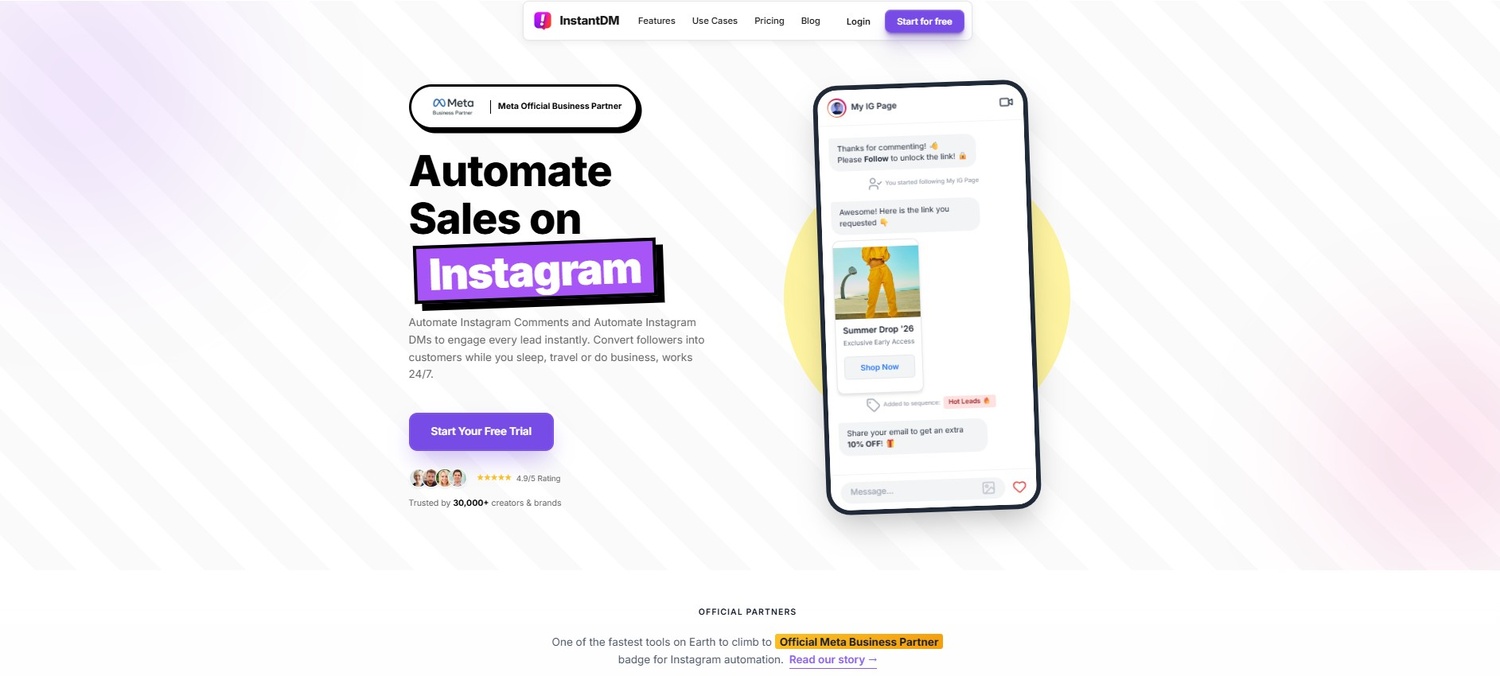
When a post gains massive traction, you need infrastructure that handles the load safely. By utilizing an automation tool like InstantDM, you can set up a simple keyword trigger. Tell your audience, "Comment the word LINK, and I'll send it to you." The software then instantly sends a personalised direct message with the exact link. Because official Meta partners use smart API queuing, the system spaces the messages out at human-safe intervals, ensuring you capture every lead during a viral spike without risking a shadowban.
13. Converting Story Reposts into Sales via Auto-Replies
Sharing user-generated content to your Stories is ideal for social proof, but you also need to turn those views into actual conversions.
Eliminating the "Link in Bio" Friction
Historically, if a follower loved a customer review you reposted on your Story, they had to exit the Story, visit your profile, click your bio link, navigate a menu, and finally find the product. Every single click in that process is a point of friction where a buyer might abandon the purchase.
Conversational Commerce
The modern approach is frictionless conversational commerce. When you repost UGC to your Story, add a text overlay: "Want this? Reply to this story with 'YES' for an exclusive link."
When they reply, they drop right into your direct messages. Using Story reply automation through platforms like InstantDM, the system catches that specific keyword and instantly responds with the product link or a discount code. You transition the customer straight from feeling inspired by the Story to the checkout page in seconds, transforming your DMs from a casual chat box into an automated sales funnel.
Conclusion
Mastering the art of reposting on Instagram is about working smarter, not harder. You don't need to reinvent the wheel every time you open the app. By strategically curating high-quality content, showcasing your happy customers, and participating in community trends, you build a feed that is dynamic, authoritative, and deeply engaging.
Remember that respect and etiquette go a long way. Always credit creators, ask for permission when required, and prioritize maintaining the visual standard of your own grid.
Most importantly, recognize that generating engagement is only half the battle. When you pair smart, curated content with the right backend systems to handle the comments and messages that follow, you stop leaving money on the table. You transform shared posts from simple community shoutouts into a reliable, automated growth engine. Start looking at your feed as a curated gallery, mix those moments with your original creations, and watch your brand's presence absolutely thrive.