last updated: 31 October 2026 TL;DR
WhatsApp lead generation is the process of starting a permissioned WhatsApp conversation from an ad, website, QR code, or social action, then qualifying that person inside the chat and passing a scored lead to sales or checkout.
The channel works in WhatsApp-first markets because the click opens a chat, not a form. It fails when you collect “hi” messages and never score them.
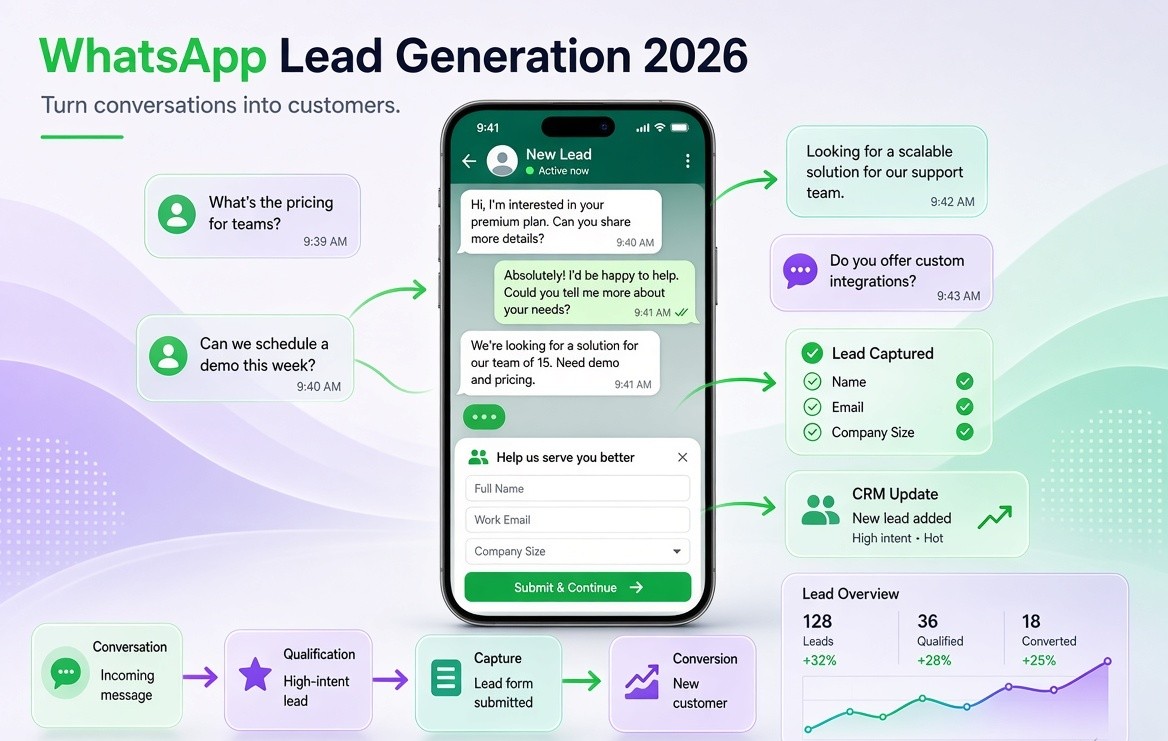
Use the CAPTURE loop: Channel entry → Acknowledge in under 60 seconds → Profile with Flows or 3–4 questions → Triage → Uplift (book, quote, catalog, pay) → Record in CRM and send a conversion event → Extend with opt-in nurture.
WhatsApp passed 3 billion monthly users as a Meta milestone in 2025. Treat that as the floor for 2026. Meta also reported that ads that click to WhatsApp optimized for leads produced 24% lower cost per lead than ads optimized only for conversations (116,000 campaigns, 43,000 businesses).
A conversation started is not a lead. Optimize for qualified leads and revenue.
What is WhatsApp lead generation?
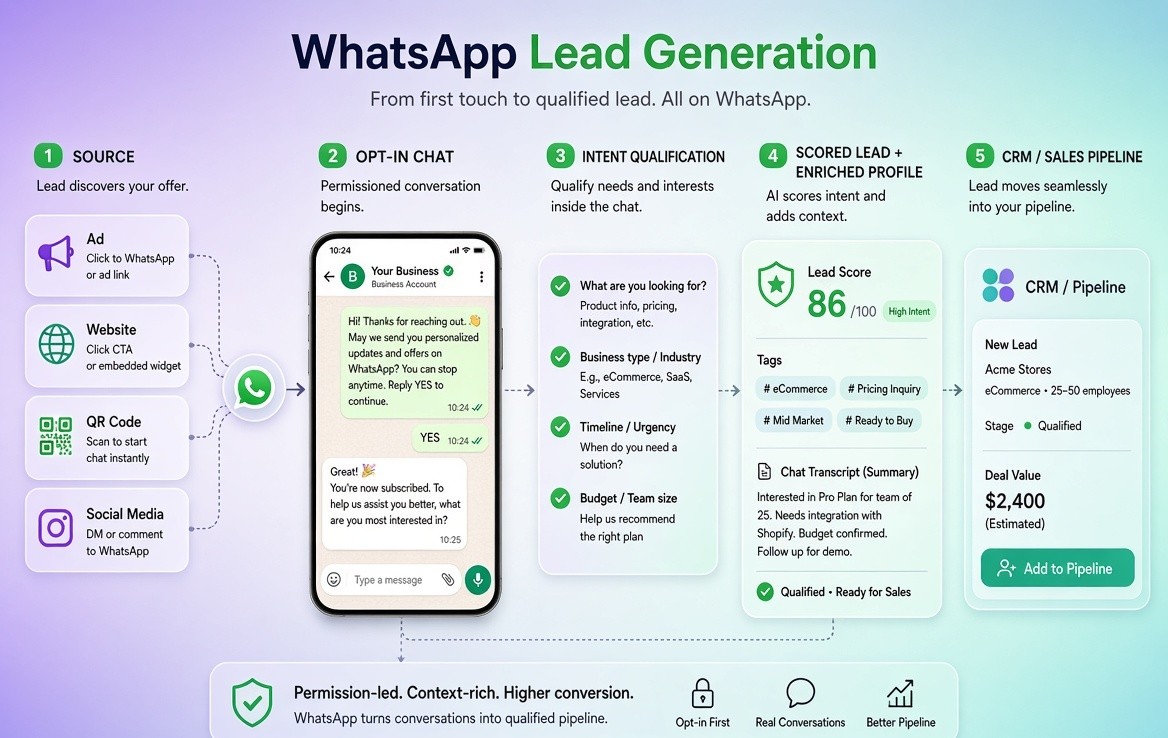
WhatsApp lead generation is the process of starting a permissioned WhatsApp conversation from an ad, website, QR code, or social action, then qualifying that person inside the chat and passing a scored lead to sales or checkout.
A WhatsApp lead is not just a number in your inbox. It is a contact who initiated or opted in, showed intent, can be routed to a next step, and is stored in a CRM with source, tags, and transcript.
If any of those pieces is missing, you have a chat log, not a pipeline.
Why WhatsApp works for lead generation in 2026
A form asks someone to type data into a page they may abandon on mobile. A WhatsApp Click to Chat Link or Click-to-WhatsApp ad opens the app they already use. Their number is attached to the thread. You can reply in seconds.
That is the advantage. It still costs money, needs a fast first reply, and can get a number restricted if you blast opted-out or purchased lists.
Claim | What you can say | Source |
Scale | WhatsApp passed 3 billion monthly users | Meta / Zuckerberg, Q1 2025 milestone |
Lead ads | Lead-optimized CTWA ads drove 24% lower CPL than conversation-optimized ads | WhatsApp for Business experiment, 116k campaigns, Nov 2024 |
Markets | Buyers already message businesses in India, Brazil, LATAM, SEA, MENA | Meta business-messaging research |
Email open rates are typically far lower than in-app messaging | Use a dated email benchmark if you compare |
Verified October 2026. Recheck the WhatsApp for Business page before you reuse the 24% figure in an ad.
Stats you should stop citing unsourced
You will still see “2 billion users” and “98% open rate” used as if they were current official figures. Some are old. Some mix personal chat with business messaging. If you cannot name the year and publisher, do not use the number in an ad.
The 2026 economics most guides still get wrong
Three rules decide whether WhatsApp lead generation is cheap or expensive.
- App vs API is a pipeline decision, not a branding decision
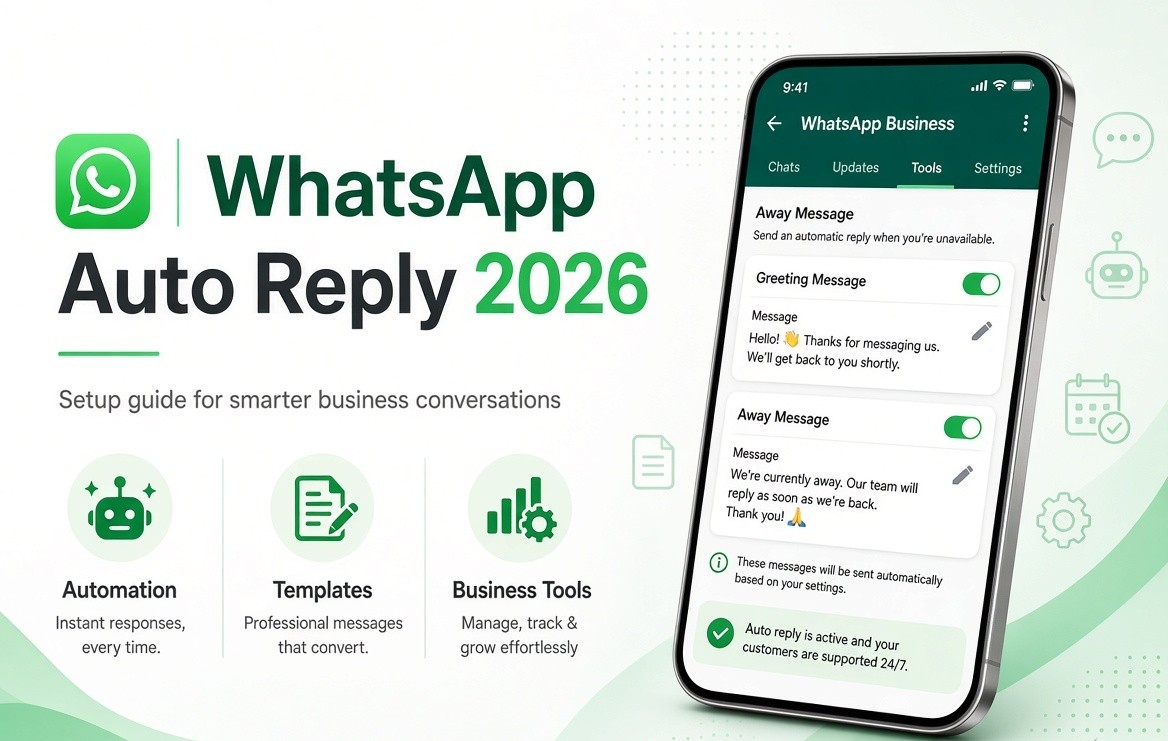
WhatsApp Business App is free and enough when one or two people can answer every chat. You get a profile, quick replies, labels, a catalog, and greetings — not multi-agent routing, robust bots, or clean CRM sync.
WhatsApp Business Platform / Cloud API is for when chats must become a funnel. Through a Business Solution Provider you get templates, webhooks, multiple agents, chatbots, Flows, and CRM integration.
The App is for handling chats. The API is for turning chats into a pipeline. If paid ads are on and you cannot reply in under a minute at peak, you are past the App.
- Pricing moved toward per-message template categories
From 1 July 2025 Meta bills the Business Platform mainly per delivered template, by category (marketing, utility, authentication). Service replies inside the customer-care window are treated differently. Rates vary by country. India marketing messages are among the cheapest; several EU markets are expensive. Check the live Meta rate card before you model cost.
- User-initiated ads can open a longer free window
When someone messages you from a Click-to-WhatsApp ad, that thread is often treated as an entry-point conversation with a longer fee-free window — commonly 72 hours versus the standard 24-hour customer-care window.
Confirm the live rule in Meta. Answer while the window is open, collect opt-in if you want to message later, and use approved templates after the window.
The CAPTURE loop: the system competitors describe in pieces
CAPTURE turns taps into pipeline.
C — Channel entry
Rank entry points by intent:
- Click-to-WhatsApp ads
- WhatsApp Flows on those ads
- Website widget or button on pricing and product pages
- WhatsApp Click to Chat Links in bios, emails, and SMS
- QR codes on packaging, stores, events, invoices
- Comment-to-WhatsApp or story-reply automation
- Google Business Profile messaging, then a WhatsApp handoff
A — Acknowledge in under 60 seconds
Rule of 60: if the first business reply takes longer than 60 seconds, a paid CTWA lead starts decaying. Send a short welcome and one question. Do not open with eight buttons.
P — Profile with Flows or four questions
Collect only what you need to route the lead: need, segment (location, product, company size), timeline, and budget or next-step preference. Ask one at a time. Use Flows when you need structured fields, validation, or appointment slots.
T — Triage
Score hot / warm / cold. Send hot leads to a human with the transcript. Park cold leads in nurture. Do not make closers hunt an untagged inbox.
U — Uplift
Every qualified chat needs one next step: book, quote, catalog, pay, or visit. Catalogs, pins, PDFs, and payment links belong here.
R — Record
Write contact, source, tags, and transcript into the CRM. Send a Lead or Purchase event to Meta through the Conversions API so ads optimize for qualified outcomes, not empty chats.
E — Extend
After explicit opt-in, nurture with templates, add email or SMS if they agree, and build lookalikes from converted WhatsApp customers.
WhatsApp Click to Chat Links
WhatsApp Click to Chat Links are official URLs that open a chat with your business number. The other person does not need to save your contact first.
Official format
text
Use the full international number. No plus sign, spaces, brackets, or dashes. Do not keep a local leading zero after the country code.
Country | Number people write | Correct URL |
India | +91 98765 43210 | |
United States | +1 (202) 555-0123 | |
United Kingdom | +44 7911 123456 | |
Brazil | +55 11 98765-4321 |
Wrong: https://wa.me/+91-98765-43210 and https://wa.me/09876543210.
Add a pre-filled message
text
Example:
text
The text appears in the compose box. They still tap Send. That is why clicks and messages started are different metrics.
Legacy format still works:
text
For sites, bios, and landing pages, use wa.me. A message-only link (https://wa.me/?text=...) opens a contact picker. Use that for referrals, not lead capture.
Why pre-filled text changes conversion
A blank chat makes people leave. A short pre-filled line tells them what to send, tells your bot which flow to start, and can carry a source tag.
Keep it under about 90 characters.
Good: Hi, I want the 2BHK price list for Whitefield
Bad: a long formal paragraph they will delete.
Where to put WhatsApp Click to Chat Links
Put them on the website header, pricing page, thank-you page, Instagram / TikTok / YouTube bio, email signature, order emails, SMS, Google Business Profile, Google Ads sitelinks, packaging, invoices, posters, and event badges (as a QR).
Use a different pre-filled message per surface:
- Site: Hi, I have a question about pricing
- Instagram: Hi, I came from Instagram
- Event QR: Hi, I scanned the booth QR
Your first automation rule can branch on that text.
Are there any tools to customize WhatsApp chat links for business?
Yes. You do not need an engineering team. Use three layers. Most businesses need at least two.
Layer 1 — Official / raw generators (free, no lock-in)
These build a valid wa.me or api.whatsapp.com URL and often a QR code. They format the country code, encode the pre-filled message, and give you a button snippet.
Official WhatsApp instructions and free browser generators sit here. The output is a normal WhatsApp URL. It does not expire. WhatsApp does not charge for the link. Use this when you need a correct link today and do not need click analytics.
Layer 2 — Branded short links and editors (this is “customization”)
A raw wa.me/9198… link looks messy in a bio and cannot be edited after you print flyers. Shorteners wrap the official URL.
They add a custom slug (go.yourbrand.com/chat), click counts, UTMs captured before WhatsApp strips them, editable destinations, and QR codes that point at the short link.
Tools include Linkly, Rebrandly, Bitly, Dub, Short.io, Flyn, and similar branded shorteners.
WhatsApp does not show UTM parameters inside the inbox. The working pattern is:
- Customer taps go.yourbrand.com/ig-bio
- Your shortener logs the click and UTMs
- It redirects to https://wa.me/91…?text=Hi from Instagram bio
- The pre-filled text can also include a source tag your bot can read
Layer 3 — Routing and lead platforms
If several salespeople share one public number, a generator is not enough.
This layer adds agent routing, language rules, campaign-specific messages, CRM and ads attribution, and office-hours overflow. Wati, Respond.io, Helo, Infobip, and other BSPs receive the chat the link creates.
What “customize” should mean for a business
A customized link is one you can brand, track, edit, map to a campaign, hand to a bot, and retire without reprinting materials. One raw wa.me pasted everywhere cannot tell you which channel produced the chat.
Practical setup (30 minutes)
- Create one official wa.me URL per campaign with a unique pre-filled message.
- Put each URL behind a branded short link on your domain.
- Name slugs by source: /wa-ig, /wa-site, /wa-qr-store.
- Turn each short link into a QR for offline use.
- Branch your bot on the pre-filled text.
- If people click and do not tap Send, shorten the message.
How do Click-to-WhatsApp ads work in 2026?
Click-to-WhatsApp ads (CTWA) are Meta ads on Facebook and Instagram that open a WhatsApp chat instead of a website. The person taps, WhatsApp opens with a pre-filled message, and if they tap Send you have a user-initiated conversation and a phone number.
How to set them up
- Connect a WhatsApp Business number to Ads Manager.
- Choose a messaging-capable objective. For quality, use Leads and switch the goal to leads once you can fire real lead events.
- Set conversion location to WhatsApp.
- Write the pre-filled first message.
- Promise a conversation in the creative, not a brochure.
- Turn on an instant welcome before you spend.
- Send qualified-lead events through the Conversions API when volume allows.
Meta reported that optimizing these ads for leads cut CPL by 24% versus conversation optimization. Use that as a brief, not a guarantee.
What “good” looks like (directional, not a promise)
India and APAC practitioner ranges in 2026:
Metric | Directional range | Watch this |
Cost per click (India) | often ₹5–20 | Industry and city tier move this hard |
Click-to-message rate | often well below 100% | Many people tap and never send |
Cost per conversation | often ₹8–25 on lower-ticket offers | Real estate and finance run higher |
Qualification rate | 25–40% with a bot is a working target | No bot, quality collapses |
First reply | under 60 seconds | This lever is yours |
Metric hierarchy: impressions → clicks → messages sent → qualified leads → customers. Optimize the last two.
Ad copy that starts chats
Problem + specific promise + WhatsApp as the action.
- “Need a 2BHK quote today? Chat on WhatsApp — options in 2 minutes.”
- “Not sure which plan fits? Message us on WhatsApp. No form.”
- “Tap to check batch availability on WhatsApp before you visit.”
Tell people what happens after the tap.
WhatsApp Flows vs chatbot vs web form
Web form / Instant Form | WhatsApp chatbot | WhatsApp Flows | |
Where | Ad or website | Chat, text + buttons | Chat, multi-screen native form |
Data quality | Clean, shallow | Messy unless scripted | Clean, validated |
Completion | Drops on mobile | High if short | High — stays in WhatsApp |
Best for | Name/email in email-first markets | FAQ, branching, handoff | Quotes, bookings, eligibility |
Weakness | Feels like work | Transcripts need parsing | Needs API + design |
Use when | WhatsApp is not the habit | Default CTWA responder | Fields you refuse to get wrong |
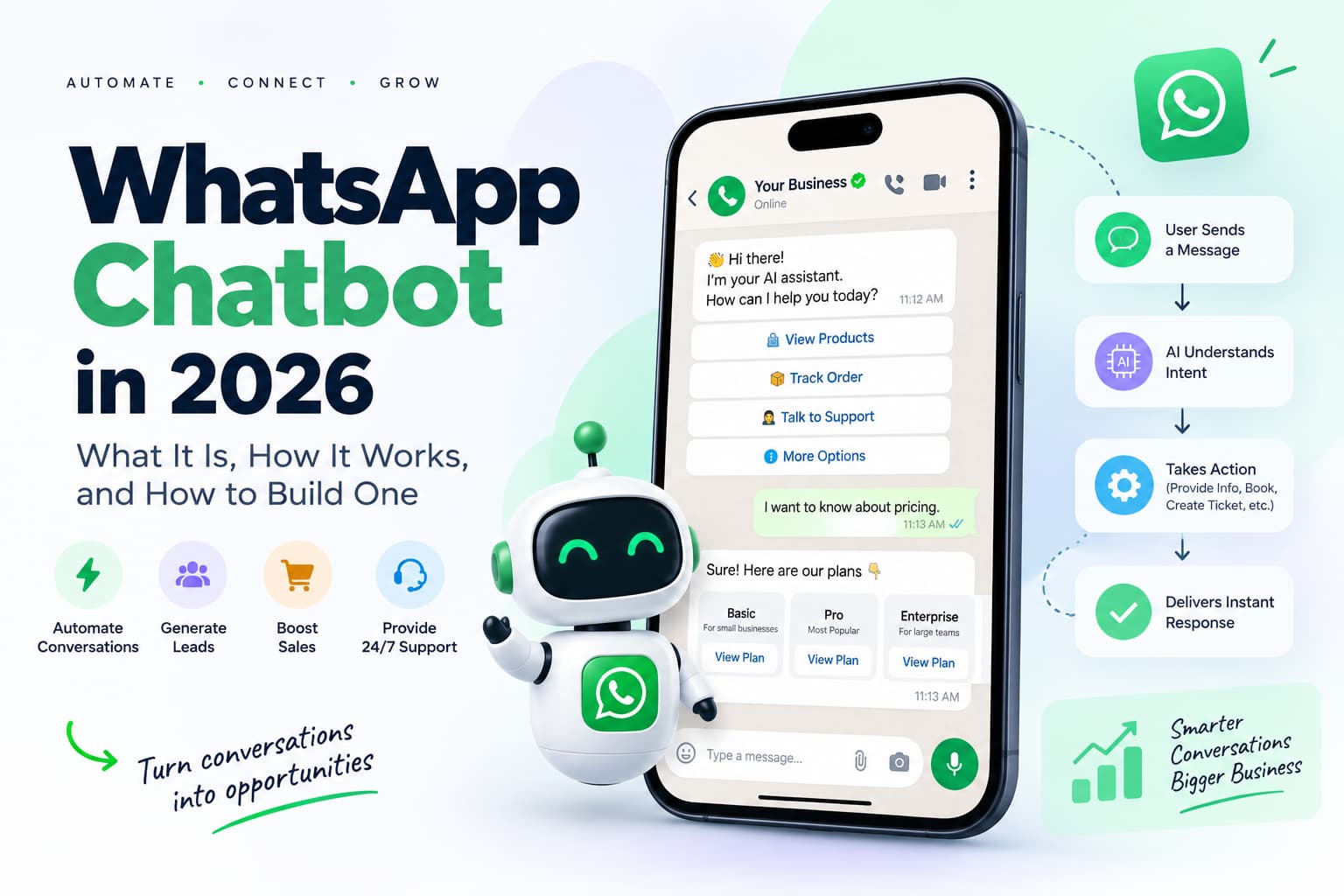
Use a chatbot as the default first reply. Add Flows when the bot keeps asking the same four fields. An ad can open a Flow or a free-form chat.
After the click: the playbook competitor pages skip
Getting the chat is the easy part. This is what happens next.
Welcome script (first message)
Thanks for messaging [Brand]. I can help in the next minute.
Are you looking for [A], [B], or something else?
Reply with 1, 2, or 3.
Then stop.
Qualification tree
Hot: need + timeline inside 30 days + budget or authority.
Warm: need is clear, timing is soft.
Cold: researching, outside your area, or no fit.
Route hot to a named human with the answers already captured. Do not re-ask.
Handoff rule
If they send a voice note, ask for a custom quote, or say “call me,” stop the bot.
Source tagging
WhatsApp will not pass UTMs into the inbox. Use unique pre-filled text per link, short-link analytics for clicks, CAPI events for outcomes, and CRM fields such as wa_ig_bio, wa_ctwa_prospecting, wa_qr_store.
What to send back to Meta
Do not optimize forever for “messaging conversations.” As soon as you can fire about 50 real lead events a week, optimize for leads. A lead event should mean “passed qualification,” not “said hello.”
Industry playbooks
Ecommerce / D2C
First question: product or order ID. Next step: catalog item, size, restock alert, or checkout. After opt-in, abandoned-browse and abandoned-cart templates pay. Do not blast a catalog at everyone who said hi.
Real estate
First question: buy / rent / invest, then city + budget. Next step: three matching options, then a site-visit slot. Show a specific project in the ad. Expect higher CPL. Quality is the point.
Education / coaching
First question: exam or course + target year. Next step: eligibility Flow, then counsellor handoff. Voice notes work well with parents.
Local services (clinics, salons, home services)
First question: service + preferred time. Next step: book a slot and send a reminder. A reception QR creates repeat bookings at almost no media cost.
B2B
Use it after a webinar, a form, or a warm intro — not as cold outreach. First question: role + problem + timeline. Hand multi-stakeholder deals to a human. Scraped-list broadcasts restrict numbers.
How to measure WhatsApp lead generation
If you only track chats, you will scale the wrong thing.
Core KPI stack
KPI | Definition | Why it matters |
Click-to-message rate | Messages sent ÷ clicks | Weak pre-filled text or scary creative |
Cost per conversation | Spend ÷ chats | Media efficiency only |
Qualified lead rate | SQLs ÷ chats | Bot and offer quality |
Cost per qualified lead | Spend ÷ SQLs | The number finance cares about |
Time to first reply | Seconds to first business message | Leading indicator of close rate |
Flow completion | Finished Flows ÷ started | Form design |
Lead-to-customer | Customers ÷ SQLs | Sales skill + offer |
Opt-out / block rate | Blocks ÷ messages | Account health |
Worked cost model (assumptions, labeled)
India D2C test spends ₹30,000 on CTWA: 2,000 clicks at ₹15, 1,200 messages sent (60% click-to-send), 360 qualified leads (30%), 54 customers at 15% close.
Cost per conversation = ₹25. Cost per qualified lead = ₹83. Cost per customer = ₹556.
Change reply time, pre-filled text, qualification, or the offer, and the last number moves.
Compliance, opt-in, and keeping the number alive
User-initiated chat is not automatically marketing opt-in. Ask, state what they will get, and log the timestamp.
Outside the customer-care window, send only approved templates. Do not upload purchased lists. Groups are not a cold-acquisition channel.
GDPR, CCPA, and India’s DPDP Act expect a clear purpose, minimal data, secure storage, and a way to stop. High block rates restrict the number.
Lead optimization for ads that click to WhatsApp is not available in every country (Meta notes the EU, UK, Japan, and South Korea for that goal).
14-day launch plan
Days 1–2. Choose App or API. Finish the profile. Create four Click to Chat Links with unique pre-filled messages and branded short links.
Days 3–4. Write the welcome plus four-question qualify flow. Build one Flow if you take bookings.
Day 5. Add the widget, bio link, and one QR.
Days 6–8. Small CTWA test. Do not scale until first reply is under 60 seconds.
Days 9–11. CRM + source tags. Define what a “lead” event means.
Days 12–14. Read click-to-send, qualify rate, and block rate. Kill weak creative. Add CAPI if the lead event is real.
A correct wa.me link and a 60-second reply beat an unimplemented stack.
Mistakes that keep pages (and campaigns) generic
- Treating every chat as a lead.
- Running CTWA with no bot and a three-hour SLA.
- One raw wa.me link for every channel.
- Asking seven questions before offering value.
- Using broadcasts to create demand instead of to nurture opted-in demand.
- Putting unsourced “98% open rate” into ads.
- Optimizing Meta for conversations forever.
- No human escape hatch.
- Ignoring click-to-send drop-off.
- Building the chatbot before the entry points.
Final operating rules worth quoting
- WhatsApp lead generation only works when traffic, first reply, qualification, and CRM write-back are designed as one system.
- Rule of 60: first business reply in under 60 seconds, or a paid CTWA lead decays.
- Four-question qualify rule: need, segment, timeline, budget or next step.
- Metric hierarchy: impressions → clicks → messages sent → qualified leads → sales.
- The App is for handling chats. The API is for turning chats into a pipeline.
- User-initiated chat is not the same as marketing opt-in.
- Customize WhatsApp Click to Chat Links with a branded shortener plus a source tag in the pre-filled text.
Build CAPTURE once. Every new ad, QR, and bio link then feeds the same machine.