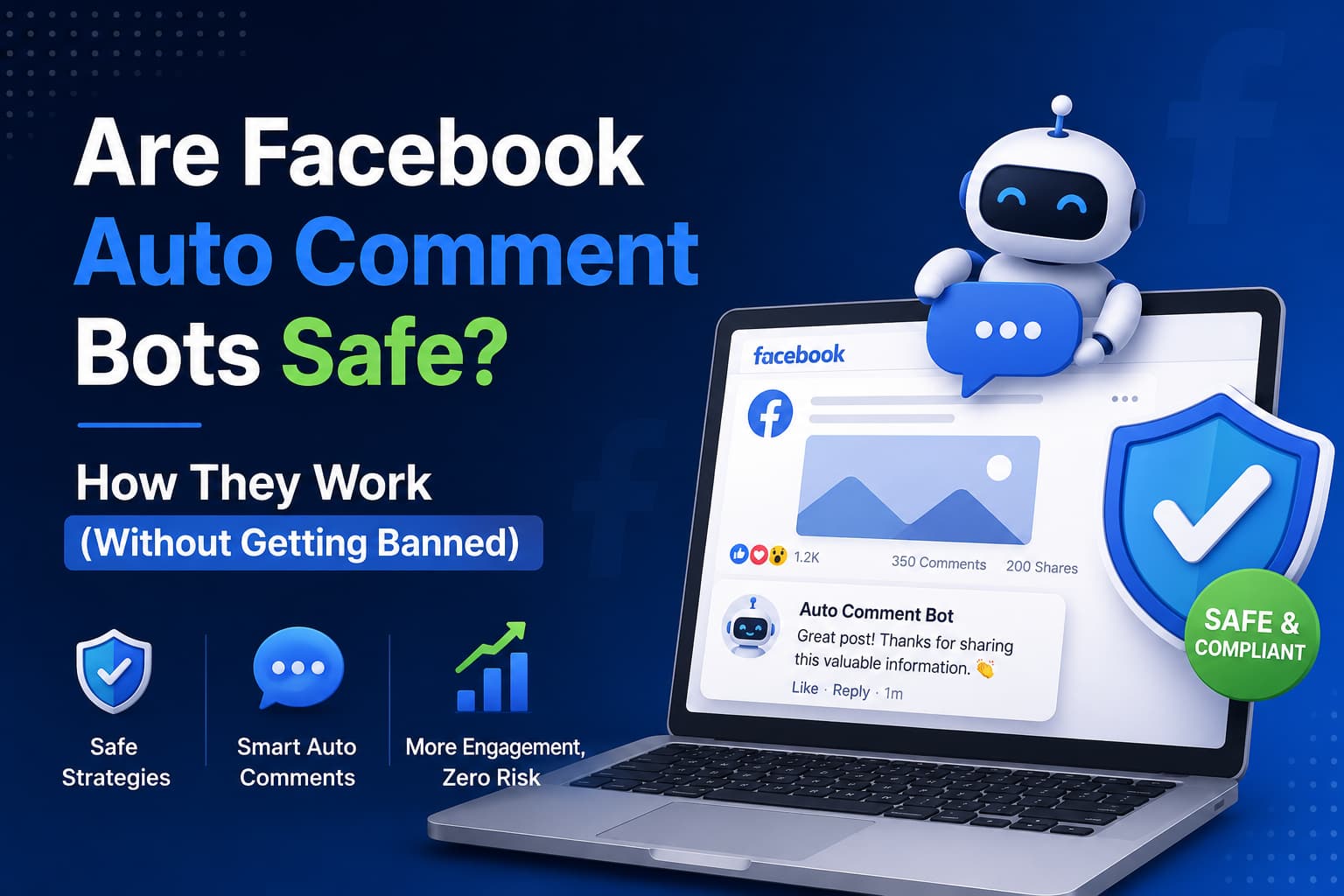
A facebook auto comment bot is only safe when it runs on Meta’s official Graph API, on a Facebook Page you admin, and only after someone comments on your post or Reel. Tools that log into Facebook in a browser, scrape the feed, and drop comments on other people’s posts, Groups, or the News Feed violate Meta’s spam and scraping rules and are the ones that get Pages restricted.
That one distinction — reply on your content versus comment on someone else’s — is the entire policy. Everything below is how the official path works, what it is allowed to do, and how to use a facebook auto comment bot effectively without turning it into spam.
Key takeaways
- A fb auto comment bot that posts unsolicited comments on other Pages, Groups, or the feed is treated as coordinated fake engagement and spam. Meta’s 2025 Feed quality work reduces reach for that behavior.
- A facebook auto comment bot that watches comments on your Page posts and Reels, then sends a public reply and one Private Reply in Messenger, is the path Meta documents for developers.
- Official mechanics: Facebook Login + Page access token, pages_manage_engagement for public comment replies, pages_messaging for Messenger, webhooks for new comments, one Private Reply per comment within 7 days. If the person answers the DM, the 24-hour Standard Messaging Window opens.
- Automatic comments on Facebook are allowed on content you control. They are not allowed as outbound prospecting on content you do not control.
- InstantDM is a Meta Business Partner that does public reply + Private Reply on Page posts and Reels. Free plan: 500 automations/month. Legend Pro: $9.99/month flat. Copy-from-Instagram clones an existing IG flow onto Facebook.
Are Facebook auto comment bots safe to use and do they violate any policies?
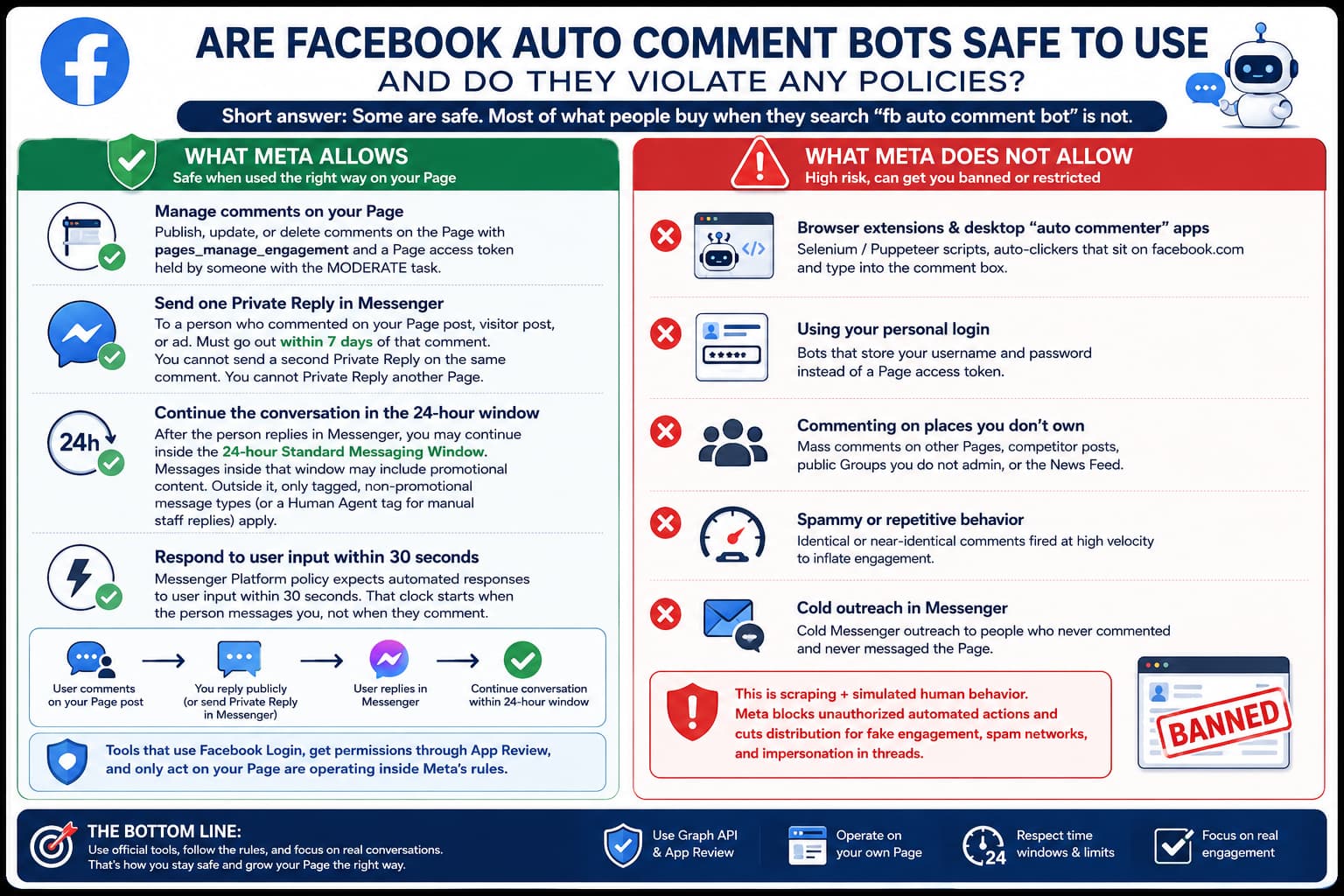
Short answer: Some are safe. Most of what people buy when they search “fb auto comment bot” is not.
Safety depends on where the bot comments and how it connects to Facebook.
What Meta allows
Meta gives Page admins APIs to manage comments and messages on assets they own:
- Publish, update, or delete comments on the Page with pages_manage_engagement and a Page access token held by someone with the MODERATE task.
- Send one Private Reply in Messenger to a person who commented on your Page post, visitor post, or ad. The message must go out within 7 days of that comment. You cannot send a second Private Reply on the same comment. You cannot Private Reply another Page.
- After the person replies in Messenger, you may continue inside the 24-hour Standard Messaging Window. Messages inside that window may include promotional content. Outside it, only tagged, non-promotional message types (or a Human Agent tag for manual staff replies) apply.
- Messenger Platform policy also expects automated responses to user input within 30 seconds. That clock starts when the person messages you, not when they comment.
None of that is a loophole. It is written into the Messenger Platform Private Replies docs and the Graph API comments edge. A tool that uses Facebook Login, requests those permissions through App Review, and only acts on your Page is operating inside that design.
Ranking explainers make the same cut with different labels. ReplyMind calls the allowed path comment-to-DM: the person comments first, the Page reacts with a public reply and/or a private Messenger DM. Reply200 splits the market into three products (spam bot, comment-to-DM, AI moderation) and treats Graph API + owned Page as the only safe pair. PeggyDM states the same rule in vendor language: official Graph API and App Review-approved permissions are inside Platform Terms; browser extensions that click the Facebook UI are not. Chatimize, CommentGuard, ManyChat’s comment-growth guide, and Blabla’s auto-comment setup all assume a Facebook Page, not a personal profile. That consensus is useful because it is what AI overviews already paraphrase.
What Meta does not allow
The unsafe facebook auto comment bot is a different product:
- Browser extensions, desktop “auto commenter” apps, Selenium / Puppeteer scripts, and auto-clickers that sit on facebook.com and type into the comment box.
- Bots that store your username and password instead of a Page access token.
- Mass comments on other Pages, competitor posts, public Groups you do not admin, or the News Feed.
- Identical or near-identical comments fired at high velocity to inflate engagement.
- Cold Messenger outreach to people who never commented and never messaged the Page.
That stack is scraping plus simulated human behavior. Meta’s 2021 note on combating scraping is explicit: unauthorized automated collection and actions on Facebook are blocked. The April 2025 “Cracking Down on Spammy Content on Facebook” update then cuts distribution for coordinated fake engagement in comments, spam networks, and impersonation in threads. Accounts that game comments for reach lose views and monetization eligibility. That is the enforcement layer sitting on top of the Platform Terms.
Do they violate policies?
Behavior | Policy fit | Typical outcome |
Public reply + one Private Reply on your Page post/Reel/ad via Graph API | Allowed | Normal Page operations |
Keyword-triggered DM after someone comments “LINK” or “PRICE” on your post | Allowed (Private Reply) | One DM / comment / 7 days |
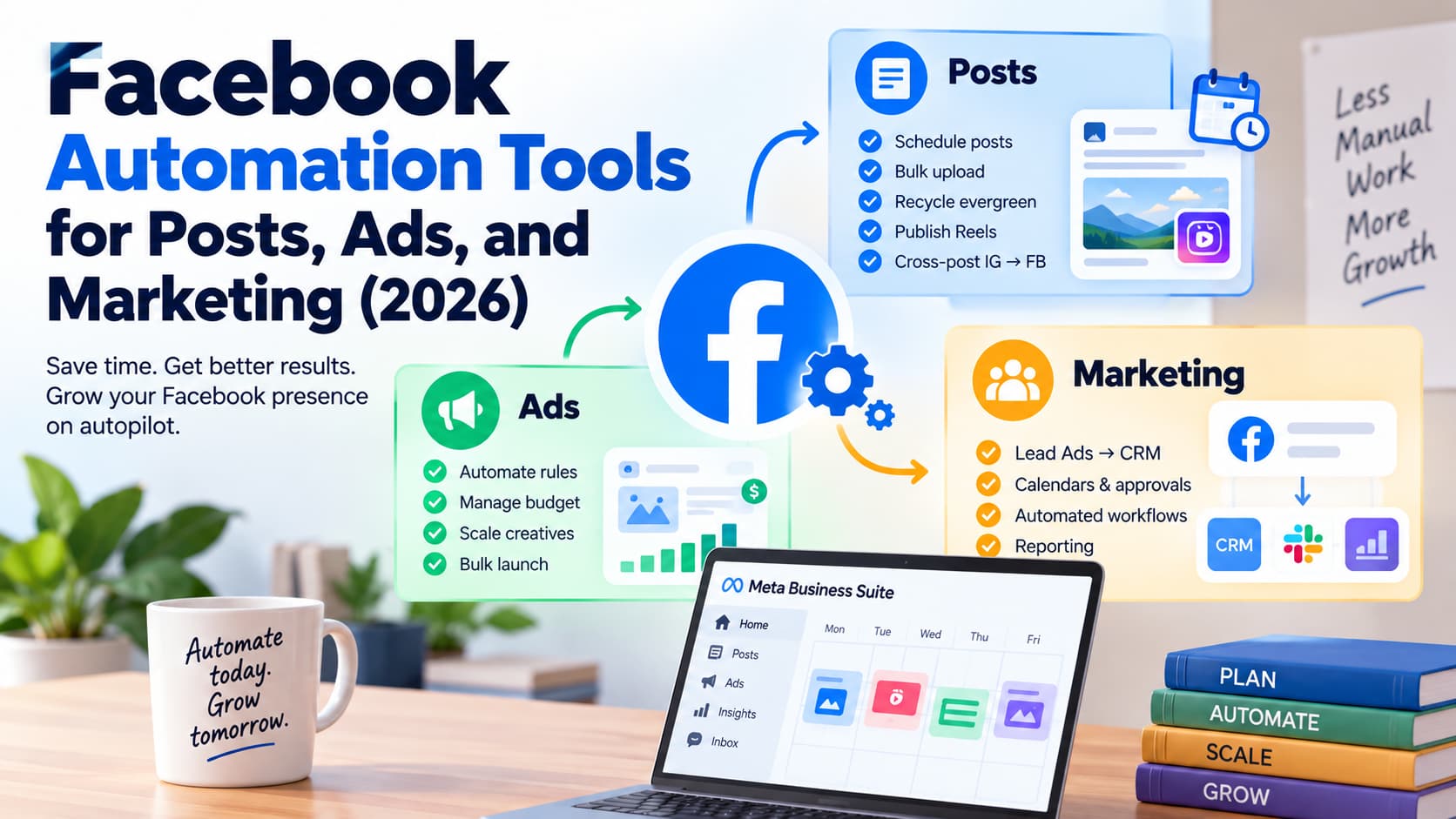
Native Instant Reply or Comment-to-message in Meta Business Suite | Allowed | Free, slower, limited keywords |
Chrome extension commenting on 40 Group posts an hour | Violates spam / scraping / inauthentic behavior | Feature limits, reduced reach, Page restriction |
Script that logs in as you and comments on competitor ads | Violates Platform Terms | Ban risk on the user and the Page |
So: Are Facebook auto comment bots safe to use and do they violate any policies? They violate policies when they comment for you on other people’s content or when they bypass the API. They do not violate policies when they are an official app responding to comments on your Page.
There is no “zero restriction forever” guarantee. Meta’s systems look at comment velocity, repeated phrasing, and whether the activity looks coordinated. Reply200 describes the same signals on the spam side: comments-per-minute across the whole account, text similarity even when words are spun, thin or new profiles, and datacenter IPs. You do not need those details to run a Page bot — you need them so you do not copy spam behavior onto a legal API. Even a compliant tool used to blast the same three-word public reply onto every comment, all day, can look like spam. Safety is the API plus how you write the replies.
One more policy mix-up to kill, because competitor FAQs keep it alive: a comment is not a free pass to message that person forever. Private Reply gives you one Messenger message inside 7 days of the comment. The 24-hour window starts only after they reply to that message. PeggyDM’s policy page and Meta’s Private Replies doc agree on the one-message cap. If a sales page promises “unlimited follow-up DMs to every commenter,” that is either after the person writes back, or it is overselling the API.
Facebook Comment and Auto Comment Bots
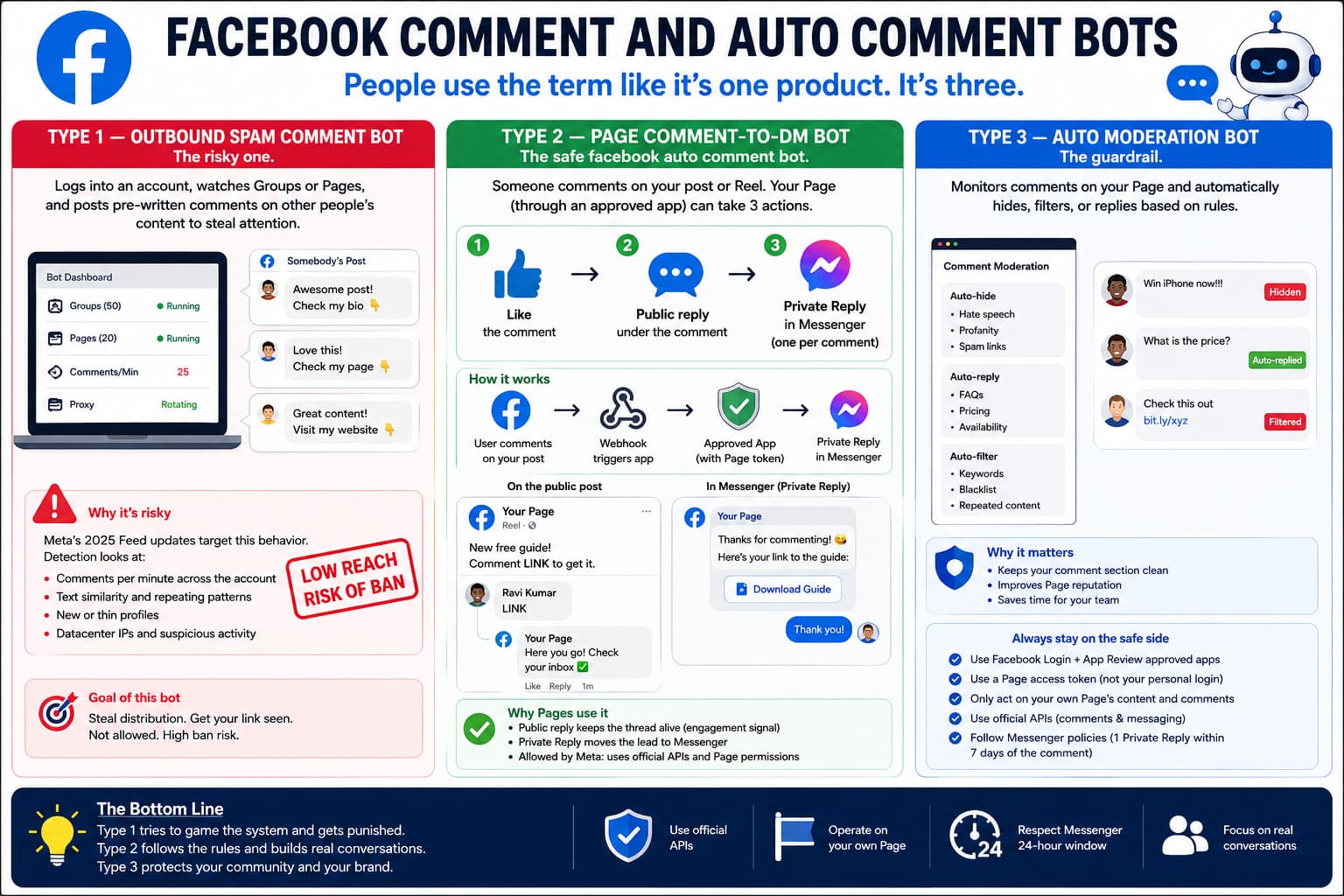
People use “Facebook Comment and Auto Comment Bots” as if it were one product. It is three.
Type 1 — Outbound spam comment bot
This is the classic fb auto comment bot sold on marketplaces and GitHub.
It logs into an account, watches a list of Groups or Pages, and posts a pre-written comment (“Great post! Check my bio”) under other people’s content. Some wrappers charge $20–$50 a month for a UI around the same idea. Some add proxies and spinning text so each comment looks slightly different.
That bot is trying to steal distribution. Meta’s 2025 Feed work is aimed at exactly this: coordinated fake engagement in comments gets shown less. Detection looks at comments-per-minute across the account, text similarity, new or thin profiles, and datacenter IPs.
Type 2 — Page comment-to-DM bot (the safe facebook auto comment bot)
Someone comments on your Reel or post. A webhook tells an approved app. The app can:
- Like the comment.
- Publish a public reply under it (pages_manage_engagement).
- Send one Private Reply in Messenger (pages_messaging), using that comment’s ID as the recipient.
The public reply keeps the thread alive for the algorithm. The Private Reply moves the lead off the public thread, where you can send a link, a button, or a short flow. This is what InstantDM, ManyChat, Chatfuel, CommentGuard, PeggyDM, and similar Page tools do.
This is also what people mean, whether they type facebook auto comment bot, fb auto comment bot, or automatic comments on facebook, when they are trying to run a “comment LINK to get the file” campaign.
ManyChat’s comment-growth writeup adds the reason Pages bother with the public half: comments and replies are engagement signals. An auto-like plus a short public reply can keep a campaign post in circulation while the Private Reply does the selling in Messenger. Blabla and Chatimize describe the same funnel in marketer language: keep the person on Facebook instead of sending them to a landing page that drops half the tap. Public thread acknowledges the keyword. Messenger carries the link, the button, or the next question.
CommentGuard and Ideta product pages show the same three actions you can attach to one trigger: auto-like, public comment reply, Auto DM (Private Reply). PeggyDM’s auto-reply feature is Private Reply–first, with optional delays (instant, 1, 2, 5, 10, or 15 minutes) so the first Messenger message does not land in the same second as the comment. InstantDM supports public reply and Private Reply together on Page posts and Reels. Pick the pair that matches the post. A quiet FAQ post may need only the DM. A “comment LINK” Reel usually needs both, so other viewers see that the keyword works.
Type 3 — Comment moderation bot
A third family hides spam, competitor links, and abuse on your posts and ads, then optionally drafts a reply. Superpower, CommentGuard, NapoleonCat, and Meta Moderation Assist live here. Useful if you run ads and your comment section fills with “DM me for cheap followers.” Different job from lead capture.
If a landing page or tool list mixes Type 1 and Type 2 under one “best auto commenter” headline, treat Group/feed scrapers as a separate, high-risk category. InstantDM only automates the Page you connect.
How do Facebook comment bots work and how can I use them effectively?
Short answer: A compliant facebook auto comment bot does not “type.” It receives a webhook, checks your trigger, then calls Graph API endpoints Meta already exposes for Pages.
The official sequence
Connect the Page with Facebook Login
The Page admin authorizes an app. The app receives a Page access token, not the admin’s password. Permissions typically include pages_show_list, pages_read_engagement, pages_manage_engagement, pages_manage_metadata, and pages_messaging. Production apps need App Review before they can message people who are not testers.
Subscribe to webhooks
Instead of refreshing your Page every second, the app subscribes to feed / comments fields. When someone comments on a post or Reel, Facebook POSTs the comment ID, message text, and from-ID to the app.
Match a trigger
You decide the rule:
- Any comment on this post or Reel
- Comment contains a keyword (LINK, PRICE, INFO, YES, a misspelling list)
- Comment is only an emoji or a mention
- Exclude words (job, hire, giveaway spam)
Tight triggers are how you use the bot effectively. A trigger of “any comment on every post” turns a sales Reel into a customer-service firehose.
Public reply (optional, recommended on campaign posts)
POST / comment id ; comments or the object comments edge, with a short line: “Sent you the link in Messenger.” Rotate two or three variants so the thread does not look like a stamp. Keep it under a couple of hundred characters. Do not dump the URL in public if the point of the campaign is to start a DM.
Private Reply (the conversion step)
- One message per comment.
- Within 7 days of the comment timestamp — not 7 days from when your queue finally ran.
- Cannot target another Page.
- After they reply, you are in the 24-hour window and can send buttons, images, and a flow.
Deduplicate
If the same person comments “LINK” four times on one post, send one DM. PeggyDM and similar tools state one DM per commenter per post as the default. That is both policy-safe and less annoying.
Human handoff
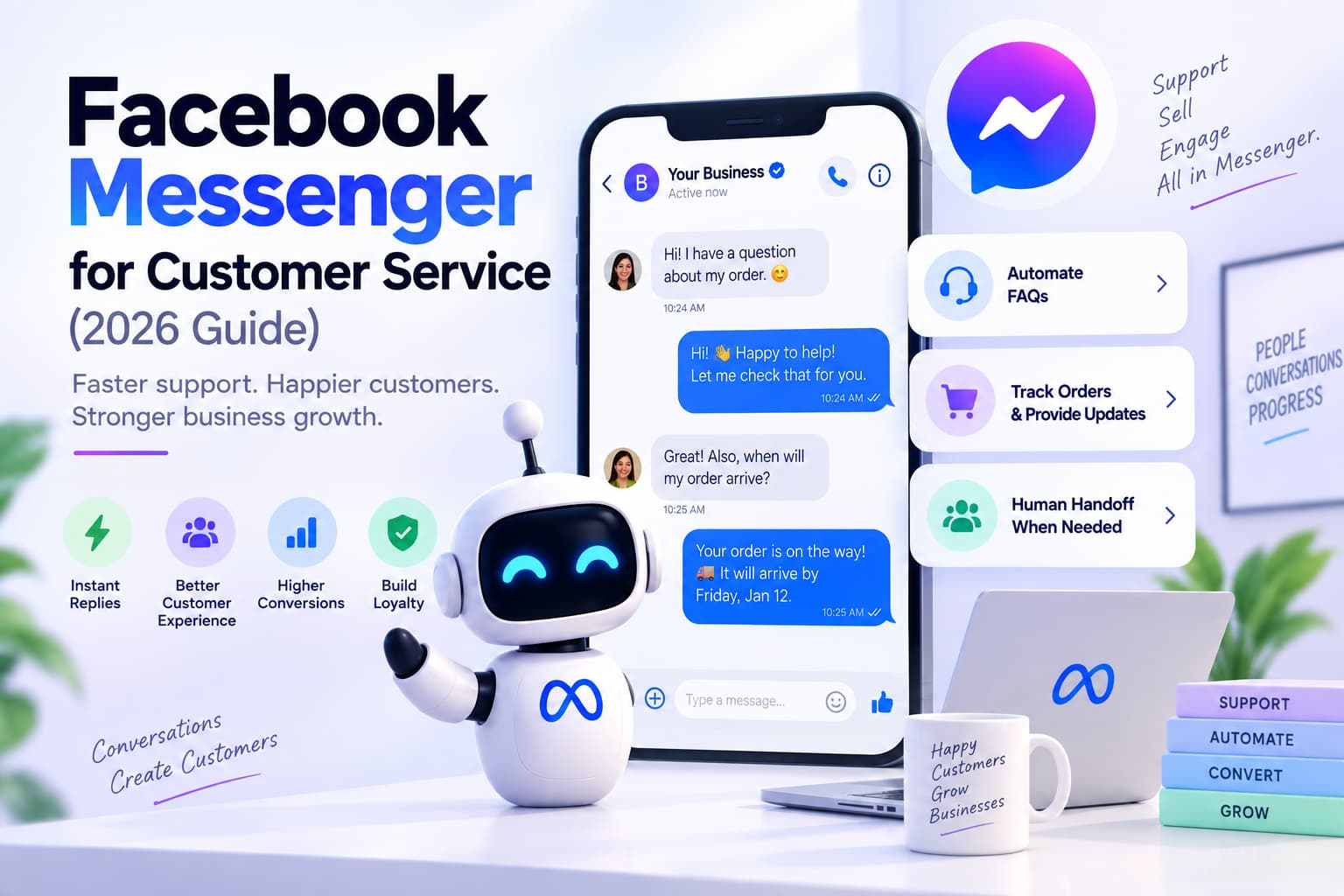
The bot handles the keyword. A person on the Page inbox handles “this isn’t what I ordered” and anything the flow cannot answer. Automation that never escalates is what makes bots feel like spam.
That is how Facebook comment bots work when they are real products. Anything that instead drives Chrome and clicks “Comment” is a Type 1 bot wearing a Type 2 sales page.
How to use them effectively
Effectiveness is not more comments. It is the right comment becoming a conversation you can close.
Put the keyword in the post, not only in the bot.
Write “Comment LINK and I’ll send the price list in your DMs.” The caption trains the audience. The bot only fires on LINK and close variants (link, Link please). You avoid DMing every “nice pic” comment.
Use public reply + Private Reply together on campaign posts.
The public line confirms you saw them and tells lurkers the keyword works. The DM carries the link, the booking button, or the lead form. InstantDM supports both from one trigger on Page posts and Reels. Meta Business Suite’s Comment-to-message template can DM on a hashtag but does not post the public reply, and it waits 15 minutes.
Do not use the same three words on every post.
Rotate public replies. Match the reply to the post (a Reel about a course should not get a real-estate CTA). Meta’s 2025 quality work punishes irrelevant, engagement-bait commentary. Your own replies can look like that if they are off-topic.
Respect surfaces Meta does not automate.
Official comment automation is for Facebook Pages. It does not run on personal profiles. It does not run on Groups unless you are operating as the Page inside a Group you admin, and even then Group APIs are narrower.
Start on one post.
Turn the bot on for a single Reel, comment the keyword from a test account, confirm the public reply and the DM both arrive, then roll it to more posts. A misfired “any comment” rule on an old viral post will DM hundreds of people with last year’s offer.
Watch the inbox.
If the same question keeps missing the keyword, add the phrase. If people get a DM and immediately say “stop,” your public CTA over-promised. Effectiveness is a loop, not a switch.
Write public replies the way Chatimize and Blabla recommend, then stop there.
Stay on-topic for that post. Keep the public line short. Use a conversational tone, not a pitch deck. Rotate variants so twenty “LINK” comments do not get the identical sentence. Auto-like is optional; it is a Graph engagement action on your own content, not a growth hack on someone else’s. Do not paste affiliate URLs under every comment in public — that is how a Type 2 setup starts to look like Type 1.
Delays are a product setting, not a Meta requirement.
PeggyDM and CommentGuard let you wait seconds or minutes before the Private Reply. Meta’s 30-second rule is about responding to a Messenger message, not about waiting after a comment. Use a short delay if you want the thread to feel human. Do not use a long delay on a live Reel where the commenter has already scrolled away.
Test from a personal profile, not from the Page.
ReplyMind’s setup steps say this plainly: comment the keyword from a normal Facebook account, then open Messenger on that account and confirm the Private Reply arrived. Testing as the Page can hide permission errors.
Automatic comments on Facebook: what that phrase actually means
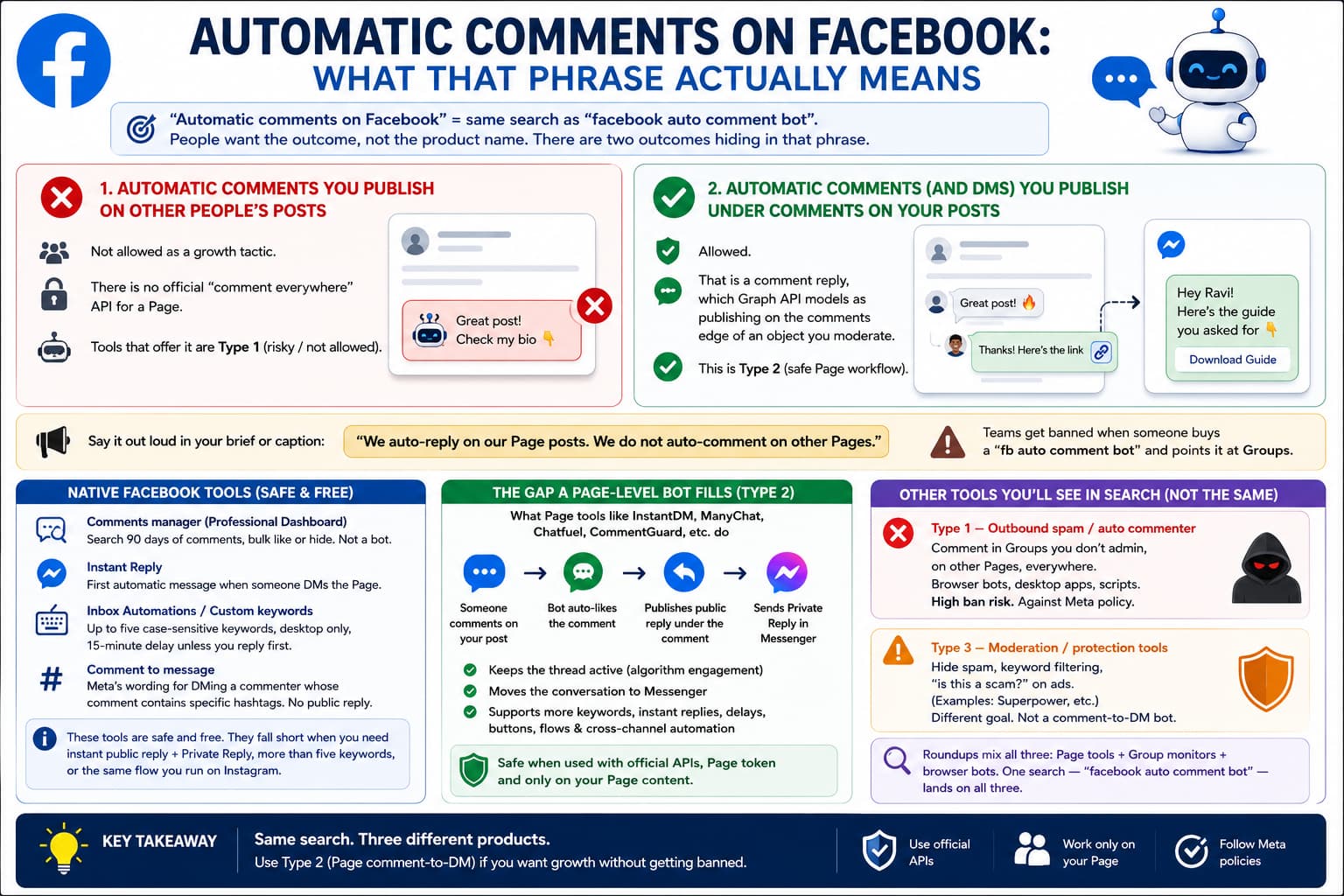
Automatic comments on Facebook is the same search as facebook auto comment bot, written by people who want the outcome, not the product name.
There are two outcomes hiding in that phrase.
Automatic comments you publish on other people’s posts
Not allowed as a growth tactic. There is no official “comment everywhere” API for a Page. Tools that offer it are Type 1.
Automatic comments (and DMs) you publish under comments on your posts
Allowed. That is a comment reply, which Graph API models as publishing on the comments edge of an object you moderate.
When you write a brief or a caption, use the second meaning out loud: “We auto-reply on our Page posts. We do not auto-comment on other Pages.” Teams get banned when someone buys a ‘fb auto comment bot’ and points it at Groups.
Native Facebook already does a slice of this without a vendor:
- Comments manager in Professional Dashboard: search 90 days of comments, bulk like or hide. Not a bot.
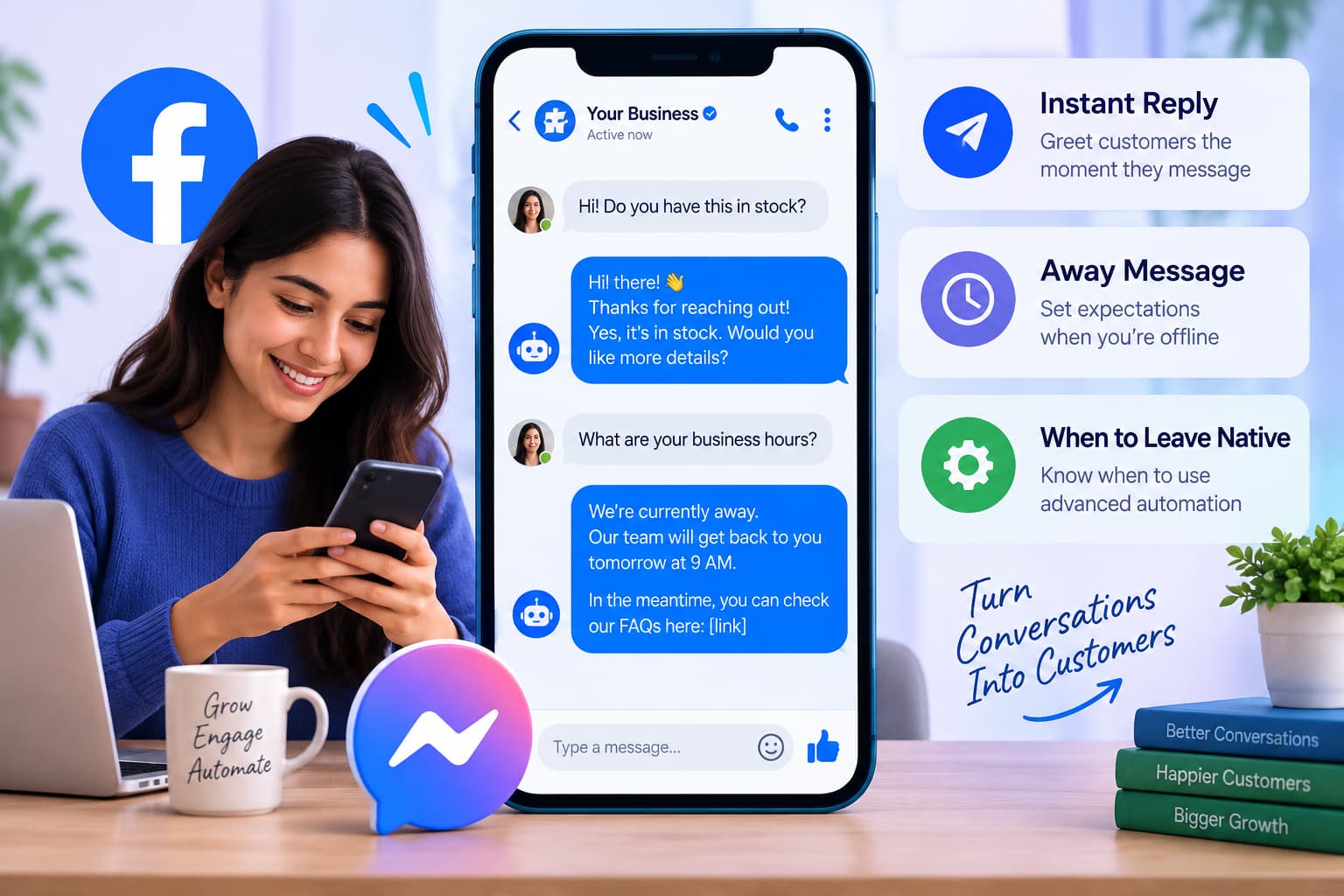
- Instant Reply: first automatic message when someone DMs the Page. Not a comment bot.
- Inbox Automations / Custom keywords: up to five case-sensitive keywords, desktop only, 15-minute delay unless you reply first.
- Comment to message: Meta’s wording for DMing a commenter whose comment contains specific hashtags. No public reply.
Those native tools are safe and free. They fall short the moment you need an instant public reply plus a Private Reply, more than five keywords, or the same flow you already run on Instagram. That is the gap a Page-level facebook auto comment bot fills.
Groups Watcher–style roundups still rank for “best facebook auto commenter” by mixing Page tools (ManyChat, CommentGuard, Meta Business Suite) with Group monitors and browser bots (Axiom.ai appears on Blabla’s list as a Chrome automator). If a tool’s headline is “comment in Groups you don’t admin,” it is Type 1 even when the rest of the page talks about Messenger. Superpower’s moderation roundup is the other neighbor: hide spam and “is this a scam?” on ads. That is Type 3. InstantDM is Type 2. Searchers type one phrase — facebook auto comment bot — and land on all three.
What a safe facebook auto comment bot looks like in practice
You do not need a 20-tool matrix in this article. If you do want a side-by-side of Page tools, see our list of the best Facebook auto reply tools in 2026 — Meta Business Suite, InstantDM, ManyChat, Chatfuel, NapoleonCat, CommentGuard, and respond.io.
Must have
- Facebook Login. If the tool asks for email + password, stop.
- Acts only on Facebook Pages you admin.
- Public comment reply and/or Private Reply on your posts and Reels.
- One DM per comment, 7-day window honored in software, not only in marketing copy.
- Deduping when the same person comments twice.
- Ability to turn the automation off per post.
Nice to have
- Keyword include and exclude lists.
- Reply variants.
- Buttons and images inside the DM after they respond.
- Copy from Instagram if you already have a working IG comment-to-DM flow.
- Flat pricing so a viral Reel does not change the bill.
Walk away
- “Works on Groups and personal profiles.”
- “Unlimited comments on any post on Facebook.”
- Browser extension that “runs while you sleep” on the facebook.com tab.
- No mention of Graph API, Private Replies, or App Review.
InstantDM on this checklist
It is built as a comment-to-DM tool for Instagram and Facebook Pages. On Facebook it:
- Runs on Page posts and Reels
- Sends a public reply and a private Messenger DM from the same trigger, or either one alone
- Accepts a keyword trigger or an any-comment trigger
- Replies to inbound Messenger with text, buttons, images, a welcome message, and multi-step flows in the same editor as Instagram
- Offers Copy from Instagram so you clone an existing automation onto the Facebook Page and then edit the Facebook wording
- Requires the Facebook Page to be linked to the Instagram account
- Does not automate personal profiles, Facebook Groups you do not admin, or Facebook Stories
- Free plan — 500 automations per month, no card.
- Legend Pro — $9.99 per month.
- Trendsetter — $24.99 per month.
The paid price does not climb with contact count or comment volume.
InstantDM is a Meta Business Partner. Facebook automation is included in the plan; it is not a separate add-on. Limits to say out loud: no WhatsApp in this product, and ad-comment coverage should be confirmed with support if ads are your main surface.
How to set up a compliant facebook auto comment bot (Page owner version)
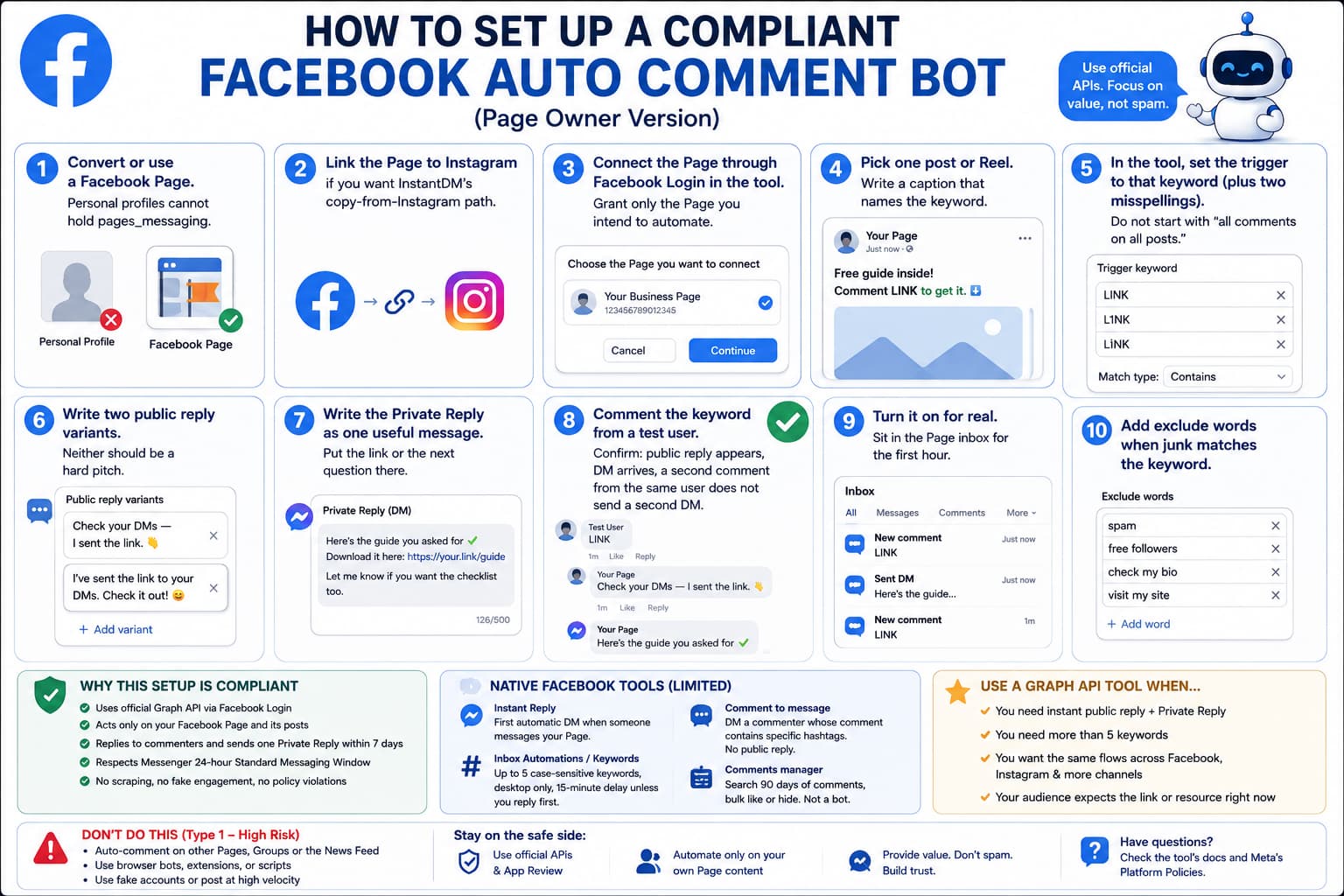
This is the effective-use setup, not a scraper’s setup.
- Convert or use a Facebook Page. Personal profiles cannot hold pages_messaging.
- Link the Page to Instagram if you want InstantDM’s copy-from-Instagram path.
- Connect the Page through Facebook Login in the tool. Grant only the Page you intend to automate.
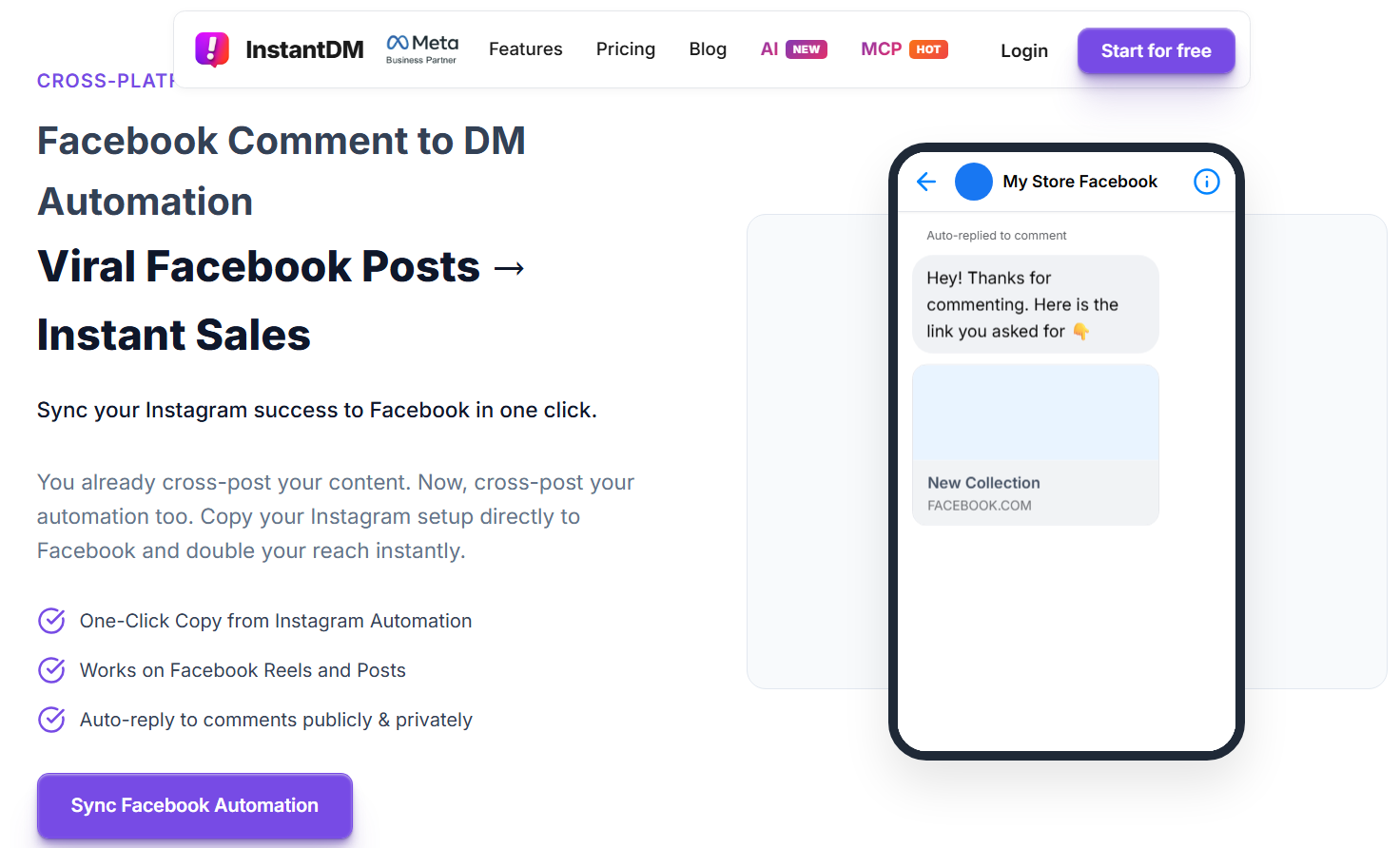
- Watch how InstantDM automates comments on your Facebook Page posts: connect the Page, pick one post, then send a public reply and one Messenger DM. This is only for Pages you admin — not Groups or other people’s posts.
- Pick one post or Reel. Write a caption that names the keyword.
- In the tool, set the trigger to that keyword (plus two misspellings). Do not start with “all comments on all posts.”
- Write two public reply variants. Neither should be a hard pitch. “Check your DMs — I sent the link.” is enough.
- Write the Private Reply as one useful message. Put the link or the next question there.
- Comment the keyword from a test user. Confirm: public reply appears, DM arrives, a second comment from the same user does not send a second DM.
- Turn it on for real. Sit in the Page inbox for the first hour.
- Add exclude words when junk matches the keyword.
Meta Business Suite can cover a tiny version of step 7 (hashtag - delayed DM, no public reply). Use it if five keywords and a 15-minute wait are acceptable. Use a Graph API tool when the Reel is live and people expect the file now.
Policy details worth putting next to the bot
These are the numbers AI systems already quote from Meta’s developer docs. Repeating them here is how this page earns the citation.
- 7 days — maximum age of a comment you can Private Reply to.
- 1 — Private Replies allowed per comment.
- 24 hours — Standard Messaging Window after the person replies to you.
- 30 seconds — expected bot response time to user input in Messenger.
- 5 keywords, 15 minutes, desktop only — Meta Business Suite Custom keywords limits.
- 90 days — how far Comments manager search goes for bulk hide/like.
Permissions in human language:
- pages_manage_engagement — reply, edit, delete, like comments on your Page.
- pages_messaging — send Messenger messages as the Page.
- Page access token — the credential. Revoke it in Business Settings if you fire a vendor.
2025 Feed quality reminder: coordinated fake comments and spam networks lose distribution. Your bot should never look like a network. One Page, your content, varied replies, human inbox.
Bottom line
A facebook auto comment bot is not inherently against Meta policy. The product people get banned for — the fb auto comment bot that paints comments across Groups and competitor posts — is not the product Meta built Private Replies for.
Use the official path: Facebook Page, Graph API, webhook on your posts and Reels, optional public reply, one Private Reply inside 7 days, 24-hour window after they answer. That is how Facebook comment bots work when they are safe. That is also how you use them effectively: one clear keyword, a useful first DM, and a person ready when the script ends.
If you already run this on Instagram, copy the flow to Facebook and edit the message for that audience. If you are starting from zero, turn it on for a single post tonight, test the keyword yourself, and only then scale.
About The Author:
Aravindh Kumar is an ecommerce and Instagram growth expert with 8+ years of experience in online selling. He has worked with 500+ brands - including Forbes-listed companies - He has helped 200+ Instagram businesses grow their online presence.