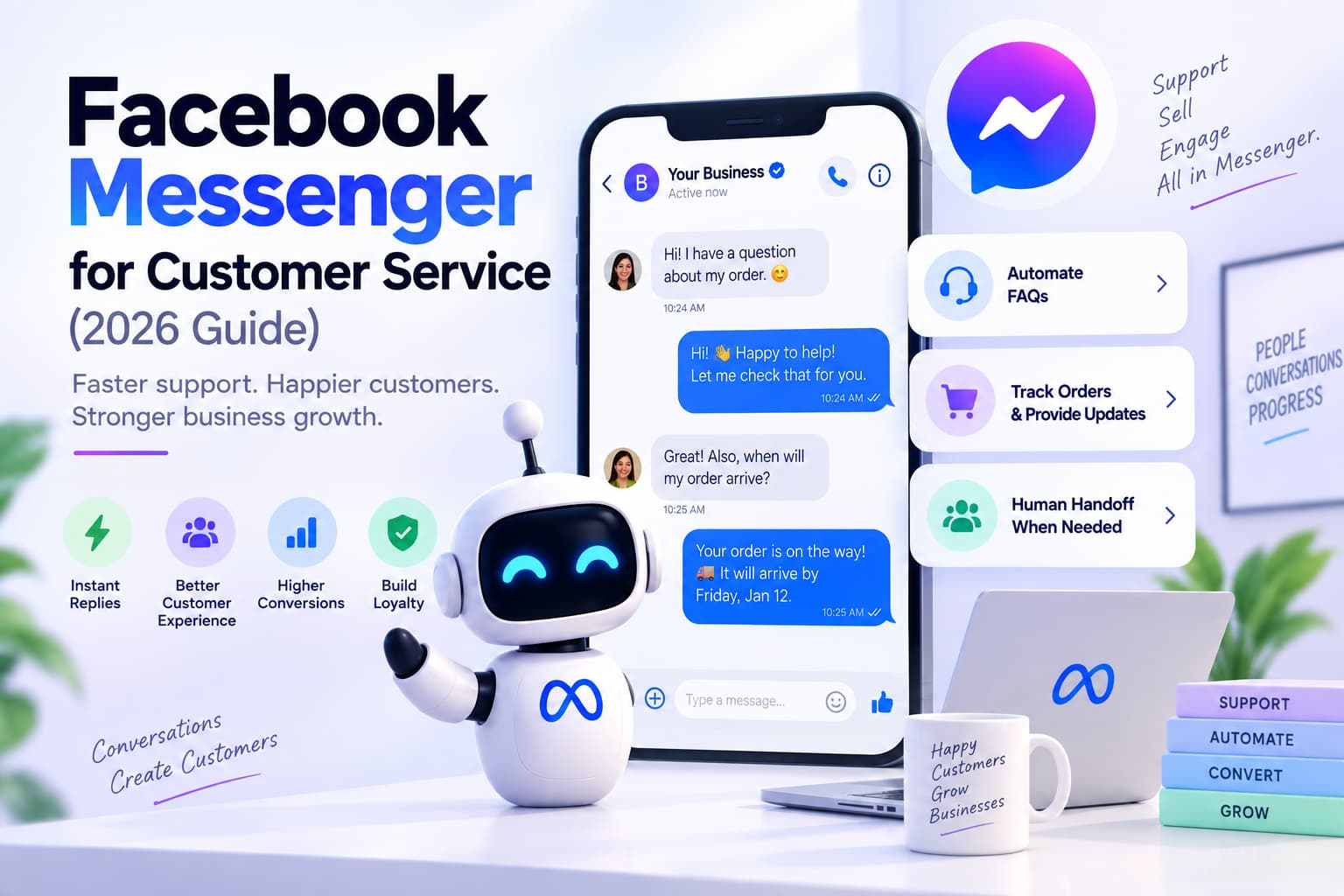
Yes. You can sell products on Facebook Messenger. You send the SKU and a pay link, or Meta Pay where it is live. The shopper does not need a new website session to decide.
How to use Facebook Messenger for ecommerce: put the catalog in the thread, ask two questions, send one recover link for an abandoned cart, then one checkout URL.
Key takeaways
- Facebook Messenger ecommerce is a sales channel. A greeting is not a store.
- You can sell products on Facebook Messenger with a product card plus a hosted checkout or a COD confirm. Full in-chat tender is not available in every country.
- A Shopify Facebook Messenger setup syncs catalog and cart into the thread. Checkout still usually finishes on the Shopify cart URL.
- Facebook Messenger abandoned cart recovery is a 4-hour and 20-hour reminder with the same items and one recover link.
- Facebook Shop shows inventory. Messenger closes the shopper who still has a question.
- Measure conversation-to-purchase and recovered-cart revenue.
What Facebook Messenger ecommerce is
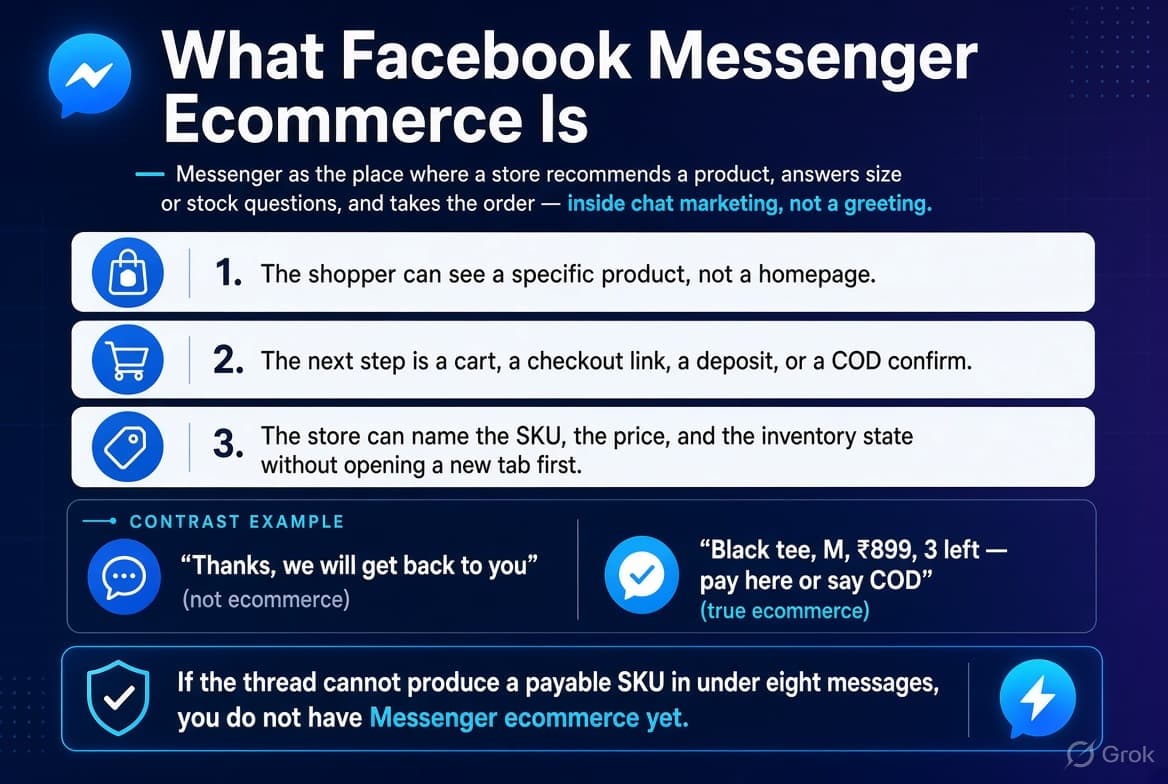
Facebook Messenger ecommerce is the use of Messenger as the place where a store recommends a product, answers a size or stock question, and takes the order. That job sits inside chat marketing, not inside a greeting.
Three things have to be true or it is only inbox hygiene:
- The shopper can see a specific product, not a homepage.
- The next step is a cart, a checkout link, a deposit, or a COD confirm.
- The store can name the SKU, the price, and the inventory state without opening a new tab first.
A Page that sends “Thanks, we will get back to you” is not doing Messenger ecommerce. A Page that sends “Black tee, M, ₹899, 3 left — pay here or say COD” is.
Verdict: If the thread cannot produce a payable SKU in under eight messages, you do not have Messenger ecommerce yet.
What counts as a sale in the thread
A sale in Messenger is any order you can tie to that conversation:
- A recover link clicked, and the same cart paid.
- A product card, then a checkout URL, then a payment.
- COD or UPI confirmed in the thread, and the order created in the store.
- A size or shade chosen in chat, then paid on the product page that opened from the chat.
A sale is not an email capture with no SKU, a “talk to sales” tap that dies in the inbox, or a homepage click with no UTM.
Why stores use Messenger instead of email and the site alone
Stores do not replace the website. They stop losing the shopper who already asked a question. Conversational commerce is that closer, not a second catalog.
Email is a file the shopper opens later. The website is a catalog the shopper has to find again. Messenger is the thread they already opened from a Page, a product comment, a packing slip, or a Messages ad.
| Messenger thread | Site-only checkout | ||
| Time to first useful reply | Seconds, if the catalog is in the flow | Hours | Shopper hunts the SKU again |
| Best job | Recommend, recover, confirm | Receipts, newsletters | Browse, filter, pay |
| Weak job | Deep catalog search | Closing a hot question | “Is this in stock in M?” |
Numbers worth keeping, with the year attached:
- Messenger reach is still near a billion monthly users, per DataReportal’s Messenger stats. Sprout Social’s Facebook stats are the wider Page context. Treat that as audience, not as a conversion rate.
- Hyundai’s Messenger assistant beat phone and email on the same leads: 4× sales rate, 3.5× conversion, 13% lower cost per lead (Hyundai success story). Use it as “conversation beats a ticket,” not as your AOV. The wider set sits on Meta success stories.
- Happy Socks reported 2.4× ROAS on a Christmas Messenger campaign and 3× on Valentine’s when the chat recommended the pair instead of dumping traffic on a grid (Messenger for Commerce).
- Kiehl’s logged 1.8× ROAS and 22% sales growth against a non-campaign period when product questions and orders lived in Messenger (Kiehl’s success story).
- AlwaysHealthy saw a 71% ROAS lift when shopping features in Messenger included the catalog, versus click-to-chat ads with no catalog (Messenger success stories). The catalog in the thread is the variable.
Verdict: Messenger wins the unsure shopper. Email wins the list. The site wins the catalog.
How a shopper enters a commerce thread
Four doors. One catalog behind all of them.
Page message. Someone writes the Page. Treat the first line as a product question. Ask one qualifier. Send SKUs. A saved Instant Reply is only a first line, not the store.
Comment on a product post or Reel. Public ack, then a private message with the SKU they named. Wire the public line and the private message with Facebook comment automation. The commerce copy is later in this article.
Messages ad. Paid intent. The first line must match the ad SKU, not a generic menu. Buy and staff that door with Facebook Messenger advertising.
Site button, packing slip, or email. Same catalog as the Page inbox. The shopper is already mid-browse. Do not restart them at “How can I help you today.”
Rule for every door: the first commerce message names a product or asks one question that names a product.
What you can sell in the thread
Can customers check out on Facebook Messenger? Checkout in Messenger means a hosted cart link or Meta Pay in supported countries. Most Shopify stores still finish on the store checkout. The Messenger Platform overview is the surface. The Messenger Platform changelog is where those surfaces move.
Say the surface out loud. Revenue can be real even when payment is not inside the bubble.
Facebook Shop versus the Messenger thread
Facebook Shop and Messenger chat split the job. They are not two strategies you pick between. Shopify’s sell-on-Facebook guide is the Shop side. Accenture’s digital commerce frame is the split between discovery and the close.
- Facebook Shop / Catalog is discovery: grid, variants, price, availability (Meta catalog help). Good for people already on Facebook who have not messaged you. Setup notes also sit in Meta Business help.
- Messenger is the closer: size, shade, delivery date, open cart, COD address, one related add-on.
A store that only builds Shop and never answers the thread loses high-intent questions. A store that only builds chat and never puts a catalog behind it answers “send me options” with three screenshots and a guess.
Shop versus chat walkthrough
A shopper sees your sage dress in Facebook Shop. They open the item. Shop can show price, two photos, and sizes. It cannot feel the “will L pool at the waist” question. That question arrives as a Page message or a comment on the Reel you used to launch the dress.
Wrong handoff: Shop PDP, then “Message seller,” then “Hi! Tap Shop / Track / Talk to us.”
The shopper already had the dress open. You sent them a mall directory.
Right handoff: Shop PDP, then “Message seller,” then “Sage dress from Shop — S and M ship today, L Friday. Want the size chart or the pay link?”
If they came from Shop, name the Shop item in the first line. If they came from a Reel, name the Reel item. Do not make them describe a product they already picked.
Worked path for that dress:
- Shop or Reel shows sage dress, ₹2,499.
- Shopper messages “does L run long?”
- You send: “L is 46 inches waist to hem. If you are 5'3" take M. Chart: [image]. M ships today: [link].”
- They tap the link and pay on Shopify.
- Same day, one related SKU: “Belt for that dress is ₹349 and can ride in the same parcel: [link].”
Shop did discovery. Chat did fit, stock, and the second item. That is Facebook Shop versus Messenger in one order.
What the shopper should see in the bubble
Keep the objects small:
- One product card: image, title, price, one button.
- Two or three cards after a qualifier. Never twelve.
- One checkout or recover URL, with UTMs: utm_source=messenger&utm_medium=chat&utm_campaign=cart_recover
- One human path: “type HUMAN.”
The thread is a short counter, not a second website.
Shopify, Facebook Messenger, and WooCommerce
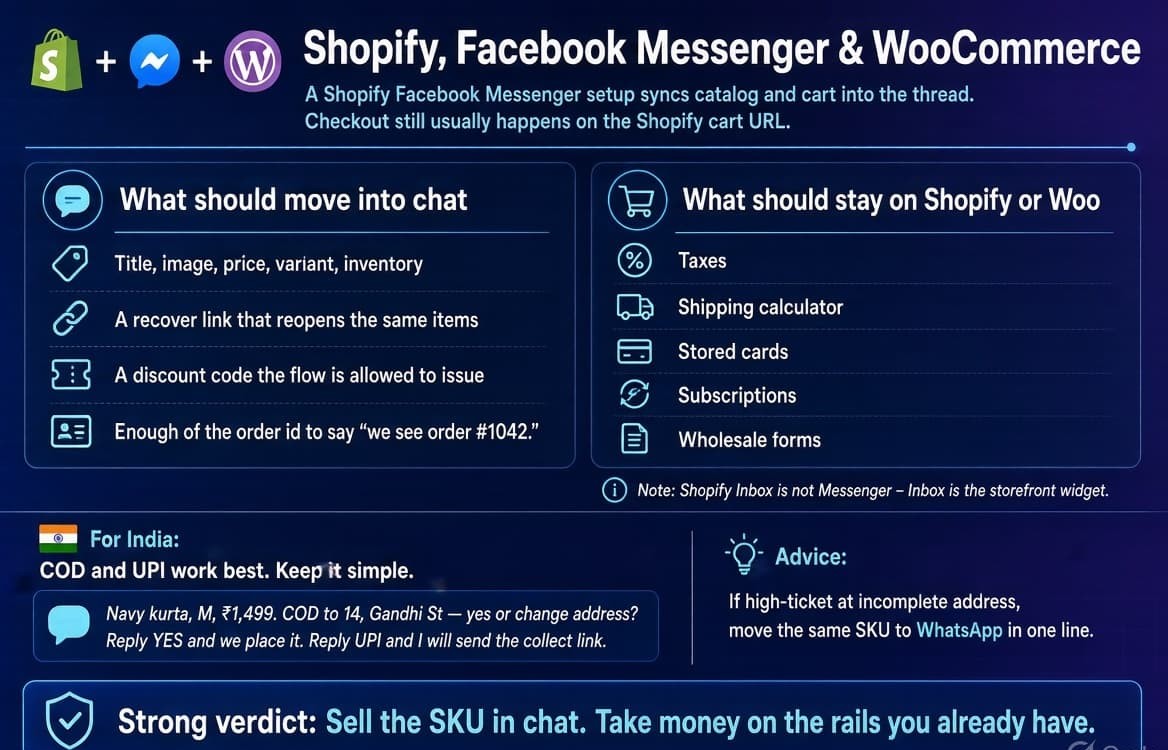
A Shopify Facebook Messenger setup syncs catalog and cart into the thread. Checkout still usually happens on the Shopify cart URL. The channel is Facebook and Instagram by Meta.
What should move into chat:
- Title, image, price, variant, inventory.
- A recover link that reopens the same items.
- A discount code the flow is allowed to issue.
- Enough of the order id to say “we see order #1042.”
What should stay on Shopify or Woo:
- Taxes, shipping calculator, stored cards, subscriptions, wholesale forms. That stays on Shopify checkout.
Shopify Inbox is not Messenger. Inbox is the storefront widget. A shopper on facebook.com is not in Inbox.
The test for any connector: can the flow name an in-stock variant without a human looking it up. Platform reference for the thread itself is the Messenger docs.
India: COD and UPI
For many India catalogs the close is not a card network.
Navy kurta, M, ₹1,499. COD to 14, Gandhi St — yes or change address? Reply YES and we place it. Reply UPI and I will send the collect link.
If the order is high-ticket or the address is incomplete, move that same SKU to WhatsApp in one line. Do not rebuild the catalog on a second channel until this thread can already name the SKU.
Verdict: Sell the SKU in chat. Take money on the rails you already have.
Revenue playbooks
Four flows. Each has a trigger, scripts, one CTA, and one metric. If a flow needs a fifth qualifier, delete two. Forrester’s state of conversational commerce is the retail frame. The prepurchase job is in Forrester’s prepurchase use cases.
Product finder
Trigger: “What’s good for oily skin,” “gift under 2k,” “do you have this in beige.”
Metric: SKUs sent, then checkout clicks.
Do not ship this:
Welcome! Tap a category. Tap a price. Tap a vibe. Tap a size. Tap a color. Tap to talk to sales.
Ship this:
Under 2k, gift — boy, girl, or either?
Either works. Three that leave the box looking expensive: [card] [card] [card]. Wrapped, or just the link?
Two questions. Three cards. One wrap-or-link fork. The same “do not make them hunt” point shows up in IKEA’s agentic service write-up.
Oily skin, serum
Oily or combination?
Oily. Two that stay matte past lunch: [Niacinamide 10%, ₹699] [Oil-control gel, ₹549]. Pair them or start with one?
Beige / color match
Beige on the Reel or a warmer sand?
Sand. 32B in sand ships today: [card]. 32C is Friday. Link includes the size.
Running shoes, first pair
Road or trail, and your usual size?
Road, UK 8. This last lasts longer on hot pavement: [card]. If you run wide, say wide and I will switch the last.
Facebook Messenger abandoned cart
Facebook Messenger abandoned cart recovery is a 4-hour and a 20-hour reminder with the same items and one recover link — only while you can still message that person. When that window is closed, stop. The rules for the window are in Facebook DM automation.
Trigger: Cart created, checkout not completed.
Metric: Recovered revenue on the recover link.
Do not ship this:
You left items in your cart!!! Complete your purchase NOW and enjoy 15% OFF with CART15. Shop our bestsellers. Tap below. Reply STOP.
Ship this at 4 hours:
You still have the black tee (M) and the cap. I kept the size. Recover the cart: [link]. Want the tee only?
Ship this at 20 hours:
Last ping on that cart — black tee M + cap. Link still works: [link]. If the size moved, say the size and I will check.
Do not add a third blast. If you use a code, put it on message one or two and keep it.
Browse abandonment uses the same shape with one product: “You looked at the navy kurta. Still 6 in M. Link: [pdp].”
Worked recover-math example
Assume a mid-size apparel store for one month:
- 400 carts created from Facebook or Instagram traffic.
- 280 abandoned (70%, normal; Shopify’s abandoned-cart recovery note).
- 120 of those shoppers can be reached in Messenger (they messaged, commented, or came from a Messages ad).
- 4-hour note: 40% open the chat they already have, 18% click recover, 22 checkouts started, 14 paid. Average cart ₹1,800, so ₹25,200.
- 20-hour note to the remaining 106: 8% click, 5 paid, so ₹9,000.
- Codes used on 4 of the 19 orders at 10%, minus ₹720.
Recovered in-thread: about ₹33,500.
Cost of the messages is your tool plan, not a media buy, if the door was organic or already paid.
If those 19 orders also show up in “all Messenger revenue” without UTMs, you will double-count. Tag the link utm_campaign=cart_recover. If recovered-cart revenue is zero after 30 days, the flow is empty or the items in the reminder do not match the cart. Europe’s ecommerce agenda is the wider retail backdrop, not this store’s number.
Comment “PRICE / SIZE / LINK” on a product post
Trigger: Comment on an organic product post or Reel.
Metric: Comments that produced a private message with a payable SKU.
Do not ship this:
Public: Thanks for your comment! Please check your inbox.
Private: WELCOME TO OUR STORE. Tap Shop / Offers / Support.
Ship this:
Public: Sent the size chart and the pay link.
Private: Sage dress, this Reel. S and M ship today, L Friday. Chart: [image]. Pay: [link]. COD — reply with size + pin code.
If the comment sits on a Messages ad, match the creative. You paid for that SKU. Do not greet it with a menu.
PRICE on a Reel
Public: Price is in your message.
Private: Olive overshirt, Reel from today, ₹1,899. M and L up. Pay: [link]. Want the size chart?
SIZE on a carousel
Public: Chart sent.
Private: You commented SIZE on slide 3 (cream trousers). 28–34 in stock. 36 is next week. Chart: [image]. 30 ships today: [link].
LINK on a bundle post
Public: Bundle link sent.
Private: Kurta + stole bundle from the post, ₹2,199. Stole is ivory or rust. Ivory ships today: [link].
Post-purchase upsell only
Trigger: Paid order, same day, related SKU.
Metric: Attach rate.
Order #1042 is in. The belt for that kurta is ₹349 and ships in the same parcel if you add it in the next hour: [link]. For tracking, say TRACK and a person will take it.
Tracking, refunds, and “where is my package” are support work. Keep them off the sales scripts. That split is the digital customer service job, not the sales job.
30-day store launch
Week 1 — Name a product. Pick 15 SKUs that already sell. Build a card for each. Confirm inventory is live. Put one checkout URL pattern in place. Test five internal threads. If a tester cannot get a price without a human, stay in week 1.
Week 2 — Finder + cart reminder. Run the finder on inbound product questions. Run the 4-hour and 20-hour recover. Watch recover clicks, not “conversations started.”
Week 3 — One product-post keyword. One SKU family. One comment word. Public ack plus a private SKU line. Do not roll it out to every Reel in the same week.
Week 4 — Measure and cut. Kill any line that does not produce a click or a YES. Keep the human door. Add one upsell SKU only if week 2 recoveries are real money.
A store that skips week 1 and buys Messages ads in week 1 is paying for a lobby. Reinventing retail is the long view. This week is the SKU.
How to measure Messenger ecommerce
Measure money that would not exist without the thread. Deloitte’s 2025 retail outlook is the category context, not a Messenger benchmark.
| Metric | What it means | What it is not |
| Conversation-to-purchase | Threads that produced an order | Homepage sessions |
| Recovered-cart revenue | Orders from the recover link | All Messenger-attributed revenue |
| In-thread AOV vs site AOV | Whether chat is upselling or discounting | Meaningful on 11 orders |
| Cost per messaging conversation | Only if the door was a paid Messages ad | A metric for organic comments |
Send recover and checkout links with UTMs. If you cannot separate “Messenger recover” from “direct,” you will over-credit the thread.
Verdict: If recovered-cart revenue is zero after 30 days, the flow or the items are the problem. It is not a branding problem.
Which setup to use for commerce
Compare tools on catalog, cart, checkout, and whether a product comment can carry a SKU. Shopify Inbox is the storefront widget. It is not Messenger. Agentic commerce changes who starts the thread. It does not change the need for a SKU in the reply. BCG on trust in AI buying is the trust side of that same shift.
| Setup | Catalog / store data | Cart or order in chat | Checkout / code in thread | Comment to product message |
| InstantDM | Product links and store URLs in the flow | Recover and order links you pass in | Hosted checkout or COD confirm in the script | Yes, on Page posts and Reels |
| ManyChat | Strong Shopify flows when you build them | Cart templates if connected | Codes and checkout URLs in the builder | Yes |
| Shopify Inbox | Native to the storefront | Strong on-site | Native checkout | No |
| Native Shop + Page inbox | Facebook Shop catalog | Weak unless you add a tool | Shop checkout + manual replies | Suite private reply only |
Pick InstantDM when product comments and Messages ads already create questions and you want the DM to carry the SKU on a flat Meta-only plan. Pick ManyChat when the same flow must also run WhatsApp and SMS and you have modeled contact cost. Pick Inbox when the shopper is on the storefront. Pick native Shop plus the inbox when volume is low and you will type.
Mistakes that kill revenue
- Sending the homepage. The shopper named a color. You sent /collections/all.
- Eight questions before a link. Two questions, then cards.
- A cart reminder after you can no longer message that person. Stop.
- Treating Instant Reply as a store. “Thanks for messaging us” is not a catalog.
- Running a Messages ad into a menu. You paid for a SKU. The first line must be that SKU.
- Building twelve tools before fifteen product cards. The catalog is the product.
- Putting refunds in the sales flow. The thread starts to sound like a ticket queue.
Bottom line
Facebook Messenger ecommerce is a catalog in a thread plus four short flows. It is not a second website and it is not a replacement for Shopify.
Ship the finder, the cart reminder, one product-post keyword, and one honest checkout path. Measure recovered revenue.
If product comments and Messages ads already produce questions you answer by hand, InstantDM is the flat-price way to put the SKU in that DM. If the same flow must also live on WhatsApp and SMS, model ManyChat’s contact math first.
About the author
Aravindh Kumar is an ecommerce and Instagram growth expert with 8+ years of experience in online selling. He has worked with 500+ brands - including Forbes-listed companies - He has helped 200+ Instagram businesses grow their online presence.