Last Updated: 09 November 2026
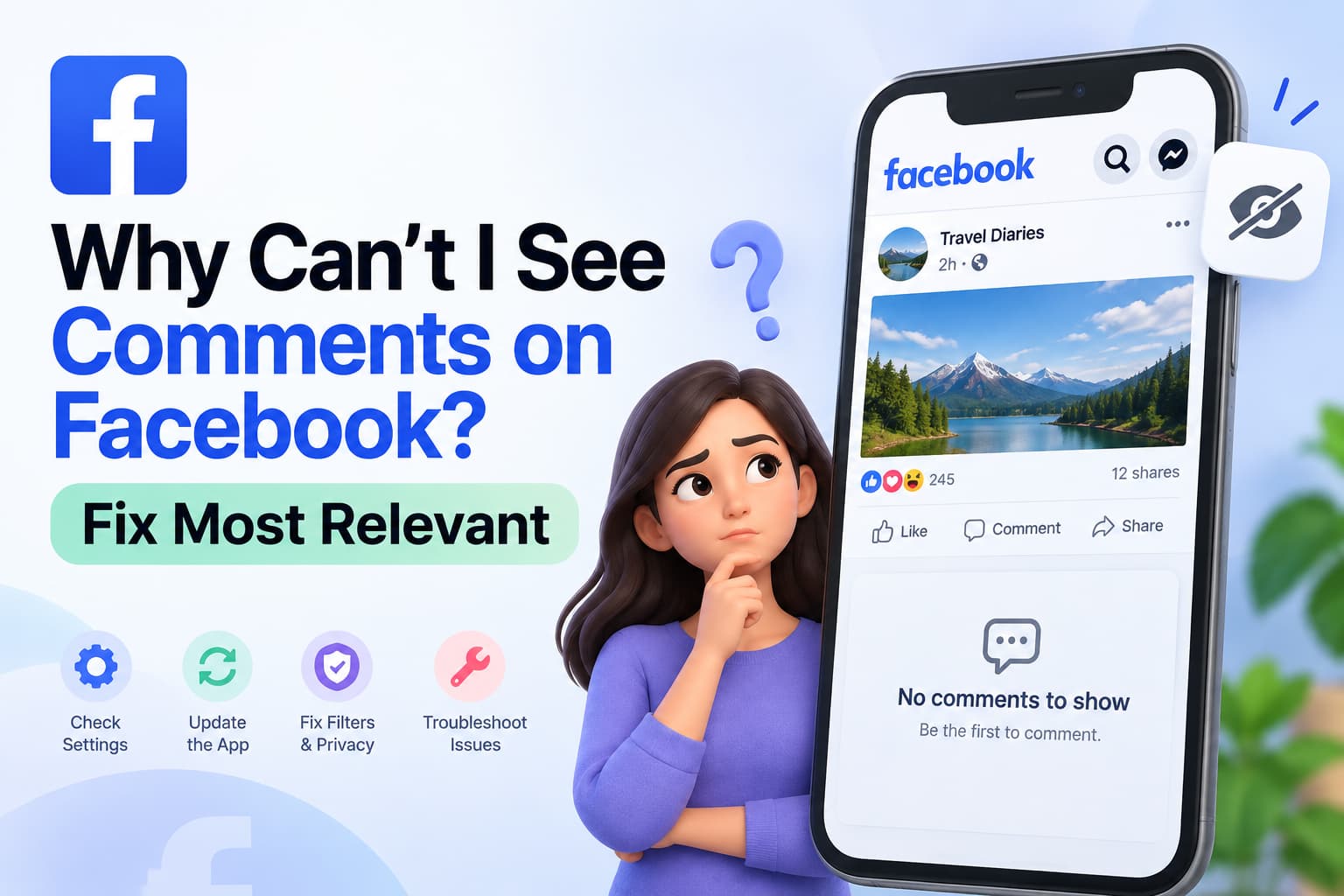
If you can't see comments on Facebook, the post is usually sorted by Most Relevant, which hides most replies. Tap the dropdown above the comments and switch to All comments or Newest. Then tap View more comments and View replies until the list stops growing. If the number on the post still does not match what you see, the missing replies are hidden by privacy, a block, Page or Group moderation, a deleted comment, or the app failing to load the thread. Missing chats inside the Messenger inbox are a different problem. This page is only about comments under a post, Reel, Group thread, or ad.
Short verdict
| Question | Answer |
| Why can't I see comments on Facebook? | Facebook is ranking comments. Change Most Relevant to All comments or Newest. |
| Why do I see 50 comments but only 5? | The extra comments are ranked down, nested as replies, or not loaded yet. They are usually still there. |
| How do I see all comments on Facebook? | Open the post from the timestamp → tap the sort label → All comments → tap View more comments. |
| What does Most Relevant mean? | Facebook shows friends, verified accounts, and high-engagement replies first and parks the rest. |
| Someone commented but I can't see it | After you change the sort, check privacy, blocks, hidden comments, or a delete. |
| Why can't I see comments in a Facebook group? | You may not be a member, comments may be off or pending, or a ranking bug is filtering the thread. |
| Can I turn off Most Relevant on my Page? | Page admins can turn off Comment Ranking. Very large profiles may not get a full off-switch. |
| I can see my comment but others can't | It is pending, hidden, or limited to you. Other people are not seeing a public comment. |
What “can't see comments on Facebook” looks like
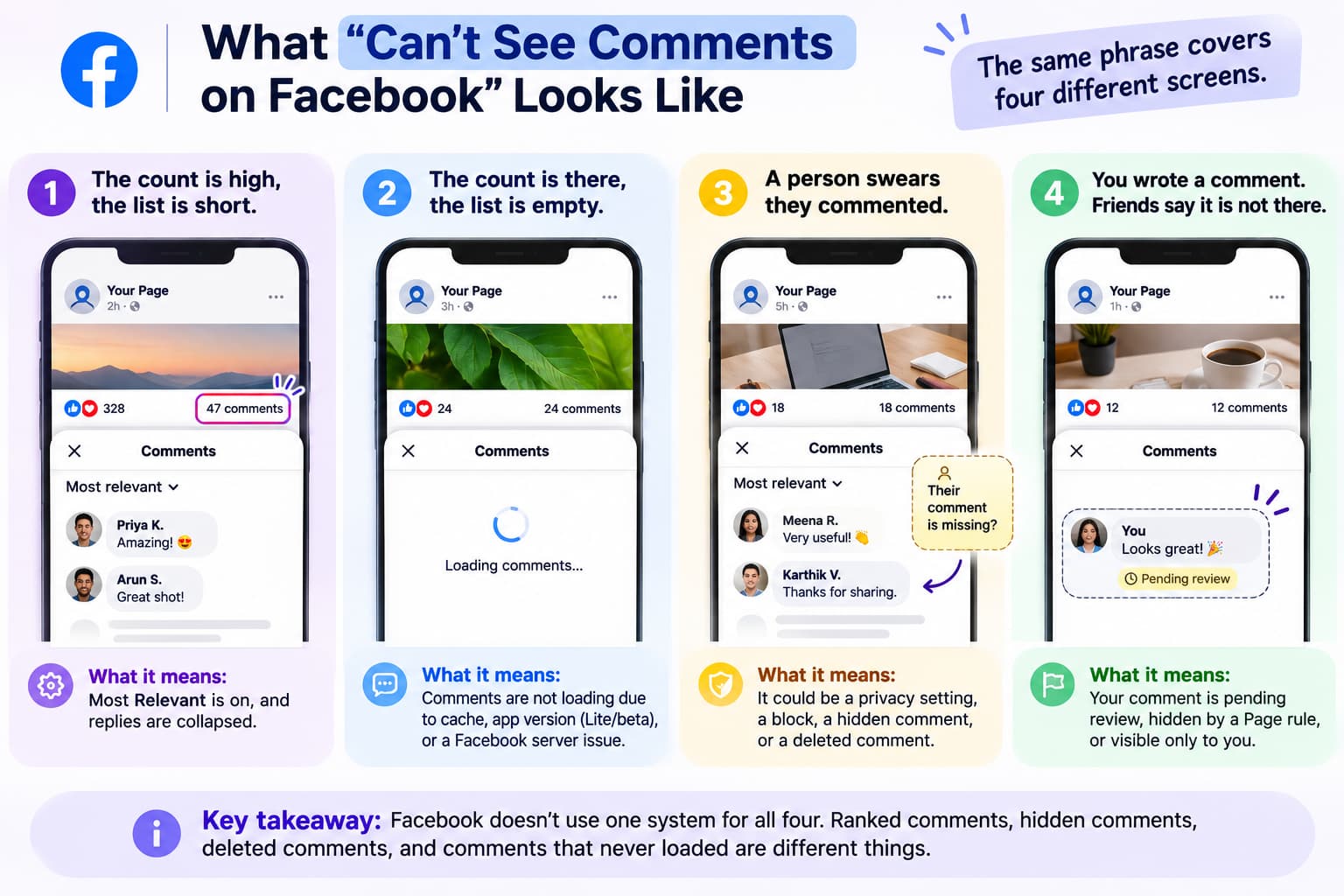
The same phrase covers four different screens. The fix depends on which one you have.
- The count is high, the list is short. A post says “47 comments.” You open it and see six. This is almost always Most Relevant plus collapsed replies.
- The count is there, the list is empty. You tap Comments and get a blank sheet or a spinner. This is loading, cache, Facebook Lite, a beta app, or a server problem.
- A person swears they commented. You still cannot find their name. This is privacy, a block, a hidden comment, or a delete — not ranking.
- You wrote a comment. Friends say it is not there. This is pending review, a Page hide rule, or a comment only you can see.
Facebook does not use one system for all four. Ranked comments, hidden comments, deleted comments, and comments that never loaded are different things.
Ranked vs hidden vs deleted vs not loaded
Use this table before you reinstall the app.
| State | Who can see it | Does the count include it? | Who caused it | First action |
| Ranked down | You, after you switch to All comments or Newest | Usually yes | Facebook comment ranking | Change the sort dropdown |
| Collapsed reply | Anyone who taps View replies or View more | Often yes | Thread pagination | Tap every “view more” row |
| Hidden by admin | The commenter and sometimes their friends | Sometimes | Page or Group moderator | Only an admin can unhide it |
| Held / auto-filtered | Nobody public; it sits in a queue | Often yes | Keyword list, profanity filter, Moderation Assist | Admin opens Hidden or Filtered comments |
| Deleted | Nobody | The count can lag | Author, admin, or Facebook | It cannot be restored |
| Privacy-blocked | People inside the post audience | Yes for them, no for you | Friends-only post, private Group, custom list | You cannot override someone else's audience |
| Blocked user | Not you, or not them | Unreliable | You blocked them or they blocked you | Check your Blocked list |
| Not loaded | Nobody on this device yet | The count may still show | App, cache, Lite, beta, network, outage | Refresh the standalone post, not the Feed card |
If switching to All comments reveals the missing rows, nothing is broken. If All comments still hides a name that another account can see, the cause is hidden comments, privacy, or a block.
Why Facebook comments are not showing — and how to see all of them
What Most Relevant means on Facebook comments
When the label above the thread says Most Relevant, Facebook is ranking comments, not listing them in time order. Meta’s own help on what Most Relevant means on a Page post says you are more likely to see comments from friends, verified profiles and Pages, and comments with the most likes and replies.
On many posts Facebook also prints: “Most relevant is selected, so some comments may have been filtered out.” That sentence means the list is incomplete on purpose.
Comment ranking scores replies by who wrote them, how people reacted, whether the text looks like spam, and whether the comment is tied to you. Ranking is not a delete. The comment can still exist.
Two limits matter:
- Changing the dropdown on one post changes your view of that post. It does not change what other people see.
- Page admins can turn off Comment Ranking so posts default toward a fuller list. Profiles with a very large following may not be able to turn ranking off completely.
How to see all comments on Facebook
On iPhone or Android
- Open the Facebook app and go to the post. If the thread looks thin in Feed, tap the timestamp (“2h”, “Yesterday”) so the post opens on its own screen.
- Tap the comment count.
- At the top of the comment sheet, find the small label. It may say Most relevant, Top comments, Newest, or All comments. On mobile it often sits as grey text under the first comment.
- Tap it. Choose All comments or Newest.
- Scroll to the bottom. Tap View more comments, View previous comments, and View replies. Busy posts need several taps.
On desktop (facebook.com)
- Open the post from its timestamp so you are on the full post, not a clipped Feed unit.
- Above the thread, click the current sort label.
- Choose All comments or Newest comments.
- Click View more comments until the list stops growing.
Newest puts the latest comment first. Use it when you are hunting a comment someone just left. All comments includes more of the thread, including comments Facebook may treat as possible spam; relevant comments can still sit at the top. Neither option unhides a comment a Page admin has hidden. Neither restores a deleted comment.
Do this before you clear cache. For “50 comments but only 5,” this single change is the fix more often than any other step.
Why do I see 50 comments but only 5?
Facebook can show a comment count that does not match the rows on screen for five reasons. Work them in this order.
- Most Relevant is on. The count includes ranked-down comments. Switch to All comments. If the missing rows appear, stop.
- Replies are nested. A “comment” in the count can be a reply under another comment. Open View replies.
- Pagination. Facebook has not fetched the rest of the thread yet. View more comments is required.
- Hidden or filtered comments still inflate the number on some Page and Group views, especially for admins. The public list is shorter than the admin list.
- The count is stale. Someone deleted a comment. A deleted comment will not come back when you change the sort.
Useful test: open the same post in a private browser window while logged out, or from a second account. If the logged-out view shows more comments, your account is the filter. If every account sees the same short list, the comments are hidden or gone for everyone.
Someone commented but I can't see it
Once All comments is on and you have expanded replies, four causes remain.
The post audience does not include you
Comments inherit the post’s audience. If the post is Friends, a custom list, or a private Group, you will not see the discussion unless you are inside that circle. A notification can still fire and then lead to an empty thread.
Look at the audience icon on the post (globe, two friends, lock, Group name). If it is not Public, you may be outside the room.
A block in either direction
If you blocked the commenter, their comments disappear from your view. If they blocked you, the same thing happens the other way.
Check Settings → Privacy → Blocking. Facebook does not show a list of people who blocked you. The second-account test is the practical check.
The comment was hidden, not ranked
On Pages and Groups, an admin can hide a comment. Hidden comments often remain visible to the person who wrote them and sometimes to their friends. Everyone else sees nothing.
Page owners should open Comments Manager (Professional Dashboard → All tools → Comments manager) and filter by Hidden comments. Also check Moderation Assist and any keyword or profanity list. Words such as “price”, “link”, “WhatsApp”, or “free” will hide sales comments.
A login tool that scrapes other people’s posts to “find” missing comments is not how this works, and it is not allowed. Safe comment tools only watch Pages you admin, through Meta’s official API. That difference is explained in Are Facebook auto comment bots safe?.
The comment was deleted
The author deleted it, an admin deleted it, or Facebook removed it. Deleted comments do not return when you change Most Relevant. The count can lag for a few minutes.
If the person still sees their own comment and nobody else does, it is hidden or pending. If nobody including the author can find it after a refresh from another device, it is gone.
Why can't I see comments in a Facebook group?
- You are not a member of a private or hidden Group. Notifications from a share can still reach you. The comments stay inside the Group.
- The admin turned comments off on that post.
- Comment approval is on. The author sees the comment. Members do not until a moderator approves it.
- Participation is limited to admins, moderators, or a subset of members.
- Groups also use Most Relevant. Switch the sort and expand replies.
- In November 2025, some Group admins saw All comments hide more rows than Most Relevant. If both sort modes fail and another member sees the comments, try a second account before you wipe the app.
If you admin the Group: confirm comments are allowed, open pending and filtered comments, compare both sort modes, and check whether missing names were muted, blocked, or removed.
If you are not an admin, join the Group if it is private, switch the sort, and if the comment still does not appear, it is hidden, pending, or deleted.
Page owners: turn off Most Relevant and find hidden comments
Turn off Comment Ranking on a Page
On desktop, as a Page or public-profile admin:
- Open Settings & privacy → Settings.
- Under Audience and visibility, open Followers and public content.
- Toggle off Show most relevant comments first.
- Save.
Page settings use the same idea; look for Comment Ranking or Show most relevant comments first. Labels move in the new Pages experience.
On a profile with public followers: Settings → Privacy → Public posts → Comment Ranking. Meta’s steps to turn comment ranking on or off match that path. Large-follower profiles may not get a complete off-switch.
This makes new visitors less likely to land on a truncated thread. It does not turn off Facebook’s spam filters. Large-follower profiles have ranking on by default; you can still toggle it off. Facebook Live keeps comment ranking on even if this toggle is off. On a busy post, still switch that thread to All comments.
Use Comments Manager, not the Feed
Professional Dashboard → All tools → Comments manager lets you search recent comments and switch Visible comments / Hidden comments / All comments. If a customer says they commented and the public post looks empty, this screen is the source of truth.
Filters that hide real comments
Three native tools hide comments without a clear alert in Feed:
- Profanity filter
- Blocked words
- Moderation Assist — auto-hide by new accounts, missing profile photos, links, images, or keywords (including variants like LINK)
Review the hidden queue on campaign days.
Ads are a different list
- Meta Business Suite Content is organic. Ad comments sit under Content → Ads.
- Ads Manager shows a count. Read the thread with View Post on the individual ad.
- Advantage+ and dynamic creative split comments across variants.
If someone commented on a dark post, you will not find it by scrolling the Page. Open the ad itself.
A comment on a post and a message already sitting in Messenger are not the same door. One comment can get a single Private Reply. An inbound chat follows the 24-hour messaging window. That split is covered in Facebook DM automation.
When the thread will not load
Use this only after the sort dropdown failed.
Refresh the full post, not the Feed card.
Network. Switch Wi-Fi and mobile data. Turn a VPN off.
Update the official app. Check Downdetector if everyone you know is missing comments.
Clear cache.
- Android: Settings → Apps → Facebook → Storage → Clear cache.
- iPhone: Settings → General → iPhone Storage → Facebook → Offload App, or delete and reinstall.
Log out and in.
Facebook Lite and data saver can drop pieces of the thread. Test the same post in the full app or on facebook.com.
Beta app. In March 2026, the Play Store Facebook beta failed to load comments for many people. Leaving the beta and installing the public app fixed it. If only the app fails and the website works, suspect the app build.
Browser extensions. Test in a private window with extensions off.
Report it. In the app, shake the phone and use Report a problem. On desktop: Help & Support → Report a problem. Include the post link and whether a second account can see the comments.
I can see my comment but other people can't
The comment is limited.
Common cases:
- Pending in a Group with approval turned on
- Hidden by the Page
- The commenter’s account is restricted
- Audience mismatch (share card vs original post)
Ask someone who is not on your friends list to open the post from the timestamp. If they cannot see it, an admin has to unhide or approve it.
Known issues from 2025–2026
- November 2025, Groups: normal count, missing thread. Sometimes All comments hid more than Most Relevant.
- Late 2025, desktop: some browsers lost the comment box entirely.
- March 2026, Android beta: comments failed to load until people left beta and reinstalled.
- Ad comments still live outside the organic Content tab.
If both sort modes fail and the website works, check beta, Lite, and extensions. If website and app fail and another account works, check hide rules and privacy. If every account fails, the comment is deleted or comments are off on the post.
Fast checklist
- Switch Most Relevant → All comments or Newest.
- Open the post from the timestamp.
- Tap View more comments and View replies.
- Test a second account or a logged-out window.
- Check your Blocked list.
- If you admin the Page or Group: Hidden comments, keyword list, Moderation Assist, Comments Manager.
- If it was an ad: Content → Ads, or Ads Manager → View Post.
- Refresh, switch network, update the app, clear cache, leave beta, try facebook.com.
- Check Downdetector, then report the post link if it is still broken for everyone.
Stop at the first step that reveals the comments. Most people should stop at step 1.
How to keep this from happening on the next post
If you use Facebook as a person
- Switch to All comments when you need the full thread.
- Do not assume a notification means you can see the conversation.
- If you are talking with people who are not friends, the post has to be Public.
If you run a Page or Group
- Turn off Comment Ranking if the setting is available.
- Keep the blocked-word list short when you run “comment LINK” campaigns.
- Check hidden comments on campaign days.
- Check ad comments in the Ads tab, not only on the Page timeline.
Once a comment is actually visible on the post, a Page can reply in public and send one official Private Reply in Messenger when someone uses a keyword. That setup is Facebook comment automation — after this page has made the comments visible, not instead of the steps above.