TL;DR
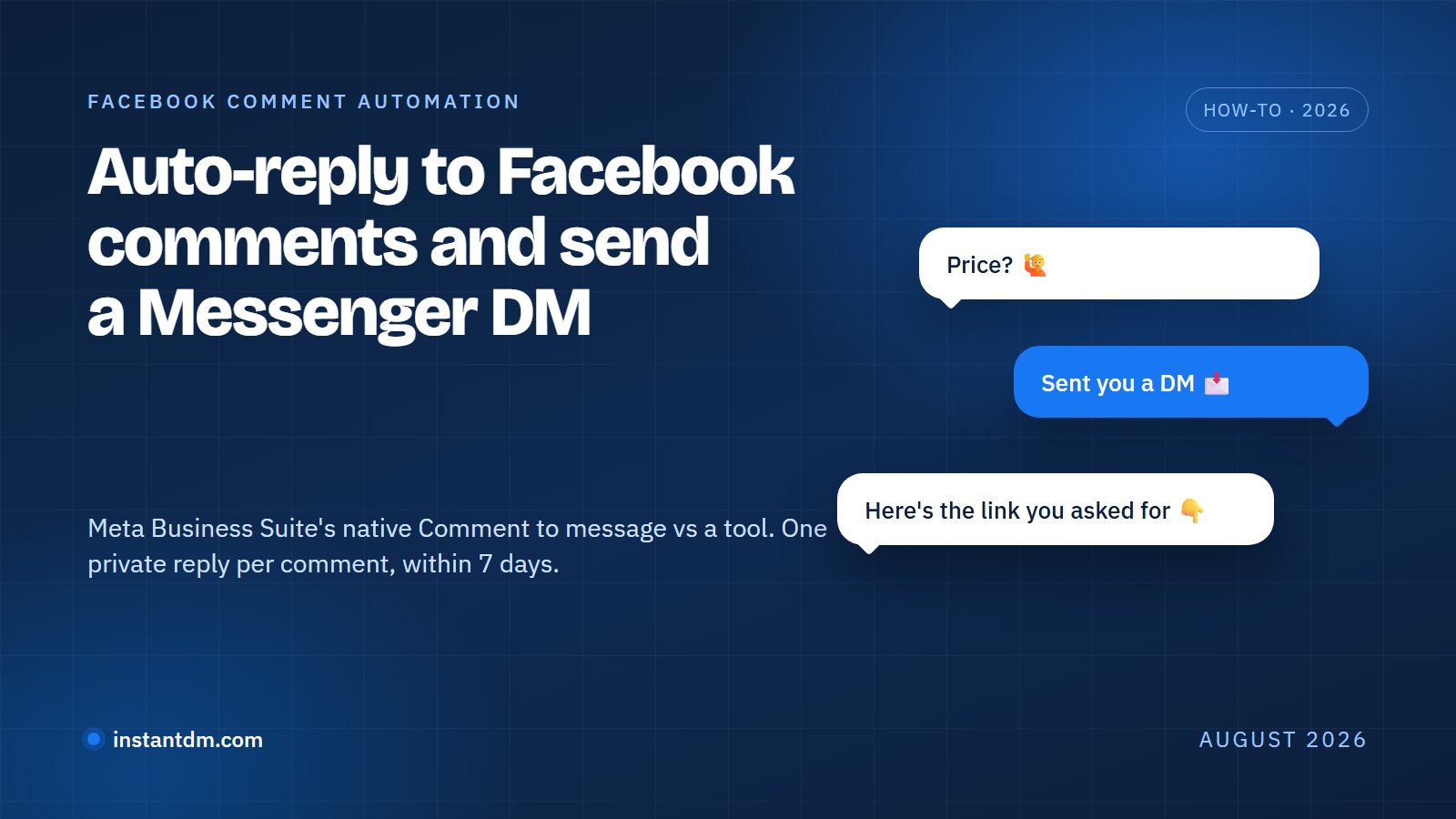
Facebook comment automation replies to comments on your Facebook Page posts and Reels and can send the commenter a private Messenger message. Meta Business Suite does a basic version for free with its "Comment to message" template. InstantDM adds trigger words, a public reply paired with a private reply, and flows. Meta allows one private reply per comment, sent within 7 days. A fuller list of what a Page can automate is on our Facebook automation page.
- Two paths: Meta Business Suite Inbox automations (free, desktop only, hashtag trigger) or a tool built on the Messenger Platform such as InstantDM (trigger words, public and private reply, Flow Editor, "Copy from Instagram").
- Meta's Private Replies rule: one message per comment, sent within 7 days of the comment. The 24-hour messaging window only opens if the person replies. Source: Meta developer docs.
- Automated bots must respond to a user's message within 30 seconds, per the Messenger Platform policy.
- Auto-replying to comments on your own Page is allowed. Bots that post comments for you are not.
- InstantDM's Facebook automation covers Pages only: no Groups, no personal profiles, no Facebook Stories, no WhatsApp, and Facebook ad comments only if support confirms it (the feature page does not list it).
Full disclosure: this is InstantDM's blog. InstantDM is an official Meta Business Partner. That is a partnership-program status; it does not mean Meta endorses this article or any tactic in it.
Facebook features change and roll out by region and account type. Steps and labels below are accurate as of August 2026.
Key takeaways
- Setup time: about 10 minutes in Meta Business Suite, about 15 minutes in InstantDM including connecting the Page, or 5 minutes if you copy an Instagram automation.
- You need a Facebook Page. Neither path can automate personal profiles or Groups. InstantDM also needs the Page linked to your Instagram Professional account.
- Meta Business Suite custom keyword automations take up to five keywords, match case-sensitively, allow each keyword in only one automation, and send after 15 minutes unless you reply first.
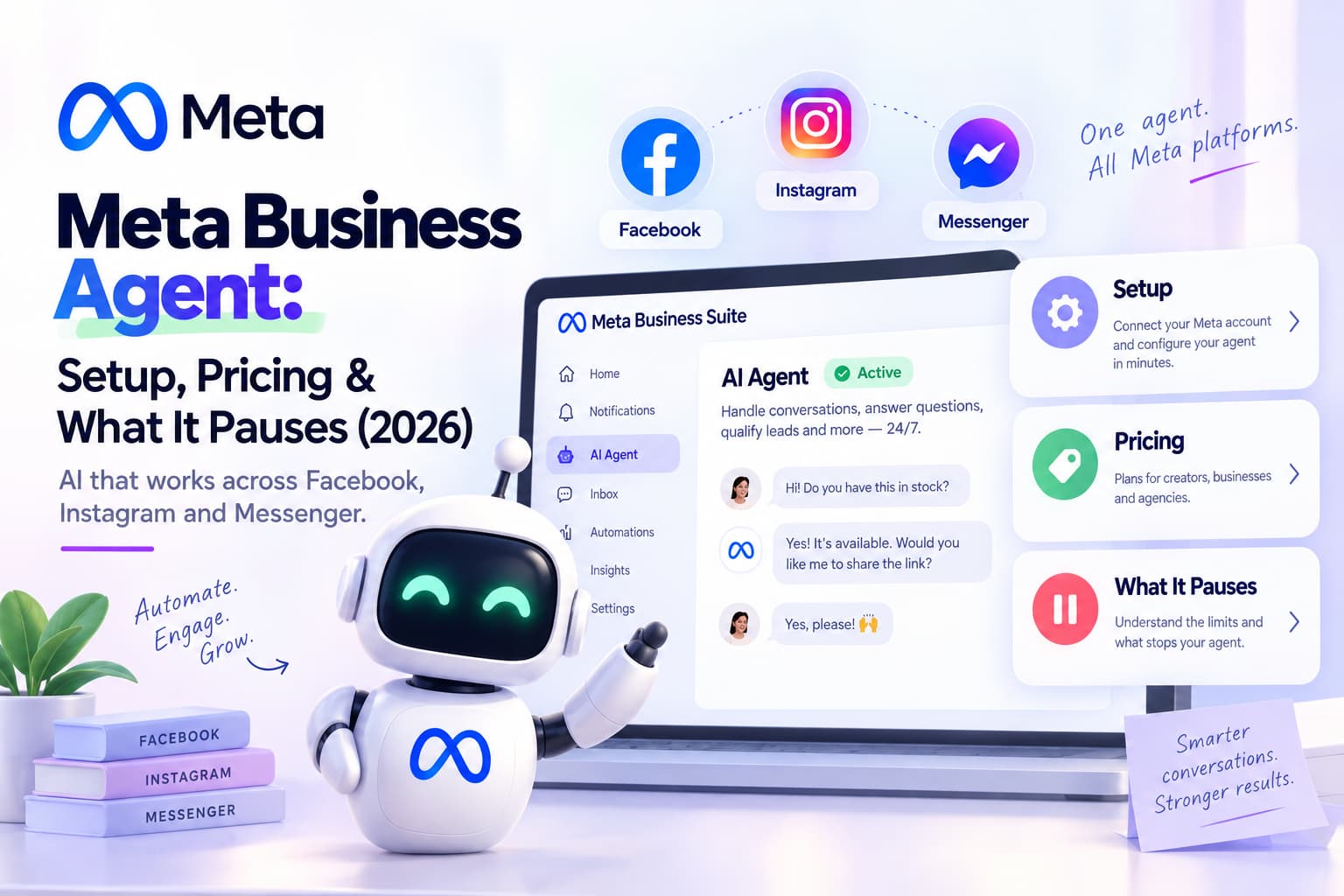
- Turning on Meta Business Agent pauses your existing automations.
- Your first private message has to carry the link or the answer. There is no second automated message unless the person replies.
- InstantDM pricing as of August 2026: free plan (500 automations/month), Legend Pro $9.99/month, Trendsetter $24.99/month. Facebook is included; there is no separate Facebook add-on.
What is Facebook comment automation?
Facebook comment automation is a rule that reacts to a comment on your Facebook Page post or Reel without you typing. It can post a public reply, send the commenter a private Messenger message, or both. Meta's name for the private part is a Private Reply.
People type that phrase meaning one of three things.
- Comment auto-reply: a public reply under the comment. "Sent you the details in Messenger."
- Comment to message, also called comment-to-DM: a private Messenger message to the person who commented, usually with a link or a price.
- Comment moderation: hiding or filtering comments that match a word list. Facebook's Page settings handle this, and it is not what this post is about.
This post covers the first two, since those are what turn a "price?" comment into a conversation. Every tool uses the same mechanism. Meta notifies the tool when someone comments on a Page post. The tool checks the comment text against your rule. If it matches, the tool posts the reply as your Page and sends the private message through Meta's Private Replies API. The person sees it in Messenger, from your Page.
The manual version, a person with the Page open refreshing the notifications tab, still works for a post with nine comments. It stops working at ninety. That is the whole case for automating it.
Does Facebook allow comment automation?
Yes, on Facebook Pages, through Meta's own Business Suite or through apps built on the Messenger Platform. Meta publishes the rules in its developer docs. Four numbers decide how the automation behaves.
- One message. "Only one message can be sent to the person who commented." Source: Meta's Private Replies documentation.
- 7 days. "The message must be sent within 7 days from when the post or comment was created." Same page.
- 24 hours. "Only when a person responds to the private message can you continue the conversation within the 24-hour messaging window." Inside that window, messages may contain promotional content. Outside it you need a message tag, and the Human Agent tag lets a person reply manually within 7 days. Source: Messenger Platform policy overview.
- 30 seconds. "Automated bots must respond to user input within 30 seconds." Same policy page.
The same docs add two smaller rules. The app needs the pages_messaging permission, and a Page cannot send a private reply to another Page. If a business comments on your post from its own Page, no message goes out.
That shapes what you write. Put the link or the answer in the first private message. A five-message drip off one comment isn't possible; a second message only exists if the person writes back, so end with a question they can answer.
Instagram works the same way, with its own set of docs; we cover those in whether Instagram automation is allowed. The Messenger side, including message tags and what happens after the 24 hours, is in how Facebook DM automation works and what Meta allows.
Facebook auto comment vs auto-reply to comments: which one is allowed?
Auto-replying to comments on your own Page's posts is allowed, and Meta Business Suite ships a template for it. Software that posts comments for you, on other people's posts or from a set of accounts, is what Meta's spam and inauthentic behaviour policies are written against.
The search terms blur the two. "Facebook auto comment", "fb auto commenter", and "auto comment on Facebook post" get typed by Page owners who want replies handled, and by people looking for a bot that will drop "Check my page!" under a thousand posts an hour. The first job is fine. The second gets Pages restricted.
Meta's spam policy covers posting, sharing, or engaging at very high frequencies. Its inauthentic behaviour policy covers networks of accounts used to inflate engagement. Auto-commenter tools usually run as a browser extension or a desktop app logged in as you, because there is no official API that posts comments on other people's content. That is the tell. Anything that needs your Facebook password, or a "cloud phone", is outside the Messenger Platform and outside the rules.
So when this post says "auto comment", it means what most Page owners mean: a reply that goes out the moment someone comments on one of your posts, paired with a private Messenger message. That is what InstantDM does. It doesn't post comments on other people's content, and we won't walk you through tools that do.
How do you auto-reply to Facebook comments with a private message?
Two paths. Meta Business Suite's Inbox automations do it free, on desktop, with a hashtag as the trigger. A Messenger Platform tool such as InstantDM does it with trigger words, sends a public reply and a private reply together, and can continue in a flow once the person replies.
| Meta Business Suite | InstantDM | |
|---|---|---|
| Cost | Free with any Page | Free plan (500 automations/month); Legend Pro $9.99/month, as of August 2026 |
| Where you set it up | Desktop only | Web app, iOS, Android |
| Trigger | Comments containing specific hashtags ("Comment to message" template) | Trigger words, or Any Comment, set per post or Reel |
| Public reply and private reply in one rule | Private message | Public comment reply plus private Messenger reply |
| After the person replies | Inbox, Instant reply, FAQs, Custom keywords | Flow Editor with buttons, images, and keyword branches |
| Copy an Instagram automation | No | Yes, "Copy from Instagram" |
| Facebook Groups, personal profiles | No | No |
| No | No |
Other tools on the Messenger Platform, including ManyChat, Chatfuel, NapoleonCat, and CommentGuard, sit in the second column with different pricing models and channel mixes. We compare them, with dated prices, in the best Facebook auto reply tools for 2026.
How do you set up "Comment to message" in Meta Business Suite?
In Meta Business Suite on a desktop browser, open Inbox, then Automations, choose the "Comment to message" template, add the hashtags people should comment, write the message, and save. Budget 10 minutes. Meta's help pages on automated responses in Inbox and setting up Inbox automations on desktop are the source for the labels and limits below, as rendered in August 2026.
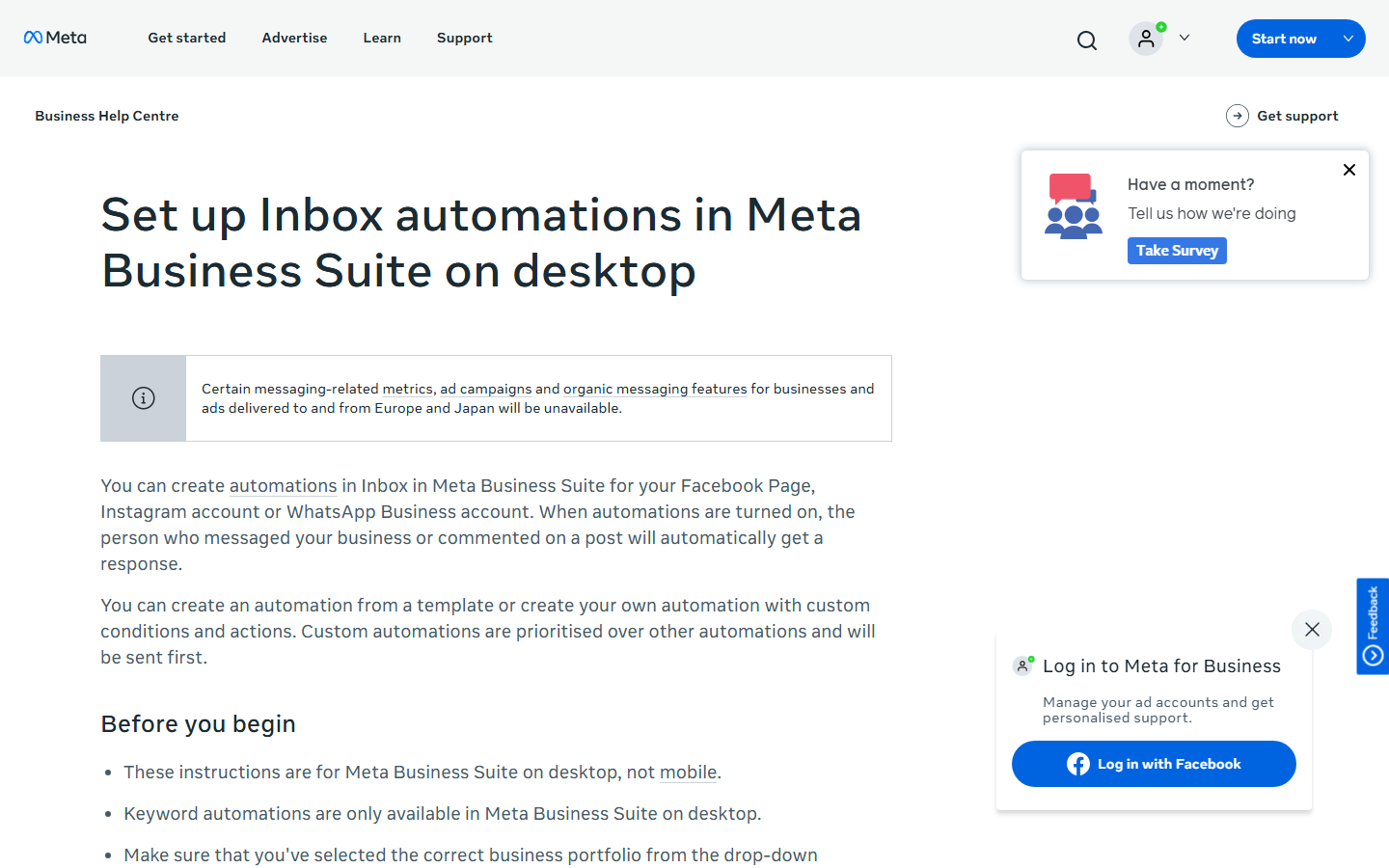
Step 1: Open Meta Business Suite on a desktop browser (1 minute)
Go to business.facebook.com and select the Page. Do this on a computer. Meta lists both "Custom keywords" and "Comment to message" as desktop only.
Step 2: Open Inbox and click Automations (1 minute)
The Automations screen lists Meta's templates: Instant reply, Away message, Frequently asked questions, Location, Contact information, Hours, Custom keywords, Comment to message, and Identify unanswered messages.
Step 3: Choose "Comment to message" and add the hashtags (2 minutes)
Meta describes the template as "Reply to a comment that contains specific hashtags". So the trigger is a hashtag, not a plain word. Put the hashtag in the post itself ("Comment #price and I'll message you") so people copy it exactly.
Step 4: Write the message (3 minutes)
This is the private message the commenter receives. It is one message, sent under the Private Replies rule above, so the link goes in the first line. Write it the way you'd type it into Messenger, and finish with a question.
Step 5: Save, turn it on, and test from a personal profile (3 minutes)
Save the automation and check that the toggle shows on. Then open the post from a personal profile, comment the hashtag, and watch Messenger. The message arrives from your Page. If it doesn't, check the hashtag spelling, then the troubleshooting list further down.
The rules Meta prints for its keyword automations
The "Custom keywords" template handles Messenger messages rather than comments, but its rules trip up more people than any other, so here they are from Meta's page:
- Up to five specific keywords or phrases per automation.
- Keywords are case-sensitive. "An automated message will not be sent unless the keywords match exactly."
- The same keyword or phrase can only be used in one keyword automated response.
- The reply is sent after 15 minutes unless you personally respond before then.
- Template automations (Instant reply, Frequently asked questions, and the rest) take priority over custom keyword automations.
The same pages add two more caveats. Turning on Meta Business Agent pauses your existing automations, so if you switch on the AI agent, expect the comment rule to stop until you decide which one runs. And Meta notes that some organic messaging features are unavailable for businesses in Europe and Japan, and for ads delivered to and from those regions. If your Page is based there, some templates may be missing.
What the free path cannot do: trigger on a plain keyword rather than a hashtag, post a public reply and a private one from the same rule, branch into buttons or images after the reply, or copy the setup from Instagram. If none of that bothers you, stop here and use it.
How do you set up Facebook comment-to-DM automation in InstantDM?
Connect the Facebook Page that is linked to your Instagram account, open "Facebook DM" in the sidebar, pick a post or Reel, set trigger words, write a public reply and a private Messenger reply, and switch the automation on. About 15 minutes the first time, or 5 minutes if you copy an automation you already run on Instagram.
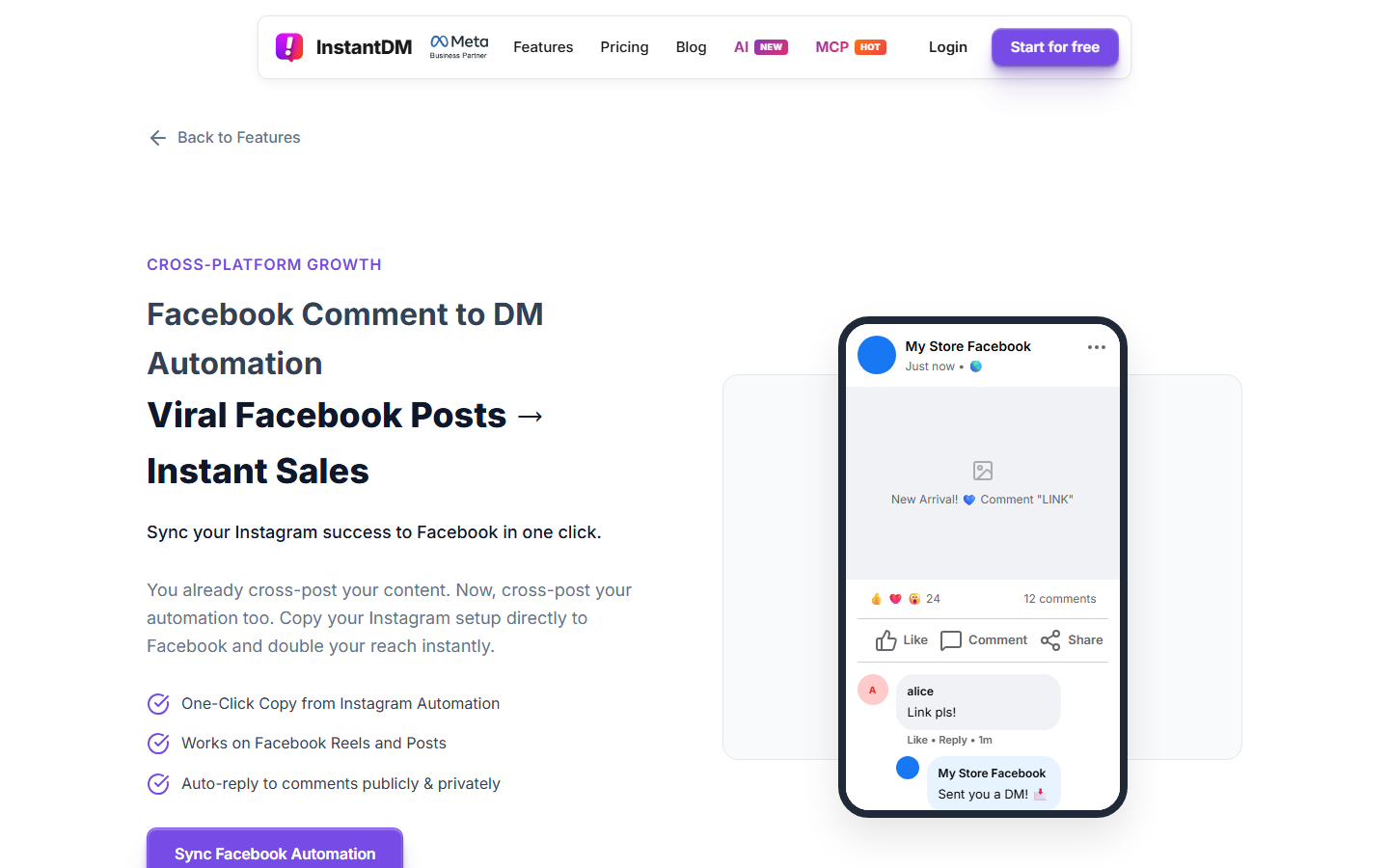
Before you start
- A Facebook Page. InstantDM cannot automate personal profiles or Groups; Meta's API limits this to Pages.
- The Page must be linked to your Instagram Professional account. If it is not, follow how to connect your Facebook Page to Instagram first; it takes about 5 minutes.
- Admin access to that Page, on the Facebook account you will sign in with.
Step 1: Connect the Facebook Page (3 minutes)
In InstantDM, open Settings from the sidebar, find the Facebook section, and click "Connect Facebook Page". A Facebook login window opens. Sign in with the account that administers the Page, review the permissions, and click Continue. Pick the Page that is linked to your Instagram account from the list, then click Done. Grant every permission it asks for; a partial grant is the most common reason a Facebook automation later fails. Back in Settings, the Page name shows with a green status once it is connected.
Step 2: Open "Facebook DM" in the sidebar (30 seconds)
Facebook automation lives in the same dashboard as your Instagram automation, under a sidebar item called "Facebook DM". Your connected Page appears at the top. If it shows a Connect or Activate button, click it once.
Step 3: Pick the post or Reel (1 minute)
The screen lists your Page's recent posts and Reels. Click the one you want to automate. Each post gets its own rule, so a product post and a giveaway post can send different messages.
Step 4: Set the trigger words (2 minutes)
Under Trigger Words, either type the words that should fire the automation or choose Any Comment. A specific word is the better default for a post that asks people to comment it ("Comment PRICE"). Add the obvious variants, "price", "Price", "PRICE", "price?", so a typo does not lose the lead. Any Comment suits a giveaway or a post where you want every commenter to get the same message.
Step 5: Write the public reply and the private Messenger reply (5 minutes)
You get two boxes. The public reply goes under the comment as your Page; keep it to one line. The private reply is the Messenger message, the single Private Reply Meta allows per comment, so put the link or the answer here. Templates are two sections down.
Step 6: Or click "Copy from Instagram" (1 minute)
If the same Reel already runs a comment-to-DM automation on Instagram, click "Copy from Instagram". InstantDM copies the trigger words and messages over. You can edit the Facebook version afterwards, for example to swap an Instagram-only line for a Messenger one. This is the fastest route for anyone who cross-posts Reels.
Step 7: Add a flow, if you need one (10 minutes, optional)
The Flow Editor for Facebook is the same one you use for Instagram. Once the person replies to the private message, a flow can send buttons, images, and keyword branches, and capture an email or phone number. It's worth the ten minutes if the comment is the top of a real funnel; skip it for a "send the link" post. Keyword replies to messages that arrive in your Page's Messenger inbox, and a welcome message, are set up separately; the steps are in InstantDM's Facebook Messenger automation how-to.
Step 8: Turn it on and test (3 minutes)
Toggle the automation on. From a personal profile, comment the trigger word on the post. You should see the public reply under your comment and a Messenger message from the Page within seconds. If the message doesn't show in the main inbox, check Message Requests. If nothing arrives at all, the troubleshooting section below covers the usual causes.
Keep your Page safe: only send automated Messenger messages in reply to something a person did, such as commenting or messaging your Page. Never cold blasts. Stay inside Meta's messaging windows and the Messenger Platform policy; that is what a tool built on the official API is for.
Prefer to watch it? InstantDM's Facebook comment automation tutorial on YouTube runs through the same screens.
What can InstantDM automate on Facebook, and what can it not?
InstantDM automates comments on Facebook Page posts and Reels, with a public reply and a private Messenger reply, plus keyword replies and a welcome message in the Page's Messenger inbox, all with the Flow Editor. It doesn't automate Facebook Stories, Groups, personal profiles, or WhatsApp. Facebook ad comments aren't listed on the feature page (confirm with support), and there is no "post shared to DM" trigger on Facebook.
| Capability | InstantDM on Facebook (August 2026) |
|---|---|
| Comment-to-Messenger DM on Page posts and Reels | Yes |
| Public reply and private reply together | Yes |
| Trigger words per post, or Any Comment | Yes |
| Messenger keyword replies (text, buttons, images) | Yes |
| Welcome message | Yes |
| Flow Editor | Yes, same as Instagram |
| Copy an Instagram automation to Facebook | Yes |
| Facebook Stories | No |
| Comments on Facebook ads or boosted posts | No (Instagram Boosted Reels only) |
| "Post shared to DM" trigger | No |
| Facebook Groups | No |
| Personal profiles | No |
| No |
A note on two of those gaps. If your leads start from a click-to-Messenger ad rather than an organic post, the ad-side tooling is covered in Facebook Messenger advertising and chat tools. If WhatsApp is a hard requirement, ManyChat, Chatfuel, and SleekFlow run WhatsApp alongside Messenger; InstantDM does not.
Facebook automation is included with InstantDM plans; there is no separate Facebook add-on. As of August 2026, InstantDM pricing is a free plan with 500 automations a month, Legend Pro at $9.99/month, and Trendsetter at $24.99/month, all flat, with no per-contact charge.
Can you automate Facebook comments for free?
Yes, two ways. Meta Business Suite's Inbox automations, including "Comment to message", are free with any Facebook Page. InstantDM's free plan includes 500 automations a month with Facebook included, as of August 2026, and no card is needed.
Meta's free tool is limited in scope: one hashtag-triggered private message, desktop setup, no flows. InstantDM's free plan is limited by volume instead. Each triggered reply counts as one automation, so a single post that pulls 600 "price" comments uses more than a month's free allowance. At that point Legend Pro at $9.99/month is the step up, and it stays $9.99 whether the post gets 600 comments or 60,000, because InstantDM does not bill by contacts.
Most other tools also have a free tier, usually capped by active contacts rather than replies, and several vendors changed those caps in 2026. The dated comparison is in the Facebook auto reply tools roundup. Check the vendor's live pricing page before you build on a free plan.
What should the public reply and the Messenger message say?
The public reply confirms and points to the inbox in one line. The Messenger message delivers what the person asked for, in the first sentence, and ends with one question so they reply and open the 24-hour window.
Three pairs you can paste and edit.
Product price
Public reply: Sent the price to your Messenger inbox. Check Message Requests if it isn't in the main tab.

Private reply: Here's the price list you asked for: [URL]. Want the size guide too? Reply SIZE.
Lead magnet or download
Public reply: On its way. Look for a message from our Page.

Private reply: Here's the checklist: [URL]. Which part are you stuck on right now? Tell me in one line and I'll point you to the right section.
Booking or enquiry
Public reply: Thanks! We've messaged you the booking link.

Private reply: Book a slot here: [URL]. Are you looking at this week or next? Reply with the day and we'll hold it.
Rules that keep these working. No second automated message will follow the first unless the person replies, so never write "more details in the next message". Keep the public line generic; it is visible to everyone, and a price under a comment turns the thread into a haggling session. And write the private message as a person would, not as a Page: "Here's the link" beats "Thank you for your interest in our products".
Why is my Facebook comment automation not sending?
The five most common causes: the Page is not connected or its connection expired, the comment is older than 7 days, the commenter is another Page, the keyword or hashtag did not match exactly, or Meta Business Agent is switched on and has paused the automation.
Work through this list in order.
- The Page connection expired. Facebook access tokens expire; reconnect the Page in InstantDM Settings, or check the Page is still selected in Meta Business Suite.
- Partial permissions. If you unticked anything during the Facebook login, comment replies or Messenger sends fail silently. Reconnect and grant all of them.
- The Page is not linked to your Instagram account. InstantDM needs the Page that is linked to the Instagram Professional account you signed up with.
- The comment is on a Group post, a personal profile, or a Facebook Story. None of those are Page posts, so no rule fires.
- The comment is more than 7 days old. Meta will not deliver a private reply after that.
- The commenter is a Page, not a person. Meta does not allow private replies to Pages.
- The trigger did not match. Meta Business Suite keyword automations are case-sensitive and exact. In InstantDM, check the trigger words include the spelling people used, or switch that post to Any Comment while you test.
- You are testing a Meta Business Suite custom keyword automation and expecting an instant reply. It sends after 15 minutes unless you reply first, and template automations take priority over it.
- Meta Business Agent is on. Turning it on pauses existing automations. Turn it off, or accept that the agent handles the reply.
- Your Page is in Europe or Japan. Meta says some organic messaging features are unavailable there. If the template is missing, that is likely why.
If the public reply posts but the Messenger message does not, the problem is almost always item 5 or 6. If neither happens, it is item 1, 2, or 4.
Facebook comment automation vs Instagram comment-to-DM: what changes?
The trigger-and-reply model is the same, and in InstantDM the dashboard, the Flow Editor, and the plan are shared. What changes is the surface. Facebook has no story automation, no "post shared to DM" trigger, and no documented ad-comment automation in InstantDM. The private message lands in Messenger under Meta's Private Replies rule.
| Feature | ||
|---|---|---|
| Comment automation | Posts and Reels | Page posts and Reels |
| Story automation | Yes | No |
| "Post shared to DM" trigger | Yes (Trendsetter and above) | No |
| Boosted content and ad comments | Yes, Boosted Reels | No |
| Flow Editor | Full support | Full support |
| Welcome message | Yes | Yes |
| Where the private message lands | Instagram DM inbox | Messenger, from the Page |
If you cross-post Reels, the practical difference is small: build the automation on Instagram, click "Copy from Instagram" on the Facebook side, and adjust the wording. If your customers live on Facebook and never open Instagram, the Facebook side is the one that matters, but InstantDM still needs the Instagram account linked to the Page before it can connect. Source for the Instagram rows: InstantDM's Facebook and Messenger automation how-to.
Which Facebook comment automation should you use?
Use Meta Business Suite if you run one Page, a hashtag trigger is fine, and you want one private message with no follow-up. Use InstantDM if you already run comment-to-DM on Instagram, want a keyword trigger with a public and a private reply, or need a flow after the first message. Use ManyChat, Chatfuel, or SleekFlow if WhatsApp has to sit in the same tool.
If the second description fits, InstantDM's Facebook comment-to-DM feature is included on every plan, with the free plan covering 500 automations a month and Legend Pro at $9.99/month, as of August 2026. Start on the free plan, connect the Page, pick the post, set the word, and test it from a personal profile. The whole thing fits in a lunch break.
Meta, Facebook, Messenger, Instagram, ManyChat, Chatfuel, SleekFlow, NapoleonCat, and CommentGuard are trademarks of their owners. InstantDM is not affiliated with those companies beyond its Meta Business Partner status.