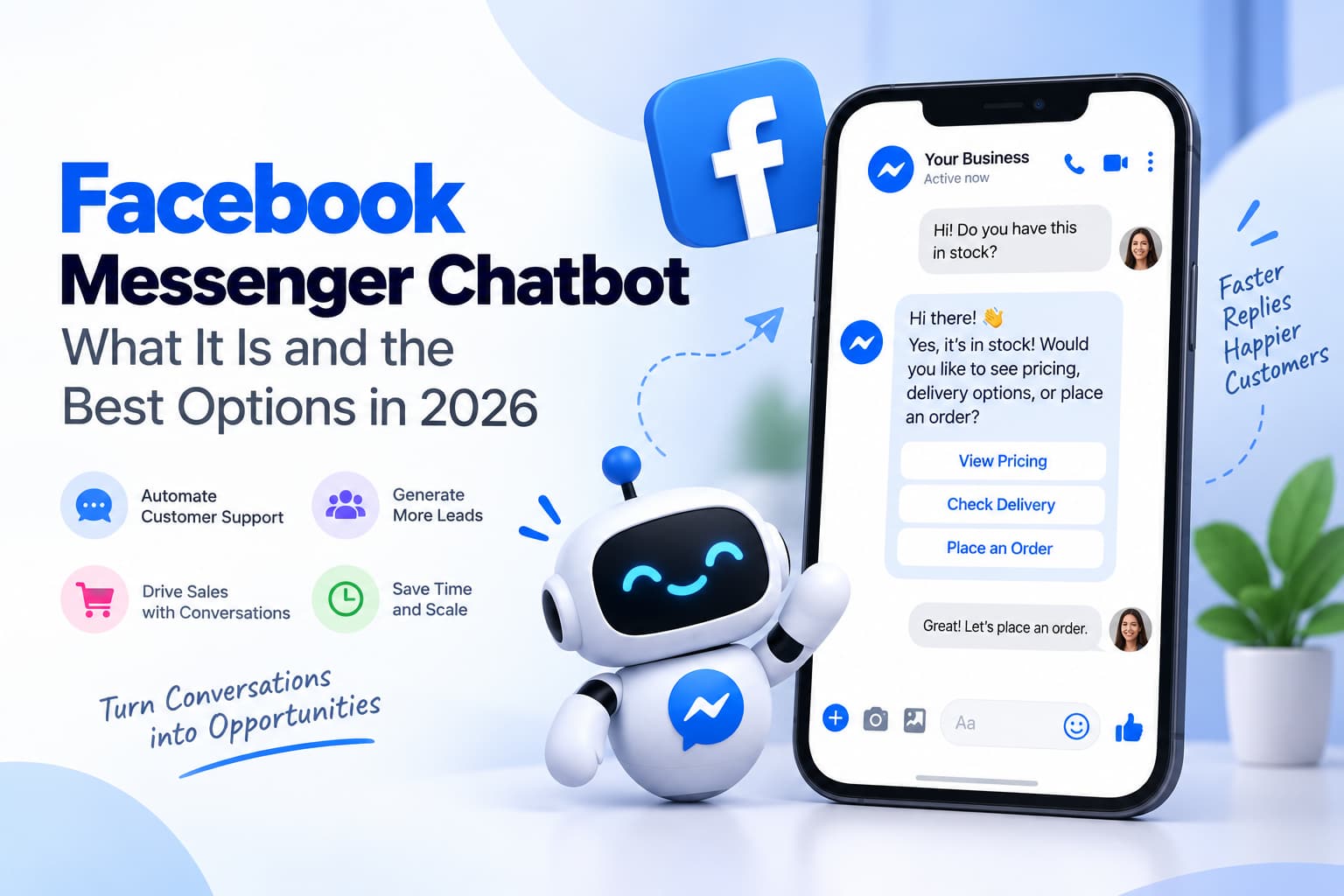
A facebook messenger chatbot is software that talks as your Facebook Page inside Messenger. Someone messages the Page — or replies after a comment-triggered Private Reply — and the bot sends a welcome, answers a keyword, shows buttons, or hands the thread to a human.
It is not a bot that comments on other people’s posts. That is a different product and a different article (Are Facebook Auto Comment Bots Safe?). It is not “auto comment on this Reel.” That is auto comment on a Facebook post. If you want a seven-tool inbox-and-WhatsApp matrix, use 7 Best Facebook Auto Reply Tools 2026.
Key takeaways
- Facebook messenger chatbot, fb messenger chatbot, and facebook messenger chat bot are the same thing: a Page bot on Messenger.
- Meta launched Bots for Messenger in 2016. The current product is the Messenger Platform on a Facebook Page — not a personal profile.
- Policy that matters here: the 24-hour Standard Messaging Window after the person messages you. A comment can open one Private Reply in 7 days; the chatbot conversation continues only if they reply.
- Best chatbot for Facebook depends on the job. InstantDM at $9.99/mo if the chat starts on a post. ManyChat if you already live in flows plus ads. ChatBot.com / Chat Data if you need an AI that answers any inbox question. Business Suite if you only need Instant Reply + five keywords.
What is a facebook messenger chatbot?
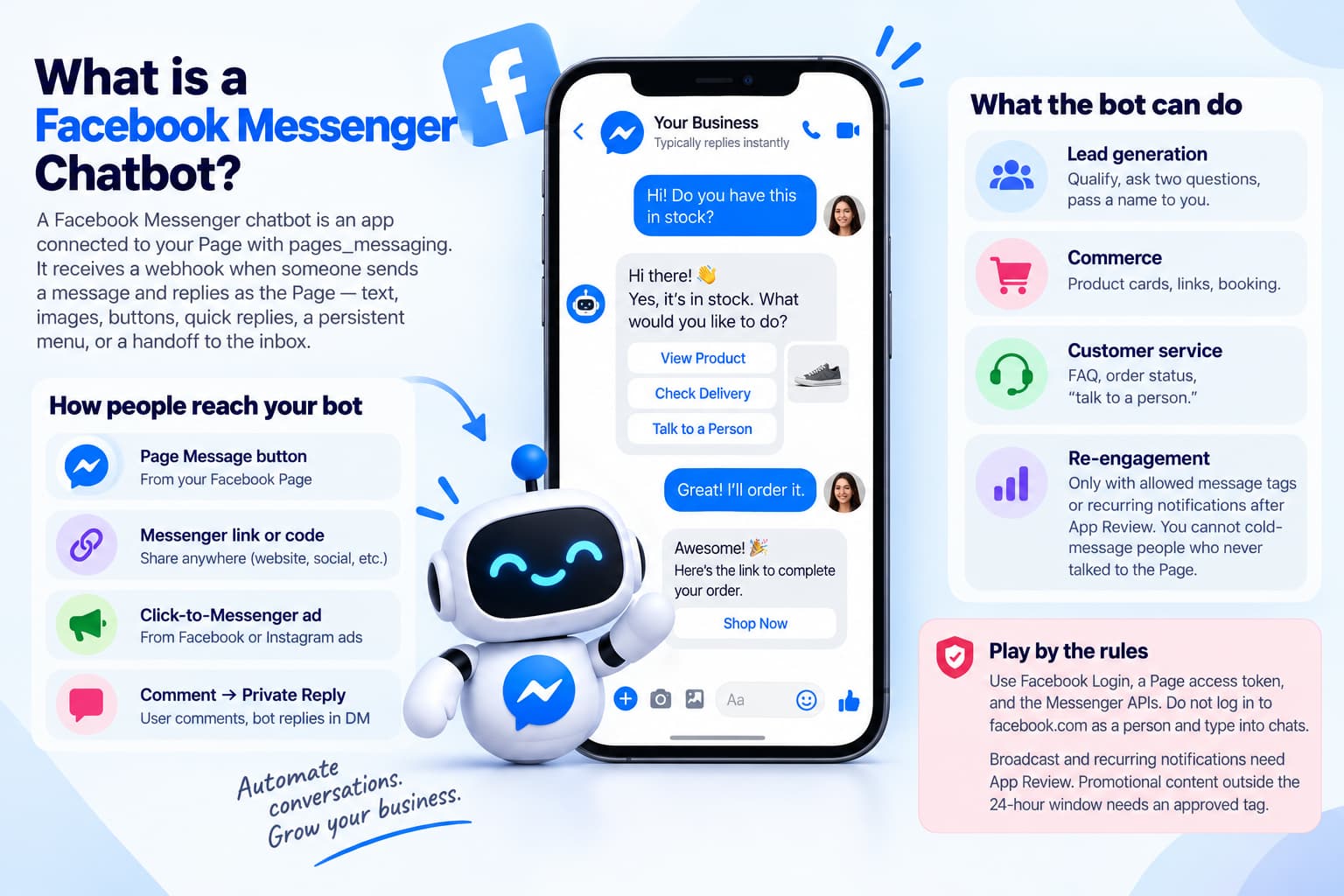
Short answer: A chatbot on Facebook Messenger is an app connected to your Page with pages_messaging. It receives a webhook when someone sends a message and replies as the Page — text, images, buttons, quick replies, a persistent menu, or a handoff to the inbox.
Meta’s 2016 “Bots for Messenger” post is how this started: Get Started, generic templates, send/receive API, no extra app download. The user count in that post is outdated. The idea is not. People still expect to tap a Page and get an answer in the same thread they already use to talk to friends.
What the bot can do on the Page
Official Messenger Platform jobs, in Meta’s own product language:
- Lead generation — qualify, ask two questions, pass a name to you.
- Commerce — product cards, links, booking.
- Customer service — FAQ, order status, “talk to a person.”
- Re-engagement — only with allowed message tags or recurring notifications after App Review. You cannot cold-message people who never talked to the Page.
A chatbot on facebook messenger is allowed when it uses Facebook Login, a Page access token, and those APIs. It is not allowed when it logs into facebook.com as a person and types into chats.
Discovery has not changed much since 2016 either. People still reach the bot from the Page Message button, a Messenger link or code, a Click-to-Messenger ad, or a comment that becomes a Private Reply. What has changed is enforcement. Broadcast and recurring notifications need App Review. Promotional content outside the 24-hour window needs an approved tag. A vendor that skips those sentences is selling 2016.
Flow bot vs AI agent
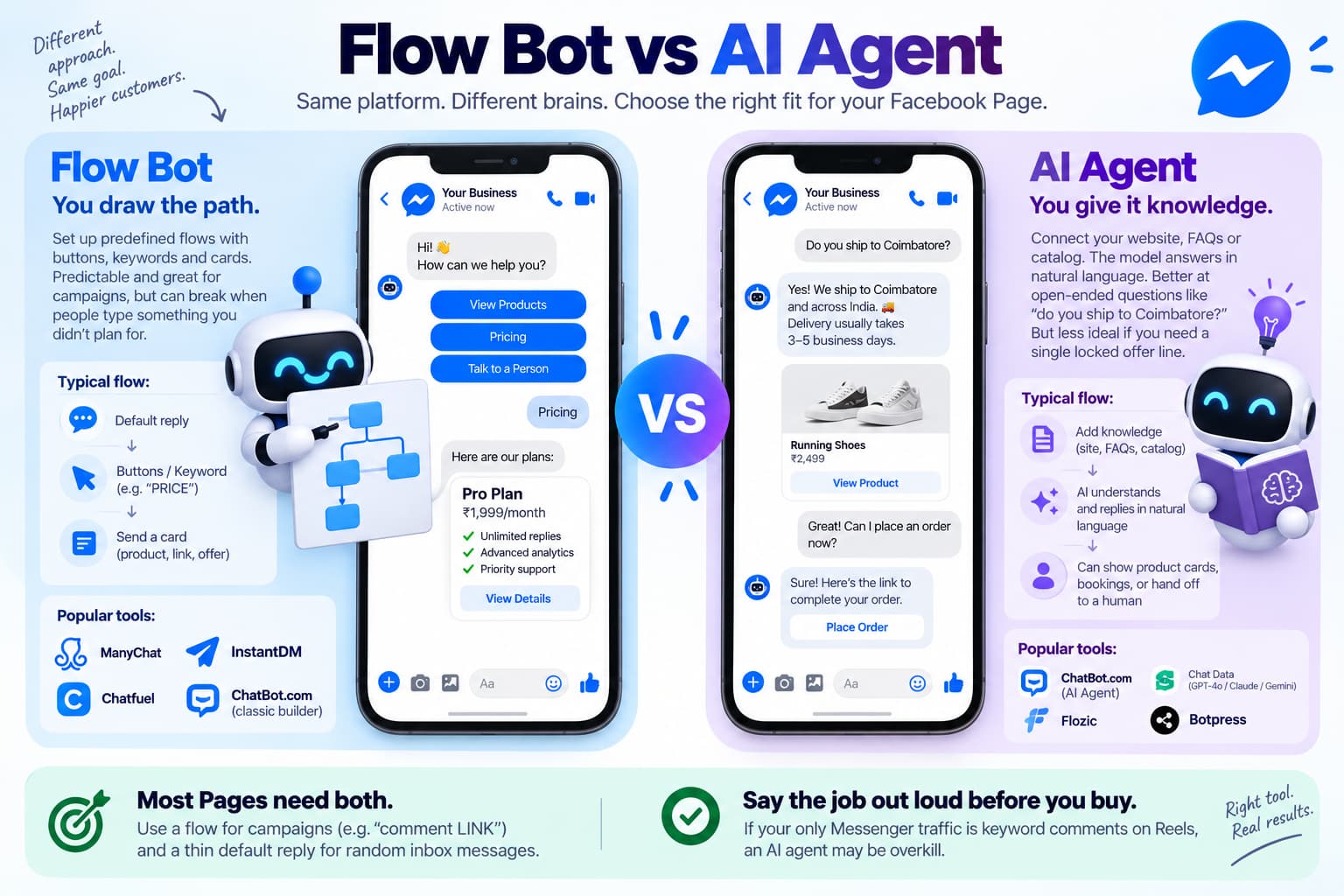
Flow bot. You draw the path: default reply - buttons keyword “PRICE” - a card. ManyChat, InstantDM, Chatfuel, classic ChatBot.com builder. Predictable. Breaks when the person types a sentence you did not list.
AI agent. You paste a site, FAQs, or a catalog. The model answers in language. ChatBot.com’s current AI Agent, Chat Data (GPT-4o / Claude / Gemini), Flozic, Botpress. Better at “do you ship to Coimbatore?” Worse if you need a single locked offer line.
Most Pages need a flow for the campaign (“comment LINK”) and a thin default reply for random inbox messages.
ChatBot.com’s integration page is the clean example of the AI-agent pitch: 3 billion Facebook users, 24/7, lead capture, product cards, handoff, multilingual. Chat Data adds Click-to-Messenger ads, a catalog in the thread, booking, and named models (GPT-4o, Claude, Gemini). Flozic compresses that to “connect Page, describe the bot in English.” They are the wrong buy if your only Messenger traffic is keyword comments on Reels. Say the job out loud before you paste a credit card.
Botpress sits on the other end: developers, official Messenger integration, media types, no App Review for basic 24-hour replies, review required for broadcast and persistent menu. Infobip’s six steps are what you do after you pick any of these: Business Manager, intents, welcome, systems, test.
Chatbot on Facebook Messenger vs comment-to-DM
| Door | What fires the bot | Meta name | Covered on |
| Someone comments on your post/Reel | One Private Reply, then chatbot if they answer | Private Reply + 24-hour window | This page |
| Someone taps Message / an ad / Get Started | Welcome + default reply + keywords | Standard Messaging Window | This page |
| You message them first | Not a chatbot. Often policy-violating | Cold outreach | Don’t |
FB messenger chatbot and facebook messenger chat bot — same product
FB messenger chatbot is the abbreviation. Facebook messenger chat bot is the same three words with a space. There is no second product.
A fb messenger chatbot is a Page bot that replies in Messenger using the official API.
On Facebook the thread is Messenger. “DM” is fine after you have said Messenger once.
Best chatbot for Facebook
Short answer: There is no single best chatbot for Facebook. There is a best chatbot for this Page’s first message.
| Job | Pick | Why | Start |
| Chat starts on a post/Reel; you want public reply + Messenger | InstantDM | One trigger, Copy from Instagram, flat price | Free 500/mo, then $9.99 |
| You already run ManyChat flows and Click-to-Messenger ads | ManyChat | Comments Trigger + Messenger marketing + ads | Free tier, paid from ~$15 |
| “Answer anything from our website in the Page inbox” | ChatBot.com or Chat Data | AI agent + knowledge + handoff | Trial; Chat Data from ~$19 |
| Developers, Studio, custom workflows | Botpress | Official Messenger integration, 24h replies without extra review | Platform pricing |
| Describe a bot in English and go live | Flozic | No-code AI Messenger bot, free plan to launch | Free tier |
| Zero budget, Instant Reply + a few keywords | Meta Business Suite | Native, delayed, no public comment reply | $0 |
| WhatsApp + Messenger + web in one inbox | ManyChat / Chatfuel / respond.io | Off this page — tools article | See tools guide |
How to read the table
If the Page’s growth loop is “comment LINK on the Reel,” InstantDM is the chatbot. The conversation is short: Private Reply - they tap or type - one flow. You do not need GPT-4o for that.
If the Page’s growth loop is “people tap Message because they saw an ad,” ManyChat or an AI agent is the chatbot.
If a vendor says “best chatbot for facebook” and then shows a website widget, check whether Messenger is a real Page integration (Facebook Login, Page picker) or a link that dumps people onto a web chat. Only the first one is a facebook messenger chatbot.
GuruSup’s free-chatbot roundup is useful only as a warning: Tidio, Chatfuel, and ManyChat appear together because they all can touch Messenger, not because they are the same chatbot. Tidio is a web widget that added channels. Chatfuel is a Page bot with an AI upgrade. ManyChat is flows plus ads.
How a chatbot on Facebook Messenger actually runs
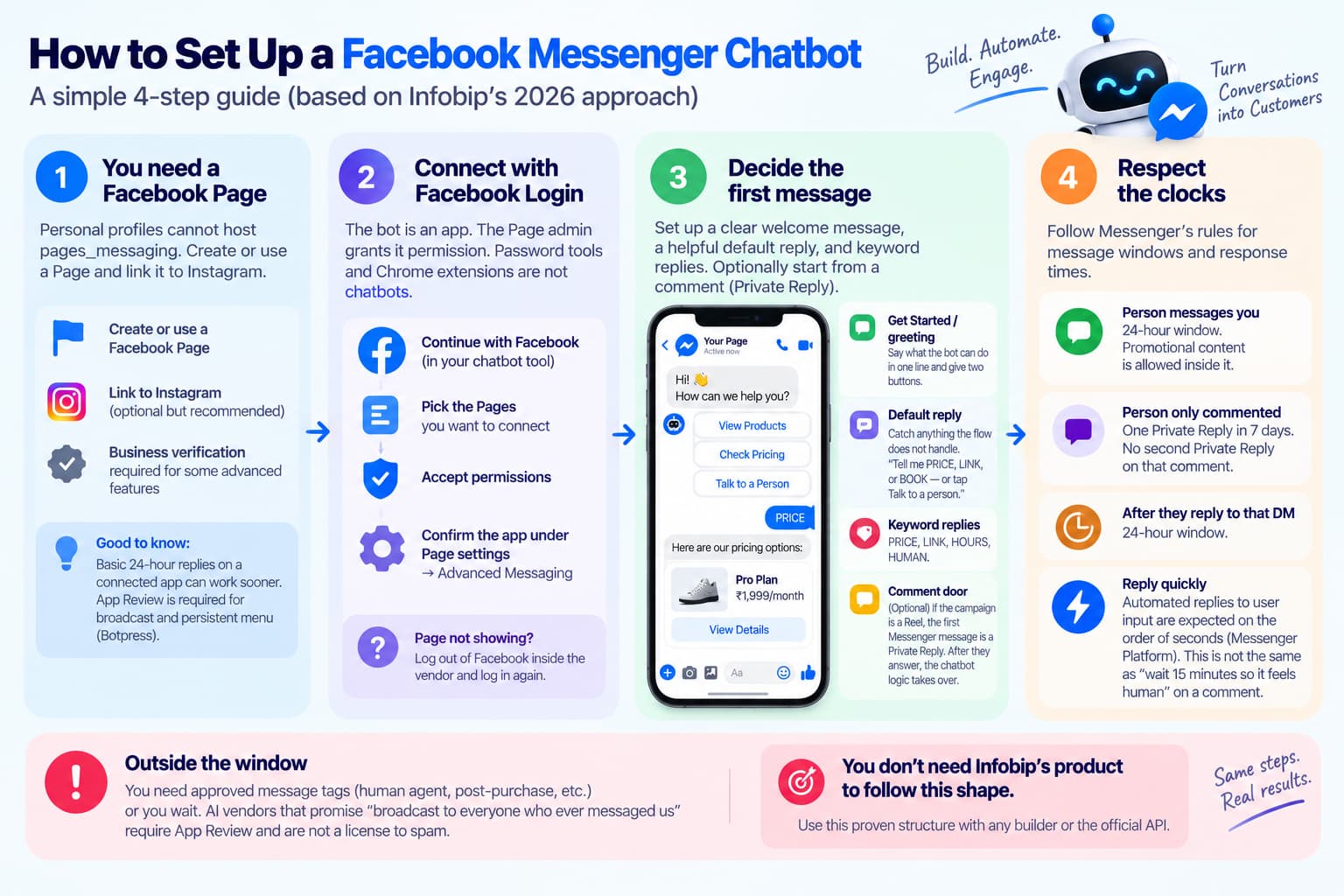
Infobip’s 2026 build guide is the right shape: Page and Business Manager, pick a builder or the API, design three intents, welcome + menu, connect a system, test. You do not need Infobip’s product to follow that shape.
- You need a Facebook Page
Personal profiles cannot host pages_messaging. Create or use a Page. Link it to Instagram. Business verification is required for some advanced features; basic 24-hour replies on a connected app can work sooner. Botpress notes App Review is required for broadcast and persistent menu, not for simple replies inside 24 hours.
- Connect with Facebook Login
The bot is an app. The Page admin grants it permission. Password tools and Chrome extensions are not chatbots.
ChatBot.com’s help flow is typical: Continue with Facebook - pick Pages - accept permissions - confirm the app under Page settings - Advanced Messaging. If the Page does not appear, log out of Facebook inside the vendor and log in again.
- Decide the first message
Get Started / greeting. First tap on the Page. Say what the bot can do in one line and give two buttons. Meta’s 2016 launch made this the default empty state. It still is.
Default reply. Anything the flow does not catch. “Tell me PRICE, LINK, or BOOK — or tap Talk to a person.” An AI agent can replace this if you have trained it. A flow bot that has no default reply looks dead.
Keyword replies. PRICE, LINK, HOURS, HUMAN. Same idea as comment keywords, but the person is already in Messenger.
Comment door. Optional. If the campaign is a Reel, the first Messenger message is a Private Reply. After they answer, this chatbot logic takes over.
- Respect the clocks
- Person messages you - 24-hour window. Promotional content is allowed inside it.
- Person only commented - one Private Reply in 7 days. No second Private Reply on that comment.
- After they reply to that DM - 24-hour window.
- Automated replies to user input in Messenger are expected quickly (Messenger Platform talks about responding to user input on the order of seconds). That clock is not the same as “wait 15 minutes so it feels human” on a comment.
Outside the window you need approved tags (human agent, post-purchase, etc.) or you wait. AI vendors that promise “broadcast to everyone who ever messaged us” are selling a feature that requires App Review and still is not a license to spam.
Handoff
A facebook messenger chatbot that never escalates is why people hate bots. ChatBot.com, Chat Data, Flozic, and Infobip all sell transfer-to-human with history.
Test as a person, not as the Page
Send a message from a personal profile. Confirm greeting, keyword, fallback, and handoff. Then test the comment door from that same profile if you use it. Testing as the Page hides permission errors.
If greeting works and keywords do not, the default reply is swallowing everything — narrow the default or add exclude logic. If keywords work and the comment door does not, check first-level comment, trigger on that post, test user not the Page. If nothing arrives, the app is not listed under Page settings - Advanced Messaging. Disconnect and reconnect with the admin account, not an editor who cannot grant pages_messaging.
Keep a written list of three intents on a sticky note: the thing you sell, the thing people ask by accident, the human path. Infobip calls this journey mapping. You can call it “PRICE / HOURS / HUMAN.” A facebook messenger chatbot with twelve intents on day one is a flowchart nobody will finish.
InstantDM as a facebook messenger chatbot
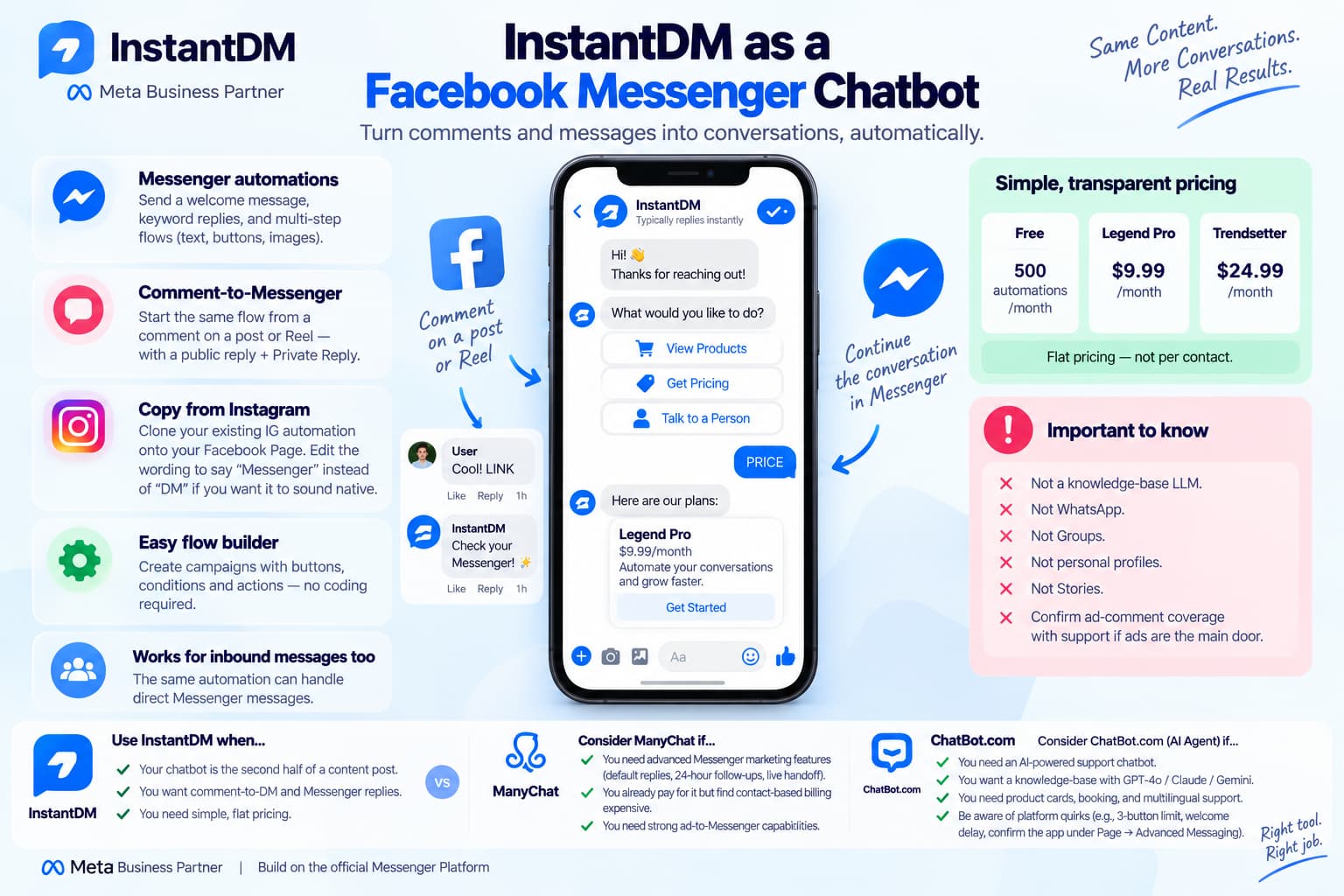
It is a Meta Business Partner that runs comment-to-DM and Messenger replies on Facebook Pages.
What that means in chatbot language:
- The Page can send a welcome and keyword replies in Messenger (text, buttons, images, multi-step flows).
- The same flow can start from a comment on a post or Reel (public reply + Private Reply) or from an inbound Messenger message.The same flow can start from a comment on a post or Reel (public reply + Private Reply) or from an inbound Messenger message. See Facebook comment-to-DM setup
- Copy from Instagram clones an existing IG automation onto the Facebook Page. Edit the Facebook wording so it says Messenger, not “DM,” if you want it to sound native.
- Free: 500 automations/month. Legend Pro: $9.99/month. Trendsetter: $24.99/month. Flat — not per contact.
- Not a knowledge-base LLM. Not WhatsApp. Not Groups. Not personal profiles. Not Stories. Confirm ad-comment coverage with support if ads are the main door.
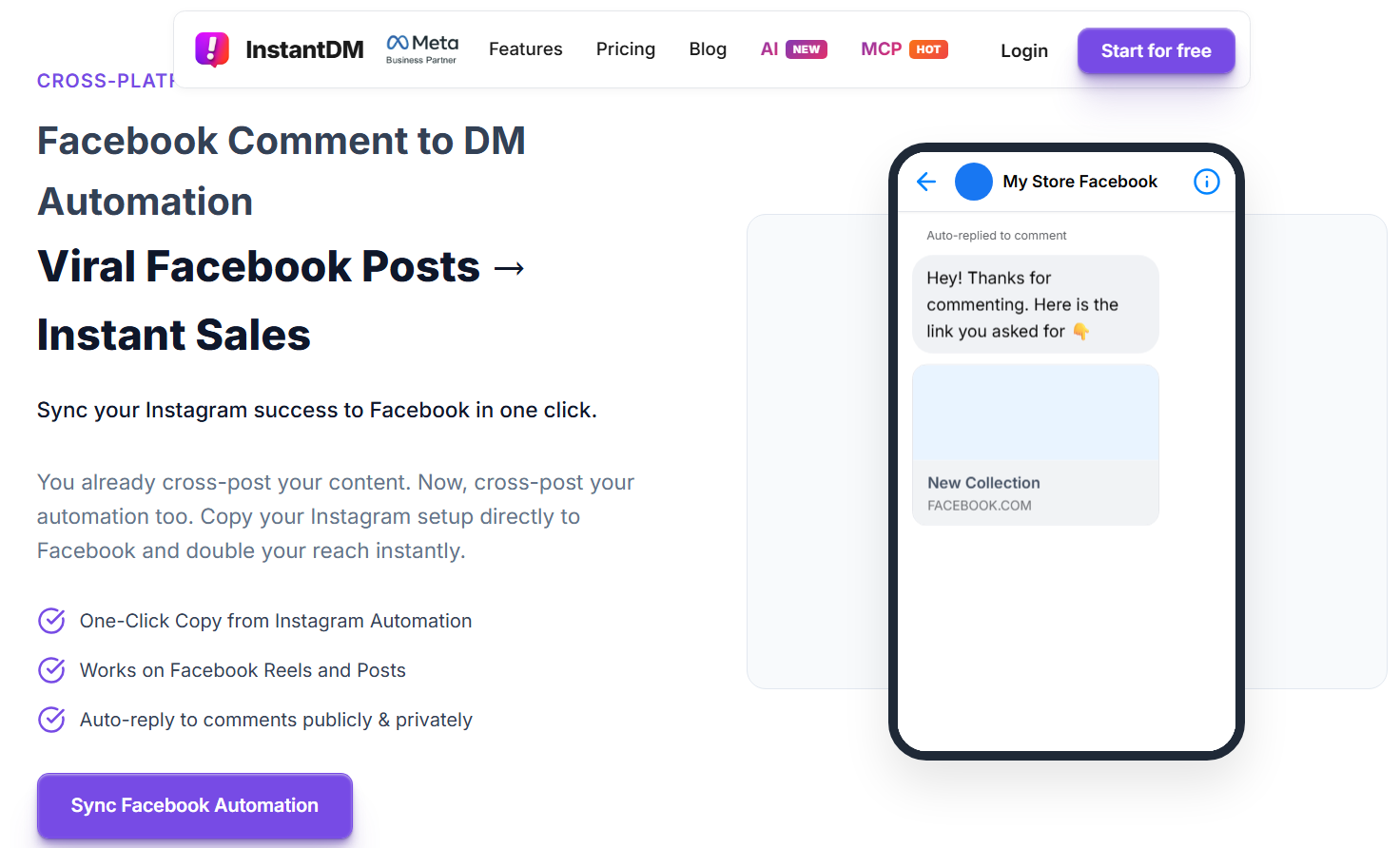
That is enough product. Comparing this tool Flow Editor to ChatBot.com’s AI Agent Skills is a category error. Use this tool when the chatbot is the second half of a content post. Use an AI vendor when the chatbot is the support org.
ManyChat’s Messenger marketing page occupies the middle: default replies, 24-hour follow-ups, comment-to-customer, live handoff, ads that open a thread. If a reader already pays ManyChat, This tool is the alternative when ManyChat’s contact-based bill is the problem and WhatsApp is not required.
ChatBot.com’s help doc also lists platform quirks worth knowing before you pick an AI vendor: Facebook allows three buttons on a button template (use a gallery for more), welcome/typing delay is limited on some integrations, and you should confirm the app under Page - Advanced Messaging after connect.
Policy in one screen
- Page only.
- Facebook Login, not a password.
- Identify the bot; give a way to a human. Infobip is right on this.
- Do not ask for passwords, OTPs, or “send Bitcoin to release your account.”
- Do not message people who never messaged you and never commented.
- 24-hour window after their message.
- One Private Reply per comment if that is how they arrived.
- App Review before you broadcast or add a persistent menu, depending on the vendor’s app.
Chat Data and Botpress both say Facebook does not charge per Messenger bot message the way some WhatsApp conversations are billed. Your bill is the vendor’s.
Re-engagement is the other policy people skip. Meta advertises recurring notifications and customer care tags. Those are not “open the window forever.” They are named message types after App Review. A flow that says “I’ll remind you every morning about this webinar” without a tag is how Pages lose messaging.
How to choose in five questions
- Does the first message usually come from a comment on a post you published? InstantDM or ManyChat Comments Trigger.
- Does the first message come from Message or a Click-to-Messenger ad? ManyChat or an AI agent.
- Do people ask unbounded questions (“what’s your return policy for wet grinders shipped to Kerala”)? AI agent trained on your site.
- Is the budget $0 and the volume low? Business Suite Instant Reply + custom keywords. Accept the delay.
A Page that answers (1) and (3) needs two layers, not one vendor fantasy. InstantDM (or ManyChat) owns the campaign keyword. An AI agent owns the leftover inbox. Connecting both to the same Page is possible but messy — two apps competing for the same message. Pick a primary responder. Route “HUMAN” or unmatched intent to the inbox. Do not stack default replies from two bots on one Page; Meta will deliver one, and you will spend a week debugging which app won.
Welcome and default-reply lines that do not sound like 2016
Get Started
“Hey — this is the official Page chat. I can send the price list, the booking link, or a person. Tap one.”
Default reply
“I only auto-answer PRICE, LINK, and BOOK. Anything else, tap Talk to a person and someone will pick this up.”
Keyword PRICE (flow)
“Current sheet: [link]. Reply YES if you want the 10-minute walkthrough.”
An AI agent replaces the default reply with whatever your FAQ contains. Still add the human button. ChatBot.com and Chat Data both treat handoff as a skill, not a failure.
Keep Get Started under a few lines. The 2016 templates rewarded short bubbles with two CTAs. That still reads as a chatbot on facebook messenger instead of a brochure paste.
India/Bharat Pages should write those three lines in the language of the Page. An English Get Started under a Tamil Reel is how the bot announces itself as imported. An AI agent needs the FAQ in that language in the knowledge base or it will answer Tamil questions in English and look broken.
Tools that are not the answer
Website-only AI widgets that add “we also do Messenger” in a footer. If there is no Page connect screen, it is not a fb messenger chatbot.
Comment moderation suites (CommentGuard, NapoleonCat, ReplyZen). They can draft public replies. They are not Messenger chatbots unless they also own the inbox flow.
Group / browser auto commenters. Wrong cluster.
Bottom line
A facebook messenger chatbot is your Page talking in Messenger on the official API. FB messenger chatbot and facebook messenger chat bot are the same query. The best chatbot for Facebook is the one that matches the door.
Do not buy a knowledge-base agent to run “comment LINK.” Do not buy a comment tool and call it a support org. Connect the Page with Facebook Login, write a Get Started line, add three keywords, add a human handoff, test from a personal profile.
For comment-level setup, use the auto-comment-on-post article. For a seven-vendor pricing matrix including WhatsApp, use the auto-reply tools guide. For whether comment bots get Pages banned, use the safety article.
About The Author
Aravindh Kumar is an ecommerce and Instagram growth expert with 8+ years of experience in online selling. He has worked with 500+ brands - including Forbes-listed companies - He has helped 200+ Instagram businesses grow their online presence.