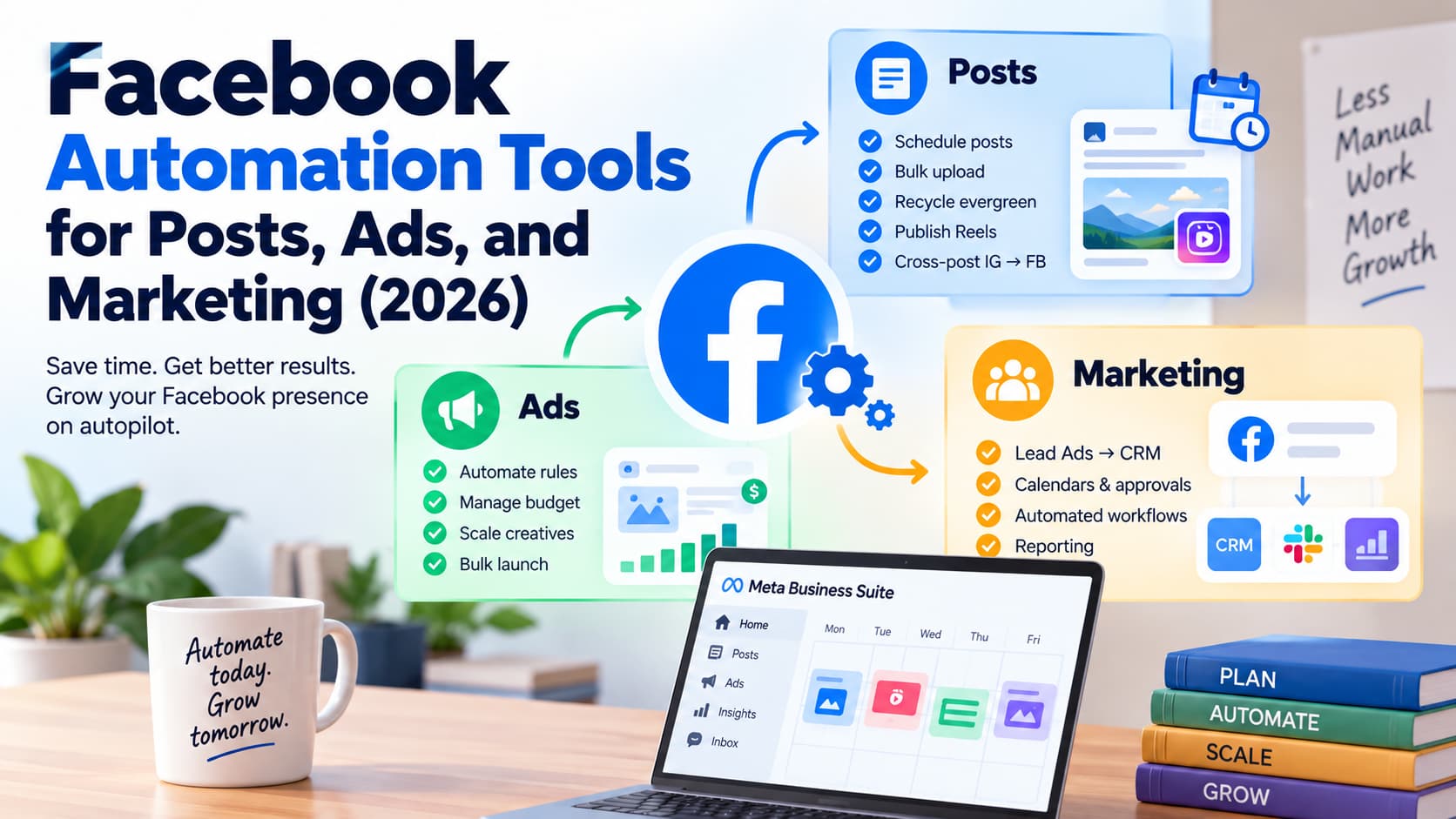
The best Facebook automation stack in 2026 is Meta Business Suite + Ads Manager first, then one specialist per job: a scheduler for posts, a rules or creative layer for ads, a workflow tool for marketing ops, and a Messenger tool only if comments are going cold.
That is the whole buying rule. Facebook automation tools is not one product category. It is four jobs that share a brand name. Buying a scheduler to fix CPA, or a chatbot to fix posting, is how Pages waste a quarter.
Key takeaways
- Facebook automation in 2026 splits into posts, ads, marketing ops, and inbox. Pick the job that is breaking before you pick a vendor.
- Meta Business Suite and Ads Manager are the default. Both are free. Start there.
- Official scheduling on a Page is 20 minutes to 29 days ahead (Meta Help). Personal profiles do not get Planner.
- Automated facebook advertising starts inside Ads Manager: automated rules, Advantage+ placements, and Advantage+ sales campaigns (the 2025–2026 name for what used to be Advantage+ shopping).
- Unofficial group posters, profile auto-posters, and Fiverr “farming” gigs are not on this map.
- Inbox and comment tools are a separate category. Full comparison: Best Facebook Auto Reply Tools 2026.
What facebook automation tools means in 2026
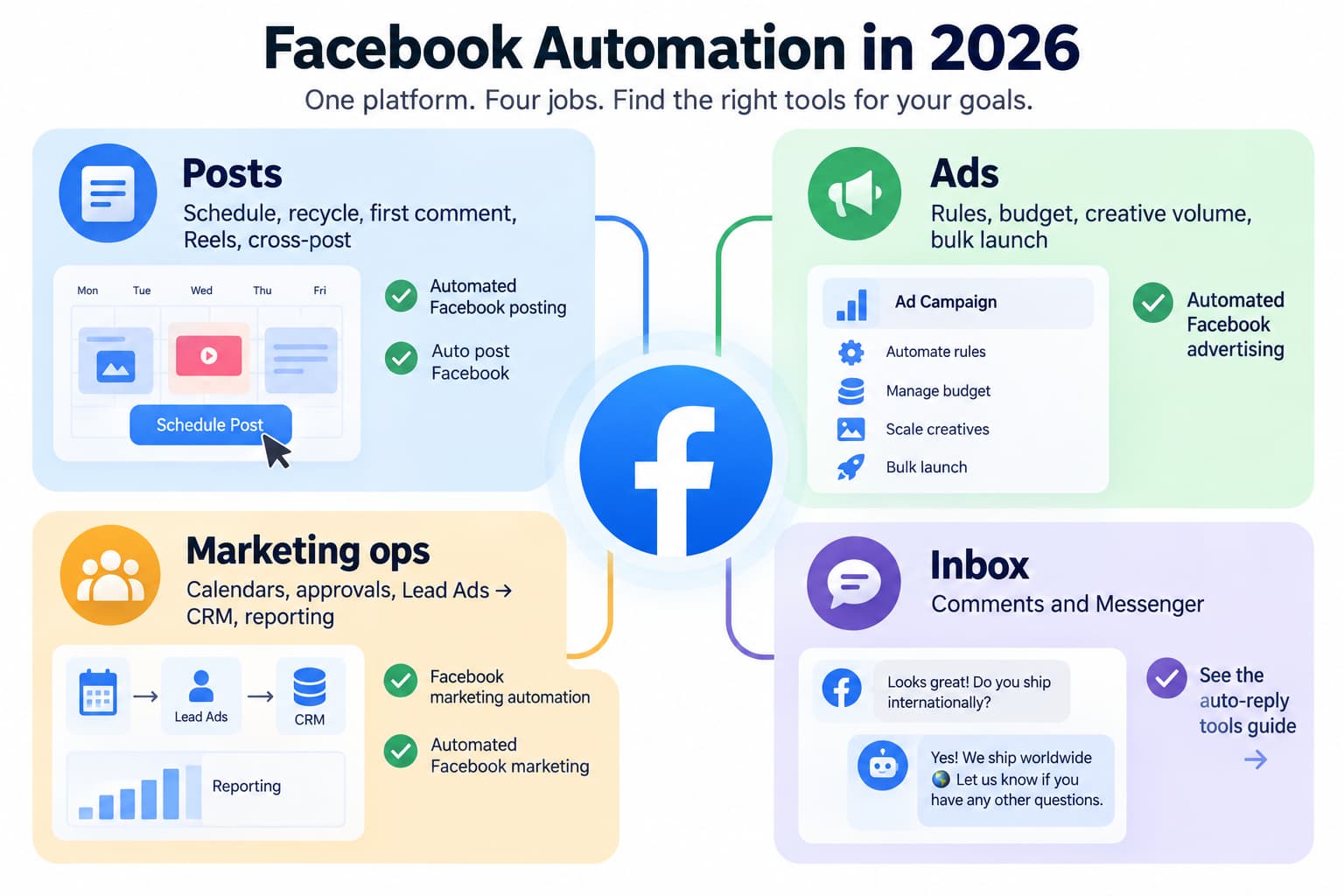
People use facebook automation, facebook automation tools, facebook marketing automation, and automatic facebook for different jobs:
| Quadrant | The job | Also called |
| Posts | Schedule, recycle, first comment, Reels, cross-post | automated facebook posting, auto post facebook |
| Ads | Rules, budget, creative volume, bulk launch | automated facebook advertising |
| Marketing ops | Calendars, approvals, Lead Ads - CRM, reporting | facebook marketing automation, automated facebook marketing |
| Inbox | Comments and Messenger | See the auto-reply tools guide |
Most roundups cover only posting or only ads. This page is The Facebook Automation Map (Posts / Ads / Marketing / Inbox).
Each quadrant below has four parts: what Meta already does for $0, a specialist, who should skip it, and what unofficial tools claim.
What Meta already automates (start here)
Before Buffer, Madgicx, or Make.com, turn on the free layer.
Posts. Meta Business Suite Planner schedules Page posts, Reels, and (where the UI allows) Stories. Official window: 20 minutes to 29 days (Schedule a post). Older blogs still say 75 days. Confirm the furthest date in your own Planner. Personal profiles cannot use this.
Schedule a post and manage scheduled posts for your Facebook Page — Meta Business Help Center. This is the page that states you can schedule posts between 20 minutes and 29 days away.
Inbox. Instant Reply, Away Message, FAQ templates, hours, and location live under Inbox -Automations. That is a courtesy first line, not a chatbot.
About automated responses in Meta Business Suite Inbox — official template list (Instant reply, Away message, FAQs, Location, Contact information, Hours). Companion how-to: Set up Inbox automations on desktop.
Ads. Ads Manager already includes automation: automated rules (pause, notify, adjust budget), Advantage+ placements, Advantage+ audience, Advantage+ creative, campaign budget optimization, and Advantage+ sales campaigns (renamed from Advantage+ shopping). Click-to-Messenger ads are a paid door into the inbox, not a posting tool.
Create an automated rule in Meta Ads Manager
Ops. Business Suite appointments, Inbox assignment, and Ads Manager reports cover a solo Page. Lead Ads can still dump into email without Zapier if volume is low.
If consistency is the only problem and you have one Page, stop here for a month. Third-party tools earn their fee when you outgrow that window, that rule builder, or that one-network calendar.
Quadrant 1 — Posts (automated facebook posting / auto post facebook)
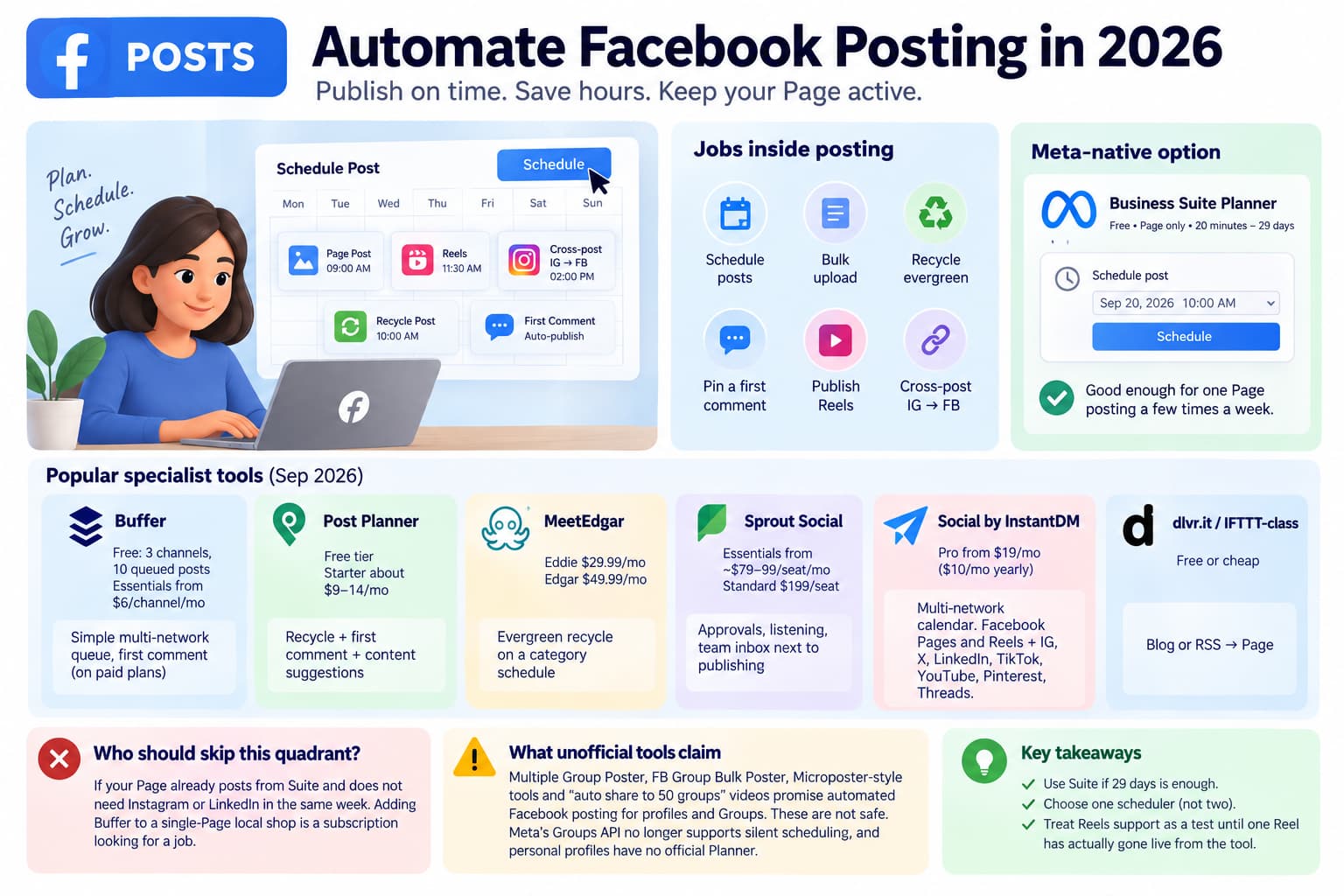
Job: publish on time without sitting in the app. Jobs inside posting: schedule, bulk upload, recycle evergreen, pin a first comment, publish Reels, cross-post IG - FB.
Meta-native
Business Suite Planner. Free. Page only. 20 minutes–29 days. Good enough for one Page posting a few times a week.
Business Suite Planner. Free. Page only. 20 minutes–29 days (save, schedule and reschedule in Business Suite).
Specialists
| Tool | Starting price (Sep 2026, verify) | Use it for | Skip if |
| Buffer | Free: 3 channels, 10 queued posts each. Essentials from $6/channel/mo ($5 billed yearly) | Simple multi-network queue, first comment on paid plans for regular Page posts (not Reels/Stories) | You only post to one Facebook Page |
| Post Planner | Free tier; Starter about $9–14/mo billed yearly | Recycle + first comment + content suggestions | You already have a library and do not need their discovery feed |
| MeetEdgar | Eddie $29.99/mo; Edgar $49.99/mo | Evergreen recycle on a category schedule | You need tight campaign dates, not a looping library |
| Sprout Social | Essentials from ~$79–99/seat/mo yearly; Standard $199/seat | Approvals, listening, team inbox next to publishing | You are a solo Page. Per-seat math gets expensive fast |
| Social by InstantDM | Pro from $19/mo ($10/mo billed yearly) | Multi-network calendar and agent-style publish to Facebook Pages, IG, X, LinkedIn, TikTok, YouTube, Pinterest, Threads (socialbyidm.com) | You only need Facebook Planner |
| dlvr.it / IFTTT-class | Free or cheap RSS-to-Page | Blog or RSS → Page | You need designed Reels or first comments |
Hootsuite and Later sit in the same specialist band as Sprout/Buffer. Pick one scheduler. Two calendars fighting over one Page is how posts double-publish.
Social by InstantDM is the publishing product at socialbyidm.com: calendar, bulk/CSV, per-network captions, Facebook Page posts and Reels plus IG, X, LinkedIn, TikTok, YouTube, Pinterest, and Threads. It is a multi-network scheduler for Facebook Pages, Instagram, X, LinkedIn, TikTok, YouTube, Pinterest, and Threads. It is not comment-to-Messenger product. Pro starts at $19/month ($10/month billed yearly). Use it when the job is auto post facebook across networks. It does not replace Ads Manager and it is not the comment-to-Messenger product.
Who should skip this quadrant
Anyone whose Page already posts from Suite and does not need Instagram or LinkedIn in the same week. Adding Buffer to a single-Page local shop is a subscription looking for a job.
What unofficial tools claim
Multiple Group Poster, FB Group Bulk Poster, Microposter-style “API” pages, and YouTube “auto share to 50 groups” videos sell automated facebook posting for profiles and Groups. Meta’s Groups API no longer supports the old silent schedule-into-Groups flow (Buffer documents the 2024 cut). Personal profiles have no official Planner. Those tools are not a “scheduler with extra reach.” They are a different, unsafe market. See the policy section.
Connecting and publishing to your Facebook Group with Buffer — Buffer Help Center. States automatic Group scheduling ended after Meta’s April 2024 Groups API change; remaining path is notification publishing.
First-comment automation on a scheduled Page post is a real posting job (Post Planner and Buffer paid). First-comment-as-spam under other people’s posts is a different, unsafe job and does not belong in a scheduler.
Why Suite is not enough for some Pages. The 29-day ceiling is the usual reason to leave native. The other reasons are cross-network calendars, approvals, failed-publish retries, and RSS. If none of those hurt, stay in Planner. Post Planner’s “why automate Facebook posts” argument is really “recycle so the Page never looks dead.” That is a content strategy, not a Facebook API feature. MeetEdgar sells the same idea with categories. Both beat Suite only when you have a library worth looping. A shop with twelve unique posts a month does not need a recycler.
Reels caveat. Suite can schedule Reels. Third-party Reels support changes when Meta changes the publisher API. Buy a scheduler for feed posts you can see in their preview. Treat Reels as a test, not a promise, until one Reel has actually gone live from that tool.
Quadrant 2 — Ads (automated facebook advertising)
Job: spend less time babysitting Ads Manager without handing the whole account to a black box.
Split ads automation by job
| Job | Meta-native ($0) | Specialist | Starting price (Sep 2026, verify) | Skip if |
| Pause losers / scale winners | Ads Manager automated rules | Birch (formerly Revealbot) | Essential $49/mo, Pro $99/mo up to ~$10k connected spend; rules live on Pro | Monthly ad spend is under a few thousand dollars |
| AI budget / creative suggestions on Meta | Advantage+ sales, Advantage+ creative | Madgicx | From roughly $55–99/mo, then scales with Meta spend | You have not run Advantage+ sales yet |
| Creative volume | Advantage+ creative + catalog | AdCreative.ai or Canva | AdCreative Starter about $39/mo ($20 billed yearly); Canva Pro is enough for many shops | You already produce 10+ ads a week in-house |
| Bulk launch / catalog | Catalog + Advantage+ sales | A bulk launcher only if the catalog is large | Varies | You have 12 SKUs and two campaigns |
| Attribution | Ads Manager + Pixel + CAPI | Triple Whale / Hyros class | Often $200+/mo | You cannot yet trust the Pixel |
About Advantage+ sales campaigns
Advantage+ sales campaigns (Ads Manager label in 2026; still called Advantage+ shopping in older posts) automate audience, placement, and budget inside one sales campaign. Meta’s own ads automation page is the first tool. You do not need Madgicx to turn Advantage+ on.
Rules vs AI layer. Native rules are if/then inside one ad account. Birch is if/then across Meta (and often Google/TikTok) with Slack alerts. Madgicx is an opinionated Meta optimization layer. If spend is under about $3k–5k/month, native rules plus Advantage+ sales beat both invoices. Spend-based pricing is the trap: Birch Pro at $99 holds only while connected spend stays in the low bracket; the same product at six-figure spend is hundreds a month for the same buttons.
Creative. Canva covers statics. AdCreative.ai sells scored variations. Neither replaces a product feed or a landing page. Instapage-class landing tools are conversion, not Facebook automation.
Who should skip this quadrant
A local Page running $200 boosts. Advantage+ sales wants conversion volume (practitioners still talk in tens of purchases per week). Boosts and a simple traffic campaign in Ads Manager are enough until the Pixel is healthy.
Learning phase is not a tool. New Advantage+ sales campaigns spend a stretch of budget before the model settles. Adding Madgicx or Birch on day two does not skip that. CAPI plus a clean purchase event does more for automation quality than a second dashboard. If the Pixel is a browser-only fire-and-forget install, fix that before you pay for rules.
CAPI plus a clean purchase event does more for automation quality than a second dashboard.
Lead-routing tools belong with ops, not ads. Creative generators and bid tools belong in the rows above, not in a posting calendar.
Quadrant 3 — Marketing ops (facebook marketing automation)
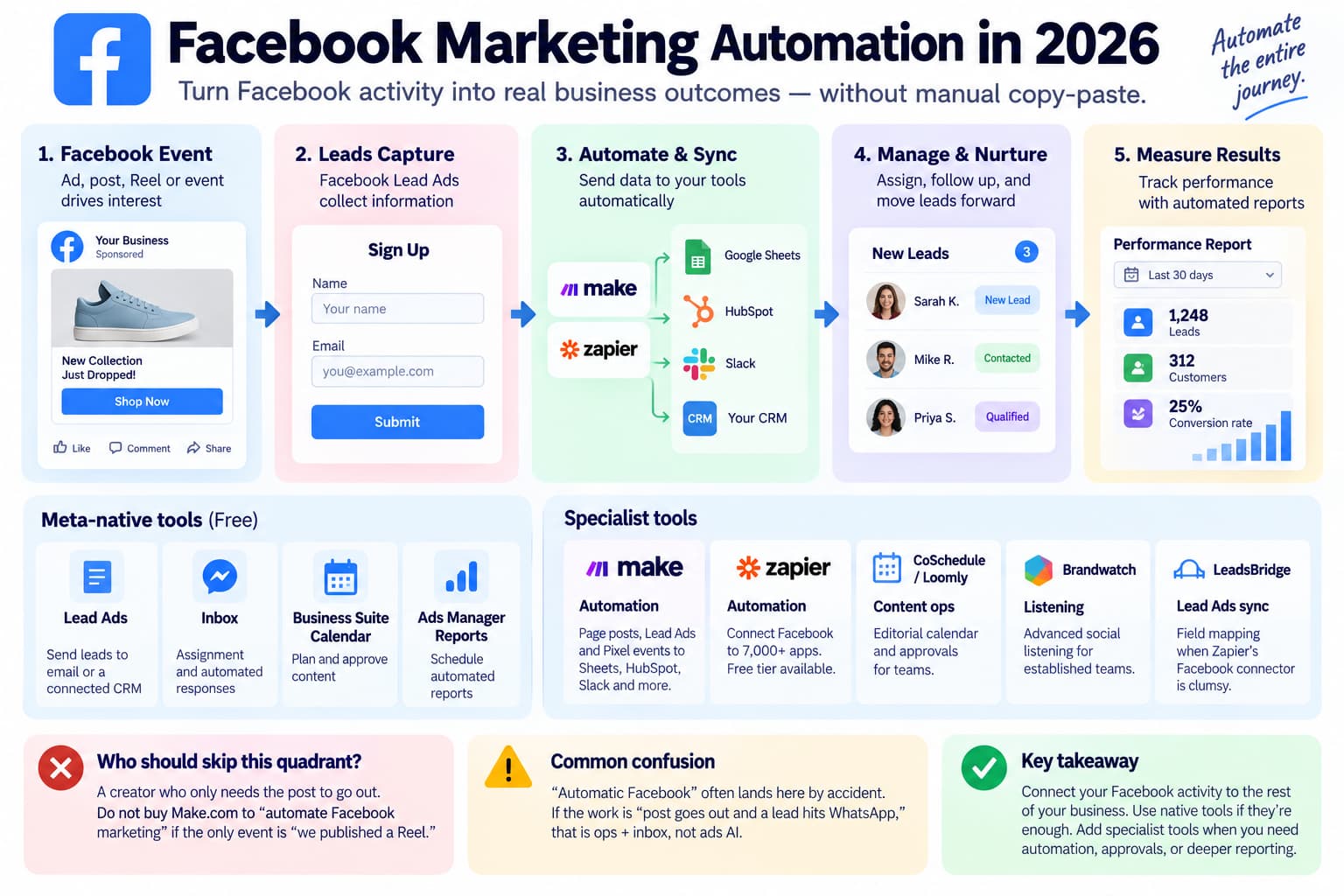
Job: move a Facebook event into the rest of the business without a human copy-paste.
Facebook marketing automation and automated facebook marketing often mean this layer: a Facebook event reaching the rest of the business. Lead Ads into a CRM, a calendar with approvals, and reports sit here. Publishing tools that also promise “response + ads” are still three products.
Meta-native
Lead Ads destination = email or a connected CRM. Inbox assignment. Business Suite calendar. Ads Manager scheduled reports. For a shop with ten leads a week, that is the stack.
Specialists
- Make.com / Zapier — Facebook Page posts, Lead Ads, and Pixel-adjacent events into Sheets, HubSpot, or Slack. Glue is a real category; Make is not a Facebook product. Free tiers exist; paid plans follow operations volume.
- CoSchedule / Loomly — editorial calendar and approvals when Sprout is too expensive and Suite Planner is too thin for a content team.
- Listening — Brandwatch-class tools only if you already have a social team. Suite search and Sprout listening cover most small brands.
- LeadsBridge-class — Lead Ads field mapping when Zapier’s Facebook connector is clumsy.
Who should skip this quadrant
A creator who only needs the post to go out. Do not buy Make.com to “automate Facebook marketing” if the only event is “we published a Reel.”
Automatic facebook as a phrase often lands here by accident. If the work is “post goes out and a lead hits WhatsApp,” that is ops + inbox, not ads AI.
Quadrant 4 — Inbox (one slice)
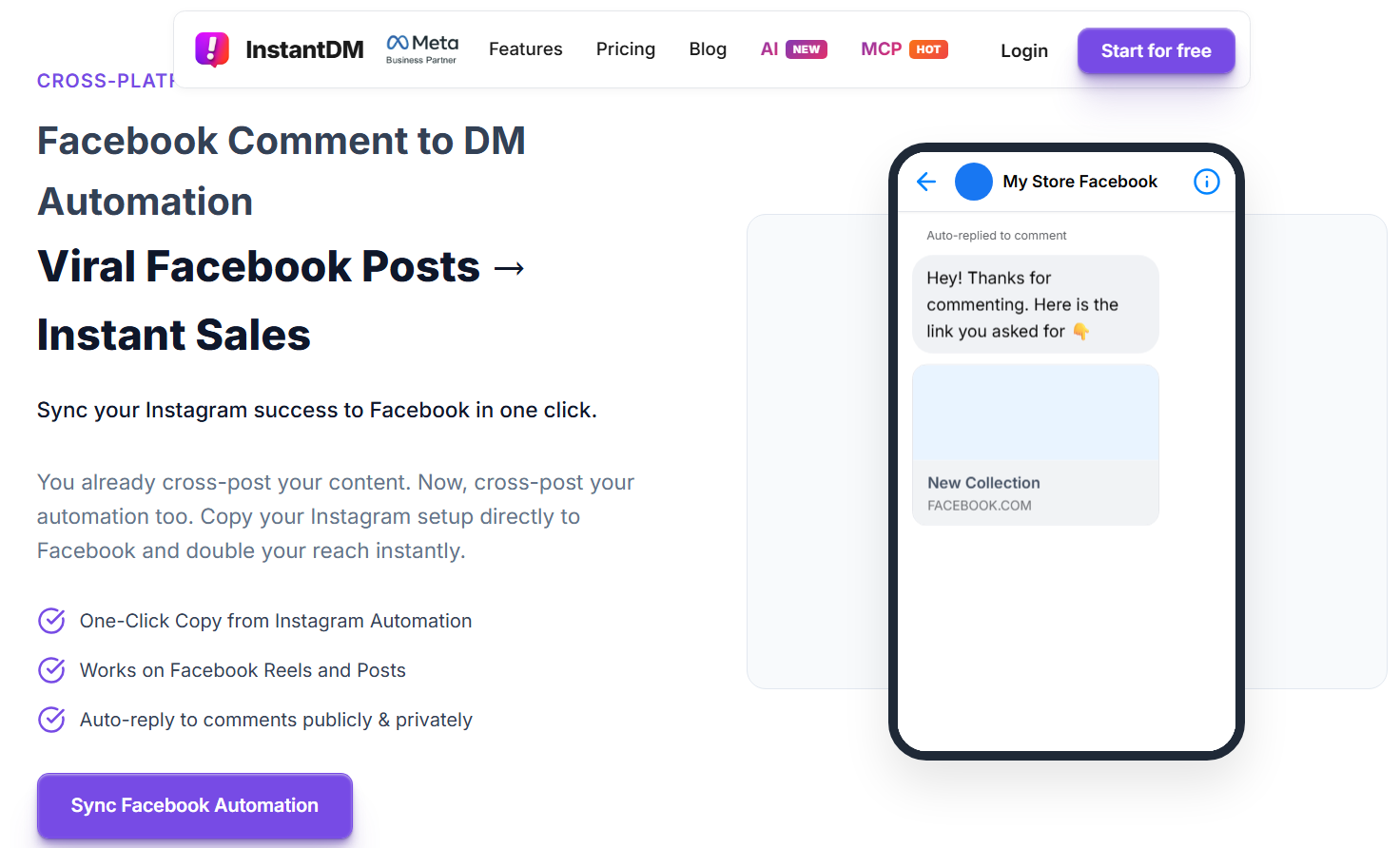
If the gap is comments going cold or Messenger keywords, that is a different category. Meta Business Suite covers Instant Reply, Away Message, and a handful of keyword templates. For comment-to-Messenger on Page posts and Reels at a flat price, InstantDM is in that list. InstantDM automates Facebook Page posts and Reels comments into Messenger. It does not schedule posts and it does not run ads.
Full comparison: 7 Best Facebook Auto Reply Tools for Comments and Messenger (2026). How the comment door works: Facebook comment automation. Messenger windows: Facebook DM automation.
The rest of inbox setup is on those pages.
Master map
| Job | Meta-native | Best specialist class | Starting price (Sep 2026) | Skip if |
| Schedule posts | Business Suite Planner (20 min–29 days) | Buffer | $0, then $5–6/channel | One Page, light cadence |
| Recycle / evergreen | Duplicate in Planner | MeetEdgar or Post Planner | ~$30–50/mo | Campaigns with hard end dates |
| First comment on a Page post | Manual | Buffer paid / Post Planner | Bundled in those plans | You only publish Reels (often unsupported) |
| Reels publish | Suite Planner | Same scheduler you already bought | — | Third-party Reels support is uneven; test before you pay |
| Ad rules | Ads Manager rules | Birch Pro | $99/mo in the low-spend bracket | Spend is too small for rules to fire |
| Ad creative volume | Advantage+ creative | Canva or AdCreative.ai | Canva Pro or ~$39/mo | You ship enough ads by hand |
| Bulk / catalog launch | Catalog + Advantage+ sales | Native first | $0 | Tiny catalog |
| Lead routing | Lead Ads email | Make.com / Zapier | Free tier | Ten leads a month |
| Comment / Messenger inbox | Instant Reply / Away | See auto-reply article | — | Comments are not the fire |
Prices move. Recheck vendor pages before you buy.
Stacks, not brands
Solo Page, $0. Business Suite Planner + Instant Reply + Ads Manager boosts or one traffic campaign. No Buffer. No Madgicx.
Creator, IG - FB. Suite cross-post where it works, or one scheduler (Buffer Essentials on two channels, or Social by InstantDM if the calendar already includes TikTok and YouTube). Do not add an ads AI tool until you have a Pixel and a product.
Local business. Planner for posts. Lead Ads into email or a cheap Zap. Instant Reply for after-hours. Boosts only. Skip Sprout until two people need approvals.
DTC on Advantage+. Advantage+ sales + catalog + CAPI. Add Birch or Madgicx only after native rules feel small. Creative tool if the feed cannot supply enough angles.
Agency. One publishing seat model (Sprout or Hootsuite) or a cheaper scheduler plus a shared sheet. Birch if you run rules across clients. Do not put every client on Madgicx on day one. Approvals live in the publisher, not in Ads Manager.
These stacks are what to buy. Inbox-first recipes live on the Facebook automation hub.
What is not allowed
Official automation uses a Page, Facebook Login, and Meta’s Graph / Marketing APIs. That is Planner, Ads Manager, Instant Reply, and every reputable tool above.
Not on this map
- Personal-profile auto posters and “automatic facebook” Chrome extensions.
- Group bulk posters and Fiverr gigs that promise 100 groups a day. Buffer already stopped silent Group scheduling after Meta’s April 2024 Groups API change.
- Auto-like, auto-friend, and farming videos that rank next to “facebook automation tools.”
- Password tools and APKs that sit in the account.
Threads asking “is Facebook automation possible?” are usually this split: possible on a Page with official apps; not possible (or not safe) on a profile or as unattended Group spam. Meta’s ads automation and scheduling help are the allowed floor.
Fiverr “Facebook automation” gigs mix all four quadrants and a fifth unofficial one. Read the deliverable. If it is “we will post as you from a browser,” that is not Planner. If it is “we will set Advantage+ and rules,” that is ads ops you can do in Ads Manager. If it is “we will comment on 200 posts a day,” that is not a tool on this map.
How to choose in 10 minutes
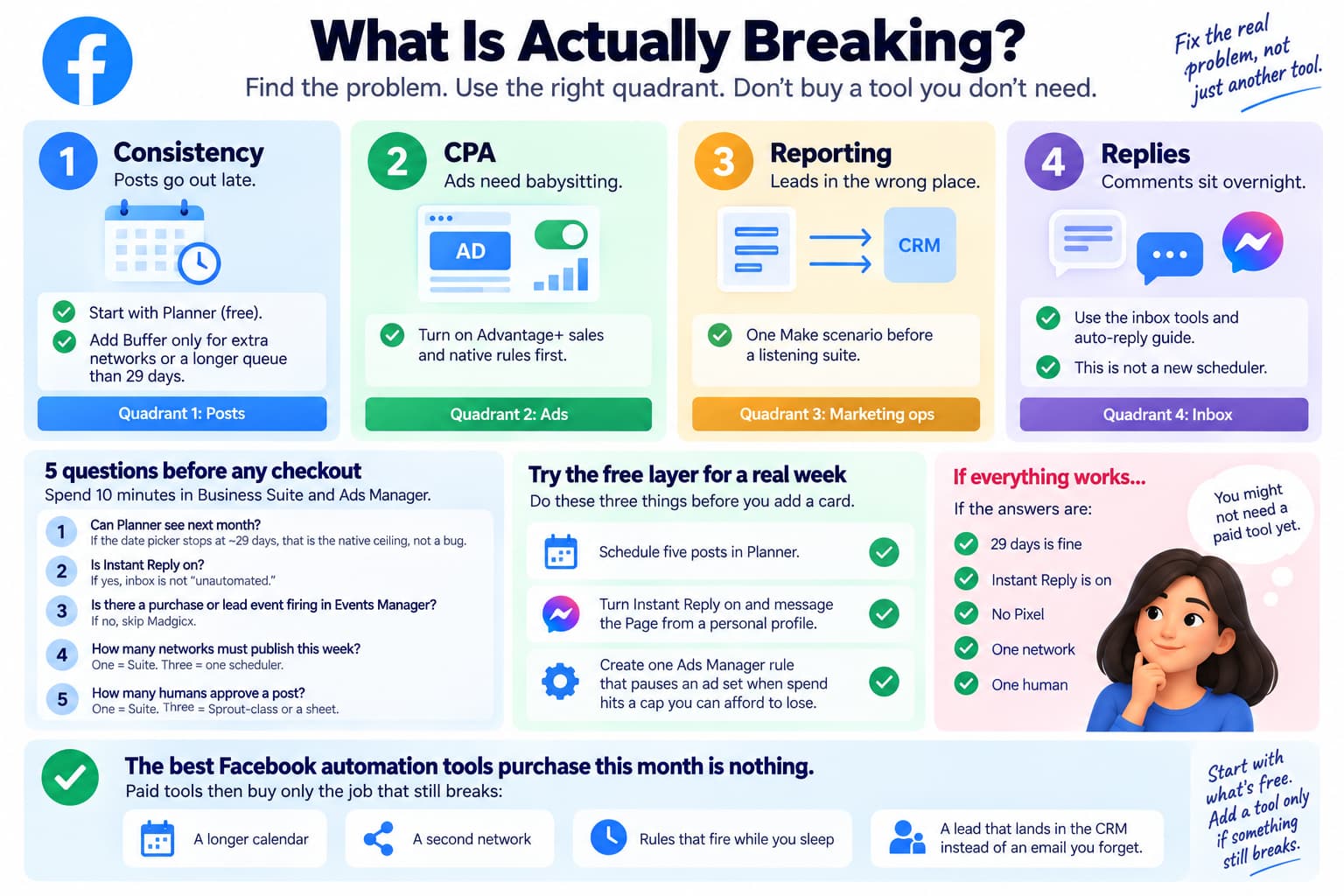
What is actually breaking?
- Consistency — posts go out late - Quadrant 1. Start with Planner. Add Buffer only for extra networks or a longer queue than 29 days.
- CPA — ads need babysitting - Quadrant 2. Turn on Advantage+ sales and native rules first.
- Reporting / leads in the wrong place — Quadrant 3. One Make scenario before a listening suite.
- Replies — comments sit overnight - Quadrant 4 and the auto-reply article, not a new scheduler.
If two things are on fire, fix posting or ads first. An empty Planner plus a dead inbox is two products, not one “facebook automation tool.”
A 10-minute pass through Business Suite and Ads Manager before any checkout:
- Can Planner see next month? If the date picker stops at ~29 days, that is the native ceiling, not a bug.
- Is Instant Reply on? If yes, inbox is not “unautomated.”
- Is there a purchase or lead event firing in Events Manager? If no, skip Madgicx.
- How many networks must publish this week? One = Suite. Three = one scheduler.
- How many humans approve a post? One = Suite. Three = Sprout-class or a sheet.
If the answers are “29 days is fine, Instant Reply is on, no Pixel, one network, one human,” the best facebook automation tools purchase this month is nothing.
Give the free layer a real week before you add a card. Schedule five posts in Planner. Turn Instant Reply on and message the Page from a personal profile. Create one Ads Manager rule that pauses an ad set when spend hits a cap you can afford to lose. If those three things hold, you already have facebook automation. Paid tools then buy only the job that still breaks: a longer calendar, a second network, rules that fire while you sleep, or a lead that lands in the CRM instead of an email you forget.
Bottom line
Facebook automation tools in 2026 means four quadrants. Start with Meta. Add one paid tool per broken job. Ignore unofficial posters. If the fire is comments or Messenger, leave this page and use the inbox cluster.
Prices and product names checked against public vendor and Meta pages in September 2026 (Suite 29-day window from Meta Help; Buffer per-channel plans; Birch/Madgicx spend tiers; Sprout per-seat; MeetEdgar Eddie/Edgar; AdCreative starter; Social by IDM Pro). Recheck before you buy. Advantage+ shopping campaigns now appear in Ads Manager as Advantage+ sales.
About The Author
Aravindh Kumar is an ecommerce and Instagram growth expert with 8+ years of experience in online selling. He has worked with 500+ brands - including Forbes-listed companies - He has helped 200+ Instagram businesses grow their online presence.