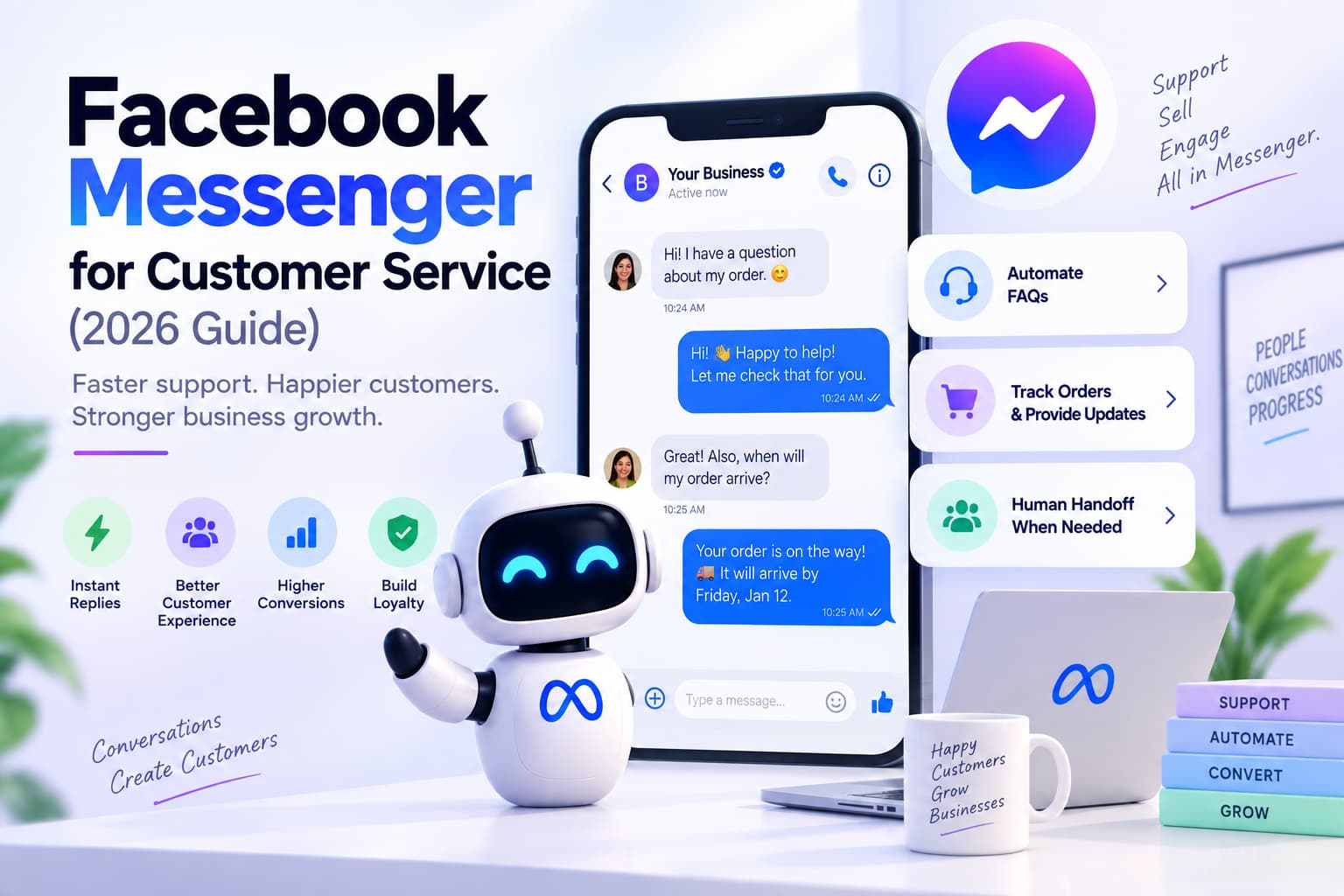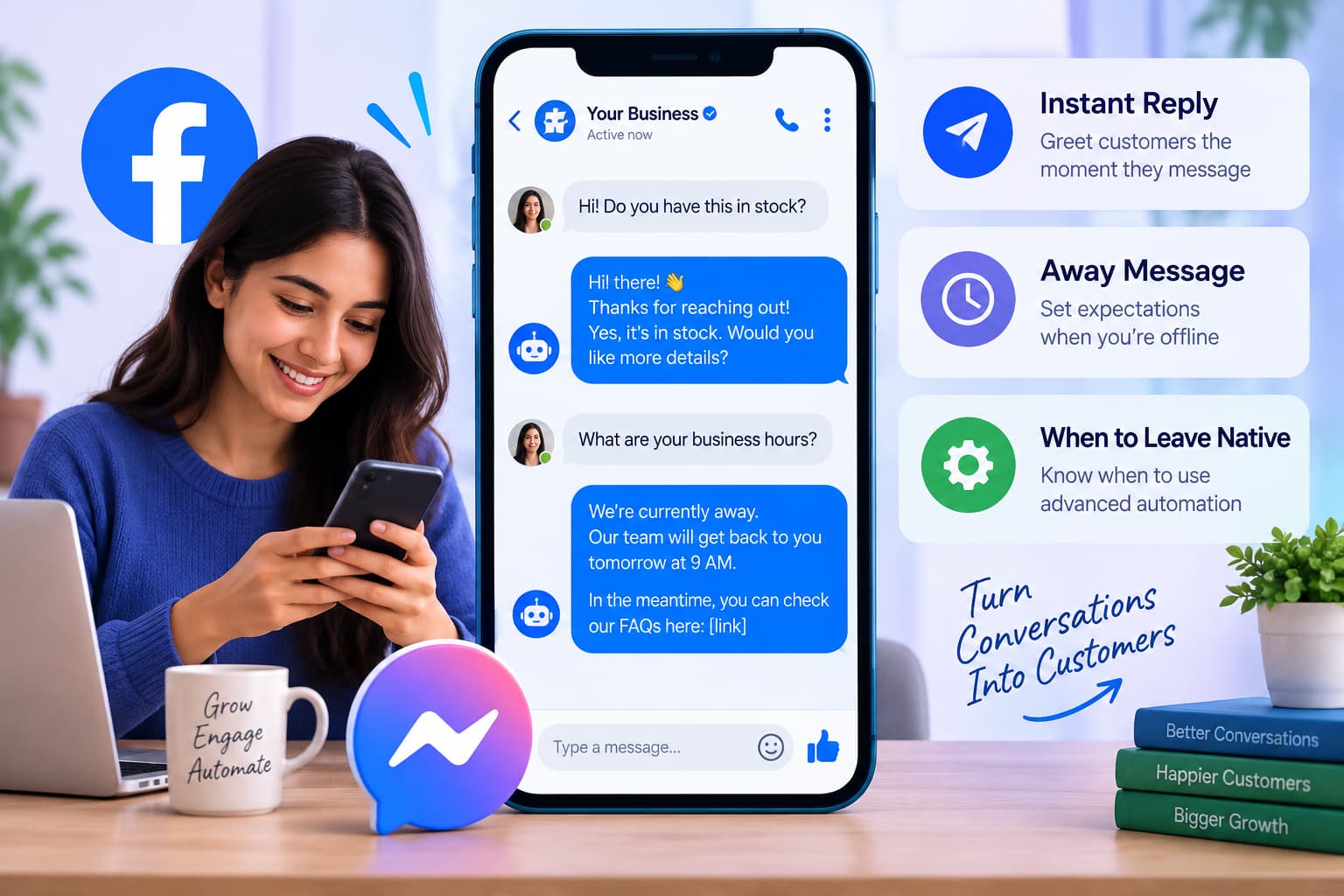
A messenger autoresponder is the first automatic line your Facebook Page sends when someone writes you in Messenger. Meta’s names for it are Instant Reply and Away Message. It is not a chatbot that runs a ten-step flow, and it is not a bot that comments on a post.
If you need a full vendor comparison (WhatsApp, prices, shared inboxes), use 7 Best Facebook Auto Reply Tools for Comments and Messenger (2026). This page is only the first message in Messenger.
Key takeaways
- Messenger autoresponder, facebook messenger autoresponder, and autoresponder fb mean the same thing: Instant Reply, Away Message, or a keyword default reply on a Page.
- Set it up free in Meta Business Suite - Inbox - Automations.
- Instant Reply does not send when the Page is Away. It does not count toward response time or the “Very responsive” badge.
- Custom keywords: up to five phrases, case-sensitive, desktop-only, often a 15-minute wait if no one replies first.
- A personal Facebook account cannot run official Page automations.
- Stay on native Instant Reply if a courtesy line and hours are enough. Move to a Page app only if you need an instant keyword reply, buttons or images, more than five keywords, or the same first line after someone comments on a post.
What is a messenger autoresponder?
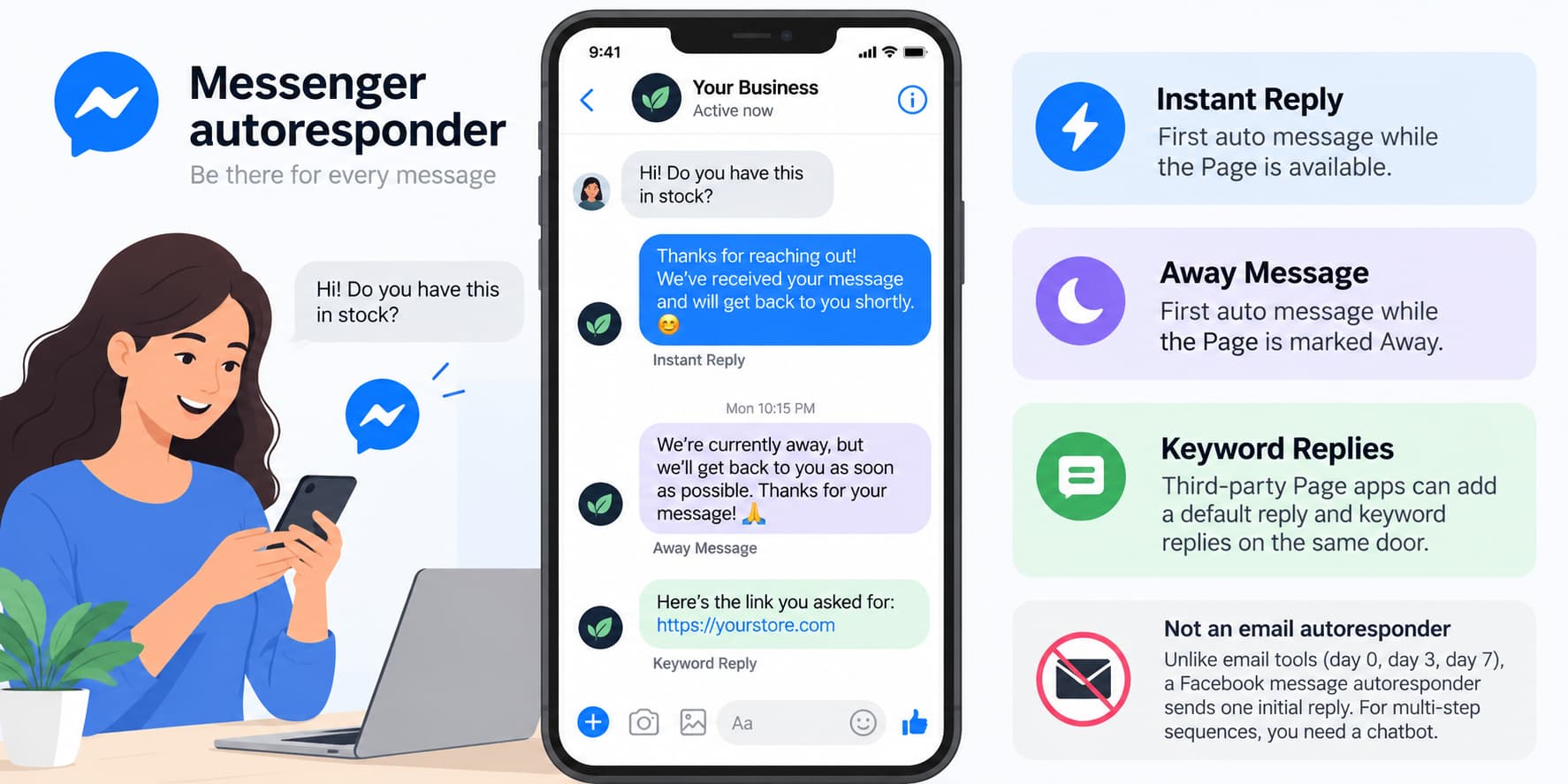
An autoresponder for Facebook Messenger is a pre-written first reply to a new inbox message. Meta ships two templates:
- Instant Reply — first auto message while the Page is available.
- Away Message — first auto message while the Page is marked Away.
Third-party Page apps can add a default reply and keyword replies on the same door.
That is not an email autoresponder. Email tools send a sequence (day 0, day 3, day 7). A facebook message autoresponder is one bubble that says the Page received the message. If you want a multi-step sequence after that, you need a chatbot, not Instant Reply.
Meta documents Instant Reply, Away Message, and custom keywords in About Inbox automations in Meta Business Suite.
Instant Reply vs nearby features
| Feature | What it does |
| Instant Reply | First auto message while the Page is available |
| Away Message | First auto message while the Page is Away |
| Custom keywords | Up to five exact phrases in Messenger (desktop, delayed) |
| FAQ / hours / location templates | Canned answers in Inbox automations |
| Chatbot / flows | Conversation after the first line |
| Comment-to-message | They commented on a post; you send one Private Reply |
Start with Instant Reply and Away. Add one keyword after you have read a week of real inbox text. Do not turn every Inbox template on at once or the first message becomes a pile of overlapping bubbles.
Why Instant Reply exists
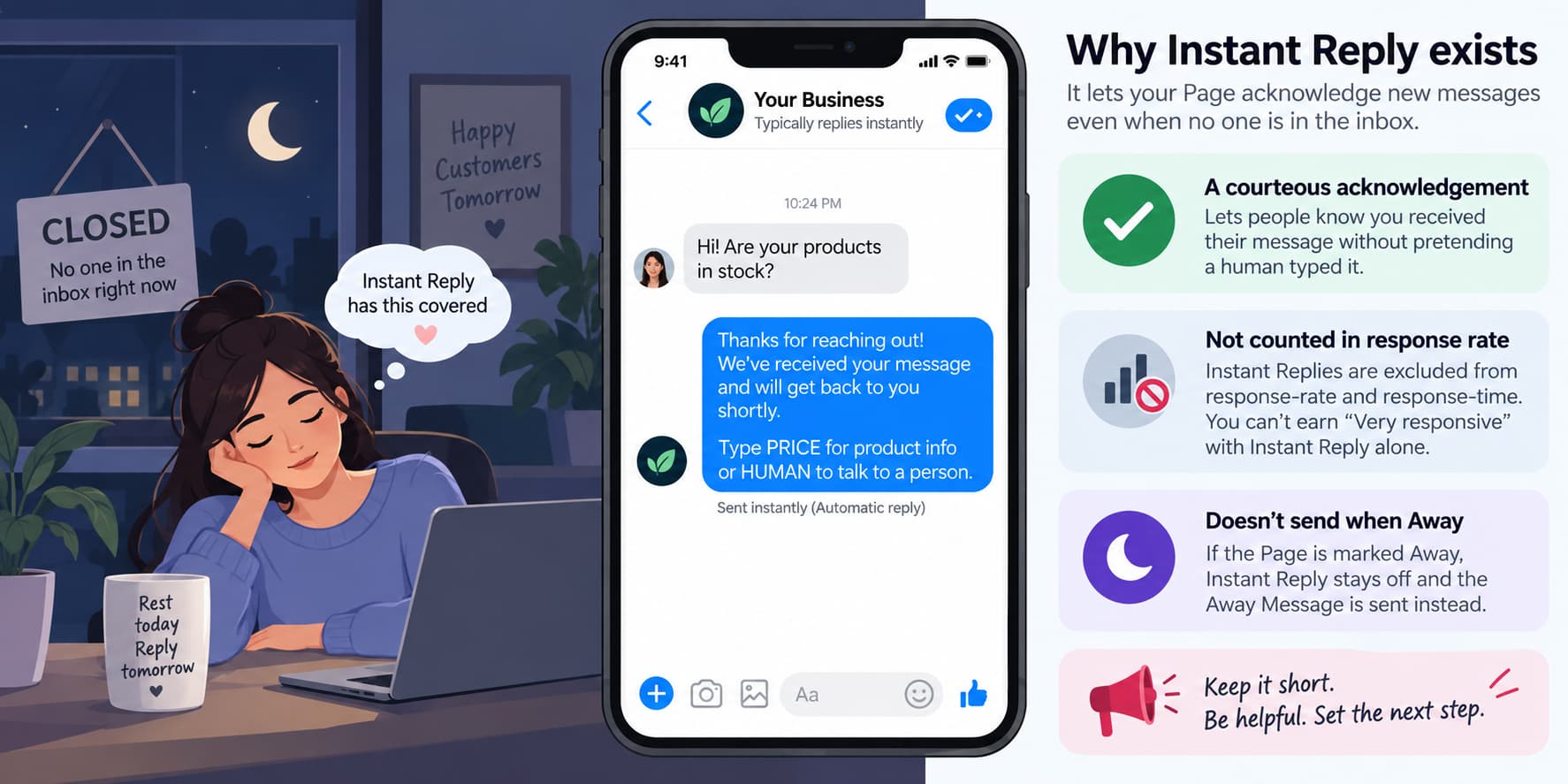
Pages were marked “not responsive” because no one is in the inbox overnight. Instant Reply lets the Page acknowledge the person without pretending a human typed it.
Two rules follow from that:
- The auto message is excluded from response-rate and response-time. You cannot earn “Very responsive” with Instant Reply alone.
- If the Page is Away, Instant Reply stays off and Away Message wins.
Meta states that Instant Replies are not sent when the Page is Away and are not included in response rate or response time.
A facebook auto responder is a courtesy line plus a routing line (“type PRICE, or type HUMAN”). Keep it short enough for the character limit. A long Instant Reply is a cramped chatbot inside a template Meta will not score.
If the Page only uses Facebook Messenger, Instant Reply is the right first step. If the same team also answers WhatsApp and Instagram in one queue, Instant Reply is still useful as a courtesy line, but the shared inbox is a different product.
“Autoresponder” also means email and SMS in other tools. This article is only Facebook Messenger on a Page. Instagram auto-reply is a different control.
Facebook messenger autoresponder and the other spellings
Facebook messenger autoresponder, autoresponder for facebook messenger, autoresponder facebook messenger, and autoresponder for messenger are the same feature. Facebook message autoresponder drops the word Messenger but still means the Page inbox, not email. Autoresponder fb and facebook auto responder are the short mobile typings.
One definition covers all of them:
An autoresponder for messenger is a Page-level Instant Reply, Away Message, or keyword default reply in Facebook Messenger.
Official automations attach to a Page. There is no supported profile version. Browser extensions on personal Messenger are not Inbox automations.
You do not need a different setup for each spelling. Instant Reply is the control. Away Message is the after-hours control. Custom keywords are the five extra phrases. That is the whole autoresponder for messenger stack Meta gives you for free.
How to turn on a facebook messenger autoresponder
Official instructions: Follow Meta’s steps to set up Inbox automations on desktop.
Instant Reply (desktop)
- Open Meta Business Suite on a computer.
- Go to Inbox - Automations.
- Turn on Instant Reply.
- Check Messenger.
- Write one message (stay well under 500 characters). Insert first name only if the preview shows a real name.
- Save. Send a test from a personal profile, not as the Page.
On mobile: Page inbox - menu - Automations - Instant Reply - Messenger. Custom keywords are not available on the phone.
Away Message
Use the same Automations list. Set hours and time zone. Say when you come back and give one self-serve option (“Type PRICE for the sheet, or comment LINK on today’s Reel”). Away Message beats Instant Reply. If Instant Reply seems broken, check whether the Page is Away.
Custom keywords
Desktop only. Up to five phrases. Case-sensitive. Exact match. The same phrase cannot live in two automations. Meta can wait about 15 minutes for a human before the keyword reply goes out. If Instant Reply or Away and a keyword both match, the greeting or away template wins.
That delay is why people look for other tools after they try native keywords. Instant Reply itself still sends quickly. The wait sits on custom keywords.
What native will not do
- Send a custom-keyword reply the moment the message arrives.
- Match more than five exact phrases.
- Branch (“PRICE sends a sheet, BOOK sends two buttons”).
- Put a card or image in every reply.
- Run on a personal profile.
- Share the thread with a second main app at the same time.
Meta’s Handover Protocol allows one primary receiver. If a third-party app is primary, native Instant Reply may never send. If native is primary, the third-party default reply may never send. Pick one.
After you connect any Page app, open Page settings - Advanced Messaging and see which app sits on top. Disable the one that should not own the first reply. Test again from a personal profile.
The same check applies if you turn on Meta Business Agent. Other Inbox automations can pause. Instant Reply that stops after you enable an AI toggle is expected, not a random bug.
Other native templates
Inbox automations also include FAQs, location, contact info, hours, and comment-to-message.
- FAQ / hours / location — canned answers so Instant Reply can stay one sentence.
- Comment to message — a hashtag on a post opens Messenger. That is a comment trigger, not Instant Reply.
- Unanswered / organize — inbox hygiene, not an autoresponder.
Turn Instant Reply and Away on first. Add one keyword group after you know which word people actually type. Add an FAQ only for the question you already answer ten times a day.
Mobile vs desktop
You can switch Instant Reply on from a phone. Instant Reply and Away can be turned on from the phone using Meta’s guide to set up Inbox automations on the Meta Business Suite mobile app. Custom keywords still need desktop. You cannot finish custom keywords there. If PRICE never fires, you likely set keywords only in the app. Use Business Suite on desktop for Instant Reply, Away hours, and one keyword, then leave the phone for testing.
Who should stay on native
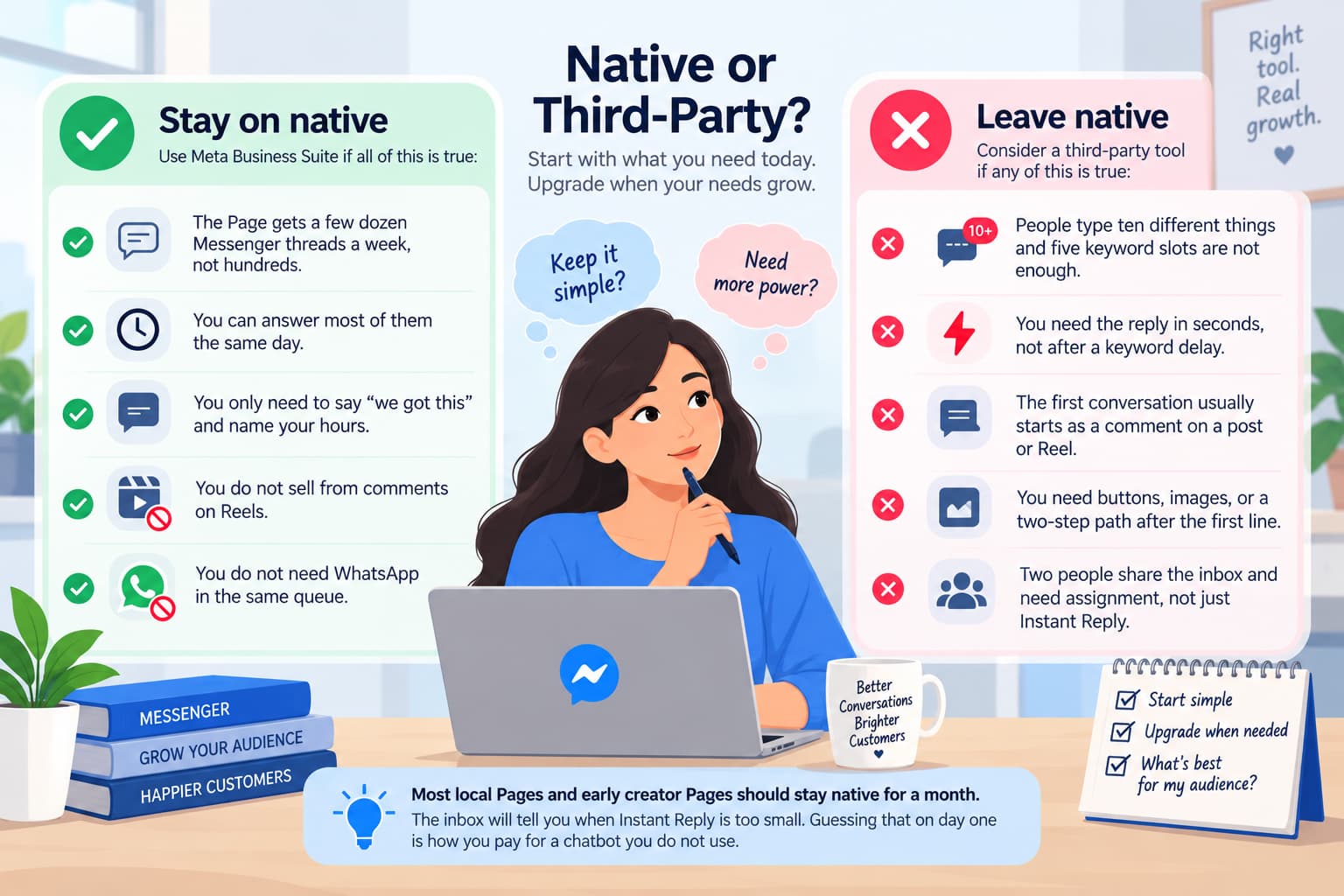
Stay on Business Suite if all of this is true:
- The Page gets a few dozen Messenger threads a week, not hundreds.
- You can answer most of them the same day.
- You only need to say “we got this” and name your hours.
- You do not sell from comments on Reels.
- You do not need WhatsApp in the same queue.
Leave native if any of this is true:
- People type ten different things and five keyword slots are not enough.
- You need the reply in seconds, not after a keyword delay.
- The first conversation usually starts as a comment on a post or Reel.
- You need buttons, images, or a two-step path after the first line.
- Two people share the inbox and need assignment, not just Instant Reply.
Most local Pages and early creator Pages should stay native for a month. The inbox will tell you when Instant Reply is too small. Guessing that on day one is how you pay for a chatbot you do not use.
How Instant Reply and Away interact during a week
Monday 10:00, Page available: Instant Reply sends, then a human.
Monday 22:00, Page Away: Away Message sends, Instant Reply does not.
Tuesday 10:00, you forgot to turn Away off: every new chat still gets Away Message. That is the most common “Instant Reply died overnight” report.
Tuesday 10:05, you turn Away off: Instant Reply returns.
Set Away on a schedule if the Suite UI lets you. Do not toggle it by hand at midnight and expect to remember at 10:00. If your hours change for a festival week, edit the Away text and the hours in the same sitting. A holiday line with weekday hours is how you promise 10:00 and arrive Wednesday.
Autoresponder fb on a personal account
Official Instant Reply, Away Message, and custom keywords are Page features. A personal profile does not get Inbox Automations. There is no supported autoresponder fb for friends messaging you at night.
Tasker bots, Chrome extensions, and auto-reply APKs are not Meta Inbox automations. This article does not set them up.
For business messages, create a Page and turn Instant Reply on. For personal life, use an away line in your bio or turn off read receipts. That is not a messenger autoresponder.
A Page created only to host Instant Reply is still a Page. It needs a name, a category, and an admin who can open Business Suite. Editors and moderators can often edit automations. They cannot always grant a third-party app pages_messaging. The person who clicks Facebook Login must be an admin. If Instant Reply works and the connected app does not, that permission gap is the usual cause.
Copy that works as an autoresponder
Write like a receipt.
Instant Reply
“Got this — someone will reply during 10:00–18:00 IST. For the price sheet, type PRICE. For a person, type HUMAN.”
Away Message
“We’re offline until 10:00 IST. Type PRICE for the sheet, or comment LINK on the latest Reel.”
Keyword PRICE (one of the five native slots)
“Current sheet: [short link]. If that is not what you meant, type HUMAN.”
Do not paste five FAQs into Instant Reply. Instant Reply is an acknowledgment. Put repeated answers in the FAQ template or in a chatbot after the first line.
List the ten questions you actually get. Put one of them in Instant Reply. Leave the rest for a human or a later flow.
If Instant Reply says “type PRICE” and the PRICE keyword is off, people type a word that goes nowhere. Either add PRICE to the five slots or remove it from Instant Reply.
Put hours in IST (or your real zone) on Away Message. “Back at 9am” with no zone produces 3am follow-ups and a thread that looks ignored. Match Instant Reply to the language of the Page. An English courtesy line under a Tamil Page reads like an imported template.
More first-line variants
Service Page
“Message received. We reply on weekdays 10:00–18:00 IST. For hours type HOURS. For a person type HUMAN.”
Creator Page
“This chat is checked a few times a day. For the current file type LINK. Anything else waits for a human.”
Local shop
“Thanks — type MENU for today or MAP for directions. We are in-store until 21:00 IST.”
Each line does one job: acknowledge, set time, give one or two exits. A fourth exit means you have outgrown Instant Reply.
Preview on a second phone. If a first-name token shows as ['['[']']first_name[']'], delete the token. Long Instant Replies wrap badly in mobile Messenger.
Which automation tools are most recommended for Facebook Messenger responses?
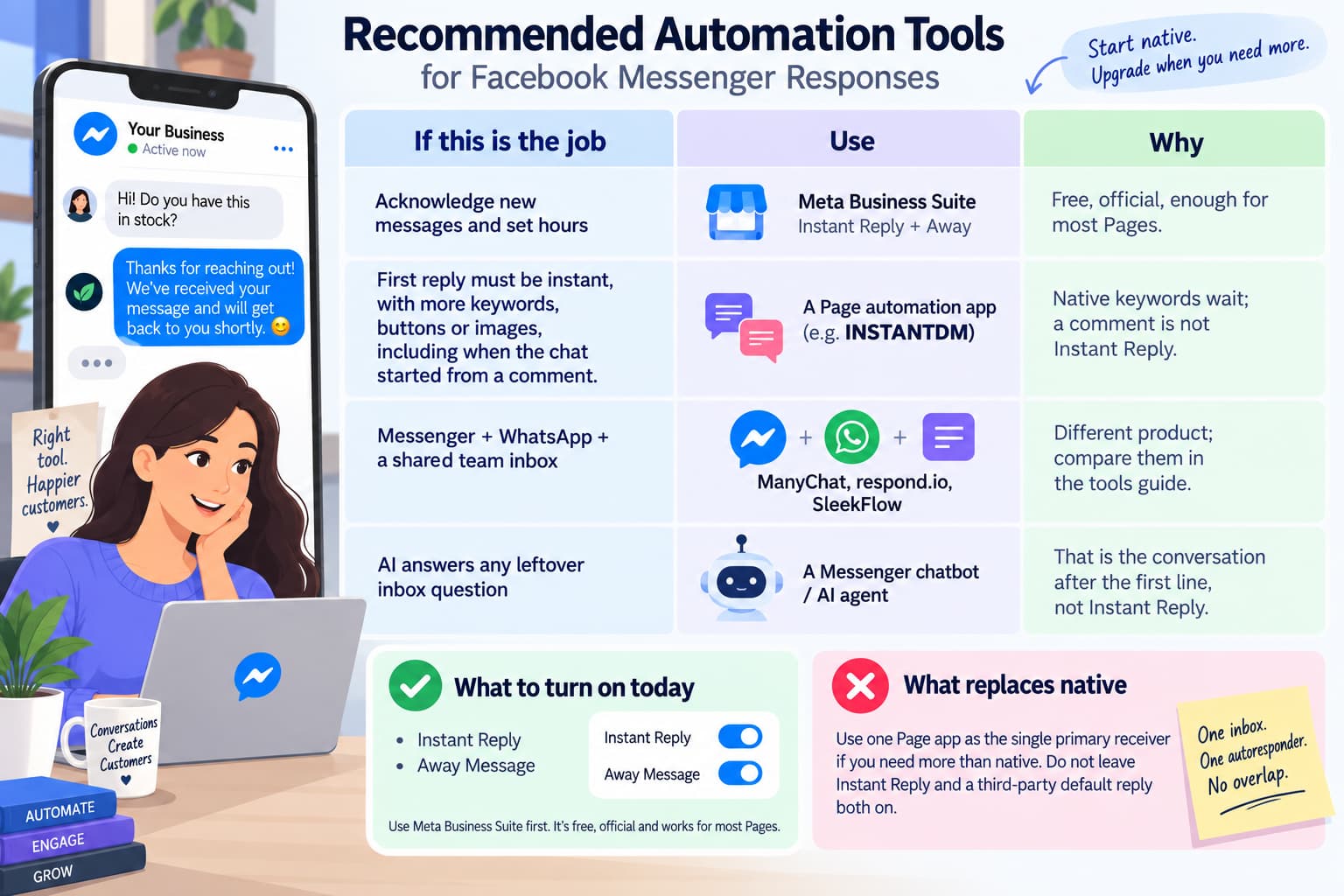
Turn on Meta Business Suite first. Use a Page app only if Instant Reply, Away, and five delayed keywords are not enough. Use a multi-channel inbox only if Messenger is one door among WhatsApp and web chat.
| If this is the job | Use | Why |
| Acknowledge new messages and set hours | Meta Business Suite Instant Reply + Away | Free, official, enough for most Pages |
| First reply must be instant, with more keywords, buttons or images, including when the chat started from a comment | A Page automation app (InstantDM ) | Native keywords wait; a comment is not Instant Reply |
| Messenger + WhatsApp + a shared team inbox | ManyChat, respond.io, SleekFlow | Different product; compare them in the tools guide |
| AI answers any leftover inbox question | A Messenger chatbot / AI agent | That is the conversation after the first line, not Instant Reply |
What to turn on today: Instant Reply and Away.
What replaces native: one Page app set as the single primary receiver. Do not leave Instant Reply and a third-party default reply both on.
When native is not enough
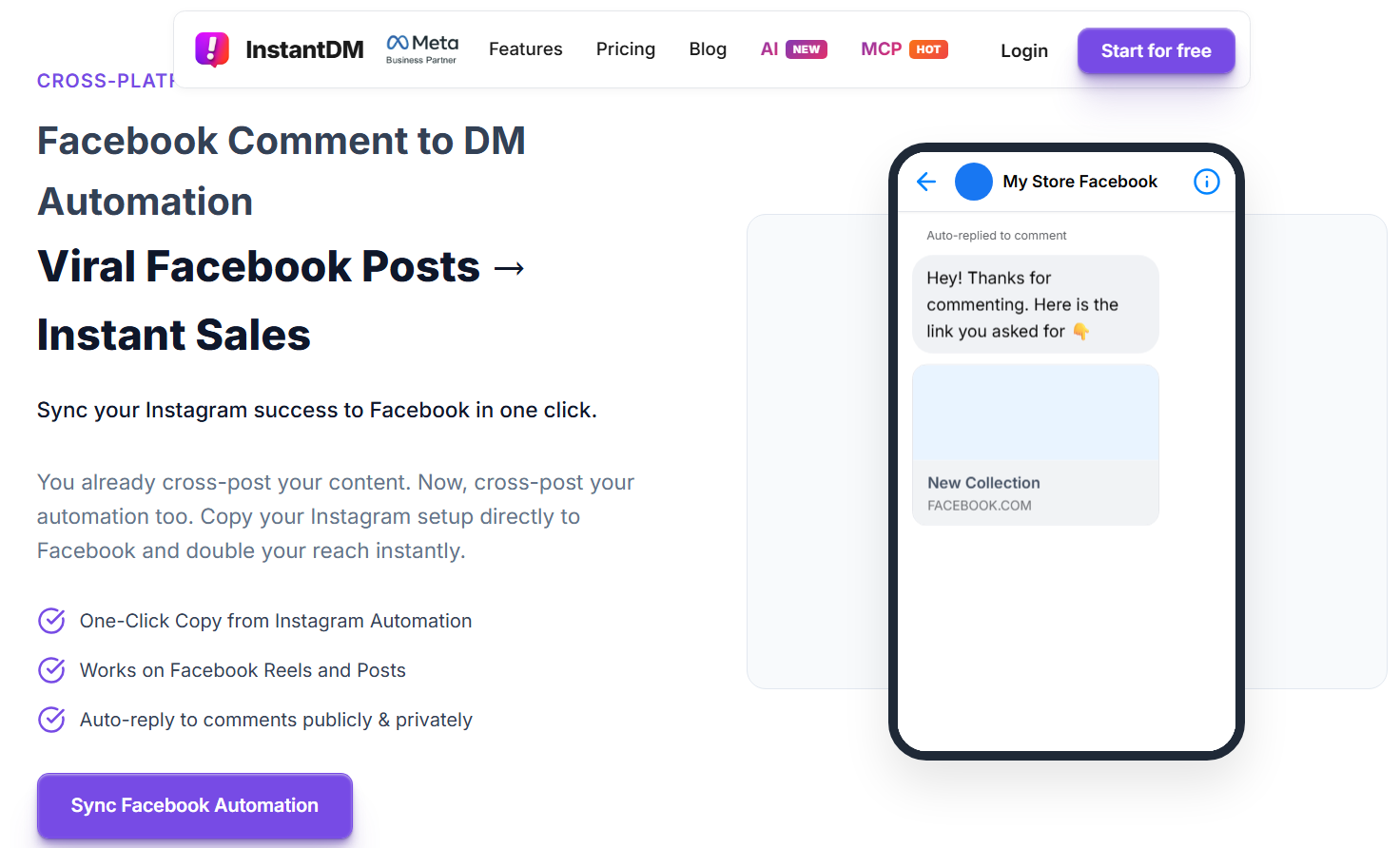
When Instant Reply is on and you still miss chats that start as comments, or you will not wait 15 minutes for a keyword, InstantDM is the flat-price Page option: welcome and keyword replies in Messenger, a public reply plus Private Reply from a post, Copy from Instagram, 500 automations/month free, Legend Pro $9.99/month, Page only, no WhatsApp.
Autoresponder vs chatbot vs comment-to-DM
- Autoresponder — first line in Messenger after they tap Message. Instant Reply, Away, or default reply.
- Chatbot — the second line and after: buttons, keywords, AI, handoff to a person.
- Comment-to-DM — they commented on a post; you send one Private Reply. That thread can continue in Messenger. It is not Instant Reply. Instant Reply never fires on a comment. Away Message never fires on a comment.
A simple test: delete the post and message the Page. If the auto line still goes out, you built an autoresponder. If it only goes out after a comment, you built comment-to-DM and called it an autoresponder.
Comment-to-DM and Instant Reply can both exist on the same Page if they do different jobs: Instant Reply for people who tap Message, Private Reply for people who comment on a specific post. They still share Handover. If the Page app that sends Private Replies is also set as the only Messenger receiver, Instant Reply may stop. After you connect an app, send two tests: one blank Message tap, one comment on a live post. You want two different first lines, not one tool eating the other.
Rules that apply to an autoresponder
- Page only.
- Facebook Login if you use a third-party app.
- One primary app.
- Instant Reply and Away are replies after they messaged you, so they sit inside the 24-hour window.
- Instant Reply is not a way to broadcast to old contacts.
- Do not ask for passwords or OTPs in the auto line.
- Make it obvious the first line is automatic if the UI does not already say so.
- Leave a human path in the same bubble (“type HUMAN”).
Away Message is not a loophole to send marketing at 2am. It is a scheduled first reply. If they answer, you are inside the 24-hour window and a human or chatbot can continue. If they do not answer, Instant Reply does not send a second ping. Messenger Instant Reply does not drip like email.
Instant Reply will not save a dead inbox
A Page that never answers after the auto line trains people to ignore Instant Reply. Meta already refuses to count that line toward response time. Instant Reply and Away Message do not count toward the Very responsive to messages badge. The person still sees whether a human shows up. Use Instant Reply to buy hours, not weeks. If the real reply is Monday, say Monday. “Soon” plus three days of silence is worse than no autoresponder.
The same applies to Away Message that says “back shortly” on a two-week holiday. Put the date and one self-serve path.
Troubleshooting a messenger autoresponder that does nothing
- You tested as the Page. Test as a person.
- The Page is Away. Instant Reply is supposed to stay off.
- The custom keyword is the wrong case (Price vs PRICE).
- You set keywords only on mobile. They never saved.
- Instant Reply and a third-party app both think they are primary.
- Meta Business Agent is on and automations are paused.
- They wrote “hi what is the price” and you only match exact PRICE. Native keywords are exact. They are not intent detection.
- You expected Instant Reply on a comment. Comments are not Instant Reply.
- The message arrived on Instagram, not Messenger.
- The thread is a personal profile. There is no official switch.
Fix this list before you change tools.
If Instant Reply sends but the keyword never does, read the exact text the person typed. Native match is exact and case-sensitive. “price please” will not hit PRICE. Either add the lowercase phrase as a second slot (you only have five) or stop asking people to type a code word and handle PRICE by hand.
If two bubbles arrive, you still have two automations on the same event: Instant Reply plus a third-party welcome, or Instant Reply plus a native FAQ. Turn one off. Preview again from a second account.
Bottom line
A messenger autoresponder is Instant Reply plus Away Message on a Facebook Page. Turn those on today. Leave native when five delayed keywords and a courtesy line are not the job
About The Author
Aravindh Kumar is an ecommerce and Instagram growth expert with 8+ years of experience in online selling. He has worked with 500+ brands - including Forbes-listed companies - He has helped 200+ Instagram businesses grow their online presence.