last updated: 17 October 2026
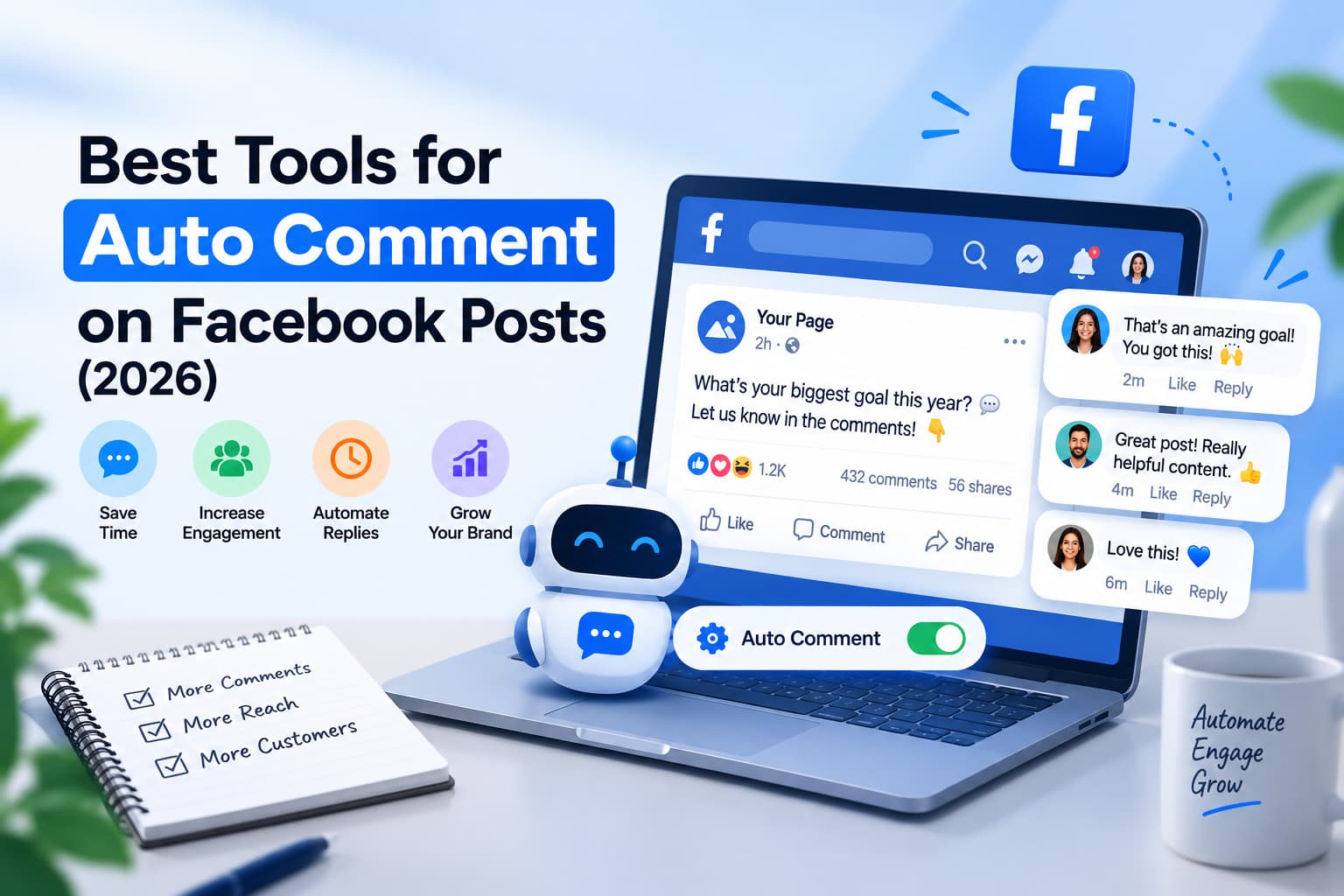
The best tools for auto comment on facebook posts are Meta Business Suite for a free delayed Page reply, ManyChat for a Comments Trigger plus a flow, and CommentGuard for hide-rules on posts and ads. Auto comment here means a public reply under a comment on your post or Reel. It is not a bot that comments on other Pages or Groups.
Key takeaways
- Auto comment on Facebook post = a public reply (and optional Private Reply) on your Page post or Reel after someone comments.
- Auto comment for fb on other people’s posts or in Groups you do not admin is a different product. Meta does not give Pages an official “comment everywhere” API.
- Native option: Meta Business Suite can send a delayed Messenger message from a hashtag. It is weak at posting a visible reply under the comment.
- Third-party Page tools that can auto comment on the post itself: InstantDM, ManyChat are stronger at the Messenger half than the public thread.
- InstantDM: public reply + Private Reply on Page posts and Reels, Copy from Instagram, free 500 automations/month, Legend Pro $9.99/month flat.
- Full tool-by-tool cards live on the auto reply tools article. Safety and bot policy live on Are Facebook Auto Comment Bots Safe?
Auto comment on Facebook post: what people actually want
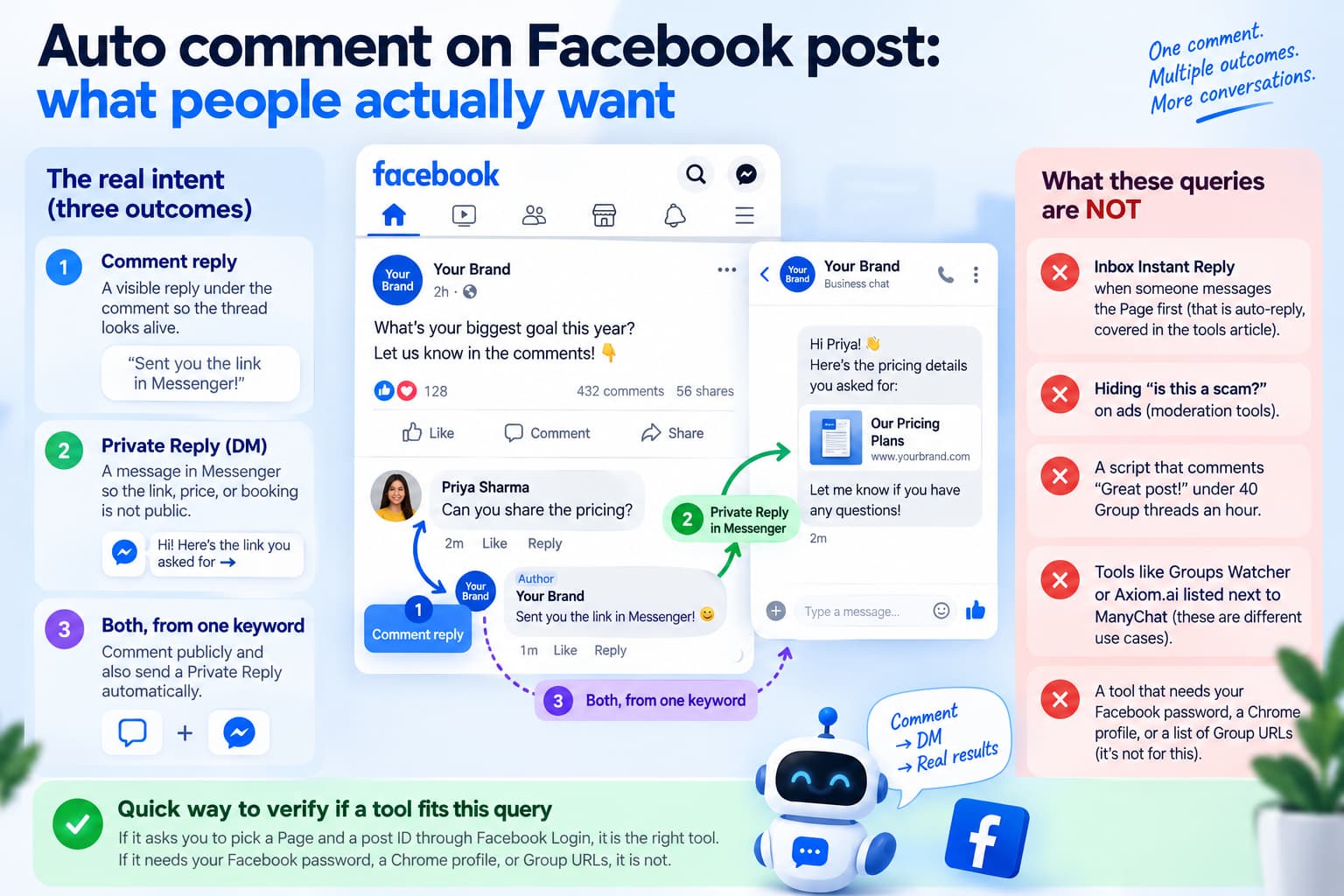
The queries auto comment on facebook post, auto comment facebook post, automatic comment on facebook, auto comment facebook, and auto comment for fb are the same intent written five ways.
Someone published a post. Comments are coming in. They want one of three outcomes:
- A visible reply under the comment so the thread looks alive (“Sent you the link in Messenger”).
- A Private Reply in Messenger so the link, price, or booking is not sitting in public.
- Both, from one keyword on that post.
That is comment-to-DM on a single object. Meta’s name for the first automated Messenger message after a comment is Private Reply. One per comment. Within 7 days. If the person answers the DM, the 24-hour Standard Messaging Window opens.
What these queries are not
- Inbox Instant Reply when someone messages the Page first (that is auto-reply, covered in the tools article).
- Hiding “is this a scam?” on ads (moderation tools).
- A script that comments “Great post!” under 40 Group threads an hour.
If a “best auto commenter” list puts Groups Watcher or Axiom.ai next to ManyChat, it is mixing those jobs. This page only ranks tools that can act on your Facebook post.
The confusion is baked into the language. On Instagram everyone says “comment-to-DM.” On Facebook the same action is a Private Reply in Messenger, and the public half is a comment reply on your object — not a new comment on someone else’s object. Ranking pages for auto comment facebook still title themselves “auto commenter,” then bury the Page-only rule in paragraph eight.
A useful test: if the tool needs your Facebook password, a Chrome profile, or a list of Group URLs, it is not answering this query. If it asks you to pick a Page and a post ID through Facebook Login, it is.
What are the best tools for automating comments on Facebook posts?
Short answer: Use Meta Business Suite if you only need a delayed Messenger ping on a hashtag. Use InstantDM if you want a public reply on the post and a Private Reply, on Reels as well as feed posts, without a per-contact bill. Use ManyChat if you already live in ManyChat flows. Use CommentGuard if the same post also needs hide-rules. Skip browser automators.
Comparison table
Tool | Best for auto comment on a Facebook post | Public reply on the thread | Comment → Messenger | Also comments on others’ posts? | Start |
Meta Business Suite | Free test on one hashtag | Usually no | Yes, delayed, limited keywords | No | $0 |
InstantDM | One post/Reel, public + private, IG copy | Yes | Yes, Private Reply | No | Free 500/mo, then $9.99/mo |
ManyChat | Flows after the comment | Yes (Comments Trigger) | Yes; first node must be Comment Reply | No | Free tier, Pro from ~$15/mo |
CommentGuard | Posts + ads, variants, hide spam | Yes | Yes (often a second automation) | No | From $29/mo |
PeggyDM | Messenger-first after any comment | Weak / not the product | Yes | No | Free 1,000 DMs, Pro $29 |
Respond.io | Support inbox after comments | No | Yes, private only | No | Paid suite |
For WhatsApp, contact-based pricing, NapoleonCat, Chatfuel AI, and respond.io as a shared inbox, open the auto reply tools guide.
How auto comment on a Facebook post works (the object, not the inbox)
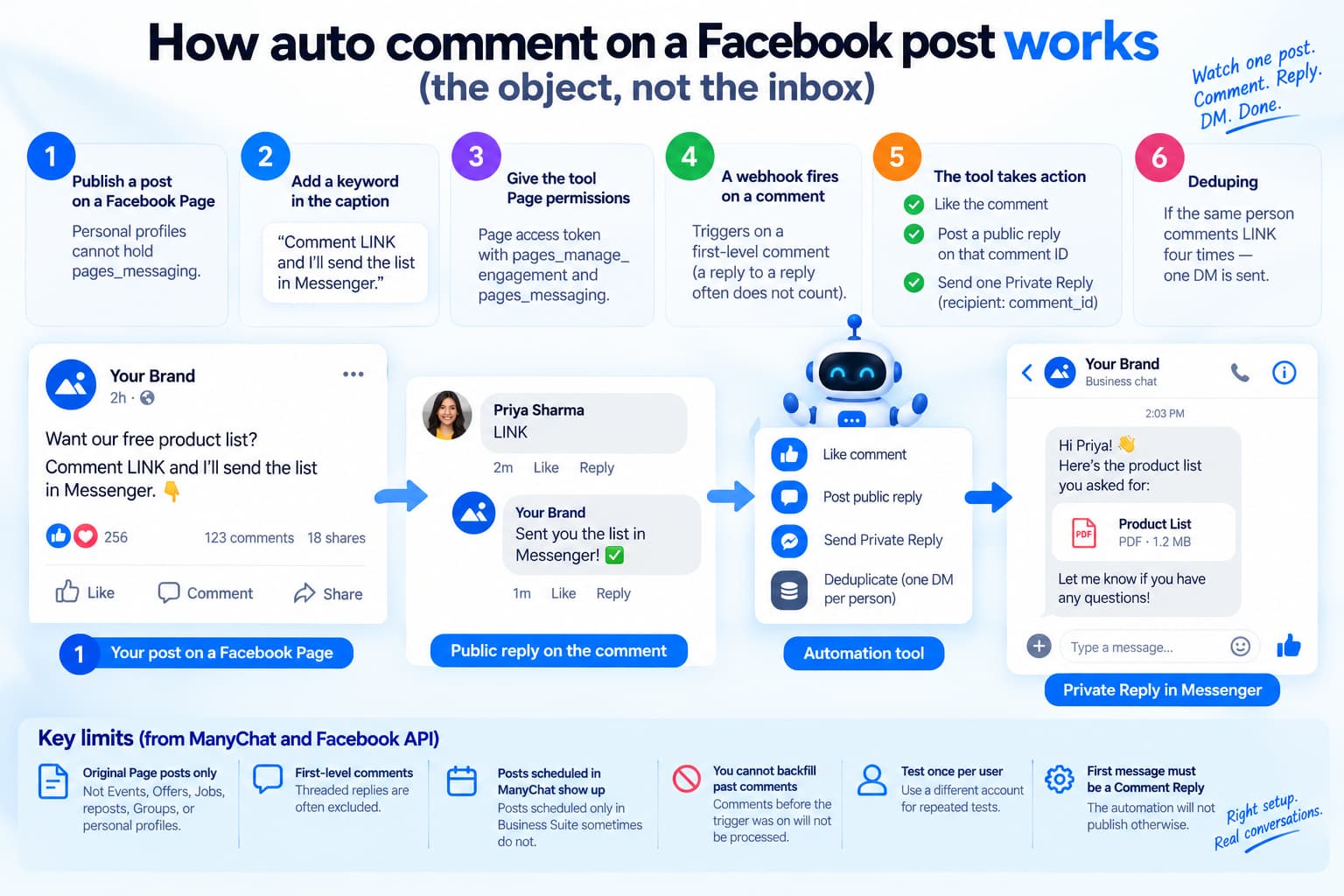
A compliant tool does not open facebook.com and type. It watches one post ID.
- You publish the post or Reel on a Facebook Page. Personal profiles cannot hold pages_messaging.
- The caption names the keyword: “Comment LINK and I’ll send the list in Messenger.”
- The app has a Page access token and pages_manage_engagement plus pages_messaging.
- A webhook fires on a first-level comment (a reply to a reply often does not count — ManyChat’s help doc is explicit on this).
- If the text matches, the app can:
- Like the comment.
- POST a public reply on that comment ID.
- Send one Private Reply with recipient: [ comment_id ]
- Same person comments LINK four times - one DM. Deduping is part of using the tool well.
ManyChat’s Facebook Comments Trigger is the most detailed public spec of those limits, and they apply to the API, not only to ManyChat:
- Original Page posts only. Not Events, Offers, Jobs, reposts, Groups, or personal profiles.
- First-level comments. Threaded replies are optional-off / often excluded.
- Posts scheduled inside ManyChat show up; posts scheduled only in Business Suite sometimes do not (known Facebook quirk).
- You cannot backfill comments that arrived before the trigger was on.
- Test once per user.
- The first message node must be marked as a Comment Reply or the automation will not publish.
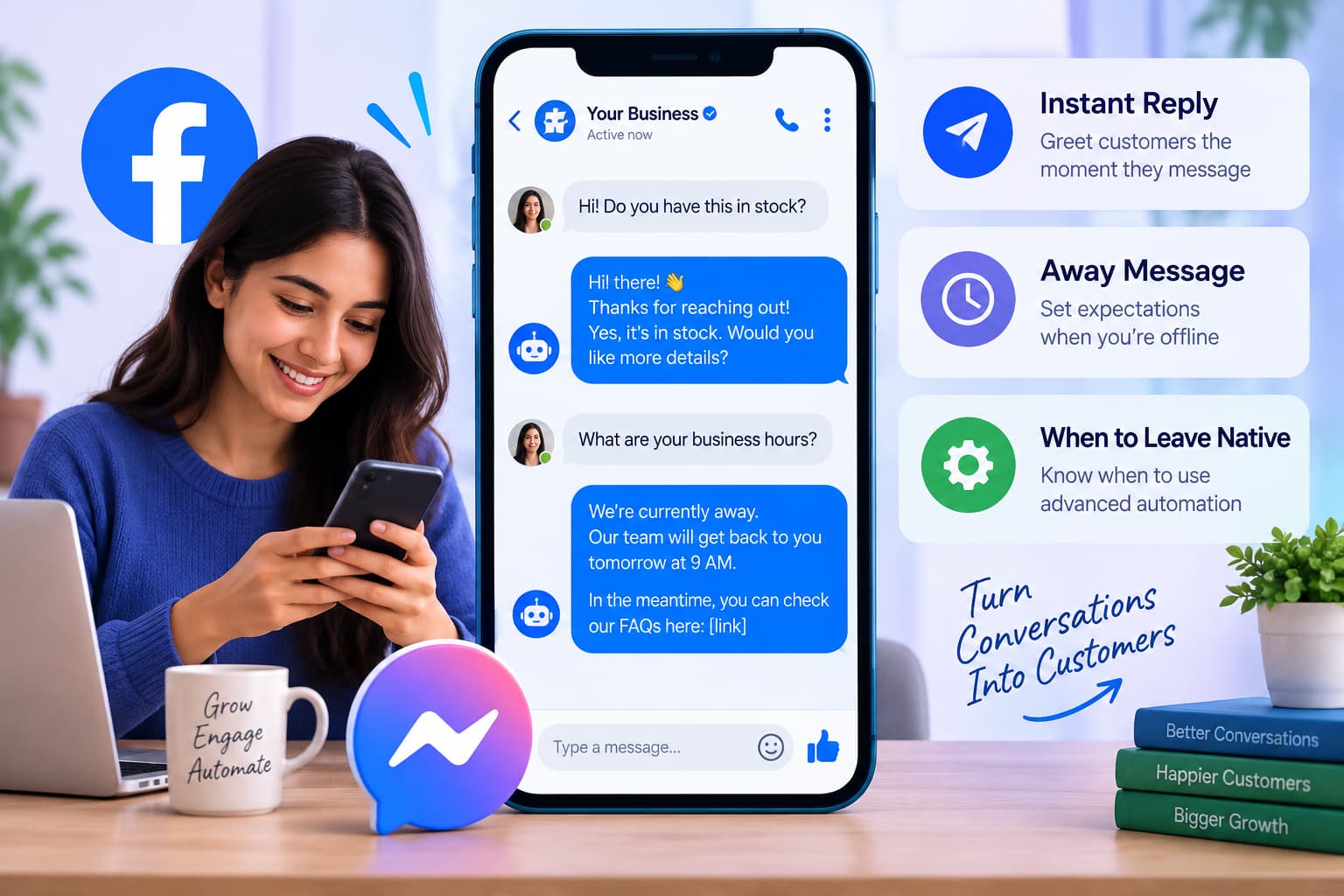
PeggyDM and Respond.io skip or de-emphasize the public line. That is fine for a support Page. It is the wrong default for auto comment on facebook post, because most people want something visible on the post. The Messenger side is Messenger Autoresponder for Facebook: Instant Reply, Away Message, and When to Leave Native.
Why the public line is the difference between this query and “auto reply”
“Auto reply” in Messenger can happen with zero change to the comment thread. The post still looks unanswered. People who typed auto comment on facebook post are staring at that thread. They want their Page name under the comment.
Three reasons to keep the public reply on campaign posts:
- Other viewers see that LINK works, so they comment too.
- The algorithm counts the reply as engagement on your object.
- You can say “check Messenger” without pasting the offer where competitors scrape it.
Three reasons to skip the public reply:
- A support post where every “when will this ship?” should leave the thread and go to inbox.
- You are already hiding most comments and only DMing buyers.
- Volume is so high that identical public lines look like a stamp. Then rotate variants or go DM-only.
Respond.io’s comment tracker is the clean example of the other product: “Track comments under ANY post” or “under a SPECIFIC post,” then write a private auto-reply. No public line. Statusbrew adds sentiment and team assign on organic and ad comments. Those are inbox products wearing an auto-comment headline.
One operational detail most guides skip: the comment that triggers the bot must be a first-level comment on the post. A reply under someone else’s comment often never fires. If your community lives in threads (“same question, see above”), a comment-to-DM tool will look broken. Train the caption: “Comment LINK on this post, not under someone else’s comment.” That one line saves more support tickets than a new vendor. Inbox and Messenger replies are in 7 Best Facebook Auto Reply Tools for Comments and Messenger (2026).
Automatic comment on Facebook vs auto comment for fb
Automatic comment on Facebook is the long form of the same prompt. Treat it as “automatic comment reply on my post.”
Auto comment for fb is the short, messy query. Affiliates use it to sell Group tools.
Auto comment for fb is safe when it is a reply on your Page post. It is not safe as a bot that comments across Facebook.
ManyChat’s trigger help says the same Group/profile limit. CommentSold’s auto-replies are a live-selling exception (wrong size, waitlist, order confirm) — useful if you sell in comments, not a general “auto comment facebook” tool.
Dartzo is Instagram-only as of this writing.
Automatic comment on facebook also collides with native Comments manager. That dashboard lets you search 90 days of comments and bulk like or hide. It does not post a reply for you and it does not send a Private Reply. Calling it auto comment is how teams think they already “have a bot” and then wonder why LINK comments sit unanswered. Comments manager is hygiene. Auto comment on a Facebook post is a trigger on a live object.
Same collision with Instant Reply. Instant Reply fires when someone messages the Page. It does not watch the comment thread. A Page can have Instant Reply on and still look dead under a Reel. If the search was auto comment facebook post, Instant Reply is the wrong switch.
How to auto comment on one Facebook post
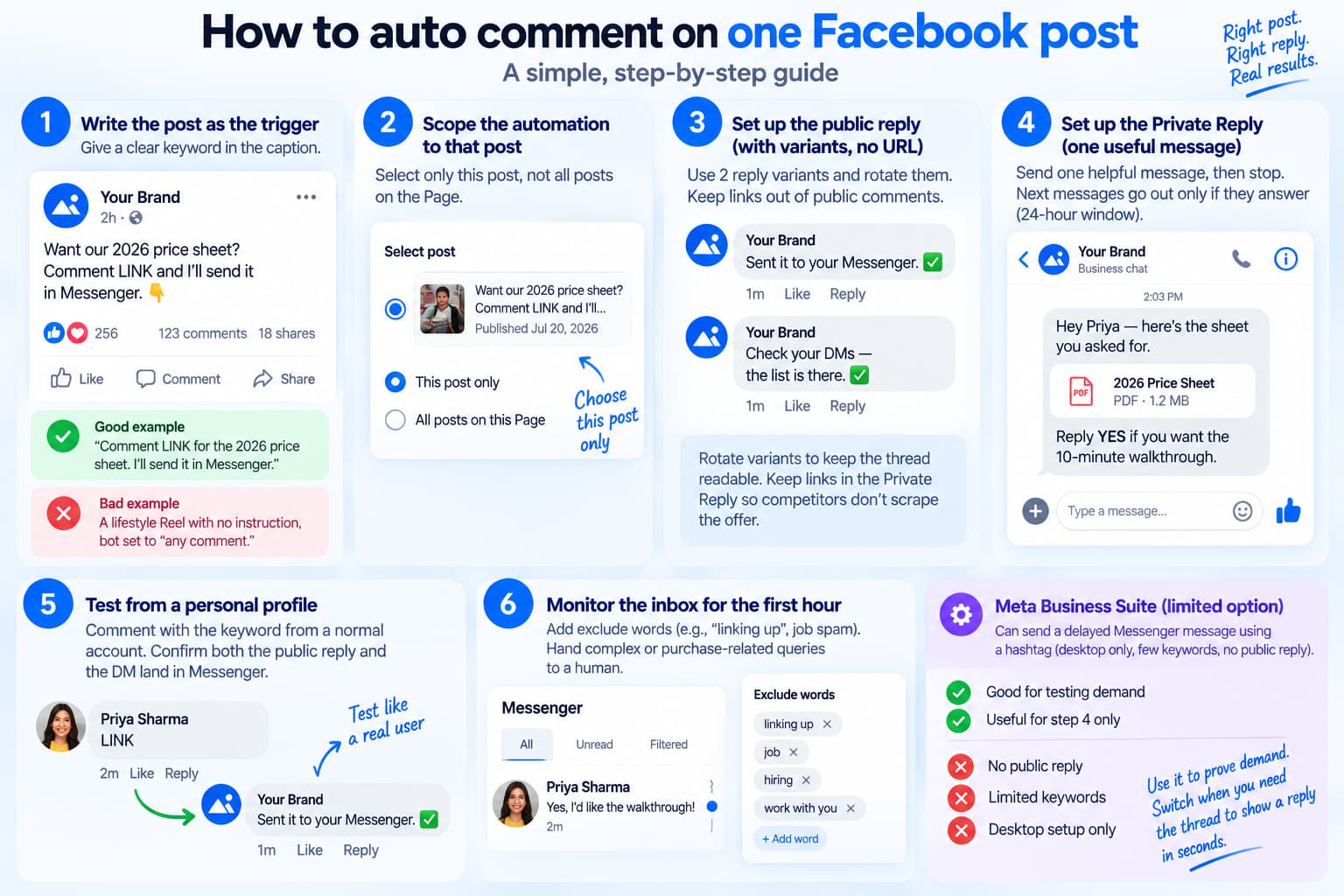
- Write the post as the trigger.
- Bad: a lifestyle Reel with no instruction, bot set to “any comment.”
- Good: “Comment LINK for the 2026 price sheet. I’ll send it in Messenger.”
- Scope the automation to that post.
- Do not start with “all posts on the Page.” An old viral photo will fire last year’s offer.
- Public reply: two variants, no URL.
- “Sent it to your Messenger.”
- “Check your DMs — the list is there.”
- Rotate them. Chatimize and CommentGuard both treat variants as the way a public thread stays readable. Keep links in the Private Reply so competitors do not scrape the offer from the comments.
- Private Reply: one useful message.
- “Hey [first_name]— here’s the sheet you asked for. Reply YES if you want the 10-minute walkthrough.”
- Then stop. The next messages only go out if they answer (24-hour window).
- Test from a personal profile.
- Comment LINK from a normal account. Confirm the public line appears on the post and the DM lands in Messenger. Testing as the Page hides permission failures.
- Sit in the inbox for the first hour.
- Add exclude words when “linking up” or job spam matches LINK. Hand “this isn’t what I bought” to a human.
Meta Business Suite can stand in for step 4 only: hashtag - delayed Messenger message, desktop setup, few keywords, no public reply. Use it to prove demand. Switch when you need the thread to show a reply in seconds.
Caption patterns
These are post-level, not inbox flows.
Lead magnet
Caption: Comment LINK and I’ll send the checklist in Messenger.
Public: Sent the checklist.
DM: file + “Reply YES for the 10-minute version.”
Price without dumping it in public
Caption: Comment PRICE for the current sheet.
Public: Messaged you.
DM: the number, a button, one question (“India shipping or outside?”).
Booking
Caption: Comment SLOT if you want Tuesday or Thursday.
Public: I pinged you with the two times.
DM: two buttons. If they tap, you are inside the 24-hour window.
Creator / Reel
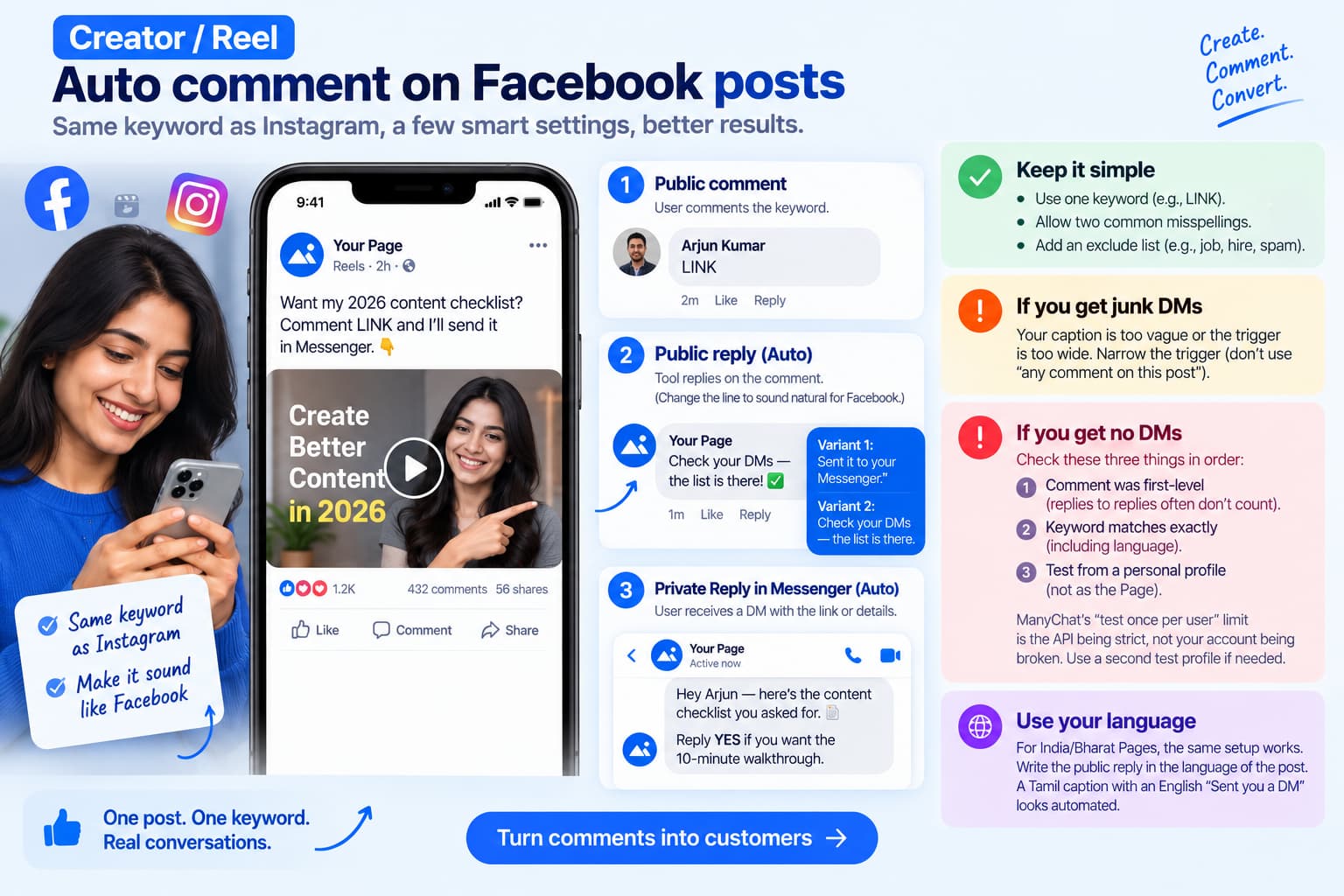
Same keyword as Instagram so Copy from Instagram does not fight the caption. Change only the Facebook public line (“Check Messenger” vs “Check your DMs”) so it sounds like Facebook.
Do not run four keywords on one post on day one. One word, two misspellings, one exclude list. That is enough to answer auto comment facebook post without turning the Reel into a helpdesk.
If the first hour produces junk DMs, the caption is too vague or the trigger is too wide. “Any comment on this post” plus a public “thanks” is how a birthday photo turns into fifty Messenger threads. Narrow the trigger before you blame the tool.
If the first hour produces no DMs, check three things in order: the comment was first-level, the keyword matches exactly (including language), and you tested from a personal profile rather than as the Page. ManyChat’s “test once per user” limit is the API being strict, not your account being broken. Use a second test profile if you already burned the first.
For India/Bharat Pages the same setup works; write the public line in the language of the post. A Tamil caption with an English “Sent you a DM” looks automated.
What these searches mean
Auto comment on facebook post
A Page-level automation that replies on this post after a comment. Official path: Graph API, public reply optional, one Private Reply in Messenger within 7 days.
Auto comment facebook post
Same as above. No extra product. Same setup: keyword in the caption, public line, DM.
Automatic comment on facebook
Allowed as a reply on your content. Not allowed as outbound comments on other posts. Native Business Suite covers a thin version;
Auto comment facebook
Umbrella phrase. If the goal is a visible reply under your post plus a Messenger follow-up, use a Page comment-to-DM tool. If the goal is commenting in Groups, that is a different, high-risk category — see the safety article, not a tool install.
Auto comment for fb
Same umbrella. Answer: your post, Facebook Login, no password tools, no Chrome auto-clickers. Groups Watcher and Axiom.ai show up in “best auto commenter” roundups because they monitor or script Groups. They are not how you auto comment on your Facebook post.
InstantDM as the post-and-Reel option
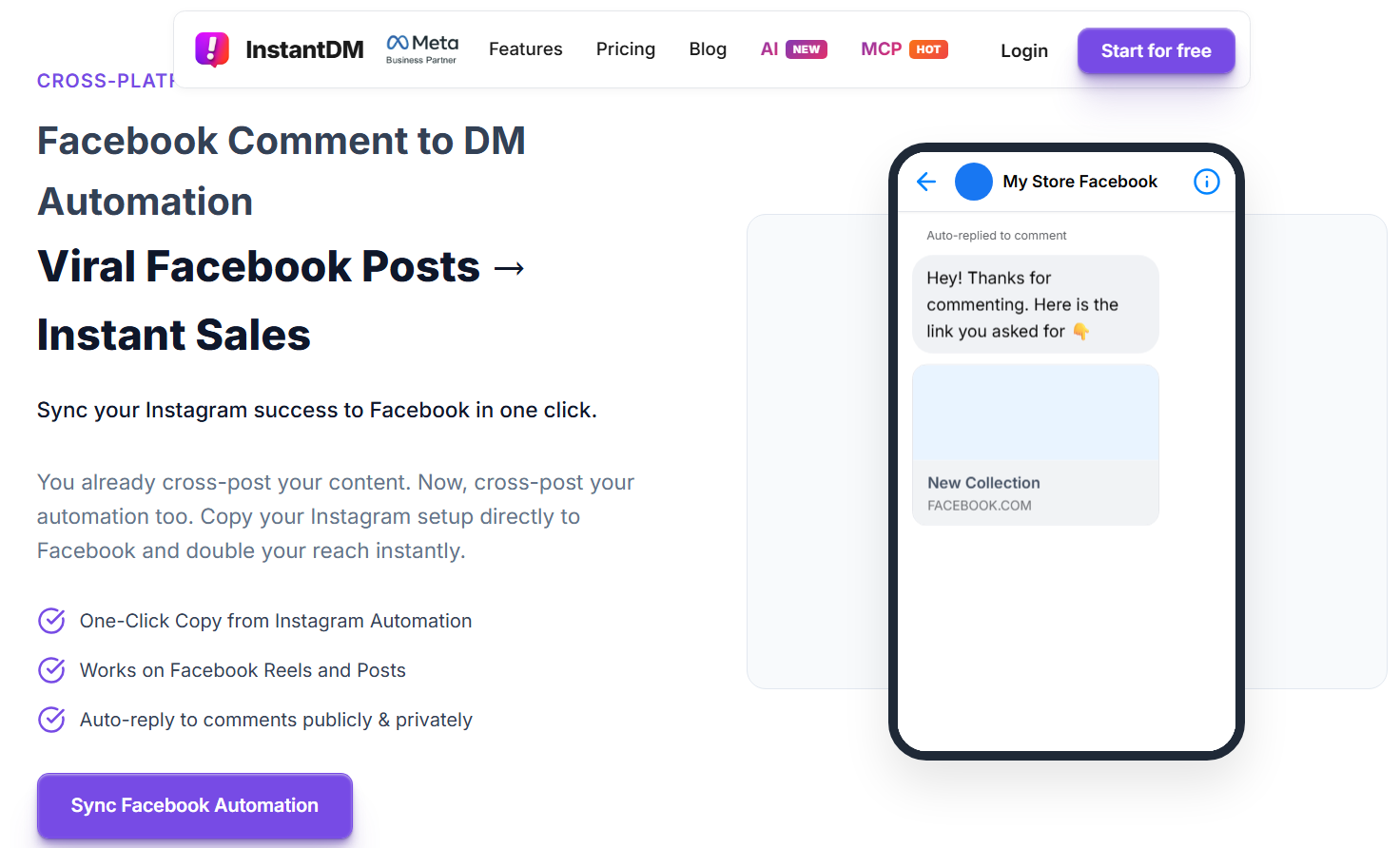
It is built as comment-to-DM for Instagram and Facebook Pages. On Facebook it matches this query because the unit of work is the post or Reel, not an agency inbox.
- Public reply and private Messenger DM from one trigger, or either one.
- Keyword or any-comment.
- Copy from Instagram, then edit the Facebook wording.
- Facebook Page linked to Instagram.
- Free plan: 500 automations per month.
- Legend Pro: $9.99 per month. Trendsetter: $24.99. Price does not rise with contacts or comment volume.
- Meta Business Partner.
- Not Groups, not personal profiles, not Stories. Confirm ad comments with support if ads are the main surface.
- Watch the Page-post setup: connect the Page, pick the post, public line, then the Messenger link.
InstantDM vs Business Suite on one post
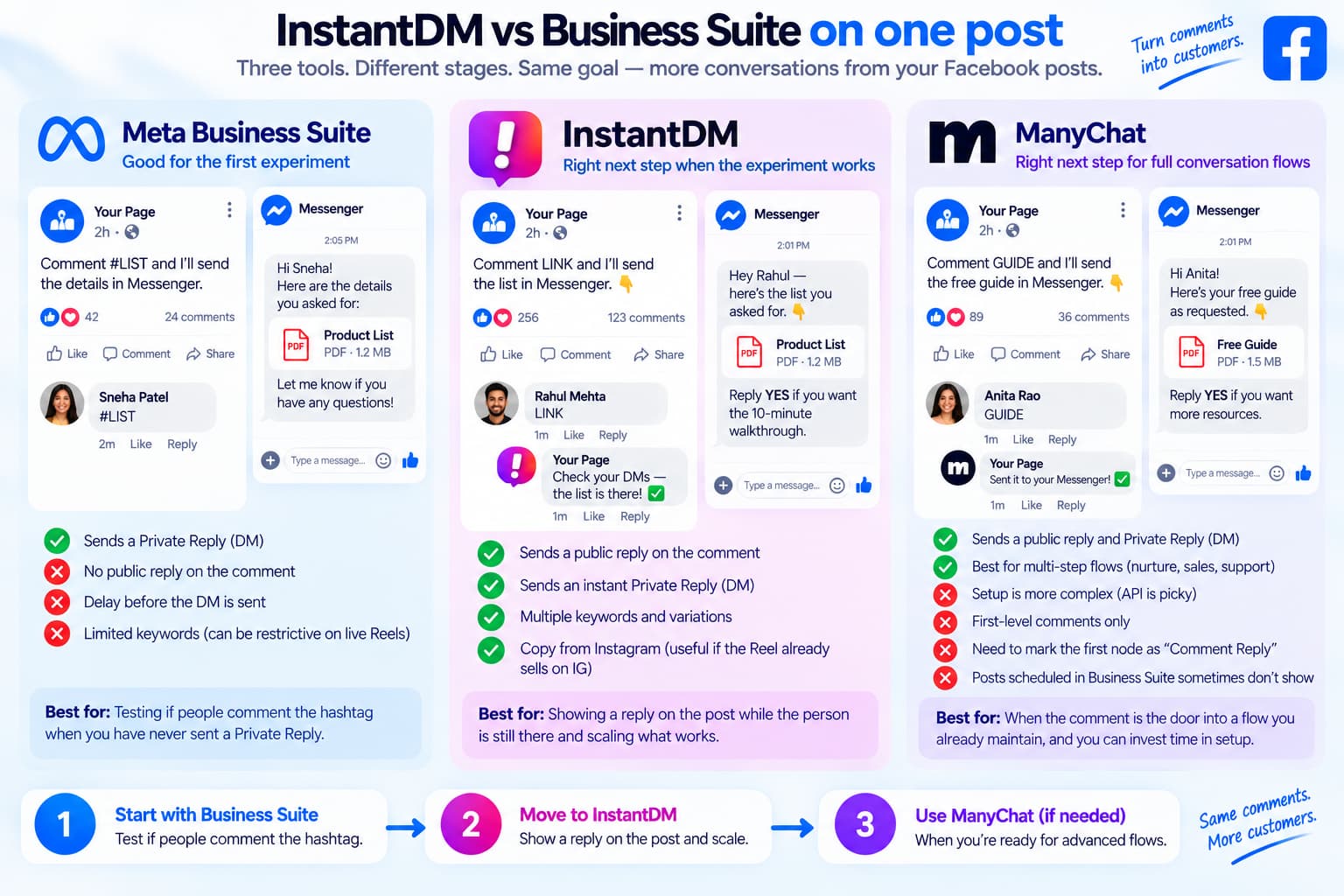
Business Suite is the right first experiment when you have never sent a Private Reply. You will learn whether people comment the hashtag. You will also learn the gap: no public reply on the comment, delay before the DM, and a keyword cap that is painful on a live Reel.
InstantDM is the right next step when the experiment works and you need the thread to show a reply while the person is still on the post. Copy from Instagram only matters if that Reel already sells on IG. If Facebook is the first surface, build the Facebook automation first — do not copy an empty IG flow.
ManyChat is the right next step only if the comment is the door into a flow you already maintain. The Comments Trigger help page is long because the API is picky. Budget time for “mark first node as Comment Reply,” first-level comments only, and the Business Suite scheduling quirk.
Tools that solve a different job
Moderation suites (ReplyZen, MyComments, FeedGuardians, NapoleonCat, BrandBastion).
They hide spam and draft public replies. Useful when ad comments are toxic. They are not the first pick for “comment LINK on this Reel.”
Respond.io, Statusbrew.
Comment - private Messenger or team assignment. Strong if “auto comment on facebook post” is actually “don’t leave the commenter hanging in the inbox.” Weak if you need a public line on the post.
CommentSold.
Public auto-replies for live selling (wrong variant, waitlist, order confirm). Different vertical.
Groups Watcher, Axiom.ai, marketplace “fb auto commenter” apps.
Outbound or Group monitoring. Wrong answer to auto comment on Facebook post if “post” means your post.
TechRadar-style social suites (Hootsuite, Sprout, Buffer).
Scheduling and a shared inbox. Saved replies are not auto comment on a Facebook post.
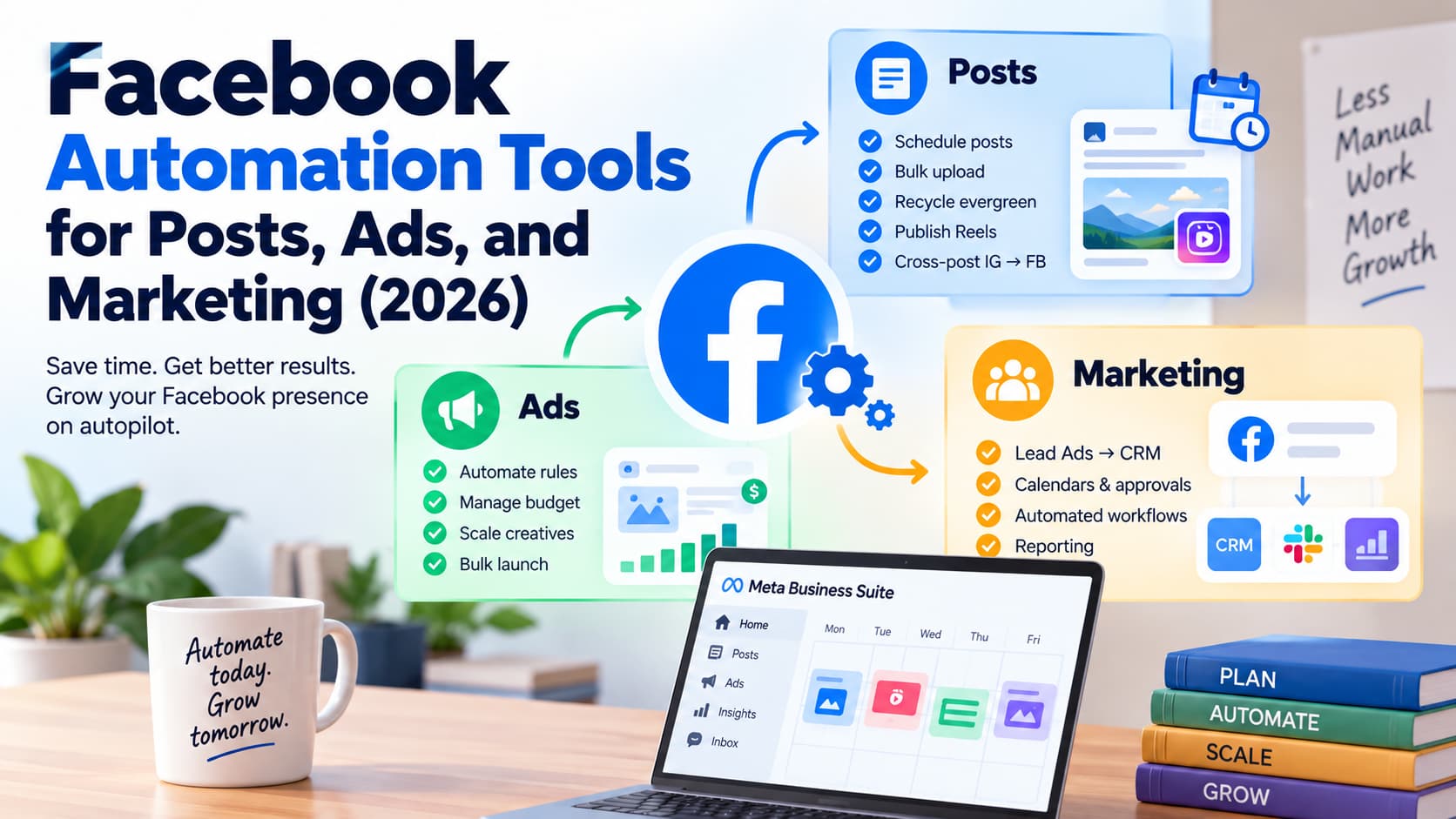
Reddit threads on this topic are usually “any service that auto-responds to FB comments?” The useful replies name ManyChat or native automations. The unuseful replies name browser bots. The wider stack is in Facebook Automation Tools for Posts, Ads, and Marketing (2026).
Templates you can paste onto one post
Caption
Comment LINK and I’ll send the 2026 guide in Messenger.
(Works for PRICE, INFO, YES, GUIDE — pick one word.)
Public variant A
Sent you a message.
Public variant B
It’s in your Messenger — I dropped the link there.
Private Reply
Hey [first_name] — here’s what you asked for: [link]. Reply YES if you want the short setup.
Do not put the link in every public reply. Do not fire this on every post the Page has ever published.
Bottom line
Auto comment on a Facebook post is a Page answering a comment on content it published. The best tools for that job are the ones that can put a short public reply on the thread and one Private Reply in Messenger.
Set the keyword in the caption, lock the automation to one post, test from a personal profile, then copy the flow. For the seven-tool pricing matrix, go to the auto reply tools guide. For whether a “facebook auto comment bot” is even allowed, use the safety article.
About the Author
Aravindh Kumar is an ecommerce and Instagram growth expert with 8+ years of experience in online selling. He has worked with 500+ brands - including Forbes-listed companies - He has helped 200+ Instagram businesses grow their online presence.