Last updated: October 25, 2026
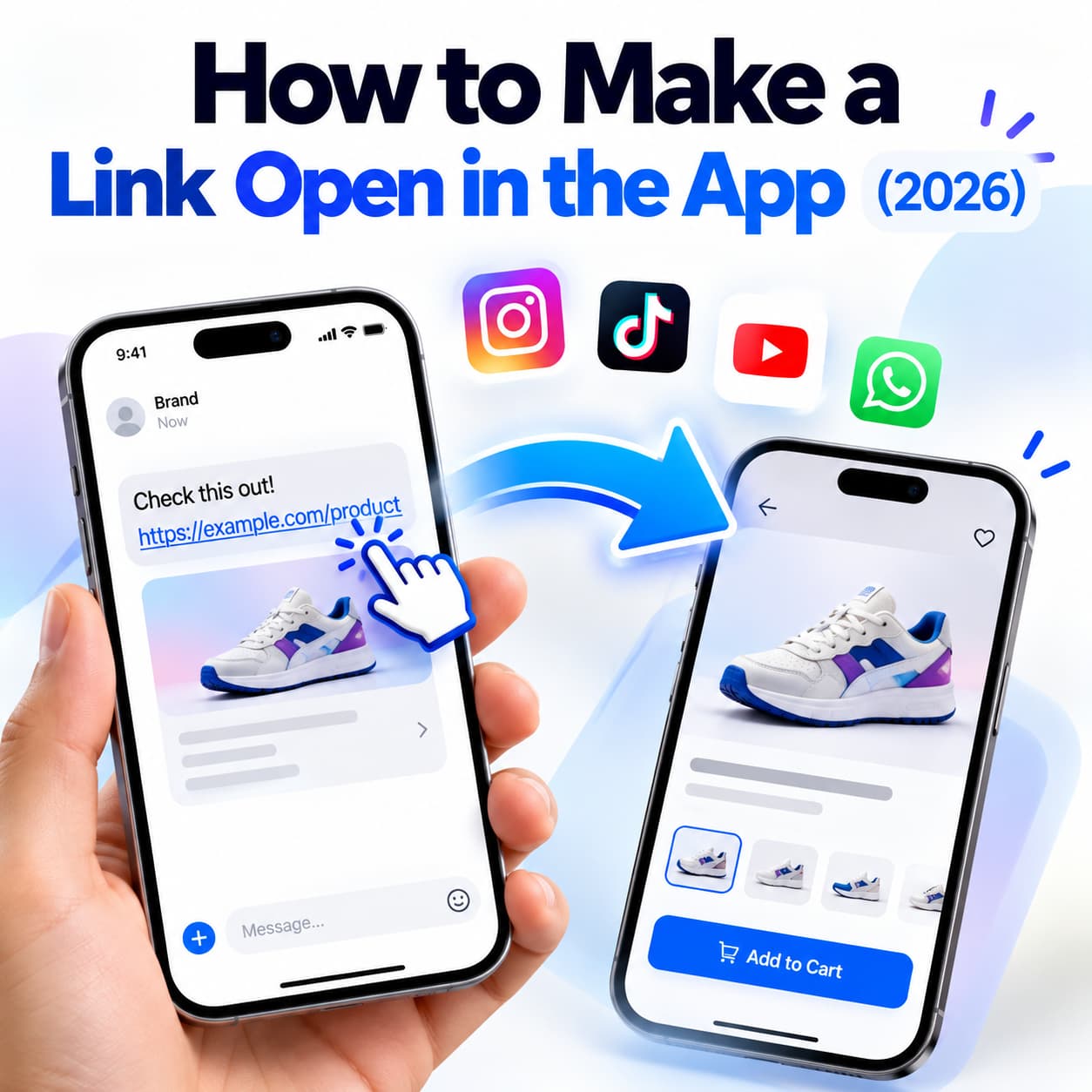
To open links in the app instead of the browser in 2026, paste a public YouTube, Amazon, or Spotify URL into an app opener, share that new link, and the tap tries the native app first. Phone settings only change what your iPhone or Android does. They don't change what followers see inside Instagram or TikTok. If the app is not installed, a good opener falls back to the mobile site. No dead end.
TL;DR
- Shared links: wrap the URL in an app opener. That is the only method that works for other people's phones.
- Your own phone: Android has Open supported links. iPhone does not have that toggle.
- Instagram, TikTok, and WhatsApp use an in-app browser, so a raw youtube.com link stays on the web even when YouTube is installed.
How I checked this
I tapped YouTube, Amazon, and Spotify URLs from Instagram and Safari on an iPhone 15 and a Pixel 8 in October 2026. I read Apple's universal links docs and Android App Links docs the same week, plus LinkTwin's pricing page. I'm not a QA lab. I'm a creator who got tired of sending people to a logged-out YouTube web view.
Last updated: October 20, 2026.
How do I open links in the app instead of the browser?
You wrap the public URL in an app opener, then you share the new link everywhere you used to paste the raw one.
That is the whole job for creators. You are not editing Android manifests. You are not hosting an apple-app-site-association file. You are not asking every follower to change Settings.
Step 1. Copy the public URL
Use the normal https link. A YouTube watch URL. An Amazon product URL. A Spotify track or playlist. A raw Instagram Reel URL. If the page 404s, the opener can't save it.
Step 2. Paste it into an app opener
I use a no-login generator when I need one shopping or YouTube link. Open-in-App lists 70 apps, including 58 shopping apps, and it doesn't ask for an account (open-in-app.com, October 2026). LinkTwin's Small plan is $14/mo on yearly billing, with a free tier of 10 links and 500 clicks a month (linktw.in/pricing, October 2026). InstantDM's Open In App Link Generator is one option if you only need YouTube, Amazon, or Spotify and you don't want a monthly click cap.
Step 3. Share the new link, not the old one
Bio, Story sticker, caption workaround, email, ads, QR. Desktop still opens the website. Phones try the app.
Step 4. Tap it from inside Instagram, not from Chrome on your laptop
If you only test on desktop, you will think nothing changed. Open Instagram, paste the opener link in a note to yourself, tap it. YouTube should jump into the YouTube app. If the app is not installed, a good opener falls back to the mobile site.
Why do links open in a browser instead of the app?
Because the tap never reaches the operating system.
Instagram, TikTok, and WhatsApp open http links in their own web view. That web view is not Safari and it is not Chrome. Apple's universal links and Android App Links only fire when the system browser, Messages, Mail, or another well-behaved app hands the URL to iOS or Android. An in-app browser keeps the session. You look logged out. Autoplay is worse. Checkout is worse.
The other common reasons, if you are tapping the link on your own phone:
- The destination app is not installed.
- On Android, Open supported links is off, or you once tapped Always for Chrome.
- On iPhone, you previously chose Safari, or the app never registered Apple universal links for that domain.
- The site has no verification file, so the OS will not trust the handoff.
Phone settings only change what your iPhone or Android does. They don't change what followers see.
How do I open links in the app instead of Safari on iPhone?
For a link you share, use an app opener. There is no iPhone setting that forces other people's taps into YouTube.
For a link you tap yourself:
- Long-press the URL in Safari and choose Open in YouTube, Open in Amazon, or whatever the sheet offers.
- Inside Instagram's web view, tap the three dots and look for Open in [App] or Open in browser. That only escapes that one tap.
- Delete and reinstall the destination app if iOS stopped offering it. I have done this for YouTube after an iOS update. It is ugly and it still only fixes your phone.
- Settings, Safari, Advanced, Website Data can show whether the app's domain is stored. That is a debug step, not a creator workflow.
iOS has no per-app "Open supported links" toggle. Routing is decided by the app's association file on the developer's server. You can't switch it on for someone else's iPhone.
How to open a link directly in the app on iPhone is the same answer: opener for shares, long-press or Open in App for your own Safari.
How do I open links in the app on Android?
For a link you share, use an app opener. Android App Links are verified https links. A creator tool builds the intent for you.
For a link you tap yourself:
- Settings, Apps, pick YouTube or Amazon, Open by default.
- Turn on Open supported links.
- If the OS asks, set it to Always open.
- If Chrome stole the links after an update, tap Clear defaults, then tap a link again and choose the app.
Samsung and Pixel hide this in slightly different menus. The label is still Open by default or Opening links.
This still does not fix Instagram. The in-app browser never asks Android which app should win.
Why Instagram still opens YouTube in a browser
A raw YouTube URL in Instagram opens Instagram's browser, not the YouTube app.
I send YouTube videos from Instagram every week. The viewer is not logged in. They bounce. An app opener is built for that tap. You still put a Story sticker on the Story. The sticker is how Instagram makes the link tappable. The opener is how the tap leaves Instagram. I already wrote How to Add Links to Instagram Stories (Even With Fewer Than 10K Followers).
Same pattern for Amazon and Spotify from Instagram or TikTok. Facebook and Instagram web views can also speak Facebook App Links when the destination supports them. You still shouldn't paste a raw product URL and hope.
Amazon geo and Associates tracking live on Best Amazon Affiliate Tools in 2026 (Creator Stack Compared).
Is there a way to make links open in the browser instead of the app?
Yes, for your own phone. No, not as a setting you push onto followers.
On iPhone, long-press and pick Open in Safari, or open the link from a browser that is not the default handler. Reddit's r/ios thread on this is full of people who want the opposite of this article: they hate being yanked into the Twitter or YouTube app. Spotlight Search is a workaround some of them use. Resetting Location & Privacy is the nuclear option Apple Support repeats. I would not reset a whole phone to stop one app.
On Android, set the browser as the default for that domain, or turn Open supported links off for that app.
If you are the person sharing the link and you want the website on purpose, share the raw https URL. Do not run it through an opener.
Are there common solutions for opening links that require a new app?
Three, and only one is honest for a creator share.
- App opener with web fallback. Tries the app. If it is missing, loads the mobile site. Visitor still sees the video or the product.
- App Store / Play Store fallback. Tries the app. If it is missing, dumps them on the store listing. Fine when you want installs. Annoying when you wanted a YouTube watch.
- Custom scheme like myapp://path. Old, unverified, often shows a chooser or fails in Instagram's browser. Skip it unless you ship the app.
You can't silently install an app from a link. If the job needs a new app, say that in the caption. "Opens in the Amazon app. Browser works if you don't have it."
If the app is not installed, a good opener falls back to the mobile site.
Which method actually changes what followers see?
Phone settings only change your device. An app opener changes what followers see. Building Universal Links only helps if you ship the app.
| Method | Who it changes | iPhone | Android | Needs code |
| Phone settings | only you | long-press or reinstall | Open supported links | no |
| App opener link | everyone who taps your share | tries the app, then the web | tries the app, then the web | no |
| Universal Links you build | users of an app you ship | association file | assetlinks.json | yes |
Verified October 2026.
If you don't ship YouTube, Amazon, or Spotify, use an app opener. I'm not going to pretend a Branch dashboard is the next step for a Reel.
If you are comparing paid openers, the list lives on Best LinkTwin Alternative in 2026: Free Open-in-App Link Generator.
No-code tools I actually use
Free no-login generators and paid openers both wrap a public URL. None of them need code.
| Tool | Details |
| Open-in-App | Free, no account, 70 apps, 58 of them shopping (open-in-app.com, October 2026). I use it when I want Amazon or Flipkart without a login wall. |
| LinkTwin | Paid suite: 100-plus apps, analytics, QR, custom domain. Small is $14/mo yearly. Free is 10 links and 500 clicks a month, then redirects stop until the next month (linktw.in/pricing, October 2026). |
| U2L | How-to page still says you can create opener links with no login and that they cover 30-plus apps, with a free forever plan and no credit card (u2l.ai, October 2026). I treat that as their claim, then I test the tap. |
None of these replace a developer setup if you own the app. They replace you begging people to leave Instagram's browser.
Common mistakes
Pasting the raw YouTube URL in a Story sticker, then wondering why it did not open the app. The sticker made it tappable. It did not make it an opener.
Testing only on desktop. Desktop is supposed to stay on the web.
Changing your own Android defaults and calling the campaign fixed. Phone settings only change what your iPhone or Android does.
Using Bitly, TinyURL, or a bio page and expecting the Amazon app. Those shorten. They don't hand off.
Building deferred deep links for a store install when you only needed a watch page. If the app is not installed, a good opener falls back to the mobile site. That is enough for YouTube.
What Reddit says
r/ios keeps asking how to stop apps from stealing Safari. The answers are long-press, a different browser, or living with it.
Android Enthusiasts still points people at Settings, Apps, Opening links. That thread is about your phone, not your audience.
If the link is for followers, wrap it. If the link is for you, change Settings.
About the Author
Aravindh Kumar is an ecommerce and Instagram growth expert with 8+ years of experience in online selling. He has worked with 500+ brands, including Forbes-listed companies, helping them build profitable Instagram sales channels. He has helped 200+ Instagram businesses grow their online presence.