TL;DR: The Quick Breakdown
Don't have time to read the whole thing? Here’s the cheat sheet:
- Personal Accounts: Great for sharing photos with your mom; terrible for growth. You get zero analytics and miss out on all the fun tools.
- Creator Accounts: The holy grail for influencers and artists. You get flexible contact buttons, deep audience metrics, and—crucially—access to the good, trending music.
- Business Accounts: Built for serious retail and agencies. You unlock heavy-duty Shopify integrations and third-party API tools, but copyright rules strictly prohibit your access to mainstream audio.
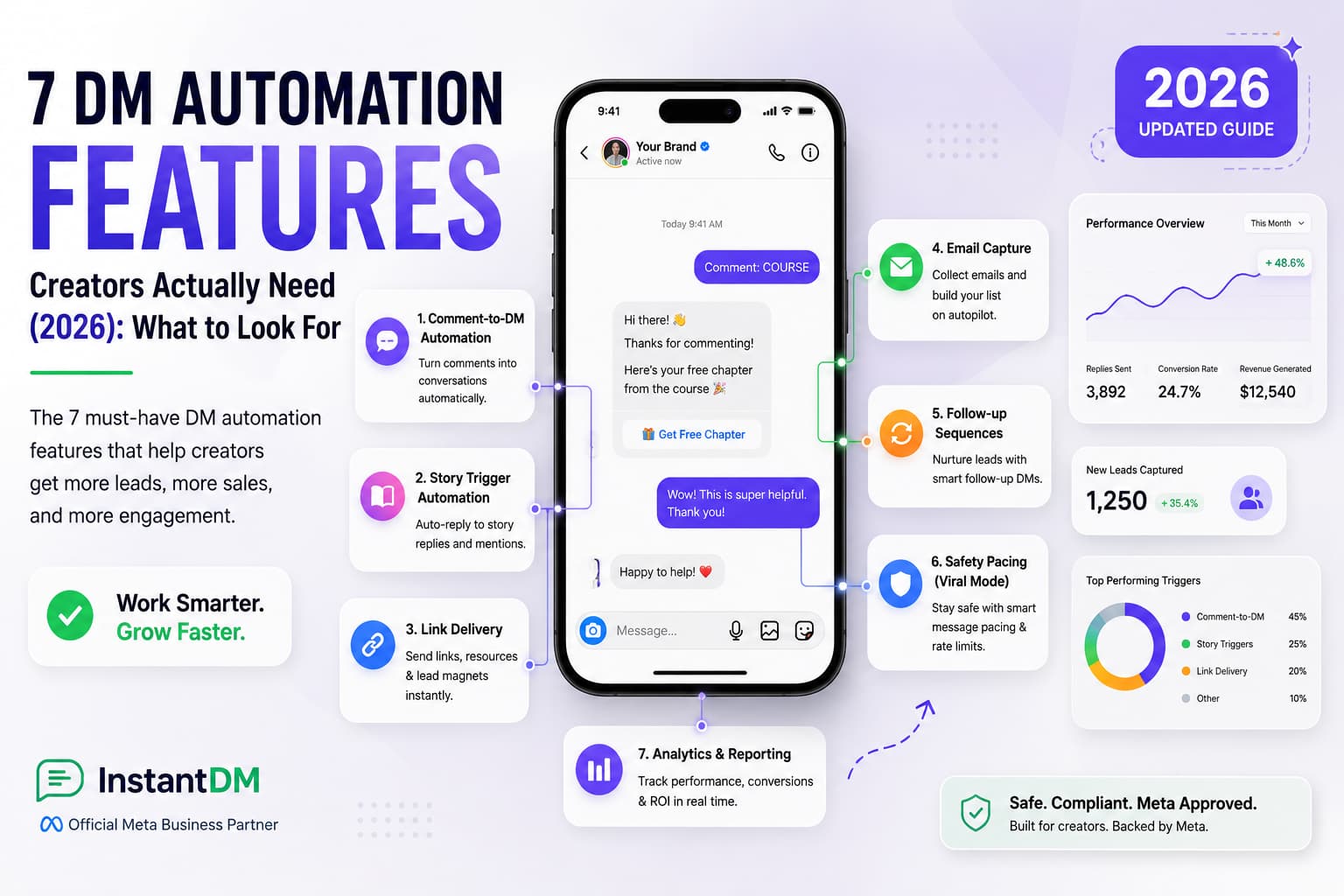
- The Secret to Scaling: Whichever account you pick, handling DMs by hand is a prehistoric strategy. In 2026, scaling means using Meta-verified automation (like InstantDM) to handle comment replies and DM checkouts safely.
Introduction:
One of the most important choices for your 2026 social media strategy is whether to use an Instagram creator account or a business account. The core of this topic is deciding how to manage your backend operations, market your brand, and monetise your platform audience. Influencers, public figures, and digital artists who value community involvement, personal branding, and adaptable profile controls are the target audience for the Creator account. The business account, on the other hand, is designed for companies, retailers, and agencies that need sophisticated e-commerce tools, scalable customer acquisition infrastructure, and strong third-party API integrations. If you are having trouble deciding between the two, this thorough guide will help you identify which profile will maximise the growth of your brand by breaking down the specific differences and highlighting the salient characteristics of each.
Generating leads at scale requires leveraging your content across multiple platforms simultaneously. A deep dive into the differences between Instagram Business and Creator profiles highlights a massive advantage of the Creator setup: it allows you to automatically cross-post your Reels directly to your personal Facebook profile, rather than an often-ignored business page. Aligning your automated workflow with this cross-posting strategy instantly doubles your organic reach without requiring any extra content creation.
1. The Shift to Professional Profiles
Let's clarify this right away. If you are trying to build a brand, a portfolio, or a business on a standard, run-of-the-mill personal account, you are essentially trying to win a Formula 1 race in a golf cart. Making the jump to a professional profile isn't just a fun upgrade; it’s a mandatory survival tactic if you want to Make money on this app.
Escaping the Dark Room
Personal accounts are meant for private sharing. That's it. They completely lack the backend analytics you need to measure what's actually working. You can't see who is visiting your page, you can't track how many people saved your latest Reel, and you definitely can't run ads. Staying on a personal account means you are operating totally in the dark.
The second you flip the switch to a professional profile (Creator or Business), the lights come on. The perks hit your account instantly. You unlock the professional dashboard, which acts as a command center for your analytics. You get clickable contact buttons so people don't have to jump through hoops to email you. Best of all, you signal to Instagram's algorithm that you aren't just a casual scroller anymore—you're a real entity. This tells the app to start indexing your content and pushing it out to the Explore page. It takes maybe thirty seconds to make the switch, but it alters your entire trajectory.

2. Decoding the Instagram Creator Account
When Instagram first rolled out professional profiles, they only gave us the Business option. But the community quickly realised that a 22-year-old travel vlogger shouldn't be boxed in the same rigid feature set as a corporate law firm. Enter the Instagram Creator Account. It was designed to be the perfect middle ground.
Who is this platform actually for?
If the main product you are selling is you, this is your home. We're talking about influencers, musicians, fitness coaches, independent digital artists, and public figures. If your entire strategy relies on building a cult-like community around your personality and lifestyle, the Creator account fits like a glove.
The Focus on Personal Branding
This tier isn't concerned about aggressive, corporate sales funnels. Instead, it gives you tools to manage your community without losing your mind. For example, you get a two-tab inbox ("Primary" and "General"). This is a lifesaver because it lets you filter out weird spam from fans while keeping high-paying brand deals front and centre. You also get hyper-specific category labels (like "Comedian" or "Video Creator") to slap on your profile so new visitors instantly know your vibe. It gives you professional clout without making you look like a faceless corporation.
To fully use automated DM workflows and advanced scheduling, you must ensure your profile is set up with the correct permissions. Understanding the key differences between an Instagram Creator vs. Business account is the critical first step in determining which profile type grants the necessary API access to seamlessly run third-party messaging integrations.
3. Unpacking the Instagram Business Account
If the creator is a charismatic solo entrepreneur, the business account is a 50-story corporate headquarters. It is the heavy-duty, no-nonsense option built for established companies that care about one thing above all else: measurable ROI.
The Ideal User Base
Who belongs here? Local brick-and-mortar stores, software startups, marketing agencies, and large-scale e-commerce brands. If you have an LLC, a warehouse full of physical inventory, and a team of people running your social media, you need the business profile.
Building an Infrastructure for Scale
The business account strips away some of the loose, fun features of the creator account and replaces them with hardcore conversion tools. It integrates flawlessly with the Meta Business Suite. This means you can centralise your ad spend, build terrifyingly accurate lookalike audiences, and run advanced targeted campaigns. When a company needs to drive ten thousand people to a landing page by Friday, they need the structural integrity that only the business tier offers. It’s less about curating an aesthetic and entirely about optimising the journey from a cold lead to a swiped credit card.
4. The Great Audio Divide: Who Gets the Good Music?
Ask any seasoned social media manager what drives them crazy about the Business account, and they will all scream the same two words: the music. This is the "great audio divide," and it's usually the deciding factor for people on the fence.
The Copyright Nightmare
We all know that audio dictates what goes viral on Reels. Here is the massive catch: Creator accounts get free reign over the mainstream music library. They can use the newest Drake song, that weird trending TikTok soundbite, or viral mashups. Because creators are viewed as individuals, Instagram’s blanket licensing agreements cover them.
Business accounts? Not so much. Because you are a commercial entity, copyright law says you can't use an artist's work to sell your stuff without paying them. So, Instagram aggressively restricts businesses' accounts to the "Commercial Music Library." Let me warn you, this library is stuffed with incredibly generic, elevator-style instrumental tracks. Jumping on a viral audio trend as a business account is almost impossible unless the sound is completely royalty-free. Honestly, a huge chunk of boutique brands masquerade as Creator accounts just so they don't lose access to trending audio.
5. Analytics and Insights Face-Off
If you want to win in 2026, you have to be obsessed with data. Both tiers get access to Instagram Insights, but the dashboards look at the world through very different lenses.
Creator Analytics: The Audience Obsession
Creators live and die by their audience size, so their dashboard goes deep into follow and unfollow metrics. A creator can look at their chart and say, "Ah, that controversial Reel I posted on Tuesday made 400 people unfollow me, but gained me 1,000 new ones." It gives incredible demographic breakdowns—age, timezone, active hours—so you know exactly when to hit publish to maximize those early likes.
Business Insights: The Bottom Line
Business accounts care about money. While they still get the basic demographic data, their dashboard is uniquely tailored to track shopper behavior. If you run a Business profile, you can see exactly how many people tapped a product tag, clicked through to your website, and actually added an item to their cart. For a retailer, knowing that a single post generated $1,200 in sales is infinitely more useful than knowing it got 50 new followers.
6. E-commerce Capabilities & Instagram Shopping
Social commerce is massive right now. People don't want to leave the app to buy things anymore. Both accounts let you set up a native Instagram Shop, but the backend engine running them is completely different.
Building the Digital Storefront
Yes, Creators can sell merch. They can use the affiliate program to tag partner products and grab a quick commission. But it’s a very manual process, best suited for limited drops or casual partnerships.
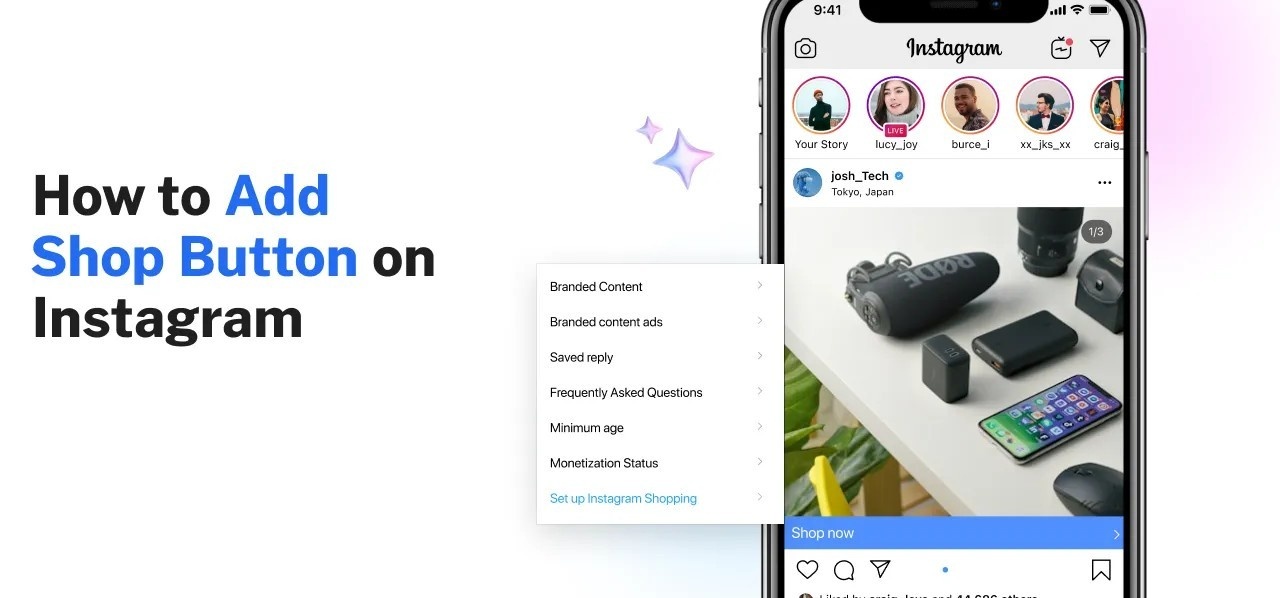
Business profiles absolutely dominate this space. Because they plug directly into the Meta Commerce Manager, business accounts can sync massive, ever-changing product catalogues straight from Shopify or WooCommerce. If you change a price on your website, it magically updates on your Instagram Shop. Plus, you can run dynamic ads that literally "chase" users with the exact pair of shoes they were just looking at. If you have a lot of inventory, the business account is non-negotiable.
7. Third-Party App Integrations
Trying to run a high-volume Instagram account entirely from your iPhone screen is a wonderful way to ruin your posture and your mental health. Eventually, you have to bring in outside software to schedule posts and pull reports.
The Backend Advantage
Historically, the Instagram API has always played favourites with business accounts. If you want to use heavy-hitter scheduling tools like Sprout Social or Hootsuite to auto-publish content, you almost always need a business account linked up to a Facebook Page.
It also applies to customer service. A business account can pull angry DMs straight into CRM software, like Zendesk or Salesforce, turning a messy inbox into organised support tickets. While Meta has slowly opened the doors for Creators to use some of these tools, it’s still notoriously glitchy. If your team relies on external dashboards and heavy automation, the business account is the only stable choice.
8. Profile Formatting & Contact Flexibility
While it's important not to judge a brand solely based on its Instagram bio, it's equally important to evaluate it critically. How you display your contact info matters, and the two tiers handle this very differently.
To Hide or Not to Hide
As a creator's follower count explodes, so does the volume of weird spam emails and unsolicited PR pitches. To save their sanity, creators have the ultimate flexibility: they can just hide their contact buttons. You can toggle off your email and phone number, forcing people to either DM you or use the link in your bio. It keeps the profile looking incredibly clean and minimalist.
Business accounts are held to a different standard. Instagram’s logic is simple: if you are a business, the public needs to be able to reach you. Because of this, business profiles force you to have highly visible contact buttons. You generally have to display an email, a phone number, or a physical address. It’s brilliant if you are a local pizza shop that wants people to hit "Call Now", but it can be really annoying if you're a fully remote software startup that doesn't want cold calls at 2 AM.
Building a highly automated lead generation engine starts with having the correct structural foundation in place. A detailed comparison of the Instagram Business and Creator profiles reveals exactly which account type grants the essential API access required to seamlessly connect your third-party messaging tools and scale your outbound workflows.
9. The Switching Penalty: Can You Change Your Mind?
So, what happens if you pick the wrong one? Are you stuck forever? Absolutely not. You can flip between Personal, Creator, and Business whenever the mood strikes by just tapping "Account type and tools" in your settings.
The Algorithm Reset Warning
But before you start toggling back and forth every week, you need to know about the switching penalty. The biggest risk is data loss. If you downgrade from a Business account back to a Personal account, the app permanently torches all of your historical analytics. It’s gone forever.
Also, don't try to game the system. A lot of users try to quickly switch to a Creator account just to post a Reel with a trending song, and then switch right back to Business. Instagram's algorithm hates this. It scrambles the backend machine learning that decides who to show your content to, which usually results in a brutal, temporary drop in your reach. Pick a lane, commit to it for at least a few months, and let the algorithm do its job.
10. The Decision Matrix: Which Profile Fits Your 2026 Strategy?
Still on the fence? I put together this quick cheat sheet. Look at your main goals for the year and see which column lines up with your reality.
| Feature / Goal | Instagram Creator Account | Instagram Business Account |
|---|---|---|
| Your Main Objective | Growing a personal brand, landing sponsorships, and community vibes. | Scaling a company, driving hard sales, managing local foot traffic. |
| The Audio Situation | VIP access to all trending, mainstream, and viral music. | Stuck in the waiting room with the royalty-free commercial library. |
| Profile Aesthetics | Total control. You can hide contact buttons to dodge spam. | Very rigid. You must display contact info so customers can find you. |
| Software Integrations | A bit clunky. Basic schedulers work, but deep CRM syncing is rough. | Flawless. Plugs perfectly into Shopify, Salesforce, Zendesk, etc. |
| Selling Stuff | Great for affiliate links or dropping a few t-shirts. | The powerhouse for syncing massive Shopify catalogs and running ads. |
| What the Data Shows | Follower growth spikes, unfollow rates, and audience demographics. | Conversion rates, outbound website clicks, and hard ROI metrics. |
| The Verdict: Who is it for? | Influencers, musicians, digital artists, vloggers, solo coaches. | Marketing agencies, SaaS startups, retail stores, and local restaurants. |
11. The Next Step: Handling the Flood of Engagement
Okay, so you’ve audited your brand, looked at the matrix, and locked in your profile. You clean up your bio, start posting killer content, and finally—it happens. A video pops off. The algorithm blesses you. Your views are skyrocketing.
And then you realise that you have a massive new problem to deal with.
The Engagement Burnout
When an account really starts moving, the engagement gets overwhelming fast. You'll wake up to hundreds of comments saying, "Link, please?" or "How much?" At the same time, your inbox overflows with individuals posing the same three questions.
This is the exact moment where most brands drop the ball. If you try to handle this transition manually—copying and pasting the same Shopify link to 400 different comments—you will burn out by Tuesday. It doesn't scale. Leads fall through the cracks, followers get annoyed that you ignored them, and you leave money on the table. In 2026, you cannot just throw human labor at this problem. You have to work smarter.
Maximising the ROI of your social media efforts means treating your profile like a full-time business operation rather than a personal vlog. By exploring the strategic differences in this guide to choosing your Instagram account type, you can see exactly why serious digital marketers rely on business accounts to unlock advanced performance tracking and connect external automation platforms. Aligning your account type with your operational goals guarantees your marketing software won't hit a wall when it is time to scale.
12. Turning Comments into Customers
Whether you are a solo creator pushing a new Lightroom preset or a Business selling luxury skincare, relying on your thumbs to manually reply to people is the biggest bottleneck in your sales funnel. Think about the friction: someone comments that they want to buy. If your only response is "Link in bio!", you are forcing them to leave the post, go to your page, click a tiny link, and hunt through a website. Most people will just keep scrolling.
The Keyword Strategy
The modern fix for this is surprisingly simple: automated comment-to-DM workflows. Instead of manually chasing down every commenter, you just add a call-to-action in your caption or video saying, "Comment the word 'SHOP' to get the link!"
When a follower drops that exact keyword, the software takes over. First, it automatically likes and replies to their comment (which the algorithm loves, by the way). Instantly, it slides into their DMs and drops the exact link, digital download, or product page they asked for. You capture their buying intent the exact second they feel it, turning a casual viewer into a warm lead without lifting a finger.
To fully use automated chat workflows and advanced content scheduling, you must ensure your profile is set up with the correct permissions. Understanding the key differences outlined in this comprehensive guide on Instagram Creator vs. Business accounts is the critical first step in determining which profile type grants the necessary API access to seamlessly run third-party integrations and capture inbound leads.
13. Building No-Code Shopify Sales Flows in Minutes
Let's just say it: the traditional Instagram shopping funnel is incredibly leaky. Every additional click you require from a customer presents an opportunity for distraction and cart abandonment. Modern buyers are impatient; they want a frictionless experience that happens natively where they are already hanging out.
Killing the Link-in-Bio Drop-off
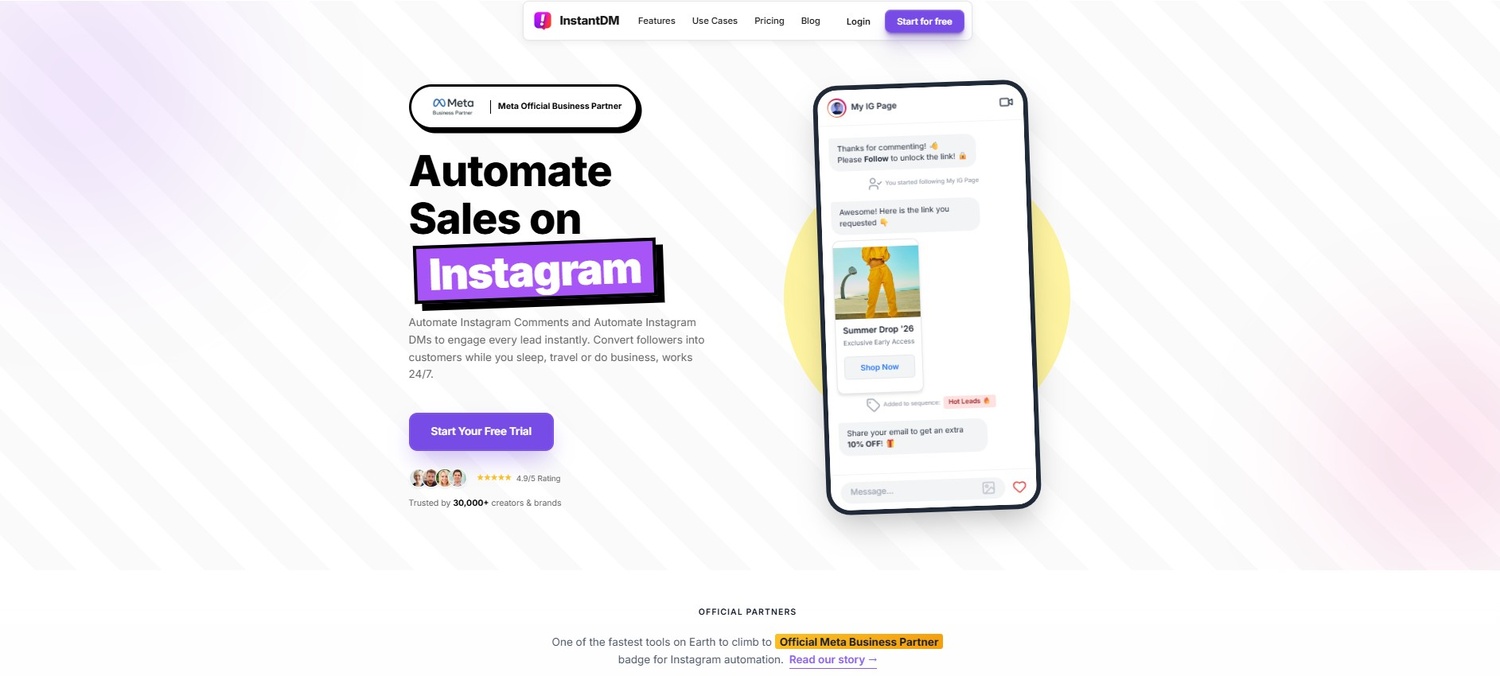
This is why bridging the gap between your inventory and your DMs is so powerful. By using smart, no-code builders (InstantDM is a great example of such tools), both Creator and Business accounts can bypass the clumsy external browser experience entirely.
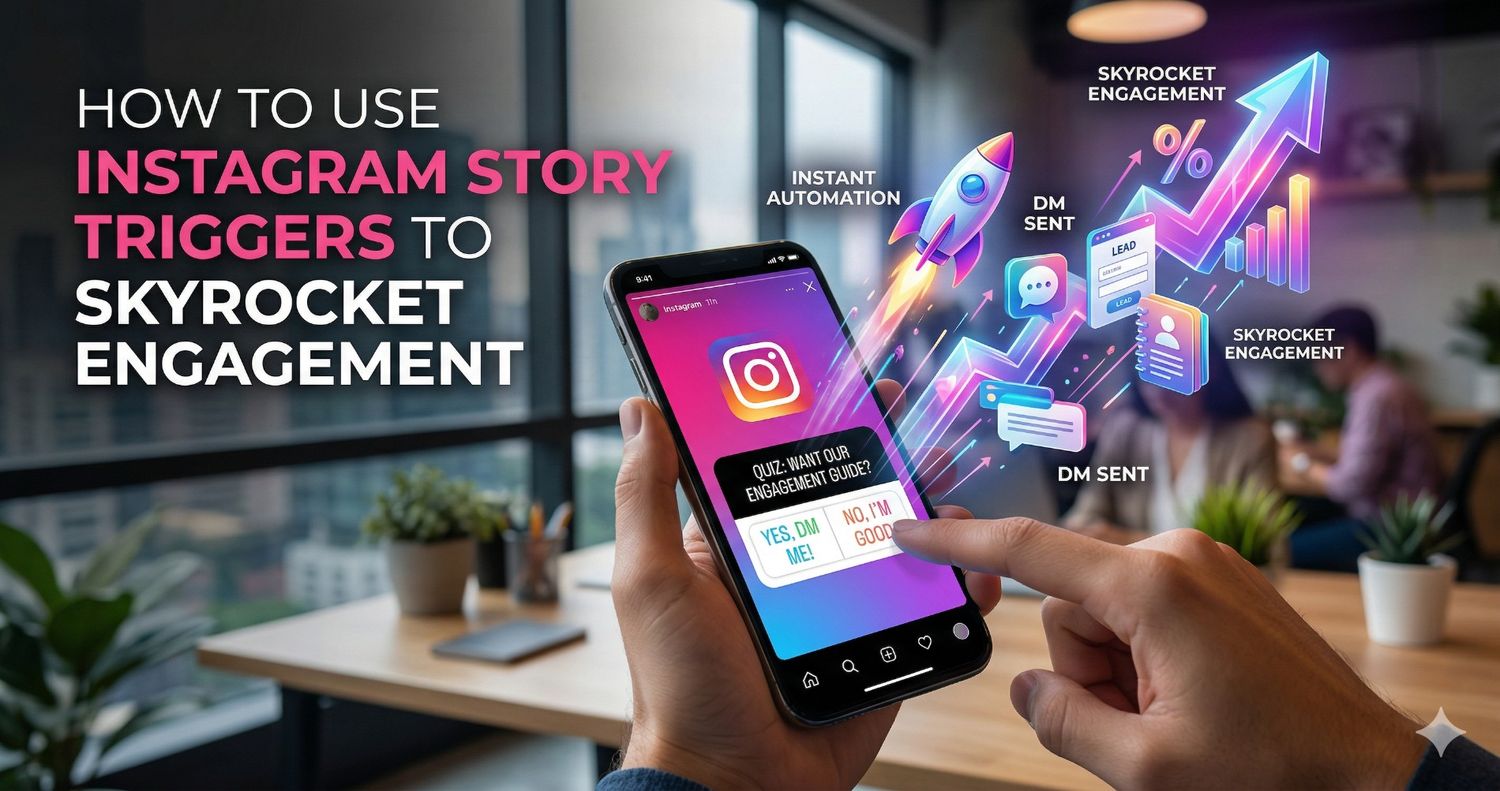
Picture this: you post an Instagram Story is hyping up a new product line. You tell people to reply to the story to buy. When they do, an automated chat sequence opens up right there in their messages. It can show them a beautiful carousel of products pulled straight from your Shopify store. They can pick their size, choose a colour, and get a secure checkout link—all without ever leaving the Instagram app. It smooths out the entire path to purchase.
14. Protecting Your Account with Safe, Human-Like Automation
I know what you're thinking. "Isn't automation going to get me banned?" It's a completely valid fear. Instagram is ruthless when it comes to spam, and if you use sketchy, unauthorized bots that you found on a random forum, you will absolutely lose your account.
Playing by the Rules
If you are going to automate your backend, you have to prioritize account health. The golden rule is to only use tools built strictly on official Meta Graph APIs. That means Instagram has actually looked at the software and approved how it talks to their platform.
But true safety goes beyond just having API access. Good automation acts like a human, not a robot. If a video goes crazy and gets 5,000 comments, a dumb bot will try to send 5,000 DMs in one second, triggering an instant shadowban. Safe tools pace themselves. They use staggered sending, randomise the delay between messages, and adapt to the platform's rate limits. They operate smoothly in the background, keeping your account totally safe while handling massive volume.
15. Your Blueprint for Instagram Dominance
Let's conclude this chapter. Making a decision and committing to it is the obvious first step. Go Creator if you want the classic influencer vibe, the trendy audio, and the adaptable profile features. If you need complex analytics, a wide range of e-commerce integrations, and seamless CRM syncing, go business. Avoid becoming mired in a simple personal account due to analysis paralysis. To ensure that your content is seen by the appropriate people, make a decision, stick with it for at least a quarter, and allow the algorithm to pick up on your habits.
Don't stop there, though. The profile type is merely the building block of your virtual home; the real work is to construct it. You must thoroughly audit your bio if you want to dominate the platform in 2026. Within three seconds of visiting your page, a visitor should understand exactly who you are, what unique value you offer, and why they should follow you. Provide them a strong reason to click your link, eliminate the ambiguous quotes, and create a compelling value proposition.
Next, continue to produce excellent content. To establish real trust, try out new hooks on your Reels, play around with carousels, and appear on Stories. However, keep in mind this rule for the sake of your sanity: quit attempting to do the heavy lifting by hand as your views increase and the engagement starts coming in. You cannot serve as your own customer service representative while glued to the screen of your phone.
This is the point at which you close the gap between hard work and smart scaling. Use dependable background automation to manage the hectic tasks. When you're offline at 2:00 AM, let the software collect those high-intent leads. Make your inbox a smooth, interactive shopfront and turn your comment section into an automated lead generation machine. You can stop working for your Instagram account and start making it work for you by combining excellent content with faultless backend systems. That's how you create a solid brand that makes money while you're asleep.
Building a highly engaged audience requires deep insights into exactly what content is driving your daily growth. Exploring the specific benefits detailed in this guide to the Instagram Creator account reveals how unlocking advanced follower analytics and streamlined messaging tools can help you refine your organic strategy and perfectly align your automated marketing workflows.
Conclusion
The landscape of social media marketing demands precision, efficiency, and the right digital infrastructure. The debate between the Instagram creator vs business account is ultimately about aligning your profile's capabilities with your overarching operational goals. The creator profile empowers individuals to foster authentic community connections with maximum flexibility, while the business profile equips brands with the robust analytics and commerce tools necessary to scale an enterprise.
The secret to long-term growth after laying that foundation is how you respond to your achievements. You can close the gap between content consumption and customer conversion by utilising cutting-edge, meta-compliant automation platforms like InstantDM. You can make sure that every view, like, and comment has the potential to generate actual, quantifiable value for your brand by automating your direct messages, instantly collecting leads, and incorporating smooth e-commerce checkout processes right into your chat. Make your Instagram account work for you instead of working for it.