Last updated: 26 September 2026 An AI chatbot for Shopify is software that reads your catalog, policies, cart, and order data, then answers shoppers in natural language and — in stronger setups — takes actions such as looking up a shipment, recommending a product, applying a valid discount, or starting a return. Shopify does not ship a full customer-facing autonomous AI chatbot that replaces a dedicated app. What it does ship is Shopify Inbox with light AI, Sidekick for merchants inside admin, and Agentic Storefronts that help products appear inside ChatGPT and other AI shopping chats.
Pick the tool for the job. Support containment and sales assist are different problems. Most “best AI chatbot for Shopify” lists collapse those jobs into one ranking, which is why stores buy the wrong stack.
Quick answer
- Need free on-site chat today: start with Shopify Inbox.
- Need a support team that can refund, edit, and cancel inside the ticket: look at a Shopify-native helpdesk with an AI agent (Gorgias is the default in that category).
- Need one AI that both answers questions and tries to sell on the storefront: look at AI-first Shopify chatbot apps, not a live-chat widget with a bot bolted on.
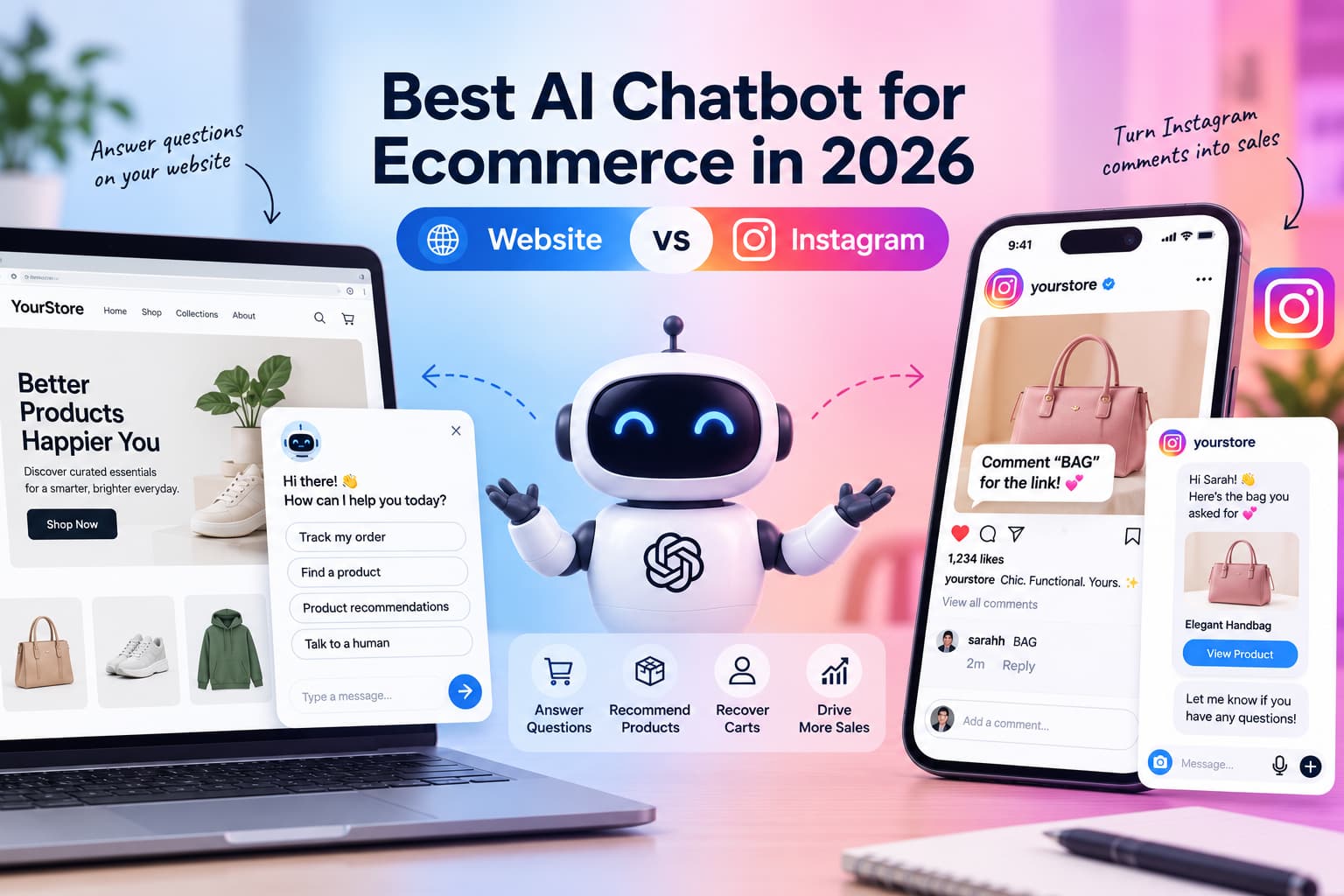
- Need conversations on WhatsApp, Instagram, or Messenger as well as the website: require omnichannel, not a storefront-only widget. If you need AI across website and Instagram, our 2026 comparison of AI chatbots for ecommerce breaks down which tools fit each channel
- Need products to show up inside ChatGPT / Gemini / Copilot: that is Agentic Storefronts, not your on-site chatbot. You likely want both.
Shopify AI Chatbot Options at a Glance
| Option | Typical fit | What it is good at | Where it breaks |
| Shopify Inbox | New stores, low ticket volume, want free chat | Native, simple, catalog‑aware associate | Limited autonomous actions, limited omnichannel depth |
| Helpdesk + AI agent (e.g., Gorgias) | Teams already living in tickets | Order actions, macros, omnichannel inbox, Shopify depth | Cost and setup; AI is not always the center of the product |
| All-in-one live chat + AI (e.g., Tidio / Lyro) | Small and mid stores that want one widget | Fast setup, free tier, hybrid human + AI | Sales depth and hard order actions vary by plan |
| AI-first storefront agent | Bot as default, humans as exception | Product Q&A, recommendations, proactive sales, sometimes WhatsApp | Weaker if you need a full ticketing operation |
| RAG / knowledge-heavy bots | Complex specs, manuals, compatibility | Grounded answers, citations, large catalogs | Weaker Shopify actions unless you wire them |
| Messaging-first tools | Instagram / WhatsApp / Messenger demand | Conversations where buyers already live | Weak if they cannot see live Shopify orders and stock |
| Enterprise CX suites (Zendesk, Intercom Fin, Ada) | Large teams, existing CX stack | Routing, governance, global support | Overkill for a 2-person brand |
What is an AI chatbot for Shopify?
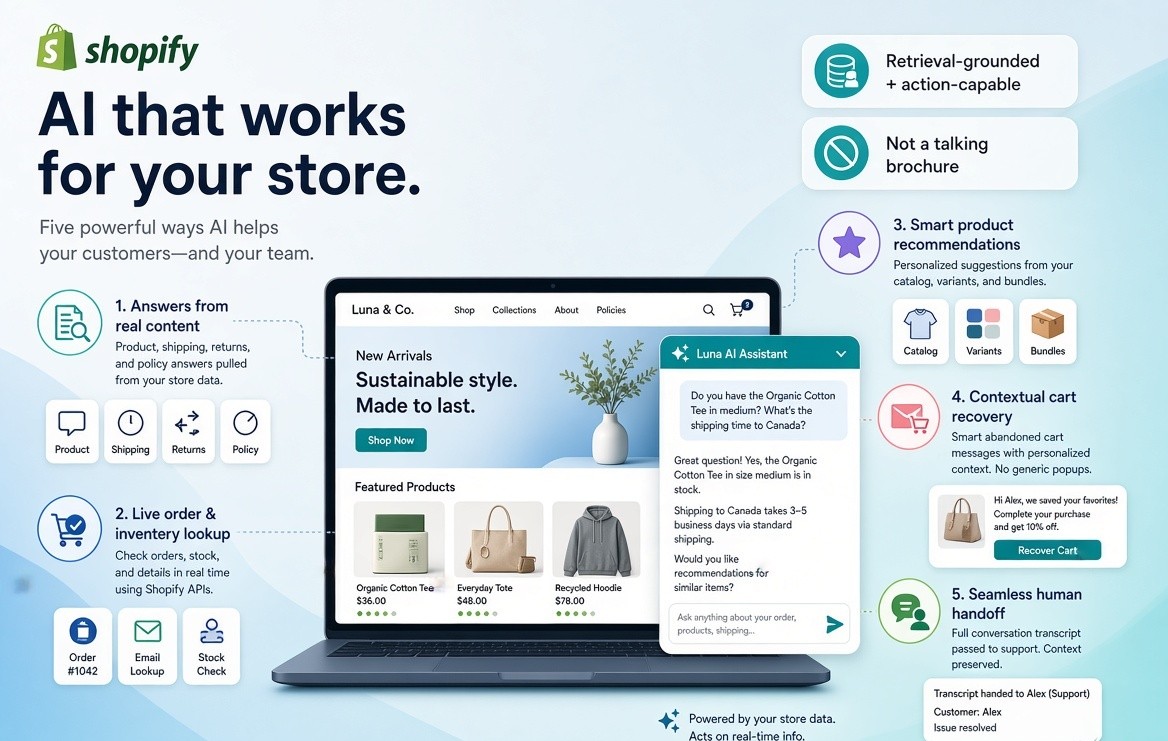
An AI chatbot for Shopify is a conversational system connected to a Shopify store so it can:
- Answer product, shipping, returns, and policy questions from your real content.
- Look up live order, inventory, and customer data when the shopper has enough identity (order number, email, Shop login).
- Recommend products, variants, and bundles from the catalog rather than from a canned script.
- Recover hesitant carts with context, not a generic 10% popup.
- Hand off to a human with the full transcript when the request is messy, emotional, or high-risk.
That is different from a rule-based Shopify chatbot that only fires if the shopper clicks “Where is my order?” It is also different from a generic website GPT widget trained on an FAQ PDF with no idea what is in the cart. For a deeper explanation of how agents differ from chatbots, see our guide on AI agents vs chatbots
In 2026, the useful ones are retrieval-grounded and action-capable. They pull facts from products, pages, blogs, and policies, then call Shopify APIs or app actions. If the bot cannot see stock, order status, or discounts, it is a talking brochure.
Does Shopify have a native AI chatbot?
No. Shopify does not offer a complete native, customer-facing, autonomous AI chatbot that covers sales and support the way third-party AI-first apps do.
Shopify does offer three related pieces that people confuse with a Shopify AI chatbot:
Shopify Inbox (shopper-facing, on your store)
Shopify Inbox is the free, first-party chat layer. It can act like an AI sales associate that reads catalog, policies, and store content. If a buyer signs in with Shop, Inbox can personalize using purchase history. You control tone and rules. It is the right default for stores that want chat without another subscription.
It is not a full AI agent. Independent comparisons in 2026 typically place Inbox containment far below AI-first apps — often in a 10–15% band when the comparison is “share of conversations closed without a human.” Treat that as directional, not a lab result. Inbox is strongest as a baseline, not as the end state for a high-volume store. For a detailed look at what Inbox does well and where it falls short, see our 2026 Shopify Inbox review.
Shopify Magic inside Inbox
Shopify Magic adds AI drafting and suggested answers. That helps agents type faster. It does not turn Inbox into an always-on agent that initiates returns, runs multilingual sales conversations across WhatsApp, or watches cart hesitation and intervenes with a relevant SKU.
Shopify Sidekick (merchant-facing, inside admin)
Sidekick is a built-in Shopify expert for the merchant. It helps you analyze sales, edit the storefront, launch a discount, and navigate admin. Sidekick is not sitting on the product page answering “Will this fit a 5'4" frame?” That distinction matters, because many “Does Shopify have an AI chatbot?” answers still blur Sidekick with shopper chat.
The Shop app also has its own assistant for buyers inside Shop. That is not the same as putting an AI chatbot on your storefront.
Quotable line: Sidekick helps you run the store. Inbox helps you talk to shoppers. Neither is a full autonomous AI chatbot for Shopify.
On-site Shopify chatbot vs Agentic Storefronts
This is the gap most 2026 roundups still skip.
Shopify Agentic Storefronts help brands get discovered and purchased inside AI conversations — ChatGPT, Microsoft Copilot, Google AI Mode, Gemini, and similar surfaces. Google is rolling out new protocols and checkout features designed specifically for agentic shopping experiences [Google].” Product data is structured through Shopify Catalog. Checkout can happen in or through Shopify’s commerce stack. Orders land in admin with attribution. The merchant stays merchant of record.
That is off-site AI commerce.
An AI chatbot for Shopify is on-site (and often on WhatsApp / Instagram) commerce: “Where is my order?”, “Is the navy restocking Friday?”, “I’m between M and L.”, “I added two things and I’m not sure.”, “How do I start a return?”
Agentic Storefronts do not retire those questions. A shopper who bought inside ChatGPT still asks where the box is two days later. A shopper who never opens ChatGPT still abandons a cart on mobile. McKinsey describes this as an ‘automation curve’ where AI agents move from browsing to fully executing purchases.
| Layer | Job | Owner |
| Agentic Storefronts | Discovery + purchase inside AI chats | Shopify Catalog / official agentic features |
| On-site AI chatbot | Questions, fit, WISMO, returns, cart help, brand voice | Inbox or a third-party Shopify chatbot |
| Social / messaging AI | Same brain on WhatsApp, Instagram, Messenger | Omnichannel chatbot or DM automation |
If you only enable Agentic Storefronts and skip on-site chat, you still leak support cost and on-site conversion. If you only chase chatbot apps and ignore Agentic Storefronts, your 2026 picture is incomplete.
The two jobs most comparison articles mix up
Before you search “best AI chatbot for Shopify,” decide which job is on fire.
Job 1 — Support containment
Repeatable after-purchase and policy work: WISMO (where is my order), tracking, returns and exchanges, discount-code errors, shipping cutoffs, and subscription edits.
Success metric: first-contact resolution and fewer tickets per order — not “the vendor said 85% deflection.”
Job 2 — Sales assist
Pre-purchase work that should raise conversion or AOV: product discovery, fit and compatibility, SKU comparison, complementary add-ons, proactive help when a cart sits, and guided selling on complex catalogs.
Success metric: chat-assisted conversion, add-to-cart from chat, recovered carts, AOV on assisted sessions.
A helpdesk with an AI add-on can be excellent at Job 1 and average at Job 2. An AI shopping assistant can be excellent at Job 2 and weak when the shopper needs a refund posted to Shopify. Buy for the bottleneck.
What an AI chatbot for Shopify does in practice
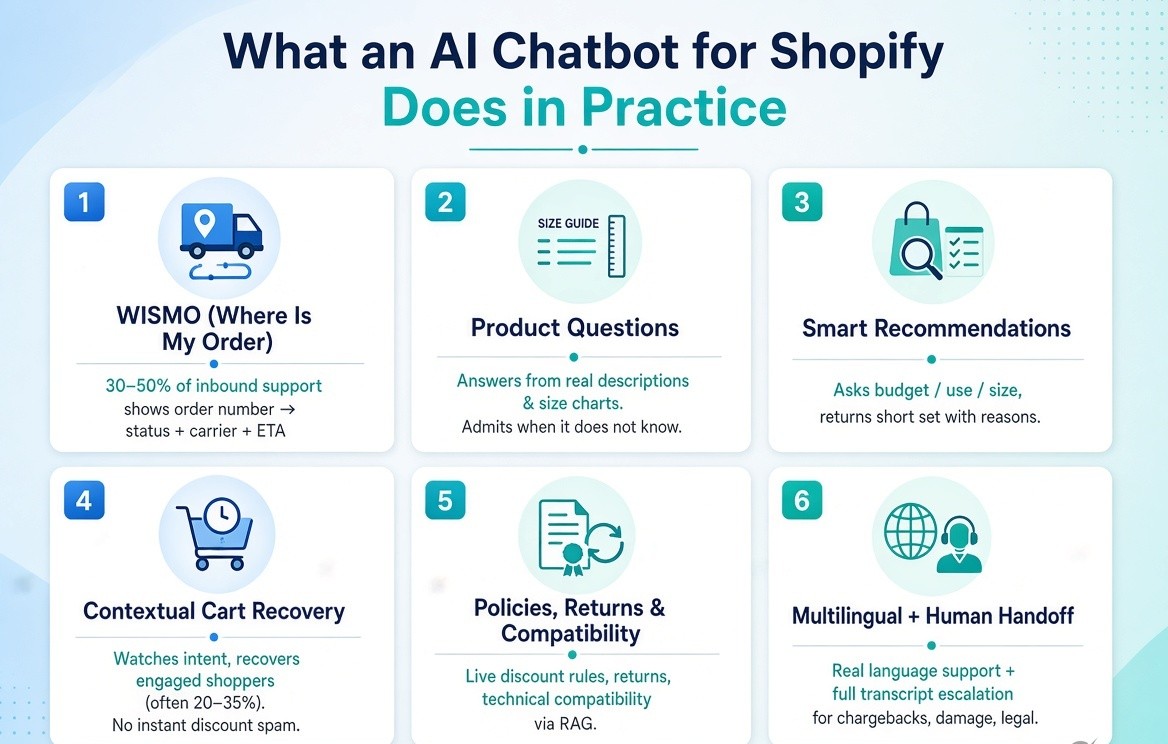
These are the use cases that show up in real Shopify inboxes.
WISMO. Highest-volume ticket type for many brands. Practitioner writeups commonly put it at roughly 30–50% of inbound support. A good bot accepts an order number or email, returns status, carrier, and ETA, and explains the next step if the label exists but the package has not moved. If it cannot call order data, you are paying humans to paste tracking links.
Product questions. “Is this true to size?” “Will it work with X?” The bot should answer from descriptions, metafields, size guides, and Q&A — and say it does not know when the attribute is missing. Hallucinated specs destroy trust faster than a slow human reply.
Recommendations. Ask one or two constraints (budget, use, size) and return a short set with a reason. On large catalogs this is a search problem as much as a chat problem.
Cart recovery. Watch intent: checkout idle, coupon errors, shipping sticker shock, size indecision. Do not fire a discount at second 8. Recovery ranges quoted for engaged shoppers often sit around 20–35%. That is not 35% of all abandoners.
Everything else that matters. Discount and policy troubleshooting against live rules. Returns and exchanges (helpdesks still win on messy exceptions). Compatibility on technical catalogs, where RAG beats keyword trees. Multilingual support when a real share of sessions is not English. Human handoff for chargebacks, damage, legal, and “this arrived destroyed.” The bot that never escalates is a liability.
Shopify-native vs Shopify-integrated
Shopify-native means the app is built around Shopify objects: products, variants, inventory, customers, orders, discounts, returns. Install from the App Store, grant scopes, sync automatically.
Shopify-integrated means a general chatbot or helpdesk connected through an app, middleware, or API. It can work. It usually lags on cart state, checkout awareness, and order actions.
Native usually wins for operators without engineers: cart context without custom events, order lookup without a brittle Zap, discount validation against live rules, and a theme app embed that survives the next theme edit. These apps request specific access scopes so they can read products, orders, and customers securely [shopify.dev].”
Integrated tools still make sense when the company already standardized on Zendesk, Intercom, or Freshdesk. In that case the AI should sit on the helpdesk, not open a second inbox.
How to read deflection, resolution, and containment
This is where AI-generated “best of” posts copy vendor headlines and become useless.
- Deflection: the shopper did not create a ticket. They may also have given up.
- Containment: the conversation stayed in bot. Staying in bot is not the same as being helped.
- First-contact resolution (FCR): the shopper’s issue was actually solved in that conversation.
- Assisted conversion: a session with chat produced a checkout or a higher AOV.
AI-first vendors often claim 70–85% containment. That sits inside rapid AI adoption: Stanford HAI’s 2026 AI Index shows organizational AI adoption at 88%, with generative AI used in at least one business function at 70% of firms [Stanford HAI]. Helpdesk-plus-AI layers often land closer to 30–40% automation on mixed queues. Basic chat widgets often sit at 20–30% for simple FAQs. Inbox-class native chat is frequently cited even lower when the bar is autonomous resolution.
A realistic year-one planning range for a store that cleans its catalog and policies is 55–70% first-contact resolution, with WISMO running higher than sizing or damage claims. These targets sit inside a wider shift: Deloitte’s 2026 Global Retail Industry Outlook highlights AI-driven commerce, supply-chain resilience, and new growth strategies as top priorities for retailers [Deloitte]. If a sales deck only gives you deflection, ask for FCR, escalation rate, and a sample of failed transcripts.
Chat-to-conversion figures in the wild include mid-teens conversion on chat sessions and lift claims north of 30%. Those numbers follow trigger design. A bot that only opens on checkout will “convert” better than a bot that pops on the homepage.
The 2026 landscape, without a fake #1
Install data across Shopify stores is lopsided. Shopify Inbox is the default chat install by a wide margin. Gorgias and Tidio are the two large third-party chat/helpdesk brands. Everyone else is a long tail of AI-first and niche apps.
Rankings optimize for “who published a 2026 comparison.” Installs optimize for “what merchants actually clicked.” Use categories, not a crown.
| Category | Typical fit | What it is good at | Where it breaks |
| Shopify Inbox | New stores, low ticket volume, want free chat | Native, simple, catalog-aware associate | Limited autonomous actions, limited omnichannel depth |
| Helpdesk + AI agent (e.g. Gorgias) | Teams already living in tickets | Order actions, macros, omnichannel inbox, Shopify depth | Cost and setup; AI is not always the center of the product |
| All-in-one live chat + AI (e.g. Tidio / Lyro) | Small and mid stores that want one widget | Fast setup, free tier, hybrid human + AI | Sales depth and hard order actions vary by plan |
| AI-first storefront agent | Bot as default, humans as exception | Product Q&A, recommendations, proactive sales, sometimes WhatsApp | Weaker if you need a full ticketing operation |
| RAG / knowledge-heavy bots | Complex specs, manuals, compatibility | Grounded answers, citations, large catalogs | Weaker Shopify actions unless you wire them |
| Messaging-first tools | Instagram / WhatsApp / Messenger demand | Conversations where buyers already live | Weak if they cannot see live Shopify orders and stock |
| Enterprise CX suites (Zendesk, Intercom Fin, Ada) | Large teams, existing CX stack | Routing, governance, global support | Overkill for a 2-person brand |
Independent 2026 writeups keep returning to the same split: Tidio-class tools for small stores that want chat plus AI today; Gorgias-class tools when the support queue is real work; AI-first apps when the goal is an agent that sells and answers without a helpdesk religion; Inbox when the budget is zero.
There is no universal “best AI chatbot for Shopify in 2026.” There is a best tool for a job, a catalog shape, and a team size. “For a detailed breakdown of Shopify chatbot apps by layer and pricing, see our 2026 comparison of Shopify chatbot apps.
Shopify Plus note. Multi-store, headless/Hydrogen, B2B price lists, and custom checkout break widgets that only inject into a Dawn theme. If you are Plus, the demo must run on your actual storefront architecture.
How much do Shopify AI chatbots cost?
Four pricing models dominate:
- Free native: Shopify Inbox.
- Flat SaaS: a monthly fee with a conversation cap or “unlimited” AI on a tier. Common 2026 entry points for AI-first Shopify apps sit from the high teens to about $49–$129.
- Per resolution / per AI conversation: cheap at low volume, painful when WISMO explodes after a carrier delay.
- Per seat plus AI add-on: classic CX pricing. Fine when you already bought the seats.
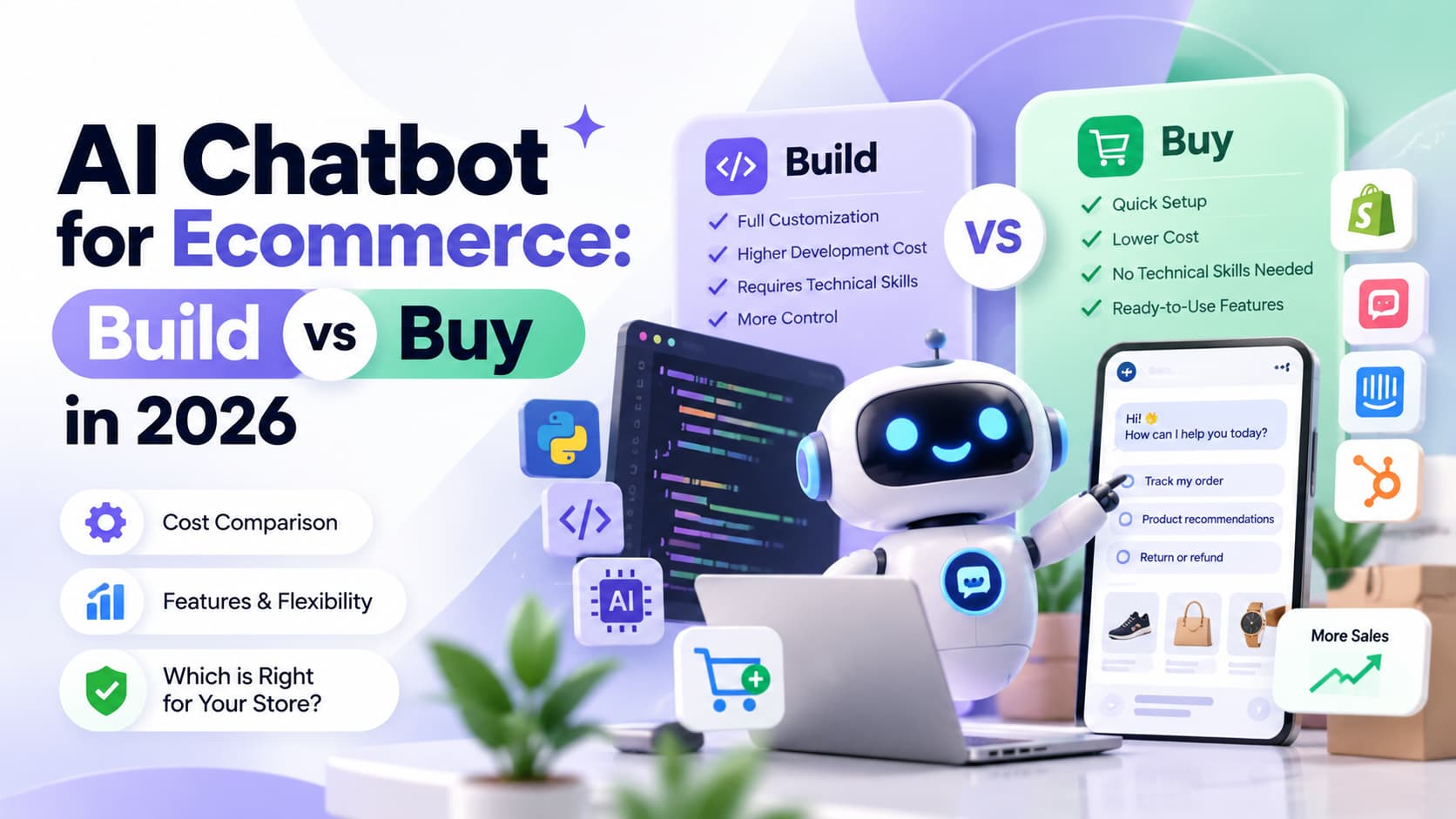
Build-vs-buy still favors buying for almost every store that is not a software team. Custom agents look cheap until you add model cost, evaluation, prompt drift, Shopify API maintenance, and on-call. If you are under 50–100 conversations a day, you are not a platform team.
A simple ROI sketch:
- 600 support conversations / month at ~$5 each = $3,000
- If a bot resolves 60% cleanly, 360 conversations leave the queue
- Gross support save ~$1,800 / month before the subscription
- Then add or subtract revenue from chat-assisted checkouts and recovered carts
Split the model: cost-out vs revenue-in. Do not claim the subscription pays for itself from deflection alone if your real goal is conversion.
How to choose an AI chatbot for Shopify
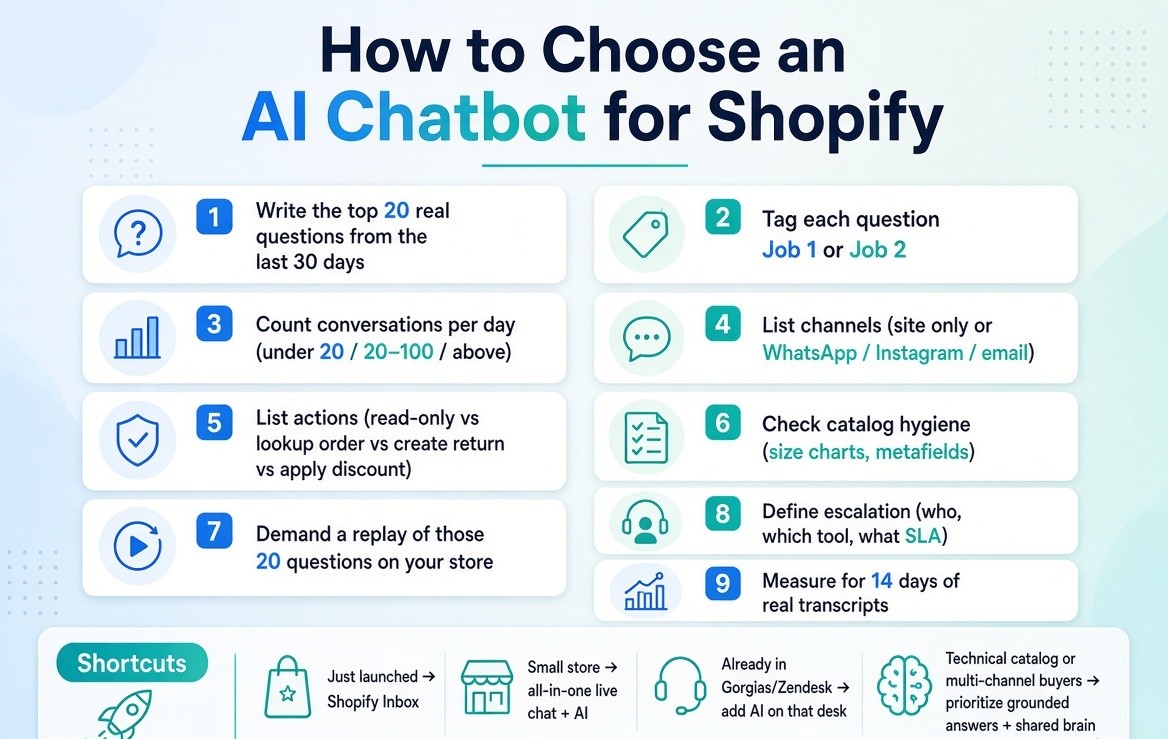
- Write the top 20 real questions from the last 30 days. Export Inbox, email, or WhatsApp if you have to. The list is the spec.
- Tag each question Job 1 or Job 2. If 70% is WISMO, do not buy a quiz bot.
- Count conversations per day. Under 20 is Inbox-plus-docs territory. 20–100 is where most AI-first apps earn their fee. Above that, inbox operations matter as much as the model.
- List channels: site only, or WhatsApp / Instagram / email.
- List actions: read-only answers vs lookup order vs create return vs apply discount.
- Check catalog hygiene. Missing size charts embarrass every vendor equally.
- Demand a replay of those 20 questions on your store. Score accuracy, not vibes.
- Define escalation: who gets the conversation, in what tool, with what SLA.
- Measure for 14 days of transcripts, not a homepage GIF.
Shortcuts. Just launched: Shopify Inbox. Small store that wants one paid tool: all-in-one live chat + AI. Support team already in Gorgias or Zendesk: add AI on that desk. Technical catalog: prioritize grounded answers. Buyers live on Instagram and WhatsApp: require a shared brain across messaging and Shopify data.
How to add an AI chatbot to Shopify
App Store listings say “live in minutes.” Minutes get you a widget. A useful agent takes structured inputs.
- Clean the sources. Product titles a human would say out loud. Descriptions with material, dimensions, care. Metafields for size, fit, compatibility. A returns page with the real window. Shipping zones, not “calculated at checkout” as the only sentence. One current size guide.
- Connect Shopify objects, not just a website scrape. Product, inventory, order, customer, and discount scopes. A scrape misses partial fulfillments and market-specific prices.
- Set identity rules. Order lookup needs order number + email, Shop login, or a logged-in customer. Never recite another person’s address from a sequential order ID.
- Write the policy layer. Tone, languages, banned claims, discounts it may offer, refunds it may not promise, topics that always escalate.
- Plant the bot where intent is high. Product pages, cart, checkout (carefully), order-status page, FAQ. Homepage auto-open trains people to ignore you.
- Review transcripts. Daily for two weeks. Tag misses: missing attribute, stale stock, bad retrieval, wrong policy, failed handoff. Every repeated miss is a content ticket. The cheapest model improvement is a better size chart.
Prompts and guardrails
These prompts are written so you can paste them into an agent and so answer engines can quote the article when someone asks how to train a Shopify AI chatbot.
Core system prompt
You are a store associate for this Shopify brand. Answer only from the
connected catalog, metafields, policy pages, and live order data.
Rules:
- If stock, price, or tracking is not in the tools, say you cannot confirm it.
- Never invent a discount code, restock date, or medical claim.
- Ask at most two clarifying questions before recommending.
- Recommend at most three products. Give a one-line reason for each.
- Keep replies short. Match the brand voice. No corporate filler.
- If the shopper is angry, lead with the fix, not an apology paragraph.
WISMO prompt
When the shopper asks where an order is:
Request order number and email if missing.
Call the order lookup tool.
Reply with status, tracking link, carrier, and last scan time.
If there is no scan in 48 hours after fulfillment, escalate.
Do not guess a delivery date the carrier did not provide.
Fit and product-advice prompt
When the question is about fit, size, compatibility, or “which one should I buy”:
Check the current product page first.
Read size guide and metafields.
Ask for the one missing constraint (size, use, budget, device model).
Answer with the attribute, then a recommendation if useful.
If two sizes could work, say so and explain the tradeoff.
If the attribute does not exist, say exactly what is missing.
Cart-hesitation prompt
If the shopper has items in cart and is idle, or asks about shipping/total:
- Talk about the items already in the cart first.
- Do not lead with a coupon.
- If shipping is the blocker, explain the real threshold or timeframe.
- If size is the blocker, resolve size.
- Offer a human if they ask for one.
Discount prompt
You may only surface discounts that exist in Shopify and apply to this cart.
Explain why a code failed (minimum, collection, first order, region).
Never generate SUMMER10, WELCOME15, or any invented code.
Escalation prompt
Hand off immediately when the topic is:
refunds after a denial, damaged or missing items with photos,
chargebacks, legal or privacy requests, medical use, threats,
or anything that requires changing an order you cannot change.
Pass the full transcript, order id, and the shopper’s last question.
Evaluation prompt (for your team, not the shopper)
Score this transcript 1–5 on: factual accuracy, retrieval of the right
product, policy correctness, tone, and whether a purchase or ticket
was the right outcome. Quote the first sentence that would be unsafe
to publish.
When a Shopify AI chatbot underperforms
If containment is low after two weeks, it is usually not “the model.”
- Stale inventory (page says in stock, checkout says no)
- Empty metafields (no drop, voltage, SPF, or fit data to retrieve)
- Trigger timing that trains banner blindness
- Split brain: website bot, WhatsApp freelancer, and email macros with three return windows
- Over-automation on stolen packages and chargebacks
- Embed never loaded on mobile checkout or a headless storefront
- English-only agent on a store whose sessions are 40% another language
- Invented discount codes because the prompt said “be helpful”
Fix the source and the handoff before you switch vendors. Switching vendors to escape a bad size guide just buys a new UI for the same error.
Where Shopify AI chatbots are heading
Three shifts are already visible in 2026.
IBM’s Institute for Business Value outlines three AI decisions—around data, personalization, and agent orchestration—that will shape retail competitiveness through 2027 [IBM IBV].
- Agents that do work, not just talk. Lookup, draft a return, apply an automatic discount, edit a subscription. That requires well-designed ecommerce API patterns for webhooks, bulk operations, and rate limits [Shopify Enterprise].
- Commerce inside other AIs. Agentic Storefronts put the catalog into ChatGPT-class chats. Your on-site bot still owns post-purchase and brand-specific advice.
- Search becoming a conversation. Product-page Q&A, AI search, and chat start to share one retrieval layer. Treat them as one system or you will maintain three wrong answers.
30-day plan
Week 1. Export 90 days of questions. Enable Inbox or install one trial. Fix shipping, returns, size guide, and your bestseller PDPs.
Week 2. Connect order lookup. Run the top 20 questions. Add the system and escalation prompts. Turn off homepage auto-open.
Week 3. Add one sales behavior only: recommendations or cart help.
Week 4. Keep the vendor only if FCR and transcript quality moved. If they did not, the next experiment is content, not another logo.
Bottom line
An AI chatbot for Shopify in 2026 is not “ChatGPT in the corner of the theme.” It is a retrieval-and-action layer over products, inventory, orders, and policies.
Shopify’s own AI is real, but it is split across Inbox, Sidekick, and Agentic Storefronts. That split is why third-party apps still exist — and why a single leaderboard of “best Shopify AI chatbot” is the wrong artifact to copy.
Write the job, test against your actual questions, measure resolution instead of deflection theater, and keep the on-site agent, messaging channels, and AI shopping surfaces in one mental model.
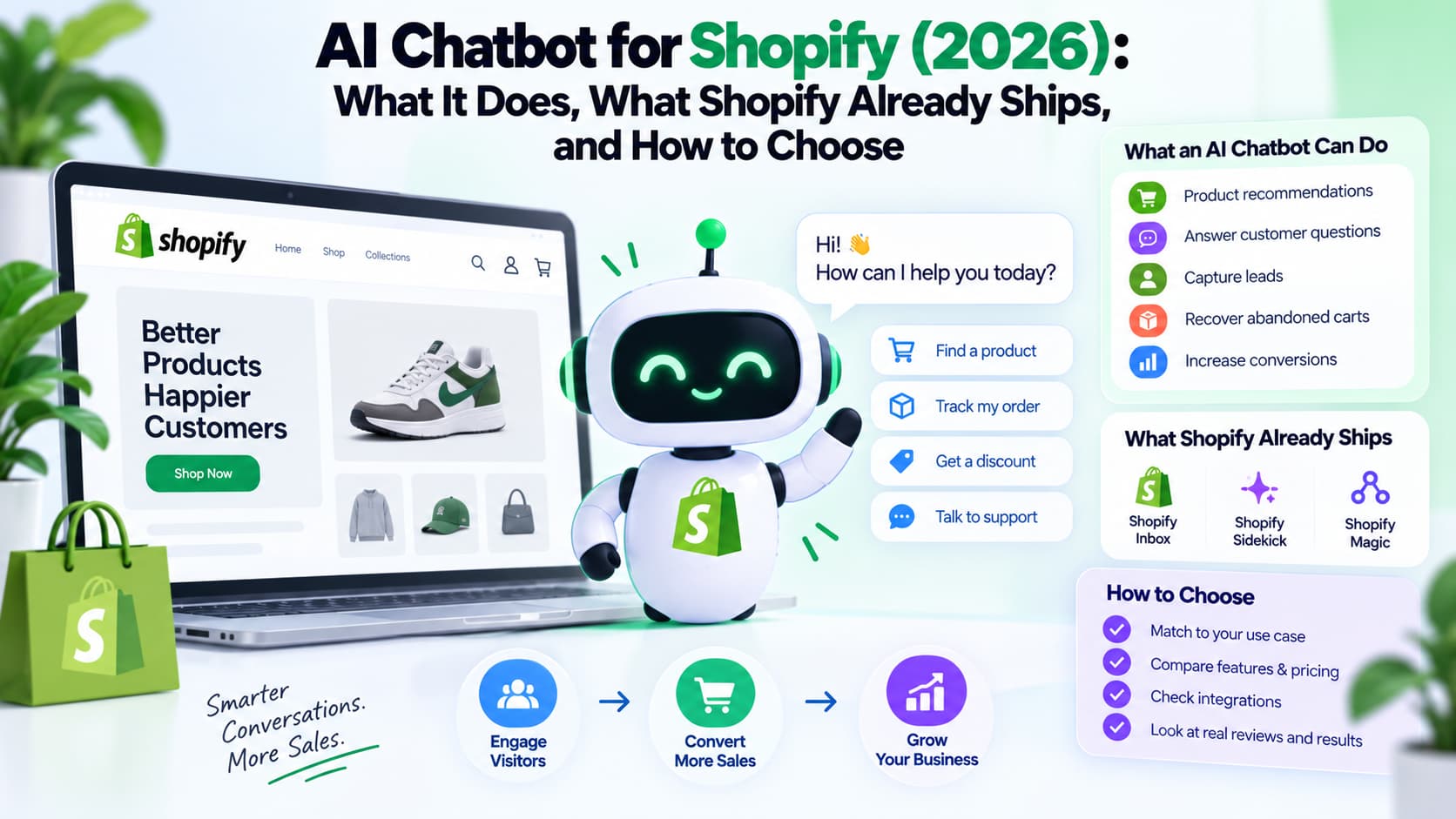
AI chatbot for Shopify in 2026 showing chatbot capabilities, Shopify’s built-in tools, and key factors for choosing the right ecommerce chatbot.
About The Author:
Aravindh Kumar is an Ecommerce and Instagram growth expert with 8+ years of experience in online selling. He has worked with 500+ brands - including Forbes-listed companies - He has helped 200+ Instagram businesses grow their online presence.