TL;DR: The Short Version
| Why choose CreatorFlow | Cheapest way in: free plan with 500 DMs/month, Pro at $15/month. Price stays flat no matter how many contacts you collect. First automation live in about 5 minutes, and it's a legitimate Meta Tech Provider on the official API. |
| Why you'd regret CreatorFlow | Single-message automations only: no flows, no AI, no follow-ups, no mobile app, no chat support. The top plan hard-caps at 10,000 DMs a month, so one viral post outgrows the whole product. Only 7 Trustpilot reviews to go on. |
| Why choose ManyChat | The most powerful builder in the space: branching flows, segmentation, and six channels (Instagram, Messenger, WhatsApp, TikTok, SMS, email). Rated 4.5/5 on G2, with a big community behind it. Full Meta Business Partner. |
| Why you'd regret ManyChat | Per-contact billing that climbs as your audience grows: $29/month becomes $100+ past 10,000 contacts. The free plan was cut to 25 contacts in March 2026, AI costs an extra $29/month, and Trustpilot is full of billing and support complaints. |
| The middle path: InstantDM | Sits between the two extremes: CreatorFlow's flat, predictable price with ManyChat's depth. InstantDM is $9.99/month for unlimited contacts, multi-step flows, AI replies, and email capture, with a mobile app, live chat support, and official Meta Business Partner status. |
Why Everyone Is Suddenly Comparing These Two
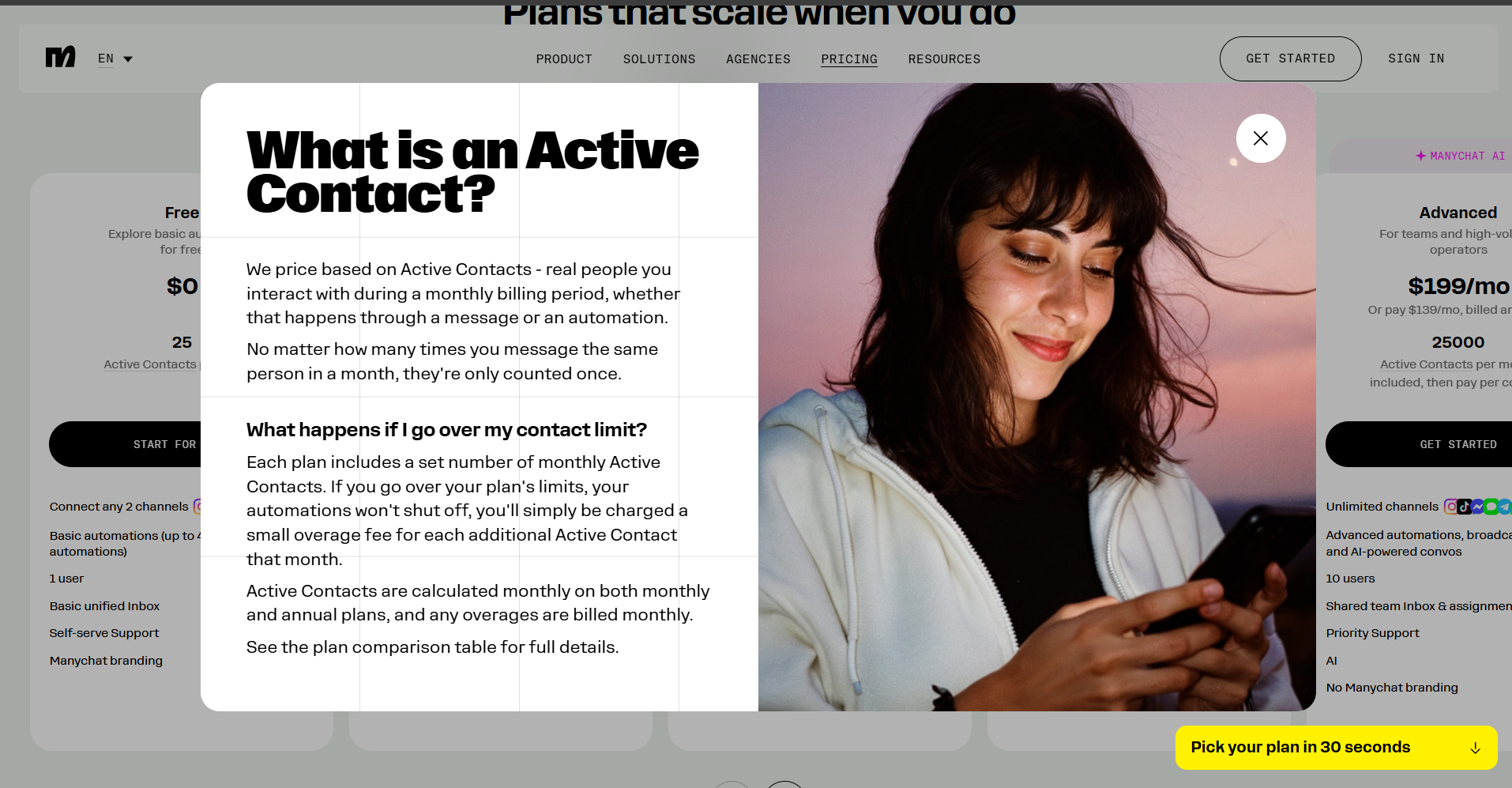
Until this spring, most creators never heard of CreatorFlow. Then ManyChat did something that sent a lot of people shopping: in March 2026, it cut its free plan from 1,000 contacts down to 25. Not 250. Twenty-five. We unpacked the whole pricing model, active contact counting and all, in our detailed ManyChat pricing guide, so this post sticks to how it stacks up against CreatorFlow.
You can read the reaction in ManyChat's own community forum, where a confused user asked "Why only 25 contacts? I thought I was gonna get 1,000 free contacts." The answer, per Superpower's breakdown of the change, is that the free tier is now a sandbox. One decent Reel with a comment-to-DM trigger will blow past 25 contacts before lunch.
So creators started looking at lightweight, Instagram-only alternatives. CreatorFlow is one of the loudest of those, and it markets itself directly against ManyChat with a "$15 flat vs per-contact fees" comparison page. Parts of that pitch hold up, parts of it leave things out, so let's go through both tools properly.
What CreatorFlow Actually Is
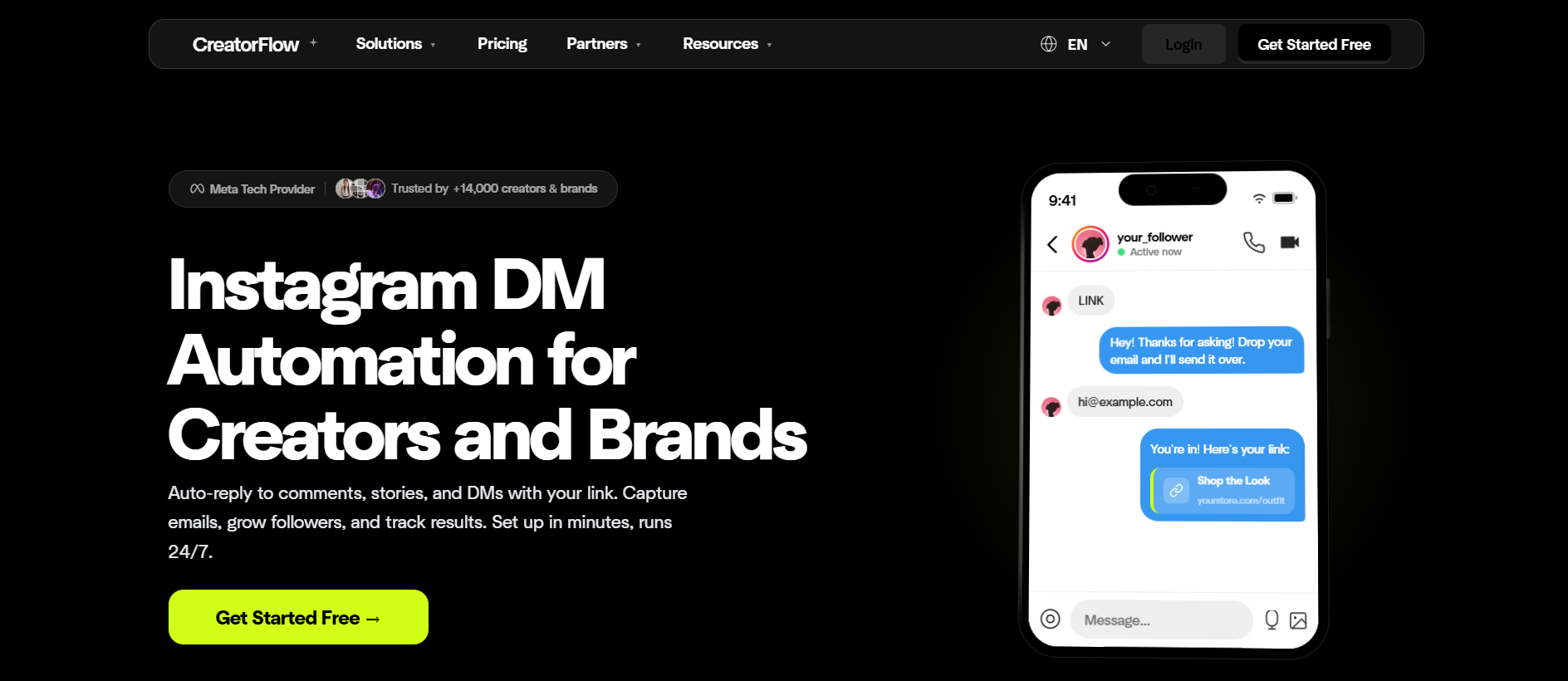
CreatorFlow is a young, Instagram-only DM automation tool. Someone comments a keyword on your post, Reel, or story, and it sends them a DM with your link. That's the product. It received Meta Tech Provider approval in January 2026 and runs on the official Instagram Graph API, so it's on the safe side of Instagram's automation rules.
CreatorFlow Pricing
- Free: 500 DMs per month, unlimited automation rules, no credit card required.
- Pro ($15/month): 5,000 DMs per month, email collection, link tracking, 2 accounts.
- Growth ($29–30/month): 10,000 DMs per month, up to 5 workspaces.
CreatorFlow doesn't charge per contact; it caps your DM volume instead. ManyChat does the reverse, metering contacts while letting messages run. Keep that difference in mind, because most of the cost math below flows from it.
What CreatorFlow Gets Right
Setup is fast. Their claim of a first automation in under 5 minutes matches what reviewers describe, and the real-time phone preview (you see what the follower will receive before you turn it on) is a nice touch that neither ManyChat nor most competitors offer. For a solo creator who wants "comment LINK, get link" and nothing else, it does the job at a fair price.
Where It Falls Short
The product is thin once you look past the basic trigger. Inro's teardown of CreatorFlow lists what's missing, and it's a long list: no multi-step sequences or branching (every automation is a single message), no AI or conversational replies, no welcome DMs for new followers, no mention or Live triggers, no proper CRM views, and effectively no external integrations. It's also Instagram-only by design, which is fine for creators but rules out anyone who needs WhatsApp or Messenger.
And there's no mobile app. CreatorFlow is web-only, so pausing a runaway automation or checking your DM usage from your phone means logging into the dashboard through a mobile browser. ManyChat has apps on both stores, and InstantDM ships iOS and Android apps as well. If you manage your account from your phone, which is most creators, this one stings more in practice than it looks on a feature list.
On reviews, there isn't much to go on yet. CreatorFlow sits at 4.1 out of 5 on Trustpilot, but that's from 7 reviews, which is too few to prove anything either way. It mostly tells you how new the product is, and you should know you'd be an early adopter before you build your lead pipeline on it.
What ManyChat Actually Is
ManyChat is the incumbent. It's been the default chat automation platform for years, and on raw capability nothing in this comparison touches it: a visual flow builder with branching and conditions, audience segmentation, and support for Instagram, Facebook Messenger, WhatsApp, TikTok, SMS, and email in one place.
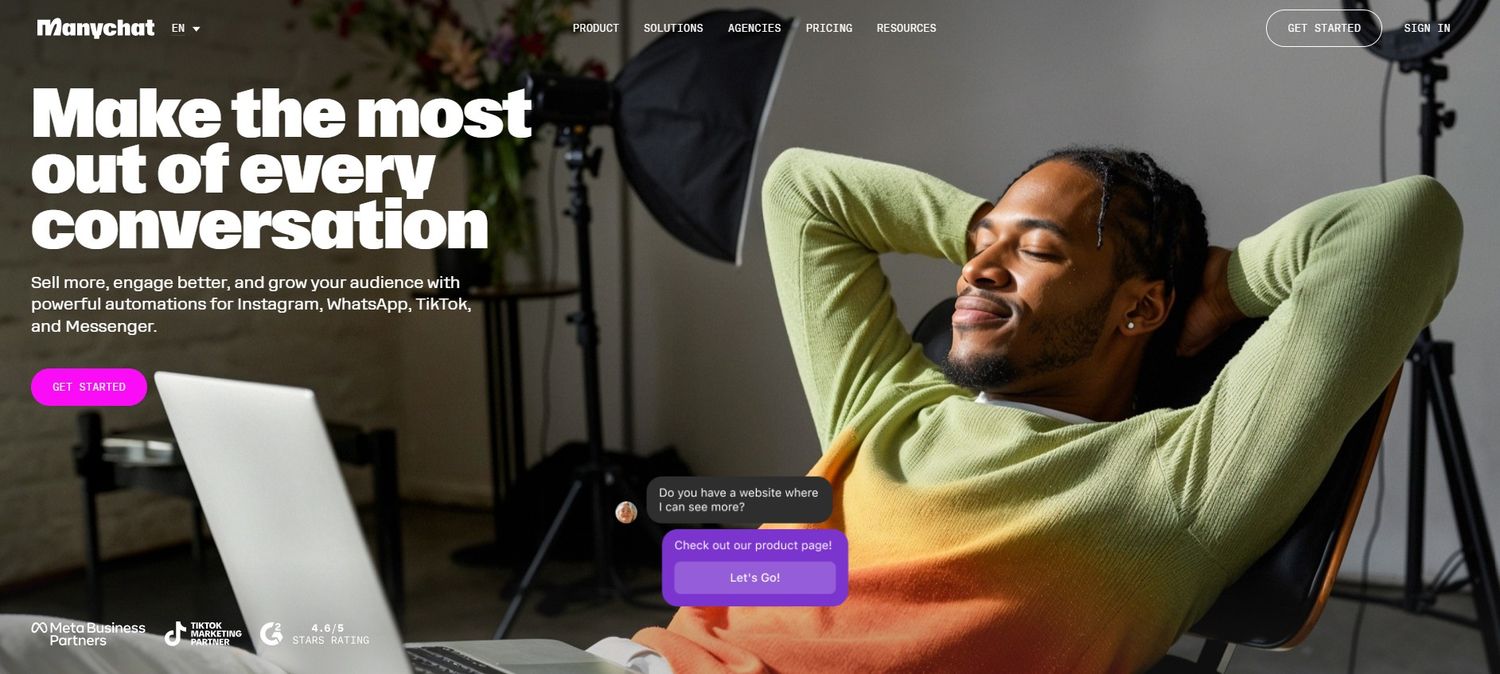
Users like the product itself. It holds 4.5 out of 5 on G2, and the recurring praise is that non-technical people manage to build serious automation flows with it. If you run a business across several messaging channels, ManyChat is still the serious tool in the room.
The Pricing Problem
The complaints start with the bill. ManyChat charges by "active contacts," and its definition is generous to ManyChat: anyone who interacts with your automation counts, whether or not the interaction went anywhere. We've broken down how that counting works in our ManyChat active contacts explainer; the practical effect is that success raises your price.
Flowgent's pricing analysis describes the typical arc: start at $15/month, hit 1,200 contacts, and the bill is suddenly $50/month for the same product. Kayako's alternatives roundup puts businesses with 10,000+ contacts at $100/month or more. And that's before the AI add-on, which costs an extra $29/month and which Flowgent's review found closer to keyword matching than actual conversational AI.
What the Reviews Keep Repeating
ManyChat's Trustpilot page sits at 4.1 out of 5 across 160+ reviews, and the one-star reviews cluster around the same two stories: charges that continued after cancellation, and email-only support that takes days to respond, which is a bad combination when the thing you need help with is a billing charge. Hack'celeration's review, which compiled 15 real user reviews, and SetSmart's 30-day test both land in the same place: the automation works, the pricing and support experience is where people get burned. You'll find the same pattern if you browse the r/ManyChat subreddit, where pricing threads reliably outnumber feature threads since the March change.
To be fair to ManyChat: people who stay within a plan tier and run simple funnels mostly report it works as advertised. The anger shows up when accounts grow, because that's when the price jumps.
CreatorFlow vs ManyChat: Feature by Feature
Here's the head-to-head, with InstantDM included as the third column since it's the option we keep getting asked to compare against both.
| CreatorFlow | ManyChat | InstantDM | |
|---|---|---|---|
| Pricing model | Flat rate, capped DMs | Scales with active contacts | Flat rate, unlimited |
| Free plan | 500 DMs/month | 25 contacts, 4 automations | 500 automations/month, no expiry |
| Entry paid price | $15/month (5,000 DMs) | $15–17/month (250–500 contacts) | $9.99/month (unlimited, 750/hr) |
| Cost as you grow | Capped at 10,000 DMs on top plan | $50–100+/month past a few thousand contacts | Stays $9.99/month |
| Multi-step flows | No, single message only | Yes, full branching builder | Yes, multi-step funnels |
| AI replies | No | $29/month add-on | Included (AI comment replies) |
| Email capture | Pro plan and up | Paid plans | Included at $9.99 |
| Platforms | Instagram only | Instagram, Messenger, WhatsApp, TikTok, SMS, email | Instagram-first |
| Mobile app | No, web only | Yes, iOS and Android | Yes, iOS and Android |
| Support | Self-serve via blog and help docs | Community forum plus email tickets | Live chat, WhatsApp priority on Trendsetter |
| Meta status | Meta Tech Provider | Meta Business Partner | Meta Business Partner |
| Best for | Solo creators with simple link delivery | Multi-channel businesses and agencies | Instagram creators who want flows without the meter |
Why Choose a Meta Business Partner Over a Regular Tech Provider
That Meta status row deserves its own section, because the two tiers get blurred together in marketing copy and they are not the same thing.
A Meta Tech Provider is a company Meta has approved to build on its APIs. It means the tool talks to Instagram through the official Graph API instead of a browser bot or your password, which keeps your account out of trouble. CreatorFlow holds this tier, and there's nothing wrong with holding it.
A Meta Business Partner has been through a deeper vetting program. Meta reviews the company's track record, data handling, and client results before granting the badge, then keeps re-reviewing partners to keep it. Vetted partners are listed in Meta's official partner directory. ManyChat and InstantDM both hold this status.
So why would a badge matter to you? Mostly in situations where you're already having a bad day:
- When the API changes. Instagram adjusts its messaging rules and rate limits regularly. Business Partners get advance notice and early access, so the tool adapts before your automations break. Tech Providers find out when everyone else does, and you find out when your flow stops firing.
- When something breaks mid-campaign. Partners have a direct support line into Meta. If your account connection drops during a launch, "we've escalated this to Meta" carries weight when a Business Partner says it. When anyone else says it, they've joined the same public queue you could have joined yourself.
- When your account gets reviewed. Automation running through a vetted partner carries more trust in Meta's systems. It won't make you immune to enforcement, but at high DM volume you want every bit of that trust working for you.
None of this makes a Tech Provider dangerous to use. The difference only surfaces when something goes wrong, and by then it's too late to switch. If you want the full breakdown of the tiers and how to verify a tool's status yourself, we've written a guide to what a Meta Business Partner actually is.
Support: Who Picks Up When Something Breaks
No one shops for automation software by reading the support page. It only becomes interesting at 9pm on launch night, when a flow stops firing and your comments are piling up. The three tools handle that moment differently.
CreatorFlow has no chat support. When something doesn't work, the path is self-serve: search their blog and help articles and hope your problem is one they've already written up. For a tool this simple that's often enough; single-message automations don't leave much to break. But "figure it out from our blog" is a cost you won't see on the pricing page. If a Reel is pulling comments right now and your DM isn't sending, reading articles is a slow way to put out the fire.
ManyChat leans on its community. Credit where due: the ManyChat community forum is large and active, and peer answers there solve a lot of real problems, often faster than official channels do. The catch is what "official channels" means. Direct support is email-based, and the Trustpilot reviews keep describing multi-day waits and chatbot deflection, which is a rough combination when your issue is a billing charge rather than a how-to question. Community support is great for common problems and lonely for rare ones.
InstantDM has live chat. You open the chat, describe the problem, and a person answers. The Trendsetter plan adds a priority WhatsApp line on top. You'd expect that level of support somewhere around ManyChat's $99 Business tier; here it comes with the $9.99 plan.
In fairness to CreatorFlow, young companies add support channels as they grow, and chat may well arrive later. Today it isn't there, and today is when your campaign runs.
The Math at Three Stages of Growth
A feature table can't tell you what happens to your bill when a post takes off, and that's the question that decides this comparison. So let's walk through it.
Stage 1: Under 1,000 Followers
CreatorFlow's free 500 DMs are plenty. ManyChat's free 25 contacts are not; you'd outgrow them in your first afternoon of running a keyword campaign. At this stage CreatorFlow wins the free-tier fight against ManyChat outright, and InstantDM's free tier (500 automations a month, no credit card, no expiry) plays in the same range.
Stage 2: 5,000–15,000 Followers, Posting Consistently
Now the models diverge. On ManyChat you're accumulating active contacts every week, so you're on the escalator: $39/month on Pro at 2,500 contacts and climbing. On CreatorFlow you're paying a flat $15, which sounds solved, except one well-performing Reel can pull thousands of comments, and your 5,000 DM allowance is a monthly ceiling on how well your content is allowed to perform. You end up either upgrading or leaving commenters unanswered, and unanswered commenters were the whole point of the tool.
Stage 3: The Viral Month
This is where both models break. We ran the numbers on high-volume campaigns in our cost breakdown of Instagram DM automation: a campaign handling around 300,000 comments lands upwards of $1,600/month on contact-tiered systems like ManyChat. CreatorFlow simply can't process it; 10,000 DMs is the hard ceiling on its top plan. The month your content finally does what you've been working toward is the month both tools either charge you a multiple or cut you off.
The Same Viral Post on All Three Bills
Here's what one comment-to-DM campaign costs at different levels of virality. The assumption: every comment triggers one DM, and each commenter is a new active contact that month, since ManyChat's meter counts them that way. The ManyChat figures are estimates built from its published plans ($29/month Pro with 2,500 contacts, $69/month Business with 7,500) plus its per-contact overage rate of $0.018 to $0.025, as documented in Flowgent's pricing teardown. Your exact bill depends on which plan you're on, so read these as the shape of the curve rather than an exact invoice.
| Comments on your post | CreatorFlow | ManyChat (est.) | InstantDM |
|---|---|---|---|
| 5,000 | $15 (Pro, right at its 5,000 DM cap) | $69–92 (Business plan, or Pro plus overages) | $9.99 |
| 10,000 | $29 (Growth, at its 10,000 DM ceiling) | $114–132 (Business plus 2,500 contact overages) | $9.99 |
| 20,000 | Can't do it. 10,000 commenters get a DM, 10,000 get silence | $294–381 (Business plus 12,500 contact overages) | $9.99 |
| 30,000 | Can't do it. Two thirds of your commenters get nothing | $474–632, before custom-tier negotiation | $9.99 |
A few footnotes before anyone quotes this table. Actual campaigns have repeat commenters, so contact counts run a little below comment counts. ManyChat's bulk tiers also bend the curve down at extreme volume; our 300,000-comment data point worked out to roughly $1,600/month rather than the $6,000 the overage rate would predict, so past 30,000 you're in negotiate-with-sales territory. And InstantDM's $9.99 Legend Pro plan delivers at up to 750 DMs per hour, meaning a 20,000-comment surge spreads across a day or so; the $24.99 Trendsetter plan removes the throttle if you want the whole spike handled at full speed.
Still, you can see the shape from across the room. CreatorFlow's line just stops, ManyChat's keeps climbing, and the flat one doesn't care how viral you went.
Where InstantDM Fits Into This
Full disclosure, this is our blog, so weigh accordingly. But the reason InstantDM keeps coming up in these comparisons is a gap you can verify yourself: neither CreatorFlow nor ManyChat gives you automation depth at a flat price.
InstantDM's Legend Pro plan is $9.99/month with unlimited contacts and unlimited automations (rate-limited at 750 per hour). That plan includes the things CreatorFlow is missing: multi-step DM funnels, in-chat email capture, and AI-powered comment replies. And it drops the thing people leave ManyChat over: there is no contact meter, so the bill in your viral month is the same as the bill in your quiet month. It's also a full Meta Business Partner, the same partnership tier as ManyChat and one above CreatorFlow's.
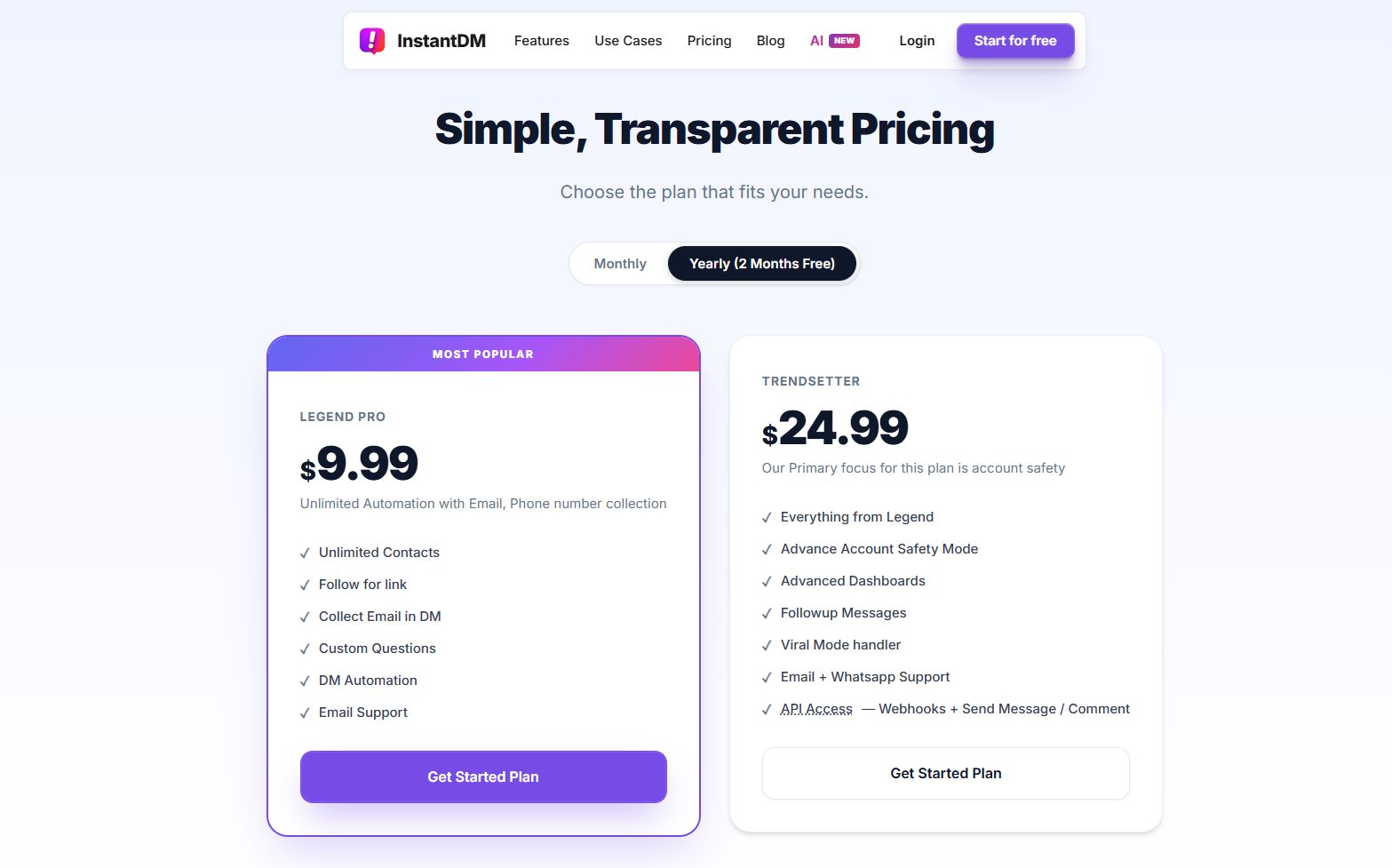
There's a free tier of 500 automations a month with no card and no expiry, and a 7-day trial of the full paid feature set. If you want the deeper head-to-heads, we've written up InstantDM vs ManyChat and a wider field guide to the 15 best ManyChat alternatives in 2026.
The Verdict: Who Should Pick What
Pick ManyChat if you genuinely need WhatsApp, Messenger, SMS, and email in one platform, or you're an agency building complex branched flows for clients. Nothing else here matches its builder. Just go in with your eyes open about the contact-based bill, and check the Trustpilot reviews on cancellation before you hand over a card.
Pick CreatorFlow if you're a solo creator, you want one thing only (comment keyword, receive link), and your comment volume is modest. It's cheap, quick to set up, and safe. Accept that you're buying a single feature, and that a good month can hit its ceiling.
Pick InstantDM if you're Instagram-first and want the middle path: ManyChat-style flows, email capture, and AI replies, at a flat $9.99 that doesn't move when your audience grows. The free tier is enough to run a real campaign and see your open rates before paying anything.
Whichever way you go, stay on tools built on the official Instagram API. The pricing differences between these three are real money, but they're small compared to the cost of an automation ban from a password-based bot.
Sources and Further Reading
- ManyChat reviews on Trustpilot
- ManyChat reviews on G2
- CreatorFlow reviews on Trustpilot
- ManyChat community thread on the 25-contact free plan
- Flowgent: ManyChat review 2026 and ManyChat pricing analysis
- Hack'celeration: ManyChat honest verdict with 15 user reviews
- SetSmart: ManyChat 30-day test
- Superpower: Is ManyChat free in 2026?
- Inro: CreatorFlow feature teardown
- CreatorFlow's own ManyChat comparison
- r/ManyChat on Reddit