Last updated: October 31, 2026
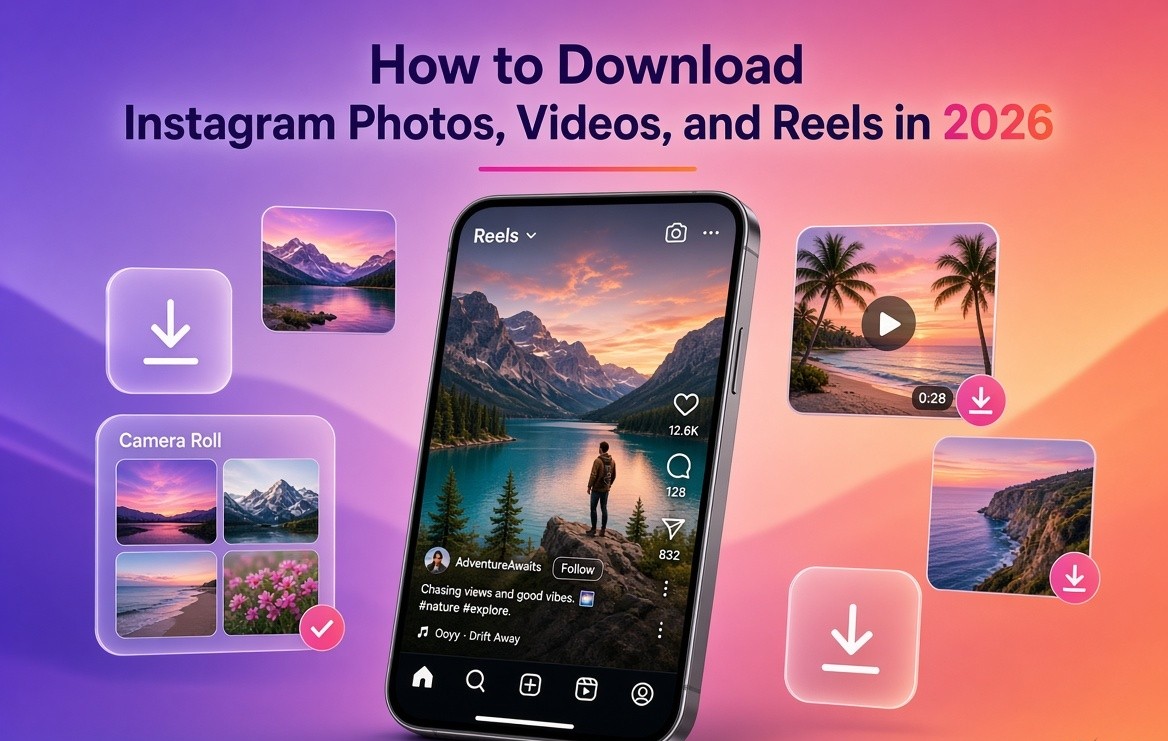
How to download Instagram photos and videos is three paths, not one button. Export your own archive from Accounts Center. Save a Reel you posted to camera roll. Paste a public link into a no-login site only when you have a right to keep that file. Instagram still has no universal download for other people's posts. In-app Save is a bookmark. It does not put a JPG or MP4 on disk.
Native Repost and Add to Story are how you publish someone else's post.
Key takeaways
- Your media: Accounts Center export plus Save to camera roll.
- One public file you may keep: copy link, no-login website, no password.
- Private accounts, password login, and "download their whole grid" are a no.
What is an Instagram media downloader?
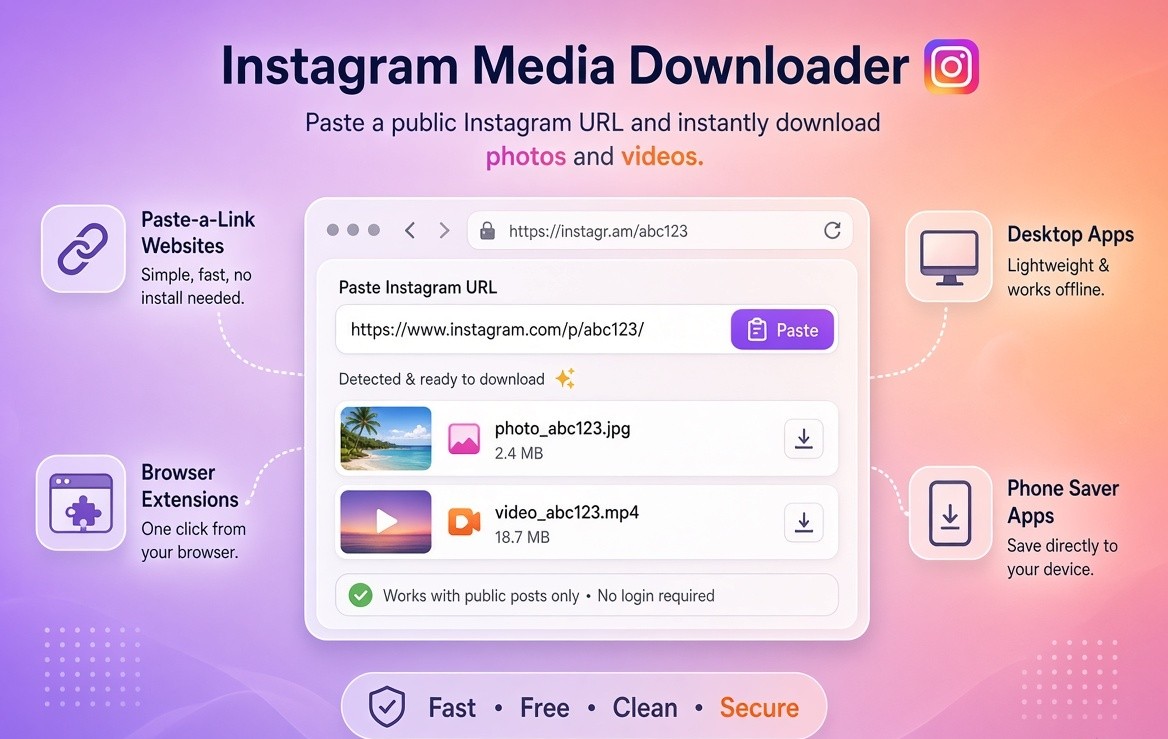
An Instagram media downloader takes a public Instagram URL and returns the photo (JPG) or video (MP4) Instagram already hosts. The category includes paste-a-link websites, browser extensions, desktop apps, command-line tools, and phone saver apps.
Use one when you posted a Reel on your phone and need the master MP4 for TikTok, Shorts, or a client folder. Use one when a Story you have permission to reuse dies in a few hours. Use one when Instagram's Save collection is not a real file. Use one when you want a local copy before you delete or migrate an account.
Do not use one when the profile is private. Do not use one when you plan to republish the file as if you shot it. Do not use one when the page asks for your Instagram password. Do not use one when the pitch is one-click theft of an entire influencer grid.
A downloader is a file tool. It is not a license.
Can you download Instagram photos and videos officially?
Yes for content you posted. For other people, Instagram gives you a private bookmark, and sometimes a watermarked Reel download if they left that switch on.
Your feed photo or video: Accounts Center export, plus save on your own post.
Their public feed photo: Save to collections. That is not a file.
Your Reel: three dots, then Save to camera roll. Clean MP4.
Their Reel: bookmark, or Share then Download if they enabled it. That file has the Instagram logo and their username.
Your Story: auto-save to camera roll plus Archive.
Their Story: no download button if you were not tagged.
Your Live: Download Video right after you end it. Leave that screen and the button is gone.
Carousel: export, or save your own slides. Good unofficial tools zip every slide.
Private account: your own data only. Walk away from any tool that promises otherwise.
In-app Save is a bookmark inside Instagram. It does not put an MP4 on your phone. The native Download on someone else's Reel, when it exists, stamps the Instagram logo and the creator's username. That is the product working as designed.
How do you export Instagram data from Accounts Center?
You export Instagram data from Accounts Center under Your information and permissions. That zip is the real backup of your photos, videos, Reels, Stories, captions, and timestamps.
Meta moved Download Your Information into Accounts Center. The steps match on iPhone, Android, and desktop.
- Profile, hamburger menu, Settings and privacy, Accounts Center.
- Your information and permissions.
- Export your information.
- Create export, then pick the Instagram profile.
- Export to this device, or to Drive or Dropbox if offered.
- Date range: All time if this is a real backup.
- Format: HTML to browse, JSON if you will parse it.
- Media quality: High. The zip gets larger. That is the point.
- Start export. Confirm with your password on Instagram, not on a downloader site.
Meta emails you when it is ready. You usually have four days to grab the zip. Select photos, Reels, Stories, captions, comments, and DMs if you want them in the package. Data logs can take up to about 15 days and arrive separately.
Do this twice a year. Phones die. Business accounts get locked. "I'll download it later" is how five years of product photos disappear.
If you manage a client account, run the export while you still have access. Do not wait for the handoff email. Desktop apps that ask for the client's Instagram password are the wrong archive tool.
What's in a high-quality export: original-ish uploads Instagram stored, captions, timestamps, and often Stories you archived. What is not in it: other people's grids, private accounts you follow, or a clean commercial license to reuse UGC.
How do you download Instagram Reels?
You download Instagram Reels you posted with Save to camera roll. You download a public Reel you may keep by copying the link into a no-login site. You do not download a private Reel.
Your own Reel:
- Open it on your profile.
- Three-dot menu.
- Save to camera roll / Download.
That MP4 is original quality. Instagram does not stamp your own username on it the way it stamps other people's Reels.
Someone else's public Reel:
- Open the Reel.
- Share or three dots, Copy link.
- Paste into a no-login site (FastDL, Snapinsta, SSSInstagram, or iGram in 2026 tests).
- Pick 1080p if a quality ladder appears.
- Save the MP4.
If they left native Download on, Instagram's own file includes the logo and their @. Keep that stamp if you only needed a reference copy. Cropping it off and re-uploading is a publishing problem.
Drafts and Edits projects: in the composer, tap Next, then Download to dump the video to camera roll before you publish, or Save draft to keep it inside the app on that same phone. Drafts do not follow you to another device. Uninstall the app and they vanish. Music you picked from Instagram's library often does not travel with the downloaded file. Plan for that before you re-upload to TikTok or Shorts.
How do you save Instagram Reels to camera roll?
You save Instagram Reels to camera roll from the three-dot menu on a Reel that is already on your profile. That is the official file. It is not in-app Save, and it is not a third-party site.
- Open Instagram on the phone that posted the Reel.
- Go to your profile, open the Reel.
- Tap the three dots.
- Tap Save to camera roll, or Download.
The MP4 lands in Photos on iPhone or in Gallery / Downloads on Android. Do this the same day you publish. If the control is missing, you are on someone else's Reel, or you are looking at Share instead of the three-dot menu.
In-app Save only bookmarks the Reel inside Instagram. Uninstall the app and that bookmark does not become a file on disk.
If you need the file before you publish, use Next, then Download in the composer. Drafts stay on that phone. They do not roam to a new device.
How do you download Instagram Stories?
You download Instagram Stories you posted by turning on Save story to camera roll. Instagram has no download button for a public Story that did not tag you.
Your Stories:
- Settings and privacy, Archiving and downloading.
- Turn on Save story to camera roll.
Every future Story lands in Photos and Archive. You can also open a live Story, three dots, Save. Do this the day you create the account. Catch-up is worse than a toggle.
You were tagged: Add to Story is a reshare, not a file. Steps are in How to Add a Post to Your Instagram Story (+ Fixes) 2026.
Public Story, you were not tagged: people screen-record, or use story viewers that rot because Stories expire and Instagram rate-limits anonymous viewers.
Screen record is blunt:
- iPhone: Control Center, Screen Recording, play, stop, trim.
- Android: quick-settings recorder.
Instagram does not notify the poster of a normal Story screenshot or screen recording. That does not grant you a license to publish it.
Highlights: yours come back through Archive plus Accounts Center. Theirs are view-only. Treat Highlight scrapers like Story viewers. They break first.
Your Live: end the broadcast, tap Download Video immediately. Leave that screen and the button is gone.
How do you download Instagram videos on iPhone, Android, and PC?
You download Instagram videos on iPhone, Android, and PC with the same paste-a-link method for public posts you may keep. No APK. No password.
- Open the post or Reel.
- Share or three dots, Copy link.
- Open Chrome or Safari. On a computer, copy instagram.com/p/ or /reel/ from the address bar.
- Paste into a no-login site.
- Pick 1080p if the tool shows a quality ladder.
- Save the MP4 or JPG.
On iPhone the file often lands in Files, not Photos. Open Files, long-press, Save to Photos if you want it in Camera Roll. On Android check Downloads, then DCIM. On a computer the file lands in the browser's download folder.
Carousel: weak tools return only slide one. Usable tools list every slide or zip the set. If you need one specific slide, open that slide before you copy the link. Some sites ignore the active slide. A 10-slide carousel that comes back as one JPG is a fail. Run the same URL on a second host before you assume Instagram only served the cover.
Quality: Instagram stores several renditions. A good tool grabs the top rung, often 1080p. A lazy tool saves the 360p or 720p stream your phone was playing. If the file looks soft, try a second no-login host before you assume Instagram only had 720p. Pixel sizes for feed and Reels are in Instagram Post Size Guide 2026 (Feed, Grid, Reels).
How do you download Instagram video without an app?
You download Instagram video without an app by copying the public link and pasting it into a no-login website in Chrome or Safari. You do not install an APK, an IG saver, or a browser extension.
- Open the public post or Reel.
- Copy link.
- Paste it on a no-login host in the phone browser or on a computer.
- Save the MP4.
Your own video still does not need a website. Use Save to camera roll or Accounts Center. An app is the worst option of the three: it wants permissions, it dies when Instagram changes an endpoint, and a lot of them ask for a password.
No app also means no "unknown sources." If a page tells you to sideload a saver to unlock HD, close it.
Why do IG saver apps belong in the trash?
IG saver apps belong in the trash when they demand login, extra permissions, unknown-source APKs, or private-account downloads.
They die the week Instagram changes an internal endpoint. Private-account download is a phishing pitch. If a tool needs your password, it is not a downloader. Close the tab.
Prefer a plain HTTPS page you can close. Do not install a browser extension that can read every cookie. Do not enable unknown sources to "unlock HD."
How we evaluate Instagram downloader tools
We score a downloader on login, watermark, quality, formats, carousel completeness, Stories durability, bulk scrape of strangers, safety, and honest legal copy. Login for a public URL is an instant fail.
Login required? Public media should never need your credentials.
Does the tool add a watermark? Instagram's own optional Reel download already watermarks. A third-party tool should not add a second stamp. "No watermark" only means the tool stayed out of the file. It does not cancel copyright.
Quality ladder. Pass if you can pick the top rendition.
Format coverage. Photo, video, Reel, every carousel slide, Story, Highlight. Bonus: caption text.
Carousel completeness. Pass only if every slide comes back.
Stories and Highlights reliability. This is where tools die first. A site that worked in March can 404 in August.
Bulk scrape of strangers. "Download this entire grid" is the feature that gets tools abused and then blocked. We do not treat it as a plus unless you are archiving your profile.
Safety. No random APK. No cookie-reading extension. Prefer HTTPS you can close.
Durability. Tools that wrap maintained extractors recover in a day or two. Hard-coded scrapers die.
Honest legal copy. If the homepage promises anyone's private Story, treat the product as hostile.
| Tool type | Notes |
| No-login web tools (FastDL, Snapinsta, SSSInstagram, iGram) | best of the unofficial set for one public URL |
| Story viewers (StoriesIG, AnonyIG) | yes until they break, ad-heavy |
| Browser extensions | high quality when alive, medium risk |
| Desktop apps (4K Stogram, SnapDownloader) | high quality, account risk if you log in. Use them for your archive |
| Phone saver apps | avoid |
| Accounts Center export | original quality, best for a full backup of you |
| yt-dlp / Instaloader | highest available stream if you know the command. Public URL or a session you are willing to risk |
Independent 2026 roundups keep putting FastDL-style web tools at the top for paste link, HD MP4, no account. Names rotate. The pattern does not: no login, public URL only.
None of these unofficial tools are approved by Instagram.
Is FastDL safe?
FastDL is safe enough for one public link if you never type your password, never install its extras, and never point it at a private account. It is still unofficial.
It keeps passing no-login, public-link, HD-file tests in 2026 write-ups. Use it like any random website. No extra extension. No bulk job against a stranger's profile. Keep a second bookmark (Snapinsta, SSSInstagram, or iGram) because these hosts have bad weeks.
A no-login site fetching a public URL is not logged in as you. Logged-in scrapers, desktop tools tied to your session, and aggressive bulk jobs are a different risk. Account-restriction patterns from unofficial apps are covered in Instagram Shadowban: How to Check, Fix and Avoid It (2026).
What does Reddit actually say about Instagram downloaders?
Reddit's stable advice is: prefer a website over an app, never type your password, and keep two or three bookmarks because no domain stays best.
Copy the link. Paste it. Save the MP4. Do not install anything. Apps want permissions you should not grant.
Threads still appear where someone logged into a saver and lost the account. That is treated as hygiene, not a debate.
FastDL, Snapinsta, SaveInsta, iGram, Inflact, StoriesIG: the winner this month is whichever host still resolves Instagram's current media CDN.
Private accounts are a hard no. Anyone selling private Story downloads is lying or harvesting credentials.
yt-dlp is the power-user answer. Technical threads skip the pop-unders and run yt-dlp or Instaloader on a computer. Fewer ads.
Treat Reddit as operational hygiene, not a lawyer.
Is it legal to download Instagram videos and photos?
It is allowed to download your own Instagram videos and photos. Downloading someone else's file is limited by Instagram's Terms of Use and by copyright in your country. Saving a public file is not a license to republish it.
Instagram lets you save to private collections, download your media, and share a public post to Story when the author allows it. Instagram does not let you scrape the service, bypass privacy, or build a product whose main job is mass-downloading other people's files. Paste-a-link sites are common and still sit outside what the product was designed to do. That is why they break, vanish, and come back under new domains.
Copyright cares about what you do after the file is on disk.
Personal reference or a private swipe file: lower risk, still not a license.
"Credit: @name" in a caption: still a copy. Credit is manners, not a license.
Run the clip as an ad: you need a written license.
Crop out the username and present the work as yours: the version that gets reported.
If you are a brand using UGC, get a DM or email that names the asset, the channels, and the duration. Keep the thread.
For unoriginal-post reach, see How Instagram Reposts Unlock Organic Reach That Most Creators Are Missing. Native reshare steps are in The Ultimate Guide to the Instagram Repost Feature in 2026.
How should creators and agencies back up Instagram media?
Creators and agencies should back up Instagram media with Accounts Center twice a year, Save story to camera roll from day one, and Save to camera roll the same day on every Reel they care about.
A sane stack:
- Accounts Center export twice a year, high quality, stored off the phone.
- Save story to camera roll left on from day one.
- After every Reel you care about, Save to camera roll the same day.
- Folders by month: reels, stories, product-stills. Instagram already compressed the upload. The camera-roll original is the master.
- If you shoot on a real camera, keep the camera file.
When you reuse your own Reel on another app, recut the hook. Do not dump the identical 15 seconds onto four apps in the same hour if you can avoid it. Burn in your handle if the next platform will strip context. Replace Instagram-licensed audio before you leave the app.
Downloading your own work is maintenance.
Which method should you use?
Your own posts, Stories, and Reels in original quality: Accounts Center plus Save to camera roll.
One public Reel for personal reference: copy link, no-login website. Do not install an app.
A Story that tagged you, on your Story: Add to Story. Not a downloader.
Every photo from any user: you don't, not cleanly, not at scale.
A site that wants your password to unlock HD: close the tab.
About the Author
Aravindh Kumar is an ecommerce and Instagram growth expert with 8+ years of experience in online selling. He has worked with 500+ brands, including Forbes-listed companies, helping them build profitable Instagram sales channels. He has helped 200+ Instagram businesses grow their online presence.