TL;DR
An Instagram shadowban is the creator name for posts that stop reaching non-followers. Instagram doesn't use the word, but it does limit recommendations, and it shows you when: open your profile menu and tap Account Status. If something is flagged you can edit it, delete it or ask for a review. Everything else you've read is mostly guesswork.
- The documented version of a shadowban is "not eligible to be recommended". Your followers still see your posts. Explore, Reels, Search, feed suggestions and Suggested Accounts stop showing you to strangers.
- Account Status is the only place that states it. The recommendations row appears for professional accounts.
- Instagram publishes no fixed duration. Its own phrase is "a period of time".
- Shadowban checker websites cannot see your Account Status. Nobody outside your login can.
- If Account Status is clean, a reach drop is usually about the content, with no penalty involved.
- Password bots get accounts restricted. Official-API tools that reply to people who engaged first are a permitted use.
The rules below come from Instagram's and Meta's own pages as they stood in October 2026, and each one is linked. Where all we have is what creators report, the text says so.
What do people mean by an Instagram shadowban?
They mean their reach fell and nobody told them why. A Reel that normally gets 8,000 views gets 600, hashtags stop bringing anyone in, and the account looks normal from the inside. That last part is the "shadow".
The word gets used for at least four different situations:
- Your account or a post has been marked as not recommendable. This one is real, documented and checkable.
- A post was removed, or a feature was restricted, and you missed the notice.
- A hashtag you used is hidden from search.
- Nothing happened to your account. The posts did worse, or Instagram changed how it ranks things.
Only the first deserves the name. The fourth is the one we see most, and no "recovery" routine fixes it because there's nothing to recover from.
Does Instagram admit that shadowbanning exists?
Instagram avoids the word but describes the mechanism in plain terms. In the May 2023 post Instagram Ranking Explained, Adam Mosseri wrote that people use "shadowbanning" to mean an account or its content is limited or hidden without a clear explanation, and added: "When we rank content across Instagram, that's not our intention."
Then he describes what Instagram does do. An account that repeatedly posts content against the Recommendations Guidelines or Community Standards can find that "none of their posts will be eligible for recommendation for a period of time." That is a reach limit on a whole account, described by the head of Instagram. Call it what you like.
He also says Instagram does not suppress content to push people into buying ads, a rumor that refuses to die.
The company's wording has changed over the years, which is why guides written at different times contradict each other. This is the record from Instagram's own posts:
- June 2021. In Shedding More Light on How Instagram Works, Mosseri wrote that people often accuse Instagram of shadowbanning or silencing them, and admitted the company hadn't always done enough to explain why it takes content down.
- October 2021. Account Status launched as the place to see what is happening with your account.
- December 2022 to June 2023. Professional accounts got the recommendations check, then Search and Suggested Accounts eligibility, then restricted features.
- May 2023. The ranking post quoted above, which also says: "If anything makes your content less visible, you should know about it and be able to appeal."
Instagram's position, then, is that reach limits exist and that you can see and appeal them in Account Status. Plenty of creators think the tool tells them too little, and they have a point.
What are the signs of an Instagram shadowban?
One sign matches a documented limit: reach from non-followers falls suddenly while reach from followers holds. The other items on the usual lists have more ordinary explanations.
- Non-follower reach collapses on several posts in a row. This fits a recommendation limit. Insights shows the split, and Account Status confirms it or rules it out.
- Your posts don't show under a hashtag. Hashtag results are ranked and most posts never get near the top, so this proves little. The tag itself may also be hidden from search.
- Your username doesn't come up in search. Account Status has covered Search and Suggested Accounts eligibility since April 2023, so look there.
- Story views drop. Stories go to people who already follow you, and a recommendation limit doesn't change what followers get.
- Other people can't see your comments, or a popup stops you from commenting. The first is usually a filter on the other account and the second is an action block. Both are covered further down.
One weak post isn't a sign of anything. A pattern only shows up across a run of posts.
How do you check if you're shadowbanned on Instagram?
Check Account Status. It's built into the app and it is the only place that shows Instagram's own decision about your account. The official instructions are in the Help Center article Check your Account Status on Instagram.
On iPhone and Android
- Open Instagram and tap your profile picture in the bottom right.
- Tap the menu (three lines) in the top right. The screen that opens is called Settings and activity.
- Scroll down to the More info and support group.
- Tap Account Status.
Can't see it? Type "account status" into the search bar at the top of Settings and activity. Instagram moves this entry around, and older guides still send you to Settings, then Account, where it lived in 2022.
On a computer
- Go to instagram.com and click More in the bottom left.
- Click Settings.
- Find Account Status under More info and support.
What you'll see inside
Account Status lists a few rows, each with a green tick or a warning. Labels vary a little between app versions. As of October 2026 they cover:
- Removed content: posts, stories or comments Instagram took down.
- Features you can't use: anything currently restricted on your account.
- Recommendations (often worded as what can't be recommended): whether your account and content can be shown to non-followers.
- Monetization, if you use those tools.
The recommendations row is your shadowban check. Tap it. Either it says your account and content can be recommended, or it lists the posts and profile details that can't.
Instagram added that row for professional accounts in December 2022, according to its own Account Status announcement. A personal account sees removed content and restricted features but may not get the recommendations row at all. Switching is free, and the steps are in our guide to creating a professional Instagram account. Every row is explained in how to check Instagram Account Status.
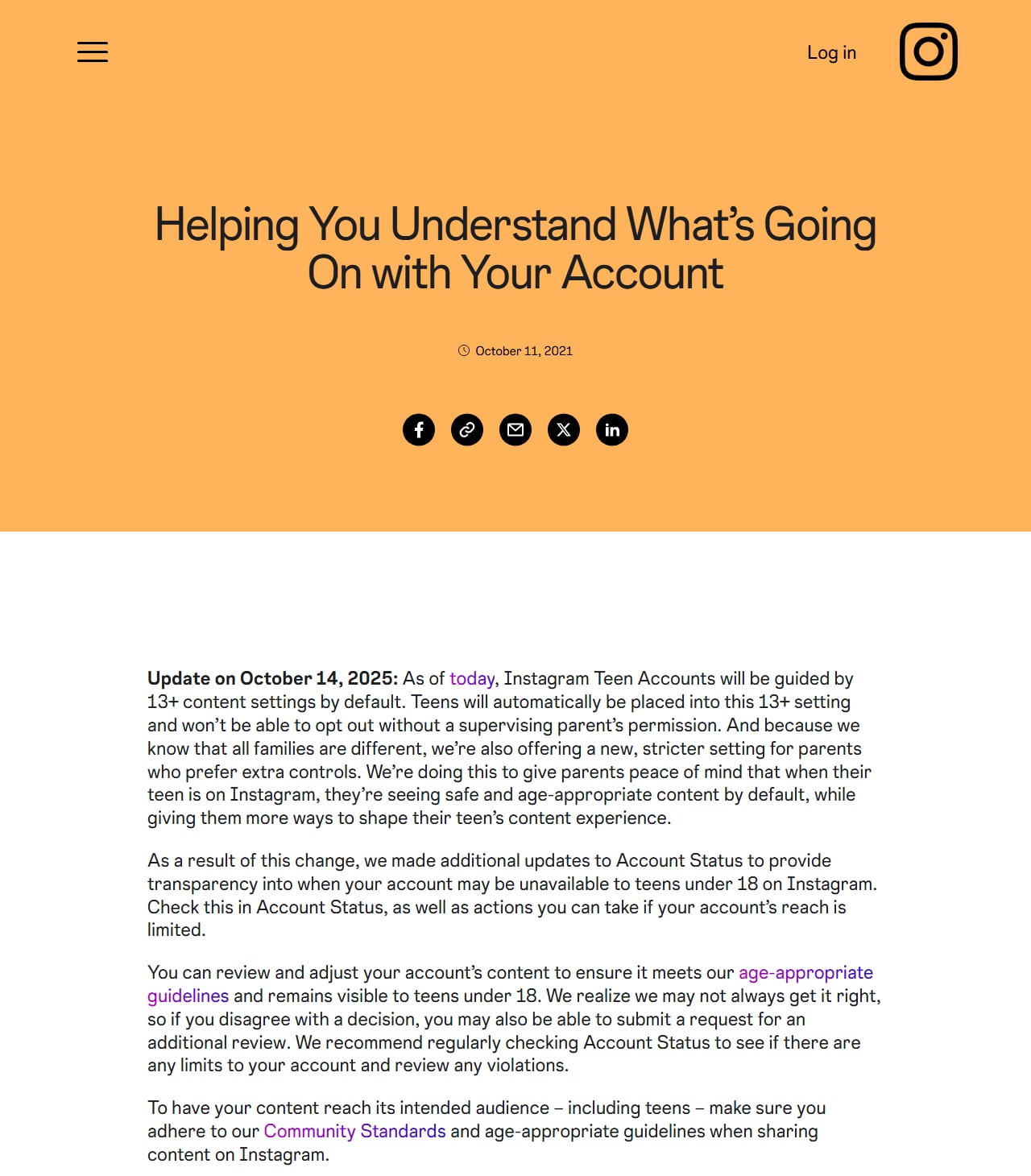
Instagram's Account Status announcement and its October 2025 update. Screenshot of about.instagram.com taken October 9, 2026.
Does the hashtag test still work?
Not as proof. The test goes like this: publish a post with a small hashtag, then have someone who doesn't follow you search the tag and look for it. If they can't find the post, the guides say you're shadowbanned.
A missing post has several innocent causes. Hashtag results are ranked and don't list every post, the tag may be one Instagram has hidden, and what your friend sees depends on the settings of their own account. Passing tells you little as well, because a post can sit under a tag while Account Status still marks the account as not recommendable.
What does "can't be recommended" mean in practice?
It means Instagram won't put that post, or your whole account, in front of people who don't follow you. Your followers still get your posts in Feed and Stories, and anyone can open your profile or a direct link. Nothing is deleted.
What you lose are the places Instagram calls recommendation surfaces: Explore, the Reels tab, suggested posts in Feed and, since an April 2023 update, Search and Suggested Accounts. For most accounts that's where new followers come from.
Account Status shows which of two levels you're on. A single post can be ineligible while the rest of the account is fine. Or the account itself is ineligible, and nothing you post gets recommended until that changes.
Don't confuse this with removal, which runs on a different rulebook. A post is removed under the Community Standards: it's gone for everyone and can count as a strike. A post is limited under the Recommendations Guidelines, which are stricter: it stays on your grid and your followers see it, but Instagram won't suggest it to anyone new. Instagram describes this group as content that is allowed but that it "may make harder to find".
Ordinary businesses land there all the time. A clinic posting about cosmetic procedures and a supplement shop both sell things the guidelines list as not recommendable, and neither has broken a rule.
Shadowban vs action block vs disabled account: what's the difference?
People say "banned" for all four of these, and the fix for one does nothing for the others. Find the row that matches what your phone is showing you.
| What happened | What you notice | Who still sees your posts | Where Instagram tells you | How it ends |
|---|---|---|---|---|
| Not recommended (the "shadowban") | Non-follower reach falls. No popup. | Followers, and anyone who visits your profile | Account Status, recommendations row | Edit or delete the flagged item, or win a review. Otherwise it lapses after an unpublished period. |
| Content removed | A post, story or comment disappears, usually with a notification | Nobody sees that item. The rest of the account is unaffected. | Account Status, Removed content | Request a review. Meta says strikes expire after one year. |
| Action block or feature restriction | You try to comment, follow, like or message and get an on-screen message refusing | Everyone, as normal | The popup itself, and Features you can't use | It times out. Account Status may show the end date. |
| Account disabled | You can't log in. A message says the account was disabled. | Nobody | The login screen and an email | Appeal within the window Instagram gives you, or the account is deleted |
If you're in the bottom row, this is the wrong article: read how to get back a suspended or disabled account. A fifth case, where Instagram asks you to confirm your identity before letting you in, is covered in recovering a locked Instagram account. Instagram's own page on disabled accounts explains the appeal.
What causes an Instagram shadowban?
The documented causes come from the Recommendations Guidelines or from recent rule violations. Instagram lists them publicly, so there's less mystery here than the forums suggest.
Causes Instagram documents
- Content in a sensitive category. The guidelines name self-harm and eating disorder discussion, violent or graphic imagery, sexually suggestive content, and promotion of regulated products, weight loss products and cosmetic procedures.
- Something on your profile. Instagram says a profile photo or bio can make the whole account ineligible, which catches people who only audit their posts.
- Recent Community Standards violations. Accounts that recently broke the rules are on the list of accounts Instagram tries not to recommend.
- Bought likes or followers. The guidelines name accounts that use misleading practices to build a following, and Instagram's Help Center says using apps that offer likes and followers can get parts of your account limited or the account disabled.
- Reposting other people's work. Under the originality rules Instagram announced in April 2024, an account that posts other users' content 10 or more times in 30 days, without changing it in a material way, is dropped from recommendations. On April 30, 2026 Instagram extended the rule from Reels to photos and carousels, and described the target as accounts that primarily post unoriginal content.
- Watermarked or low-resolution Reels. Mosseri's ranking post says Instagram makes these less visible.
- Content rated false by fact-checkers, in countries where Meta runs that programme.
Causes creators report that Instagram has not confirmed
You'll see these stated as fact. None appears in anything Instagram has published:
- Posting too often, or going quiet for a while and coming back
- Editing a caption after publishing
- Using the same hashtags on every post
- Putting a link in your bio, or mentioning other apps
- Logging in from a new phone or a VPN
- Being reported by a lot of people at once. Instagram's page on how it decides what to remove says the number of reports doesn't determine whether something comes down. We found nothing from Instagram that ties report counts to reach.
Some of them may well line up with a bad week. Timing is all anyone outside Instagram has to go on.
How do you fix an Instagram shadowban?
You fix the item Account Status names, or you contest it. Instagram gives you those two options and no third. What to do depends on what's flagged.
- A specific post is flagged. Tap it. Instagram offers to let you edit it, remove it, or request a review. If the problem is the caption, editing can be enough. If it's the video itself, you either delete it or keep it for followers only.
- Your profile is flagged. Change the bio, the profile photo or the link that's named, then check the row again a day or two later.
- Reposts are the cause. Stop reposting, and delete the copies if you'd like it over sooner. Instagram's original content guidelines say eligibility comes back when most of the Reels, photos and carousels you posted in the last 30 days count as original, measured on a rolling basis. Of all the limits in this article, it's the only one with a published clock.
- You used a likes or followers app. Remove its access under Website permissions in Settings and activity, then change your password. Instagram's page on managing apps and websites connected to your account has the steps.
- Your Reels carry a watermark. Export the clean file from your editor and post that from now on.
- Your niche is the cause. If you sell a regulated product, some posts will never be recommendable. Let educational posts earn the reach and keep product posts for followers, Stories and DMs.
Be wary of anyone selling a fix. Nobody outside Meta can change your recommendation eligibility, and that includes agencies and us.
How do you appeal a decision in Account Status?
Open the flagged item and ask for a review. It takes under a minute, and it's the only route that reaches the people who made the decision.
- Go to Account Status and tap the row with the warning.
- Tap the post or profile detail that's listed.
- Tap Request a review. On some versions the button reads Disagree with decision.
- Pick the reason that fits and submit.
- Come back to the same screen to see the outcome.
Tell the truth in the form. A review is for cases where the system misread something, like a cooking video flagged as graphic.
If a removed post is reviewed and Instagram still says no, there is one further step for eligible cases. You can appeal to the Oversight Board within 15 days of the decision, though it takes very few cases. The removal route is on Instagram's page about posts you think shouldn't have been taken down.
Instagram does not publish how long a review takes. Creators report anything from a few hours to a couple of weeks.
Does taking a break from Instagram remove a shadowban?
Nothing Instagram has published says it does. "Log out for 48 hours" appears in nearly every guide, and the evidence behind it is creators who rested and later saw their reach come back. A limit that was always going to run for a set period would look exactly the same from the outside.
A pause makes sense in one case. If you were breaking a rule, say by running a follow bot, then stopping is the fix.
Three other popular fixes, checked the same way:
- Switching between personal, creator and business. No published rule ties account type to recommendation eligibility. Going back to a personal account may also cost you the recommendations row in Account Status.
- Deleting old posts in bulk. Delete what Account Status flags. Removing posts it hasn't flagged is a guess that costs you content.
- Sending a Report a Problem message. Instagram describes that channel (profile menu, Help, Report a Problem) as the way to report a technical problem, such as Account Status refusing to load. For a decision you disagree with, use the review button.
How long does an Instagram shadowban last?
Instagram has never published a number. Anyone who tells you "14 days" is repeating a forum post. Guides that say 7 to 14 days, or two to three weeks, disagree because none has a source. What the company has put in writing is this:
- Repeat offenders lose recommendation eligibility "for a period of time". That phrase from the ranking post is the whole official statement on length.
- Meta's page on restricting accounts says Account Status shows some restrictions and how long they'll last. If your screen shows a date, believe the date.
- Strikes for removed content expire after one year, and Meta doesn't count most violations on posts older than 90 days.
- A flagged post stays ineligible for as long as it stays up unchanged, unless a review overturns it.
Creators commonly report that account-level limits ease within a few days to a few weeks once the flagged content is dealt with. That comes from people comparing notes online. Instagram hasn't committed to it, and we know of no way to speed it up.
Account Status is all green but your reach still dropped. Now what?
Then you're probably not being limited, and the answer is in your Insights. Guides tend to hurry past this part, because "your last five Reels were weaker" is a less exciting story than a secret penalty.
Open the professional dashboard and compare reach from followers with reach from non-followers over the last 30 days. The numbers below are invented to show the two shapes you might find. They aren't from a real account.
- Pattern A: follower reach holds at about 4,000 a post, and non-follower reach falls from 9,000 to 300 on every post from one day onward, whatever the format. A cliff with a date on it is what an account-level limit would look like, so recheck Account Status, profile details included.
- Pattern B: both numbers slide over a few weeks, and one Reel in the middle still does well. That is ranking. Instagram tested each post on a small audience and people didn't stay.
Pattern B has dull causes. You changed topic, or moved from Reels to carousels, or one post did unusually well last month and you're measuring everything against it.
Settings on the viewer's side can also look like a penalty from your end. Each viewer has a Sensitive Content Control that filters borderline posts from accounts they don't follow. And since October 2025, Account Status can show when an account may be unavailable to people under 18, which matters if teens are a real share of your audience.
For the ranking side, start with the metrics that decide Instagram reach and the content mistakes that quietly cut reach. The Instagram Insights guide explains each number on the dashboard.
Do banned hashtags cause a shadowban?
Hidden hashtags are real. Instagram has never said that using one flags your whole account.
The Help Center states that some hashtags are not searchable when they are consistently tied to content that breaks the rules, and that Instagram reviews them and may restore them. The documented effect stops there: a post under a hidden tag won't be found through that tag.
A few other hashtag beliefs, checked against what's published:
- "Lists of banned hashtags are official." They aren't. Instagram publishes no list. Every list online was compiled by someone searching tags by hand, and they go stale fast.
- "More hashtags means more reach." Instagram's reach tips for creators treat hashtags as one of several places to put keywords for Search, next to your caption and bio. In December 2025 the @creators account said posts and Reels would gradually be limited to five hashtags, according to press coverage at the time. We couldn't find a Help Center page stating the cap, so check what your own app allows.
- "Reusing the same hashtags gets you shadowbanned." No published rule says so.
A handful of specific tags that describe the post is plenty. Our free Instagram hashtag generator will suggest some.
Why are your comments not showing up?
Most often the account you commented on filters comments. Instagram's Hidden Words setting hides comments that contain certain words or look like spam, and the owner can add a list of their own. You still see your comment, which is why this gets mistaken for a shadowban.
To test it, ask a friend to open the post from their account. If they can't see your comment and you can, it was filtered on that post, and your account is fine.
The other two explanations are simpler. If you posted the same comment many times in a short stretch, Instagram stops you with an on-screen message (the action block from the table above). And if you're seeing an error where the comments should be, the app failed to load the thread: our guide to the Instagram "comments couldn't load" error has the fixes.
Do shadowban checker websites work?
No. They can't see your Account Status, and the answer isn't recorded anywhere else.
Account Status is shown only to the logged-in owner, and Instagram offers no public lookup for it. A website that takes your username and returns a verdict is guessing from public scraps, typically whether your recent posts appear when it searches a few of your hashtags. Hashtag pages are ranked, so a missing post may only mean yours wasn't near the top.
Checkers that ask you to log in are worse. Instagram's Terms of Use prohibit accessing or collecting information in unauthorized ways, and handing your password to an unknown site is how accounts get taken over. The real check is four taps from your profile.
Does automation cause a shadowban?
It depends on which kind, because two opposite products share the name.
The first kind logs in as you. Follow and unfollow bots, auto-likers, comment bots and "growth services" that ask for your password all work this way. Instagram's Help Center says its systems restrict accounts that show automated behavior such as data scraping, and it names giving your password to a likes or followers app as one way an account gets flagged. Keep it up and you're heading for restricted features and then a disabled account.
The second kind runs on Instagram's official API, which Meta built so businesses could reply to comments and messages. These tools connect through Instagram or Facebook login and never see your password. They can only respond to someone who commented, replied to a story or sent a DM first. Meta documents this in its Instagram Platform docs. Instagram has published nothing that says replying through the API lowers your recommendation eligibility.
That isn't immunity. An account that fires the same link-stuffed message at thousands of people in an hour can earn spam reports and a messaging restriction whichever tool sent it. Each automation type gets its own ruling in is Instagram automation allowed, and what happened when ManyChat users reported bans looks at the worry in practice.
How do you avoid an Instagram shadowban in the first place?
Stay inside the Recommendations Guidelines and keep anything fake off your account. Everything on this checklist comes from a page Instagram or Meta has published. You won't find posting times or hashtag rotation on it, because those pages never mention them.
- Read the Recommendations Guidelines once. Most people arguing about shadowbans never have.
- Post what you made. A border, a watermark, a speed change or a credit to the creator doesn't make someone else's post yours, according to the original content guidelines. To pass along another creator's post, use the repost button, Remix it, or share it to your Story.
- Upload the clean export of every Reel. Instagram says it shows Reels with another app's watermark to fewer people.
- Never buy followers or likes, stay out of engagement pods, and don't give your Instagram password to any tool. Every few months, open Website permissions and remove the apps you've stopped using.
- Watch your health and money wording. The guidelines name "miracle cures", products sold on a health claim (a weight loss supplement is their example) and "risk-free" investments as things Instagram won't recommend.
- Check your username, bio, profile photo and highlights against the guidelines, especially if you sell supplements, cosmetic treatments, alcohol or tobacco.
- Search a hashtag before you use it for the first time. If Instagram shows no results for it, leave it off.
- Contest a wrong removal when it happens. Recent violations count against recommendations, and Meta keeps a strike on your record for a year.
- Open Account Status once a month, and again after any removal notice.
All of this is about following the rules. If you came for a way around them, we don't have one, and we haven't seen one that lasts.
Can you automate comment and DM replies without hurting your reach?
Yes, if the tool only answers people who contacted you first and you keep the volume and wording human. This is InstantDM's blog and reply automation is what we sell, so weigh this section accordingly.
Say someone comments GUIDE on your Reel. The official API lets your account send that person one private reply, and the conversation only continues if they answer. No stranger gets a message, because the API has no way to send one. The rules Meta enforces are laid out in our Instagram DM limits and rules guide.
Restraint does most of the work. Connect through Instagram or Facebook login only. On a viral post, let replies go out over hours, and keep the first message short with one link at most.
InstantDM is one tool built this way. It's an official Meta Business Partner on the official Instagram API, with quick keyword automations and a visual flow builder in one place, plus iPhone and Android apps. Setup is covered in Instagram comment-to-DM automation. It lowers the risk that comes with password bots. It can't make an account immune to Instagram's enforcement, and nothing else can either.
Check Account Status first, then set up replies the allowed way
Before you change how you post, open Account Status and read the recommendations row. If it's clean, you have a content problem and can stop worrying about penalties.
When you want commenters answered automatically without a password bot, create an InstantDM account and connect through Instagram login. Current plans are on the pricing page.
Instagram and Meta are trademarks of their owners. InstantDM is not affiliated with them beyond the Meta Business Partner program.