To add a post to your Instagram Story, open the post in the app, tap the share icon underneath it, then tap Add to story. The post drops into the Story editor as a sticker. Resize it, add text if you want, and tap Your story. It works for your own posts and for public accounts that allow resharing.
- The steps are the same on iPhone and Android. Instagram's Help Center says the option isn't available on computers.
- If Add to story is missing, the account is usually private or the owner switched off Posts and reels to stories.
- You control resharing of your own posts under Sharing and reuse in settings.
- A shared post always shows the original username and links back to the original. You can't remove the credit.
- Adam Mosseri said in April 2026 that resharing your own feed post to Stories won't meaningfully change its reach.
- Replies to a Story arrive in your DMs, so a reshared post with a question on it is a good way to start conversations.
Menu names below follow Instagram's published help pages as of October 2026. Instagram moves these around a few times a year, so where a label on your phone differs slightly, trust the phone.
How do you add your own post to your Instagram Story?
Open the post, tap the share icon below it, and choose Add to story. Your own posts go through the same share menu as everyone else's, and the steps match on iPhone and Android.
- Open the Instagram app and go to your profile.
- Tap the post you want to share.
- Tap the share icon (the paper plane) under the photo or video.
- Tap Add to story in the row of options at the bottom of the share sheet.
- The post appears as a sticker on a coloured background. Drag it, pinch to resize it, and add any text or stickers you want.
- Tap Your story to publish to everyone who can normally see your Stories. On some app versions you tap Next first, then Share.
Where the Your story button sits in the bottom left of the editor, one tap publishes with no confirmation screen. Finish your edits first.
The Story stays up for 24 hours, like any other. Instagram's page on how long Stories remain visible confirms it disappears from your profile, feed and Direct after that unless you save it to a Highlight.
How do you share someone else's post to your Story?
The taps are the same, but the other account has to meet two conditions. Instagram's Help Center says you can only share someone's post from feed to your story if their account is public and they've allowed resharing of their posts.
- Find the post in your feed, on their profile, or in Explore.
- Tap the share icon below the photo or video.
- Tap Add to story.
- Edit the Story, then tap Next and Share (or Your story, depending on your version).
Following the account isn't one of the conditions. If it's public and resharing is on, a post you found in Explore shares the same way as one from someone you follow.
The sticker carries the original poster's username, and anyone who views your Story can tap it to open the original post and account. You can't hide that credit. I wouldn't want to anyway, since the link back is what makes this politer than a screenshot.
If you want the person to know for certain, add an @mention sticker as well. Instagram documents that a Story mention sends the person a message in Direct, which a plain reshare may not.
How do you add a Reel to your Story?
Open the Reel, tap the share icon on the right side of the screen, and tap Add to story. Reels fall under the same resharing setting as feed posts, which is why the toggle that controls it is named Posts and reels to stories.
Two things differ from a photo post:
- Instagram's 2026 Stories guide says a single Story clip can be up to 60 seconds. Expect a longer Reel to play only in part, with viewers tapping through for the rest.
- Instagram's page on who can see and share your reels says that on a private account only approved followers can see and share them.
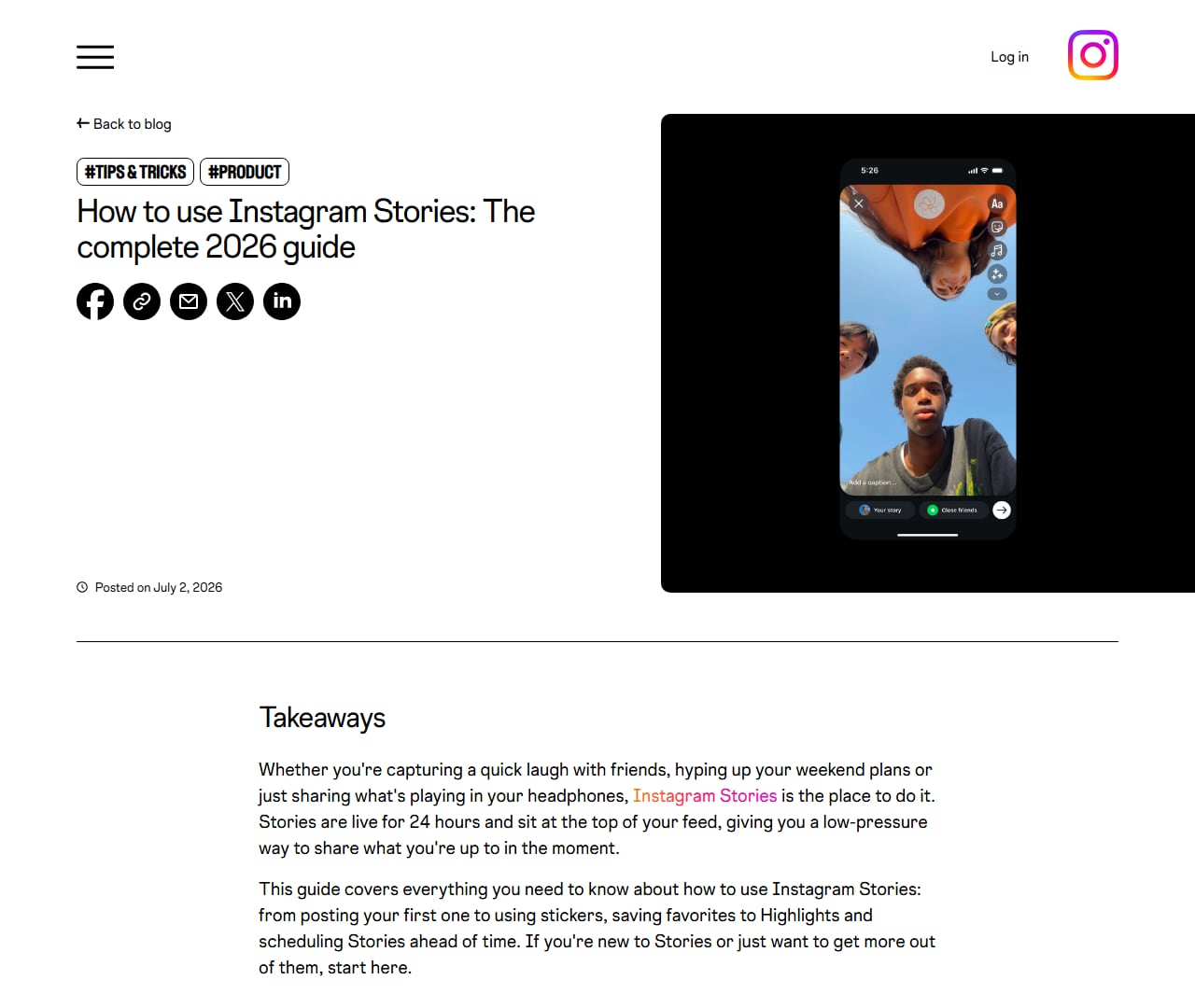
Instagram's 2026 Stories guide, with the Your story and Close friends share buttons visible on the phone. Screenshot of about.instagram.com taken October 9, 2026.
The same page says you won't be able to see who has reshared your Reel or where they shared it, whether your account is public or private.
What happens when you share a carousel to your Story?
Only one slide shows in the Story. The steps are the same as for a single photo, and viewers who tap the sticker land on the full carousel and can swipe through it there.
Which slide appears is the part Instagram hasn't documented. Creators consistently report that the sticker uses the slide that was on screen when they tapped the share icon, so swiping to slide four before sharing puts slide four in the Story. Check the preview before you publish.
If it holds on your version, use it. A middle slide with the most surprising line on it can be the better Story teaser. Slide order is covered in our breakdown of carousel formats that get shared.
Why is "Add to story" missing on Instagram?
Usually the cause is the account that made the post, and your phone is fine. One test splits the causes in two: open a post from a big public brand and tap the share icon. If Add to story shows there, your app and account are working, and the first two causes below are the likely ones. If it's missing there as well, start at "You're in a browser".
The account is private
A private account's feed posts can't be shared to anyone's Story, even by followers who can see them. Nothing on your side will bring the option back. You can still send the post in a DM, where it only opens for people who also follow that account.
The owner turned off resharing
Public accounts can switch off the setting called Posts and reels to stories. When they do, Add to story vanishes from all of their posts for every viewer. You can't override it from your side.
You're in a browser
The option lives in the app. If you opened the post from a link, open it in the Instagram app and look again.
Your app is out of date
Update Instagram from the App Store or Google Play, then force close and reopen it. An old build can show an older share menu.
Instagram hasn't given your account the feature
The Help Center article carries this sentence: "Sharing posts from Feed to Stories isn't available to everyone." Instagram doesn't say who is excluded or why. If your account is new or was recently restricted, check Account Status in your settings before you assume a bug.
The post isn't public content
Posts shared only with Close Friends or with paying subscribers aren't public, so expect the option to be missing there too. We covered that corner in can you make a Close Friends post public.
It's missing on your own posts
Check your own Posts and reels to stories toggle first (the path is in the next section), then log out and back in. If nothing changes, report the problem to Instagram from the Help section of Settings.
The Story went up but the post won't open
This one shows up after you've shared. Instagram doesn't say what your Story shows if the original poster deletes or archives the post afterwards. Creators report that the sticker stays in your Story and stops opening anything. You can't repair it, so delete the Story if the dead link bothers you.
Don't download an app that promises to "restore" the button or repost for you. Those ask for your Instagram password.
How do you stop people sharing your posts to their Stories (or turn it back on)?
There's one toggle, and it covers every post and Reel on your account. As of October 2026, Instagram's Help Center gives this path:
- Go to your profile and tap the menu (three lines) in the top right.
- Scroll to the section headed How others can interact with you.
- Tap Sharing and reuse.
- Switch Posts and reels to stories off to block resharing, or on to allow it.
Older guides send you to Privacy, then Story, then Allow sharing to story. If neither path matches your app, type "sharing" into the search bar at the top of Settings and the toggle will come up wherever it lives now.
The toggle is blunter than most people expect:
- It's all or nothing. You can't allow resharing for one post and block it for another.
- It doesn't stop screenshots, DMs or copied links.
- It only matters for public accounts. A private account's posts can't be shared to Stories whatever the toggle says.
If you run a business or creator account, I'd leave it on. Each reshare puts your username and a tap through to your post in front of someone else's followers for free. Switch it off if your posts keep getting reshared with commentary you'd prefer not to be attached to.
Can you screenshot the post and share that instead?
You can, and several guides recommend it when Add to story is missing. I'd ask the owner first, since a missing button usually means they chose not to be reshared.
Instagram's page on keeping what you post within copyright law says it's generally a good idea to get permission before posting someone else's content, and that giving credit to the owner doesn't settle it. A screenshot is also a worse Story, with no tap through to the post.
If they say yes, add an @mention so the credit is a working link.
Can you add a post to your Story from a computer?
No. Instagram's Help Center marks sharing a feed post to your Story as unavailable on computers. The share menu on instagram.com lets you copy a link or send the post in a message, and that's where it stops.
What a browser can do, according to Instagram's own 2026 Stories guide, is create a simple Story from a file: open instagram.com, sign in, and click your profile photo in the top left to open the story creator. The same guide warns that some features are mobile only. A Story made this way is a fresh upload with no link back to a post and no credit.
So pick up your phone for this one job. Most other things work from a desk, as our guide to posting to Instagram from a computer shows. If you were at your desk to schedule feed posts, that's what Social by InstantDM does.
Does Instagram notify someone when you share their post to your Story?
Instagram doesn't document a notification for it, and the websites that answer with total confidence contradict each other. Some users report an activity alert when their feed post is reshared. Others report nothing.
The documented parts are these. The sticker shows the original username and links to the original post, so the poster will recognise it if your Story reaches them. An @mention in your Story sends that person a DM. For Reels, Instagram says the creator can't see who reshared it or where.
So assume the person can find out. If you'd be uncomfortable with them seeing your Story, don't put their post in it.
People also search for the Close Friends version: can someone see that you reshared their post to a Close Friends Story? Only the people on your list can view that Story, so the original poster won't see it unless they're on the list.
Is adding a post to your Story the same as reposting it?
No. Instagram added a separate Repost button in August 2025, and Meta's announcement says reposts are recommended to your friends' and followers' feeds and sit in their own tab on your profile. A Story share lasts a day and stays in Stories.
| Way of sharing | Where it shows | How long | Who sees it | Can you add to it? |
|---|---|---|---|---|
| Add to story | Your Story, as a tappable sticker | 24 hours, or longer in a Highlight | Your Story audience, or Close Friends only | Yes: text, link, music, stickers |
| Repost | Followers' feeds and the reposts tab on your profile | Until you undo it | Followers and friends, by recommendation | No editing of the post itself |
| Send (DM) | A chat | Stays in the thread | Only the people in that chat | A message alongside it |
| Resharing a Story you're mentioned in | Your Story, with their Story inside it | 24 hours | Your Story audience | Yes |
People mix up the last row with this topic. You can only share someone's Story to your own Story when they've mentioned you in it. Sharing a feed post needs no mention at all.
The feed version has its own walkthrough in our guide to the Instagram Repost feature.
Can you share a post to Close Friends only?
Yes. Follow the normal steps, and at the last screen tap Close Friends where you'd usually tap Your story. Only the people on your list can open it.
To set up or edit the list, go to your profile, tap the menu, and select Close friends. Instagram's Help Center has the full walkthrough for sharing a story with your Close Friends list.
The post still has to come from a public account that allows resharing. Some businesses fill a Close Friends list with customers or members and use it for early looks at a launch post. We wrote up that setup in using Close Friends Stories and Highlights for gated content.
How do you resize the shared post or change the background colour?
The shared post is a sticker, so the usual sticker gestures work on it.
- Resize: pinch with two fingers.
- Rotate: twist with two fingers.
- Move: drag with one finger. Drag it to the bin at the bottom to delete it and start over.
- Change the layout: tap the sticker once. Creators report that this switches between a card with the caption and username and a plainer image. Instagram doesn't document it, so a tap may do nothing on your version.
Keep the sticker out of the top and bottom strips of the screen, where your profile name and the reply box sit over it.
Changing the background colour behind the post
Instagram picks a background to go with the post, and you can paint over it with the draw tool. Instagram's 2026 Stories guide describes the fill for a photo Story.
- Share the post to your Story and stop at the editor.
- Tap the brush icon to open the draw tool. On some versions it sits behind the three dot menu.
- Pick a colour.
- Tap and hold anywhere on the screen until the whole background fills with that colour.
The guide only covers a photo you took or uploaded. On a shared post, creators report that the fill lands behind the sticker and leaves the post showing. If your version paints over the post as well, undo it and keep the default.
How do you add a link or music on top of a shared post?
Both come from the sticker tray, the square smiley icon at the top of the Story editor. Add them after the post is in place.
For a link, open the sticker tray, tap Link, and paste your URL. Instagram's 2026 guide notes you can customise the sticker text, so "Read the recipe" beats a bare web address. Link stickers have been open to accounts of every size since October 2021, with the exception of new accounts and accounts that repeatedly break the Community Guidelines.
A link on a reshared post gives your Story two tap targets. The post opens the original post, and the link sticker opens your URL. Put them close together and people hit the wrong one, so leave space between them and say in text which one to tap. There's more on placement in how to add a link to an Instagram Story.
For music, open the sticker tray, select Music, search for a track, and drag to the part of the song you want. It suits photo posts and carousels. A shared Reel already has its own sound, so I'd leave music off those.
If you ever pay to promote Stories, note that Instagram's rules for boosting a story exclude Stories that contain music, link stickers, polls or quizzes.
Can you put more than one post in the same Story?
Not through the share menu. Add to story opens a new Story with that one post in it, and Instagram doesn't document a way to drop a second post sticker onto the same frame.
Share them as separate Stories, one after another. Instagram's guide says there's no daily limit on how many Stories you post.
For several of your own photos on one frame, the same guide says Layout splits a frame into a grid of up to 6. A grid doesn't link back to any post.
Can you schedule a Story that shares a post?
Not as a tappable post sticker, going by everything Instagram has published. You can schedule a Story, but the scheduled version is a normal upload.
Instagram's 2026 Stories guide describes scheduling a Story inside the app: create the Story, tap the three dot menu before sharing, tap Schedule, and pick a date and time. Scheduling is only available to accounts that meet Instagram's eligibility requirements, which the guide doesn't list. It describes the steps from the Stories camera and never mentions Add to story, so check your own menu.
Outside scheduling tools are more limited. Meta's content publishing API publishes a Story from a media file, and its documentation has no option for attaching a feed post. A tool can post a picture of your post on time, but nobody can tap it.
A post that isn't live yet can't be shared anyway. For a launch I'd schedule the feed post, then add it to my Story by hand a minute after it goes up.
How do you add a post to Highlights?
You can't add a feed post straight to a Highlight. Highlights are made from Stories, so the post has to pass through your Story first. It doesn't have to wait out the 24 hours, though.
- Add the post to your Story using the steps at the top of this page.
- Open the Story you just published.
- Tap the three dot menu, then tap Highlight at the bottom.
- Choose an existing Highlight or create a new one and name it.
Instagram's Stories help pages say Highlights stay visible until you remove them, even after the original Story has disappeared. If you forgot within 24 hours, go to your profile, tap the menu, tap Archive, find the Story there and add it to a Highlight from the archive.
One search that reaches this blog is "how to add a post to highlights without story". There's no route around the Story. The closest you'll get is posting the Story to Close Friends so most followers never see it, then saving it to a Highlight straight away.
How do you delete a post you shared to your Story?
Delete the Story. The original post is untouched, whether it's yours or someone else's.
- Tap Your story at the top of your feed.
- Go to the frame with the shared post and tap More in the bottom right. Some versions label it Options.
- Tap Delete, then Delete again to confirm.
Those steps come from Instagram's delete your story page, which also notes that a Story you delete before it expires isn't saved to your archive.
Instagram's help pages don't describe a way to edit a published Story. If you spot a typo, delete it and share the post again.
Does sharing a post to your Story help its reach?
Not much. For years the standard advice has been to share every new post to your Story "to push it in the algorithm", and the head of Instagram has said that doesn't work.
Adam Mosseri was asked about it in his weekly Q&A in early April 2026. His answer, as reported by Social Media Today on April 6, 2026, was that it's "not going to meaningfully change your reach overall", and that "Feed generally gets more reach than Stories anyway". A feed post or Reel can be recommended to people who don't follow you, while a Story mostly reaches people who already do.
The share still has uses. Followers who missed the post in their feed get a second chance to see it. You can add a link sticker or a poll, which the post itself can't hold. And every Story has a message box under it, so people can answer you privately.
I'd drop the habit of covering half the post with a "New post" sticker, though. If the Story is a reminder, people need to see what they're being reminded about. For what does move distribution, read our notes on getting more reach from the current algorithm.
Does a post shared to a Story count as a view?
It counts as a view of your Story. Whether it adds to the original post's numbers depends on what the viewer does next, and Instagram hasn't published the full rule.
The definitions Instagram does publish, as of October 2026:
- Story views are the number of times your story was played or displayed. Those belong to the person who posted the Story.
- Reel views are the number of times your reel starts to play or replay.
So someone watching your Story is a Story view for you. If they tap the sticker and open the original post or Reel, its owner gets a normal view. Instagram doesn't say whether a Reel previewing inside someone's Story counts as a play before any tap. I couldn't find an official answer either way, so treat any firm yes or no you read as a guess.
What should a reshared post say? A worked example
The bakery here is made up. Say it gets tagged in a customer's post of a birthday cake. The customer's account is public and allows resharing. The quick version is to tap Add to story and publish. Followers see a cake, think "nice", and tap forward.
Thirty more seconds gets you this:
- Share the post and shrink the sticker slightly so there's room above it.
- Add an @mention of the customer, so they get the DM and can reshare the Story to theirs.
- Add one line of text above the sticker: "Made this for Priya's 30th. Reply CAKE and I'll send you this month's order dates."
- Keep the bottom strip clear so the message box isn't covering anything.
Now the Story asks for something specific, and the reply box is right under it. Nobody has to go looking for a link in a bio. By default, anyone who can see your Story can reply to it with a message, and that reply opens a DM thread with you.
How many people reply depends on your audience, and I won't pretend to know your number. Our guide to Instagram Story engagement has more prompts in that style, and how Story reactions and replies work shows what the viewer sees on their side.
Can you reply to Story replies automatically?
Yes, on a professional account. Instagram permits it because the other person messaged first.
When someone replies to your Story, the reply arrives as a DM with the Story attached. Whether those replies are visible to anyone else is covered in are Instagram Story replies private (they are). The Instagram API lets a connected tool read that incoming message and answer it. In the bakery example, a reply containing CAKE could get the order dates back at 11pm while the owner is asleep.
Instagram sets the limits. It only works on creator or business accounts, so a personal profile needs to switch to a professional account first. Automated messages can only go to people who wrote to you, inside the messaging window their reply opens. A tool that asks for your Instagram password is working outside the official API. We set out where the line sits in is Instagram automation allowed.
InstantDM is one tool that does this. It's an official Meta Business Partner, it connects through Instagram or Facebook login, and it puts quick keyword automations and a visual flow builder in one tool, with iOS and Android apps. It can answer any Story reply or only replies with a keyword, and it can collect an email or phone number in the chat. If you're comparing options, we reviewed several in story reply automation tools for 2026. Full disclosure: this is InstantDM's blog.
Keep the automated reply short and leave a way to reach a human. If a Story does go big, what to do when your Story blows up covers pacing the replies.
Put a reply prompt on your next reshared post
Share from the phone app. If Add to story is missing, check whether the account is private or has resharing switched off before you blame your phone. And when you reshare your own post, skip the hope of a reach bump and give people something to reply to.
If you'd like those conversations answered while you're busy, create an InstantDM account and set up a Story reply automation before your next reshare goes out. Plans are on the pricing page. When replies start landing, how to check Instagram DMs and message requests shows where the ones from non-followers end up.
Instagram and Meta are trademarks of their owners. InstantDM is not affiliated with them beyond the named partner program.