Quick answer
To spot a fake Instagram account, open the profile, tap the three dots and read About this account for the join date and username changes. Then check whether the photos look borrowed, whether it follows far more people than follow it, and what it wants from you. To report it, tap the same three dots, then Report, and pick the reason that fits.
- Instagram says it never contacts you about account security through DMs, so every "copyright violation" or "your account will be deleted" message in your inbox is fake.
- You can report an impersonator even when the person being copied isn't you. The report flow has options for someone you follow, a public figure and a business.
- Accounts with 1,000 or more followers may see a Potential spam notice in their followers list, with a button that removes flagged followers in one go.
- In the FTC's figures for 2025, people reported losing $2.1 billion to scams that started on social media. Instagram ranked third among platforms.
Instagram moves its menus around a lot. The paths below follow its help pages as of October 2026, so expect the odd label to read differently on your phone.
What are the signs of a fake Instagram account?
These are the ten we'd check, starting with the ones that take a few seconds. Two or three on the same account is reason enough to stop replying. Each links to the detail further down.
- It joined recently or has changed its username several times.
- It follows thousands of accounts and almost nobody follows it back.
- The grid is empty, or every post went up on the same day.
- Its comments would fit under any post.
- Nobody has ever tagged it in a photo.
- The handle is one character off a real person's or brand's.
- The photos turn up under another name in a reverse image search.
- The "verified" tick is an emoji in the name or bio, not Instagram's badge.
- It wants money, a login code or your bank details, or asks to move the chat to WhatsApp or Telegram.
- It claims to be Instagram and warns you about your account in a DM.
The last two count for most, because a careful scammer can fake a tidy profile.
What counts as a fake Instagram account?
A fake account is one that misrepresents who or what is behind it. "Bot" is only one kind, and the others behave differently.
- Bots: scripted accounts that follow, like and comment in bulk.
- Bought followers: accounts that exist only to pad someone's follower count.
- Impersonators: copies of a real person, creator or brand, built to borrow that trust.
- Romance and investment scam accounts: run by real people working one target at a time.
- Fake brand-deal and "ambassador" accounts: they pose as a brand's partnerships team and target creators.
- Phishing accounts: they pose as Instagram or Meta support to steal your login.
All of these break Instagram's Community Guidelines, which ban impersonation, spam and artificially collected likes and followers. A second account under your brand name or a pen name isn't fake in this sense. Neither is a chatbot that answers your DMs through Instagram's official API, and our piece on what a legitimate Instagram bot is explains the difference.
How can you tell if an Instagram account is a bot?
Look for several of these signs together. One alone proves little, because plenty of real people have empty profiles and odd usernames.
- The username is a name plus a string of digits, or random letters.
- It follows thousands of accounts and has a few dozen followers.
- There are no posts, or a handful of images all uploaded on the same day.
- The comment could sit under any post: "Wow amazing", a row of fire emojis, "DM us to be featured".
- There's no profile photo, or the bio is a single link and a discount offer.
- The tagged tab is empty, because a scripted account has no friends to tag it.
The quickest check is the commenter's profile. Tap the name and see whether the same line sits under twenty other creators' posts.
Plenty of new accounts belong to real people. A bot gives itself away through activity, with hundreds of follows and comments in a few days from a profile that has nothing on it.
How do you spot an impersonator account?
Compare the handle character by character with the real one. Impersonators rely on swaps you skim past: an extra underscore, a doubled letter, a capital I standing in for a lowercase L, or "official" and "backup" tacked on the end.
Then scroll to the bottom of the grid. A copied profile has the same photo and bio as the original, but its oldest post is from last week and its follower count is a fraction of the real account's.
Many impersonators go private to hide how empty the account is. If a friend's "new account" follows you and then asks for a code or a favour, ring your friend before you answer.
Does a blue check mean the account is real?
It helps a little, as long as it's the real badge. Instagram's page on verified badges says the badge appears next to the account's name. A tick emoji typed into a display name or bio is something anyone can add, and impersonators do.
Instagram's page on eligibility for Meta Verified lists a government-issued photo ID among the requirements, and the profile name has to match it. So the badge tells you a person with that name signed up. It says nothing about whether they're honest, or whether someone else has got into the account since then. Our guide to getting verified on Instagram explains what the badge does and doesn't confirm, and the Meta Verified review covers what the subscription includes.
Most real people and small businesses have no badge, so a missing one only counts against an account that claims to be a celebrity or a large brand.
How do you check whether the photos are stolen?
Run a reverse image search on the profile photo and one or two grid posts. If the same picture turns up under a different name or on a stock photo site, the account borrowed it.
On a phone:
- Screenshot the profile photo or post and crop it to the picture.
- Open the Google app and tap the Lens icon in the search bar.
- Choose the screenshot from your gallery and look through the matching pages.
Google's help page on searching with an image has the steps for a computer too. The FTC recommends the same check in its romance scam guidance: search the person's profile picture and see whether it's tied to another name or to details that don't match.
A search with no matches doesn't clear the account, and many guides stop short of saying so. The photos may come from a private profile that search engines never saw, or be AI-generated, in which case there's no original to find. We couldn't find a visual test for AI faces that holds up, so go by behaviour. An account that never appears in anyone else's tagged posts and won't video call has told you enough.
What does "About this account" tell you?
It shows facts the account owner can't edit, and for that reason it's the check we'd run first. Instagram's Help Center page on About this account lists what you may see, as of October 2026:
- Date joined: when the account was created.
- Account based in: the country, inferred from activity. Only some accounts show it.
- Former usernames: how many times the username has changed. Instagram's current wording says you see the count, not the old names.
- Accounts with shared followers: other public accounts with the most followers in common.
- Active ads: any ads the account is running.
- Verified: whether the account has a verified badge.
To open it:
- Go to the account's profile in the Instagram app.
- Tap the three dots in the top right corner.
- Tap About this account.
Say a "brand partnerships" account for a ten-year-old skincare company messages you. About this account shows it joined two months ago, from a country where the brand has no office, and has changed its username four times. You could explain away any one of those. All three together mean the account was something else until recently.
If the option isn't in the menu, Instagram isn't showing it for that profile. It launched for accounts that reach large audiences and still doesn't appear on every small or new account, so a missing panel proves nothing either way.
How do you recognise a romance or investment scam account?
You usually can't from the profile. A patient person runs it, with stolen photos and a believable life. The conversation is what gives it away.
Instagram's page on avoiding scams describes the romance version: the person wants a relationship fast, builds trust over weeks or months, then asks for money. The investment version promises unusual returns, and Instagram names "cash flipping" and Ponzi schemes as common forms.
Three signs repeat across both:
- They suggest moving to WhatsApp or Telegram early, away from Instagram's reporting tools.
- They can never video call or meet. There's always an oil rig or a deployment in the way.
- Money comes up as a favour or an opportunity, with a deadline attached.
The US Federal Trade Commission reported in April 2026 that people lost $2.1 billion in 2025 to scams that began on social media, eight times the 2020 figure. Investment scams made up $1.1 billion of it, and nearly 60% of people who lost money to a romance scam said it started on a social platform. Facebook led for losses, with WhatsApp and Instagram a distant second and third.
Is that brand deal or "ambassador" DM real?
Usually not, if it arrived cold and asks you for anything. Real brands do recruit creators in DMs, which is why this scam works. In a real deal the brand pays you. If you're the one being asked for money, a login or bank details, it's fake.
The FTC issued a consumer alert for influencers about bogus "brand ambassador managers". Its tell-tale sign is a request for personal or bank details so they can supposedly start paying you. Other versions ask you to cover shipping on "free" products, or to log in to a partner portal that is a copy of the Instagram login page.
Before you reply to an offer:
- Check the sender's About this account for the join date and username changes.
- Find the brand's real account yourself through search. Don't use the link in the message.
- Contact the brand through its website or its verified account and ask whether the person works there.
- Refuse anything that needs payment, a login or bank details before a contract exists.
If you want inbound offers through a channel Instagram runs itself, the Instagram creator marketplace is the safer route.
Is the "copyright violation" message from Instagram real?
No. If it came as a DM, it's phishing. Instagram's guidance on protecting yourself from phishing states that it will never reach out about account security through direct messaging.
The wording barely changes from one to the next. An account with a name like "Copyright Help Centre" says your post infringed someone's rights and your account will be removed in 24 hours unless you appeal through a link. The link opens a copy of the Instagram login page.
Emails are harder, because Instagram does send real ones. You can check any email against a list inside the app:
- Go to your profile and open the menu in the top right.
- Tap Accounts Center, then Password and security.
- Tap Recent emails and choose your Instagram account.
Instagram says this list holds the emails it sent you in the last 14 days, with security and login emails under Security and the rest under Other. If an email isn't there, treat it as fake and forward it to phish@instagram.com.
A real copyright notice never needs your password, because you deal with it inside the app, where you're already logged in. Most guides leave that test out, and it's the easiest one to apply.
How do you check your own followers for fake accounts and remove them?
Start with Instagram's own list. For accounts with 1,000 or more followers, Instagram flags followers it suspects are spam and puts them in one place:
- Go to your profile and tap Followers.
- If Instagram has flagged anyone, a Potential spam notice sits at the top. Tap it.
- Tap Remove all spam followers to clear the lot, or tap Remove next to single accounts.
- If a flagged account is a real person, tap the three dots beside it and choose Not spam.
Instagram announced this in December 2023, and its help page still says some accounts may not have it yet.
No notice doesn't mean no fake followers. For a manual check, open your followers list, scroll to a random spot and look at twenty accounts in a row. Count the ones with no posts, no profile photo and a following count in the thousands. Repeat in two other spots and you have a fair read on the whole list.
To remove a single follower:
- Go to your profile and tap Followers.
- Find the account, using the search bar if you know the name.
- Tap Remove next to it, then confirm.
Instagram's remove a follower page says the person isn't notified. That page is written around private accounts, though creators with public accounts report the same Remove button. A removed bot can follow a public account again, so block it if it comes back.
Instagram runs its own purges too, one of the reasons covered in why you might be losing followers on Instagram.
Do fake followers hurt your reach?
Instagram hasn't published a penalty for having fake followers, and anyone quoting a precise "reach drop" is guessing. The harm is indirect.
Instagram's ranking explainer says each surface predicts how likely people are to watch, like, comment on, share or save a post. A bot does none of those, so every fake follower is dead weight in your audience.
A made-up example with round numbers: an account has 10,000 followers and a typical post gets 300 likes and comments, a 3% engagement rate. If 3,000 of those followers are fake, the 300 interactions came from 7,000 real people, which is about 4.3%. A brand vetting that creator divides by 10,000 and sees the weaker figure.
Bought followers carry a direct risk as well. Instagram said in November 2018 that it removes inauthentic likes, follows and comments from accounts using third-party growth apps, and that accounts which keep using them "may see their Instagram experience impacted". In the US, the FTC's 2024 rule on fake reviews also bars buying or selling fake followers and views for commercial purposes.
Are "fake follower checker" tools reliable?
Use them as a rough estimate. No checker we could find publishes independently verified accuracy, and the way they collect data limits how good they can be.
Instagram's official API gives connected apps your follower count and audience demographics. It doesn't hand over a list of who follows you. So a checker that audits any username you type in is sampling public data and guessing from things like a missing profile photo. Those guesses also flag real people, like the aunt who never posts.
If you're a brand vetting a creator, you can do the useful part by hand. Read the comments on five recent posts. Real audiences mention something in the post, while a padded account has a large follower count over thin, generic comments. Then ask the creator for a screenshot of their Insights, which shows reach and audience location from Instagram's own data.
Never give a checker your Instagram password. Instagram's phishing guidance warns against apps that want your login in exchange for likes or follower services. And don't bulk-remove followers on a tool's say-so. Check the accounts yourself, or use the Potential spam list.
How do you report a fake Instagram account?
Report the profile, and the message or comment too if there is one. Instagram's steps for reporting a post or profile are the same on iPhone and Android:
- Open the account's profile and tap the three dots in the top right.
- Tap Report.
- Choose the reason. For bots and scammers, the closest option is scam, fraud or spam.
- Follow the remaining prompts and submit.
To report a scam DM, press and hold the message, then tap Report. Spam comments have their own Report option, described on Instagram's spam help page.
Before you report or block, save the evidence. Screenshot the profile with its username visible, the messages, and anything that shows a payment request. Usernames can be changed in seconds, and a bank or the police will ask what the account was called on the day it contacted you.
Reports are anonymous. Instagram's guide to block, mute, restrict and report says the person "will not know you reported it". The reason labels shift between app versions, so pick the nearest match.
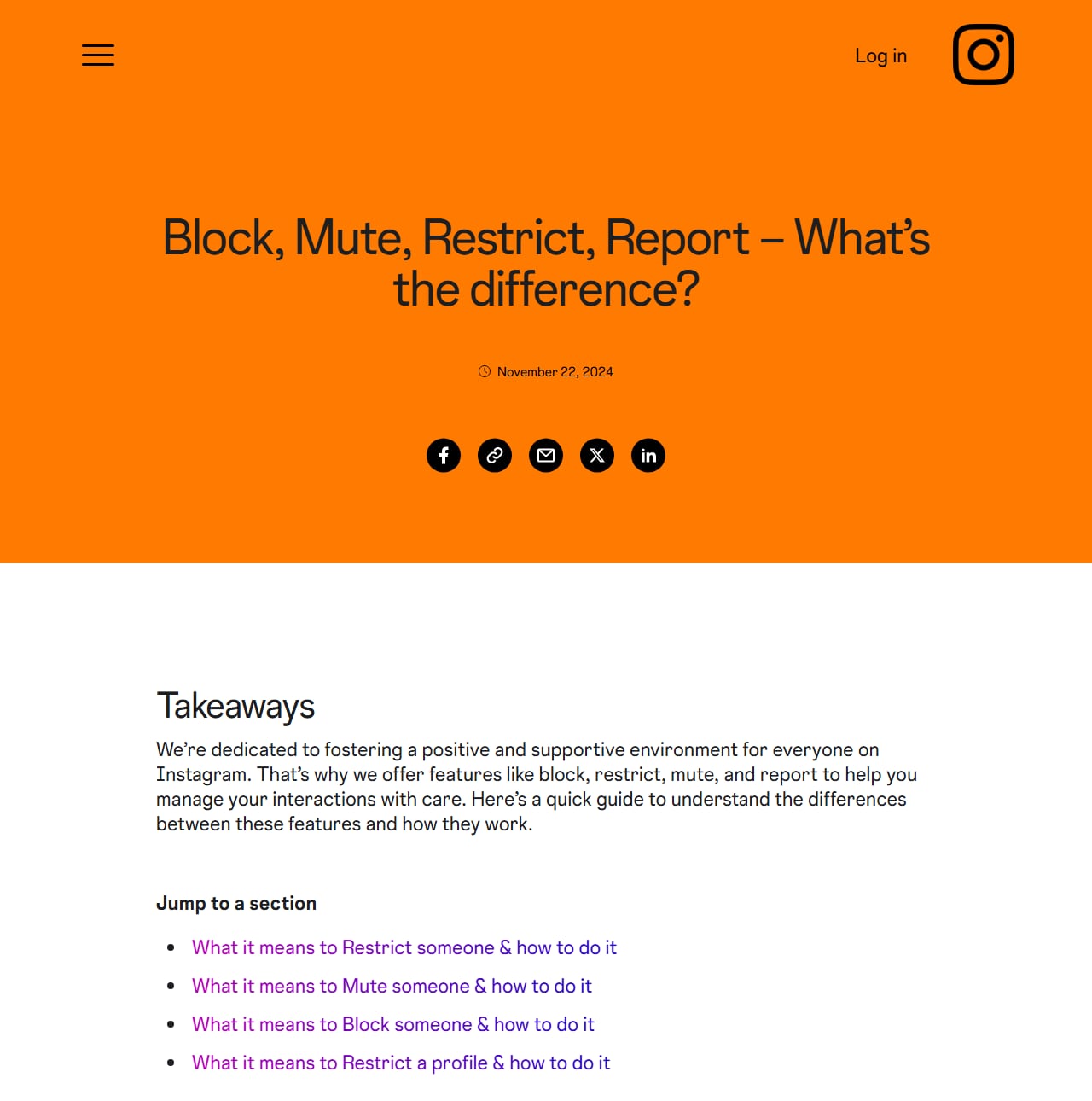
Instagram's own guide to block, mute, restrict and report. Screenshot of about.instagram.com taken October 9, 2026.
Reporting an impersonator, including when it isn't you
The report flow has an impersonation option that asks who is being copied, and that person doesn't have to be you. Instagram's steps for reporting an account for impersonation:
- Open the impostor's profile and tap the three dots in the top right.
- Tap Report, then Something about this account.
- Choose the option that says it's pretending to be someone else.
- Pick who: you, someone you follow, a celebrity or public figure, or a business or organisation.
- If it isn't you, search for and select the real account, then submit.
If the copy is of a friend or a brand you follow, tell them. Instagram's page on what to do if someone is impersonating you says it responds to reports from the person being impersonated or their authorised representative, such as a parent or legal guardian. Your report flags the account, but theirs carries more weight.
If you're being impersonated but have no Instagram account, use Instagram's impersonation form. It asks for your name, email and the impostor's username, and may ask for a photo of your ID. The same form covers an account that copies someone you legally represent, such as your child.
If the copy is of your business and uses your registered brand name or logo, you have a second route. Instagram's trademark help page links a report form for rights owners, which you can file alongside the impersonation report. Treat it as a legal claim. Only the trademark owner or someone authorised to act for them should send it.
Instagram says you can report an account for impersonating someone or something, but not for "misrepresenting itself". So a fan page that says it's a fan page generally stays up.
Should you block, restrict or report?
For a fake account, report first and then block. A block alone leaves the account free to bother everyone else. Restrict is for a real person you can't block without drama.
| Block | Restrict | Report | |
|---|---|---|---|
| What it does | They can't find your profile, see your content or message you | Quietly limits what they can do on your account | Sends the account or message to Instagram for review, which can end in removal |
| Are they told? | No | No | No, reports are anonymous |
| Their comments | Can't comment | Visible only to them unless you approve | Unchanged unless Instagram removes them |
| Their DMs | Can't message you | They can't see when you've read them or when you're active | Unchanged unless Instagram acts |
| New accounts they make | Can be blocked along with the first | Not covered | Not covered |
| Best for | Bots, scammers, impersonators | A real person you'd rather not confront | Any fake account, before you block it |
The details come from Instagram's own comparison of the tools and its anti-bullying page, as of October 2026. When you block, Instagram offers to block any new accounts the person creates. Take that option with impersonators, who tend to come back under a slightly different handle.
To block a fake account, following Instagram's steps for blocking someone:
- Tap the username to open the profile.
- Tap the three dots in the top right.
- Tap Block, choose whether to include their other accounts, and confirm.
A blocked account's profile can show as unavailable to you, and so does one Instagram has deleted. Our profile does not exist guide explains how to tell which one happened.
Why is the fake account still up after you reported it?
A report only asks for a review. Instagram checks the account against its Community Guidelines, and an account that looks suspicious but hasn't visibly broken a rule can pass.
Reports usually stall for one of three reasons:
- You chose a reason that doesn't fit. An impersonator reported as spam gets reviewed as spam.
- The impersonation report came from a bystander, and the person being copied hasn't reported it.
- The scam happened in DMs and you reported the profile, which may look clean. Report the messages too.
If Instagram replies that the content doesn't break its rules, its page on what to do if Instagram didn't remove content you reported explains how to ask for another review where that's offered.
Can you find out who is behind a fake Instagram account?
Not on your own. Instagram doesn't tell users who runs an account, and nothing on a public profile reliably leads to a real name.
Instagram's information for law enforcement page says it discloses account records only in response to valid legal process, such as a subpoena in a criminal investigation. So the route to a name goes through a police report.
Websites that offer to unmask an account for a fee don't have Instagram's records either. What you can check yourself is the public trail: About this account, a reverse image search and the tagged posts. That's usually enough to decide the account is fake, which is all a report needs.
How do you stop bot comments and spam DMs?
Hidden Words and Limits do most of the work. Both sit in your settings under the heading "How others can interact with you", as of October 2026.
Hidden Words
Instagram's Hidden Words help page describes two automatic filters and a custom list.
- Go to your profile and open the menu in the top right.
- Under How others can interact with you, tap Hidden Words.
- Check that the filter for unwanted comments is on. Instagram turns it on by default.
- Turn on the filter for unwanted message requests, which is off by default. It moves requests that may contain scams to a hidden folder.
- Tap the custom words option and add the phrases your spam uses, separated by commas.
Put the exact phrases bots leave on your posts in the custom list, such as "promote it on" or "DM us for collab". The setting isn't available in a web browser.
Hidden comments aren't deleted, so check them now and then for real people caught by mistake. If genuine comments keep vanishing, our guide to comments that won't show on Instagram walks through the other causes.
Limits
Limits is for the day a post takes off and the bots arrive together. It hides comments and new message requests from groups you choose, such as accounts that followed you in the last week, for up to four weeks at a time. Limited accounts can still comment, but nobody sees it unless you approve. Their new chats go to Hidden requests.
Message requests
DMs from people you don't follow wait in the requests folder. Instagram's scam guidance says it shows a warning before you accept a request from an account it suspects is deceptive. If you've never opened that folder, how to check messages on Instagram shows where message requests and hidden requests sit on each device.
What should you do if you already clicked a link or gave your details?
Move fast, because a scammer's first step is to change your email and lock you out. What you do next depends on whether you can still log in.
If you can still log in:
- Change your Instagram password now, and the password on the email account attached to it.
- Open Accounts Center, then Password and security, and turn on two-factor authentication.
- In the same place, review where you're logged in and log out any device you don't recognise.
- Check that the email address and phone number on the account are still yours.
If you can't log in, go to Instagram's hacked-account help page or straight to instagram.com/hacked. Our walkthrough on getting back into a locked or hacked Instagram account covers the identity checks that follow, and if the account ends up disabled, there's a separate guide to recovering a suspended or disabled account.
If you sent money or card details, call your bank before you do anything on Instagram. In the US you can also file a report at reportfraud.ftc.gov, and with the FBI's Internet Crime Complaint Center at ic3.gov if money is gone. If you handed over ID documents or a Social Security number, IdentityTheft.gov builds a recovery plan for you.
Then warn your followers, because a hijacked account gets used to send them the same scam. And ignore anyone who DMs offering to "recover" your account for a fee, which is a second scam.
Can you auto-reply to real commenters without feeding the bots?
Yes, if the reply is triggered by a specific word instead of by any comment at all. On a viral post, real comments and bot comments arrive in the same stream, and an automation set to DM everyone who comments will message the bots too.
With a keyword trigger, your caption says "comment GUIDE and I'll send it". People who want the guide type GUIDE. A bot pasting "Promote it on @somepage" never does, so it never gets a DM, and the people who asked still get their link within seconds.
This runs on Instagram's official API, where a business can privately reply to someone who commented first. The rules behind that are in is Instagram automation allowed. InstantDM does it with quick automations and a flow builder in one tool, with phone apps, and connects through Instagram or Facebook login. It never asks for your password.
For more on the filtering side, read how to auto-DM real users while filtering out spam comments. For the setup itself, see Instagram comment-to-DM automation. A keyword won't stop every bot, since a few copy what real commenters wrote.
Set up a keyword reply before your next post takes off
Turn on Hidden Words and add your spam phrases in the Instagram app today. For replies that only go to people who asked, InstantDM is an official Meta Business Partner that handles comment-to-DM, story replies and keyword DMs on Instagram's official API. Create an InstantDM account and set one keyword on your next post. Plans are on the pricing page.