DM means direct message. On Instagram, a DM is a private message you send to one person or a group chat, and it lands in their inbox instead of on a public post. So "DM me" means "message me privately", and "check your DMs" means someone has sent you one.
- DM stands for direct message. The feature's official name is Instagram Direct, and it launched on December 12, 2013.
- A message from someone you don't follow goes to your Requests folder and can only contain text until you accept it.
- Instagram's own DM link looks like ig.me/m/username. Tapping it opens a chat with that account.
- Instagram DMs are not end-to-end encrypted. Instagram ended support for encrypted chats on May 8, 2026.
- Instagram documents screenshot alerts only for disappearing photos and videos and for vanish mode. Its help pages describe no alert for a screenshot of a normal chat.
- dm.bio is an outside website, not part of Instagram.
Instagram moves buttons and renames settings often. What follows reflects Instagram's help pages and Meta's documentation as of October 2026.
What is DM on Instagram?
DM is short for direct message: a private message between Instagram accounts. You'll also see it written as "dm", "DMs", "IG DM" or "IGDM" (Instagram direct message). They all mean the same thing.
Instagram's name for the feature is Instagram Direct, which is why older guides talk about "IG Direct" or "your Direct inbox". It arrived on December 12, 2013, and the launch announcement described it as a way to send a photo or video to specific friends instead of all your followers. Voice notes and calls came later.
The abbreviation is older than Instagram. Twitter had "direct messages" first and its users shortened the name to DM. Instagram users borrowed it, and now it's a verb too ("I'll DM you").
"PM" (private message) is the older forum and Facebook word for the same thing. A text message is something else. It goes to a phone number through your carrier, and a DM goes to a username inside an app.
What are DMs on Instagram?
"DMs" is the plural, and people use it two ways. It can mean the messages themselves ("I got 40 DMs after that Reel") or the inbox where they collect ("it's in my DMs").
A DM is more than text. According to Instagram's feature page for Direct, a chat can carry photos, videos, shared posts and Reels, profiles, voice messages, stickers, GIFs and polls, plus audio and video calls with up to 8 people. A reply to someone's story is also a DM. It goes to the story owner's inbox and nobody else sees it, which we cover in who can see Instagram story replies.
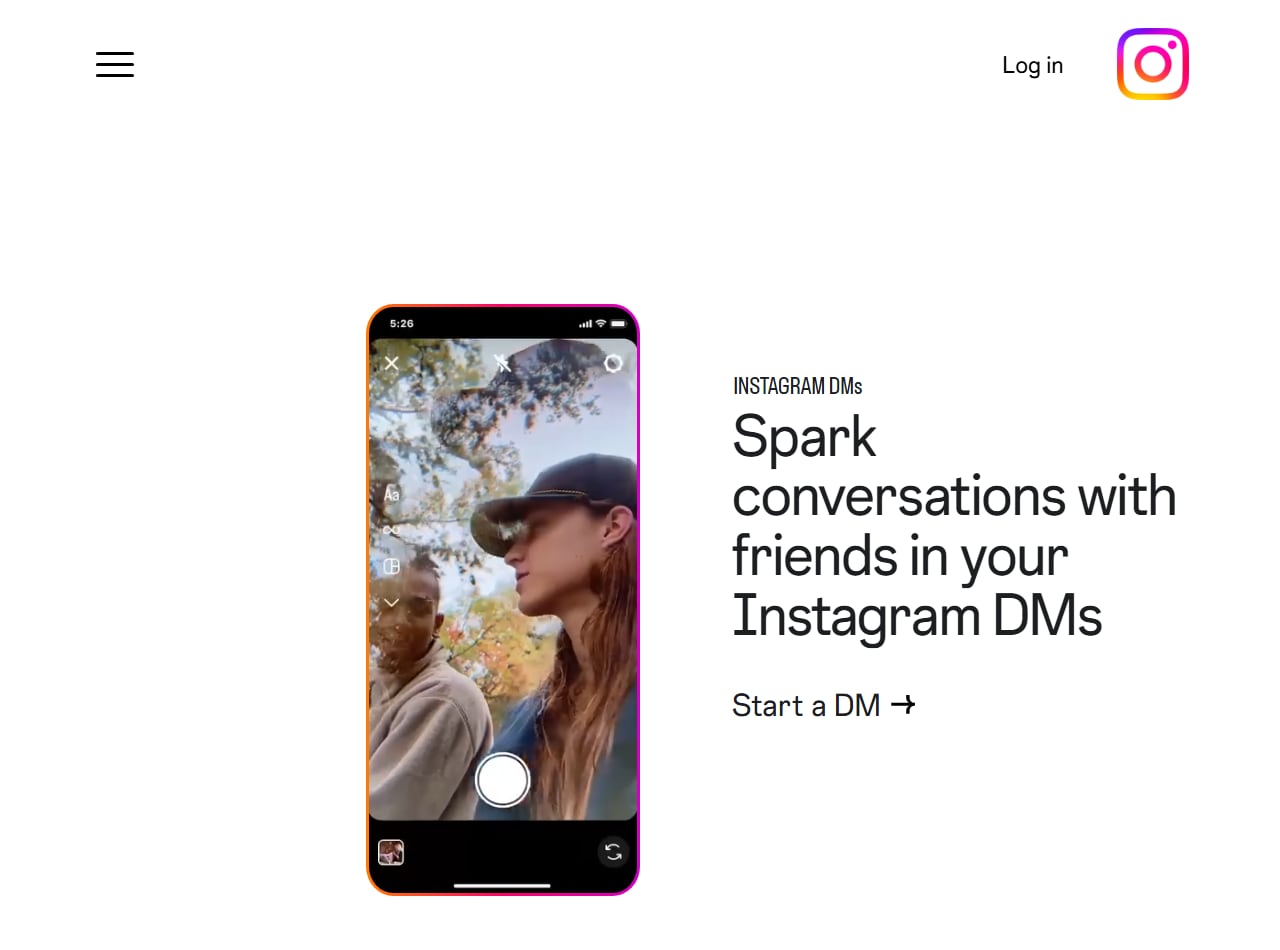
Instagram's own page for the feature calls it Instagram DMs. Screenshot of about.instagram.com taken October 9, 2026.
Comments, tags and mentions can be seen by other people. A DM is visible only to the accounts in that chat. For more on how Instagram's messaging is built, read messaging with Instagram explained.
What do "DM me", "DM for price" and "slide into DMs" mean?
Almost every DM phrase asks you to move a public conversation into private messages. These turn up most in captions, bios and comments.
- "DM me" or "DM us": send me a private message. Open the profile and tap Message.
- "Check your DMs" or "check DM": I've sent you a private message, go and look. If you can't find it, look in Requests.
- "DM for price": the price isn't in the caption. Message the seller and they'll tell you.
- "DM to book" or "DM to order": bookings and orders are taken by message, with no website form.
- "DM for collab": the account is open to paid partnerships or content swaps, and wants pitches by message.
- "DM for promo": the account sells shoutouts or promotional posts. When a stranger leaves "DM us for promo" under your own post, it's usually spam.
- "Link in DM" or "link in your DM": the link was sent to you privately, because captions and comments can't hold a clickable one.
- "Share this Reel to my DM": send the Reel to the creator as a message. They've usually set up an automatic reply to shared posts.
- "DMs are open": anyone can message this account. "DMs closed" means they've limited who can.
- "Slide into DMs": message someone you don't really know, casually. It started as slang for flirting and now covers any friendly first message, business pitches included.
If you're the one sliding in, your first message usually lands in Requests, so it has to earn the reply alone. Our guides on how to DM someone on Instagram and writing a DM pitch that gets replies go into the wording.
What is DM in Instagram and how do you check it?
Your DMs sit behind the messages icon, which looks like a paper plane or a chat bubble with a lightning bolt. Tap it and you're in your inbox.
- Open the Instagram app and go to the Home feed.
- Tap the messages icon. On the newer layout that Instagram has been rolling out since late 2025 it sits in the bottom navigation bar. On the older layout it's in the top right corner of the feed.
- Tap any chat to read it. A number badge on the icon shows how many chats have unread messages.
- Tap Requests to see messages from people you don't follow.
On a computer, sign in at instagram.com and click Messages in the left sidebar.
If a message you were expecting isn't there, or you want the steps for each device, use our full guide on how to check messages on Instagram. The other routes into the inbox are in how to get to IG Direct.
How do you send a DM on Instagram?
Open the person's profile and tap Message, type what you want to say, and send it. Instagram's help page on sending a message lists that route and one more: start from your inbox.
- Tap the messages icon to open your inbox.
- Tap the new message icon at the top of the inbox.
- Search for the account and select it. Pick two or more people and you've started a group chat.
- Type your message and tap Send.
Two shortcuts are DMs as well, though people rarely think of them that way. Tapping the paper plane under a post or Reel sends it to someone as a message, and typing in the box at the bottom of a story sends a reply to that person's inbox.
If the person doesn't follow you, the message arrives as a request and can only be text.
What is a group DM on Instagram?
A group DM is one chat with three or more accounts in it. Everyone in the group sees every message, and anyone in it can reply.
You make one by choosing two or more people when you start a new message. Instagram's help page on group chat size limits says most group conversations can hold up to 250 people, as of October 2026. Plenty of guides, some published this month, still give the old figure of 32. Calls are much smaller, at 8 people.
You don't have to accept every group. If someone you don't follow adds you, the chat shows up in Requests first, and the Message controls screen covered further down lets you decide who is allowed to add you at all. To get out of a group you're already in, open the chat, tap its name at the top and leave from there.
Primary vs General vs Requests: which tab is your DM in?
Where a DM lands depends on who sent it and what kind of account you have. Personal accounts get one chat list and a Requests folder. Business and creator accounts get an inbox split into Primary, General and Requests, which Instagram describes on its creator inbox help page.
| Where it lands | What goes there | Does the sender see "Seen"? | Who has it |
|---|---|---|---|
| Primary | Chats you want to see first. Notifications are on by default. | Yes, when you open the chat, unless you've turned read receipts off | Business and creator accounts |
| General | Chats you've moved aside to answer later. Notifications are off by default. | Yes, same as Primary | Business and creator accounts |
| Requests | Messages from accounts you don't follow and haven't chatted with | No. A request isn't marked as seen until you accept it. | Every account |
| Hidden requests | Requests that Instagram's Hidden Words filter caught as likely offensive or spam | No | Every account with the filter on |
Accepting or replying to a request moves that chat into your main inbox, and from then on the person can message you normally.
When a business replies through a connected tool instead of the Instagram app, Meta's Instagram messaging documentation says the conversation moves to its General folder. That's why a brand that answers DMs from a helpdesk can end up with an empty Primary tab.
Whichever tabs you have, you can keep a few chats at the top. Meta's March 2024 update to DMs announced pinning for up to three chats: swipe left on a chat, or press and hold it, then tap Pin.
If your own inbox is getting crowded, see how to organize your Instagram DMs.
What is a DM link?
A DM link is a web address that opens a private chat with a specific account, skipping the profile. Instagram's own version uses the short domain ig.me, in this format: ig.me/m/username.
If your handle is @bakedbymaya, your DM link is ig.me/m/bakedbymaya. Someone taps it in your bio or scans it from a QR code on your shop counter, and Instagram opens a chat with you. Meta's ig.me documentation says the person is taken to a new thread if they've never messaged you and to the existing one if they have.
Most guides skip a limit stated on that same Meta page. As of October 2026, ig.me links are not supported on Instagram Web. They're built for the phone app, so test yours on a laptop before you print it on a flyer.
"Link in DM" is a different thing. It means someone sent you a link inside a private message. To set up a DM link of your own, follow our Instagram direct message link guide.
What is dm.bio?
dm.bio is not an Instagram feature, and it isn't an Instagram web address. It's a separate website that some accounts place in their bio as a "chat with me" link.
When we opened dm.bio on October 9, 2026, the page showed a "Chat with me" heading and the logo of a third-party chatbot product. Nothing on it came from Instagram or Meta. A dm.bio link takes you off Instagram to someone else's chat page, and whoever answers there may be a bot.
We can't tell you who is behind any particular dm.bio link, so treat it like any unfamiliar address:
- Instagram's real DM links start with ig.me. Addresses on instagram.com are also Instagram's. Other domains belong to someone else.
- Never enter your Instagram username and password on a page a bio link opens. A real chat link has no reason to ask.
- Be wary if the chat pushes you towards paying or sharing personal details. Instagram's guide to avoiding scams describes the common patterns.
For a link that opens your own Instagram chat, ig.me already does the job.
Who can DM you on Instagram, and how do you limit it?
By default, anyone on Instagram can try to message you. People you follow, or have chatted with before, reach your main chat list. Everyone else lands in Requests, and Instagram's Direct page says a request can only contain text until you accept it. A stranger can't send you a photo or video before you've said yes.
To tighten things:
- Go to your profile and tap the menu (three lines) in the top right.
- Under "How others can interact with you", tap Messages and story replies.
- Tap Message controls.
- Choose whether message requests from people you don't follow go to your Requests folder or aren't received at all. The same screen controls who can add you to group chats.
For specific problems there are narrower tools. Hidden Words, in the same part of settings, can hide message requests that look like scams or contain offensive words. Restrict quietly sends one person's messages to Requests, and they can't see whether you're online or have read them. Block stops them messaging you at all.
Teenagers get stricter defaults. Under Instagram's Teen Accounts, teens can only be messaged or added to group chats by people they already follow or are connected to, a rule Meta introduced in January 2024.
How do you spot a scam DM on Instagram?
A scam DM is after your money or your login, and it often tries to move you to another app first. Most of them turn up in Requests, from an account you've never heard of.
Instagram's scam guide lists the warning signs. Among them are people asking you to take the conversation off Instagram, strangers or supposed celebrities asking for money, messages demanding an urgent reply because something is wrong with your account, and accounts with no followers or profile photo. The stories it names are familiar ones, like a prize or loan that needs a small advance fee, or romantic messages from someone you've never met.
The same page says Instagram will never send you direct messages about your account in the Instagram app. So a DM warning that your account is about to be suspended is fake, however official the profile picture looks.
Don't tap links in a message like that. Report the chat and block the sender.
Are Instagram DMs private, and are they end-to-end encrypted?
Instagram DMs are private from other users. They are not end-to-end encrypted, as of October 2026.
Nobody browsing your profile can read your chats, and a DM never shows up in a feed. Only the accounts in the conversation see it.
A lot of pages are out of date on encryption. For a few years Instagram offered optional end-to-end encrypted chats, which you had to start on purpose. That option is gone. Instagram's end-to-end encryption help page now states that end-to-end encrypted messaging on Instagram is no longer supported as of May 8, 2026, and points people who want encrypted chat to WhatsApp. Any guide still telling you to "start an end-to-end encrypted chat" on Instagram was written before that date.
When we checked on October 9, 2026, one page ranking for this very question still said only the sender and recipient can read an Instagram DM. Ordinary Instagram chats were not encrypted that way even before May, and now none are.
End-to-end encryption is what stops the platform itself from reading a message. Without it, your DMs are stored on Meta's systems in a form Meta can access. Day to day, the limits on DM privacy are these:
- The other person can screenshot or forward anything you send.
- If someone reports a chat, the messages in it can be reviewed, including ones you've unsent.
- When you message a business, your DM may be read by several staff members or handled by software connected to that account.
I'd treat an Instagram DM like an email to someone you sort of know. A price or an address is fine. Passwords and card numbers don't belong there.
What does "Seen" mean in a DM, and can you turn it off?
"Seen" under your message means the other person opened the chat after you sent it. Instagram calls these read receipts, and you can switch yours off.
Instagram's read receipts help page gives two ways to do it.
For one chat:
- Open the conversation.
- Tap the person's name at the top.
- Tap Privacy & safety.
- Turn off Read receipts.
For every chat:
- Go to your profile and tap the menu in the top right.
- Under "How others can interact with you", tap Messages and story replies.
- Turn off Read receipts.
The per-chat setting wins, according to that help page. If you turned read receipts on for one conversation and later turn them off for all chats, that one conversation keeps showing "Seen".
Requests work differently. A message sitting there isn't marked as seen until you accept it, so you can read a stranger's request and decide what to do without them knowing.
Can you edit or unsend a DM, or make it disappear?
Yes to all of them. You can edit a message for a short time after sending, unsend it at any point, and send photos or whole chats that don't stick around.
Editing has a clock on it. Meta's announcement of the feature says you can edit a message up to 15 minutes after sending: press and hold it and choose Edit. The other person may have read the first version already. Once the 15 minutes are up, unsending is the only option left.
To unsend, press and hold the message, then tap Unsend on iPhone or Unsend message on Android. On a computer, click the options next to the message and choose Unsend. Instagram's unsend help page says the message is removed for everyone in the chat. It also warns that the person may have already seen it, and that unsent messages can still be included if the conversation is reported.
That page doesn't mention any alert going to the other person when you unsend. Their lock screen may have shown the text before you pulled it, though, so don't count on unsend to take back something you regret.
Deleting a whole chat is not the same as unsending. Instagram's help page on deleting a chat says it only deletes the conversation for you, and it still appears in the inbox of everyone else in it. If you want the other person to lose a message, unsend that message first.
Vanish mode makes a chat temporary. Open the chat and swipe up from the bottom to turn it on, then swipe up again to leave. Messages sent in vanish mode disappear once they've been seen and you close the chat. It only works in one-to-one chats between people who follow each other, and a vanish mode message can still be reported afterwards.
A single photo or video can be temporary without vanish mode. Take it with the camera inside the chat and, before you send, pick how long it lasts. Instagram's help page on disappearing photos and videos lists three choices: View once, Allow replay (the person can open it one more time) and Keep in chat, which leaves it in the thread.
Instagram's Help Center also describes a separate disappearing messages setting. Not every account has it.
Does someone know if you screenshot a DM?
Usually not. Instagram documents a screenshot alert in only two situations.
- Disappearing photos and videos. If someone sends you a view-once photo or video from the chat camera and you screenshot it, the sender can see that. Instagram's help page on disappearing photos says the sender can tell if it was viewed, replayed or screenshotted.
- Vanish mode. Instagram's announcement of vanish mode says you're notified if someone takes a screenshot of the chat while it's on.
For everything else, Instagram's help pages describe no screenshot alert as of October 2026. That covers regular text messages, ordinary photos, shared posts and Reels, and voice messages.
The alert won't protect you anyway. Someone who wants a copy can photograph the screen with a second phone.
Is there a DM limit for new accounts?
Instagram confirms that sending limits exist but hasn't published a number, for new accounts or anyone else.
Its help page on why there are limits for sending messages says the limits are there to stop direct messages people may not want, such as spam. It gives no daily figure. The per-day numbers for new accounts that you'll find on marketing blogs are estimates from people who got blocked and counted backwards. They aren't Instagram's.
The one rule Instagram has put in writing is about strangers. Its January 2024 safety post says people can send someone who doesn't follow them one text-only message. Until that person accepts, you can't follow up or attach anything.
On a new account, message people who know you or who contacted you first, and stop if Instagram warns you about sending too many. What's documented and what's only reported is tracked in our Instagram DM limits and rules guide.
Why can't you DM someone on Instagram?
When the Message button is missing or your message won't send, the cause is usually a setting on their side or a limit on yours.
- They've turned off message requests from people they don't follow. That's their choice and you can't get around it.
- You already sent your one request. Until they accept it, a second message won't go through.
- You're trying to send a photo or video to someone who doesn't follow you. Only text is allowed in a request.
- They have a Teen Account, which only receives messages from people the teen follows or is already connected to.
- They blocked you. Usually you can't find their profile at all when that happens.
- You hit a sending limit. Instagram can stop you messaging for a while if you send too many too quickly. Wait it out.
- The app is misbehaving. Messages stuck on "Sending" and chats that won't load are usually app or network problems, and our Instagram DM glitch fixes cover those.
The reverse happens a lot too. Someone says "check your DMs" and you see nothing. Look in Requests, then in the hidden requests folder inside it. A message from an account you don't follow won't show up in your main list until you accept it.
Why do businesses say "DM for price" instead of posting it?
Mostly because a DM gives the seller a conversation, and a price in the caption doesn't.
Sometimes the price does vary. A custom cake or a wedding shoot has no single number to post. Other sellers want a chance to explain what you get before you see a figure and scroll on, and stock and delivery charges change faster than anyone edits old captions.
There's a technical reason too. Once you message a business account, Meta's messaging policy gives the business a 24-hour window to reply to you, including with automated messages. A like gives them no such opening. Your "price?" DM lets the business send a size chart an hour later, which a caption can't do.
Picture two home bakers posting the same cake (an invented example, not data). Baker A writes "1 kg chocolate truffle, 1,200 rupees, DM to order". Baker B writes "DM for price". You'd expect Baker A to get fewer messages, most of them orders, and Baker B to spend the evening answering "how much?" for people who were never going to pay 1,200. Baker B only comes out ahead with the time, or a tool, to answer everyone quickly.
I think "DM for price" is overused. If your price is fixed, post it and ask people to DM to order, because hidden prices annoy buyers. Keep "DM for price" for things that need a quote. If you take orders by message, how to reply to Instagram DMs is worth a read.
What does DM mean on other platforms?
It means a private message everywhere. The label and the rules change from app to app.
- X (formerly Twitter) is where "DM" came from. The company has been moving its messaging to a product it calls Chat, but people still say "DM me".
- Facebook uses Messenger. People there also say "PM" (private message) or "inbox me".
- TikTok has direct messages for users aged 16 and over, a restriction it announced in April 2020.
- LinkedIn calls them messages. InMail is its paid way to message people you aren't connected to.
- Discord uses "DM" for one-to-one chats outside a server.
WhatsApp users rarely say it, since every chat there is private already. The comment-a-keyword habit has spread beyond Instagram as well, and we explain the TikTok version in TikTok comment to DM.
What happens when a creator says "comment GUIDE" or "DM me the word GUIDE"?
You comment or message the word, and a few seconds later a DM arrives with the link or file. Nobody typed it. That's an auto DM: a message sent automatically because you did something that asked for it.
The creator picks a keyword and writes the reply in advance. When Instagram tells their messaging tool that someone commented GUIDE on that post, the tool sends the prepared message as a private reply to that comment. If you DM the word instead, the tool answers inside the chat you just opened. Either way you acted first, which is where Meta draws the line between permitted automation and spam. The rules are laid out in is Instagram automation allowed.
Creators do it this way because Instagram captions and comments can't hold a clickable link. A DM can, and it can carry a file too, as we show in how to send a PDF in an Instagram DM.
If the DM doesn't arrive, check Requests first. Some creators set the automation to reply only to followers, and on a post with thousands of comments the replies are queued and can take a while.
InstantDM is one of the tools that does this. It has quick keyword automations and a visual flow builder in one tool, with iPhone and Android apps. It handles comment-to-DM, story replies and keyword replies to DMs, and it can collect an email or phone number inside the chat. It's an official Meta Business Partner and connects through Instagram or Facebook login, never your password. The full walkthrough is in Instagram comment-to-DM automation.
Want your own "DM me GUIDE" reply?
If you already tell followers to DM you for a link or a price list, you can have that first reply sent for you and step in yourself when the conversation needs a person. Create an InstantDM account, connect your Instagram with the official login, and set one keyword on one post to see how it behaves. Current plans are on the pricing page.