Is Meta Verified worth it?
Meta Verified is worth paying for if people impersonate you, or if losing your account for a week would cost you more than about $180 a year. It isn't worth it for reach. You're buying an ID-checked blue tick, impersonation monitoring and a route to a support agent. Meta's terms stop short of promising more views.
- The Standard creator plan is listed at $14.99 a month per profile as of October 2026, with a lower price if you subscribe on the web.
- Plus, Premium and Max cost $49.99, $149.99 and $499.99 a month. They add faster support and a small number of clickable links in Reels.
- The badge goes away at the end of the billing cycle when you cancel, and Meta gives no partial refunds.
- You need to be 18 or older, hold a government photo ID, and keep two-factor authentication switched on.
- Meta launched a wider subscription called Meta One on 15 September 2026 that includes the same badge.
- You don't need Meta Verified to run ads or to use DM automation.
We haven't subscribed or run a reach test of our own, so nothing below claims one. The facts come from Meta's pages as of October 2026. Where experience matters, we report what named reviewers and news outlets found, with the source and the date.
How much does Meta Verified cost in 2026?
Meta's Meta Verified page lists four creator plans, priced per profile per month. The US figures as of October 2026:
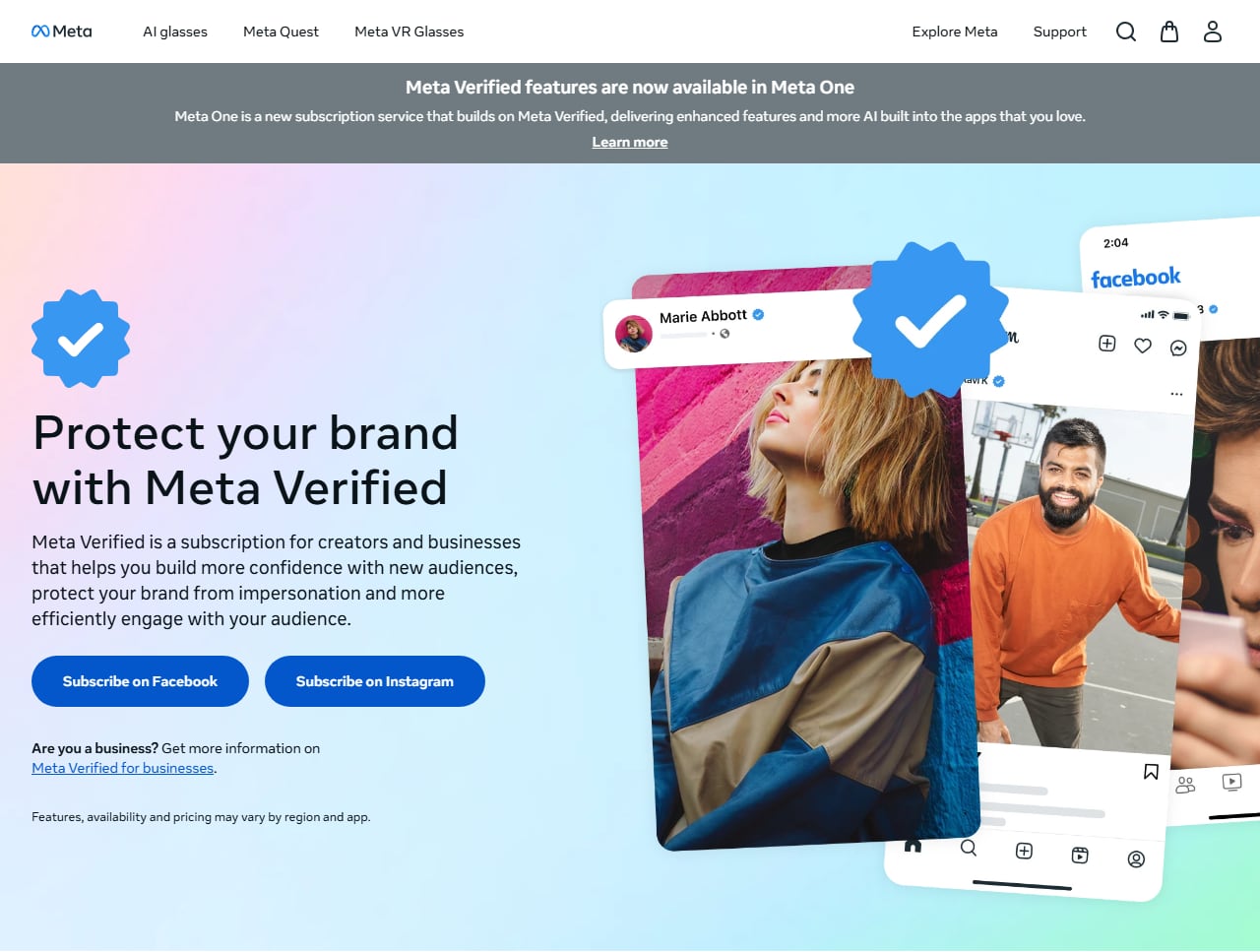
Meta's own Meta Verified page, with the Meta One banner at the top. Screenshot of meta.com taken October 9, 2026.
| Plan | Listed US price | Where you can buy it |
|---|---|---|
| Standard | $14.99 a month | Web or mobile app |
| Plus | $49.99 a month | Mobile app only |
| Premium | $149.99 a month | Mobile app only |
| Max | $499.99 a month | Mobile app only |
Every plan renews automatically, and Meta says verifying an Instagram and a Facebook profile together gets a bundle discount.
Is Meta Verified cheaper on the web than in the app?
Yes, for Standard, but Meta's plan table doesn't tell you by how much. The page says you can sign up for Standard on the web "for a discounted price" and leaves the number out. Its help article on Meta Verified for creators doesn't print a price at all. We checked both on October 9, 2026.
The last web figure we could read on a Meta page ourselves is from the February 2023 launch announcement: $11.99 on the web and $14.99 on iOS and Android. Most guides still quote $11.99 as today's web price, and it may well be, but Meta's plan table no longer confirms it. Treat it as the launch price until your checkout screen says otherwise. The gap exists because Apple and Google take a cut of purchases made inside apps.
If you're only after Standard, subscribe from a desktop browser and look at the checkout total before you pay.
What does a year of Meta Verified cost?
More than the monthly number suggests. The same US figures over twelve months:
- Standard on the web, if it's still the 2023 launch price of $11.99: $143.88 a year.
- Standard in the app at $14.99: $179.88 a year. At those two prices, tapping Subscribe on your phone costs $36 extra.
- Plus at $49.99: $599.88 a year.
- Max at $499.99: $5,999.88 a year.
The price can also go up while you're subscribed. The Meta Verified terms of service say Meta will give you at least 30 days' notice before an increase, which is your window to cancel.
How much is Meta Verified in India?
Meta doesn't keep a public rupee price list, so the only official figures are in its announcements. When the creator plan reached India in June 2023, Meta's newsroom post gave Rs 699 a month on iOS and Android and said a Rs 599 web option was coming.
For businesses, the July 2024 India launch post put the starting price at INR 639 a month for one app. The top two-app plan was INR 21,000 a month on a 12 month introductory offer and INR 30,000 after it.
Both announcements are old enough that the numbers may have moved. Start the sign-up flow in Instagram to see today's local price.
What do you get with each Meta Verified plan?
Every plan includes the verified badge, impersonation protection and access to support. This is the list in Meta's creator help article as of October 2026:
- Standard: verified badge, impersonation protection, chat and email support, easier discovery in search, images on your links, and exclusive stickers.
- Plus: everything in Standard, a more prominently featured profile, and two links in Reels a month.
- Premium: everything in Plus, four links in Reels a month, and custom chat themes.
- Max: everything in Premium, six links in Reels a month, and a personalised content strategy consultation.
Support improves as you go up. Meta's support page lists chat and 24/7 email on all plans, priority handling from Plus, phone support on Premium and Max, and case monitoring on Max only.
Read the small print before you count on all of it. Plans, benefits and availability vary by region, app and account, and Meta's page says the enhanced support feature "may not be available to all subscribers at this time".
Two Reel links a month is thin for $49.99, and the allowance only doubles at $149.99. If the goal is getting a link to people who ask for it, a comment that triggers a DM with the link has no monthly cap of two.
Does Meta Verified increase your reach?
Meta doesn't say it does. The plan pages list "search optimisation" and, from Plus, a featured profile. Both are about being found when someone looks for you. Neither is a promise that your posts get shown to more people.
The Meta Verified terms of service are careful on this point. The English text reads "Increased visibility may vary depending on a number of factors" and names none. Meta's business terms name two: the size of your existing audience and the topic of your posts.
There's history behind the caution. When Meta first announced the subscription in February 2023, the feature list included "increased visibility and reach" in search, comments and recommendations. An update to the same post on 17 March 2023, the day the US test opened, says Meta was removing increased reach as a subscription feature "for now". Guides that still list a reach increase as a benefit are usually repeating the February version.
Do small accounts get more out of it?
Possibly, and only by Meta's own hedge. The business terms say accounts with a smaller following "may see a more noticeable impact to their reach as their audiences are smaller". Meta attaches no number to that and has published no before-and-after data for subscribers.
Will Meta Verified get you more followers?
Nothing Meta has published says so, and none of the paying reviewers in the next section traced new followers to the badge. Reach is still decided by the signals covered in our guide to the Instagram algorithm, and a badge isn't one Meta has named.
What do people who paid for Meta Verified say?
We haven't paid for it, so this part is other people's experience. Four reviewers who subscribed and wrote it up under their own names came out in roughly the same place.
- Kirsti Lang, Buffer, December 2023. She compared the two weeks before subscribing with the two weeks after. Accounts reached went from 1,946 to 1,823 and followers from 5,734 to 5,724, while engagement rose. She put the differences down to what she posted in each period.
- Phil Nickinson, Digital Trends, 17 February 2024. He subscribed in late October 2023 with about 3,100 followers and paid $15 a month through Apple. Growth was flat until January, when concert and CES posts brought roughly 1,500 new followers and one Reel passed a million views. He credited the posts. The subscription, he wrote, did "exactly what I expected", which was nothing.
- Hanna Rauch, on her own site, 2024. She joined when the test opened in Australia and New Zealand in February 2023, paid NZ$29.99 a month for Instagram and stayed for over a year, mostly for the support access. By April 2024 she had cancelled because it hadn't made enough difference. She still recommends it to people who depend on their account and worry about losing it.
- Nithesh S, in the newsletter The Idiosyncratic Idiot, 6 February 2024. He paid Rs 800 and verified with a photo of his Aadhaar card, which was approved almost at once. He liked having the tick, hadn't contacted support and found the option hard to locate, and wasn't sure he'd keep paying.
Only the first two published numbers, and neither found that the badge changed them. All four pieces were written in 2023 or 2024 about the entry plan, so they can't tell you what Plus or Max support is like today.
Who can get Meta Verified?
Any adult with a real name, a face in their profile photo and a government ID, in a country where Meta sells it. Follower count doesn't matter. Meta's eligibility page for creator subscriptions lists these requirements as of October 2026:
- You're at least 18, or the age of majority where you live.
- You live in a country where Meta Verified is available.
- Your Instagram account is a personal or creator account. Business accounts go through the separate business plan.
- Your profile name and photo meet Meta's naming standards, and you have a government photo ID to match them against.
- Advanced Security, which is Meta's name for the two-factor authentication requirement, is turned on. You can't switch it off while subscribed.
- The account meets a minimum activity level, such as prior posting history.
- You haven't made too many recent changes to your name, username, photo, location or account type.
Meta doesn't publish the minimum activity number or how many profile changes count as too many. The ID upload has one exception: Meta's creator help article says some eligible accounts may be verified from their activity across Meta's apps, such as how long they've used the same name.
The real name and face rule catches a lot of creators. A faceless theme page or a pet account doesn't fit the creator plan, because there's no ID to match it to.
What about Meta Verified for businesses?
Businesses get their own version with its own terms. It launched in September 2023, and Meta's announcement was updated on 28 August 2024 to say it was available to businesses globally, in four plans: Business Standard, Plus, Premium and Max.
Pricing is harder to pin down. The 2023 launch price was $21.99 a month per Facebook Page or Instagram account on the web, $34.99 for both, and $27.99 on mobile. We couldn't find a current US price table for the four business plans on Meta's public pages, and the business terms say the plans you're offered depend on your business activity. You see your price in the sign-up flow.
The benefits follow the creator pattern. Eligibility doesn't. You need a business portfolio in Meta Business Suite, Advanced Protection turned on, and enough account tenure and activity. If your account is still personal, we have a walkthrough on how to switch to an Instagram business account, and our Meta Business Suite guide covers where the portfolio lives.
The business agreement also freezes your profile. While subscribed you can't change the asset's name, handle, bio or category. To change them you cancel and reapply with the new details. If a rebrand is coming, do it first.
WhatsApp is the loose end. The 2023 announcement said the business plan would reach the WhatsApp Business app later and gave no price, and the 2024 update doesn't mention it. If WhatsApp is where you sell, check what the WhatsApp Business app offers your number before you buy a plan for Instagram.
Is Meta One replacing Meta Verified?
Not yet, but it's where Meta is heading. On 15 September 2026 Meta announced Meta One, a subscription across Instagram, Facebook, WhatsApp and Meta AI. Its creator and business bundles are Essential from $14.99 a month, Advanced from $49.99, Expert from $149 and Max from $499.
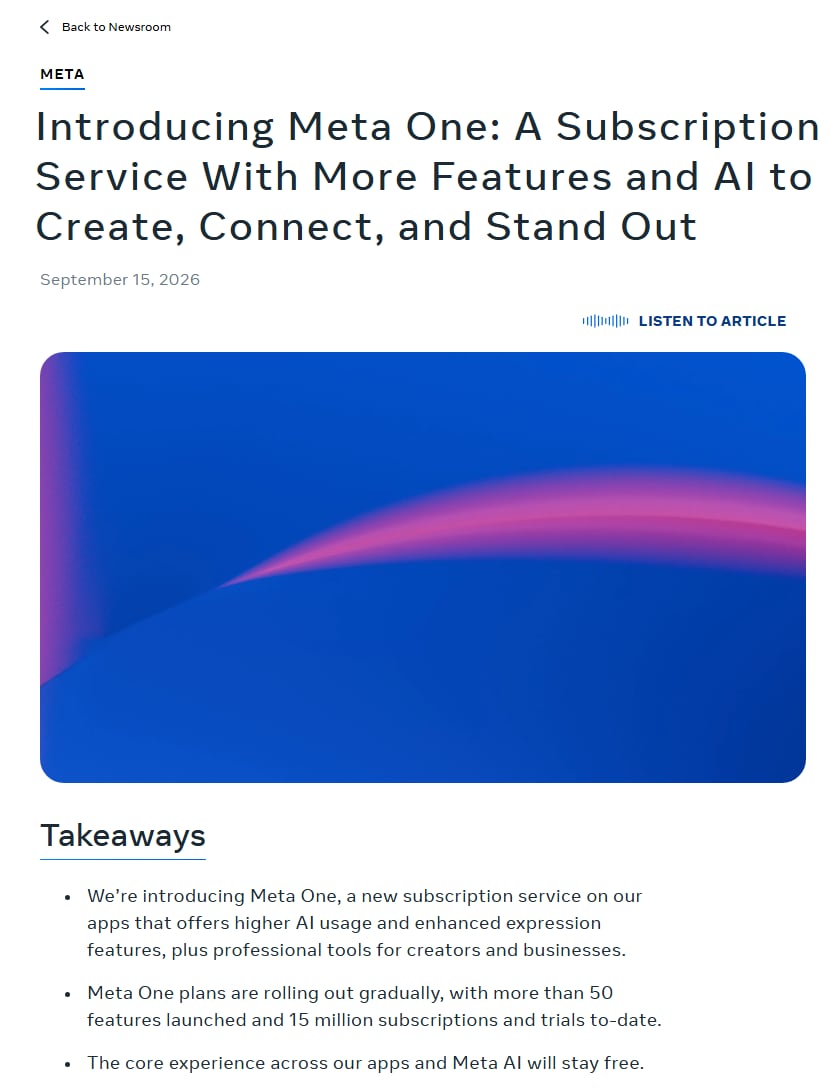
Meta's newsroom post announcing Meta One. Screenshot of about.fb.com taken October 9, 2026.
Those prices sit almost exactly on top of the four Meta Verified plans, and the Meta Verified page now carries a banner saying its features are available in Meta One. Essential includes a verified badge and impersonation protection once you pass verification, plus a verified WhatsApp Business channel and more use of Meta's Business Agent on WhatsApp. Advanced adds links in organic posts and Reels, story scheduling up to 30 days ahead, exportable analytics and team access without sharing a password.
Look for support before you switch. The announcement doesn't list chat or email support from an agent among Essential's features, and that support is the main thing Meta Verified Standard sells at the same price.
Meta One has cheaper personal plans too: Instagram Plus at $3.99 a month, and bundles called Core at $7.99 and Premium at $19.99. The announcement lists no verified badge for those, so don't buy one expecting a blue tick.
The rollout is uneven. The announcement says the plans are available globally and are rolling out gradually, while Meta's help page on the Meta One verified badge says Meta One is in limited testing and isn't available everywhere. Meta's plans page says existing Meta Verified subscribers see no change for now and will be told before they can switch.
If Instagram offers you Meta One in place of Meta Verified, compare the feature list on your own screen. The two entry plans cost the same and don't include the same things.
Is Meta Verified support any good?
It's better than what free accounts get, and it's less than the phrase "a real person" suggests. For most creators support is the main reason to pay, so the details on Meta's support page matter:
- Chat support works in the Instagram and Facebook mobile apps only, not on desktop.
- If you don't answer the agent within 7 days the case closes, and a closed case can't be reopened.
- Email is available around the clock. Chat and phone hours depend on your language and region.
- Supported languages include English, Hindi, Spanish, Portuguese, Arabic and ten others.
User reports are mixed. In November 2024, ABC7's consumer team in California followed two people who subscribed after losing their accounts. One had been locked out for months and got her account back within a day of reaching a live chat agent. The other went through nearly two dozen chats over three paid months and was still locked out.
The harder test came in mid-2025, when a wave of account suspensions hit Instagram and Facebook. On 2 July 2025, TechCrunch reported that some paying subscribers described canned replies, waits of several hours and chats closed on them while their accounts stayed suspended. Meta declined to comment for that story. On the other side, Buffer's reviewer wrote in December 2023 that she reached a live agent in about two minutes.
What you get for the money is a place in a queue with a person in it and a case number to chase. The agent applies the same policies everyone else is subject to, so the result can still be a no.
Does Meta Verified help with a hacked account or prevent bans?
Hacked accounts
It can help. Meta's support page says that if your account was hacked, Meta Verified support can help you recover it. The catch is that support lives inside the verified account, which is the one you can't sign in to.
Free recovery has also improved. In December 2025 Meta said it had raised the relative success rate of hacked account recovery by more than 30% in the US and Canada that year, and it opened a support hub in the apps for everyone. That's Meta's own figure with no baseline given, but the free route is worth trying first. The steps are in our guides on getting back into a locked Instagram account and getting back a suspended or disabled account.
Two-factor authentication is mandatory for subscribers, and you can turn it on today for free.
Bans and restrictions
No. A verified account is held to the same Community Guidelines as any other, and Meta's help page says the badge and impersonation protection can be removed if you don't follow them.
What you gain is someone to ask when a restriction looks like a mistake. Accounts do get disabled without warning. It isn't immunity, and spammy behaviour gets a verified account flagged like any other.
Can you change your name, username or photo after you're verified?
Only with friction. The creator terms say that once you're verified you may not be able to change your username, profile name, date of birth or photo without going through the subscription application and verification process again.
Meta's help page on updating a Meta Verified creator profile says a new name has to be similar to the one you signed up with.
Meta One loosens this a little. Its profile editing rules allow changes to name, picture and username, each reviewed for up to three days. On Instagram you can change your name twice and your username once every 14 days. If the change can't be verified, Meta may remove the badge.
Settle your handle before you subscribe. If the one you want is gone, we've written about what to do when an Instagram username is taken. Changing it afterwards puts the badge you're paying for at risk.
Meta Verified vs the legacy blue check: what's the difference?
They look identical on a profile and mean different things. The legacy badge said Instagram judged you notable. The paid badge says Meta checked your ID and you have a subscription.
| Meta Verified (paid) | Legacy badge (notability) | |
|---|---|---|
| Cost | From $14.99 a month in the US, less on the web | Free |
| What Meta checks | Government photo ID against your name and photo | Whether the person or brand is notable and widely searched for |
| How long it lasts | As long as you keep paying and follow the rules | Kept by accounts verified before Meta Verified |
| Support access | Included | Not included |
| Impersonation monitoring | Included | Not included |
| Name and photo changes | Restricted, may need re-verification | Not tied to a subscription |
Meta confirmed in its June 2023 post that accounts verified before Meta Verified keep their badge, and noted that those accounts may be more exposed to impersonation than the average user.
If you think you qualify on notability, try the free route before paying. Our guide on how to get verified on Instagram covers that application.
Does "Meta Verified" mean an automation tool is approved by Meta?
No, and our own Search Console shows how common the mix-up is. People reach this blog searching "meta verified dm automation", "meta verified auto dm" and "meta verified automation tools". Those phrases join two unrelated things.
Meta Verified is a subscription for accounts. A person or a business pays monthly, Meta confirms who they are, and the profile gets a blue tick. An automation tool can't be "Meta Verified".
Meta Business Partner is a partner-program status for software companies. Meta lists those companies in its public partner directory, where you can look up any vendor's claim yourself. InstantDM is an official Meta Business Partner, built on the official Instagram Graph API.
Neither status means Meta endorses a tool or a tactic.
Whether a tool is safe comes down to how it works: login through Instagram or Facebook with no password asked for, and replies only to people who commented or messaged first. Our post on whether Instagram automation is allowed goes through those rules, and the automation compliance guide has the longer checklist.
How do you sign up for Meta Verified?
Before you start, make sure your profile name and photo match your ID and that two-factor authentication is on.
In the Instagram app (iPhone and Android)
- Go to your profile and tap the menu icon (three lines) in the top right.
- Tap Meta Verified. If you don't see it, look under Accounts Center.
- Choose the profile to verify. To add a Facebook profile at the bundle price, pick both here.
- Pick a plan and read the benefits listed for your region.
- Tap Pay now and confirm through the App Store or Google Play.
- Confirm your identity by uploading a government photo ID. Some people are asked for a selfie video as well.
On desktop
- Log in at instagram.com and open Accounts Center from the More menu and Settings.
- Select Meta Verified and choose your profile.
- Pick Standard (the only plan sold on the web), pay with a card, and upload your ID.
Menu labels move between app versions. Meta's subscription help page sets two deadlines. You have 3 days after paying to finish the identity step, or the subscription is cancelled and you may be eligible for a refund. Meta then reviews the application and tells you the result within 3 business days.
Why can't you sign up for Meta Verified?
When the option is missing or the application fails, one of the eligibility rules is usually behind it. Check these in order:
- Your account is a business account. The creator plan takes personal and creator accounts only.
- You changed your name, username or photo recently. Meta limits recent profile changes and doesn't say how long to wait, so leave the profile alone for a few weeks.
- Your profile photo doesn't show your face, or your profile name isn't your real name. The ID check has nothing to match.
- The account is new or has few posts. Meta requires minimum activity and doesn't publish the threshold.
- Two-factor authentication is off, or you started turning it on and didn't finish.
- You're under 18, or Meta Verified isn't sold in your country.
- Instagram is offering you Meta One. Where Meta One is being tested, the menu may show its plans in place of Meta Verified.
How do you cancel Meta Verified, and what happens to the badge?
You cancel in the place you bought it, and the badge stays until the billing cycle you've paid for runs out. Meta's cancellation page splits it three ways:
- Bought on the web from Meta: cancel from a computer, in Accounts Center under Meta Verified. You can't cancel a web purchase from a phone.
- Bought through Apple: cancel on your iPhone or iPad, signed in with the same Apple ID you paid with.
- Bought through Google: cancel in Google Play, under the same Google account.
Deleting the Instagram app doesn't cancel anything. Cancel at least 24 hours before your next payment date to avoid another cycle.
At the end of the cycle every subscribed profile loses the badge, the impersonation protection and support, and any open support case is closed. Meta gives no credits or partial refunds. You can also remove the benefits immediately, which still doesn't refund the unused days.
If you only want the badge off one of two profiles, edit your subscribed profiles and leave the subscription running.
Can you lose your Meta Verified badge while you're still paying?
Yes. Paying keeps the subscription alive, and the badge can still come off. Going by Meta's terms and help pages, there are three ways it happens:
- You break the rules. Meta's help page says the badge and impersonation protection can be removed from an account that doesn't follow the Community Guidelines.
- Your verification details turn out to be false or misleading. The terms of service say the badge may be revoked without a refund in that case.
- You change your name, photo or username and Meta can't match the new profile to your ID.
Don't expect money back in any of them. The terms say "all purchases are non-refundable" except where the law requires a refund. The refunds section also covers an identity check that fails or isn't finished in time, and says to request that refund through Apple or Google.
Pick Meta Verified if, skip it if
Meta Verified solves two problems: people pretending to be you, and having nobody to contact when your account breaks. If you have neither, it does very little.
Pick it if:
- Fake accounts are already copying you. Impersonation monitoring plus a badge your followers can check is the strongest reason to pay. Our guide on how to spot fake Instagram accounts covers the signs.
- Instagram is your income. If a locked account costs you sales every day, $144 to $180 a year for a support channel is cheap insurance, even though it sometimes fails.
- You sell in DMs and buyers hesitate. In scam-heavy categories like tickets and resale, a tick answers "is this the real account?" before anyone asks.
- You use your real name and face, and you don't plan to rebrand.
Skip it if:
- You want more reach. Meta doesn't promise it.
- You run a theme page, a pet account or anything without a real person's ID behind it. You won't pass the creator check.
- You're about to change your handle or name.
- You're small and nobody is impersonating you. Turn on two-factor authentication for free and look again when the account earns money.
- You were told you need it for ads or automation. You don't.
Plus makes sense only if you've hit a support problem and want the faster queue, and Premium and Max are priced for teams.
If you're undecided, subscribe to Standard on the web for one month when you have a real problem to raise, such as an impersonator. You'll learn more from how support handles that one case than from reading reviews, ours included.
Do you need Meta Verified to run ads or automate DMs?
No to both. Ads run from a professional account connected to an ad account, and nothing in the Meta Verified pages or terms ties the subscription to advertising access. For ads that start conversations, our click-to-DM ads playbook has the mechanics.
Automation doesn't need it either. Comment replies and DM automation go through Meta's Instagram Platform API, which needs a professional account (creator or business) and your permission through Instagram or Facebook login. Someone comments a keyword on your Reel, and the API lets a connected tool send them a private reply. A blue tick plays no part in that. The setup is in our comment-to-DM automation guide.
InstantDM is one tool that does this: quick automations and a flow builder in one tool, with phone apps for iOS and Android. It connects through Instagram or Facebook login, never a password, and it works the same on verified and unverified accounts.
Answer comments and DMs without waiting on a badge
If your real question was how to stop missing comments and messages, the Meta Verified decision can wait. Start with InstantDM, connect your Instagram account through Meta's login screen, and set up a keyword reply. Current plans are on the pricing page.
Instagram, Facebook, WhatsApp and Meta Verified are trademarks of Meta. InstantDM is not affiliated with Meta beyond the named partner program.